Tuesday March 31 was World Backup Day 2026, but we're continuing our live coverage because keeping your data safe and secure isn't a one-off - it's an ongoing strategy.
Join us today for continued news, updates, tips, and advice from top technology experts.
Whether you're saving to the cloud, storing treasured photos on an SSD, storing business-critical files to a desktop NAS, or backing up everything on a USB stick you've been clinging on to for years (I can relate), check out everything you need to know for World Backup Day 2026 and beyond. This year, we've rounded up
- advice from our experts to make sure your data is protected
- horror tales from our team and elsewhere to remind you of what can happen
- exclusive deals from our backup partners to keep your data safe
- backup content from our extensive archive
- data backup stories around the world
- And much more!
What is World Backup Day anyway?
The first mention of World Backup Day was by Ismail Jadun on Reddit back on the 30th of March 2011, but the original post has since been lost to the sands of time (should have backed it up!). The choice of date was entirely deliberate, giving birth to the event's tagline: 'Don't be an April Fool. Backup your data.'
World Backup Day has since become an annual fixture in the global tech calendar with tens of thousands of articles, deals, and news stories every year. It even has it's own multi-lingual website.
The World Backup Day Pledge

From somewhere in it's history, World Backup Day developed a semi-official pledge: “I solemnly swear to backup my important documents and precious memories on March 31st. #WorldBackupDay”.
It isn't legally binding, of course. Which is a shame because the world would be a much better place for both to consumers and businesses and large enterprises. Like an oath of office, Chief Data Officers should make it a yearly tradition.
How big is World Backup Day?

Year after year, Google Trends has shown a big spike for World Backup Day since it launched - always towards the end of March - but the run up to World Backup Day 2026 appears to have seen significantly more interest that usual.
Maybe some of the significant data breaches, ransomware attacks, and infostealing malware campaigns of 2025 have prompted people to pay more attention to their data.
"Everything — and I mean EVERYTHING — you need to keep your data safe from loss and disaster"
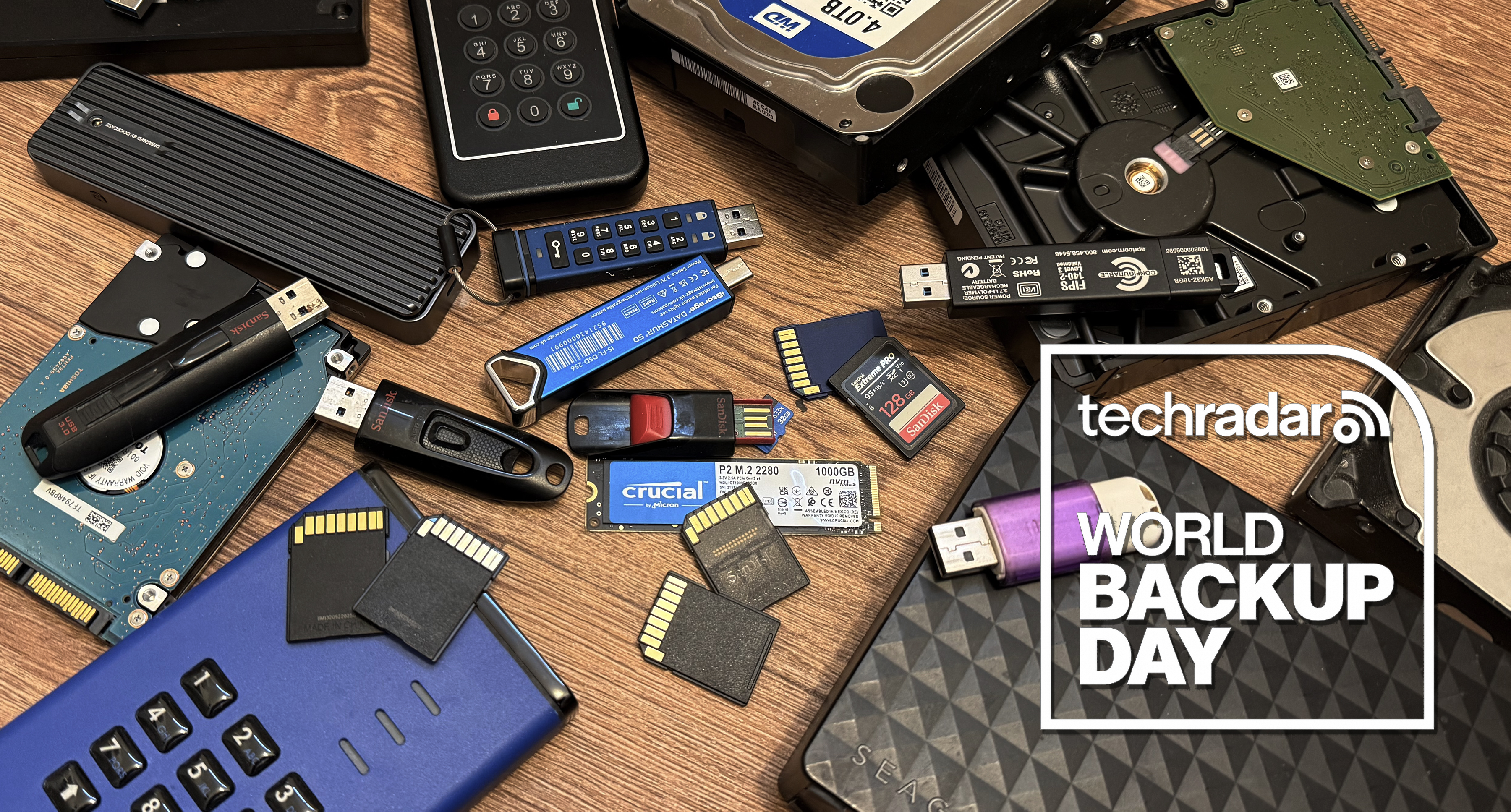
Ahead of World Backup Day, our tech expert Wayne Williams has compiled everything - and he means EVERYTHING - you need to keep your data safe, from internal SSDs to desktop NAS.
Wait, what is "backup"?
A backup is an exact copy of data that is stored elsewhere for redundancy. Kind of like emailing yourself a document in order to always have an online copy of it. We've personally tested plenty of options when it comes to reliable backups.
In the modern world, a backup can be kept in cloud storage, on a NAS storage system in a different location, or even just on a USB flash drive.
For most backups, the copied files only exist as a snapshot of the data at the time it was copied (unless the service you are using regularly synchronizes the data). This is why regular backups are so important.
The best part is, there is tons of free backup software out there - and we strongly recommend getting the backup process started as soon as possible.
WD_Black 4TB SSD gets an even bigger discount

As part of World Backup Day, the team here are scouting for the best storage deals we can find. And this one is well-worth a mention.
Last week, we highlighted the WD_Black SN7100 4TB SSD on sale in Amazon's Big Spring Sale - but since then it's dropped further in price, now $590 (was $1380) at Amazon.com.
At the time, we said the deal "is so good, it had me checking I wasn't seeing things. This drive uses a PCIe Gen4 interface and reaches read speeds up to 7,000MB/s with write speeds up to 6,700MB/s. Those numbers translate into quick file transfers, and shorter load times."
In the UK, the 4TB variant is £580 at Amazon.co.uk.
Why should I have a regular backup?

There are a number of reasons to keep a regular backup of your important data - some of which you may have experienced before.
For example, you could be the victim of a ransomware attack that steals or encrypts all your data, leaving you in the difficult situation of risking payment to get your data back (NOT RECOMMENDED), or just going on in life wishing you had made a backup.
Your device could suddenly fail, or your storage drive could become corrupted, and again, you'll be wishing you made a backup.
Hindsight is 20-20, so make a backup today so you don't start wishing you made one tomorrow.
'Very convincing' - and very fake

In this article, the TechRadar team reports on the surge of sophisticated-looking but very fake SSDs - and how to avoid falling into the traps laid by scammers. Read more here.
Worrying macOS malware scheme uncovered

A timely reminder for World Backup Day, as Malwarebytes reveals a worrying new macOS malware scheme. Infiniti Stealer targets macOS users, with victims tricked into running malicious Terminal code to steal browser credentials, Keychain data, wallets, and screenshots.
Find out more and how to stay safe from phishing and infostealers by clicking here.
As World Backup Day begins in Europe and the US, we asked Google's Gemini to come up with a list of songs that best embody data backup and storage. We got quite an eclectic one, which may raise an eyebrow or two when should you play it in your office. Here it is:
- "Don't Delete the Kisses" - Wolf Alice: (Literal, suggesting saving precious moments)
- "Cloudbusting" - Kate Bush: (Cloud storage metaphor, and a feeling of being saved/rescued)
- "Safe and Sound" - Capital Cities: (Feeling secure, like your data is protected)
- "Keep Your Head Up" - Andy Grammer: (Resilience, backing up your strength)
- "Fix You" - Coldplay: (Recovery and restoration, like recovering lost data)
- "The Backup Plan" - Jennifer Lopez: (Directly related, even if it's about relationships)
- "Locked Out of Heaven" - Bruno Mars: (The feeling of losing access, needing a backup)
- "Digital Love" - Daft Punk: (Digital connection, the importance of preserving it)
- "Shelter" - Porter Robinson & Madeon: (Finding a safe space, like a secure backup)
- "Every Breath You Take" - The Police: (Constant monitoring, like vigilant data security)
- "Under Pressure" - Queen & David Bowie: (The stress of data loss, and the need for backup)
- "Save Tonight" - Eagle-Eye Cherry: (Saving something valuable before it's gone)
- "With a Little Help from My Friends" - The Beatles: (Community backup, support systems)
- "I Will Survive" - Gloria Gaynor: (Data resilience and recovery)
- "The Future's So Bright, I Gotta Wear Shades" - Timbuk 3: (Looking forward with confidence, knowing you're prepared with backups)
"A speed monster you’ll likely never own"

This story caught our eye on World Backup Day - DapuStor has unveiled the Roealsen6 R6060, an Enterprise-class PCIe Gen5 245.76TB SSD. So, just four of these drives would deliver a full petabyte of storage, helping to reduce rack space, power consumption, and overall infrastructure complexity.
Read the article by clicking here.
How prepared are organizations? Veeam research suggests they're more vulnerable than ever to data loss and outages
Backup company Veeam has released new research examining how prepared organizations really are for data outages and emerging AI-driven risks. Here's what they told us:
● 76% of organizations would not survive more than three days of downtime.
● Data outages now outweighs fears of economic recession amongst executives.
● Nearly half of organisations expect a significant data breach or cyberattack.
● Yet, only 32% believe full recovery of critical data and business operations is very likely.
● Ransomware and cyberattacks top the list of threats identified by business leaders.
● AI-related risks rank behind at 29%.
● 38% of boards or leadership teams surveyed have never formally discussed AI-driven or emerging attack types.
● 57% of leaders reported employees have resigned, threatened to resign, or burned out following major cyber incidents.
What is the 3-2-1 strategy?

The 3-2-1 backup concept is an expert-recommended strategy for keeping your files as safe and secure as possible.
The basic concept revolves around having three copies of your data (one of which being the original), stored on at least two different types of media (a hard drive and a cloud sever, for example), with at least one copy stored off-site and preferably in an 'air-gapped' environment.
This means that there is no external connection to the storage medium, so if you store your backed-up data on a hard drive in a box under your bed you have effectively air-gapped your backup.
We covered the topic in more depth - read the article by clicking here.
"Protecting data isn’t just about copying files"

Richard Copeland, CEO at Leaseweb USA, said:
“World Backup Day provides a great reminder that protecting data isn’t just about copying files, and moving them somewhere else. It’s really about knowing exactly where your data lives and who has true control of it.
Today’s backup strategies must respect data sovereignty, while adhering to the fundamentals that have always worked, like 3-2-1. That is, keep at least 3 copies of your data, on at least 2 unique storage devices, and store at least one copy offsite. Just as important is working with a provider that actually knows your environment and treats your data like it matters.
When something goes wrong, you don’t want to feel like your business is one small account lost in a massive system. You want real expertise, real people, and a partner who understands that your data is the heartbeat of your organization.”
What is the difference between Cloud Storage and Cloud Backup?

Cloud storage requires an internet connection in order to access your files, but exists just like the storage on your phone or computer. These files can be easily synchronized to help you keep up-to-date copies, with the ability to mark important files as 'available offline'.
Cloud backup on the other hand are for keeping highly important files safe. You can set certain folders or drives to save regular backups that can be used to restore local files should they be lost, corrupted, or incorrectly edited.
How much backup storage do I need?

If you're a CEO, a consumer, or just curious about backups, this really depends on how much data you want to secure. But the main thing to remember is: backups are for important files.
The average person will usually have between 500GB to several terrabytes of storage on their computer, and backing all of that up regularly takes up a huge amount of bandwidth and can get wildly expensive in the long run - so picking and choosing what is important is the best way to do it.
Most of the best cloud backup plans offer between 1TB and 5TB of storage at a variety of price points, with highly customizable options and extra features to suit your backup requirements.
The browser has become "the new endpoint", say NordLayer
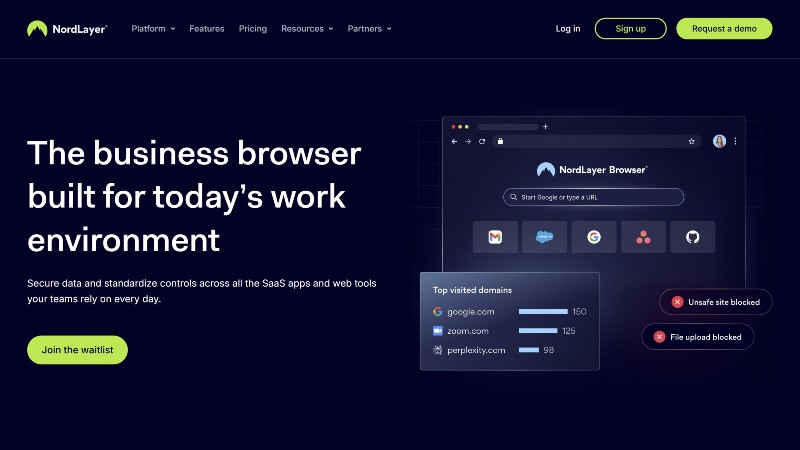
Earlier today, we reported on the new browser from NordLayer. Designed to help boost SMB security for companies using multiple SaaS products, the new tool includes advanced data loss prevention elements and secure browsing capabilities.
Read the article by clicking here.
The 'perfect starter NAS' is on sale for World Backup Day
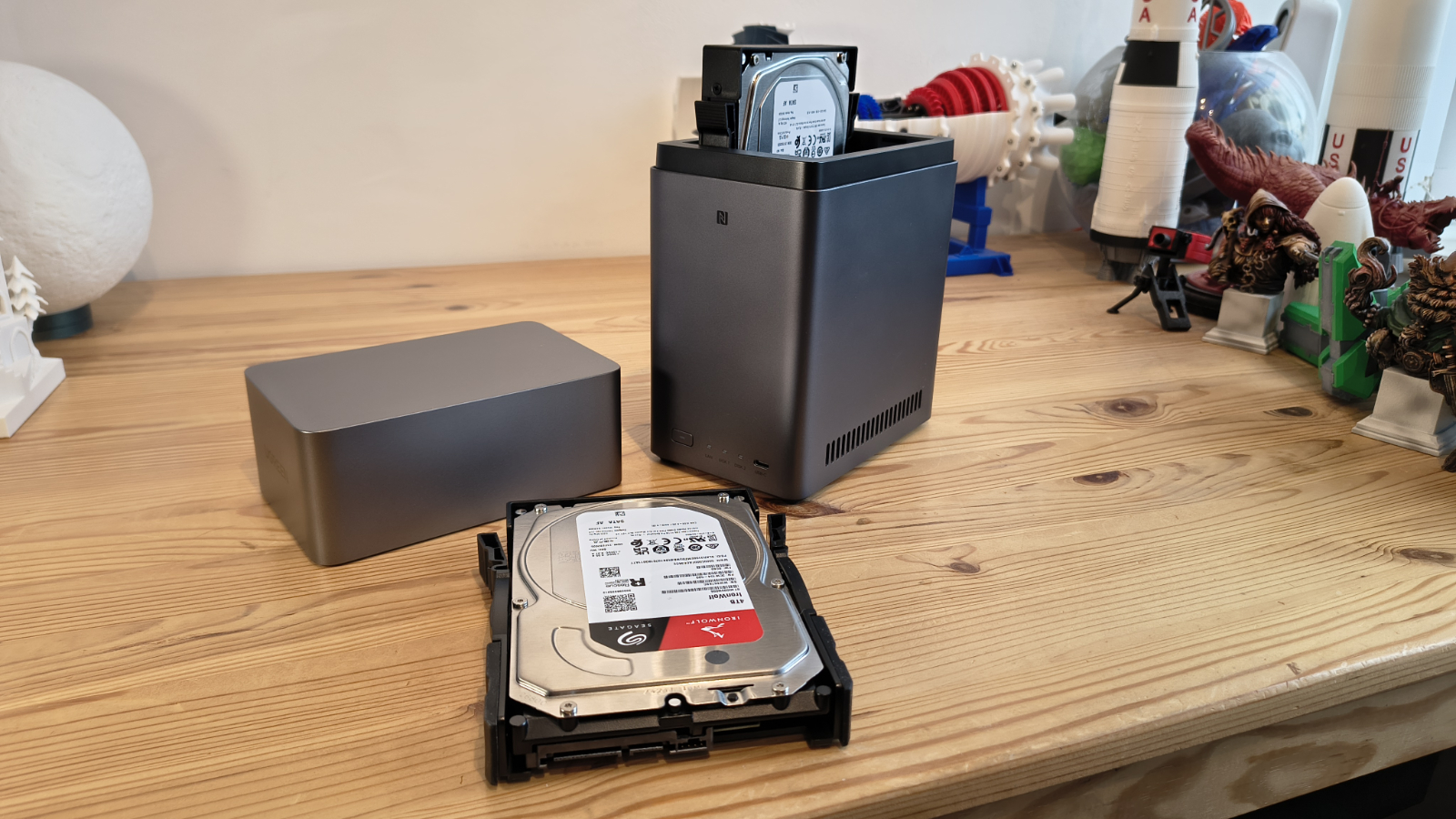
The team has been tracking down the top storage deals for World Backup Day, and this one is well worth checking out. The UGreen NAS DH2300 2-Bay Desktop NAS earned 4.5 stars in our review, and a TechRadar Pro Highly Recommended badge.
Right now, UGreen's NAS system is down to $176 (was $220) at Amazon.com and, in the UK, it's discounted to £243 (was £296) at Amazon.co.uk.
For more details, read the full article by clicking here.
"If your SaaS data disappeared tomorrow, do you know exactly how you would get it back?"
Dan Middleton, Keepit Vice President UK & Ireland, East Europe & MESA offers his thoughts on backing up SaaS data for World Backup Day.
"If your SaaS data disappeared tomorrow, do you know exactly how you would get it back?
Many CIOs assume that because their data lives in the cloud, it’s automatically protected. But although hyperscalers and SaaS providers are excellent at keeping platforms available, availability isn’t the same as recovery.
If data is accidentally deleted, corrupted, overwritten or impacted by a cyber incident, SaaS vendors are very clear about where their responsibility ends.
In practice, this means that while the platform itself remains online, customers are responsible for protecting, retaining and recovering their own data.
And that leaves a gap where SaaS data - email, identity systems, collaboration tools, CRM platforms and more - is vulnerable. Losing access to that data, even temporarily, can be devastating. Disrupting productivity, damaging customer trust and slowing down recovery.
The organisations that recover fastest tend to be the ones with a clear understanding of how their data is protected and restored, often using approaches designed specifically for cloud-based services.
World Backup Day is a good moment to take stock. Knowing who is responsible for your SaaS data, and how it would be recovered, is a small check that can make a big difference when things don’t go to plan."
"The consequences are always disruptive and costly"
A comment from Fraser Hutchison, VP UK&I at Cohesity, highlights the bigger picture beyond simple data backups. He says:
“Data loss comes in many forms, from ransomware attacks and hardware failures through to simple human error. Whatever the cause, the consequences are always disruptive and costly.
True business resilience can only come from strengthening every link in the chain. That means ensuring data is not only backed up, but protected, assessed for threats, and recoverable to a clean, secure state. This includes capabilities like immutability, threat detection, incident response, and coordinated recovery processes across IT and security teams.
Therefore backup’s primary role now should be support secure recovery. In a cyber incident, it’s not just about restoring data quickly, but restoring it safely — free from compromise and without risking reinfection. That requires coordination, process, and validation, not just technology."
"Recovery doesn’t begin in the middle of a breach"
For World Backup Day, Crystal Morin, Senior Cybersecurity Strategist at Sysdig, explores the topic of data recovery.
"With more than 1.7 million ransomware attacks happening every day, organizational security ultimately comes down to how well you can recover. When all else fails, you fall to the level of your backups.
However, recovery doesn’t begin in the middle of a breach. It starts long before. Your ability to bounce back is dependent on how well you’ve prepared to recover data and restore operations. Meanwhile, today’s ransomware landscape continues to expand, with attacks rising 53% year over year. And with 3.3 billion stolen credentials in circulation, threat actors often just need to log in. It’s a harsh reality.
When vulnerability exploitation and cloud attacks can unfold in minutes, a tested and immutable backup is the difference between a temporary disruption and a lasting catastrophe."
SanDisk 128GB USB drive gets a World Backup Day discount
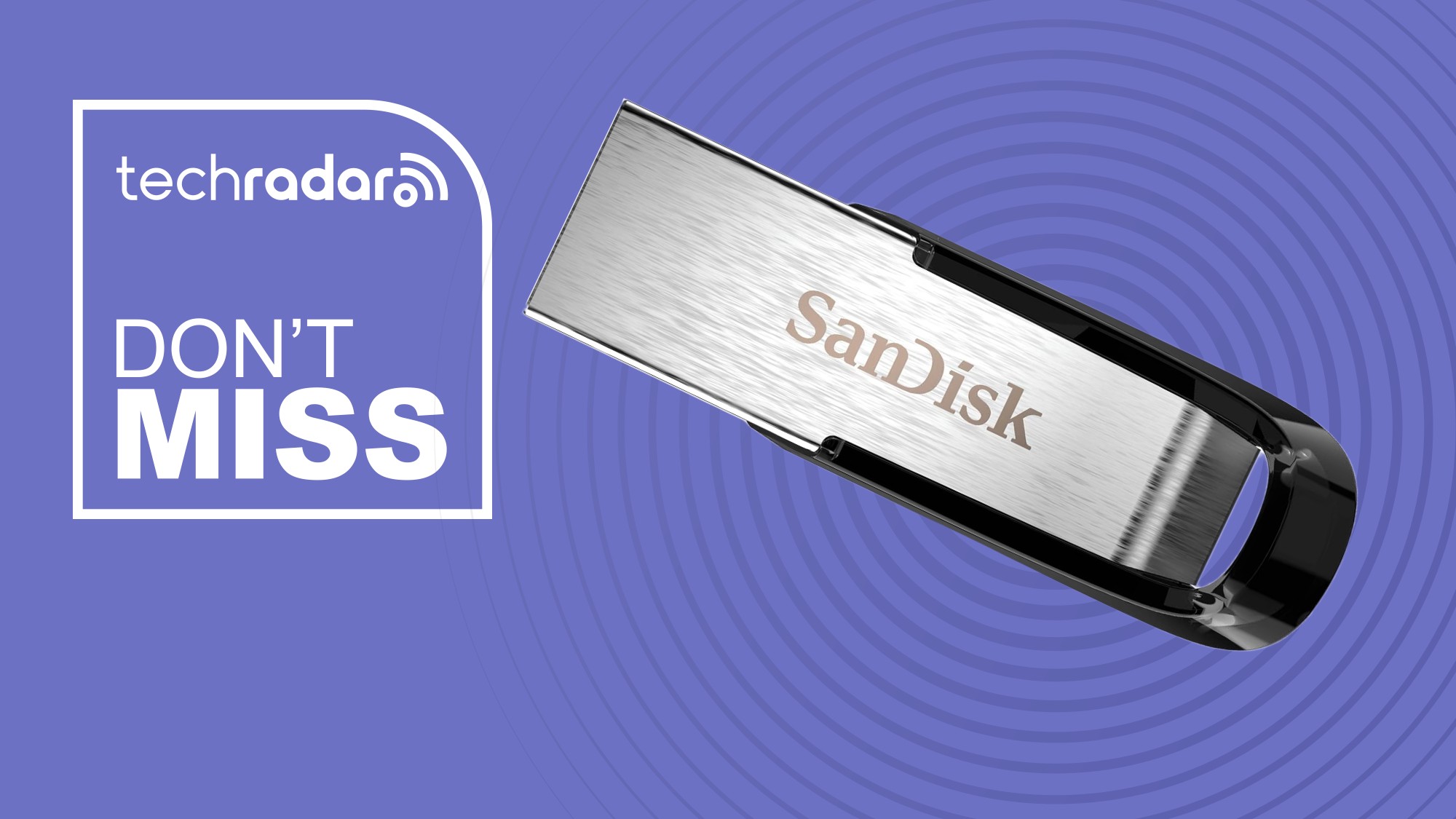
For quick, simple, and reliable backups, the SanDisk Ultra Flair 128GB USB flash drive is the one our hardware editor Steve swears by - and he can't find it any cheaper than it is on Amazon, where it's now $16.46 (was $17.88) in the US and down to £17.97 (was £24.99) in the UK.
Check out the full article by clicking here.
How often should I backup my files?

When it comes to cloud backup services, you can set automated schedules that will regularly save your chosen files - from once a week to every 15 minutes or so.
As for those making a physical backup on a local drive, you can use backup software to set a schedule that suits you.
But in order to provide the best security for your important files, always follow the 3-2-1 backup strategy.
"Companies are racing ahead with AI, but..."
Kevin Dunn, VP and GM of EMEA at Wasabi, tells us about the company's 2026 Cloud Storage Index.
"The UK survey of 200 IT decision-makers revealed:
● Less than half (39%) of organisations are completely confident they can recover cloud data without loss after a cyberattack, while more than a third (37%) experienced a cyberattack in the past year that caused loss of access to public cloud data
● UK organisations rank disaster recovery capabilities (35%) as their top cloud data security priority.
● Organisations are treating AI workloads as critical data assets and securing them accordingly: 91% back up production AI data and 72% back up test and development environments.
Companies are racing ahead with AI, but some still can’t be sure their data would survive a cyberattack. World Backup Day is a good reminder that no matter how much you invest in AI or other technologies, it’s all meaningless if your data cannot be recovered quickly and cost effectively. Organisations should consider new immutability innovations to enhance their cyber resilience capabilities before a new breach exposes the gap.”
Final cut

Earlier today we looked at songs themed around data backup? Well, that was fun, so we asked Gemini to then give us a list of thematically relevant movies around storage. Here's what we got...
- Johnny Mnemonic: Keanu Reeves becomes a human hard drive with a whole 80GB storage implant in his head.
- Blade Runner 2049: Gemini reckons, "The 'Memory Maker' sequence and the massive physical data center fire highlight the fragility of digital records."
- Interstellar: According to Google's AI, "The Tesseract scene is essentially a 5th-dimensional storage locker," with lead character Murph's watch becoming the physical media needed to restore the data.
- Eternal Sunshine of the Spotless Mind: Wiping memories equals data sanitization. Full system restore required.
- Source Code: Gemini is linking this one to "Iterative Backups," as Jake Gyllenhaal re-runs a single point in time to locate the data he needs.
- Skyfall: With Bond hunting the stolen NOC list of MI6 agents, this data breach reminds us that a backup is only as good as the security surrounding it. The same principle can also be found in Tom Cruise's Mission Impossible.
- Jurassic Park: This was the first one I thought of. It highlights a single point of failure in the hands of the disgruntled and greedy Dennis Nedry. Or as Gemini put it: "you don't have a system; you have a hostage situation."
- Cloudy with a Chance of Meatballs: The plot literally hinges on a Kill Code stored on a USB flash drive - good thing Flint had that, with a backup file offsite for good measure.
What movies do you think fit the bill here?
"Hoping your data is safe and actually protecting it are two very different things"
As we've already said, the day may come when you wish you had made a backup. But don't just take it from us. The experts say so too:
Larry O’Connor, Founder and CEO of Other World Computing (OWC) told us,
“World Backup Day is a good reminder that hoping your data is safe and actually protecting it are two very different things. If everything lives in one place, whether that’s a laptop or a single cloud account, you’re one mistake or outage away from losing something that might have taken years to create.
The smartest approach we see people taking today is a mix of on-prem storage, cloud, and reliable backups so their work exists in more than one place. When your storage is fast and dependable, backing up just becomes part of the workflow instead of something you keep meaning to get around to.”
Acronis True Image Sale: up to 50% off
We're continuing to find all the best World Backup Day deals. Acronis is currently offering 30% off Acronis True Image for 1 PC, and 50% off 3 and 5 PC plans, making it easier than ever to protect your data and devices at a great value.
"The biggest problem with backups in 2026"
Rich Greene, Certified Instructor at SANS Institute crunched the numbers when it comes to the biggest problem with backups. He says:
"The biggest problem with backups in 2026 isn’t that people don’t have them, it’s that they’ve never tested them. There’s a stat from the Unified Backup Survey Report 2025 that keeps me up at night: over 60% of organizations believe they can recover from a downtime event within hours, but only 35% pull it off. That’s not a gap, that’s a canyon and people are standing on the wrong side of it.
Here’s what the data tells us:
• 76% of organizations take more than 100 days to fully recover from a breach (IBM/Ponemon 2025).
• 60% of data backups are incomplete, and backup restores fail 50% of the time (Avast).
• 87% of IT professionals experienced a SaaS data loss event in the past year, and the #1 cause wasn’t hackers it was human error.
• 72% of cloud data loss comes from misconfiguration or user mistakes, not external attacks.
And here’s the part that should scare every small business owner: according to the Ponemon Institute, 60% of SMBs that lose their data due to a disaster or breach close their doors within six months.
On the flip side 96% of businesses that had backups AND a tested recovery plan survived cyber attacks. That’s the difference. Not just having the backup. Having the plan. Testing the plan. Knowing the plan works before you need it.
My advice for World Backup Day? Don’t just back up your data. Restore it. Today. See if it actually works. Know your recovery time, not the one on the whiteboard, the real one. And if your GRC team hasn’t audited your cloud retention settings lately, that’s your March 31st homework."
The essence of data backup connectivity

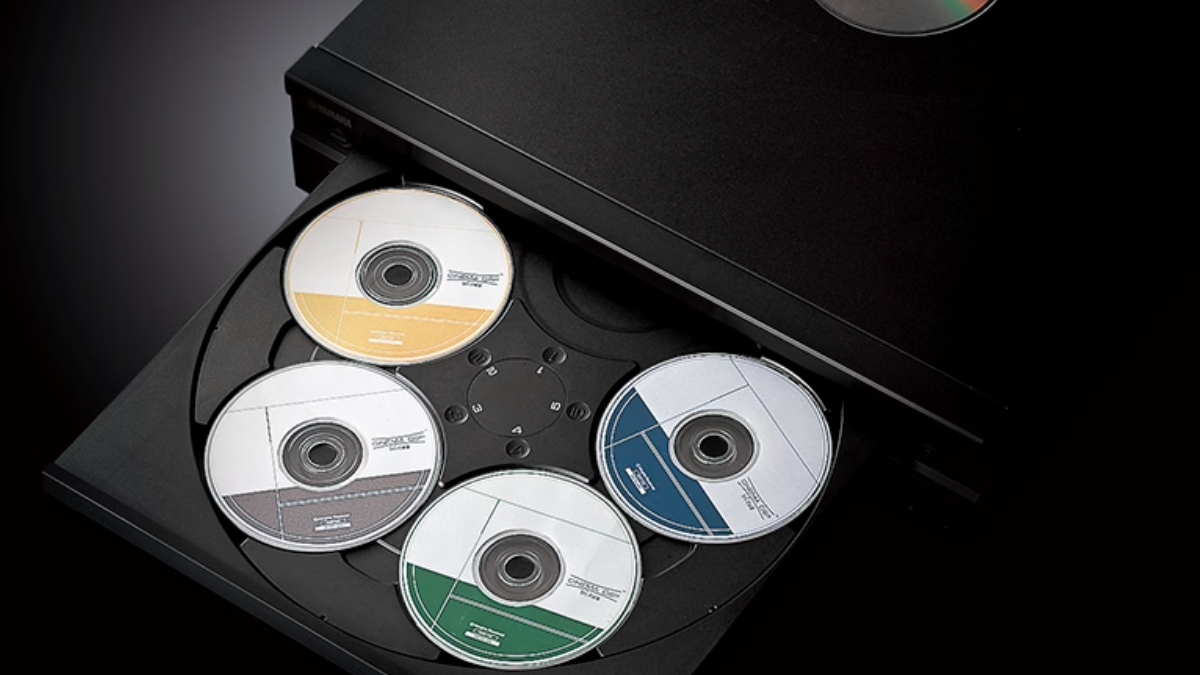
Our interpretations of backups can sometimes be a little outdated. When I think of World Backup Day, I picture stacks of hard drives and CDs. But most of the worlds data exists in the mythical 'cloud' - which is actually just a global network of sprawling datacenters and servers. Unfortunately, these too can fail.
Don Boxley, CEO and Co-Founder at DH2i, says:
"World Backup Day comes around every year for a reason. We all need an occasional reminder of the proactive actions we should be taking to protect the sensitive data our organizations are responsible for.
Unfortunately, it’s still easy for this critical task to get pushed to the bottom of the list. Most organizations don’t think much about backups until the day something breaks. A drive fails, a server crashes, someone accidentally deletes the wrong thing. Suddenly, everyone realizes those files weren’t just data sitting somewhere. They were customer records, financial systems, months of work, sometimes years of it. When that disappears, it’s not just an IT problem. The business feels it immediately."
What’s changed over the last few years is just how dependent companies have become on their data being available all the time. Databases are running across Windows, Linux, containers, and multiple clouds, and everything is moving faster than it used to. Backups are still incredibly important… but they can’t be the whole strategy anymore.
Businesses need systems that keep running even when something fails. And they need to know quickly when something is starting to go wrong. At the end of the day… backup is really about peace of mind. It’s about knowing that when something inevitably goes sideways, you’re not starting from zero trying to rebuild your business from scratch.”
"A good backup strategy still comes down to common sense"
Another comment, this time from Roger Brulotte, CEO of Leaseweb Canada. He rightly points to the importance of making sure that all the data you need to keep your business functioning is backed up - especially as the world becomes a more turbulent place.
"World Backup Day is an ideal reminder that a good backup strategy still comes down to common sense. You want to maintain multiple copies of your data across different storage mediums, local and remote – because when something fails, and something always does – you can recover quickly without your business operations grinding to a halt.
The next common sense strategy is, given today’s dynamic business environment and geopolitical tensions, to truly understand where your data physically resides, and under whose legal jurisdiction, in order to ensure you maintain full data accessibility while enforcing strict access control. And, when storing your data offsite, whether it is to protect it or increase business capabilities, make sure you’re not just a number in a massive system… that the provider truly understands your business and your unique data requirements, and provides the kind of hands-on, white-glove service you deserve."
Are there ways I can backup for free?

In this day and age, there are always free ways to keep your most important files securely stored for free.
For example, the best free backup software gives you a limited amount of free online backup space - usually between 2GB and 25GB.
There are also numerous free cloud storage plans, or you can use the numerous amount of USB drives we all seem to have in a drawer at home. These are especially great for backing up small projects and important photos and videos, especially if you prefer having physical copies of your backups within arms reach.
A can't-miss deal for World Backup Day: One of our favorite rugged portable drives gets a welcome discount

The SanDisk Extreme Pro is a superb rugged portable SSD for data backups, and we've given high scores to every iteration we've reviewed. In the US, the SanDisk 2TB Extreme Pro Portable SSD is $358 (was $533) at Amazon for the model with Gen 2x2 connection. The faster USB4 model is $420. And in the UK, the SanDisk Extreme Pro USB4 is now $329 (was £446) at Amazon.co.uk.
Read our full thoughts in the full article here.
It could happen to anyone: European Commission confirms massive data theft

World Backup Day isn't just for individuals and small businesses. As we reported, the European Commission was recently hit by a cyberattack, with attackers allegedly stealing 350GB of organizational data, with plans to leak it online. Astounding news - and a reminder that it really could happen to anyone.
Read the full article here.
"Backup has become significantly more complex"
Dana Simberkoff, Chief Risk, Privacy, and Information Security Officer at AvePoint, tells us how the changing digital landscape is forcing a re-think on what backup really means for businesses.
"World Backup Day reminds us that backup has become significantly more complex as environments span AWS, Azure, Google Cloud, SaaS platforms, and on prem systems. Tool sprawl and rising cloud costs are pushing organizations to rethink point solutions that only protect individual platforms.
Native tools often lack the visibility and consistency required to meet recovery objectives across distributed environments, leaving gaps in resilience when incidents occur. A modern infrastructure backup strategy must address fragmentation by delivering unified protection across multi cloud workloads and critical applications.
As infrastructure architectures evolve, backup is no longer just a recovery mechanism, but rather a foundational component of operational resilience and control. Organizations are increasingly looking for platform-based approaches that integrate backup, recovery, and governance across cloud infrastructure, identity, and emerging application architectures. This becomes even more critical as automation and agent-driven technologies introduce new operational risks.
World Backup Day is an opportunity to move beyond legacy backup models and focus on infrastructure resilience that scales with complexity, supports faster recovery, and reduces risk across the entire cloud estate."
We found the best portable SSD deals for World Backup Day
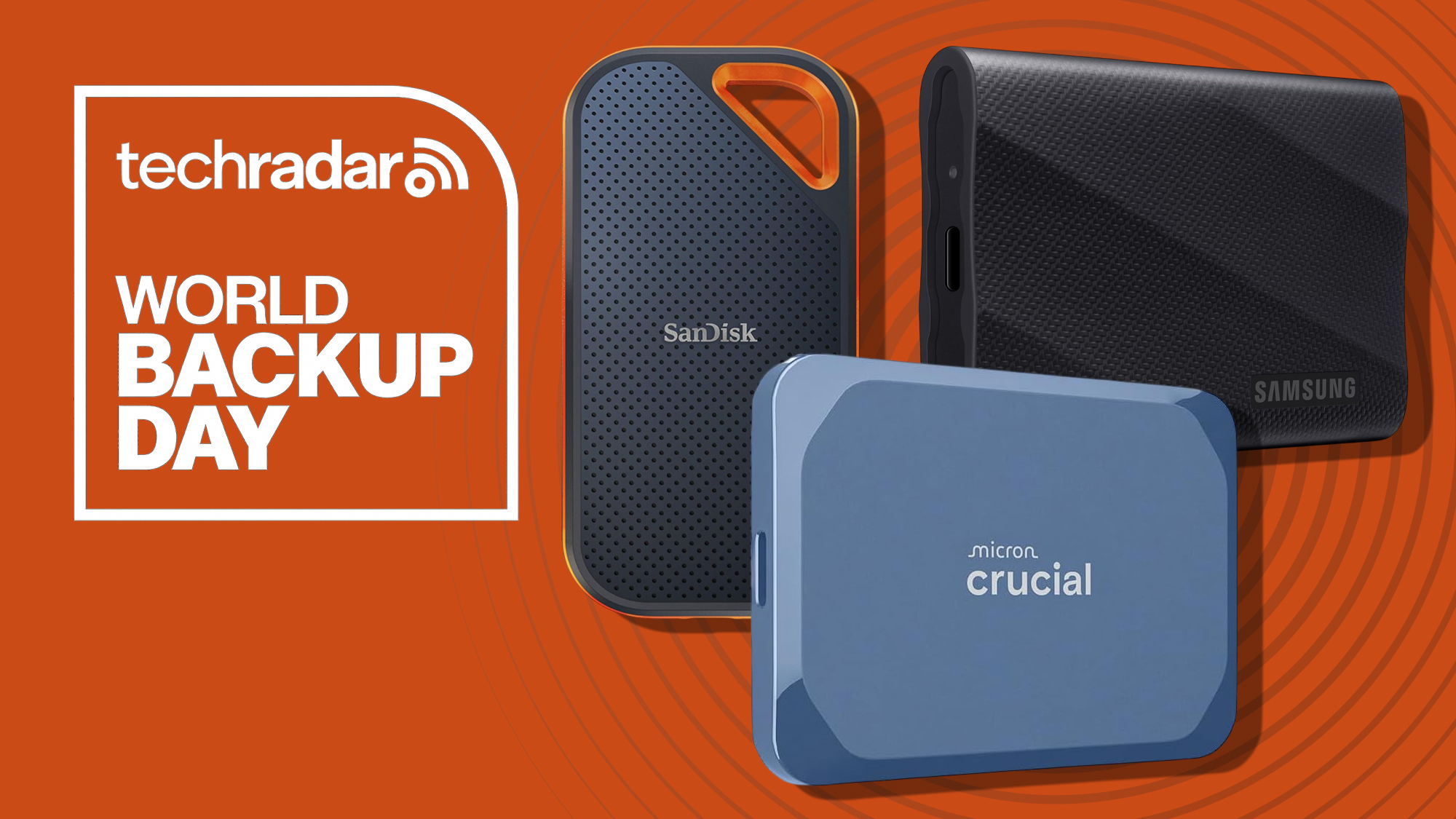
Our tech expert Wayne Williams has tracked down his top portable SSD deals for World Backup, from Samsung and SanDisk to Kingston and Crucial.
Check out the full line-up here.
'Many other risks associated with unprotected data'
Another comment, this time from Roy Shelton, Group CEO of managed service provider Connectus Business Solutions, who looks at the different areas of data security that businesses might not have considered reviewing.
“The conflict in the Middle East has emboldened state-backed bad actors in terms of looking for high-profile targets to attack, but there are many other risks associated with unprotected data.
Losing proprietary code that has been worked on for months or years could be disastrous if it has not been backed up, but there are many other areas of data security that would be worth reviewing.
You may well make some surprising discoveries if you look at if and how important business records, documents and multimedia files are backed up. You may find that you are at risk of hardware failure if you are backing up to old equipment. You may even find that existing backup processes are not actually working as they should due to human error.
The best way is to make sure that your systems have ransomware protection in place. Without it, you risk your business data being effectively hijacked. Hackers will encrypt your data and demand a significant ransom payment to provide a decryption key.
All too often a single click on a link in an email can lead to disaster for a business. Managers can use this date to remind staff to be cautious about data security and to encourage suggestions for improvement.”
How to test if my backup really works?

One of the simplest ways to ensure you can trust your backup is by testing it. Save a couple of files from your device onto your chosen backup medium, and then make sure you can navigate to the new location of the files and ensure they have been properly stored.
Always make sure your backup has finished actually backing up before logging off or shutting down, otherwise you might come to retrieve a backup only to find each files is 0KB in size.
"The importance of backups to ransomware recovery"
John Anthony, Founder and Chief Security Officer, Fenix24 offers six calls to action when it comes to preparing for data recovery.
"On World Backup Day, I thought it pertinent to evaluate the importance of backups to ransomware recovery, and other mass destruction events like that seen at Stryker recently. Cyber resiliency is so much more than just purchasing a product and turning on some immutability features. We know that for recovery to be predictable. You need breach informed expert advice that knows how to architect, manage, administer, monitor, harden, test, assure, and measure recovery continuously.
• Measure, leveraging breach informed technical realities, your backup and recovery survival - will you have a recovery?
• Understand and continuously test, harden, administer, manage, and architect, leveraging a partner that knows breach, your recovery capabilities - know how long it will take to recover.
• Continuously discover and monitor data and dependencies and correlate this to protection and rigorous testing - have confidence that all data is safe and recoverable at the RPO and RTO required.
• Reduce the blast radius of destructive acts by complicating IT access to systems - limit TA damage.
• Know your partners for breach, and have the assurance that they are breach informed, experienced professionals ready to recover at a moment’s notice - have partners that know you, your systems, and your data intimately.
• Continuously harden, informed by breach, your resistance controls leveraged by IT - complicate IT access to systems to further limit TA progression."
Cloud backup versus physical backup

There are pros and cons to every backup strategy, and while a cloud based service would be a better choice for some, others would opt to store important files on a physical drive.
Cloud backups are quickly becoming the go to choice. They are easy, convenient, and usually quite affordable. They will often offer automatic backup schedules and encrypt your data while it is in transfer to keep it secure from snoops and hackers. However, you can only access your data if you have an internet connection and their servers are operating as normal.
On the other hand, storing important files on a hard disk drive or SSD can be a better choice for some as it provides the ultimate control over their data, especially for those who don't trust a third party to keep it secure or those who don't have a reliable internet connection. Unfortunately, you have to buy your own storage and have the software to run regular automated backups.
"Email is still one of the most trusted and heavily used business channels, but it remains one of the least consistently governed at scale"
In this post, Karl Bagci, Director of IT and Information Security at Exclaimer, looks at how email and cloud security can be a concerning blind spot for businesses.
“World Cloud Security Day is a reminder that most organizations have gotten very good at controlling who gets into their systems, but far fewer are controlling what comes out. Email is still one of the most trusted and heavily used business channels, but it remains one of the least consistently governed at scale. What we’re seeing is a shift in risk from infrastructure to behavior. Specifically, how people communicate, what they send, and whether those communications are controlled.
This creates a critical blind spot at the point where communication exits the organization, affecting compliance, brand integrity, and customer trust,” said Bagci. “Without centralized governance, businesses have limited control over how disclaimers are applied, how regulatory requirements are met, or how consistently the organization is represented across every interaction.
World Cloud Security Day serves as a timely reminder that cloud security is no longer just about protecting systems. It is about managing the flow of information across them. And that includes looking at how you govern your email communications."
"What use is cloud storage if there is no internet connection available?"

Rainer W. Kaese, Senior Manager, HDD Business Development at Toshiba Electronics Europe, shares his thoughts on this topic and explains why a backup doesn’t always need to be only in the cloud:
“What use is cloud storage if there is no internet connection available?
That cannot happen with an external hard disk drive, as using an HDD for backup does not require it. It stands out for the reliability and dependable availability of a backup medium that operates independently of networks and their availability, and which, if necessary, can be securely stored in isolation.
Quite apart from the high level of security a hard drive offers. At a time when companies are investing once again in their own data centres for security and compliance reasons rather than relying on cloud services, this is a serious consideration. Who really knows exactly who has access to cloud data, and how and for what purposes it is used? A hard drive, by contrast, allows complete control. Everything remains in your own hands - there is no greater security for sensitive data.
Speaking of connections: speed is crucial for backups, and here, too, the hard drive has the edge. Unlike the cloud’s typical maximum of 300 Mbit/s, data can be transferred at up to 1 Gbit/s via a USB connection from a smartphone, tablet or laptop into the safe harbour of a hard drive – and that is by no means the limit.
Convenience is not sacrificed either, quite the opposite. For a genuine backup with professional data protection, good hard drives come with their own software. This allows not only data but also additional information, such as system settings, to be backed up easily.
Last but not least, financial considerations also favour the HDD as a backup medium. The investment is a one-off, manageable, and involves no ongoing costs. An external hard drive is convenient, secure, fast, and also cost-effective. This unique combination of advantages makes it the ideal long-term storage medium for valuable data and files.
While creating a backup on an external HDD is an important step, relying on a single copy stored on only one medium still poses a risk of data loss, particularly in the case of physical incidents such as theft, fire, flooding, or similar situations. For anyone who values the security of their data, a dual-layer backup strategy across two different types of media is strongly recommended. Combining a local HDD backup with an additional cloud-based backup solution provides a particularly robust and future-proof approach to safeguarding critical information.”
Acronis Cyber Protect Sale: 20% off subscriptions
Not only is Acronis offering a discount on the True Image backup software, but they are also offering 20% off on all Acronis Cyber Protect products with an annual subscription. Prices below are in US dollars, but click the link to seeing the discounted UK pricing.
Data recovery: "Plan for real-world scenarios"
Another comment, this time from Brandon Williams, CTO at Fenix24, who looks at the topic of data recovery and the importance for businesses to create a real-world plan of action.
"Many organizations still view 'recovery' as being a one-size-fits-all solution. Recovering from a malicious threat actor’s behaviors, encryptions, and destructions is VERY different than recovering from an environment failure (storage failure, data center outage, etc.).
Backup and Replication are not the same. Backups are the most important defense against mass destruction, ensuring you can put your data back. And not all backups are the same. Backups must be truly immutable (as compared against destructive acts of Threat Actors), you should have multiple copies of backup data, and the ORCHESTRATION of architecting, managing, protecting, testing, and hardening your “backup solution” is critical to ensuring recovery.
Backups serve little value if they aren’t recoverable. Recoveries should be tested rigorously. This is key to developing response playbooks and recovery procedures. Plan for real-world scenarios like:
'What if Active Directory is offline? How are my recoveries impacted?'
'What if we can’t immediately delete or overwrite existing workloads prior to recovery? Do we have sufficient available storage to allow recovery?'
Reverse-engineering from a “known state” is the best way to architect recovery, and this can positively impact backup strategies. Partner with an organization that lives in these “known states” every day, one that regularly recovers organizations from their worst days following destructive security events. Leverage their insights into potential impacts, and then make certain your backup strategies address properly protecting your data and lead to assured recovery of your data."
Our best portable SSD for most people rockets in price at Argos, but drops at Amazon

Yesterday, we found a great deal on the Samsung T9 at Argos, where it was £175. Now, that price has rocketed to £239, but after looking around, the T9 has dropped to £175 at Amazon (previously it was £185).
This is the best portable SSD we've tested for most people, balancing price, performance, and reliability.
Read the full article here.
The OpenClaw security risks you need to know about
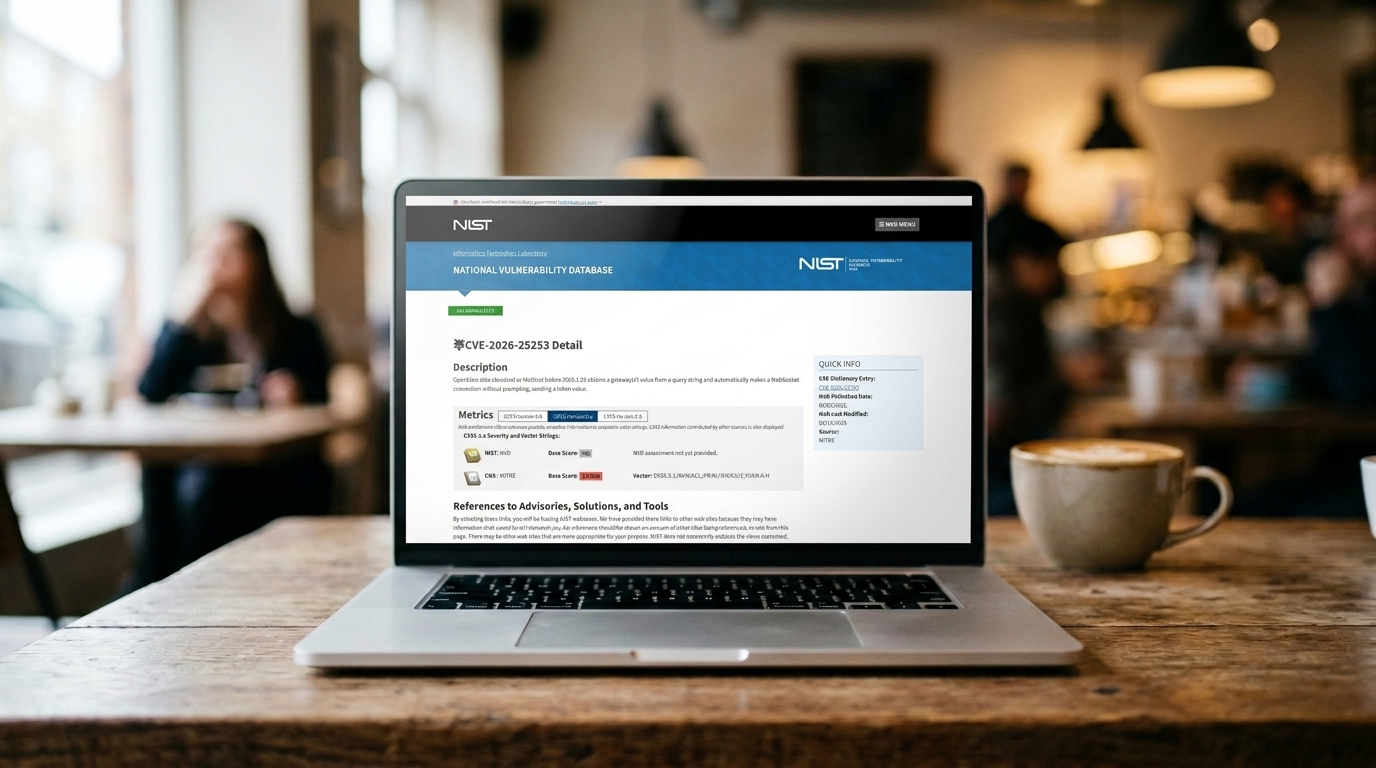
From data exfiltration and infostealers to database misconfigurations, we've explored the OpenClaw security risks you need to know about before handing over control to AI.
Read the full article here.
It's not just about backing up
Sean Deuby, Principal Technologist at Semperis, explains why backing up isn't the only concern for businesses.
"World Backup Day is an important reminder of the ever-increasing likelihood that your organisation will be the next cyberattack target. While backup remains essential, today’s threat landscape means businesses need to think more broadly about recovery, resilience and what it takes to restore operations with confidence after an attack.
Backups matter not simply because they preserve data, but because they enable recovery: a backup does not help you if you cannot recover with it. As cyber threats continue to evolve, especially through the growing use of AI, organisations need to create a clean recovery environment and restore critical systems quickly, securely and outside the control of threat actors.
That means broadening recovery strategies to account for the underlying infrastructure that enables the business to function, particularly identity systems, which are central to access, control and trust across the organisation. You cannot assume that threat actors will leave any of your critical systems alone.
World Backup Day is also an opportunity to reinforce that recovery planning should not just focus on what can be restored, but how effectively the organisation can respond when critical systems are unavailable.
Identity recovery is becoming an increasingly important part of crisis response, particularly as organisations recognise that – unlike other workloads - restoring identity system operations is different from being able to trust those systems after they have been compromised. If identity is lost or cannot be verified, the resulting disruption affects not only technical recovery but also complicates communications, coordination, and decision-making even further.
Organisations should consider a more integrated approach that factors in identity system (such as Active Directory, Entra ID, Okta, Ping Identity) compromise as part of recovery. This is key to helping organisations strengthen resilience, reduce disruption and recover more effectively in the event of an attack."
'Resilience has become about more than just data recovery'
Echoing some of those thoughts, Eric Schwake, Director of Cybersecurity Strategy at Salt Security, chimes in on the topic of resilience.
"World Backup Day is an important reminder that resilience has become about more than just data recovery. In our increasingly API-driven and agentic world, sensitive data is increasingly dynamic and residing outside traditional backup 'boundaries.'
Backups can help you recover what's lost, but they can't control how it's exposed, misused, or exfiltrated as it happens. You need continuous visibility and governance across all application/API/agent connections. Otherwise, you're just backing up data you've already lost control of."
Celebrate World Backup Day with 75% off Carbonite Cloud Backup
Carbonite is currently offering 75% off across its range of cloud backup plans
What about the really big data?
Sure, cloud storage and physical backups are great for SMBs and consumers. But what about the big hitters? Jason Lohrey at Arcitecta shared these thoughts:
"Conventional backup strategies were designed for a world of megabytes and gigabytes, not today’s environments where enterprises routinely manage tens or even hundreds of petabytes and billions of files. Traditional backup assumes data grows slowly and that organizations can tolerate hours or even days before recovery begins. But for modern data-driven businesses, those assumptions are no longer realistic.
On a massive scale, the idea of simply backing up everything becomes unrealistic: traditional systems cannot move hundreds of terabytes per hour or scan billions of files fast enough to keep up with modern data growth.
As data volumes explode across hybrid infrastructures, from on-prem storage and cloud environments to distributed teams, the challenge isn’t simply making copies of data. Organizations must be able to recover the right data instantly when something goes wrong, whether due to ransomware, accidental deletion, or system failure.
To do this, data protection must become an integral part of the data platform itself. Organizations need to move beyond traditional backup strategies toward continuous data availability, where every change to data is recorded in real time and where data can be instantly restored to any point in time. By embedding protection directly into the data path, every file change — such as writes, deletions, or renames — can be captured as it happens, ensuring an organization can always recover its data quickly and effectively."
What on earth is immutable storage?
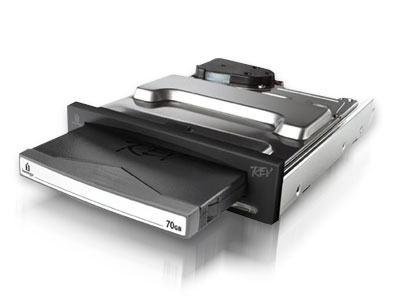
Immutable storage works on the WORM principle (Write once, read many). The data gets stored onto a medium and you can read it as many times as you like. But any attempts to make changes to the data are impossible.
Immutable storage has become a lifesaver in an age where any business or system could face the possibility of a ransomware attack. The WORM principle means they cannot be deleted or encrypted. These immutable WORMs often run on a schedule that means a copy of the selected data is kept for 14 days, before being deleted to make space for a new, updated copy of the data.
What is happening to backups in the age of AI?

Many businesses now have autonomous AI agents accessing files, performing tasks, and making changes to data. Businesses need to ensure their storage and backups operate seamlessly with these new additions to our networks and ecosystems. Alex Segeda, Business Development Director, EMEAI at WD, said:
“On World Backup Day, the message is simple: back up your data. But in 2026, that reminder carries far more weight - especially for organisations building and operating AI systems.
For AI-driven environments, data preservation isn’t just about recovering from a failure. It’s about protecting the raw material that future intelligence depends on. Every dataset captured today has the potential to train better models, reveal new insights, and unlock optimisations months or even years down the line. Lose that data, and you’re not just losing files. You’re losing potential future capability and innovation.
For data centre operators managing exabyte-scale environments, resilience goes beyond backups. It also means ensuring storage infrastructure can match real-world operational demands: predictable power behaviour, consistent performance across lifecycle stages, and failover modes that are transparent rather than disruptive.
So this World Backup Day, the real question isn’t simply whether your data is backed up. It’s whether your infrastructure is resilient enough to keep tomorrow’s AI innovation running.”
"A call to be prepared"
Eric Schott, CPO at Object First, offers his own views on immutable storage in the age of AI. He says:
"Each year, World Backup Day serves as a reminder for consumers to save and backup their important data, but for businesses, it’s a call to be prepared and take action as AI-powered ransomware threats become more sophisticated.
The loss of backup data leads to operational downtime, which can cost businesses substantially in lost revenue and reputational damage, not to mention if a ransom is required to recover their data.
That’s why immutable storage – backup data that, once written to the device, cannot be altered by anyone, even the most privileged admin – is so important this World Backup Day. It’s the only way to guarantee a path to recovery.”
Can I make a backup of my phone?
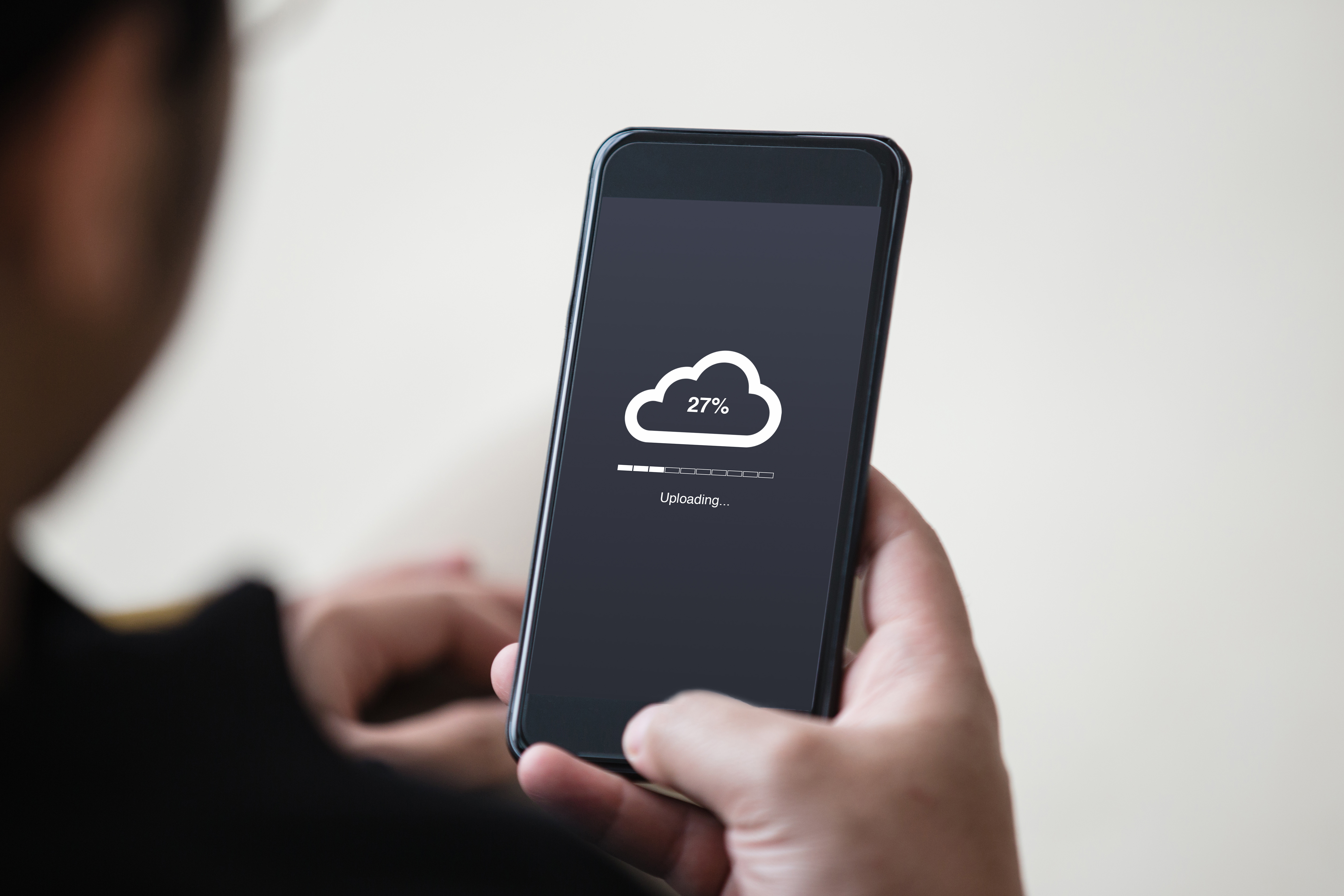
Yes, you can backup the data on your phone - and in most cases its easier than you think!
If you have an iPhone, you can turn iCloud sync on and your device will automatically create backups of all your images and files as well as the apps you use to help you migrate everything to a new device in a matter of minutes.
As for Android users, you can link all your files, photos, and apps to your Google Account, allowing you to do the exact same thing.
These services are usually enabled by default for convenience, meaning you might be actively participating in World Backup Day without even knowing!
SanDisk offers ideas on phone back-ups
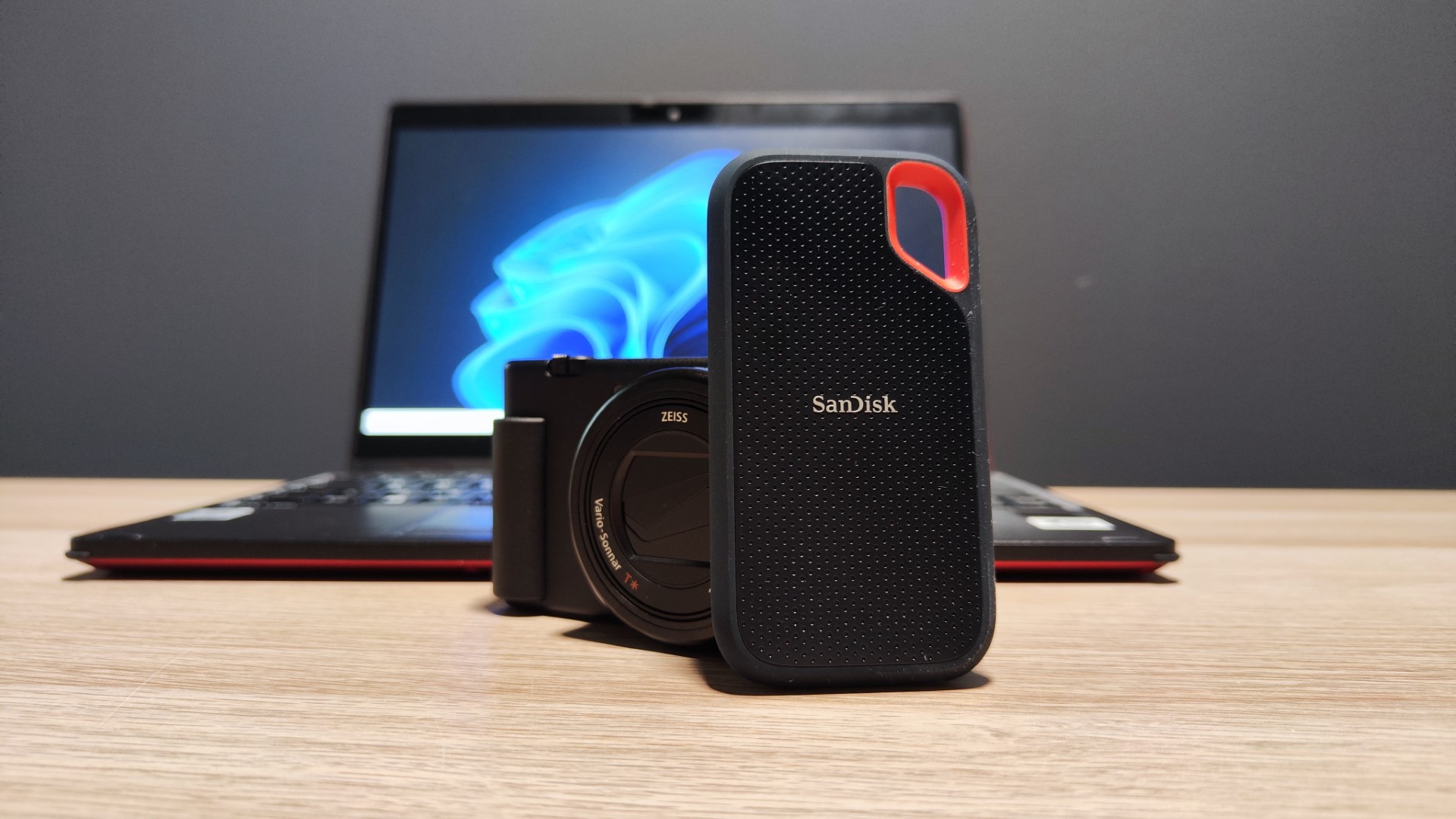
On the topic of phone back-ups, in a timely move SanDisk has highlighted to me a few options available from their own range (and although I swear by SanDisk's storage solutions at home, as ever, other drives are available).
"Backing up important files can be simple. For example, newer iPhone users, including the iPhone 15 Pro and later models, can transfer photos and videos directly to a SanDisk Phone Drive with USB-C, creating a secure physical copy of their memories while also freeing up space on their device. For older iPhones, the SanDisk Phone Drive dual-connector with Lightning and USB-C ports make it easy to move files between devices and create a reliable backup. Laptop users can also back up their files to an external solid-state drive (SSD). SanDisk Extreme Portable SSDs allow users to back up documents, photos, emails and even their entire system, including operating systems, applications and settings. and settings. World Backup Day serves as a reminder to take a few minutes to safeguard what matters most."
What was the biggest data loss in history?

Data backups aren't a new thing. Just as time will reclaim the drives used to store much of the worlds data today, the paper of the past also fades, tears, and crumbles. The loss of the Library of Alexandria was probably one of the most significant losses of data in history.
The Library housed several hundred thousand written works on topics ranging from philosophy, through medicine, and all the way into astronomy and mathematics, which were all likely moved or lost during the Library's gradual decline and ultimate destruction between 200 BC and 400AD.
If only they had backed up...
That's it for our World Backup Day 2026 live coverage. Don't forget to check your backups at home and at work to avoid any data disasters. See you next year!