Windscribe was founded in 2016 in Toronto, Canada, and is still owned and managed by its three co-founders, Yegor Sak, Alex Paguis, and Mark Ulicki. It's one of the best VPNs for experts available, and also one of the most "characterful" VPN brands out there, with a zany online presence, and Yegor Sak being particularly outspoken on social media.
The applications themselves have some impressive security features, with a RAM-only network, post-quantum encryption, and two different obfuscation protocols. It’s also a great option for privacy and allows you to download the app from the tracking-free F-Droid store, sign up for free without entering an email address, and pay via crypto.
However, it is quite a bit more expensive than its top competitors (with its typical paid plan costing $5.75 per month), has a mid-tier server network, and has made some security errors in the past that may raise eyebrows.
To fully appraise Windscribe, I’ve tested its features and connections across different apps and devices, while considering its performance and usability. As a key part of my analysis, I’ve also looked at how it compares to its competitors and the top providers available to place its capabilities in the market.
Windscribe on paper
Number of servers |
Undisclosed |
Server locations |
124 locations in 71 countries |
Supported platforms |
Windows, Mac, Android, iOS, Linux, Apple TV, Amazon Fire TV, routers, Chrome, Edge, and Firefox |
Simultaneous connections |
Unlimited |
Split tunneling |
Windows, Mac (IP addresses and hostnames), Linux, Android, but not iOS |
Kill switch |
Windows, Android, and Linux |
Protocols supported |
WireGuard, OpenVPN, IKEv2, WSTunnel (OpenVPN over web sockets), and Stealth (OpenVPN over SSL) |
Country of registration |
Canada |
Support |
Online knowledgebase, chatbot, email, and Reddit and Discord user communities |
For a quick explanation of any VPN-related terminology, check out our VPN glossary.
Windscribe latest features and updates
- Windscribe adds OpenClaw integration
- Windscribe forms privacy alliance to bring security tools to users
- Windscribe updates bring anonymised accounts and server upgrades
- Windscribe has upgraded its entire server network with next-generation infrastructure
- Windscribe becomes the latest VPN to support post-quantum encryption
Windscribe price
1 month |
1 year |
|
Windscribe Pro |
$9 |
$5.75 ($69 upfront) |
Windscribe has an unusual pricing structure: there’s a Pro tier, which costs $9 per month with a monthly plan (which is cheap compared to equivalent monthly offers) or $5.75 per month with an annual plan (which is expensive). In marked contrast to its competitors, Windscribe doesn’t increase its pricing on renewal, and matching Surfshark, it offers unlimited simultaneous connections.
However, April 2026 marks Windscribe's 10th birthday. To celebrate, it has dropped the price of its one-year plan to $2.42 per month ($29 upfront) – you'll also be able to keep the price for every year in the future.
There’s no free trial of the full product, but Windscribe VPN Free allows you to use the product on an ongoing basis without even handing over your email address. The Free tier comes with 10 locations and 10 GB of data per month (or 2 GB if you don’t provide your email address). In addition, you don’t get the configuration files needed to set up routers and other apps and devices, and the free plan no longer supports P2P connections.
Beyond this, Windscribe offers a Build A Plan option that allows you to create a custom plan, adding to the capabilities of the free tier. Each location you add costs $1 per month and adds 10 GB to your monthly allowance. You can also add unlimited data for $1 per month.
There’s a $3 per month minimum for the plan, but it’s Windscribe’s most affordable option by some way, allowing you to pick the specific locations you need and get unlimited bandwidth within that pricing. In addition, there’s no long-term commitment, making it one of the cheapest monthly VPN plans around.
However, considering the restrictions it imposes – just a few server locations, and potentially limited data – paying upfront for the year-long plan looks like better value.
And then, if you’re prepared to lock in for the long term, Windscribe remains more expensive than rival Surfshark, which offers starter and mid-tier plans at $1.99 per month and $2.29 per month, respectively, with a two-year subscription.
Windscribe offers a Build A Plan option that allows you to create a custom plan, adding to the capabilities of its free tier.
Windscribe does have a money-back guarantee, but refunds are only available if you claim within seven business days and haven’t used more than 10 GB of data. You can also only get refunds for the original payment and not for renewals.
In addition, the refund policy requires users to have attempted to troubleshoot their issue, suggesting that refunds are only available for technical issues that can’t be fixed and not because you’ve decided not to use the service.
This is much more restrictive than almost any other VPN I've tested, with the vast majority of top-tier companies usually offering no-quibble refunds within at least 30 days, or up to 60 days in the case of Norton VPN.
You can pay by card, PayPal, and crypto, and by Apple Pay, Google Pay, and Amazon Pay on the relevant devices. Alipay and Mint are also available for some locations.
Rating: 7/10
Does Windscribe have a free trial?
Windscribe doesn’t have a free trial, but it does offer one of the best free VPN plans around, with 17 locations in 10 countries, and 10 GB of data per month (upgraded to 15 GB if you tweet about Windscribe).
There’s also a money-back guarantee, but it has stringent terms (only running for 7 business days and requiring less than 10 GB of data to have been used) and isn’t recommended for testing out the product.
Windscribe features
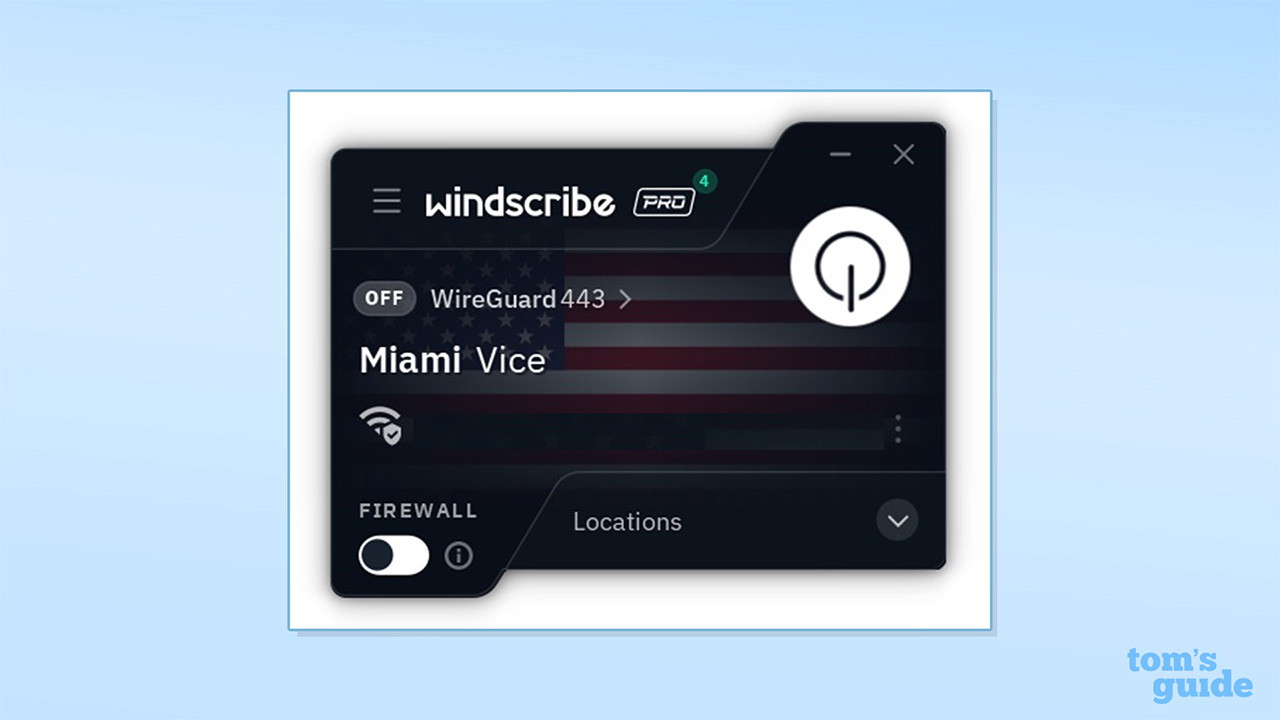
Windscribe has reasonably good coverage of all the standard core VPN features, including a kill switch for Windows, Android, and Linux. This is confusingly labeled “Firewall,” but it blocks your internet if the VPN fails and works just like a kill switch. Mac and iOS aren’t entirely unprotected but have a system-level Always On VPN feature.
By default, the Firewall works in Automatic mode, protecting you if the tunnel drops. If you want maximum protection, you can set the Firewall to Always On, which blocks your internet unless you’re connected to the VPN. There’s also a Manual mode, allowing you to turn the Firewall on as needed. In my testing, the Firewall did a very good job and worked consistently in all the scenarios that I tested it against, blocking the internet and preventing any data leaks.
Windscribe for Windows can also automatically connect on launch or when your app joins any network (or specific networks), and you can even specify to auto-connect with a specific protocol for specific networks. While this may require some configuration, it also gives you a lot of power. On/off auto-connect functionality is also available for Mac, Linux, and Android, and the provider points to the Always-On VPN feature for iOS.
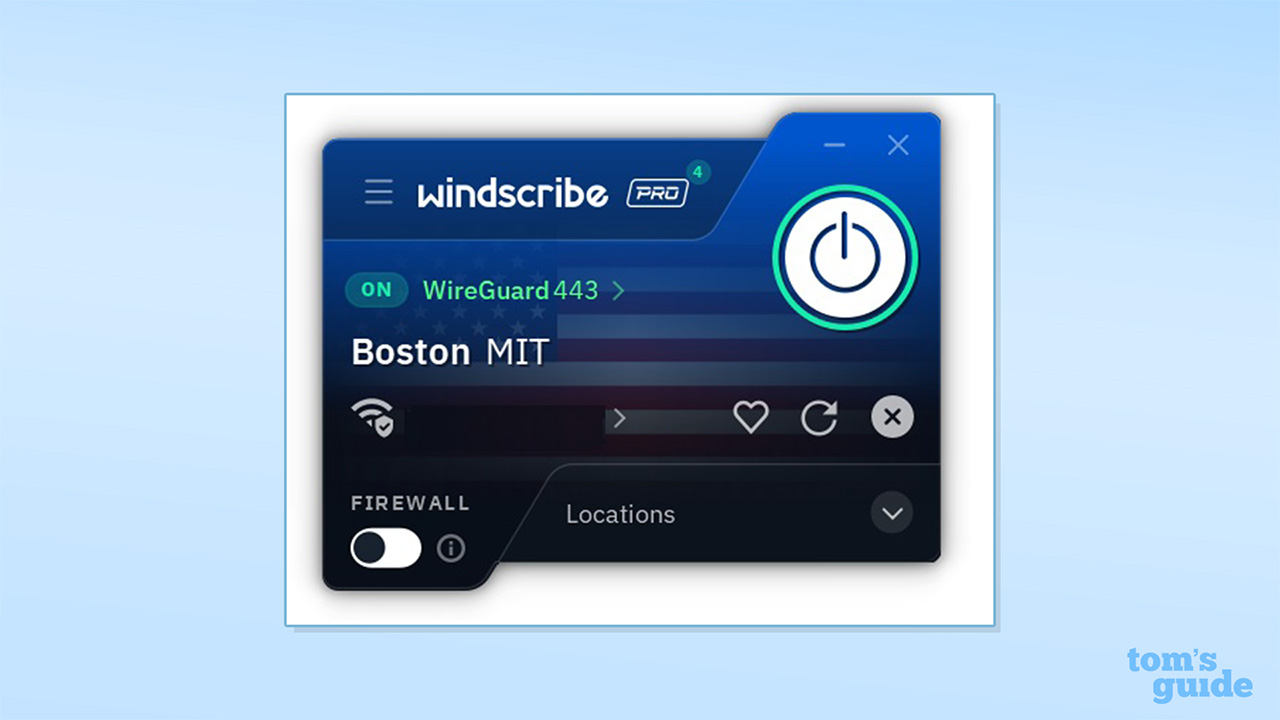
The apps provide an easy IP Rotation feature that allows you to change your VPN address without disconnecting, which may be useful if you’re being blocked by sites or seeing frequent CAPTCHAs.
You can access this with an Options button on the main interface, which allows you to refresh your IP address. The feature worked perfectly in my testing and didn’t break my connection or expose my traffic in any instance. The same options menu also allows you to save favorite IP addresses.
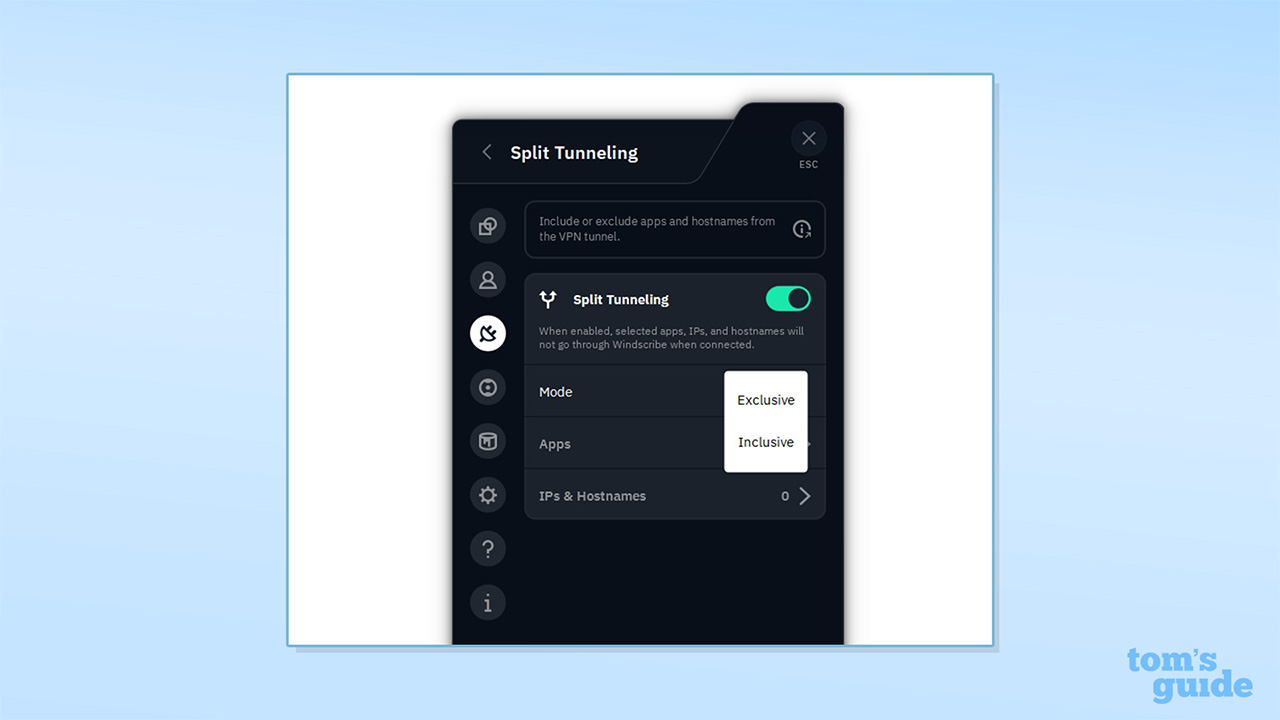
There's also split tunneling for Windows, Linux, Android, and now Mac (but not iOS), and I found it gave a lot of control over how traffic is routed. There are two modes, "exclusive" and "inclusive," allowing you to route specific traffic outside the VPN, or to encrypt only specifically selected traffic. You can also select to split-tunnel either apps or IPs and hostnames.
Overall, it’s one of the most versatile implementations of split tunneling that I’ve seen, matching or bettering providers like ExpressVPN.
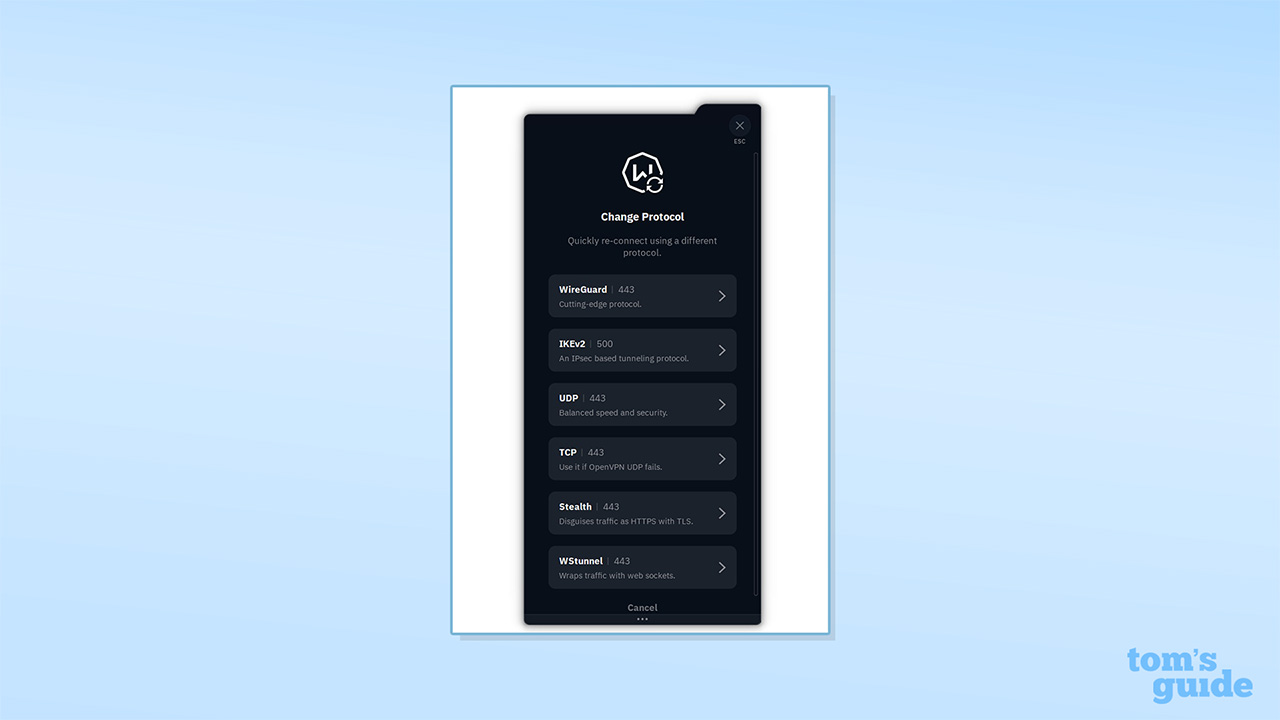
Windscribe supports a very wide range of VPN protocols, including WireGuard, OpenVPN (TCP and UDP), and IKEv2. There are also two obfuscated protocols, WSTunnel (OpenVPN over web sockets) and Stealth (OpenVPN over SSL), which work to protect your traffic by tunneling through an additional layer.
The service also has a Circumvent Censorship feature to help bypass blocking and censorship, MAC Spoofing, faking your physical location, and Decoy Traffic functionality, generating random activity to tackle attempts to identify you via traffic correlation.
In terms of multi-hop connections, Windscribe describes itself as offering a “Double Hop” feature. However, this is achieved by connecting to the VPN via the app and then using the browser extension to connect to a second server. This achieves something similar to multi-hop functionality (where your connection is routed through multiple VPN servers), but it only applies the second layer of encryption to your browser activity and feels more like a workaround than the equivalent native feature from the likes of Surfshark and NordVPN.
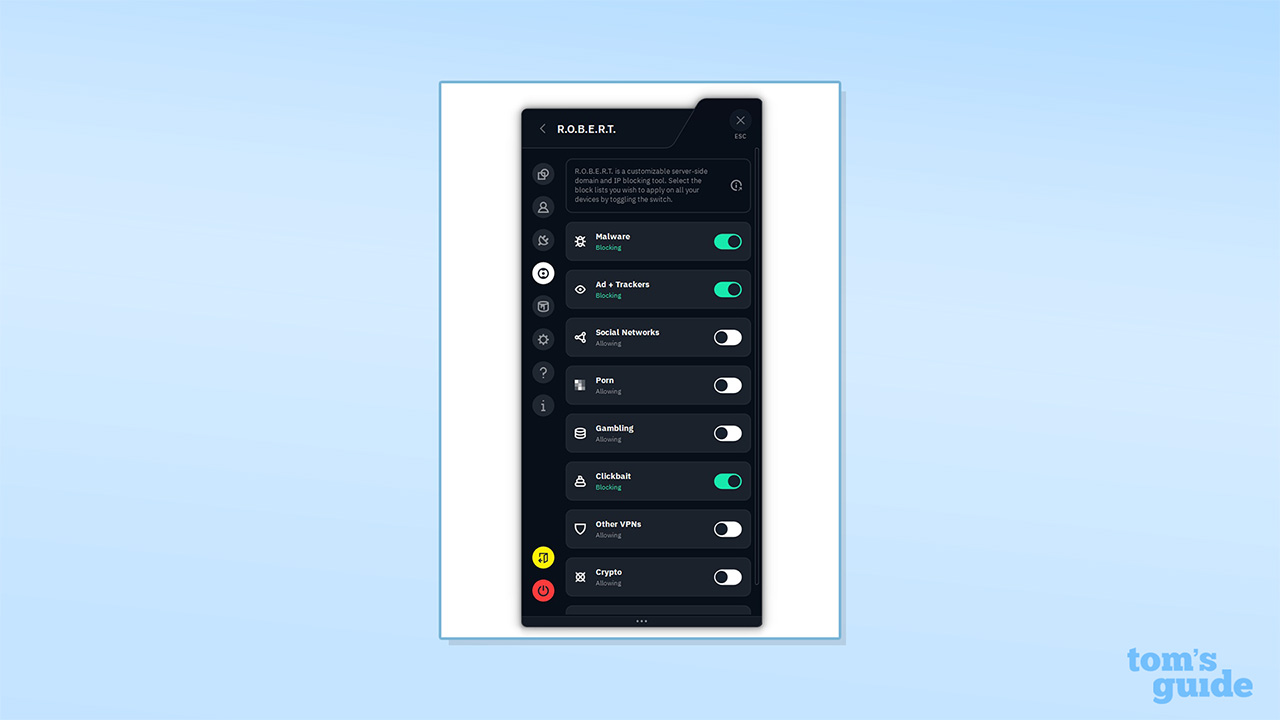
Going beyond encryption, Windscribe offers R.O.B.E.R.T., a DNS-based tool for blocking malware, ads, trackers, and adult content (including gambling, crypto, and social networks). Our testing found R.O.B.E.R.T. blocked 76% of phishing sites and 30% of malware sites.
Windscribe's results were better than all other VPNs except NordVPN's Threat Protection Pro, which scored 92% and 80% respectively in our testing. Its 30% score doesn't sound the best, but it is a hard test, and most VPNs do worse.
In addition, R.O.B.E.R.T. blocked 97% of ads. This was more than any other VPN we tested, including Threat Protection Pro.
R.O.B.E.R.T. allows you to set up parental controls to block adult content or any site harmful to minors. However, it applies these settings to all devices on your plan. So if you lock down your child's device, yours will be too.
Windscribe doesn’t offer Tor over VPN functionality, and it doesn’t offer dedicated IPs, on the basis that these could be used to identify you. However, as an upgrade, it does offer static IPs, with options for residential IPs for several US cities and data center IPs in a range of US and European locations.
In April 2026, Windscribe added support for OpenClaw. If you run the AI agent, it can now be directly integrated into the Windscribe app, giving it the ability to connect to a VPN server, switch locations, check remaining data, and disconnect, all without any input from you.
Windscribe server network
Windscribe’s server network places it as a mid-tier VPN. It has 124 locations, putting it far behind NordVPN (211 locations) and ExpressVPN (188) but in a similar league to CyberGhost VPN (124), Hotspot Shield (116), and Astrill VPN (115).
These locations span 71 countries, putting Windscribe alongside providers like PureVPN (65 countries), VyprVPN (64), and PrivateVPN (63), but considerably behind leading operators like NordVPN (135) and Proton VPN (145). As is the case with many providers today, Windscribe no longer provides a tally of its total server count.
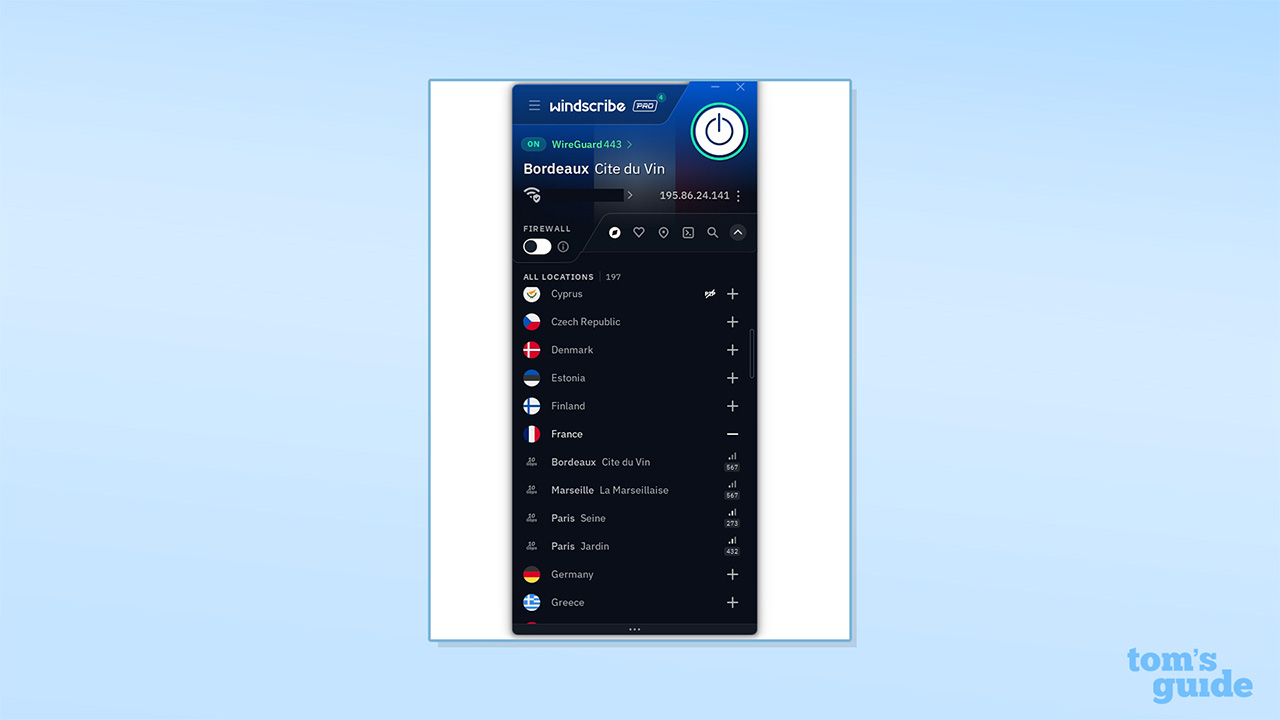
Windscribe is strongest in North America and Europe, with 41 and 48 locations, respectively, but relatively weak in Asia (18 locations), South America (7), and Africa (3). While the network doesn’t count the largest number of countries or server locations, it should be sufficient for most users, and even the limited coverage for Africa spans the continent, with servers in Nigeria, Kenya, and South Africa.
Windscribe states that it doesn’t use any virtual servers and that its servers are all physically located in their reported locations. My testing found that Windscribe seems to deliver what it promises, with every location being in or extremely close to its stated location.
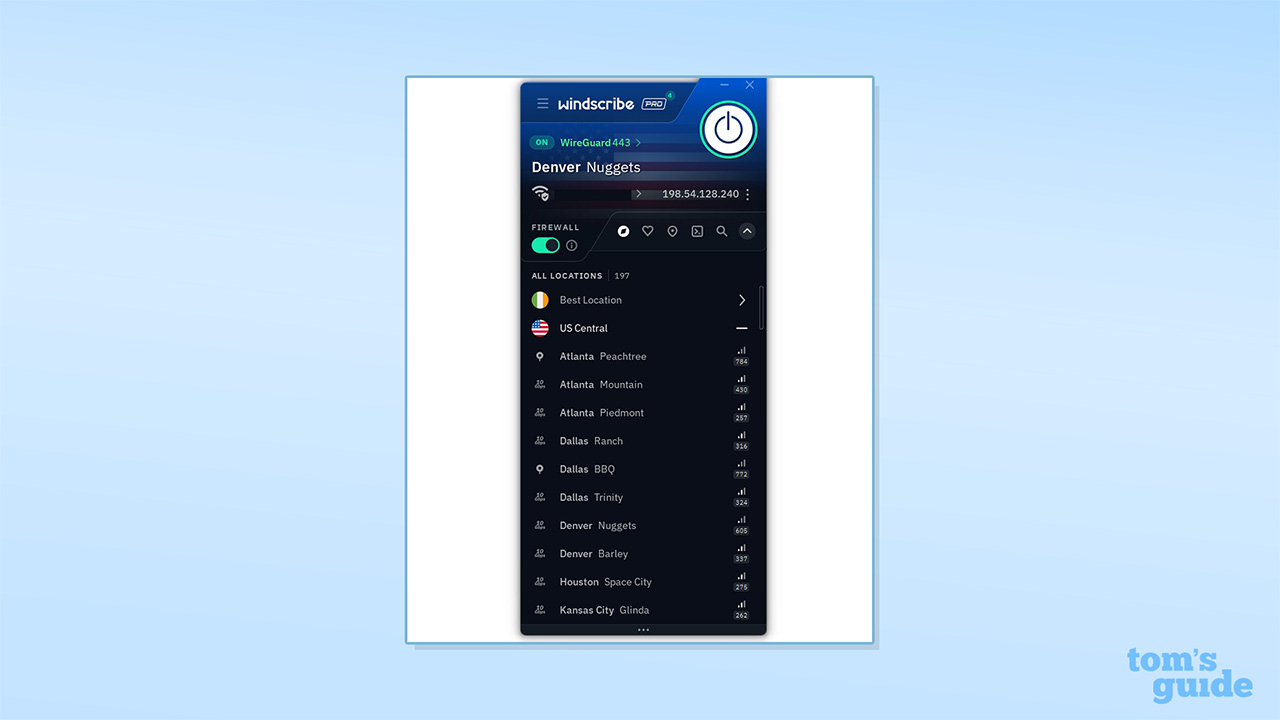
Notably, Windscribe seems to run physical servers in India and Russia, which is unusual, as most providers offer virtual servers for these locations, if they support them. VPN operators in India are required by law to log user activity, while Russia has banned many VPNs and has placed strict regulations on how they can be used.
According to the Garry chatbot, “Every server runs from a read‑only image, controlled and deployed remotely by Windscribe, so nobody on‑site can mess with the OS or configs. We also refuse to comply with any law demanding logging, so if a host gets pushy, we pack up and leave...”
The only potential red flag here is the presence of servers in India and Russia. However, as you'll find out in a moment, Windscribe has a very good record of standing by its no-logs policy, so I trust that it's not collecting its users' data.
Rating: 6/10
Is Windscribe good for streaming and unblocking?
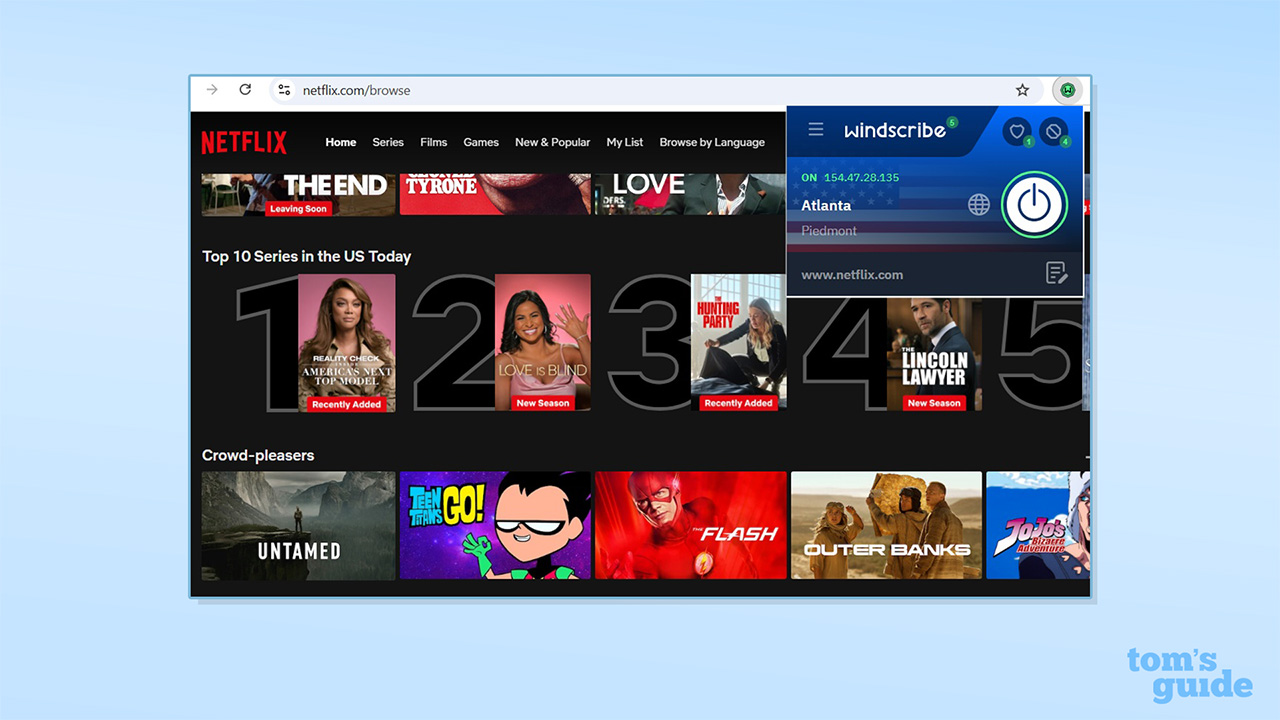
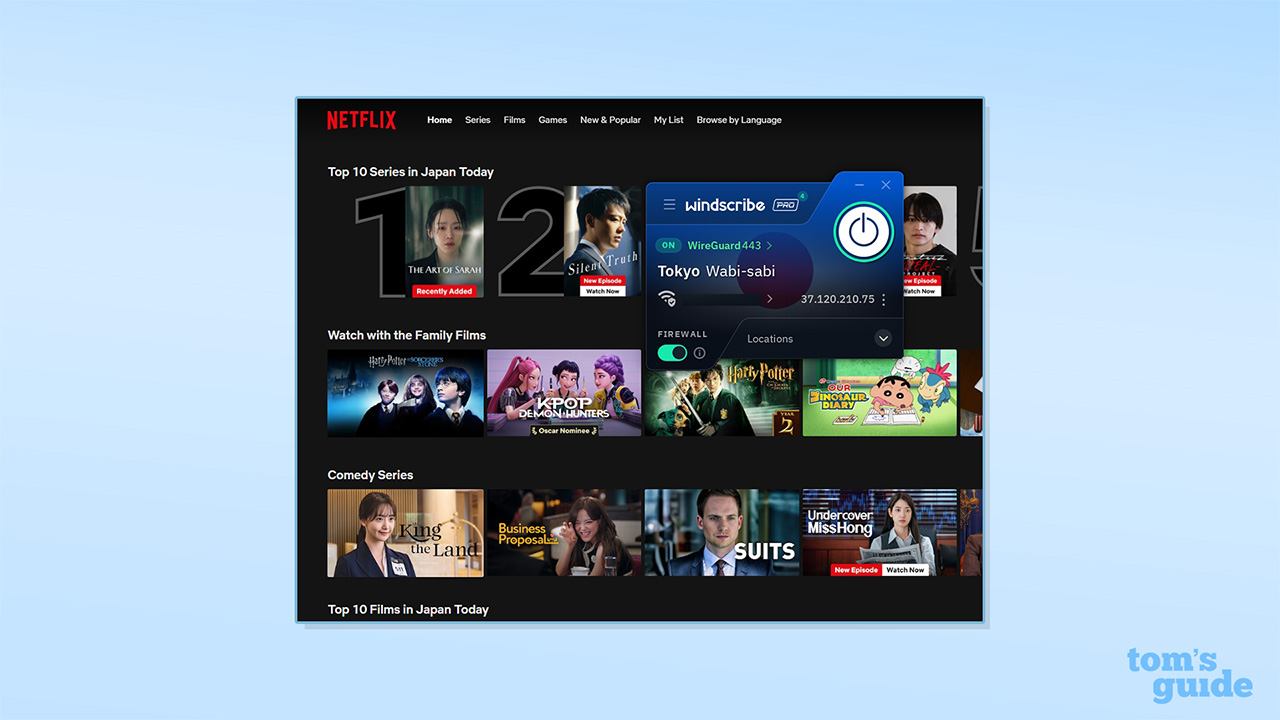
Overall, Windscribe has good results when it comes to unblocking streaming platforms. I found it fared very well with Netflix, unblocking all the content libraries I tested (including the US, UK, Australia, and Japan).
It also did well with Disney+, though it didn't always unblock the service first time in Australia, New Zealand, and Japan. BBC iPlayer, 7plus, 9Now, and TVNZ+ were all unblocked first time.
Beyond this, it failed with Amazon Prime Video in Japan (but unblocked it everywhere else), and it failed with US YouTube – a notoriously difficult test.
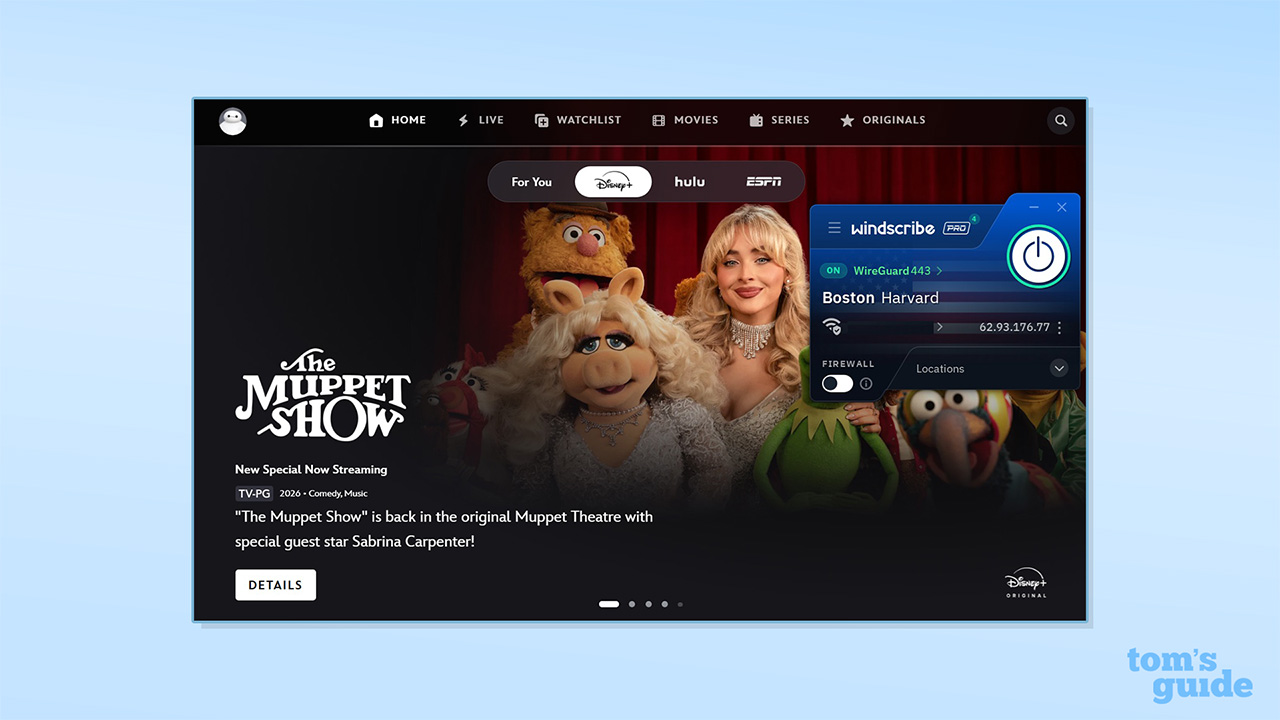
This is a slight improvement for Winscribe, and it seems that platforms like Amazon Prime and US YouTube are working particularly hard to block VPNs. In fact, I’ve seen providers like ExpressVPN also struggle with them in recent tests, so this certainly isn't entirely Windscribe's failing.
Windscribe is a particularly good option for torrenting and supports P2P connections on almost all its servers, with only a few exceptions (which are highlighted in its list of server locations). P2P traffic is no longer supported with Windscribe’s free plan, though.
Unlike most major providers, Windscribe still supports port forwarding, and it works across the network. There are two options for using it.
Firstly, you can set up ephemeral port forwarding from your web account dashboard. This is assigned for seven days, with a countdown starting in your dashboard. The reason most VPNs have stopped supporting the functionality is that it opens a port on your device to the internet, creating a security vulnerability. Because of this, being forced to regularly change the port is a sensible security measure.
The second option, if you purchase a static IP address for data center IPs, is to apply permanent port forwarding. It’s worth noting that the residential static IP addresses don’t support P2P, however.
Having to manage port forwarding via your web account is somewhat inconvenient, considering that providers like Proton VPN allow you to access the feature via the app settings menu. In addition, as Windscribe’s apps don’t mention port forwarding, the majority of users are likely to be unaware that it’s a supported feature. Nevertheless, it’s a highly configurable implementation and will be a major asset to users looking for it.
Rating: 8/10
How fast is Windscribe?
Windscribe has been upgrading its network to 10 Gbps servers, and it delivered incredibly fast connection speeds in my testing. Using the WireGuard protocol, I recorded a 2,263 Mbps connection with my nearest server. This dropped to 1,209 Mbps when connecting from the UK to the US, however.
This puts Windscribe among the fastest VPN services, second only to PrivadoVPN (2,334 Mbps), and over 1,000 Mbps faster than NordVPN.
The dip in transatlantic connection speeds isn't uncommon. We saw it with most VPNs we tested, including NordVPN (1,249 Mbps to 688 Mbps).
It’s worth noting, though, that you only need around 25 Mbps to stream in 4K, meaning Windscribe’s connection speeds are more than enough to protect numerous devices that are each using considerable bandwidth.
In terms of latency, Windscribe is also among the best, with a 37 ms latency for a local server with WireGuard – matched only by Proton VPN. This makes Windscribe a good pick as a gaming VPN.
Windscribe has been upgrading its network to 10 Gbps servers, and it delivered incredibly fast connection speeds in my testing.
Looking to the more secure OpenVPN protocol, Windscribe uses OpenVPN Data Channel Offload (DCO) by default, which should improve performance.
In my testing, I saw speeds of 770 Mbps for the nearest server, with Windscribe third fastest behind ExpressVPN (1,038 Mbps) and Surfshark (825 Mbps). US-UK speeds measured 223 Mbps, trailing behind the results for ExpressVPN (703 Mbps), Surfshark (851 Mbps), and NordVPN (689 Mbps). Latency scores were similar to Windscribe's WireGuard results, and only topped by Proton VPN.
Rating: 9/10
Windscribe privacy and security
Windscribe has a no-logs policy and a clear, simple privacy policy that focuses on the key details you need to know. The service logs your username, password, and email address, if you choose to provide it.
When you connect to Windscribe, it records your session start time and the amount of transferred data, but this data is deleted when you disconnect, and Windscribe doesn’t maintain a history of your previous sessions.
The only usage details that Windscribe collects are the total amount of data used in a 30-day period (used to enforce Windscribe Free’s monthly data limit and presumably to identify abuse) and the connection time of your last session (to identify and close inactive accounts).
The firm also has a transparency report. This lists DMCA and law enforcement data requests and states that the company is unable to comply as it does not log any relevant user data.
Windscribe’s FreshScribe is the company’s custom VPN stack, which handles everything from authenticating incoming connections, managing and maintaining the connection, funneling users to the best servers, and ending the connection session. It’s similar in scope to ExpressVPN’s TrustedServer technology.
FreshScribe improves performance by distributing authentication and other setup tasks around the network and reducing connection times, while centrally storing a minimal amount of information. It has passed an audit, so there’s good evidence that the technology is doing its job.
Windscribe’s network consists entirely of RAM-only servers, which are fully wiped every time they are rebooted. This means that it’s impossible to retrieve user data from them if they’re seized, and any manipulation of their systems is removed with the next reboot. In addition, all Windscribe’s apps are open source, meaning the community can inspect the codebase and report potential issues.
Windscribe implements first-class encryption for each of its protocols. WireGuard uses ChaCha20 for encryption, authenticated with Poly1305. OpenVPN uses AES-256-GCM with SHA512 and a 4096-bit RSA key, while IKEv2 uses AES-256-GCM and SHA-256.
There are also a range of built-in security features, including obfuscated protocols (to mask VPN use), the Circumvent Censorship feature, MAC spoofing (to fake your physical location), decoy traffic (to tackle traffic correlation tracking strategies), a pseudo-multi-hop feature for double encryption, and a kill switch (stopping your connection if the VPN drops), which I found to be effective under testing.
Windscribe’s apps now support post-quantum encryption with WireGuard connections, resisting future advances in computing power to crack current encryption. This is achieved by using the TLS 1.3 encryption algorithm with the X25519MLKEM768 hybrid key exchange mechanism (combining X25519 and ML-KEM-768, formerly known as Kyber).
This follows a similar path taken by providers like ExpressVPN, though ExpressVPN uses the higher-security ML-KEM-1024, where available. Nevertheless, it’s an effective approach and has been implemented correctly, based on my analysis with Wireshark.
In terms of external review, Windscribe’s FreshScribe server setup has been independently audited to verify the company’s claims. The auditors identified some areas where IP addresses and session data were temporarily logged, but Windscribe tweaked the relevant server configurations and was confirmed to have resolved the problem.
That said, this audit ran in June 2024, and the desktop and mobile apps were last audited in 2021 and 2022, respectively, so I would like to see more frequent audits, proving ongoing security.
However, CEO Yegor Sak was taken to court to provide details on a user, but was unable to provide any evidence even when compelled by law. While audits are good – and covers a wider scope – this process was evidence that at the very least, Windscribe strongly adheres to its no-logs policy, and that it does not store any of your personal information.
There are some additional causes for concern. While looking at Windscribe release notes, we’ve previously spotted the “known issue” that the Circumvent Censorship feature didn’t work when using the OpenVPN TCP protocol. There was a technical workaround for this, but the issue wasn’t indicated in the app, so most users would have been completely unaware of the problem.
Rating: 8.5/10
Windscribe apps and compatibility
Windscribe has a very solid set of apps for all major devices, including Windows, Mac, Android, iOS, and Linux (with a GUI matching the other desktop versions), and there’s very good support for routers. Notably, all its apps are also open source.
In addition, there’s an Amazon Fire TV app, and the iOS app apparently works for Apple TV. What’s more, Windscribe lists apps in the Huawei AppGallery and F-Droid repository, which supports free and open-source Android apps. F-Droid may be of particular interest to privacy-conscious users who are unhappy with Google’s widespread user monitoring.
In my experience of testing Windscribe, the apps were easy to install and set up. They’re also generally consistent, though there are some slight differences in functionality. The Mac app only lets you split tunnel by IP address or hostname, and there’s no iOS split tunneling. The Android and iOS apps don’t have the kill switch Firewall feature, but you can use the Always-On VPN option to achieve a similar effect.
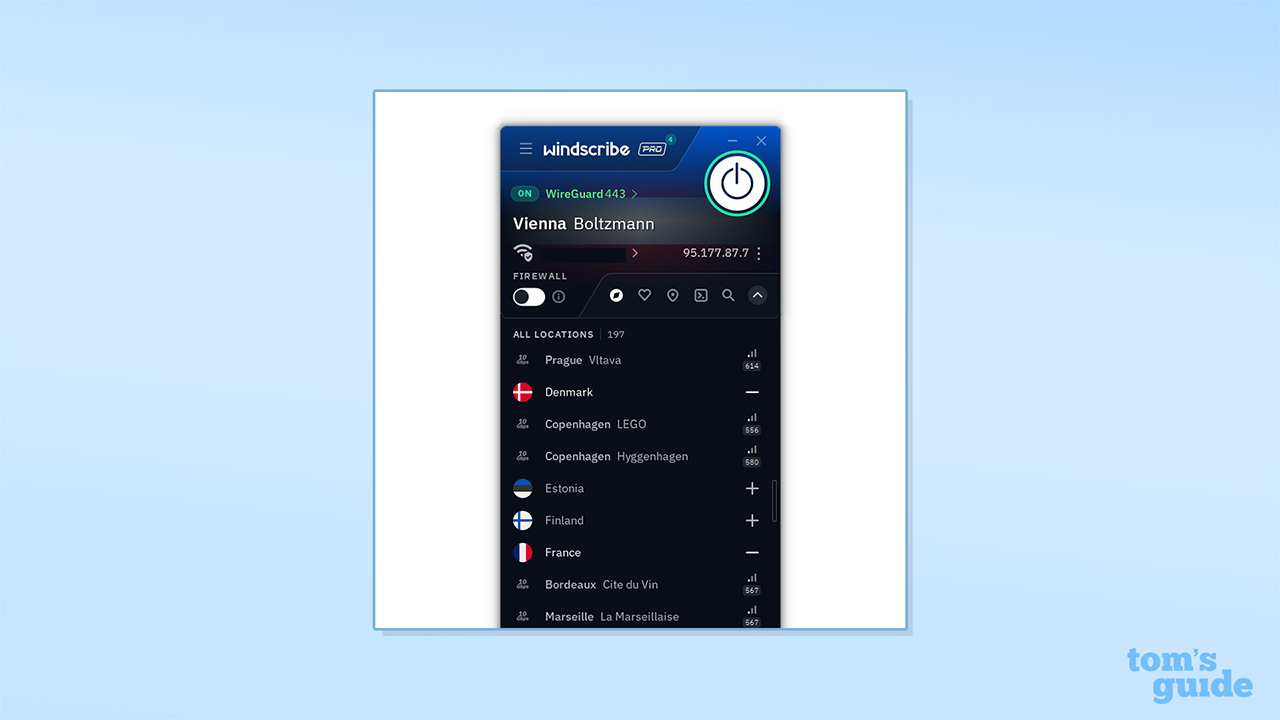
However, the layout is quite difficult to work with. Instead of having clear buttons or menus for different functions, many settings are hidden in drop-down tabs than extend the app's footprint. While having a small application may be a benefit for some, slightly more room would make Windscribe far easier to navigate – especially considering how many different features it has.
Windscribe offers browser extensions for Chrome, Edge, and Firefox, which work much like simplified versions of the desktop apps. The extensions don’t just change your IP address and location but can also change your browser timezone, browser language, and even spoof your GPS location to match your virtual IP on mobile, helping you access sites and services that would otherwise block VPNs.
The browser extensions also include some unusual extra features, like Smokewall. This is a browser kill switch, which stops your browser’s internet access if the proxy connection fails. There are also tools to pause browser push notifications and disable web workers (which work in the background on websites and may detect your real location), helping you to evade VPN blocking, and an anti-fingerprinting feature to stop software details from being used to identify you.
Windscribe doesn’t have a full router app, like ExpressVPN, but it offers setup guides for a variety of brands and can be manually configured on most modern routers (working with routers that offer VPN clients using OpenVPN, WireGuard, or IKEv2). This beats NordVPN, which only works with routers that can support OpenVPN, and Proton VPN, which works with OpenVPN and WireGuard-compatible routers. Router support isn’t included for free plans, but the 10 GB data cap makes this a bad proposition in any case.
Rating: 9/10
Is Windscribe easy to use?
Windscribe’s apps are simple to install and set up, but there are a range of basic guides to walk you through the process if you have any issues. The apps are generally consistent, and while Linux users are often shortchanged by VPNs, the Windscribe Linux app notably comes with a GUI that matches the Windows version.
Rather than deploying an identikit VPN interface, the apps come with shaped windows with floating panels and rounded edges. After you choose a location, the window background changes to a high-resolution flag, and there are animations throughout, with the location list sliding into place like a physical panel.
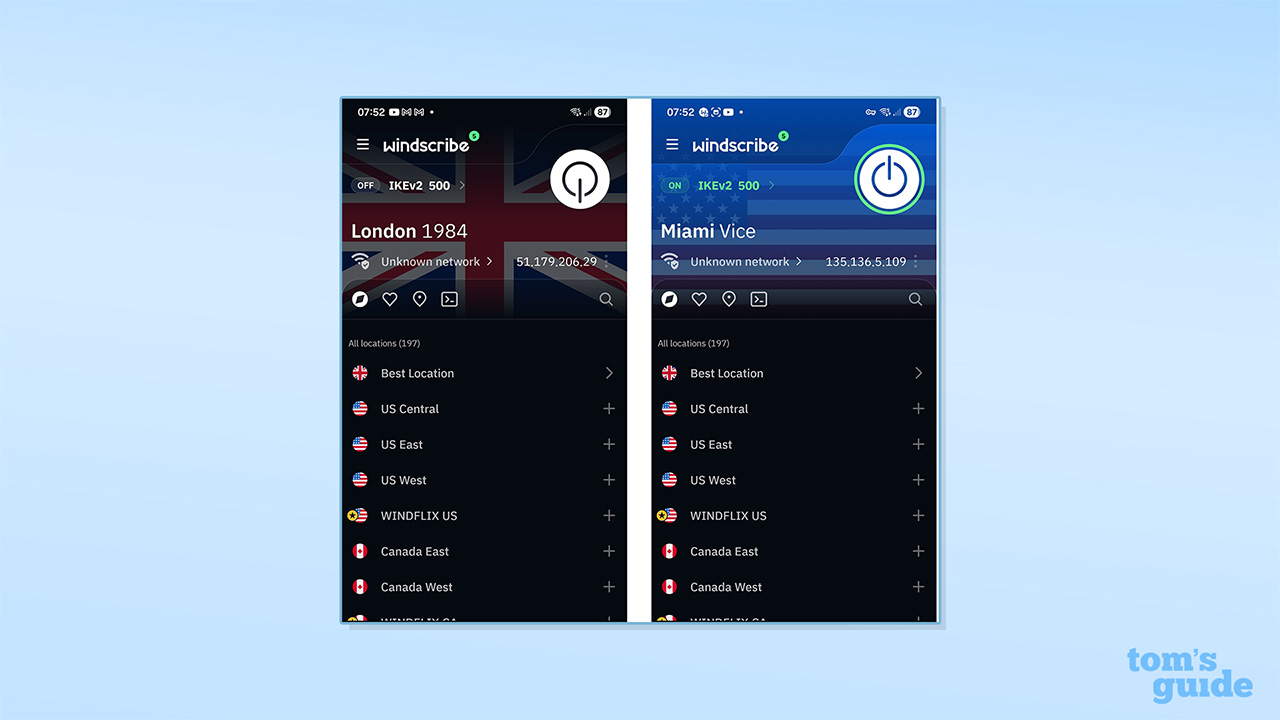
You can connect to the VPN by hitting the large button in the center of the app interface. The provider highlights the best location for you, and you can also save locations to create a favorites list.
Windscribe’s apps come with a notably large number of configuration options. For example, you can edit server names, enable audio notifications for connections and disconnections, and change the background image associated with locations.
From a technical perspective, there are a huge range of privacy tools, such as decoy traffic, MAC spoofing, and Circumvent Censorship, as well as options for things like DNS customization and packet size optimization. You can even save your protocol preferences for specific networks.
Windscribe's apps are very powerful – but they're annoying to use.
Unfortunately, while the apps are very powerful, they're a real pain to use, and I found them quite poorly laid out. For example, most people would expect to find the protocol setting in the "connection" part of Settings. Nope – it's on the main interface, just above the server location. Pushing the latest zany blog post as soon as you open the app isn't helpful, either.
It feels as if Windscribe is trying to be "clever" with its design rather than truly user-friendly. If you compare WIndscribe to ExpressVPN or Surfshark – which are admittedly much more boring to look at – it will almost certainly take much longer to find a basic setting for the average person. Perhaps Windscribe isn't designed for the "average person" – but I find the design more of a hindrance than a help.
Overall, Windscribe's apps are capable of more than almost any other VPN's – but they don't make it easy.
Rating: 8/10
Why is Windscribe based in Canada?
Windscribe is based in Toronto, Canada, where it was founded in 2016. Canada is a member of the Five Eyes intelligence alliance, so this theoretically has the potential to expose users to additional government scrutiny.
Windscribe argues that this doesn’t matter, however, as Canada doesn’t have any data retention laws, is unlikely to arbitrarily seize servers, and, if it did, would be unable to retrieve any user information from them. TunnelBear, also based in Canada, makes a similar case. Windscribe’s case is strengthened by its solid security measures and RAM-only servers, its audited no-logs policy, and its regularly updated transparency report, all of which add to its credibility.
Windscribe customer support
Windscribe offers a range of support channels, including an online knowledgebase, a chatbot, email ticketing, and user communities on Reddit and Discord.
The provider’s Garry 2.0 chatbot is its first line of support. Garry seems to be a fair bit smarter than bots that simply look for keyword matches. Based on my queries about changing VPN protocols and the physical locations of its servers, it actively engages with you – all the while adopting an irritating, wisecracking tone. In the past, I’ve found that Garry will sometimes provide incorrect answers, but the instances I’ve noted before seem to have been fixed.
I asked some more simple questions about whether Windscribe would work on our Fire TV Stick, and than asked if it would work on a Philips TV (which lacks an app). The answers were fast and reasonable on both counts. I then asked how Windscribe could be configured at a router level, and received clear instructions (though less technical users may not find the instructions enough).
Windscribe offers a range of support channels, including an online knowledgebase, a chatbot, email ticketing, and user communities on Reddit and Discord.
If you want to talk to a human, you’ll need to log a ticket and wait for a reply email. Windscribe warns that this may take 24 hours, or longer for free users, however, and this is a longer wait than we’ve seen with most leading VPN providers.
The knowledgebase has an impressively large number of articles, but they remain easy to access and navigate. They don’t always have the depth offered by providers like ExpressVPN and NordVPN, but they generally cover the basics and will point you to other resources if you need more help.
There are also active user communities on Reddit and Discord where you can find product updates and post support queries. The company’s founders regularly engage on the platforms and offer feedback on development and the state of the product. Windscribe CEO, Yegor Sak, hosted an AMA on Reddit back in December 2025.
Rating: 7/10
Can you trust Windscribe?
Windscribe has a lot to recommend it. It has a network of RAM-only VPN servers, a history of audits, and a transparency report, stating that it cannot comply with DMCA and law enforcement data requests.
In addition, Windscribe’s apps are open source, meaning that they can be inspected by the community. It has an impressive range of privacy tools, including MAC spoofing, decoy traffic, its Circumvent Censorship feature, and two separate obfuscation protocols. It’s also a great provider for privacy. You can sign up without an email, pay with crypto, and download apps from F-Droid to bypass surveillance.
Windscribe’s last independent audit was of its server stack in June 2024, having previously tested its desktop and mobile apps in 2021 and 2022. This is something, but it doesn’t match the audit cycles of providers like ExpressVPN, which runs multiple audits each year.
Windscribe’s audits generally haven’t raised any major problems (with security vulnerabilities being swiftly resolved and inadvertent logging stopped), but they have flagged some issues around professionalism and attention to detail. For example, the latest audit found that security patches needed to be rolled out, while the 2021 audit noted that the codebase historically didn’t feature any comments, making it far harder to maintain or for new developers to identify or address problems.
Given this and with problems like the “known issue” of the Circumvent Censorship feature not working with the OpenVPN TCP protocol, as described above, I would like to see more frequent testing.
Windscribe has a lot to recommend it. It has a network of RAM-only VPN servers, a history of audits, and a transparency report, stating that it cannot comply with DMCA and law enforcement data requests.
The company’s most severe known security incident arose in June 2021, when two Windscribe servers were seized in Ukraine, as part of an investigation into Windscribe user activity. These weren’t RAM servers, and they weren’t encrypted. One server also held both its server certificate and private key, meaning that in a worst-case scenario, a third party could impersonate a Windscribe server and decrypt traffic.
To its credit, Windscribe promptly reported the incident and committed to changes in how it handled certificates. This also directly led to the provider rolling out RAM-only servers and launching its FreshScribe infrastructure setup.
Another point against Windscribe is that it has had seven Common Vulnerabilities and Exposures (CVEs) registered in the NIST Vulnerability Database, and all of these were rated as being of high significance.
These vulnerabilities don’t mean that the VPN failed to encrypt your traffic or that it was compromised, but they could expose you to exploits from other software. Most of the CVEs are relatively old, with two from 2018, two from 2021, one each from 2023, 2024, and 2025. This is more than many competitors, with NordVPN having five, ExpressVPN having three, Proton VPN having two old CVEs, and Surfshark having registered none in its history.
When looking at user reviews platforms, Windscribe has objectively excellent ratings across the board, with a 4.7/5 Trustpilot score (putting it significantly ahead of Surfshark, NordVPN, and ExpressVPN), 4.64/5 in the Google Play store (behind ExpressVPN but ahead of NordVPN and Surfshark), and 4.6/5 in the Apple App store (coming just behind its top rivals). Its Chrome store score also beats the big three.
One could argue that Windscribe’s commitment to privacy and lighthearted persona give it an edge here, or that its free plan attracts upvotes. In contrast, though, Proton VPN, which offers unlimited free data, has a Trustpilot score of 2/5 and a Chrome store rating of 4/5.
Rating: 7.5/10
Windscribe review: final verdict
Subscribe if:
✅ You need robust security tools and features
✅ You want excellent privacy options
✅ You’re looking for fast connection speeds
Don't subscribe if:
❌ You want a cheap plan
❌ You’re looking for a wide range of server locations
❌ You're a beginner who's looking for simple VPN apps
Alternatives to Windscribe
Windscribe FAQ
How to cancel Windscribe
Canceling Windscribe is fairly simple and can be completed in just a couple of steps. First, log in to your account on a browser, scroll down to the Billing section, and click on the Cancel Subscription button. You’ll be asked to enter your password and the reason for your cancellation. You can then click Cancel Subscriptions, and the process is complete.
Does Windscribe work in China?
Windscribe states that the VPN may work for some users but not others in China. Its obfuscated protocols should help VPN users evade detection, but we’ve seen reports from Reddit that commenters have been unable to access blocked services while using the service and that they experienced frequent connection issues. If you want a Chinese IP address, though, you can use Windscribe’s Hong Kong servers.
Who owns Windscribe?
Windscribe was founded in 2016 by Yegor Sak, Alex Paguis, and Mark Ulicki in Toronto, Canada. The three founders of the company remain its sole owners today. In 2021, the founders also went on to launch Control D, an enterprise DNS security company.
How we test VPNs
We have a full explainer on how we test VPNs, but, in short, it goes something like this.
Firstly, we test the sign-up process. How easy is it to pay, and what options are there? From there, we install the VPN on a number of devices, make notes on the simplicity of the process, and whether there are any extra steps that introduce complexity.
Then comes the fun part. We use all the features, running tests to detect any problems like DNS leaks or faulty kill switches. We'll dive into the code if it's available, and see if there are any anomalies we think you might be interested in reading about.
We test the speed – 120 individual tests, daytime and evening – and connect to various servers to get a good idea of how robust the server network is, and what speeds you can expect to get in normal usage.
Streaming comes next. We test a wide range of global and regional streaming services to see how well each VPN can unblock content.
Customer support is also very important. So, if we have any queries along the way, we'll follow the avenues provided to see how well-prepared the support team is. This includes live chat, email, and ticketed systems.
Once we've done all of this, we'll have a good feel for the apps and will have found out if there are any usability quirks, or unique features that we really like.
We test and review VPN services in the context of legal recreational uses. For example:1. Accessing a service from another country (subject to the terms and conditions of that service).2. Protecting your online security and strengthening your online privacy when abroad.We do not support or condone the illegal or malicious use of VPN services. Consuming pirated content that is paid-for is neither endorsed nor approved by Future Publishing.