
Live Translation is a core feature of Apple’s latest suite of operating systems, from iOS 26 to Mac OS 26 Tahoe, covering the iPhone, iPad, Apple Watch and Mac, but it was the announcement last September that it was coming to AirPods that really blew me away. Suddenly, rather than AI, this felt like something out of science fiction.
I had the chance to sit down with Apple’s Vice President of Sensing and Connectivity, Ron Huang and Senior Manager for AIML Product Marketing, Areeba Kamal, to talk about the new live translation feature.
For any older Science Fiction fans, The Hitchhiker's Guide to the Galaxy was a classic series of books written by Douglas Adams. It was also made into a radio series, a TV series and, more recently, a movie. Among the many inventions in the book was what Adams called a Babel Fish. This was a small yellow fish that, when placed in your ear, would translate one spoken language to another. Were Apple’s engineers Douglas Adams fans?
“I think it's funny you mentioned Babel Fish because actually in many internal meetings, we’d often start with a picture of a Babel Fish,” says Huang. What the AirPods can do, though, is probably more impressive and a lot more comfortable in your ear.
Apple Intelligence required
As an Apple Intelligence feature, live translation requires a compatible iPhone and AirPods model. This means the iPhone 15 Pro or later, and either the AirPods Pro 2, AirPods Pro 3, or the latest AirPods 4 (ANC) model. This runs purely on the device, making it not only secure but also means you’re not relying on data connections, which is ideal while travelling.
“We're excited for how personal it is, how it blends into all these different surfaces where you communicate with people in your life and how it's built with privacy, says Kamal. “So when you're using this feature, you can rest assured that no one else has access to your conversations, not even Apple.”
The language packs can be downloaded in advance to your iPhone, so they are ready to go. Right now, live translation supports English (UK/US), German, French, Italian, Japanese, Korean, Portuguese, Spanish and Chinese (Mandarin) – both simplified and traditional.

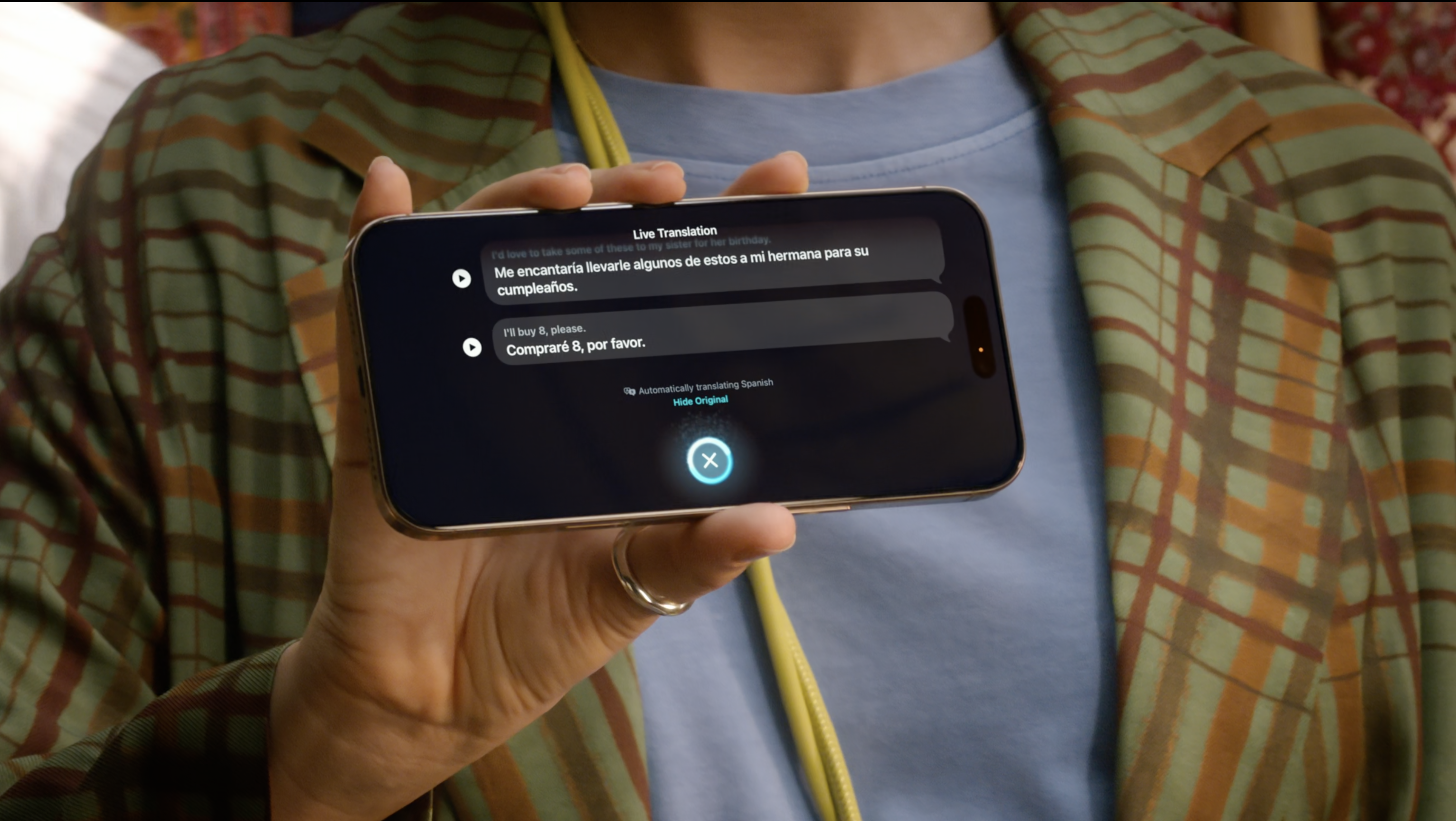
You can start the live translation on your AirPods through voice, by saying “Hey Siri, start live translation,” or by clicking on both AirPods at once. “If you have an Apple Intelligence-enabled iPhone, you can follow along with a spoken translation”, says Kamal. This combination of iPhone and AirPods means you can play your translation back to the person, even if they don’t have AirPods or their own method of translation.
“You'll notice across messages, phones, AirPods, we really went out of our way to make sure that if one person has Apple intelligence enabled, the conversation is seamless for both sides of the conversation,” Kamal added.

Tuning in for languages
Changes were required in the way the AirPods' mics were set up for translation. “In AirPods, the microphone is typically tuned to pick up your own voice, like on a phone call,” says Huang. “but for live translation, it's all about picking up the audio from the other person speaking in front of you, so we had to retune the microphone on AirPods to pick up the far field audio with new computational audio algorithms.
By using the iPhone in combination with the AirPods, it can also use the microphone in the iPhone to pick up the other person’s voice, while the AirPod microphones pick up yours. “Actually, AirPods will actually tell you to take your phone out if it's in your pocket or your purse or something, to bring it closer to the speaker so we can hear the conversation even better,” says Huang.
To help you follow the conversation more easily, the translation will start before the person has finished their sentence. “The top goal here is to help you follow along the conversation, as real-time as possible”, says Huang. “We don't wait for a sentence to be over, but as soon as we have one coherent thought, we speak it out loud to you.”
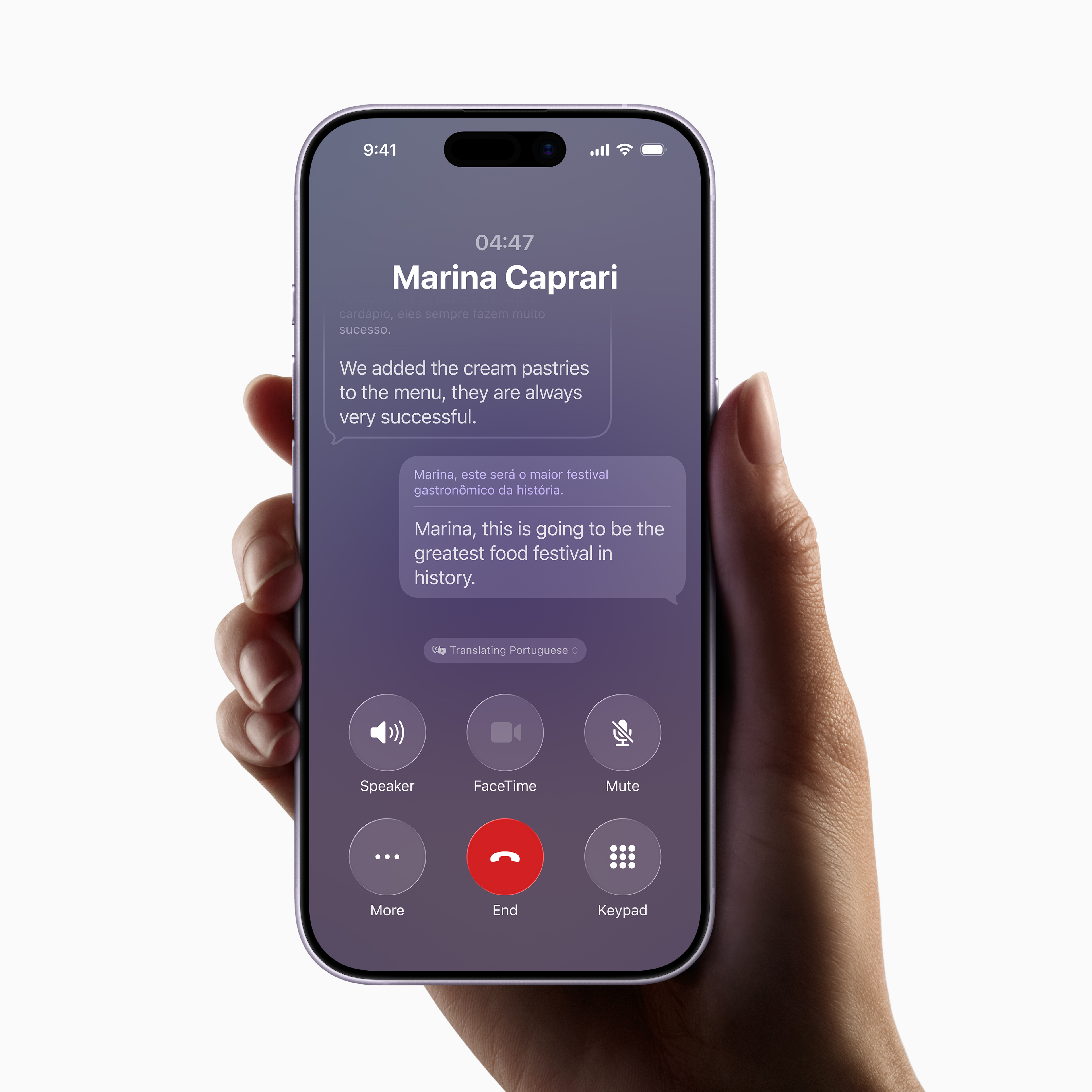
The software can also adapt the speed at which the translation is relayed to you, so that you don’t start to fall behind, as some languages take longer to express than others. “For example, German tends to be sort of a longer sentence, longer syllables, so when we feel like we're falling behind, we speed up the readout to you,” says Huang.
While translation features have existed for a long time on Apple devices, live translation is new across all platforms. It means there are multiple ways you can handle translation, depending on the situation. While in person, the AirPods are the best option, on your iPhone or Mac, you could use the live translation features built into FaceTime or Messages.
If Apple do ever produce smart glasses – like those from Meta and Google – this live translation feature would be perfectly placed. However, with translations in your ear, straight from your AirPods, you can guarantee you don’t panic when tackling languages overseas.


.png?w=600)