
iPhone users can activate Apple’s lifesaving Crash Detection feature to automatically detect a severe car accident and call for assistance without needing an accompanying Apple Watch.
The feature attracted widespread public attention recently after a British woman said it saved her life.
Natalia Sidorska, 32, lost control of her car while driving along a winding road in Denbighshire in northeastern Wales in June 2025. Her car plunged more than 100 metres down a mountainside. It burst into flames just moments after she escaped.
Speaking to the BBC recently after a lengthy recovery from her injuries, Ms Sidorska said she later discovered her iPhone had automatically activated the crash detection alert.
The feature is available on the iPhone 14 series and newer models running iOS 16 or later operating systems.
According to the tech publication Mashable, the system detects severe motor vehicle collisions — including front-impact, side-impact, rear-end collisions, and rollovers — by utilising a sophisticated combination of built-in hardware sensors:
- A high-g accelerometer and advanced gyroscope that measure extreme directional movements and sudden changes in velocity.
- The device’s microphone, which listens for the distinctively loud, concussive sounds associated with a car crash.
- A barometer that detects the precise changes in cabin air pressure caused by the deployment of airbags.
When a severe crash is detected, the iPhone will display a prominent visual alert and sound an alarm for 10 seconds. Users can dismiss the alert if they are unharmed or swipe the screen to immediately contact emergency services. In Thailand, the device is programmed to call the 191 emergency hotline.
If the user remains unresponsive after the initial alert, the device begins a 30-second countdown before automatically dialling emergency services.
If the user has configured emergency contacts, the system will also automatically send a text message sharing their live location and informing them that the user has been in a car crash.
Apple noted that while the feature is highly sophisticated, the iPhone or Apple Watch may not detect every single collision due to variable factors like sensor interaction and the surrounding environment.
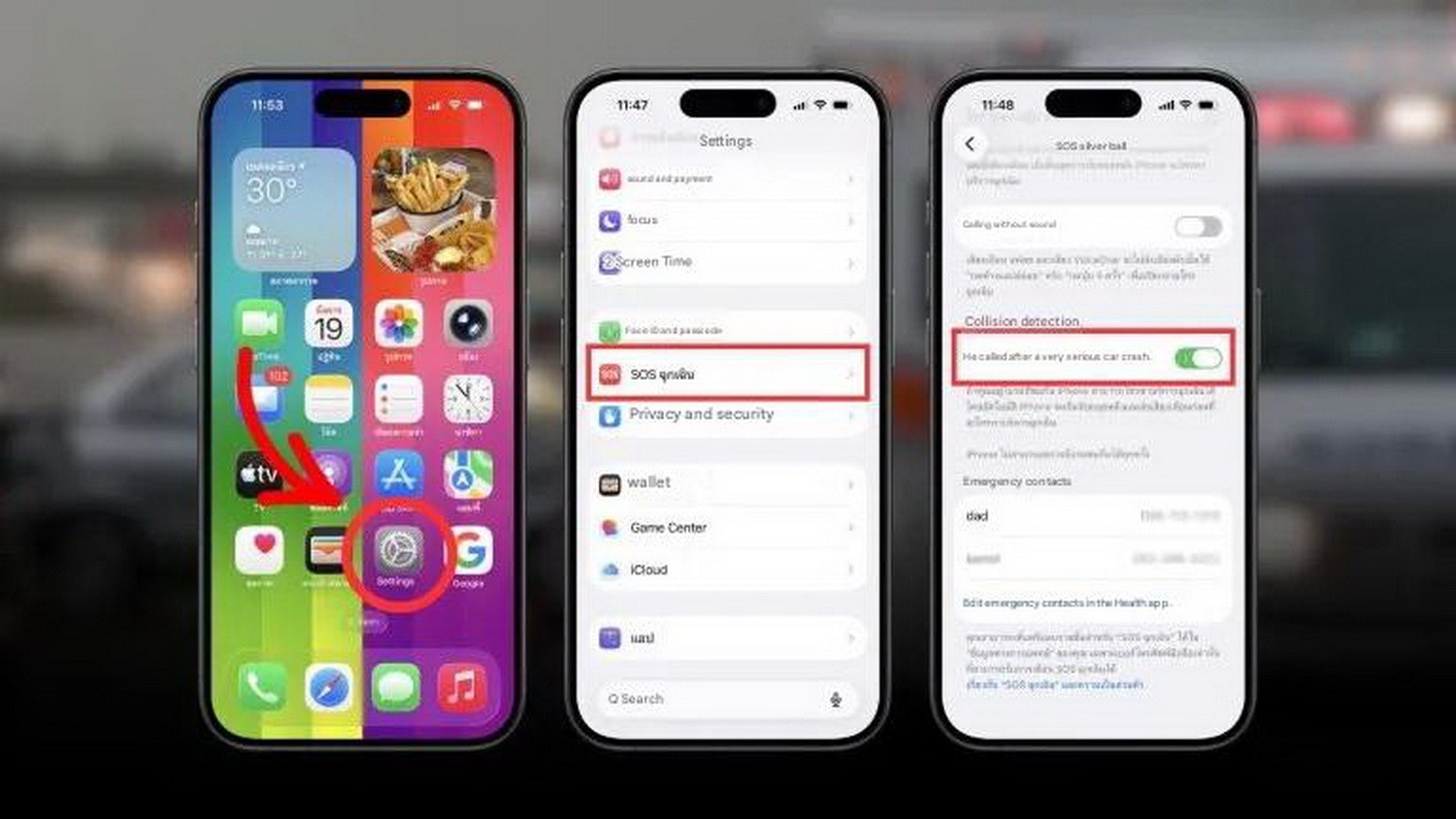
To activate the feature, users can navigate to Settings > Emergency SOS, and then toggle on “Call After Severe Crash”.
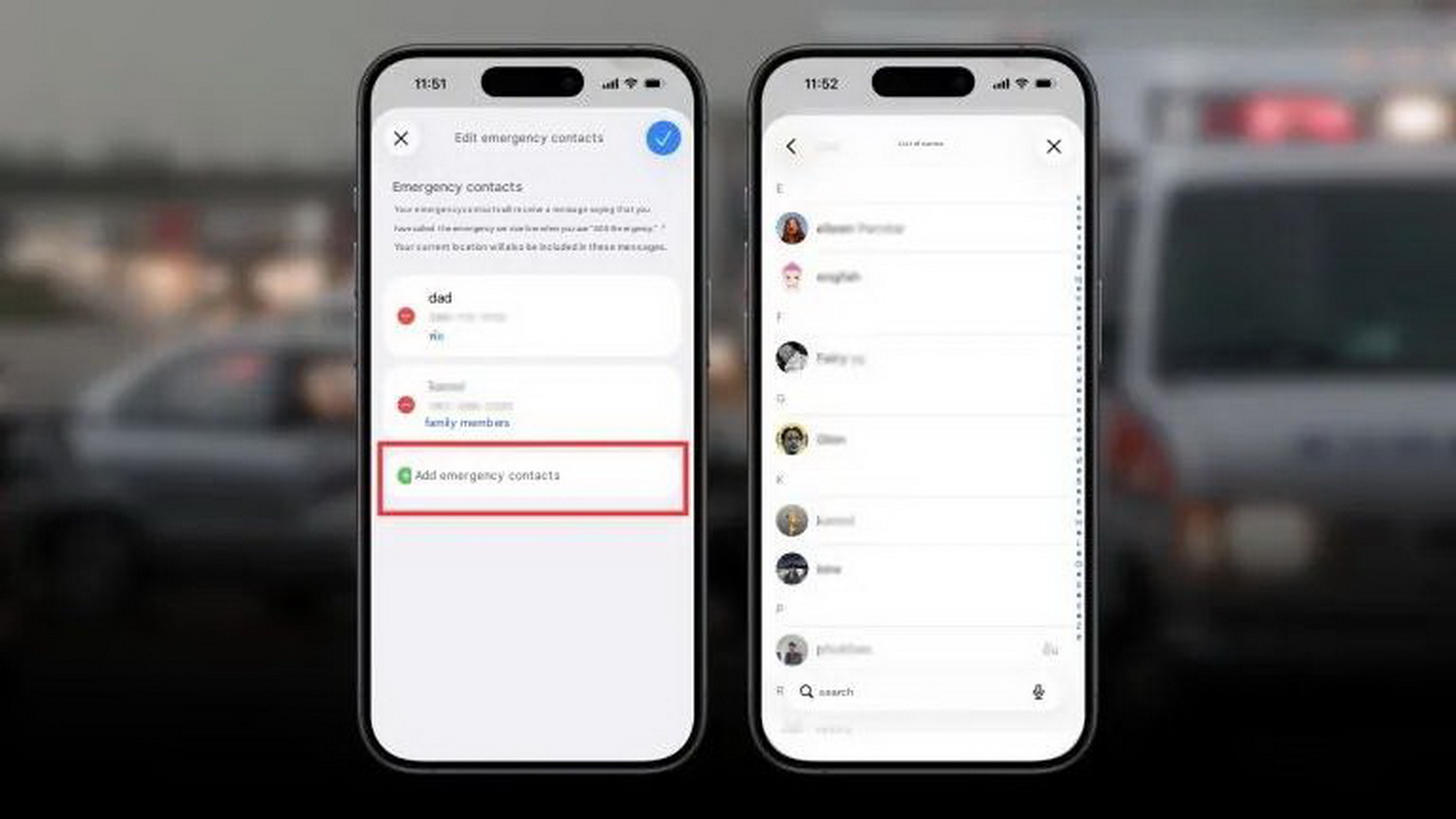
Safety experts emphasise that adding emergency contacts is just as crucial as enabling the feature itself. To do this, users can scroll down within the Emergency SOS menu, select “Edit Emergency Contacts”, and update their Medical ID page. Once a contact is designated, the system will instantly ping them with the user’s exact coordinates the moment an accident is detected.
For users who also own an Apple Watch, the Crash Detection capability is supported on the Apple Watch Series 8, Apple Watch SE (2nd generation), Apple Watch Ultra, and all subsequent models.
Source: Mashable, Youtube Apple Support