Our apps visitors have been using this feature for a while, and we hope our visitors on the web will find it useful too. Anything you save will be accessible through any other device, as long as you have signed in to the Guardian.
Here are a few scenarios where you might find it handy to use ‘save for later’:
Create a reading list for the day
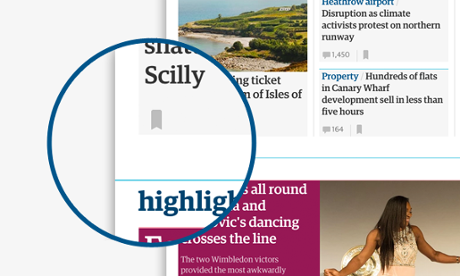
There is a lot to read on the Guardian website and our homepage often changes. You may see a number of articles on a front page that you want to read. You can save these directly as soon as you see them by clicking on the ‘save’ icon and read them at your leisure throughout the day.
Not the right moment
There might be a long read or a video you can’t enjoy to its fullest right now as you’re on a busy commute. Why not save it on your mobile device, then sit back to enjoy it on a larger screen later?
Favourites
Try using the ‘save for later’ feature to build a list of favourite recipes, films you want to watch or books you want to read so that you can refer back to them at a later date.
Sign in or register for a Guardian account to use the new feature and please let us know what you think in the comments below.
How do I save an article?
Articles, galleries or videos - any piece of editorial content - can be saved for later.
There is a link at the top and bottom of every article:
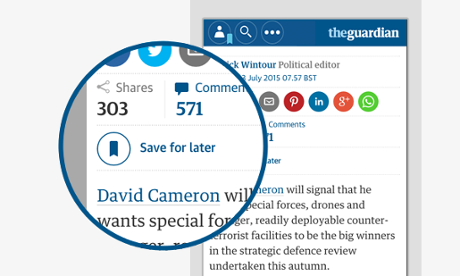
Or you can save directly from any front page, by clicking on the save icon.
Where can I see my saved articles?
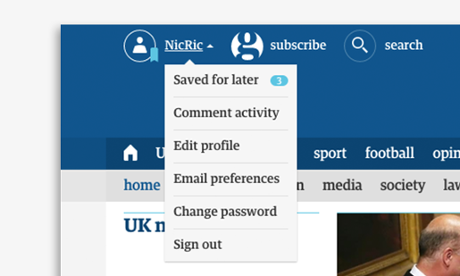
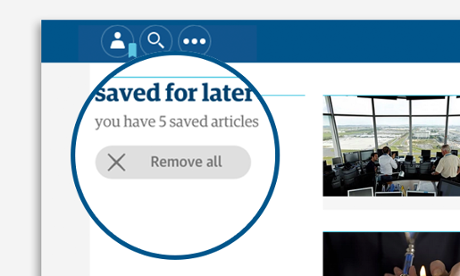
We sync your saved articles with your Guardian profile. So, if you’re signed in, you will be see saved articles on any browser. Retrieve saved articles by clicking on your profile name at the top left of the screen and following the ‘Saved for later’ link. If you haven’t signed in, you’ll see a ‘sign in’ link instead of your name.
Does this work across all my devices?
Yes, you can save any item using your Guardian Android or iOS app in the morning, and retrieve your saved articles on your desktop computer when you get to work. If you’re using the Chrome browser at home and Internet Explorer at work, you can also sync across the two. Just sign in to see your saved articles.
You can even save notifications and articles for later directly from your smartwatch and view them later on your laptop, for example.
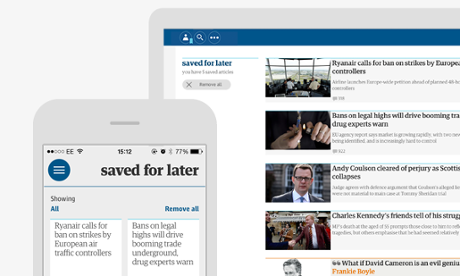
How do I delete the articles I’ve saved already?
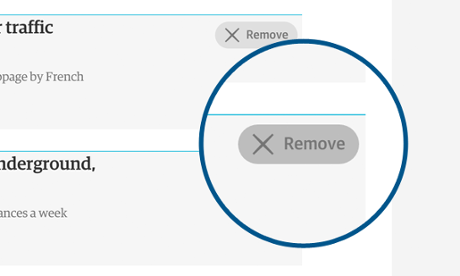
You can delete articles from your ‘Saved for later’ page by clicking on the ‘Remove’ button on each item, or the ‘remove all’ button at the top of the page.
Privacy: who can see the things I’ve saved?
Only you can see the articles you’ve saved.
I love it. How do I let you know?
We’d love to hear the ways in which you use it and whether you find it useful. Let us know in the comments below.
If you experience any bugs or issues with this feature, or have any other feedback, please write to us.