
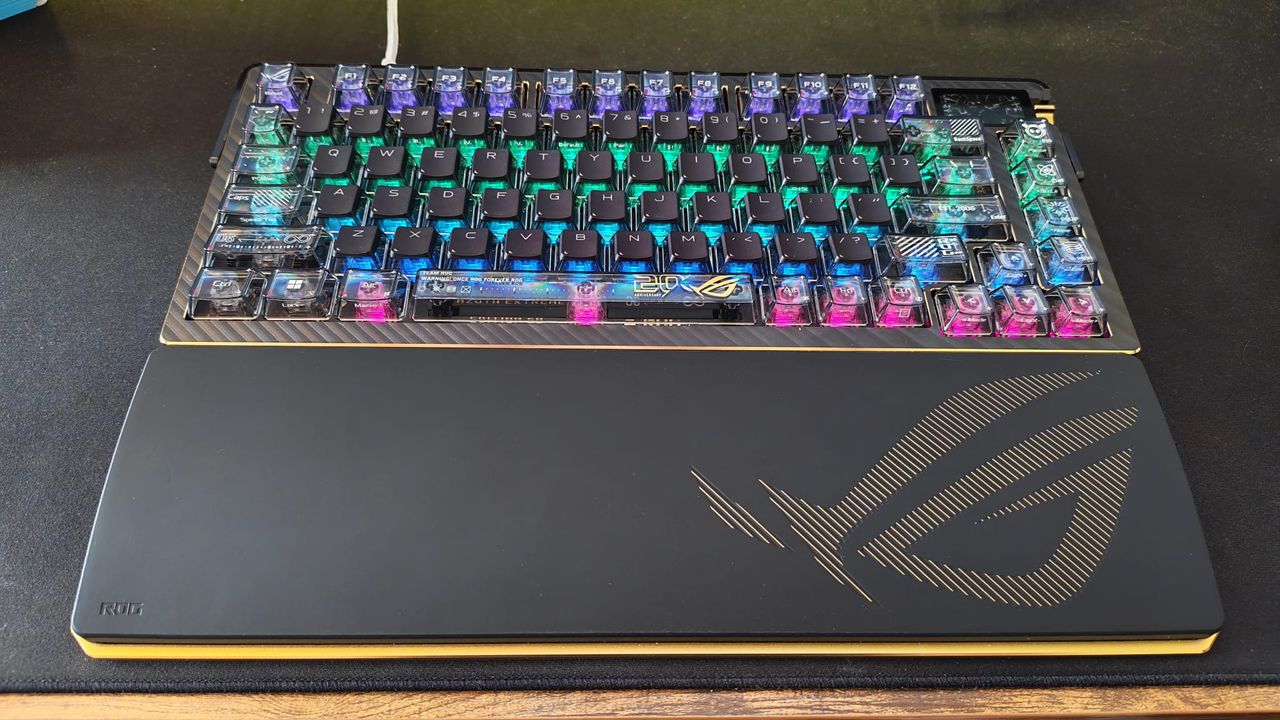
If you've ever been served one of those videos that goes up the price range of different gaming keyboards and compares how they sound, you'll likely relate to my first experience with the Asus ROG Azoth Extreme Edition 20. As someone who has only really dabbled with the depth of the keyboard world, I always figured that yes, there'd be a difference in the feel of the more expensive options, but surely not as much as the true keyboard nerds make out.
- Pre-order | $599.99 at Best Buy
I've been typing on a DROP LOTR Elven keyboard for the last year or two, and I love its mechanical feel and faithful design, especially as someone who hammers down pretty hard on his keys; it has an excellent weighty actuation to it. The Azoth Extreme Edition 20 sounds, feels, and actuates about 20x better than what I'm used to, so I finally understand the appeal of the most expensive sounding keyboards in those videos I see in my feed.
That much has been true of pretty much any Azoth board we've tested, but this is no regular Azoth. It's an anniversary timepiece that helps mark 20 years of the ROG brand, and with some seriously premium frills, it costs no less than $599.99. It's no keyboard for the faint of heart (or wallet). Whether you're typing or gaming, it's one of the most premium you'll find. It's certainly the best I've come across, but this keyboard range's price tag is becoming a bigger and bigger pill to swallow.
Design
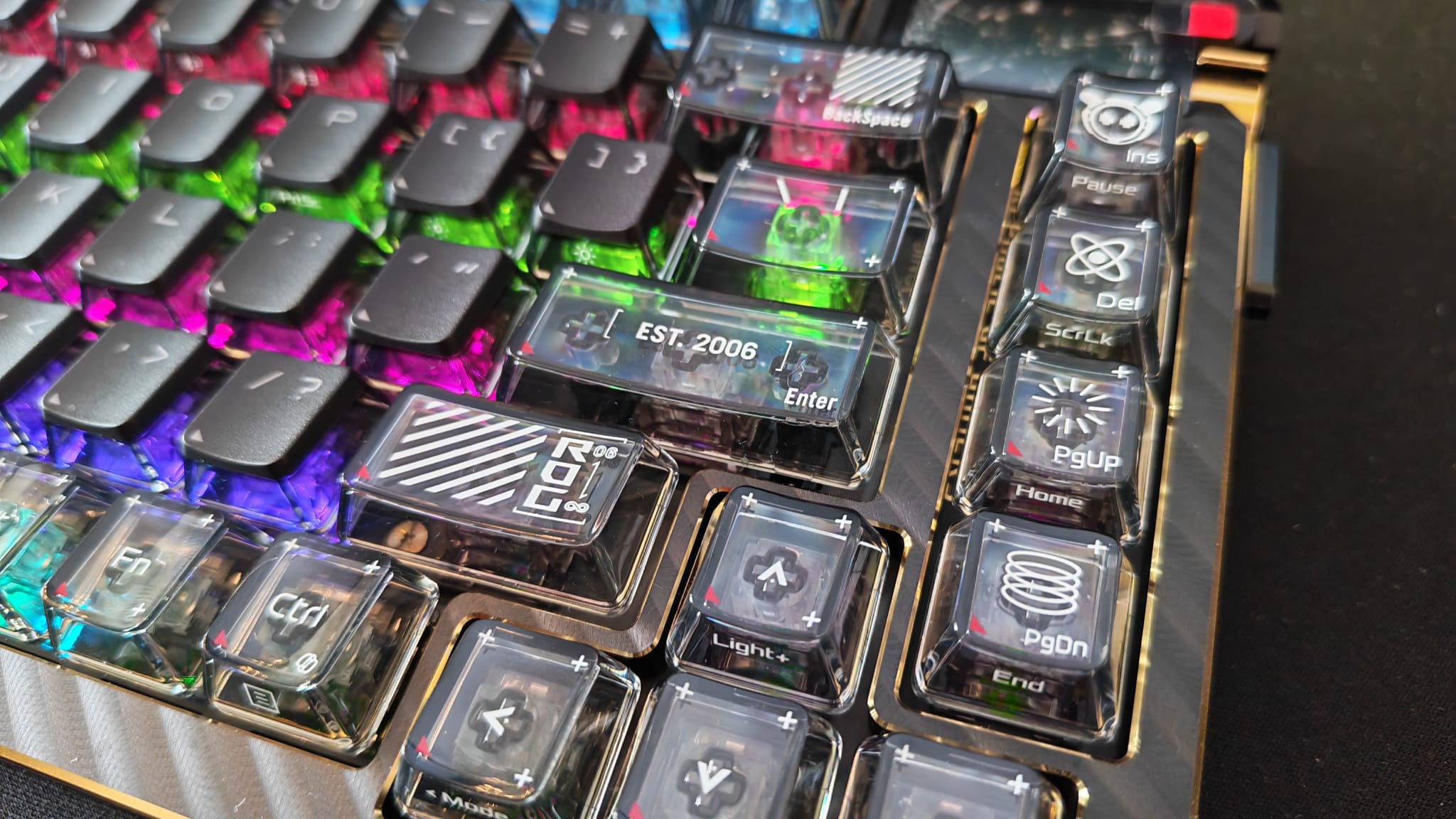
The original Asus ROG Azoth has been sitting pretty atop our best gaming keyboard lists for a while now, with each iteration wowing us in different ways as their prices increase.
For this version, Asus has donned a black and gold aesthetic along with a "bladed metallic" texture. The chassis is a full aluminium alloy, and the frame is metal, giving it a noticeable weight compared to a lot of other keyboards you'll have tried. It's a fully customizable/hot-swappable 75% keyboard with RGB lighting. In the top right corner, there's a small OLED display with a switch you can use to set different colors and programmes for the color of the lights - a solid continuation from the Asus ROG Azoth 96 HE.
Turning it over is where things get a bit silly. There's room for detachable magnetic feet (of differing heights) to give it more of a raised angle, which is something I never found necessary, even when pairing the board with its companion wrist rest. In the middle, though, is a 24K gold-plated, laser-engraved, polished ROG nameplate, which is as extra as it sounds. It is removable if you want to put it on display somewhere, but it certainly will contribute to the cost of this thing. Lurking underneath it is a USB dongle and a paddle switch for the adjustable gasket mount.
Speaking of, that clever switch will let you adjust the typing feel of the Azoth Extreme to be a tad firmer or softer, which may suit you if you're like me and tend to type pretty hard. What will contribute to that typing feel a lot more is the architectural choices that went into the product as a whole. For starters, the carbon fibre positioning plate has a firmer rigidity to stop vibrations on the top layer of the chassis. Then, underneath is a three-layer dampening system. First up are two PORON layers, then underneath it all is a silicone pad to absorb vibrations and minimize switch pinging and echoes.
Features
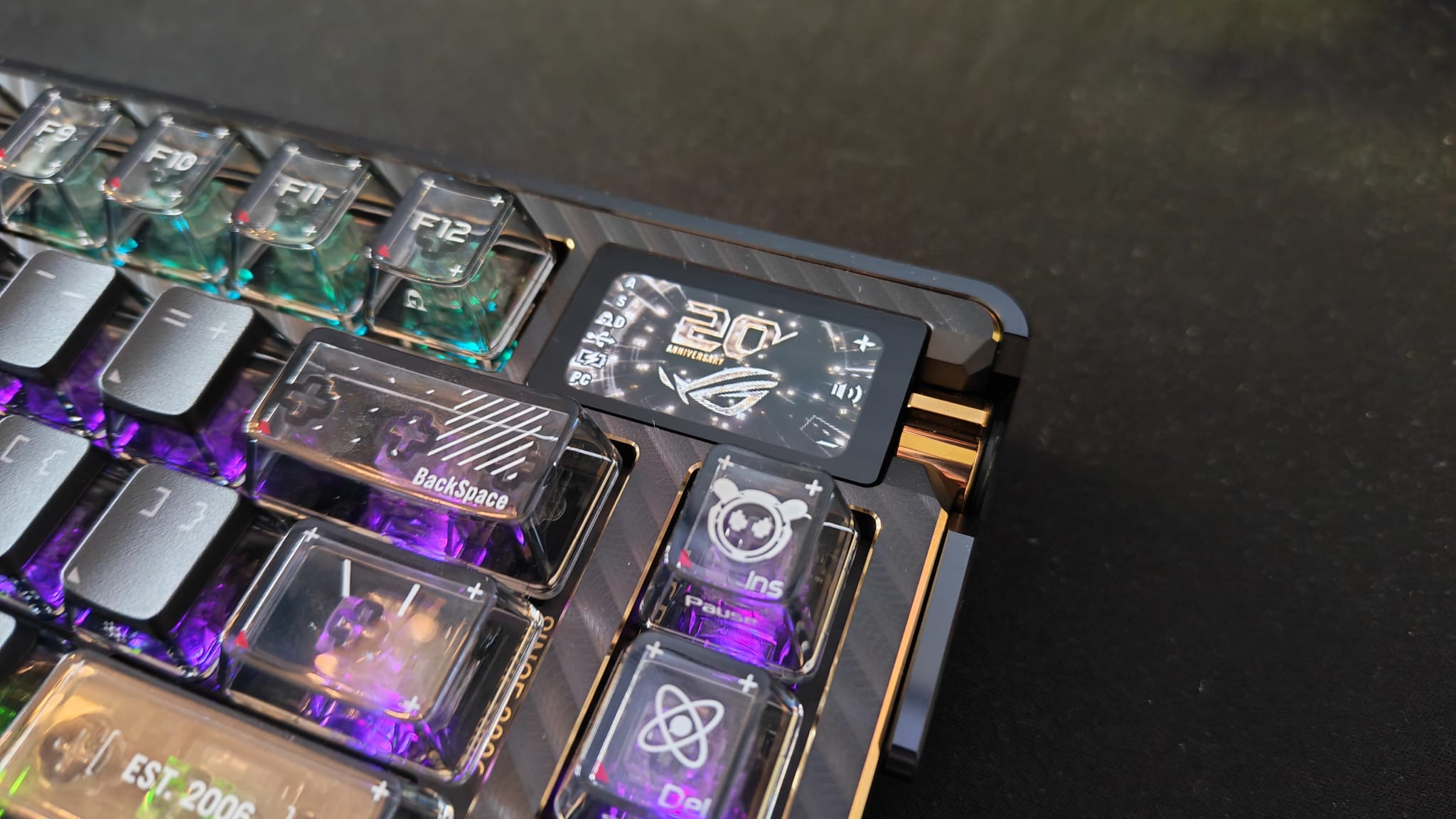
Getting to the finer details, the ROG Azoth Extreme Edition 20 features ROG NX Snow mechanical switches that are hot-swappable and come pre-lubed. They have a refined clicky and refined linear feel, depending on how you configure them, which complements the adjustment Asus has made to the inner workings of the switch.
Below the upper housing is a stem material made of composite POM material that adds a bit more smoothness to the keystroke. It has a walled stem design to protect from dust intrusion while also adding some more stability. Then, on the very bottom, you have a POM bottom housing for a deeper keystroke sound.
In terms of connections, the tri-mode connectivity from the previous Azoth boards carries over, and the Azoth Extreme 20 is equipped with a ROG Omni receiver that allows connections to multiple supported devices with a single USB dongle - perfect for if you have an Asus mouse or other peripheral that already supports it. That means fewer USB ports are used up without compromising on high-polling gear.
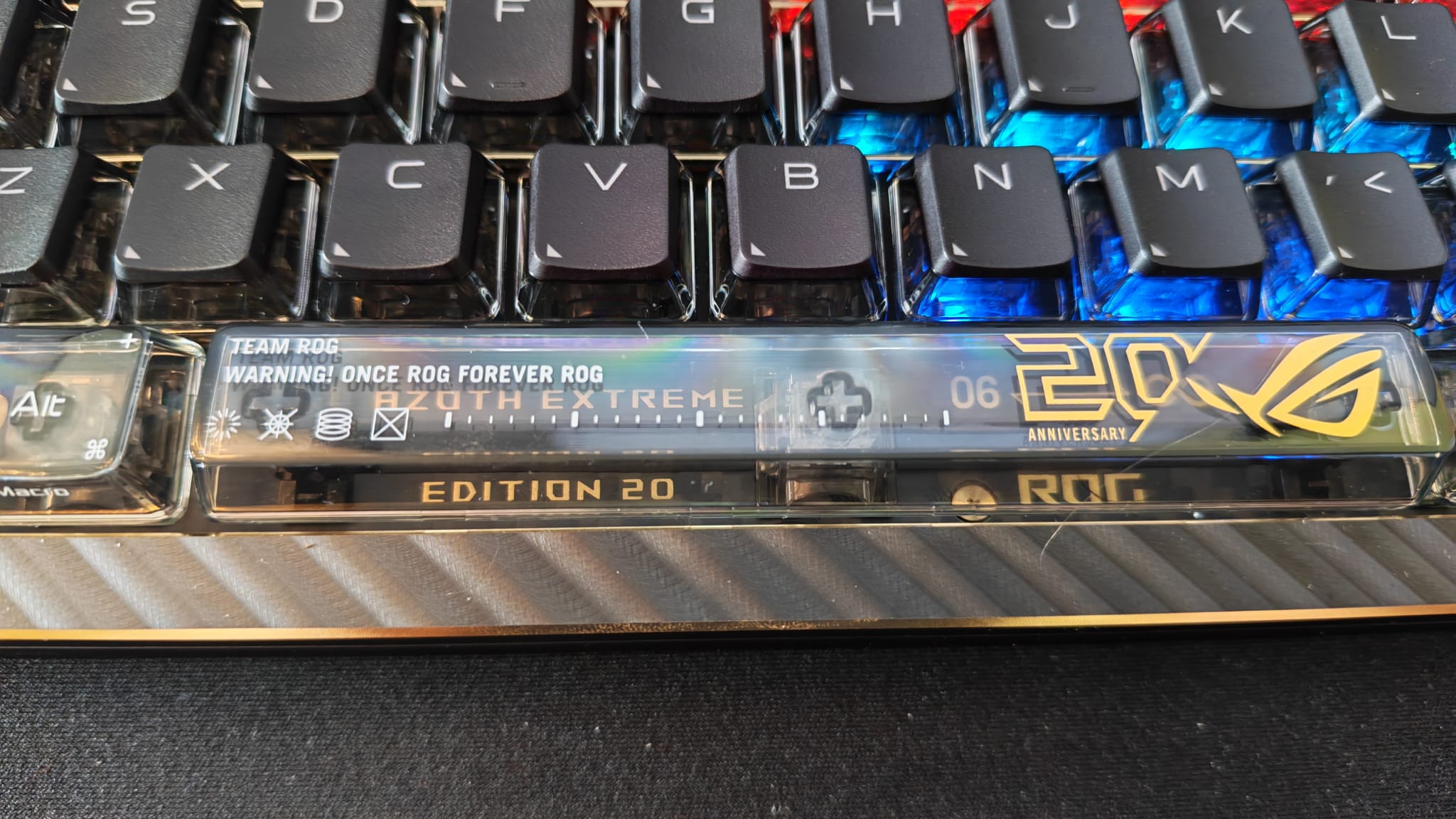
Speaking of which, the Azoth Extreme sports a maximum polling rate of 8,000Hz, but only if you have a ROG Polling Rate Booster. In wireless mode, the Azoth Extreme can last you a quoted 1600 hours with RGB lighting and the OLED display off, 245 hours with the OLED display on and the lighting off, or a still impressive 96 hours with both on.
You can customize the board using Gear Link, without the use of Armory Crate.
Mystery Keycap Set
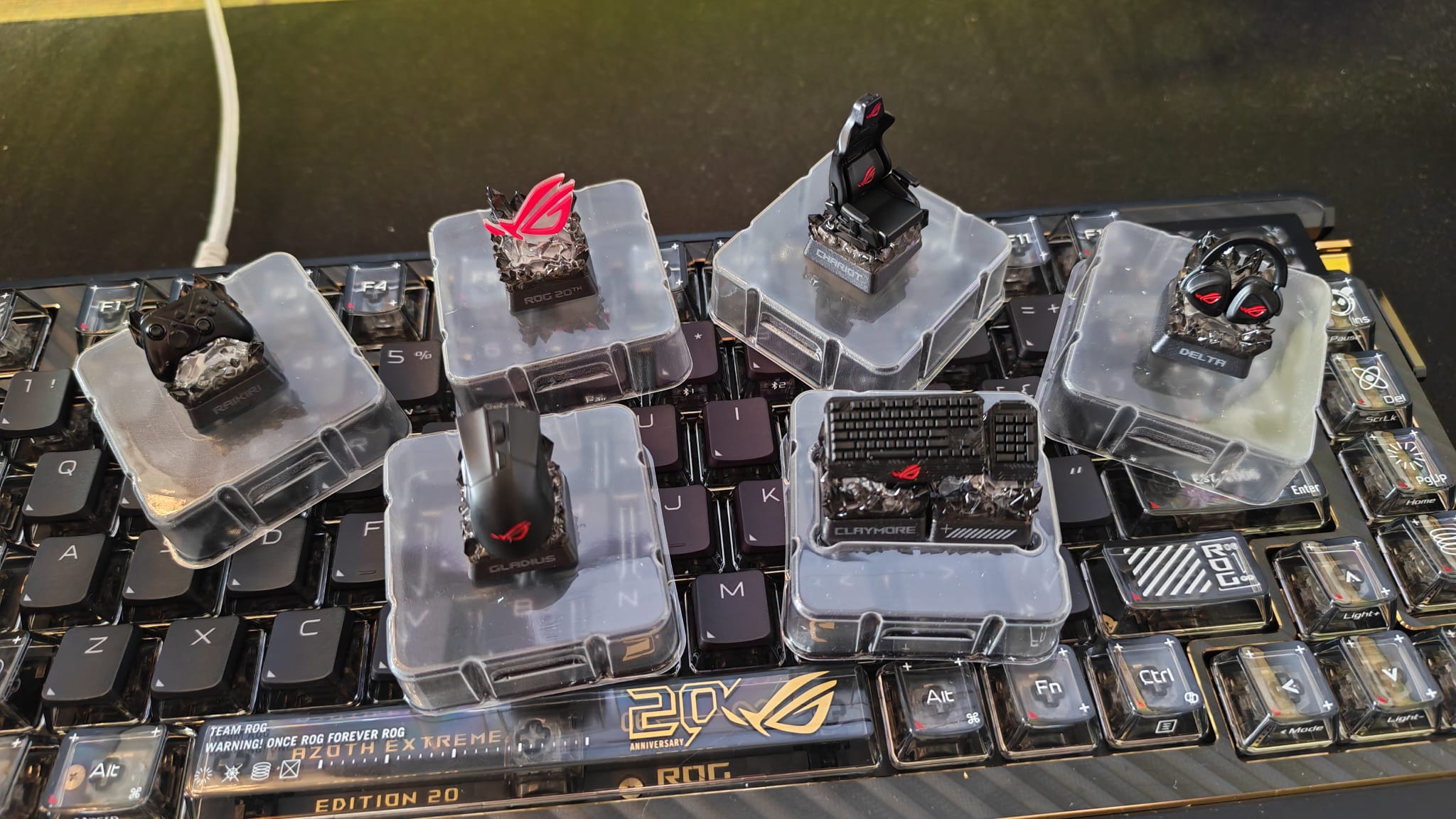
Launching alongside both the mouse and keyboard is a fun twist on the ROG anniversary - a new form of collectible called the Mystery Keycap Set. These provide a fun unboxing experience for long-term fans and are excellently crafted tributes to some of the most well-known products in Asus ROG's history.
I have to admit, I'm not one for mysterious collectibles like this because so often they end up being fodder for resellers to make a fortune off of, but the attention to detail here is unreal. The Chariot keycap actually spins as one of the best gaming chairs should, the Claymore deck and Raikiri controller keycaps sport all the right textures.
Each ROG Keycap Mystery Box reveals a random collectible keycap, and the full set includes tributes to the Chariot chair, Raikiri controller, Claymore keyboard, Delta headset, and variations on the ROG 20 logo. In one box you'll find: 6 x Mystery Keycaps, and 6 x nameplates (randomly selected with no duplicates; and it may include a special edition version)
According to the press materials I've been issued, the probability of finding all of them is as follows:
- ROG Claymore: 1/6
- ROG Gladius: 1/6
- ROG Chariot: 1/6
- ROG Delta: 1/6
- ROG Raikri Pro:1/6
- ROG Logo: 7/48
- Special Edition Keycap: 1/48
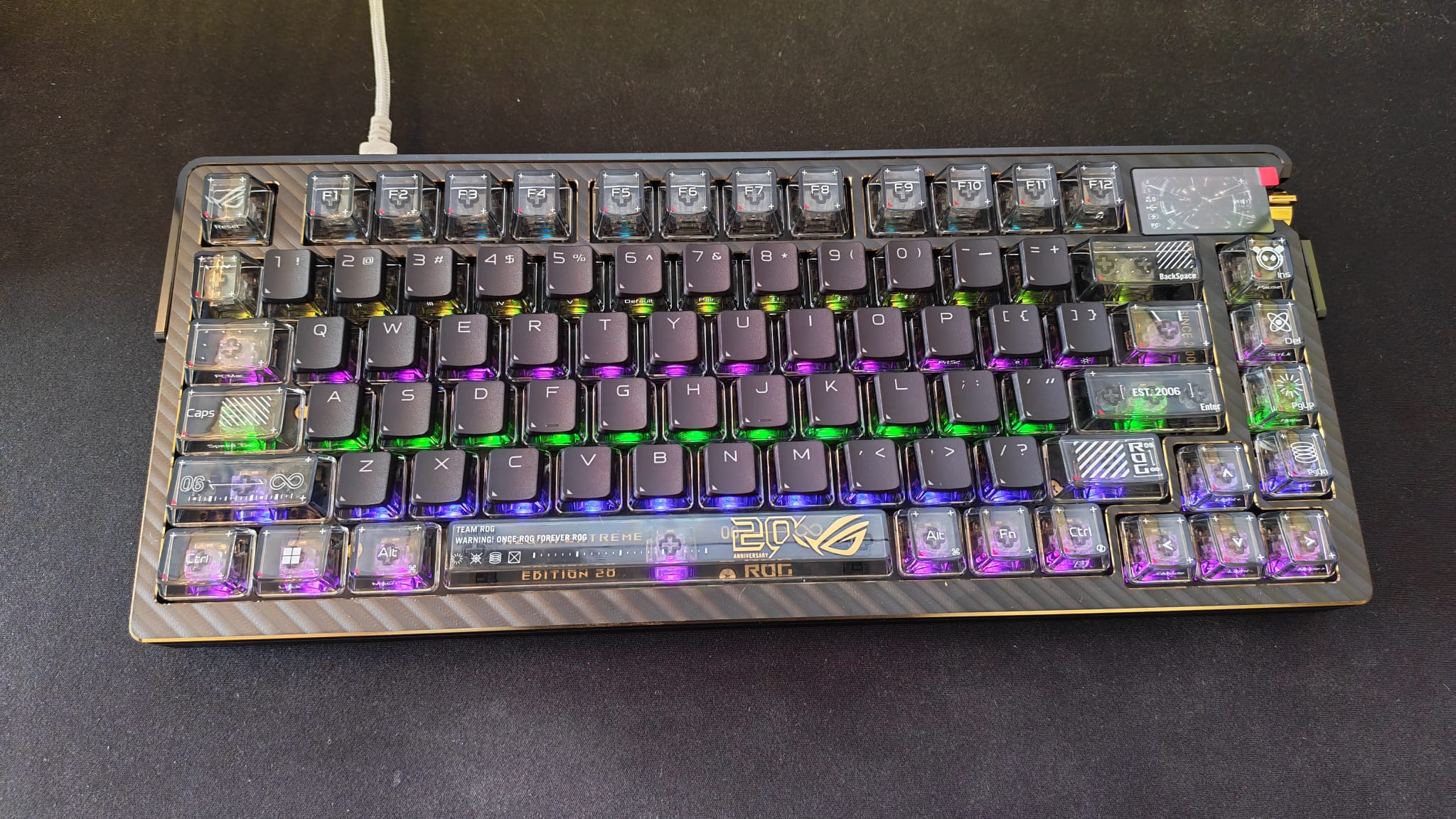
One box sets you back $24.99, which isn't bad considering the hand-crafted design of the keycaps inside - although it may seem bad to those who have already splashed down $599 on the Azoth Extreme 20.
The mystery keycaps are made with a Cross-based structure (Cherry MX-based stem), which should give them wide compatibility when it comes to switches to put them on. Each keycap is made with Resin material before being hand-finished with intricate paintwork.
Performance
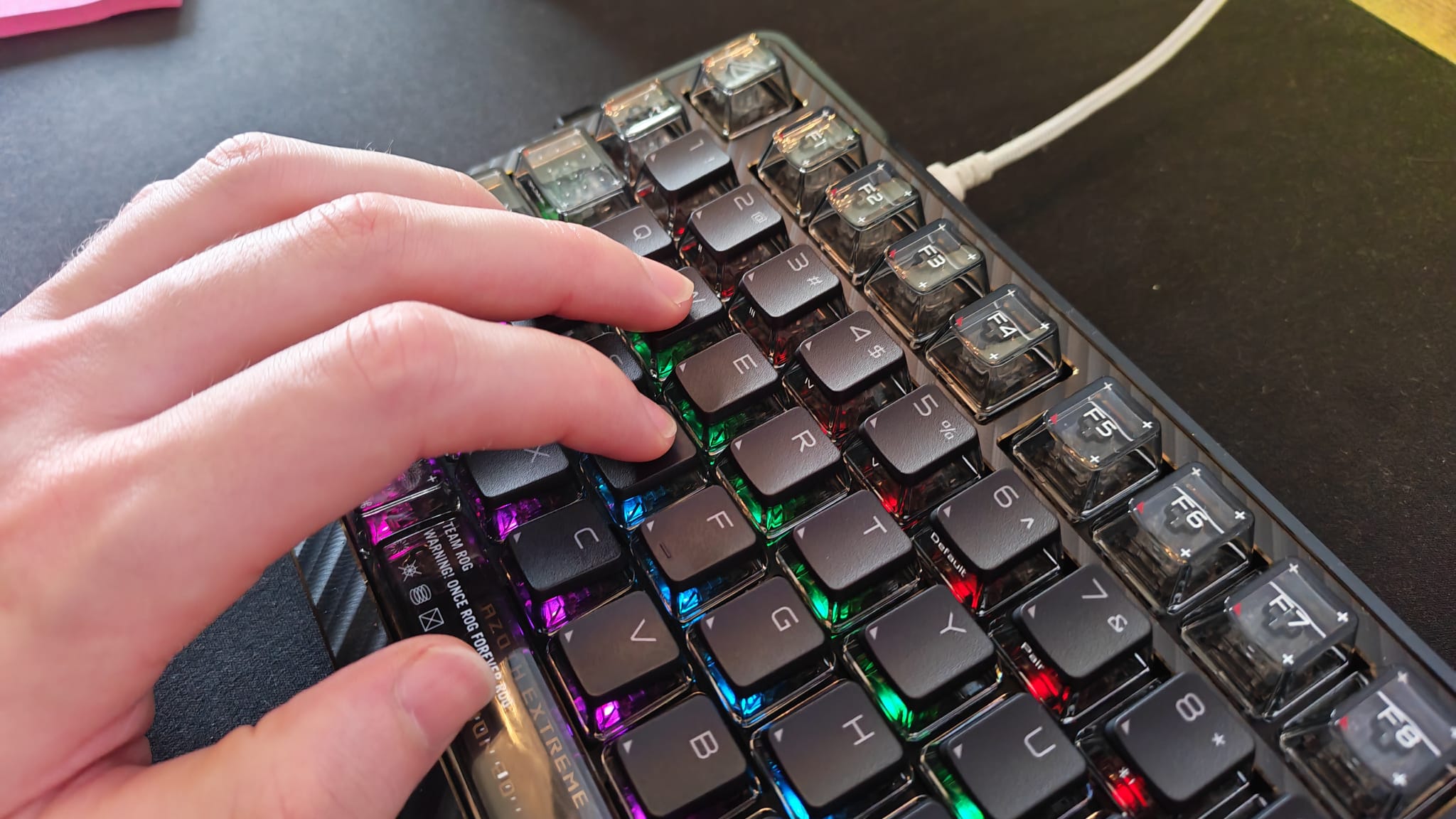
As I've mentioned, I'm pretty hard on my switches when it comes to typing. I don't know what happened in my younger days while I was learning to type that compelled me to hammer down as hard as I do. However, using the Azoth Extreme Edition has felt like a formative experience. Its premium switches, the way their sound is dampened with each keystroke, and the featherweight it takes to actuate them if you aren't using their firmer actuation, is unlike any other keyboard I've used. It feels like it's taking me by the hand and asking who hurt me, encouraging me to be nicer to whatever keyboard I type on next.
There are ups and downs to lots of Azoth's qualities for me, though. Its lighter actuation means it's super easy to translate your reaction time to whatever game you're playing. But there have been so many times when I've been gaming or typing when I thought I was just resting my finger on a key, only to see something happening on screen and realise I was putting too much weight on it. That's awesome for gamers who need the slightest bit of press on their keys to register, but that can also, in my case, cause mis-presses where you don't want them.
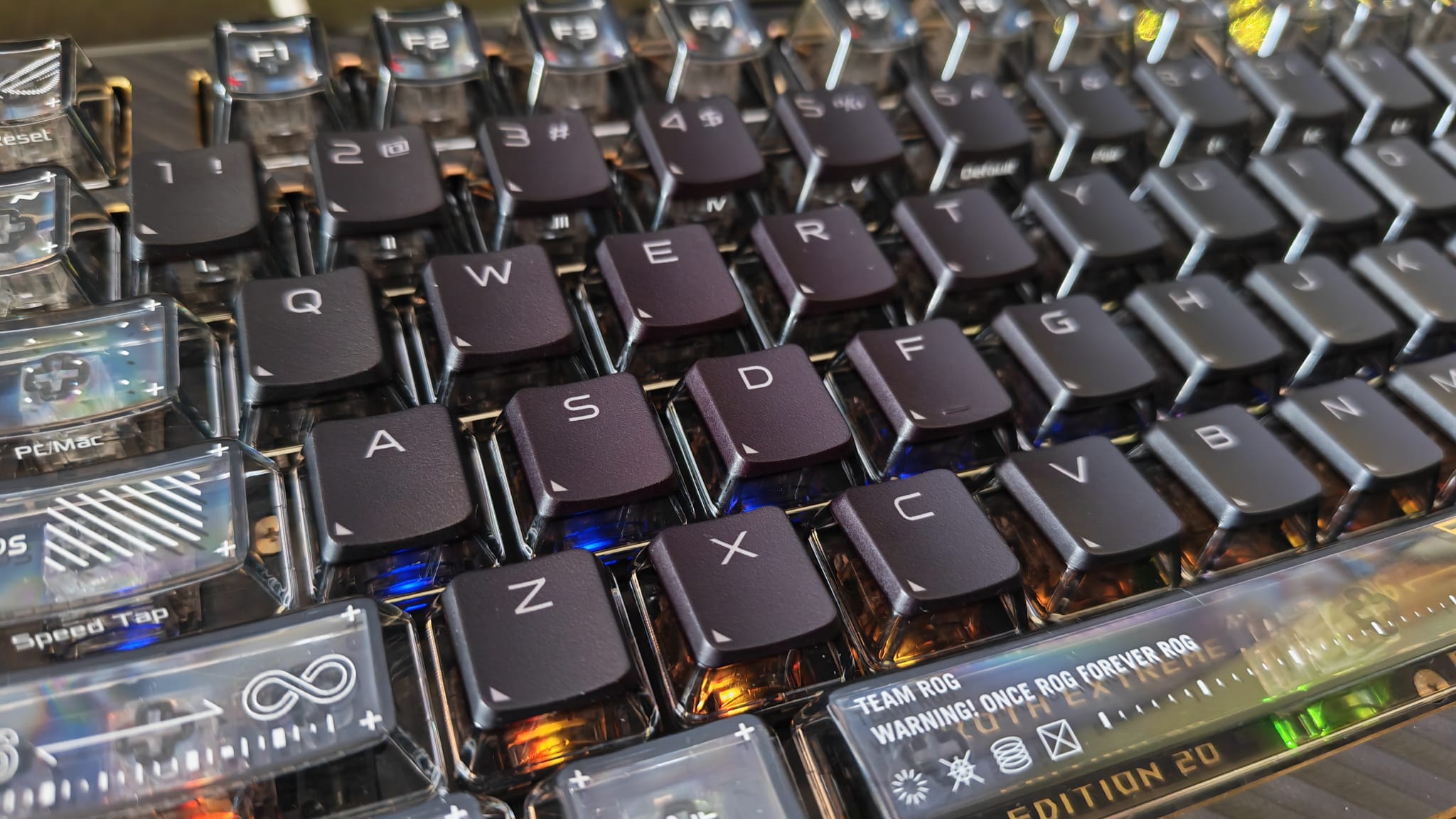
Secondly, there's no denying the build quality of this keyboard. Hell, there's 24K gold plating on it and a fully metal body - something so many other keyboards forgo because they're worried about performance. No guess as to why it weighs as much as it does!
That kind of build quality doesn't come around often in any category of gaming hardware, and it absolutely reinforces the experience of using it. With such a hefty deck underneath it, the switches all feel so stable and cushioned. Each press, no matter how hard you tap, is safe; it doesn't feel like I'm damaging anything or that I'll be wearing down the switches the more I use it like that. But with so much weight to it, it does make it feel a bit like an immovable object to keep on your desk, so if you like to shift your accessories around often, this isn't very agile. More, if you've spent a lot on a desk mat, be prepared for it to suffer marks and potentially dents under the sheer heft of this sitting on it.
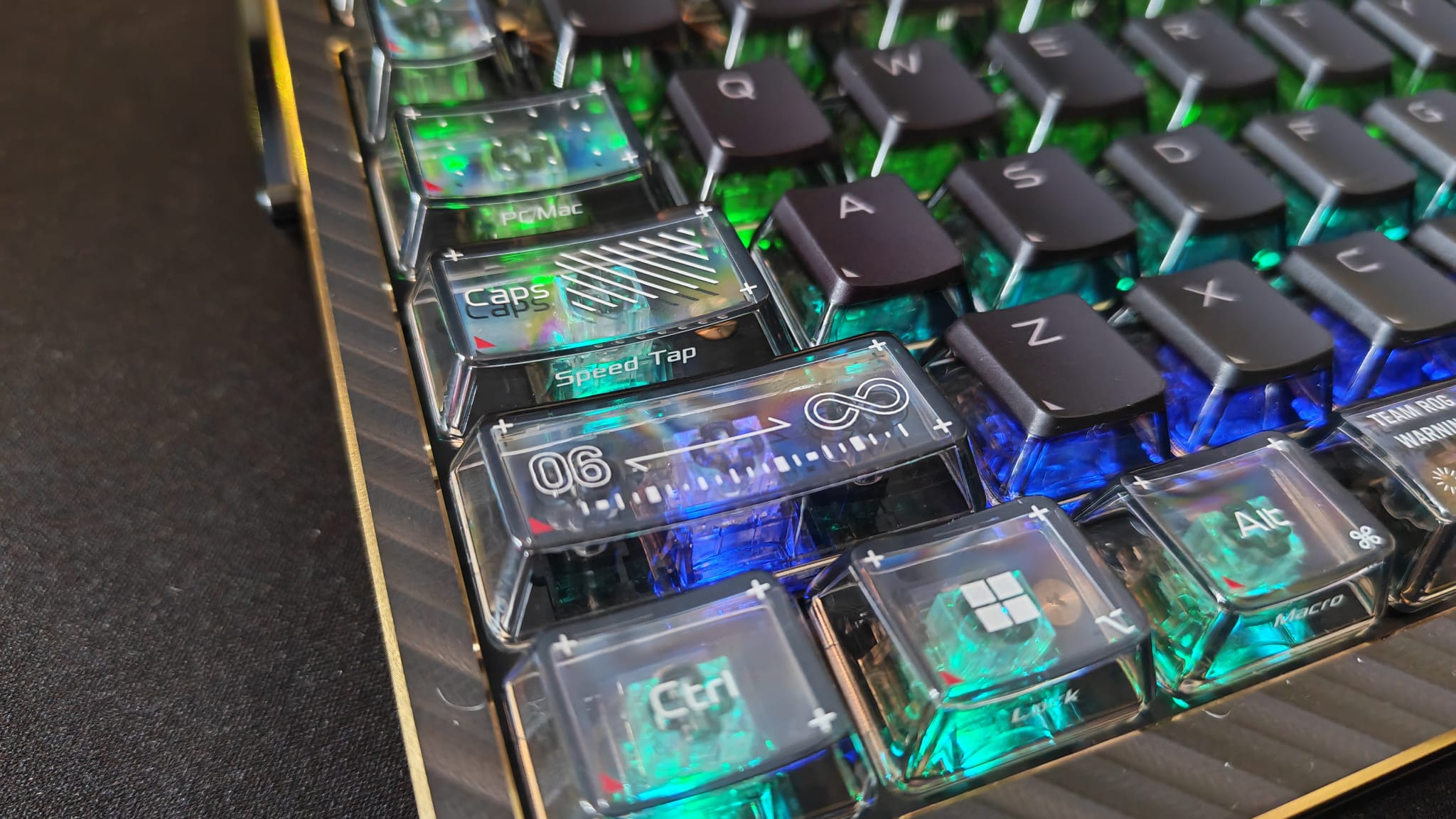
Even the flashy design has its utility drawbacks. For a celebratory piece like this, there will almost certainly be form-over-function issues, but there are some basic errors I wish were stamped out. The white key symbols on the bottom sides of the keycaps aren't very legible when the RGB is shining through from underneath, and slightly blinding you thanks to transparent edges on the keycaps themselves. This would hardly be a dealbreaker, but for a 75% board where you are likely to search for the Fn functions lurking on some of the keys, it's likely an annoyance you'll run into.
Should you buy the Asus ROG Azoth Extreme Edition 20?
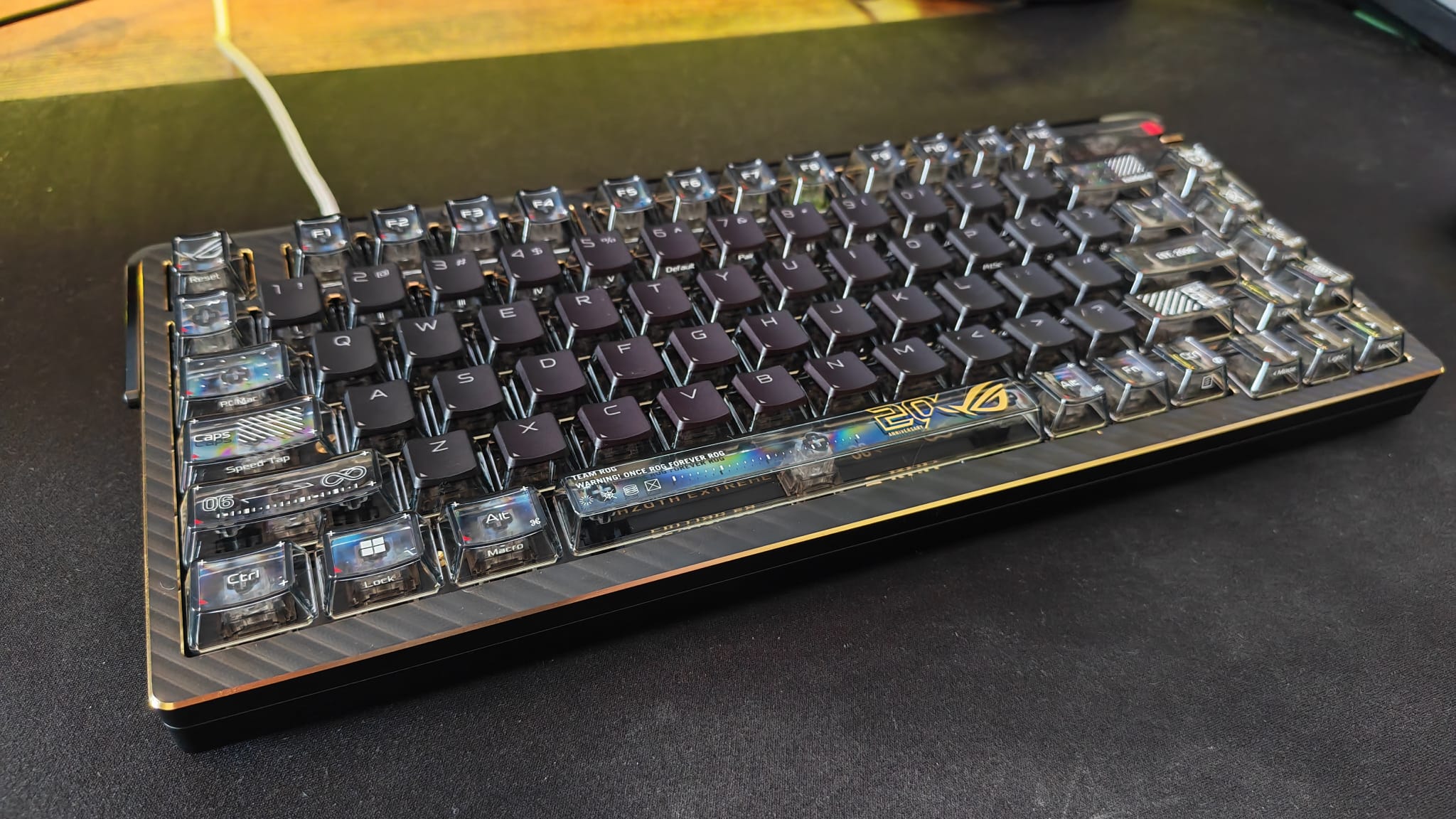
In years of testing all sorts of gaming tech, there have been few with the kind of premium build quality and luxurious feel of the ROG Azoth Extreme Edition.
The Azoth Extreme has been made to mark 20 years of ROG accessories, and its latest flagship keyboard, as well as its mystery keycap set, is easy to recognise as a labor of love. Its lightweight actuation has a calming effect on a hard typer like me, will offer speed to competitive gamers, and a design that will make anyone (gamer or not) see why the maker has lasted this long.
Like with any gaming peripheral of this cost, I'd remind you that you don't need to spend this much to get something good, or even usable. Even with all its 24K gold-plated flourishes, it's going to be very difficult to justify a keyboard this expensive, and there's no way around that. That said, for the Extreme users who want a showpiece, it doesn't come much better than this.
- Pre-order | $599.99 at Best Buy
How I tested the Asus ROG Azoth Extreme 20
This keyboard sat on my desk for around two weeks before I wrote up my thoughts in this review. I used it for typing, video editing, and gaming every day in that time to put it through its paces. I compared it to other keyboards I've used, and I read up on previous Azoth offerings to get a feel for what this line represents.
For more on how we test keyboards, take a look at our hardware policy.
For more on peripherals, check out the best PC controllers, the best gaming mouse, and the best hot-swappable keyboard.