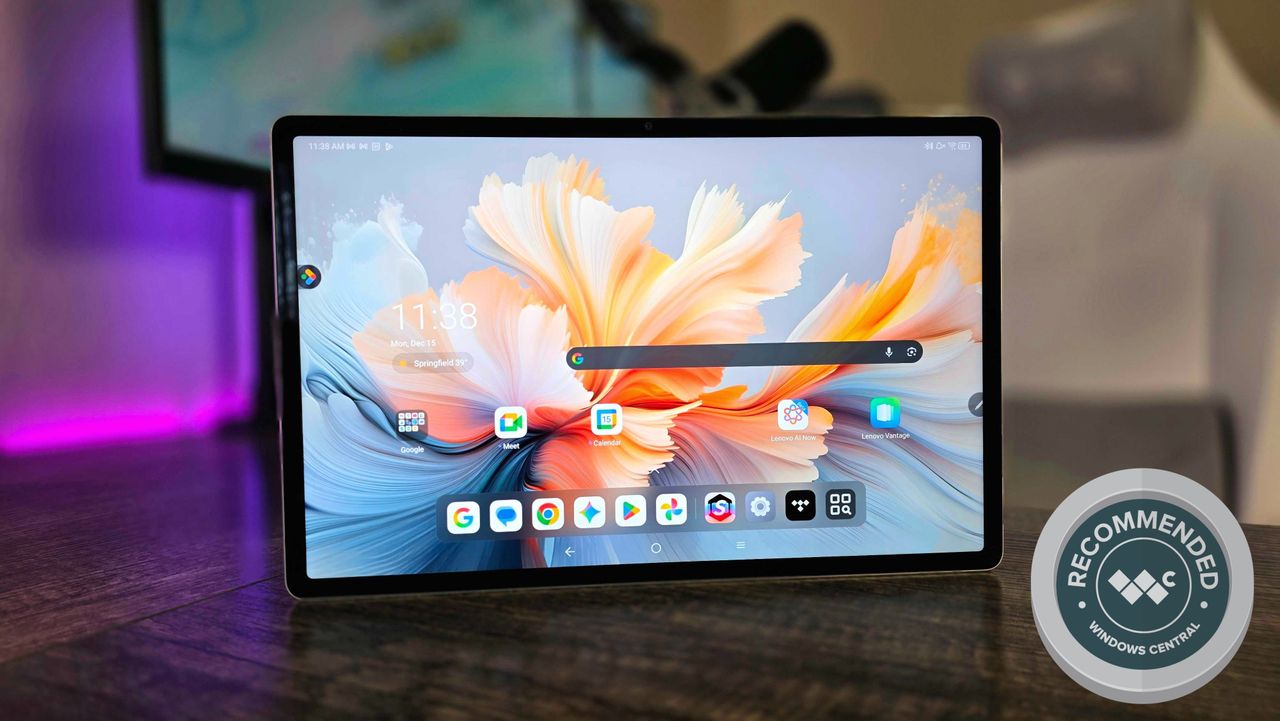
Millions of people have an Android or iPadOS tablet in their arsenal for entertainment, gaming, and creativity, but most people still opt for machines powered by Windows or macOS when it comes to getting work done.
That doesn't mean companies aren't trying to close the gaps between form factors and operating systems to create the ultimate all-in-one device that can do everything. The Lenovo Yoga Tab Plus (Gen 1) falls into this category, being a premium Android tablet that's bundled with a kickstand and keyboard accessories to transform it into a pseudo-laptop.
Plenty of others have attempted to replace their Windows laptop with tablets like this, and I decided I wanted to take a crack at it — especially now that Lenovo is using the "Yoga" branding most commonly associated with its personal computers. I wasn't surprised by what I found, though, and that's great hardware being held back by software that simply isn't suited for this (yet).
This review was made possible thanks to a review sample provided by Lenovo. Lenovo had no input nor saw the contents of this review prior to publication.
Beautiful hardware that's priced just right
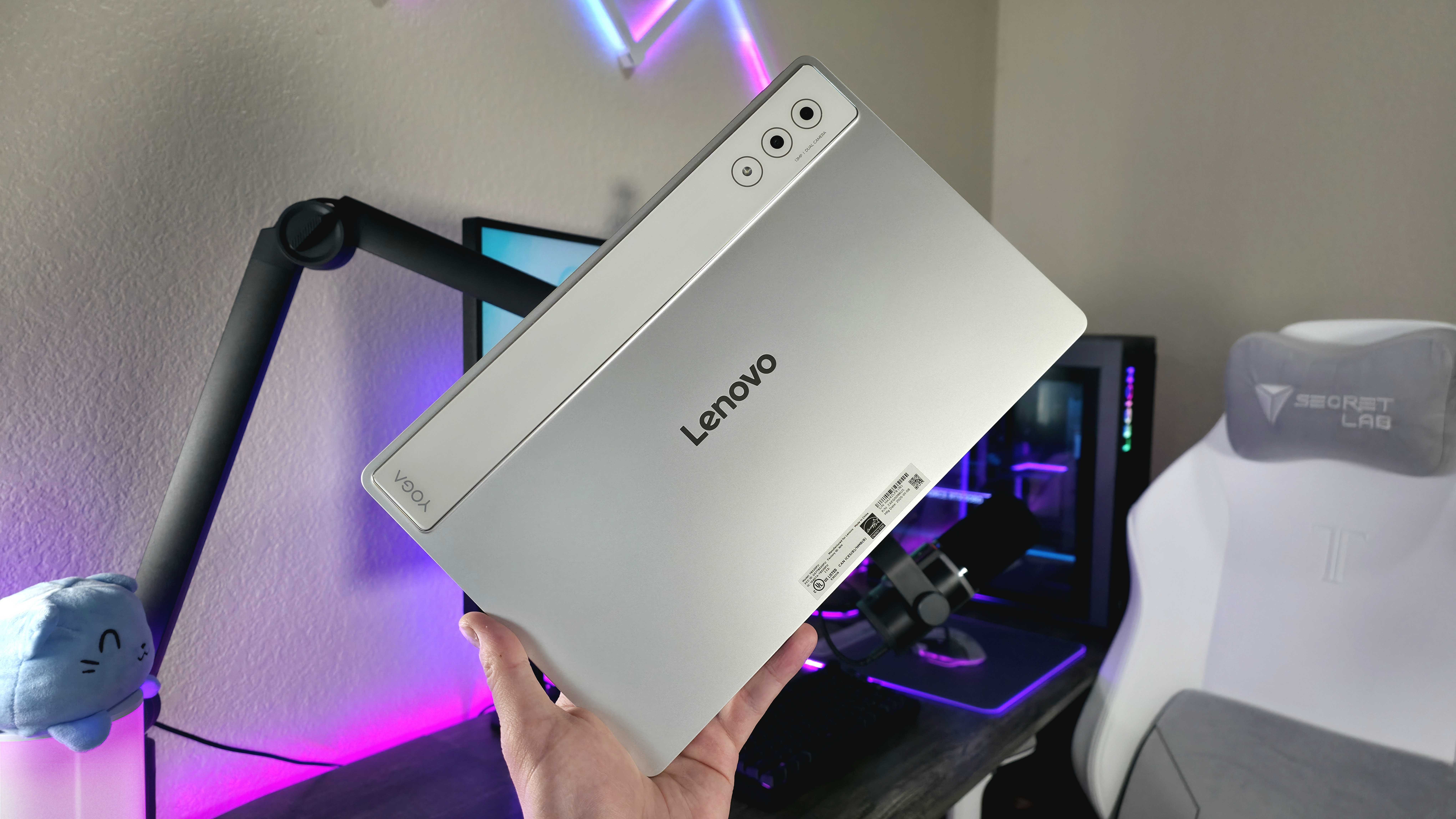
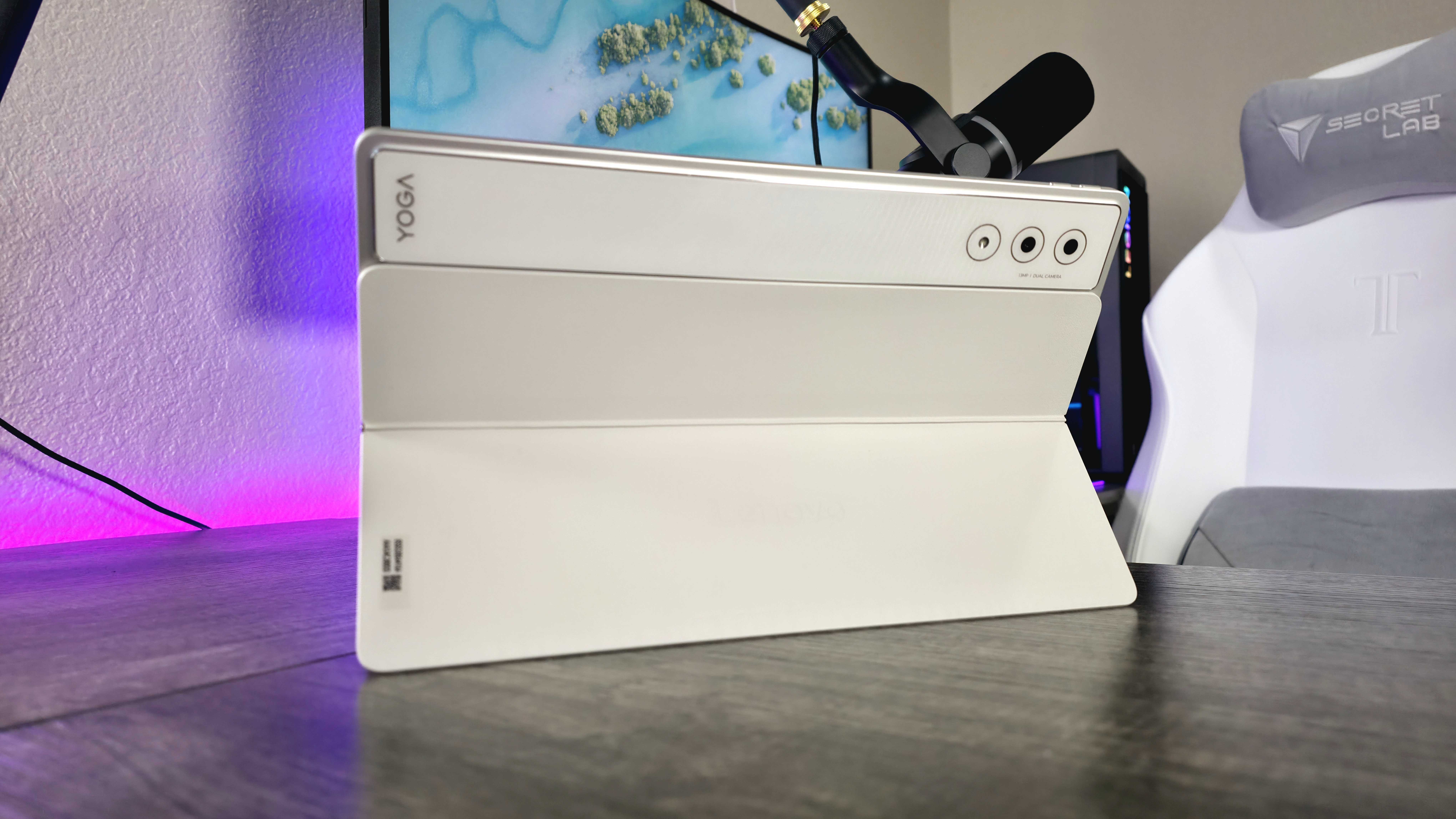
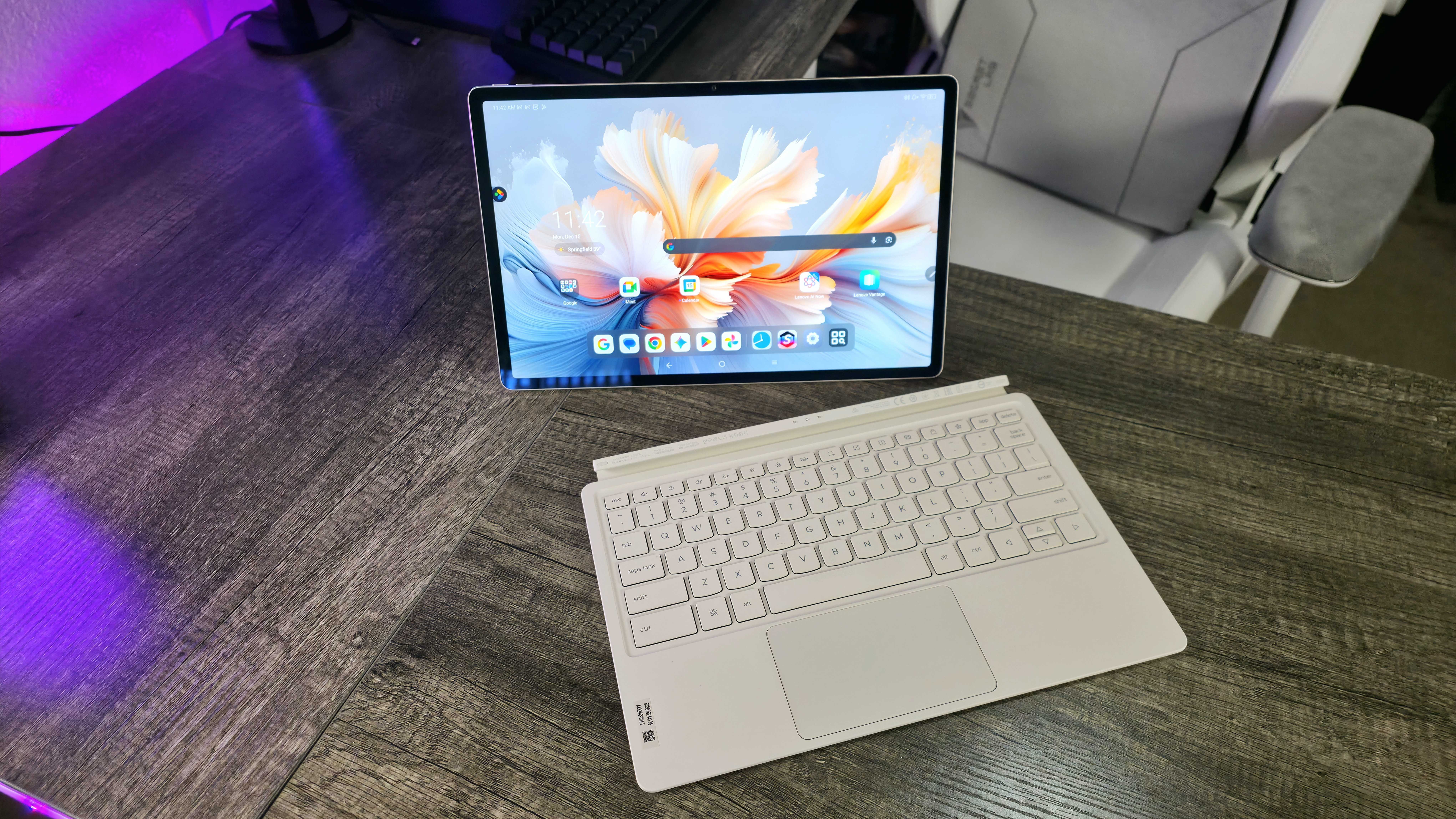
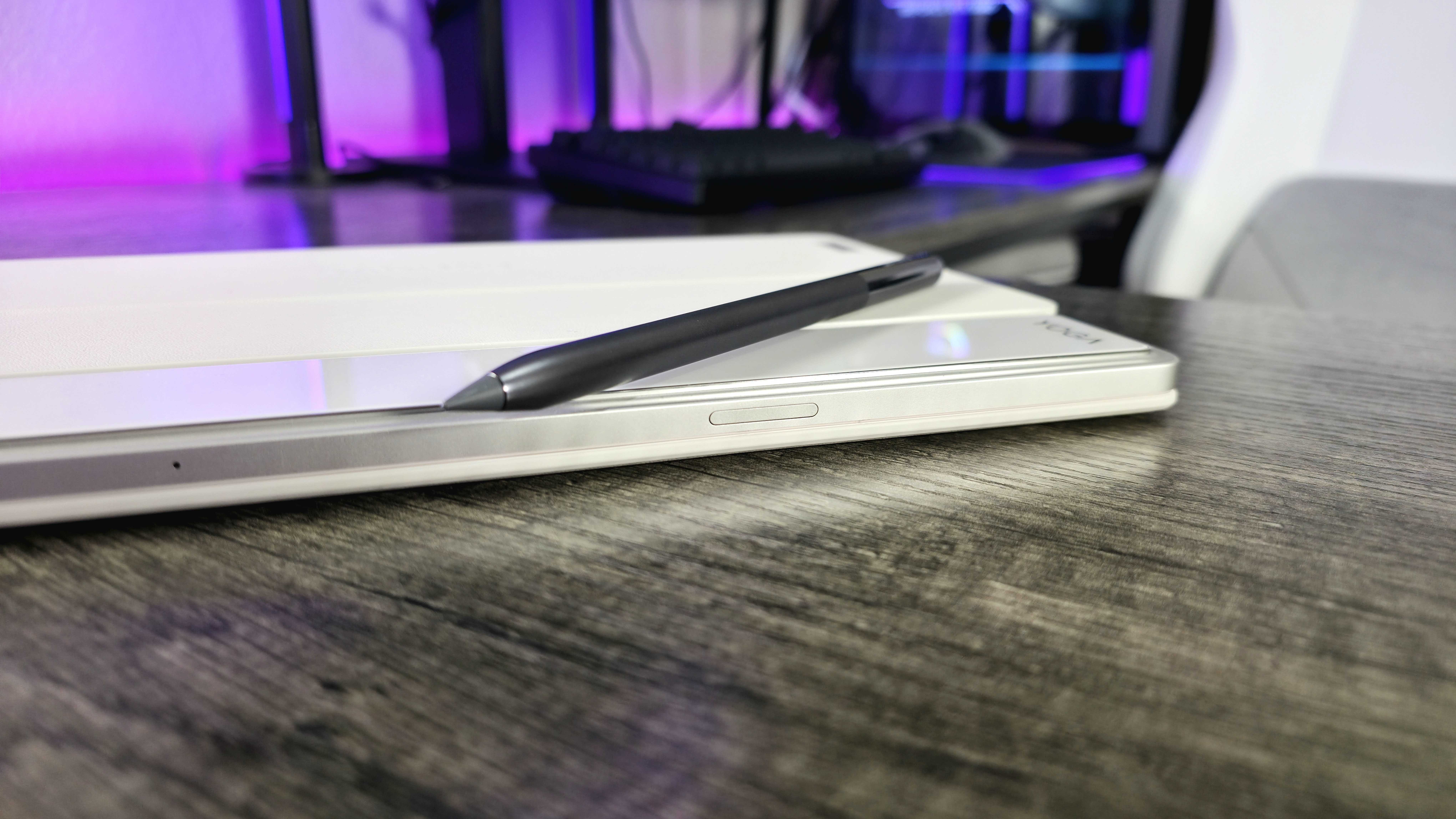
The Yoga Tab Plus is a premium 12.7-inch Android tablet that competes with the likes of the iPad Pro and Samsung Galaxy Tab S. Lenovo's offering isn't as refined or feature-packed, but it does undercut Apple and Samsung in price.
• Display: 12.7-inch Lenovo PureSight Pro, IPS LCD, 3K (2994 x 1840) resolution, 144Hz refresh rate, 900 nits max brightness, 100% DCI-P3 color gamut, anti-reflective coating, multi-touch & stylus support, Dolby Vision HDR support
• Chipset: Qualcomm Snapdragon 8 Gen 3 CPU (8 cores, up to 3.3GHz), Qualcomm Adreno 750 GPU, Qualcomm Hexagon NPU (Up to 20 TOPS)
• Memory: 16GB LPDDR5x
• Storage: 256GB UFS 4.0
• Dimensions: 290.9 x 188.3 x 8.52mm (11.45 x 7.41 x 0.33in), 640g (1.41lbs)
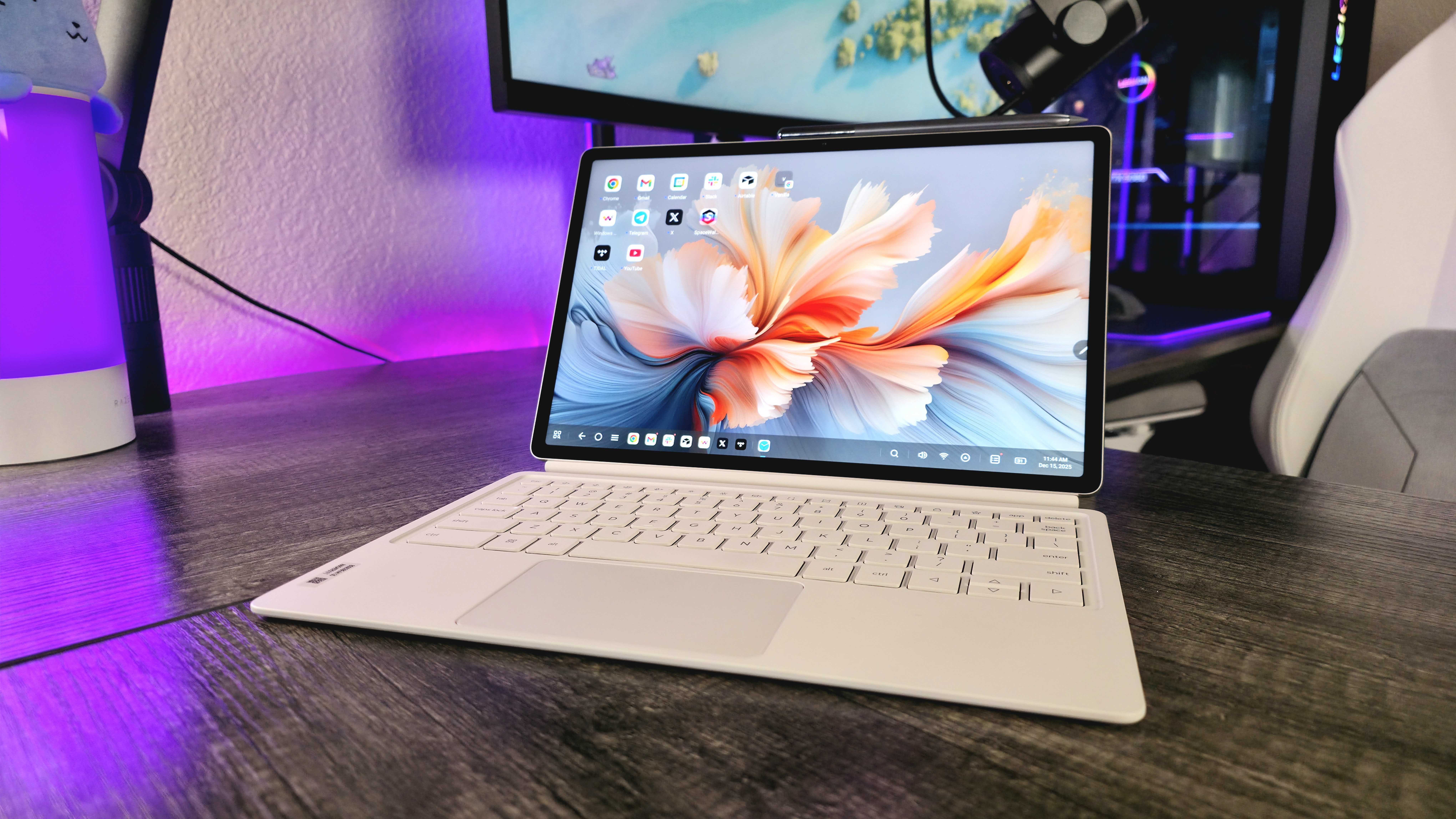
Lenovo did a great job with this hardware. The Yoga Tab Plus looks and feels great with its aluminum-and-glass build, and it's smartly designed with its six-speaker system, side-mounted power button with a built-in fingerprint sensor, and cleverly positioned magnets for the various accessories that come in the box.
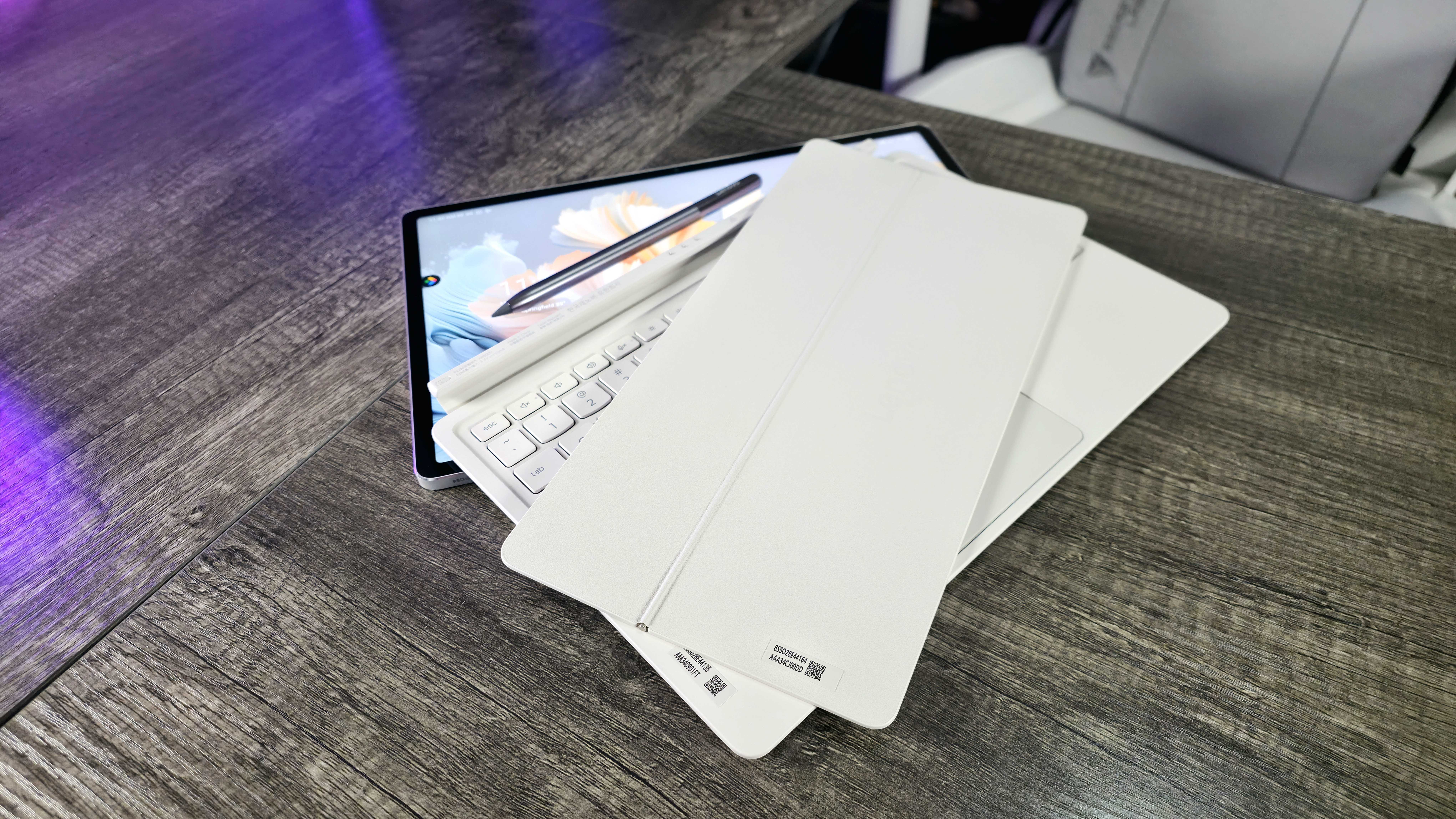
Yes, Lenovo does include all the accessories you need in the box, too, including the Lenovo Tab Pen Pro, a magnetic kickstand attachment, a full-sized keyboard, and a 45W USB Type-C charger. All those extras will cost you a pretty penny elsewhere, so I love that it's all in the box here. They're good accessories, too.
The Tab Pen Pro active stylus is a nice shape and size, feels well-built, magnetically attaches to the top of the Yoga Tab Plus, wirelessly charges, and performs well. My only criticism is that it has a small touch-sensitive area for shortcuts and actions instead of physical buttons, which can be finicky and inconsistent.
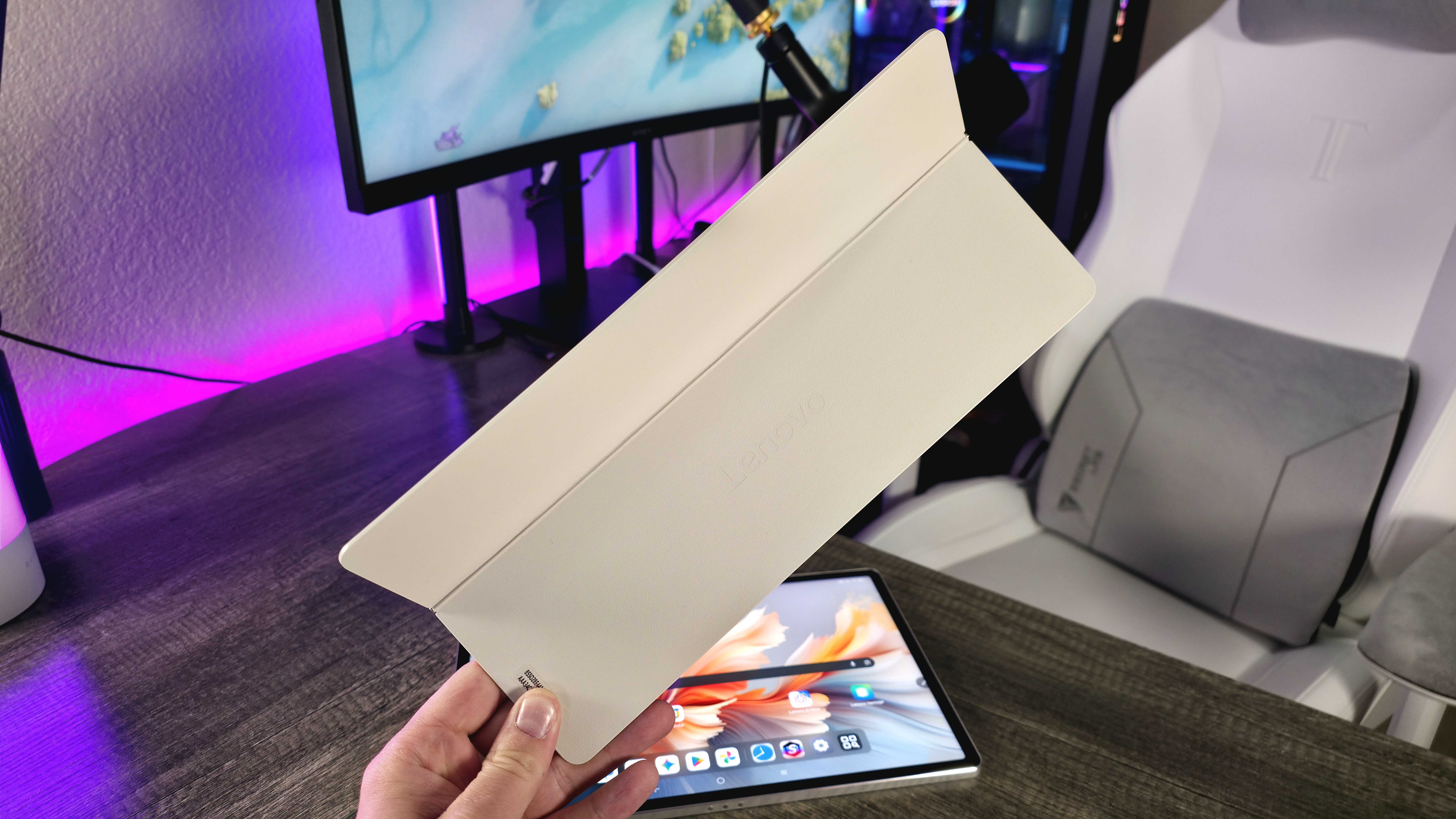
Then there's the kickstand and keyboard. Instead of a bulky, awkward all-in-one case, Lenovo brilliantly splits the two. I especially love the design of the kickstand, which is slim and seamlessly connects to the back of the Yoga Tab Plus via magnets. It also means I can have the kickstand for watching movies or playing games without the keyboard being in the way.
I actually do like the keyboard, too. The layout makes sense, the key action is comfortable and responsive, and the touchpad feels good. I wish there were backlighting, but Lenovo did well with these accessories.
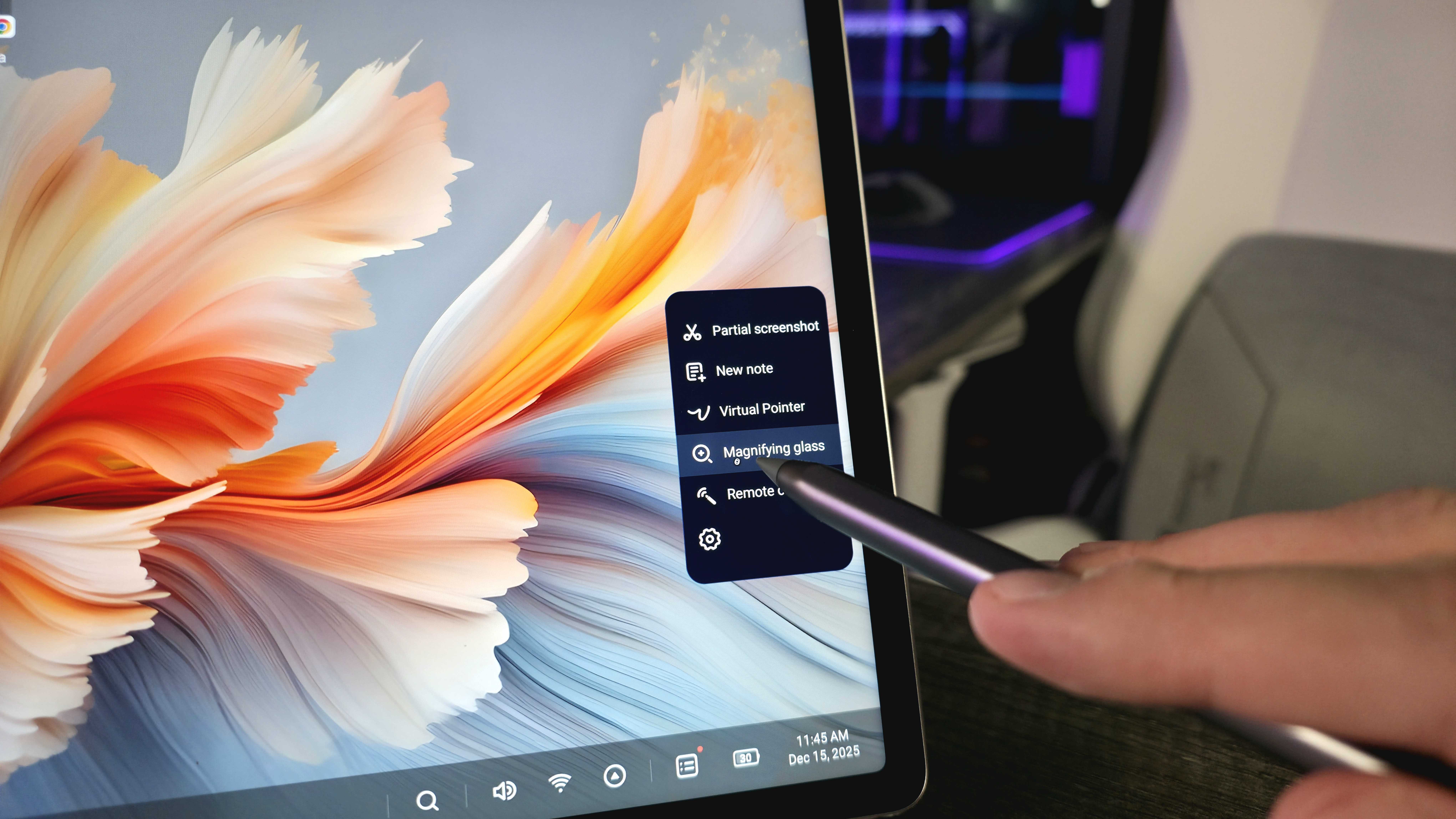
Of course, we can't forget about the core tablet. The 12.7-inch display may not be OLED or MiniLED, but it's still a genuinely fantastic, sharp, smooth, bright, and vibrant IPS LCD panel that's perfect for work and play. It pairs well with the surprisingly full and loud six-speaker system, too.
The Qualcomm Snapdragon 8 Gen 3 may not be Qualcomm's cutting-edge mobile chipset anymore, but the Yoga Tab Plus still boasts excellent overall performance with its 16GB of memory. It's fast and responsive, even with multiple apps and browser tabs open at once. I also had no issues with its wireless connectivity, thanks to Wi-Fi 7 and Bluetooth 5.4.
The Lenovo Yoga Tab Plus isn't the most cutting-edge, but it delivers on all the necessities for a premium tablet.
That doesn't mean I have no complaints. You can't expand the 256GB of UFS 4.0 storage because there's no microSD card slot, and you'll also want to avoid accidental splashes thanks to the lack of dust and water ingress protection.
The singular USB Type-C port does support DisplayPort-out and Power Delivery, but its meager 5GBps transfer speed limits your docking potential. Finally, the 10,200mAh battery only provides average endurance compared to the absolute best tablets, especially if you make use of that bright display or loud speakers.
The issue is Android, but we already knew that
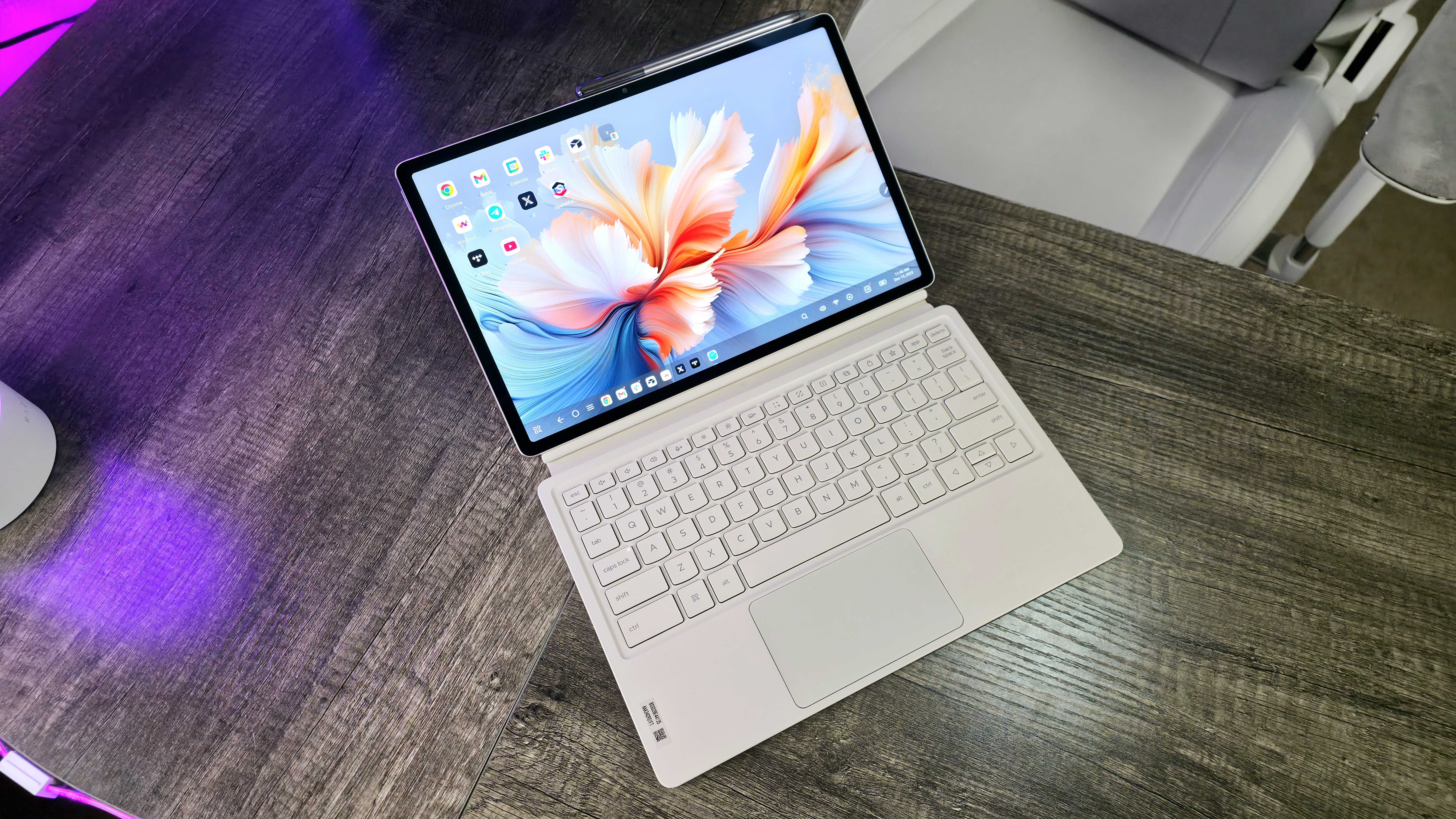
The Lenovo Yoga Tab Plus launched with Android 14 and a promise of three major OS updates and four years of security updates, and it's now on Android 16. That's a problem in itself — this tablet simply isn't being supported nearly as long as it should be (and it's regularly behind on security updates, too). Lenovo's promises for its "first AI tablet" also haven't panned out, despite multiple updates.
I'll give credit where credit is due in that Lenovo didn't slap stock Android onto the Yoga Tab Plus and call it a day. The company did make some subtle but important changes and additions to make this tablet work better as a computer replacement, with its own take on a desktop mode, a variety of keyboard shortcuts that work exactly as you'd expect, and various multitasking and interface improvements.
Lenovo should commit to supporting the Yoga Tab Plus for longer, but that won't necessarily fix the issues with Android itself.
I was pleasantly caught off guard by the thought that clearly went into how to make Android work better with a mouse and keyboard, and I was successfully able to wrangle the Yoga Tab Plus to replace my laptop, at least temporarily. The red herring for this tablet, though, is unsurprisingly Android.
This isn't new information — Android is designed for phones first, tablets second, tablets-turned-laptops a very distant third. Whatever optimizations Lenovo makes, whatever desktop mode you turn on, Android is still optimized for touch and stylus input, lots of Android apps still don't have tablet or desktop modes, and many interactions are more awkward, slower, or simply take more steps to complete than on Windows.
Google apparently has big plans for how to change the status quo of Android on tablets, but even Lenovo doesn't seem to be super confident that the future of "Android PCs" will pose a real threat to your traditional laptop.
Yoga Tab Plus review: My final thoughts
✅You should buy this if ...
- You want an Android tablet that can sometimes be your laptop.
- You want a premium device with all the accessories in the box.
- You need a great display paired with great speakers.
❌You should not buy this if ...
- You're mostly looking for a laptop that can also be a tablet.
- You rely on software that doesn't work as well on Android.
If you are looking for a pure tablet that can be your laptop when you need it, Apple is still way ahead with the iPad Pro. If you're looking for a 2-in-1 laptop that can be your tablet when you need it, Microsoft is still way ahead with Surface Pro. The Lenovo Yoga Tab Plus (Gen 1) feels awkwardly caught in the middle, but I don't think that's entirely Lenovo's fault.
Honestly, this hardware is excellent for the price (when you include the well-designed accessories), and Android is a polished, intuitive operating system overall. I need a laptop more often than I need a tablet, though, and there's no reason for me to consider this over what I already have.
Still, I'm glad this exists, and I'm glad I gave it a chance to win me over. I hope Lenovo continues evolving this hardware, and I hope Google continues to optimize Android for this form factor. If you're interested, the Lenovo Yoga Tab Plus (Gen 1) is available for $739.99 at BestBuy.com (and at Lenovo.com). Be sure to watch out for the sales I've seen for it!
Android is the weakest link in the chain that is the Lenovo Yoga Tab Plus, but I fully expected that. This is still a really solid, premium Android tablet with some genuinely great accessories included in the box. If you're hoping for it to fully replace the laptop you rely on every day, though, temper your expectations.

Follow Windows Central on Google News to keep our latest news, insights, and features at the top of your feeds!