I've written thousands of articles for Windows Central and other outlets. I've gotten better at writing clean text the first time around, but I still rely on tools to proofread anything I put on the site. It's rare to be perfect on a first run, even with breaking news, so I appreciate a set of digital eyes looking things over.
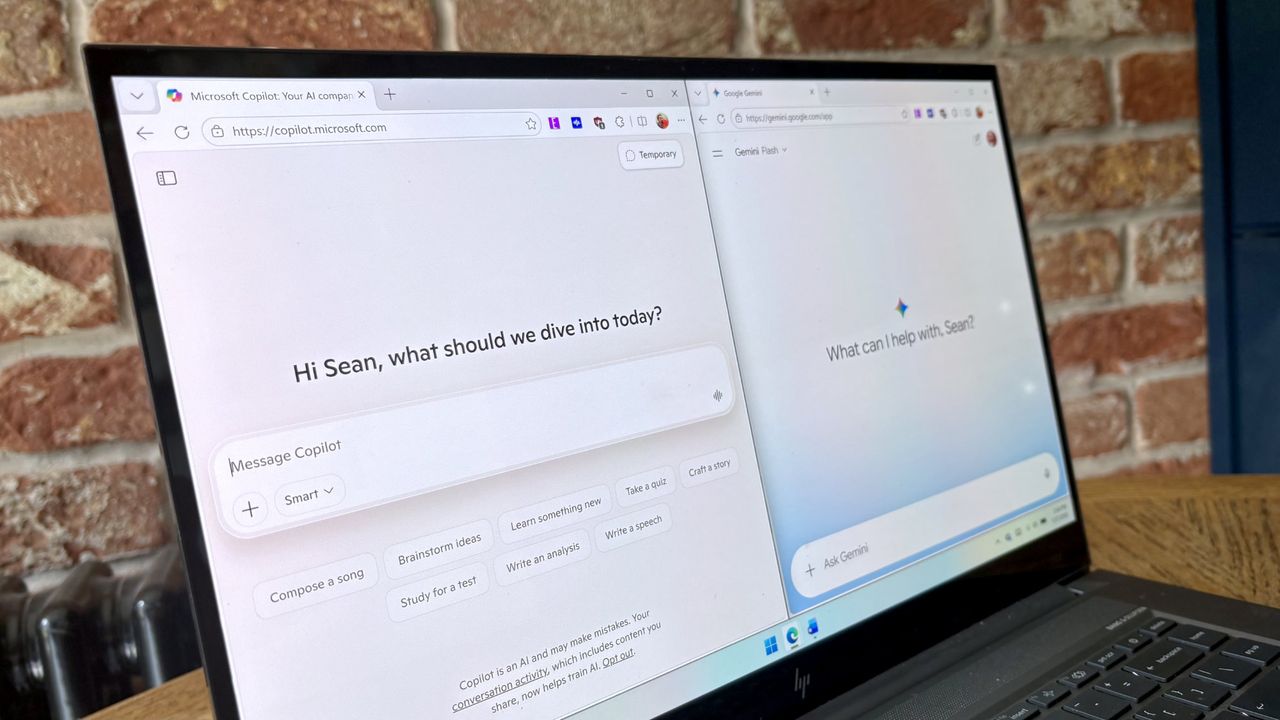
For years, I relied on Microsoft Word to spot typos and mistakes, but over the last month I used Copilot and Gemini to look at my work. The experience has taught me a lot about how AI tools view text and where Editor within Microsoft Word is weak.
During my testing, I only used Copilot and Gemini to proofread text I had already written. I also used the free versions of both tools.
Copilot feels more personal

I primarily used Copilot and Gemini to proofread documents by following a specific prompt, so you may assume that the "personalities" of the tools would be hidden. Surprisingly, that was not the case. Copilot and Gemini respond to the same prompt differently, and in my experience, Copilot feels more personal.
Occasionally, I'd ask follow-up questions to clarify a correction or try to understand why one of the tools suggested a specific edit. In those cases, the personality differences between Copilot and Gemini were more apparent.
Both tools share the AI cliches you'd expect, like overusing the word "actually," using em dashes, and starting responses with phrases like "you hit the nail on the head."
Copilot usually understood the flow of a piece better than Gemini, which led to better corrections and suggestions in relation to phrasing. Copilot did better with analyzing editorial pieces and recommending how to rearrange a piece.
Gemini feels like a coworker

Copilot feeling personal is fine for general queries, and I suspect it performs well on engagement surveys, but it's not necessarily the best thing in an AI tool. When presented with the same prompt as Copilot, Gemini often yielded more thorough and accurate corrections in relation to mechanical issues. It also wasted less time with pleasantries.
In my specific use case, Gemini felt like an upgraded Microsoft Editor while Copilot felt like a modern Clippy. Both assistants thrive in different areas and have their respective blind spots.
Gemini often tries to correct mistakes related to product names because its training data is old. I'd have to specifically tell Gemini to search the web to get context. Copilot needed nudging in this area as well, but not nearly as much.
Both are better than Microsoft Editor
Before trying Copilot and Gemini, I ran all my articles through Microsoft Editor to spot typos. I’ve continued to do that over the last month and was surprised by how much Microsoft Editor missed compared to Copilot and Gemini.
Microsoft Editor does a fine job spotting most typos or obvious grammar mistakes, but it struggles in nuanced areas. It feels like Microsoft Editor has a bunch of common mistakes programmed that it looks out for indiscriminately, and sometimes incorrectly.
For example, in a document I wrote asking for sponsors for the American football team I run, Microsoft Editor wrongly stated I needed to change “over time” to “overtime.” The phrase in question was, “Footballs wear down over time.”
Neither Copilot nor Gemini was tripped up by that phrasing. That was a trend in my testing, and it often occurred in reverse as well. Copilot and Gemini would spot times I accidentally typed “or” instead of “of” within a document. Editor did not flag those mistakes.
Overall, the AI tools feel like they look at a document with context. Both Copilot and Gemini would often spot incorrect tenses, typos that resulted in the wrong word appearing, and other issues that rely on viewing an entire sentence at once. In contrast, Editor feels like a big if/then machine with rigid rules applied without context.
You can do more with Copilot and Gemini
Copilot and Gemini have both proven useful during my testing, but I haven't used them to their full extent. Both tools are fully capable of generating text or converting rough drafts into polished copy.
I don't use AI to write anything I publish on Windows Central, so Copilot and Gemini were operating with heavy restrictions. When drafting some personal documents, I asked both AI tools to rewrite text, generate text from bullet points, and change the tone of my writing. Both did well, though I would always suggest that a human review any output.
If you need to create text and are okay having AI work alongside you, I think Copilot and Gemini have a place. In my experience, they do best with very clear instructions and after a human has done the heavy lifting, such as breaking down the key points needed in a section of text.

Join us on Reddit at r/WindowsCentral to share your insights and discuss our latest news, reviews, and more.