The Google Fitbit Air is here, and early adopters are getting to grips with the new screenless fitness tracker and its AI-powered premium Google Health Coach.
I've shared my early thoughts after a few hours of testing and we've covered existing Fitbit users' disappointment and anger over some of the app changes — but how does it compare against an Apple Watch, perhaps the best-known and certainly the most commonly-spotted fitness wearable on wrists everywhere?
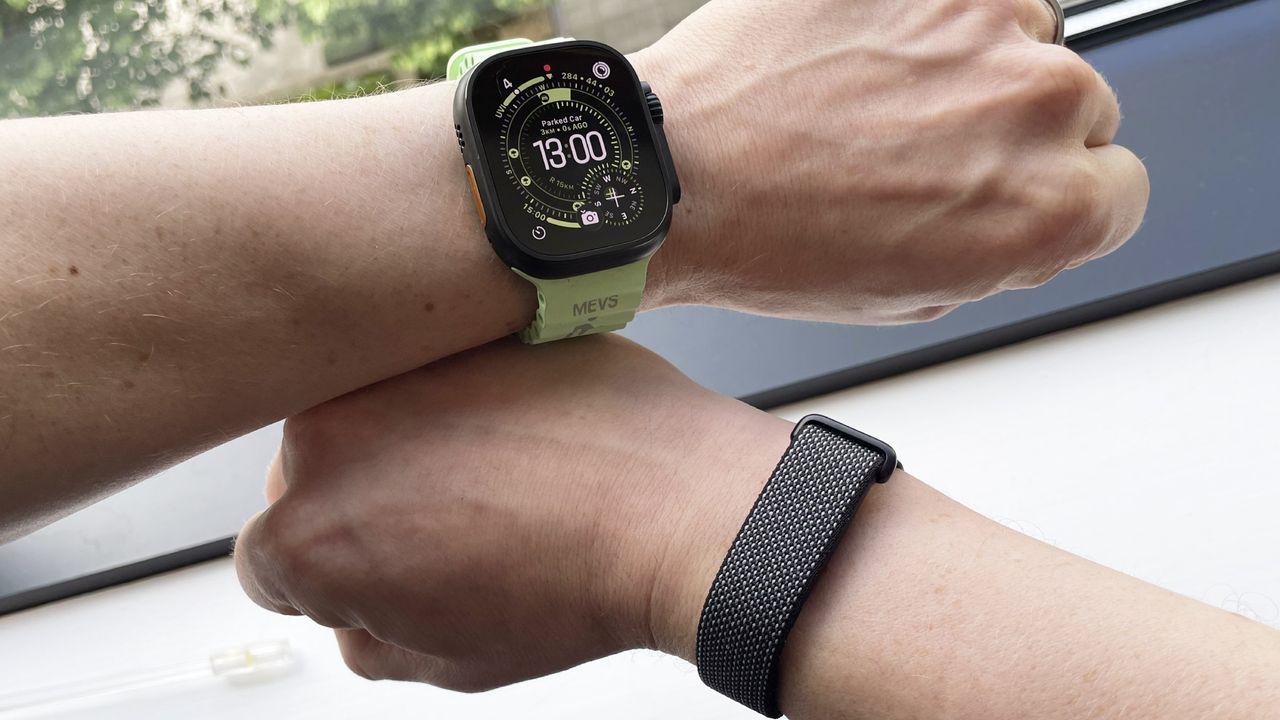
To find out, I went on a 10-kilometer evening run (braving the UK heatwave) with the Google Fitbit Air on one hand, and the Apple Watch Ultra 3 on the other. I was also wearing the Polar H10 heart rate monitor, intending to use it as a litmus test for accuracy, but the chest strap malfunctioned so I don't have any meaningful results to publish here.
I'm primarily looking at metrics such as heart rate and calories burned. Both wearables use optical heart rate sensors — LED lights that monitor blood flow on your wrist to estimate your heart rate. The estimation of calories burned combines your heart rate data with movement data and other metrics to calculate your energy expenditure.
As well as calories burned and average heart rate, I've included the results for average pace here too. I'm expecting the Apple Watch, with its built-in GPS, to be more accurate than the Fitbit Air, which is piggybacking off the GPS from my iPhone as it doesn't have any GPS capabilities itself.
It's also worth noting I have not linked Google Health and Apple Health at the time of writing, so these results are separate.
The results
Below are the results from my 10km run. Tap the 'next' tab on the graph to cycle through all three metrics.
1 / 4
Average heart rate
Google Fitbit Air 158 Apple Watch Ultra 3 161 050100150200
| Product | Value |
|---|---|
| Google Fitbit Air | 158 |
| Apple Watch Ultra 3 | 161 |

Average Pace
Google Fitbit Air 5.37 Apple Watch Ultra 3 5.47 01.534.56
| Product | Value |
|---|---|
| Google Fitbit Air | 5.37 |
| Apple Watch Ultra 3 | 5.47 |
Calories burned
Google Fitbit Air 773 Apple Watch Ultra 3 750 0200400600800
| Product | Value |
|---|---|
| Google Fitbit Air | 773 |
| Apple Watch Ultra 3 | 750 |
Distance
Google Fitbit Air 10.43 Apple Watch Ultra 3 10.03 03.757.511.2515 Kilometers
| Product | Value |
|---|---|
| Google Fitbit Air | 10.43 |
| Apple Watch Ultra 3 | 10.03 |
As you can see in the graphs above, both heart rate and calorie readings are quite close. The average heart rate for my workout was just a 3bpm difference between the Apple Watch Ultra 3 and the Google Fitbit Air. It would have been nice to have information from my chest strap to compare this as well, but I'll try this again before my full review with a different electrical heart rate monitor.
However, on previous tests the Apple Watch Ultra 3 matched the electrical heart rate monitor exactly, indicating that the Google Fitbit Air is pretty dang accurate too.
Likewise, the calorie counts on both wearables were relatively similar, with the Google Fitbit Air exceeding the Apple Watch Ultra 3's calculation by less than 25 calories. No two wearables are going to be exactly alike here, but this is close enough that I'd feel comfortable using the Google Fitbit Air day-to-day.
Average pace is a different matter. As previously mentioned, the Google Fitbit Air has no onboard GPS of its own, and although it showed a lovely map of my route obtained via my iPhone's GPS, it also overestimated my pace and thought I was a whole 10 seconds faster per kilometer than the Apple Watch did.
I know how my paces feel — it was a hot day and I had steep declines and inclines at either end of my run, so I ran slower than my usual brisk clip. I'm far more inclined to agree with Apple's assessment than the Fitbit's pace estimation here. Apple also gave me far more detail about my run, such as stride length and vertical oscillation (how bouncy I was during the run), whereas the Google Fitbit Air collects no such information. What Fitbit does surface, however, is steps taken during the workout (9,342 to be precise), which the Apple Watch Ultra 3 doesn't.
Fitbit also massively overestimated my run at 10.43km rather than 10.03km, even though it shows exactly the same map as my Apple Watch, with an identical finishing point, as you can see below in the comparison pic. Unlike 3bpm or 23kcal, over 400 meters and 10 seconds of pace are big differences.
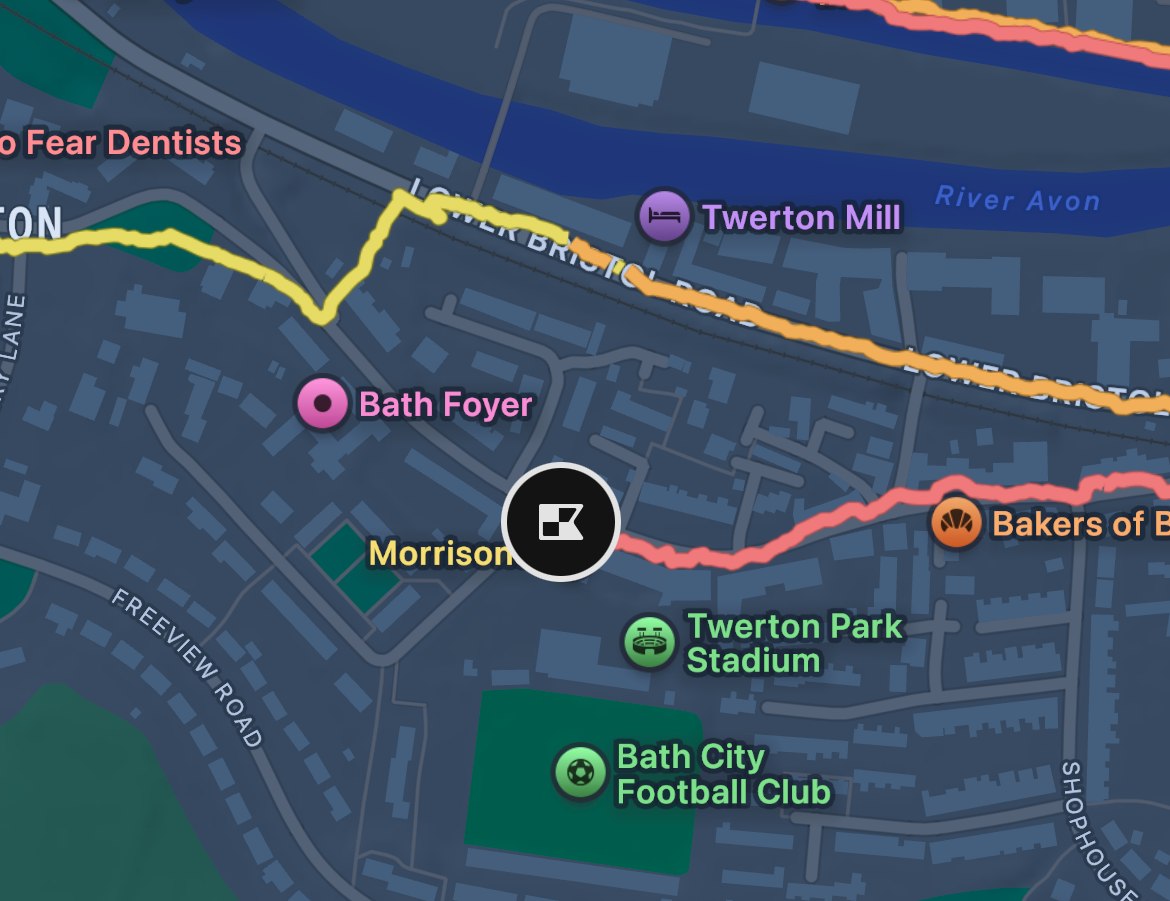
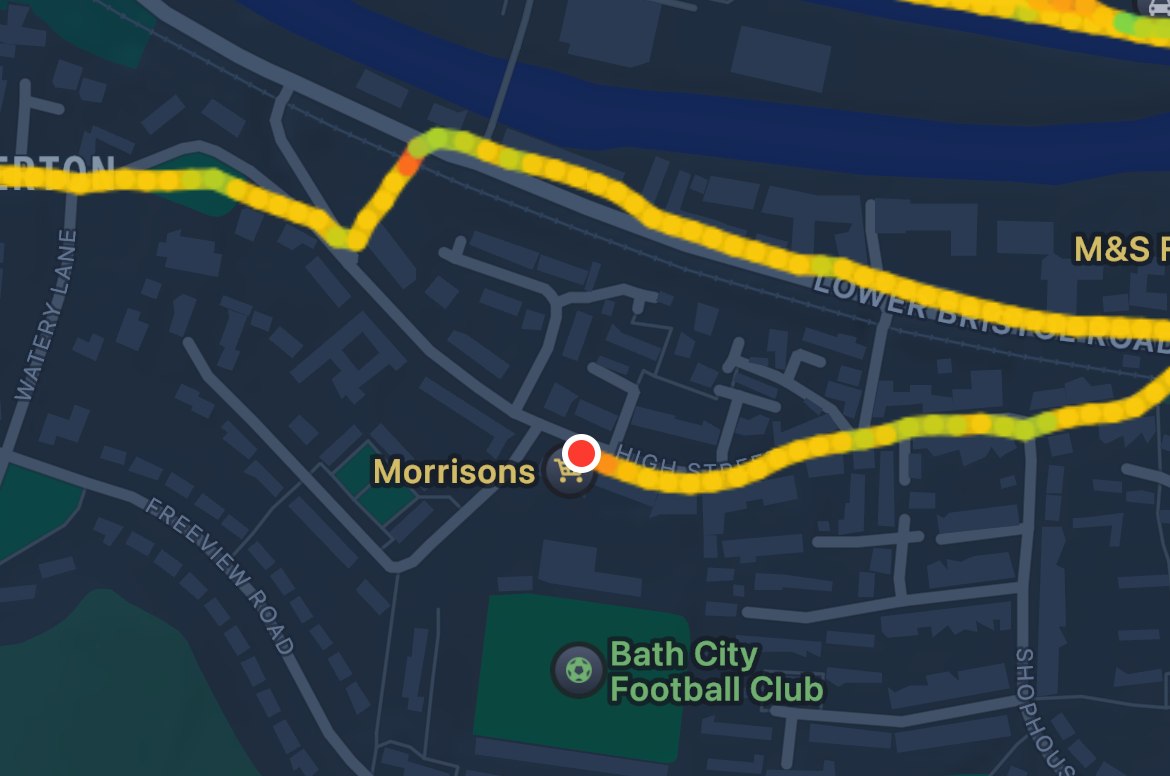

Apple Fitness Google Health
Analysis
In terms of the metrics relying on the onboard heart rate monitor, the $99.99 / £84.99 / AU$199 Google Fitbit Air is very accurate compared to the $799 / £749 / AU$1,399 Apple Watch Ultra 3.
I wouldn't have expected the Google Fitbit Air to be as reliable for run tracking as one of the best running watches, considering it doesn't even have GPS — as long as it's consistent for casual users, that'll be fine for most people. Anyone (like me) who cares enough to want maps, technique information like stride length, and pinpoint-accurate pace will likely gravitate towards a dedicated running watch anyway. Still, I was hoping for a smaller difference here.
The Apple Watch Ultra 3 has proven itself to be a very accurate wrist-based optical heart rate solution, so far superseded only by dedicated heart rate monitors. Based on this, I'm happy the Google Fitbit Air cleaves closely to this standard — although it's a shame I can't rely on GPS data harvested from my phone for more than a rough estimation.