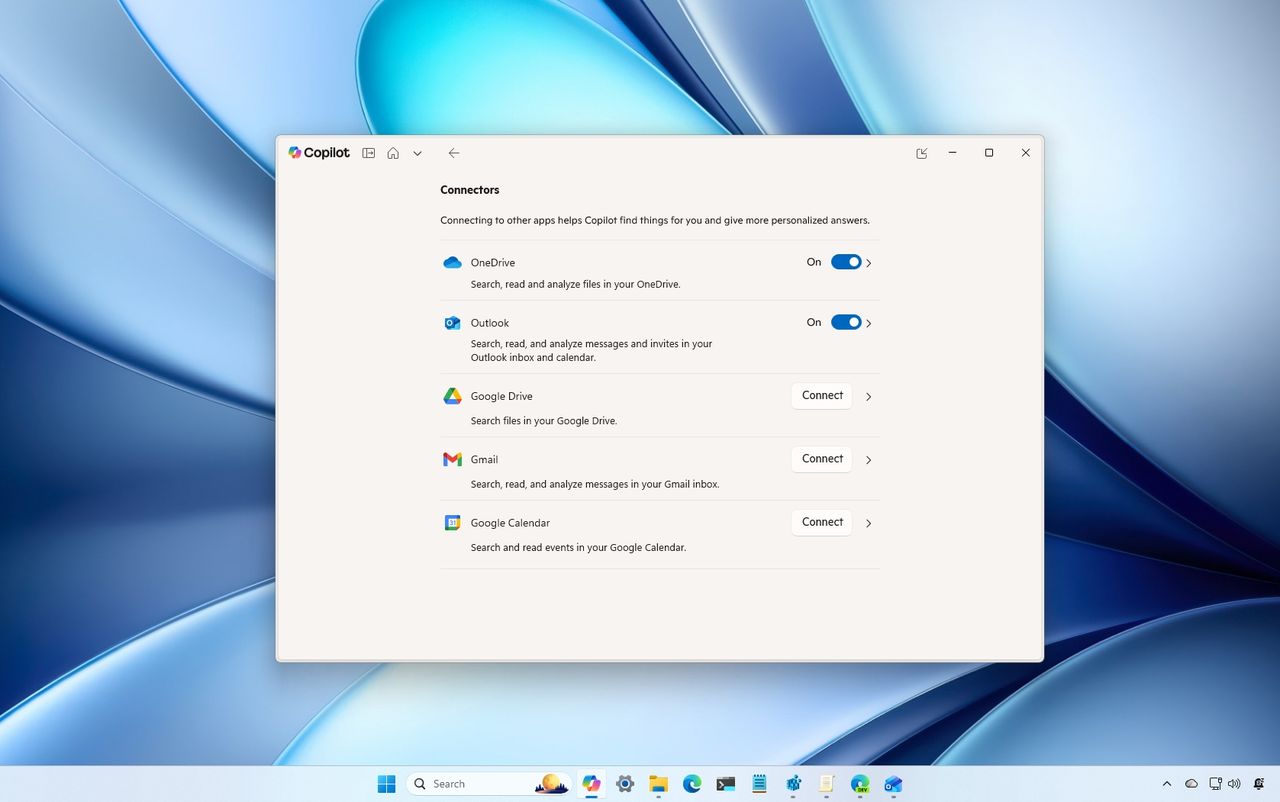
In the Copilot app for Windows 11, Connectors is a feature that lets you grant the chatbot access to other services to perform various tasks.
Currently, Copilot can connect to a limited number of services, including Microsoft and Google services such as OneDrive, Outlook, Google Drive, Gmail, Google Calendar, and Google Contacts.
Once you connect the services, the chatbot can search for files, emails, and other information more easily without switching applications. In this how-to guide, I'll outline the steps to use Connectors to allow Copilot to access other services on Windows 11.
How to set up Copilot Connectors on Windows 11
To configure Copilot access to other services, use these steps:
- Open the Copilot app.
- Click the profile menu and select the Settings option.
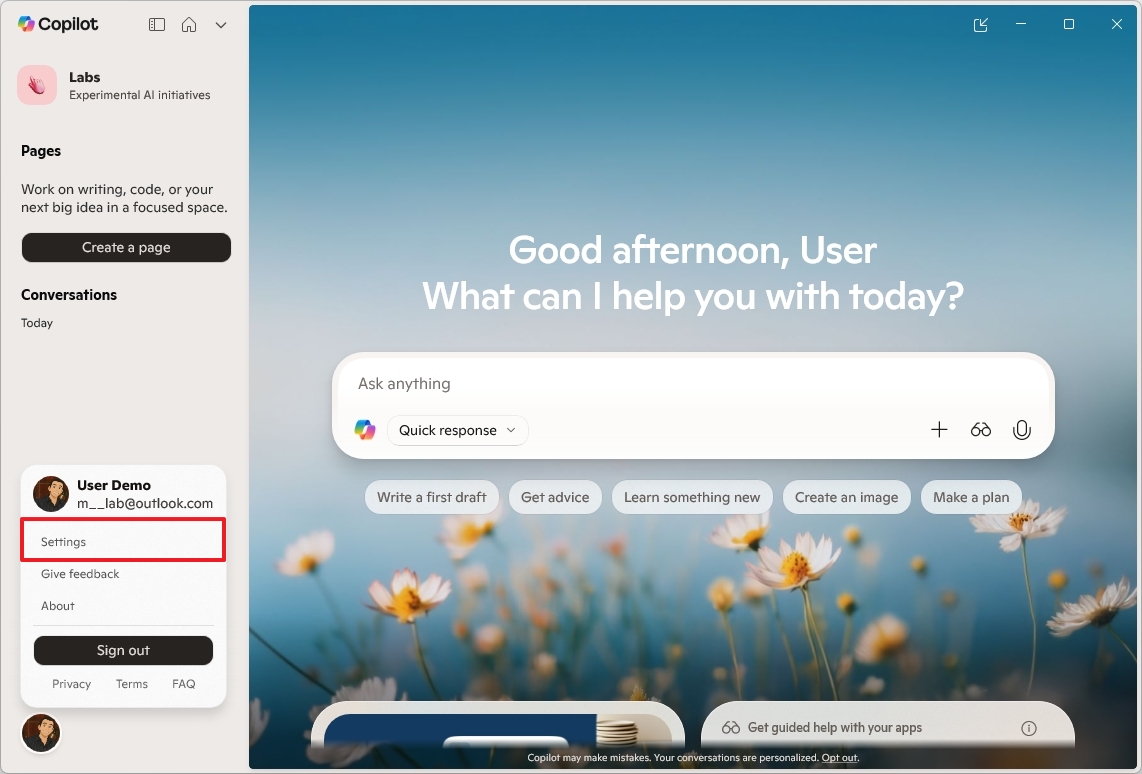
- Quick note: If you don't see the menu, click the button in the top-left to open the left pane.
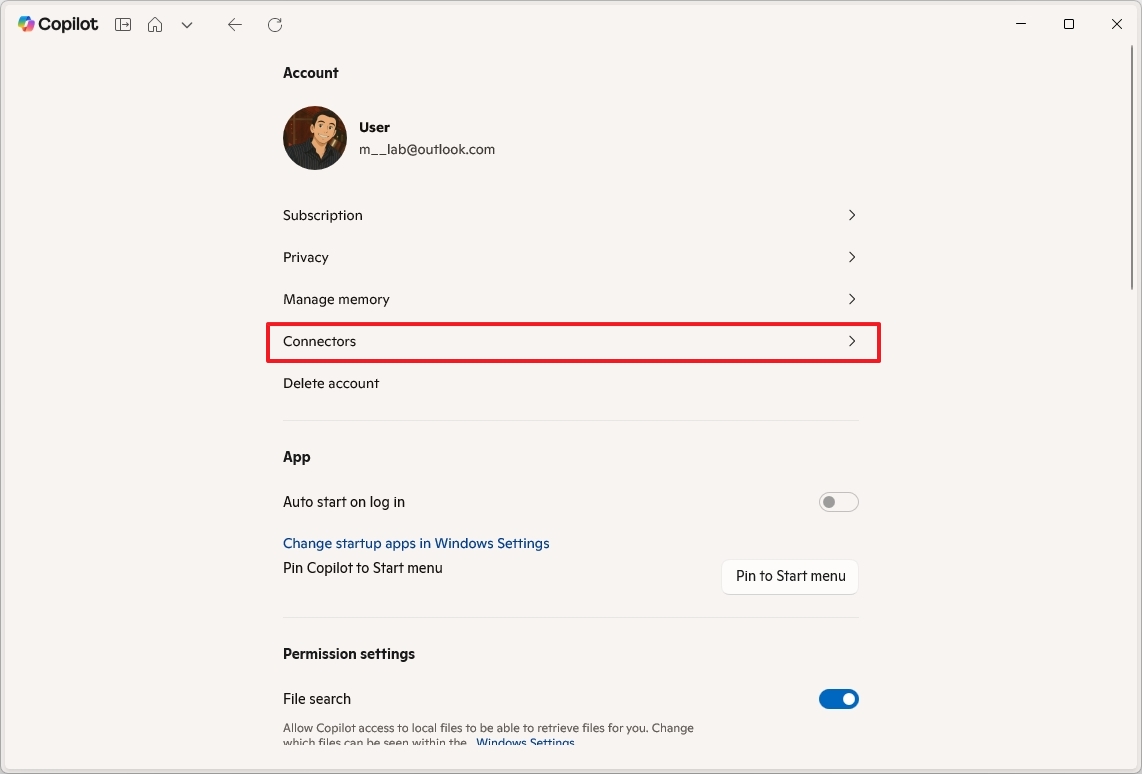
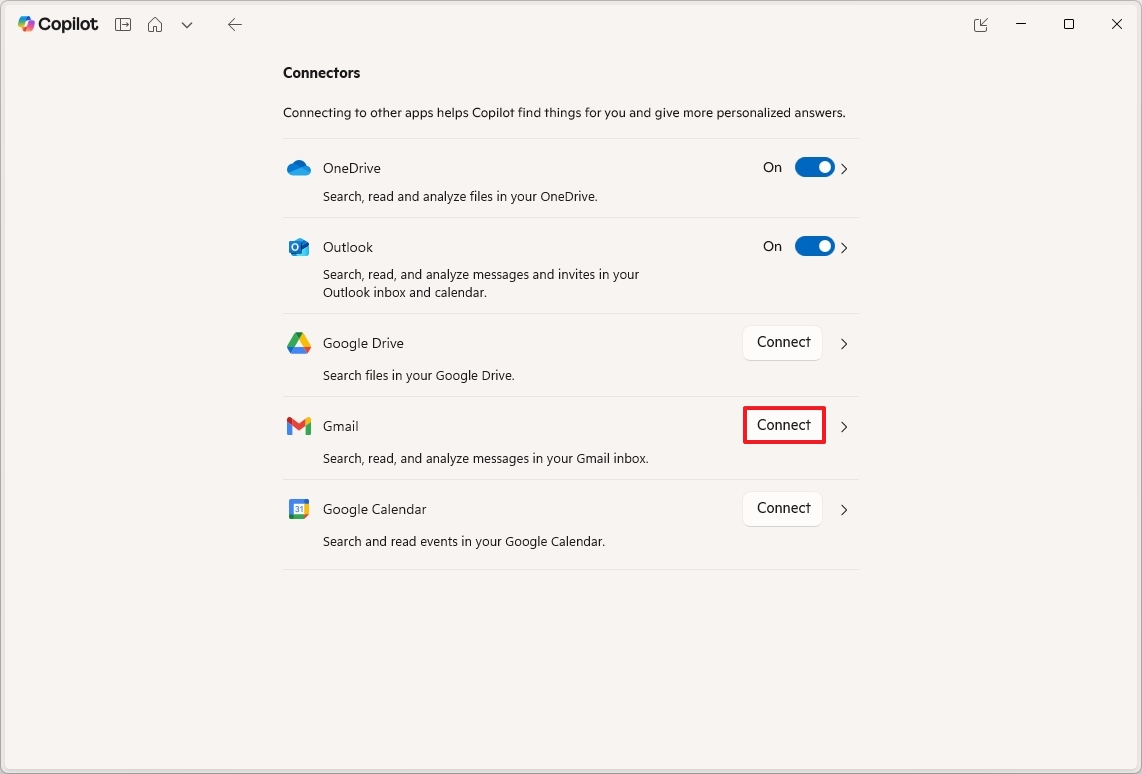
- Click on Connectors.
- Turn on the OneDrive toggle switch to allow the chatbot access to the cloud storage.
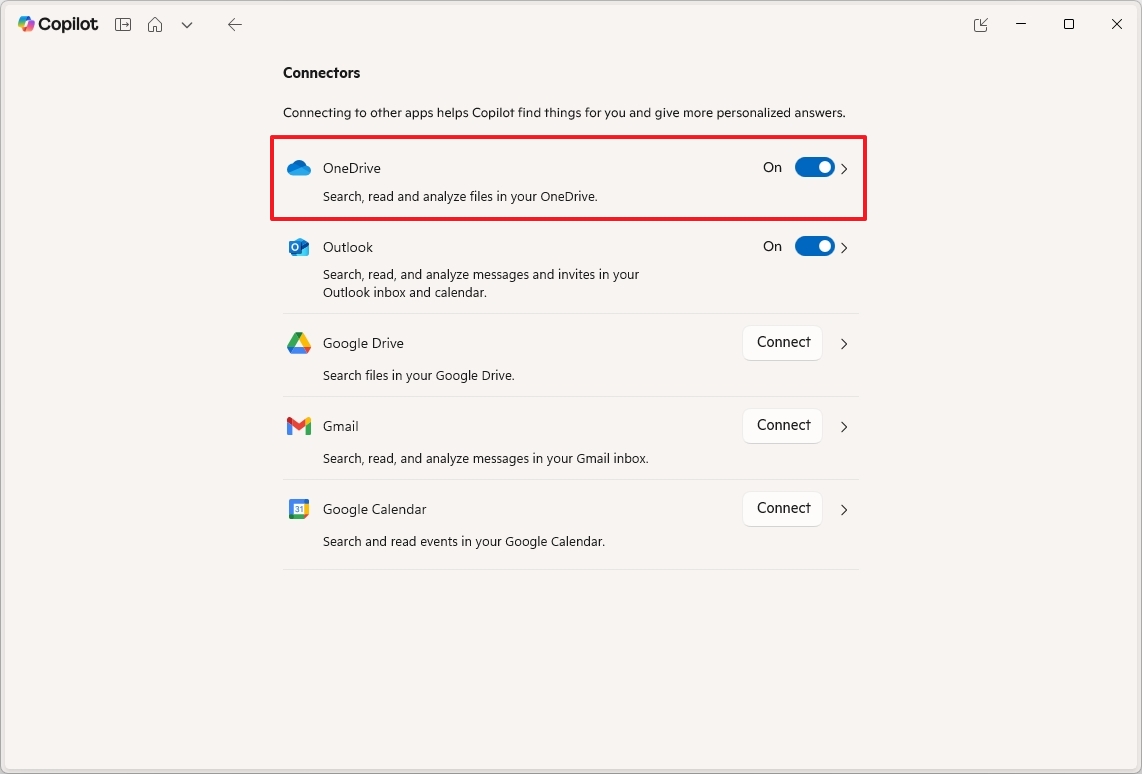
- Quick note: This option may already be turned on. You won't have to provide your credentials, because you're already signed in with your Microsoft account.
- Turn on the Outlook toggle switch to give Copilot access to your emails and calendar.
- Click the Connect button for Google Drive, Gmail, or Google Calendar.
- Click the Continue to Google button.
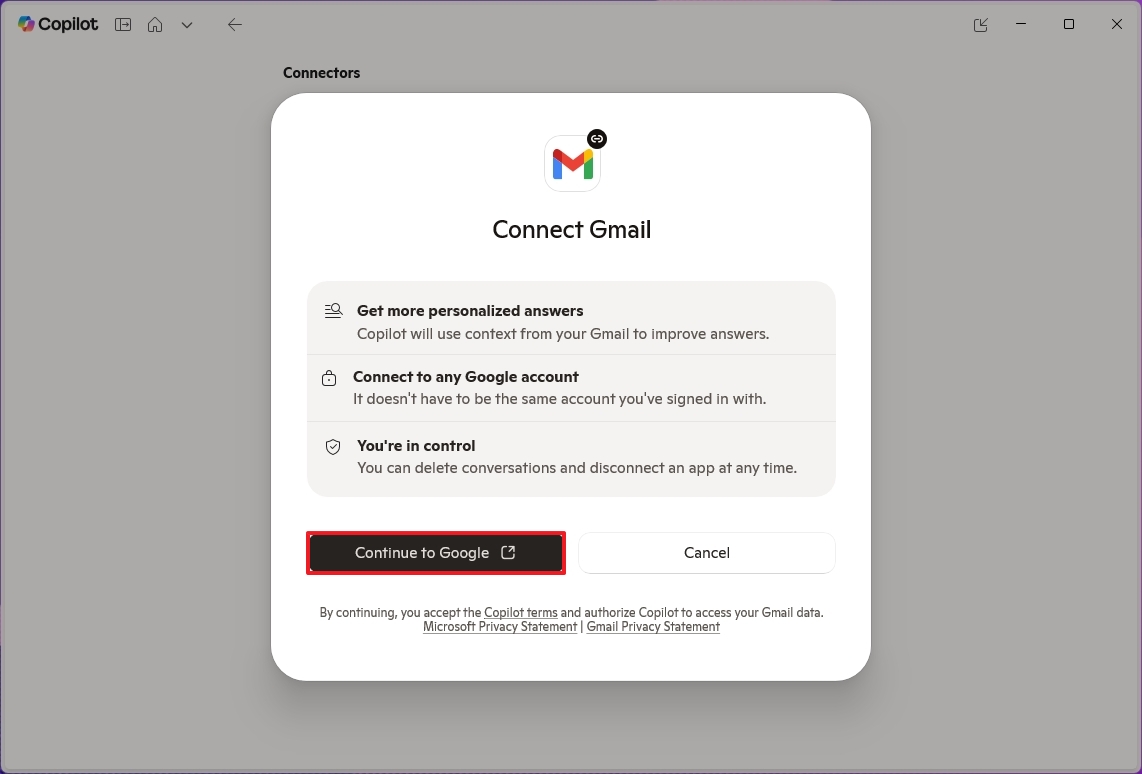
- Confirm your Google Account credentials to complete the connection.
Once you complete the steps, Copilot will be able to access search and read files, emails, and calendars from the different services to respond to your prompts.
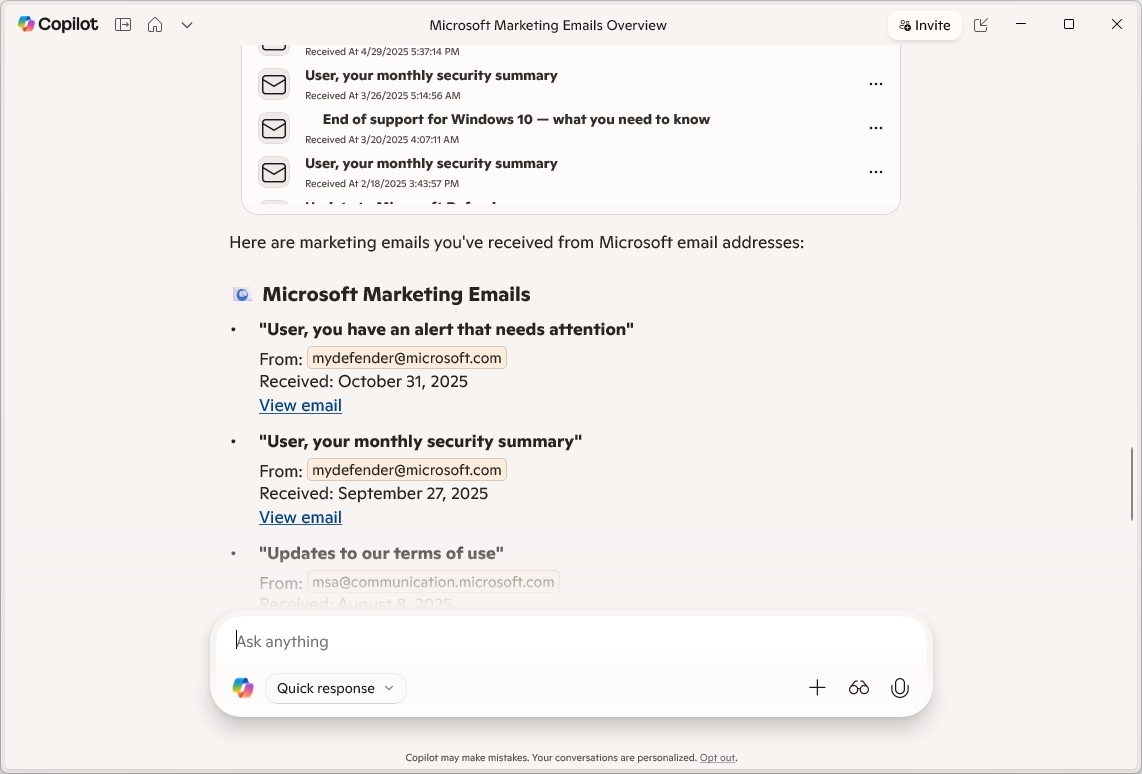
When using Copilot, you don't have to think about specific commands. You can use natural language to query anything you need. For example: "Show me the last emails from John Smith," "What files did I work on last week?" or "What's the contact information for John Smith?"
More resources
Explore more in-depth how-to guides, troubleshooting advice, and essential tips to get the most out of Windows 11 and 10. Start browsing here:
- Windows 11 on Windows Central — All you need to know
- Windows 10 on Windows Central — All you need to know

Follow Windows Central on Google News to keep our latest news, insights, and features at the top of your feeds!