Lately, there’s been a lot of chatter around the new UK government recommendations on children’s screen time, encouraging limits on how long little ones spend in front of TVs, tablets, and phones. Of course, they are just that – recommendations and, as a parent myself, I know it’s not always realistic to stick to them perfectly. In fact, I’ve found that a bit of supervised screen time can actually be really beneficial for my daughter.
That said, I’m always on the lookout for ways to keep her entertained without relying on a screen. We’ve definitely noticed that after longer stretches in front of the TV or tablet, she can get a bit irritable (and honestly, who can blame her). So finding alternatives that still hold her attention feels like a bit of a parenting win.
That’s what led us to try the Yoto Player. It first launched in the UK back in 2019 and has grown in popularity thanks to its clever card-based system, plus features like a pixel display, nightlight, and app connectivity.
Naturally, I was curious to see how it would fit into our routine. Would my daughter take to it straight away? Would it actually keep her engaged without a screen? We’ve been using it for a while now, so if you’ve been considering the Yoto, here’s how we’ve been getting on.
Read more: Best kids’ scooters for first rides and fast glides
Read more: We swapped our old Toniebox for the new 2.0 – was it worth it?
Yoto Player (3rd generation)
Age range: 3-12+
Charging: USB-C
Dimensions: 11cm x 11cm x 10.5cm
Additional features: Room thermometer, sleep trainer, alarm clock, night light, radio and podcasts, tidy up timer
Weight: 600g
Why we love it
- Easy for young children to use independently
- Excellent range of features beyond audio playback
- Strong parental controls via the app
- Doubles as a nightlight and sleep trainer
Take note
- Cards can be expensive and some content is quite short
- Requires Wi-Fi for full functionality
- Accessories add to overall cost
What is it?
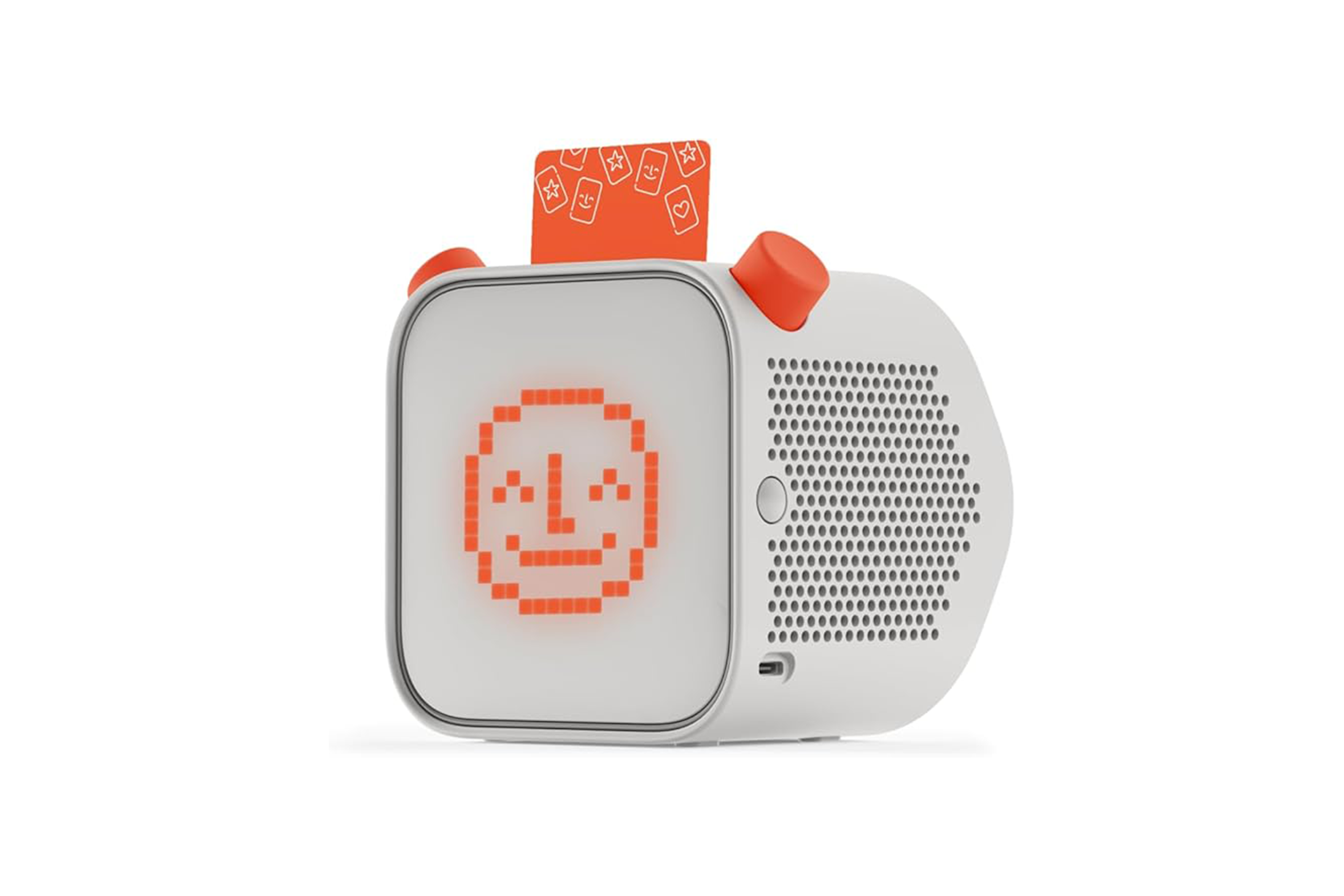
The Yoto player is a screen-free audio player designed for children, typically aged around three to 12 years. Instead of touchscreens or complicated menus, it uses physical cards – each one representing a story, music album, podcast, or activity.
To use it, you simply pop a card into the top slot and it starts playing. My daughter picked this up almost instantly, which is always a good sign. There’s a wide range of content available, from classic stories to educational cards, and you can even create your own.
Design
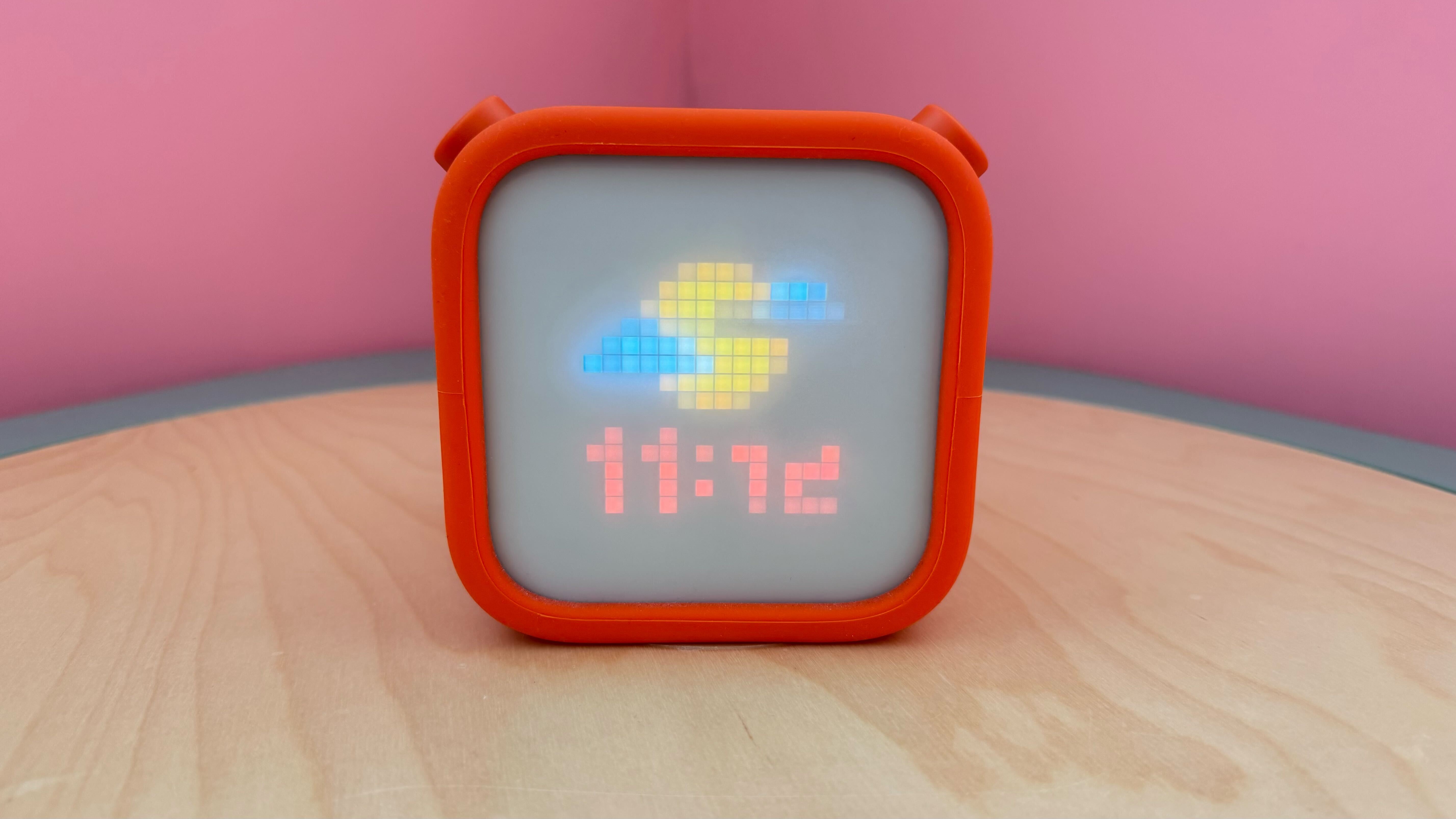
The Yoto player has a clean, modern look – much more minimal than I expected. It’s a small cube with two chunky dials on the front and a pixel display that shows simple icons related to whatever is playing.
Those front buttons are key: one controls volume, the other skips tracks or navigates content. On top, there are buttons for play/pause and powering on/off, which my daughter quickly learned to use independently.
One feature I really like is the built-in nightlight and clock. The pixel display doubles as a sleep trainer, showing colours and icons that help little ones understand when it’s time to sleep or wake.
It also comes in different colours, and you can customise it further with coloured sleeves (called “adventure jackets”), which are both fun and practical. There are matching headphones too, and importantly, it has a headphone jack, so you don’t have to subject everyone nearby to repeated plays of The Gruffalo. You can even control headphone volume through the app, and there are now wireless headphone options as well.
Charging is simple via USB-C, or you can use a wireless charging dock.
Set up
Setting up the Yoto was surprisingly straightforward. You download the app, connect the player to Wi-Fi, and link it to your account.
From there, inserting a card automatically adds it to your digital library, which is a nice touch. The whole process took me less than 10 minutes, and there were clear instructions throughout.
Features
This is where the Yoto really stands out. There’s a huge variety of cards available, including stories, music, and educational content, and you can also create your own “Make Your Own” cards. We’ve used these to record family members reading bedtime stories, making it feel a bit more personal.
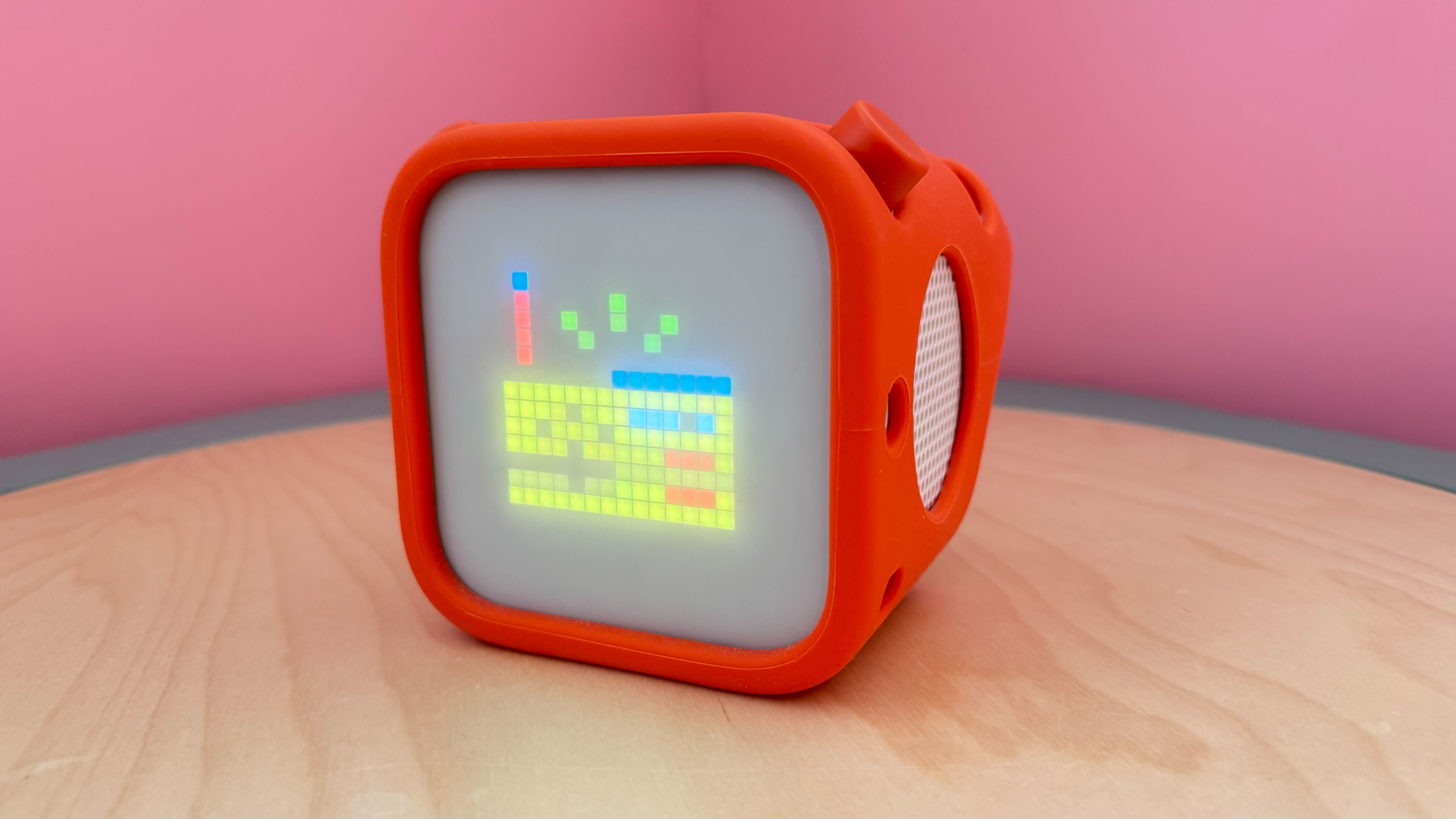
One of the biggest positives for me is how naturally it’s helped us cut down on screen time. Instead of reaching for a tablet, my daughter will often choose a Yoto card, and because it’s so simple for her to use independently, it gives her that same sense of control she enjoys with screens. I think that’s a big part of why she’s taken to it so well – she still gets engaging stories and content, just without the overstimulation that can sometimes come with a screen.
Beyond cards, the Yoto also offers access to podcasts and radio, as well as “Yoto Daily,” which delivers short, engaging content each day (this has become part of our morning routine). It also includes built-in features like a nightlight with adjustable colours, a sleep trainer clock that helps little ones understand when to stay in bed or wake up, and even an alarm clock.
It’s worth noting that to get the most out of the Yoto, you do need to connect it to Wi-Fi, particularly for streaming content like Yoto Daily or radio. However, once a story card has been fully downloaded, it can be played without an internet connection, which is really useful for car journeys or holidays.
Overall, it feels like much more than just an audio player, it’s a bit of an all-in-one bedtime and playtime device.
Audio quality
The audio quality is really impressive for such a compact device. It’s clear, well-balanced, and gets surprisingly loud – though you can set limits via the app, which is especially helpful for protecting little ears.
Through the built-in speaker, voices sound crisp and music doesn’t feel tinny, even at higher volumes. We’ve used it in both my daughter’s bedroom and shared spaces, and it fills the room nicely without distortion.

With headphones, the experience is just as good, if not better. The sound feels more immersive, which is great for longer stories or quiet time, and I like that I can control the maximum headphone volume through the app for added peace of mind. It’s also been really handy for travel or when we’re out and about, as she can listen without distracting anyone else.
Battery life
Battery life varies depending on usage. Streaming content tends to drain it faster than downloaded cards, and features like the nightlight can also have an impact.
In our experience, it comfortably lasts a couple of days with regular use – longer if you’re mostly using downloaded content. There’s also a battery-saving mode, which helps extend it further.
App
The app is one of my favourite parts of the Yoto ecosystem. It gives you full control over settings like volume limits, brightness, and nightlight colours. You can also set up the sleep trainer clock, alarms, and even assign shortcuts to the buttons.
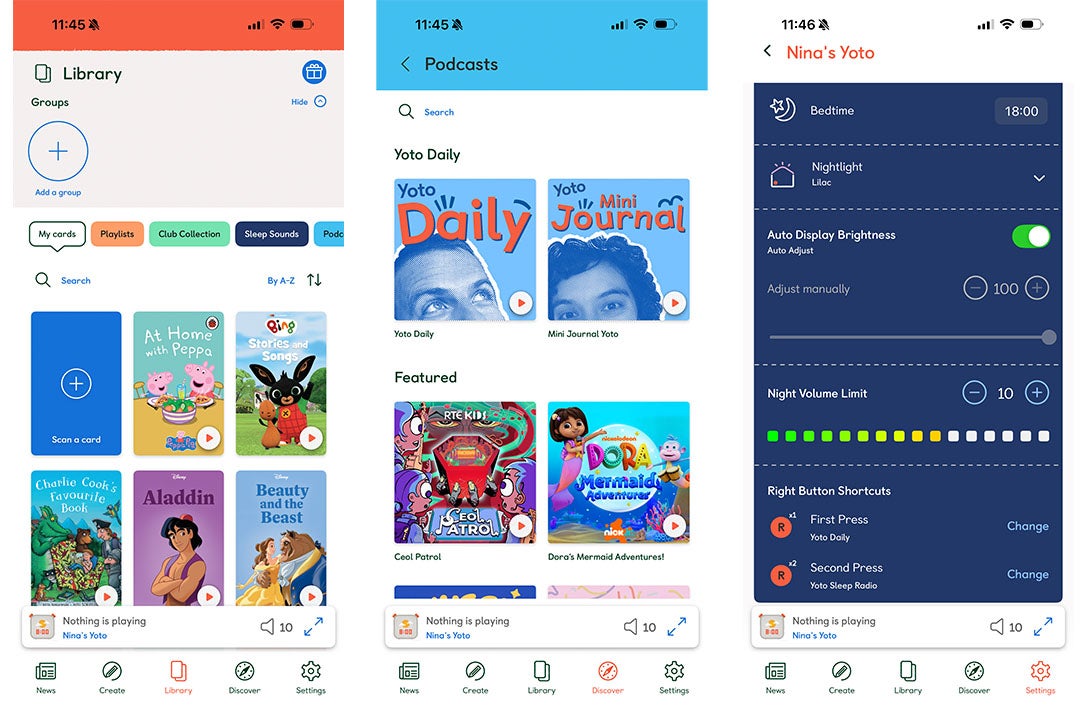
I particularly like that you can manage your child’s library remotely. If a story stops in the middle of the night, I can restart it from my phone without going into her room. There’s also access to extra content like white noise and free audio.
Accessories
Beyond the cards, there are quite a few accessories available:
The one I’d recommend straight away is the “adventure jacket”. It’s a flexible rubber cover that protects the player (and yes, it will be dropped) and doubles as a handle. The newer jackets come in lovely colours like blue, pink, pale green, and orange.
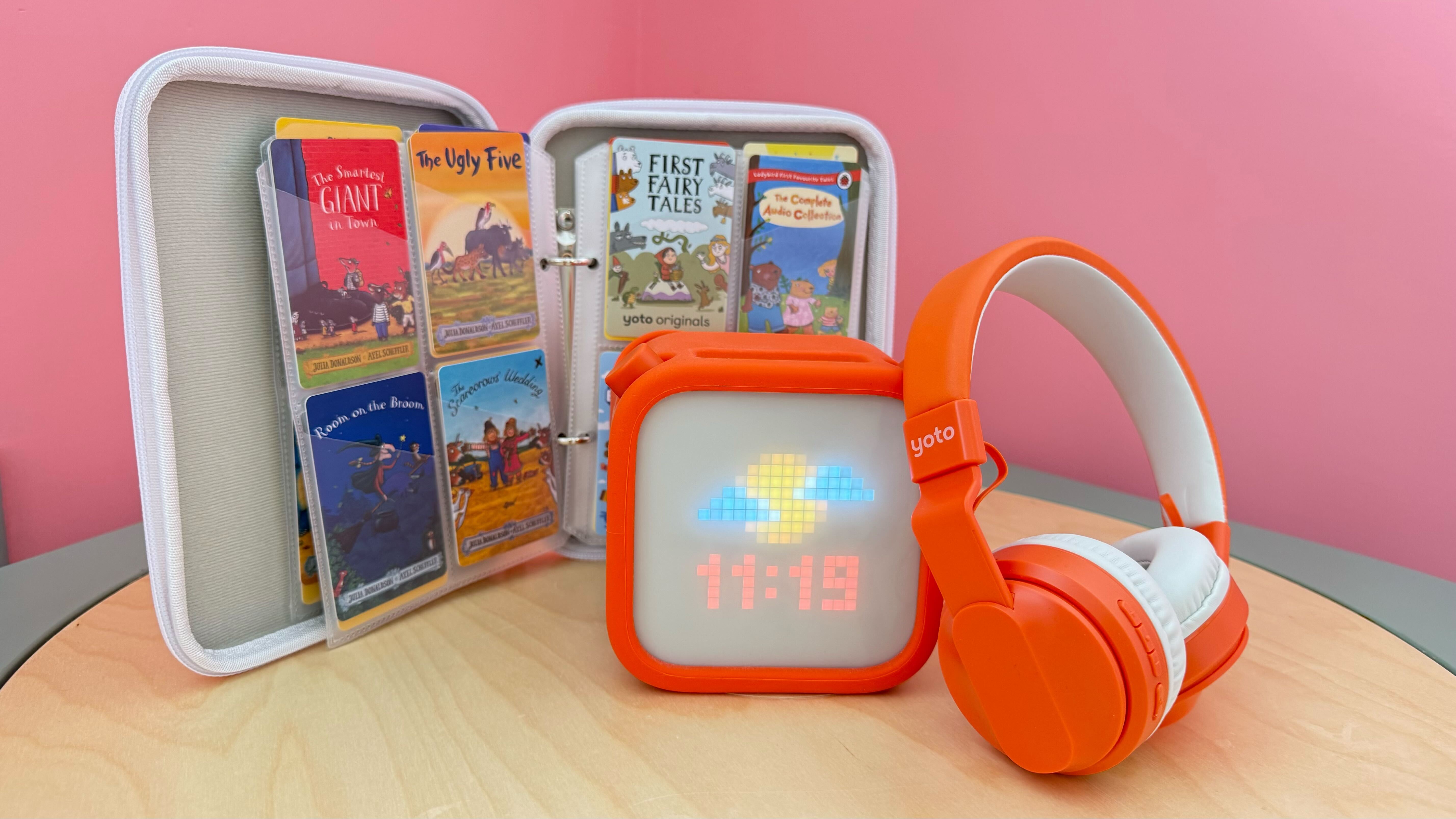
I also love the card case as it makes it so much easier for my daughter to flick through her collection independently.
Buy now £89.99, Amazon.co.uk
Is the Yoto Player worth it?
For us, the answer is yes. Over time, the Yoto player has actually become my daughter’s preferred audio player. It now lives on her bedside table, and she uses it every night to listen to stories or songs before bed.
The sleep trainer and nightlight features have been particularly useful – especially during seasonal changes – helping her understand when it’s time to stay in bed or get up.
It’s genuinely one of our most-used items, and I often recommend it as a “big present” for young children. It’s far more versatile than I initially thought. It’s not just an audiobook player, so if you make full use of the features, it can even replace separate gadgets like a white noise machine or sleep trainer clock, which adds value.
That said, the cards are expensive, and some (especially music ones) can be quite short. The cost does add up over time, so it’s worth factoring that in. But on the plus side, they make great gifts for family and friends to buy on birthdays and at Christmas.
How I tested the Yoto Player
Myself and my four-year-old daughter have been testing the Yoto player (3rd gen) for a couple of years now, so we’ve really put it through its paces in real-life scenarios – playtime, bedtime, and everything in between – while exploring a wide range of cards and features. I particularly looked at the following:
Why you can trust IndyBest reviews
IndyBest’s assistant editor, Sarah Jones has years of experience rigorously testing a wide range of family products from the best toddler learning towers to the best Jellycat toys. As a parent herself, Sarah looks for high quality features that parents and kids actually want, and has been testing the Yoto player for years with her daughter to see how it performs day to day and as she grows.
Looking for more recommendations? Here are the best gifts for 5-year-olds, tried and tested by kids and parents