Global messaging platforms often acquire regional nicknames as they move across languages and markets. These informal names can make an application easier to discuss, but they can also make search results, web logins, download pages, and invitation links more difficult to verify.
Chinese-speaking users may search for the same platform using an English brand name, a Chinese translation, a visual nickname such as “Paper Plane,” or a short abbreviation such as “TG.” Search results may then include tutorials, advertisements, third-party download pages, group invitations, web clients, and imitation login pages.
The nickname itself is not the main risk. The problem begins when users assume that every page using the familiar nickname refers to the same application or represents a trusted access point.
For multilingual users in Hong Kong, Taiwan, and overseas Chinese communities, safer access begins with understanding the difference between an informal name, an official product name, a website, a web client, and an invitation link.
Why Global Apps Develop Regional Nicknames
Applications acquire regional nicknames for several reasons.
Some nicknames are based on an icon or visual feature. Others develop because the original English name is difficult to pronounce, type, or remember in another language. Community members may also create abbreviations that spread through group chats, forums, video platforms, and word-of-mouth recommendations.
A user may first hear about an application from a friend who says “use the paper-plane app” rather than mentioning its formal product name. Over time, that nickname may become more familiar within the local community than the original name.
Search engines then reinforce the habit. As more people search for the nickname, websites begin using it in article titles, navigation pages, and advertisements.
Regional names can make discussion more convenient, but they do not automatically represent:
- a formal product name;
- a separate application;
- an authorized Chinese version;
- a verified download source;
- a safe login page;
- an official group or channel.
Users should therefore treat a nickname as a search clue rather than proof of identity.
Understand the Difference Between a Nickname and a Separate App
Different names may refer to the same platform, but they may also be used by unrelated or modified software.
|
Name users may encounter |
Possible meaning |
|---|---|
|
Paper Plane |
An English nickname based on the visual identity |
|
紙飛機 |
A common Chinese nickname |
|
Telegram |
The formal English product name |
|
TG |
A community abbreviation |
|
Telegram Chinese Version |
Often a reference to the Chinese interface |
|
Enhanced or Modified Version |
Potentially an unverified third-party client |
A phrase such as “Chinese version” does not necessarily mean that a separate application must be installed. It may simply describe the standard application after the interface language has been changed.
Users who encounter the regional nickname for the first time can consult a Paper Plane messaging guide to understand the relationship between the nickname, the application, and its common features.
This distinction matters because some pages use familiar nicknames to promote modified installation files or unofficial login services. The presence of Traditional Chinese text does not prove that a page or application is trustworthy.
Before continuing, users should identify the formal name of the platform and confirm whether the page is describing a language setting, an independent client, or a completely unrelated product.
Why Nickname-Based Search Results Require Extra Care
Searches based on informal names often produce less predictable results than searches using a formal product name.
A query such as “Paper Plane Chinese version” may return:
- third-party download websites;
- search advertisements;
- outdated tutorials;
- modified application packages;
- imitation login pages;
- pages using the same nickname for unrelated products;
- sites claiming to offer a special regional version.
Users should review the actual purpose of each page rather than relying on the headline alone.
Useful questions include:
- Which application does the page describe?
- Does it clearly distinguish the nickname from the formal name?
- Does it ask for a phone number before explaining its purpose?
- Does it request a login code or two-step password?
- Does it provide an installation file from an unknown publisher?
- Does it use claims such as “cracked,” “unrestricted,” or “no verification”?
- Are several unrelated download buttons displayed?
- Does the visible domain match the page title?
Search position is not evidence of authenticity. An advertisement or optimized third-party page may appear above a more relevant result.
Learn the Main Types of Messaging Links
Messaging services can use several types of links, each serving a different purpose.
|
Link type |
Main purpose |
|---|---|
|
Main website |
Product information and platform access |
|
Web client |
Browser-based login and messaging |
|
Public username link |
Access to a public user, channel, or group |
|
Invitation link |
Entry to a private or restricted community |
|
App-store link |
Mobile application installation |
|
Deep link |
Opens content in an installed application |
Users should identify the link type before deciding whether a page is behaving normally.
A public username link may direct the user to a channel, group, bot, or individual account. A private invitation link may contain a longer parameter that is difficult to recognize. A deep link may attempt to open an installed application instead of displaying a normal webpage.
Links using the t.me structure are commonly used for public usernames and invitations. A link that fails to open may be incomplete, expired, revoked, or copied with an extra punctuation mark.
Failure does not automatically mean that the user’s account has been restricted. The problem may exist only in the link, browser, network, or invitation settings.
Troubleshoot the Browser Before Searching for Alternative Entrances
When a page does not open, users may immediately search for phrases such as:
- alternative entrance;
- backup website;
- Chinese login page;
- mirror login;
- unofficial web version.
This can expose users to imitation pages at the exact moment they are most likely to accept an unfamiliar alternative.
A safer troubleshooting order is:
- Confirm which page is failing.
- Test the link in another browser.
- Open a private or incognito window.
- Check whether JavaScript is enabled.
- Clear only the affected website’s stored data.
- Test another network.
- Disable extensions that may block scripts or redirects.
- Compare the result on another device.
Users should first determine whether the problem affects the main website, the web client, or only a specific invitation link. These are separate services and may fail for different reasons.
Clearing all browser data should not be the first step because it may remove useful sessions and settings unrelated to the problem. Targeted troubleshooting is usually more efficient.
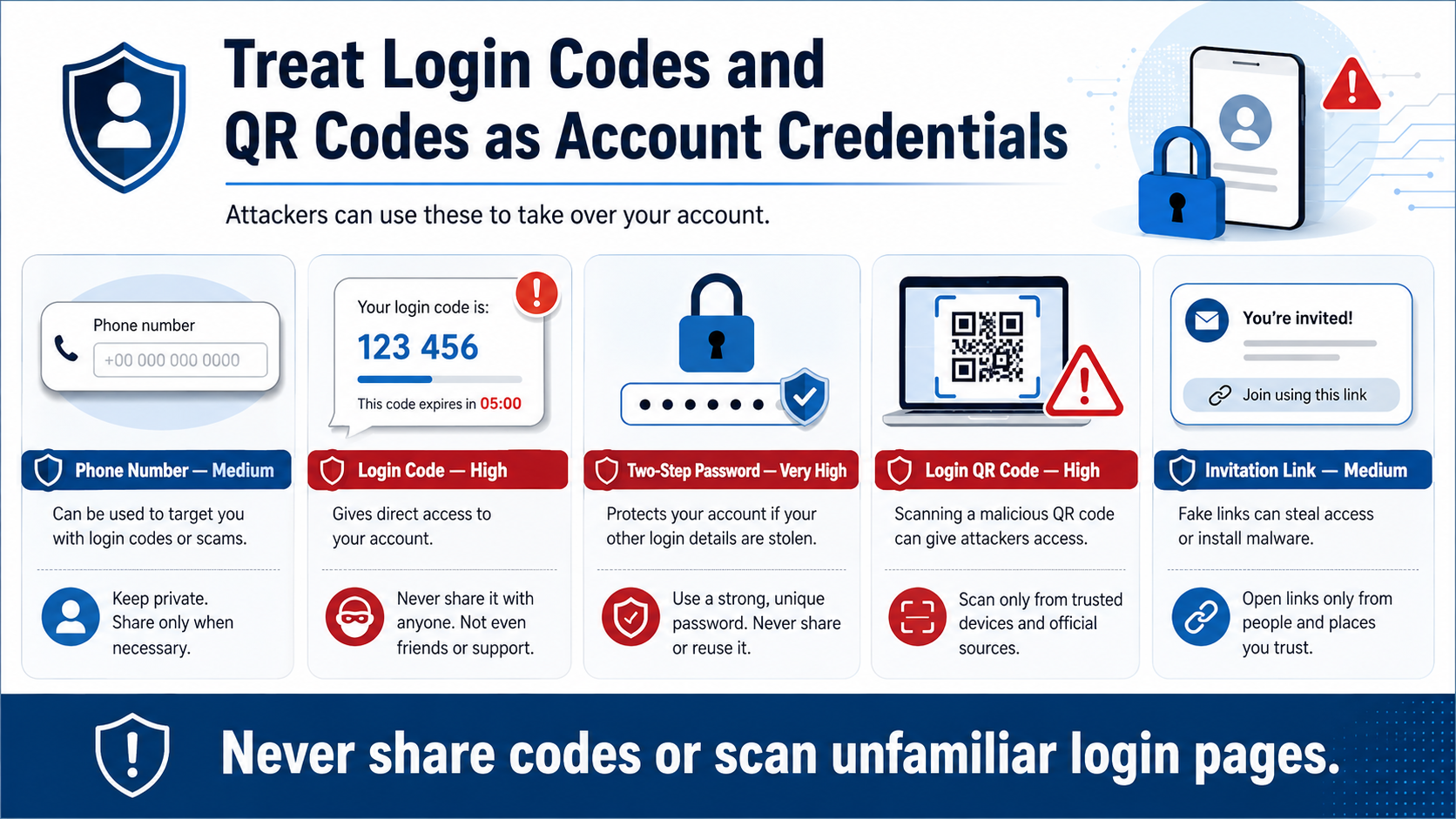
Treat Login Codes and QR Codes as Account Credentials
A messaging login code is not an ordinary notification. It may authorize a new account session.
Similarly, a login QR code can allow a browser or computer to connect to an existing account. Scanning the wrong QR code can therefore be as dangerous as entering a password on an imitation website.
|
Information |
Risk level |
Recommended treatment |
|---|---|---|
|
Phone number |
Medium |
Enter only during a trusted login process |
|
Login code |
High |
Never send it to another person |
|
Two-step password |
Very high |
Never enter it on an unverified page |
|
Login QR code |
High |
Scan only on a trusted web login page |
|
Group invitation link |
Medium |
Verify the source and community name |
Administrators, support agents, and group owners should not ask members to send login codes through chat.
Users should also avoid scanning QR codes displayed in advertisements, group messages, or unofficial tutorials. A page may claim that the code opens a Chinese interface or verifies group membership when it actually authorizes a new login session.
After any suspicious login attempt, users should review active devices and terminate sessions they do not recognize.
Check Whether a t.me Link Is Complete and Current
A t.me link may fail even when the service itself is working normally.
Users should check:
- whether the link begins with the expected structure;
- whether the complete username or invitation parameter was copied;
- whether a full stop, comma, bracket, or Chinese punctuation mark was added;
- whether the link was split across two lines;
- whether the invitation has expired;
- whether an administrator revoked the previous invitation;
- whether the group has reached a participation limit;
- whether the public username has changed.
Links copied from formatted documents or social-media posts may contain invisible spaces. Messaging applications may also shorten the visible text while preserving a different destination.
Users who need a structured way to diagnose web pages, browser sessions, and invitation links can review a Telegram website and t.me troubleshooting guide before trying an unfamiliar alternative page.
When receiving an invitation from another person, users can ask the sender to confirm the exact community name and generate a current link rather than searching for a replacement independently.
Design Better Onboarding for Multilingual Communities
Community administrators can reduce link confusion by providing complete onboarding information in both English and Traditional Chinese.
A useful invitation message can include:
|
Platform name: Telegram |
This format helps users confirm that the nickname and formal product name refer to the same platform.
It also reduces the likelihood that members will:
- join an imitation community;
- search for an unofficial login page;
- share a verification code with a fake administrator;
- use an expired invitation;
- confuse a public username with a private link.
Administrators should also explain what members should do when a link stops working. A verified support contact or current public username is safer than telling members to search for “another entrance.”
Avoid Treating Search Ranking as Proof of Authenticity
A page can rank highly without being an official or trusted source.
Users should remember:
- a high search position is not proof of ownership;
- HTTPS only protects the connection to the current website;
- logos and interface designs can be copied;
- complete Chinese translation does not prove that an installer is safe;
- advertisements may resemble ordinary search results;
- a search snippet may not match the actual page;
- copied brand colors do not establish authenticity.
The full domain, page purpose, publisher, requested credentials, and link destination should be evaluated together.
A legitimate-looking page that immediately asks for a phone number, login code, or QR scan deserves additional scrutiny. Users should understand why the information is needed before continuing.
A Practical Link Verification Checklist
Before opening, installing, or logging in through a messaging link, users can follow this checklist:
- Identify the application’s formal name.
- Separate regional nicknames from actual product versions.
- Check the complete domain.
- Identify whether the link is a website, web client, public username, or invitation.
- Confirm the full t.me username or invitation parameter.
- Remove accidental spaces or punctuation.
- Avoid pages requesting unnecessary login details.
- Never share a login code with another person.
- Scan login QR codes only on trusted pages.
- Troubleshoot the browser before searching for alternative entrances.
- Confirm the community name with the sender.
- Review active sessions after a suspicious login attempt.
This process takes longer than clicking the first result, but it reduces the risk of entering credentials on the wrong page or joining an imitation group.
Conclusion
Regional nicknames are a normal part of multilingual communication. They become risky only when users treat a familiar nickname as proof that a page, installer, login form, or invitation is authentic.
Messaging websites, web clients, public usernames, and private invitations serve different purposes and should be checked separately. A t.me link that fails to open may be incomplete, revoked, expired, or affected by the browser rather than the user’s account.
Login codes, two-step passwords, and QR codes should all be treated as account credentials. Multilingual communities can further reduce confusion by providing members with a consistent formal name, common nickname, complete invitation link, and clear security warning. Recognize the app, verify the link, and understand every credential request.