What you need to know
- Google I/O 2026 is underway, and Google's announcing a huge selection of Workspace updates.
- Gmail Live, Docs Live, and voice capabilities in Keep are on the way, meaning users can talk to the AI to create documents or to find items in their email.
- Google Pics is a new app headed for Workspace, which leans on its Nano Banana model to give users "precise" control over changes in their AI-created images.
It's I.O 2026, and Google's hailstorm of features dips into the Workspace ecosystem to detail the many ways its AI will try to help.
Right off the bat, Google states that Gemini Spark, its newest personal AI agent, is headed to Workspace users' devices. Whether you're a Google AI or Workspace business customer, Gemini Spark is a digital assistant that can complete actions for you—true to the "agentic AI" name. The company teases that the AI in Workspace apps can write emails for you or add events to your calendar. Additionally, Workspace business users can expect Gemini Spark in the Gemini app "in the coming weeks."
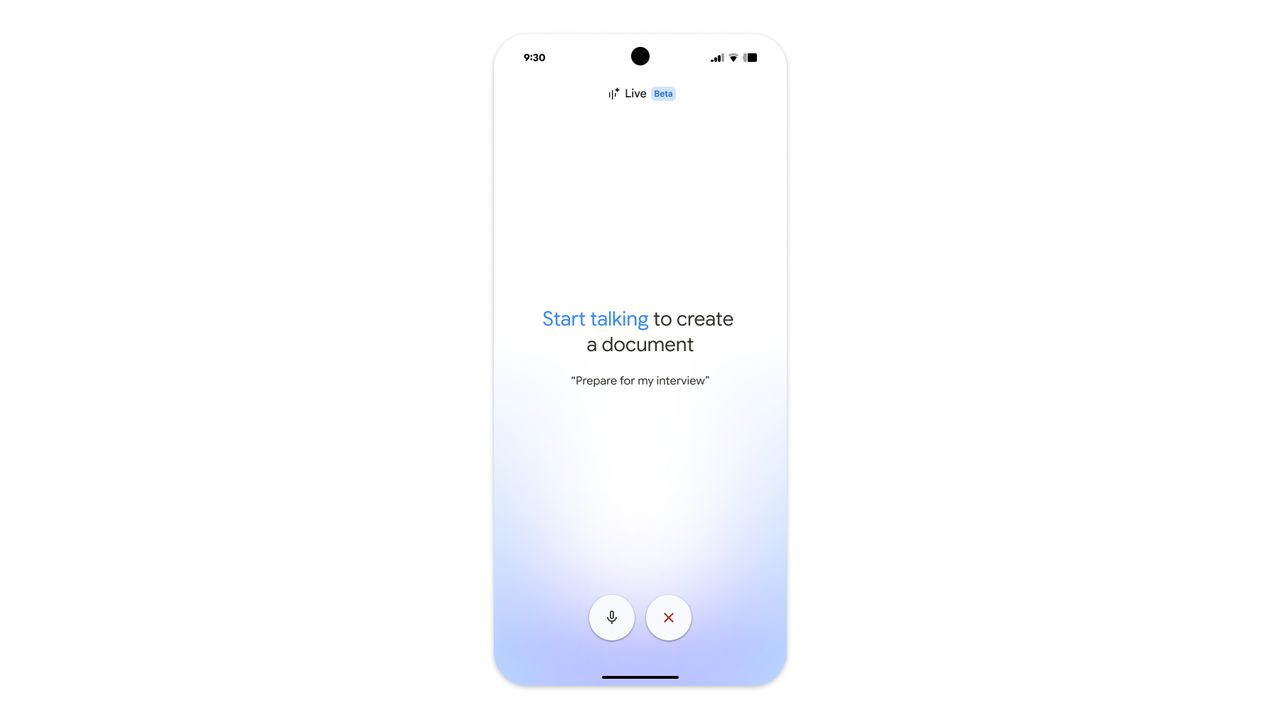
Outside of this, voice capabilities are coming to Gmail. This is something users are accustomed to, due to Gemini on Android. Google is taking this to another level, stating "Gmail Live" is on its way. Users can query Gmail Live about their flight's gate number and anything else that might matter to them. Similarly, "Docs Live" is the Google Docs version, capable of listening to you speak and organizing your thoughts into a neatly arranged file.
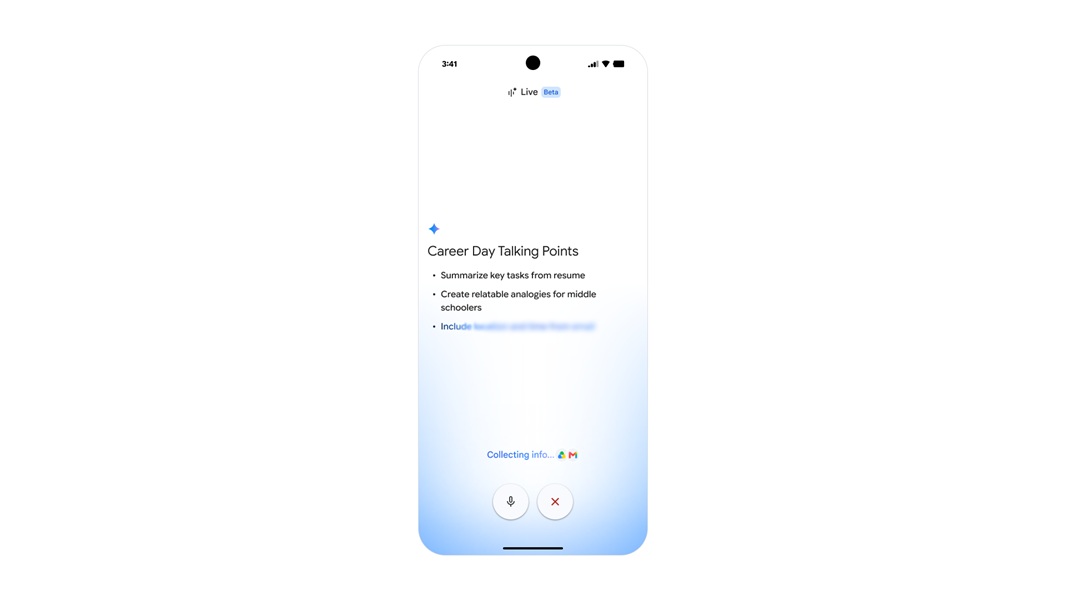
With added permissions, Docs Live can leverage information in Gmail, Drive, Chat, and web searches to help flesh out your document. Google Keep won't miss out on these voice capabilities, either. The post says users can ramble on, and Keep will work "in the background" to turn those ramblings into neat lists.
Voice capabilities in Gmail, Docs, and Keep are rolling out for Google AI Pro and Ultra subscribers this summer, as well as "in preview" for Workspace Business.
Google Pics makes its debut
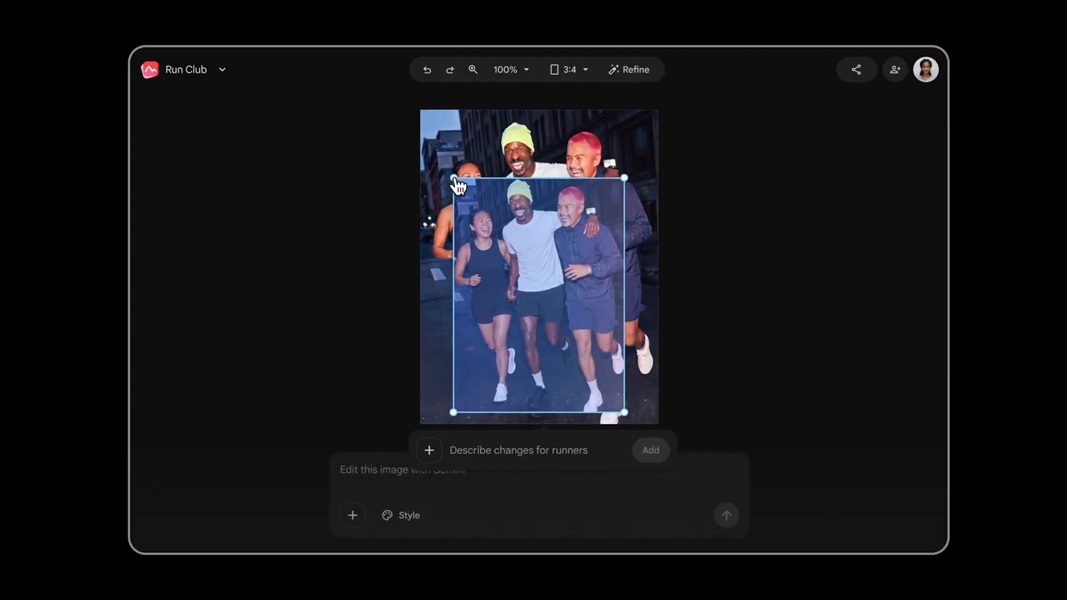
What's an I/O announcement without a brand new app? For users who can't get enough of Google's Nano Banana AI image generator, Google Pics might be the app they're looking for. The company states, "Creating with AI should feel like creative direction, not a roll of the dice." In Google Pics, users will find "creative controls" to help guide the AI, so it generates what they're thinking of.
After generating, users can alter specific elements of the image. Users will find removal tools, resizing options, and transformation tools. Changing one aspect of the generated won't affect another (unless you selected it and wanted it to change). Text also becomes a little more flexible, as users can select any generated text and translate it into a different language or change the font.
Google Pics isn't just some standalone app. This will be fully integrated with Workspace, so you can edit images in Slides or Docs with the same fluidity as in the main Pics app.
You won't have to wait long, as Google Pics launches today (May 19) for a limited number of Trusted Testers. However, later this summer, Google AI Pro and Ultra subscribers can expect it to arrive, leaving Workspace Business users to see it "in preview."
A little for AI Inbox
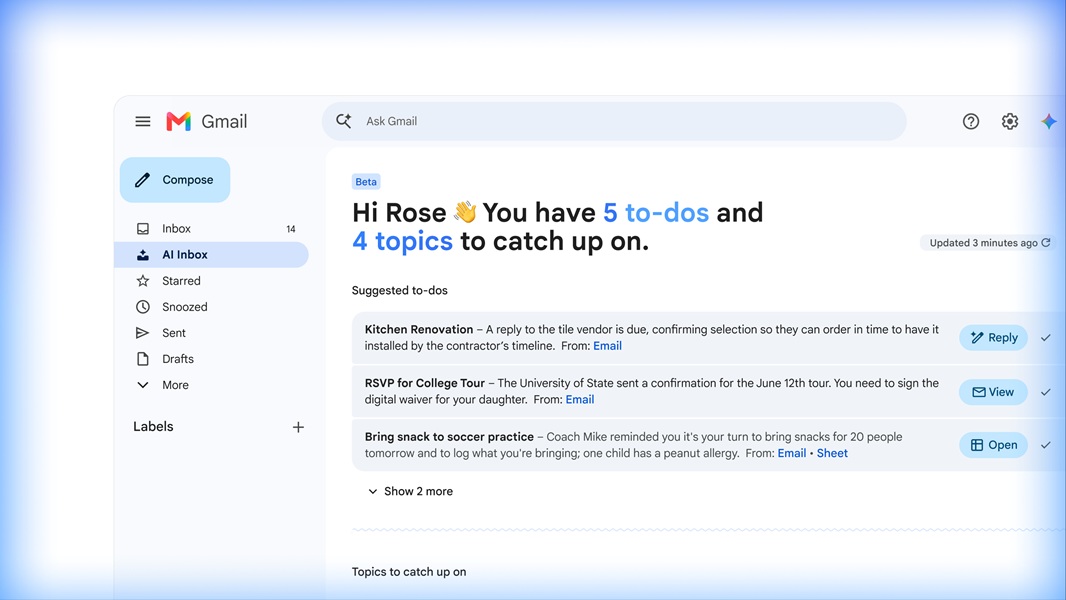
You might remember Google's official launch of Gmail's AI Inbox early in April. This feature was made to highlight the important messages that came through, amidst the craze and clutter of our email. Items such as bills, appointments, and more get highlighted, but users can ask the AI to surface something they're looking for via a written query.
At I/O, Google announced new updates for the AI Inbox. Rolling out now are "personalized drafts." If there's a pressing message in your inbox that's time sensitive, AI Inbox will inform you and have a generated "contextual draft" beforehand to help. Users can review this AI message, and if they're happy, they can send it. If an email from a client or co-worker involves a file, users won't need to hop into the app on their own. When AI Inbox provides its overview, it'll provide a link to that file, so you're into things quicker.
Staying calm and clear is the name of the game, as users can mark tasks as "done." You can also dismiss an unhelpful suggestion from the AI or mark emails "in a given topic" as read, so it's out of mind.
Now, Google AI Pro and Ultra subscribers are getting in on AI Inbox in the U.S. today (May 19).
Android Central's Take
Personally, the only aspect of this that I'd be most interested in is Google's AI Inbox. I think the usability there is pretty high, as the feature serves as a roundup of my busy email. It's good to see what's important in a semi-clean and clear way. Now, time sensitive emails get a little more love, since the AI can highlight those documents quickly. Saving time just means work gets done that much faster.