
Google is once again changing the way its browser works, and this time it is looking to make it easier to learn than ever with the announcement of ‘GenTabs.'
Built using the new Gemini 3 AI model, GenTabs is a new feature that is being rolled out from Google Labs.
The tool will be able to help you navigate the web by understanding your complex tasks. This is done by examining your open tabs and chat history, using this to create interactive web applications to solve your query.
These interactive tools won’t require you to write any code or even have to directly prompt for them. Instead, you simply need to describe the tool you’re after and refine it with follow-up requests.
Google claims that early testers are already using GenTabs to create their own bespoke tools. This is everything from meal planners for the week, a holiday planning tool for a trip to Japan or a way to help students learn about the planets.
Like any experimental tool like this, Google has already pointed out that not everything will work perfectly. Like any of these tools that are generating interactive tools, they can prove to be faulty at times, or create tools that don’t quite work as they should.
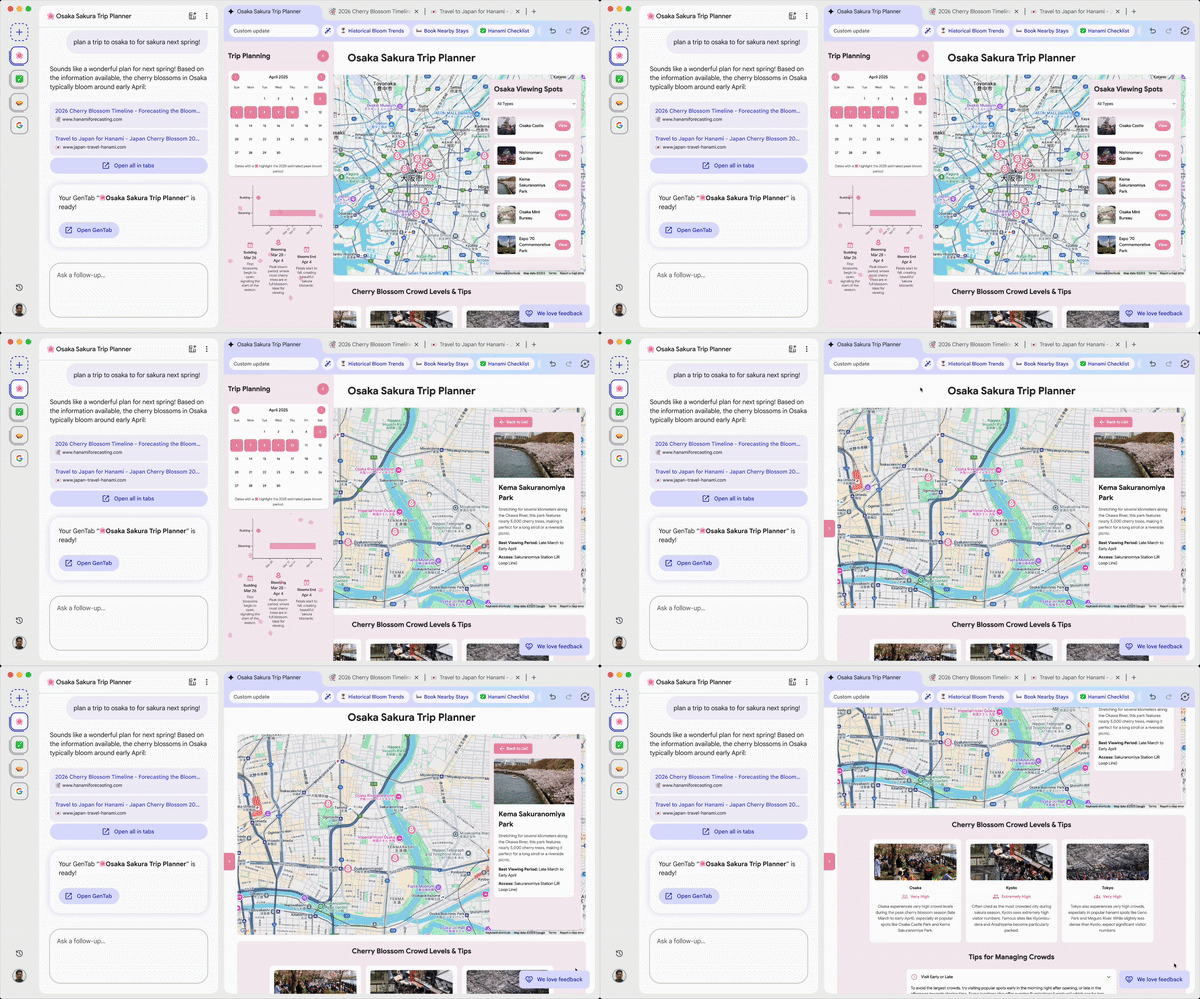
How will GenTabs work?

This is very similar to vibe coding tools from the likes of ChatGPT, Claude and even what is available directly from the Gemini app.
Where this stands out is in its direct connection to the internet. When creating your interactive tool, Google will explore the web, bringing up relevant websites in tabs along the top.
As well as creating the tool that you’ve asked for, Google will take into account personal information about you, and include all of the sources that it has used to gather this information.
With these kind of tools, when they work well, you’re able to create an app-like experience to fit whatever needs you might have. These can be incredibly niche and are mostly focused on teaching or explaining key concepts.
You can now join a waitlist to download Disco and try out GenTabs. It will first be available via macOS.

Follow Tom's Guide on Google News and add us as a preferred source to get our up-to-date news, analysis, and reviews in your feeds.