- Google has announced a new feature called 'Ask YouTube'
- This lets you ask lengthy and detailed questions when looking for a video
- It uses Gemini, and makes the service a bit more like a chatbot
Google I/O 2026 is now underway, and among the many announcements emerging from the California-set showcase, Google has revealed ‘Ask YouTube’ — a feature that adds conversational AI to the popular video streaming platform.
With Ask YouTube, rather than searching for a specific video the old-fashioned way, you can ask complex and lengthy questions, and Gemini will serve up specific videos that it thinks best answer your query. Helpfully, you'll be sent directly to the relevant part of the videos in question, too, rather than having to skim through them.
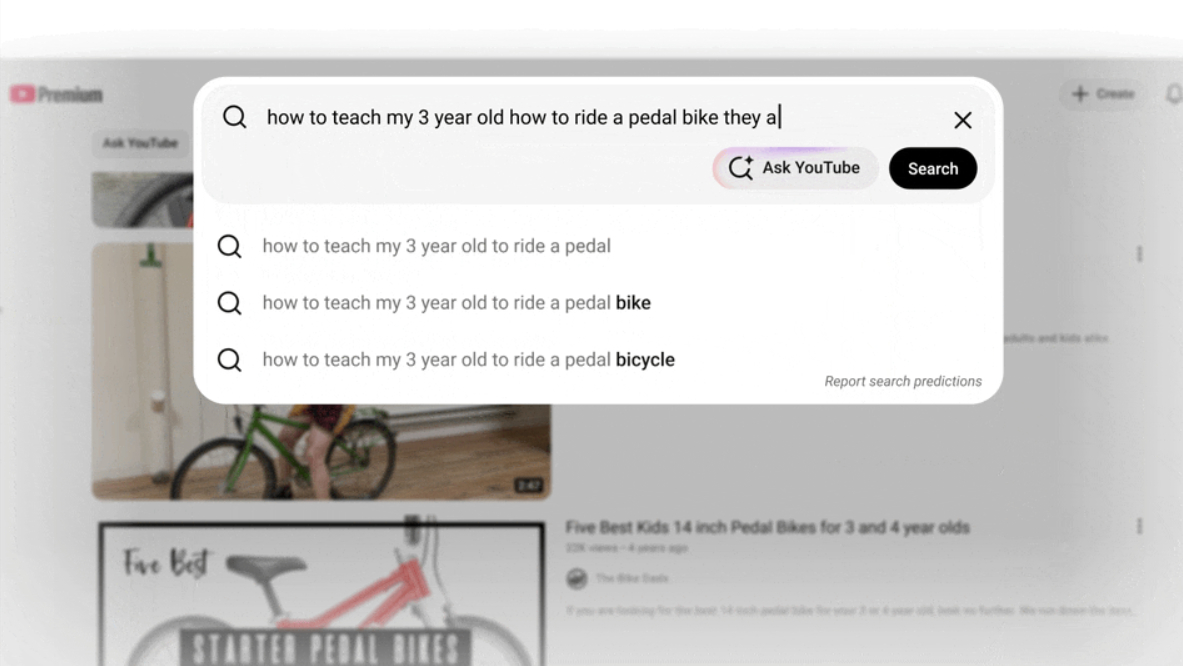
One query example given by Google was, “How to teach my 3-year-old how to ride a pedal bike, they already know how to ride a balance bike?” As you can see in the video below, the results delivered written answers like a typical AI chatbot, but these were accompanied by relevant YouTube videos, so you can both read and watch to get the answers you’re looking for.
The idea of Ask YouTube is to make the information more digestible, and to make it easier to actually find useful videos and the relevant parts of them.
Coming this summer, but only to the US
Ask YouTube is a similar idea to ‘Ask Maps’, a feature that was rolled out to Google Maps recently. Though currently, Ask Maps is only available in the US and India, and at launch, Ask YouTube will only be accessible in the US.
So, much of the world will be stuck waiting for this exciting new feature, but if you’re in the US, you should gain access to Ask YouTube sometime “this summer”— presumably meaning sometime between June and September.
And if you’re happy doing things the current way, you can always just ignore the new Ask YouTube button that’s soon going to appear.