What you need to know
- Gemini's web page introduces a cleaner design and dark theme, enhancing user experience
- New 'My Stuff' folder allows easier access to previously generated content on Gemini's website
- Gemini's UI revamp follows the release of its latest AI models, improving multimodal interactions
Gemini's web page seems to have gotten a new look with cleaner elements and a new dark theme that has begun rolling out today (Dec. 3). Google is trying to make Gemini's UI more consistent across the board, which began with the Gemini app on Android and iOS earlier this month.
The web version of Gemini now includes a modern homepage and a "My Stuff" folder on the left for previously generated content (as spotted by 9to5 Google).
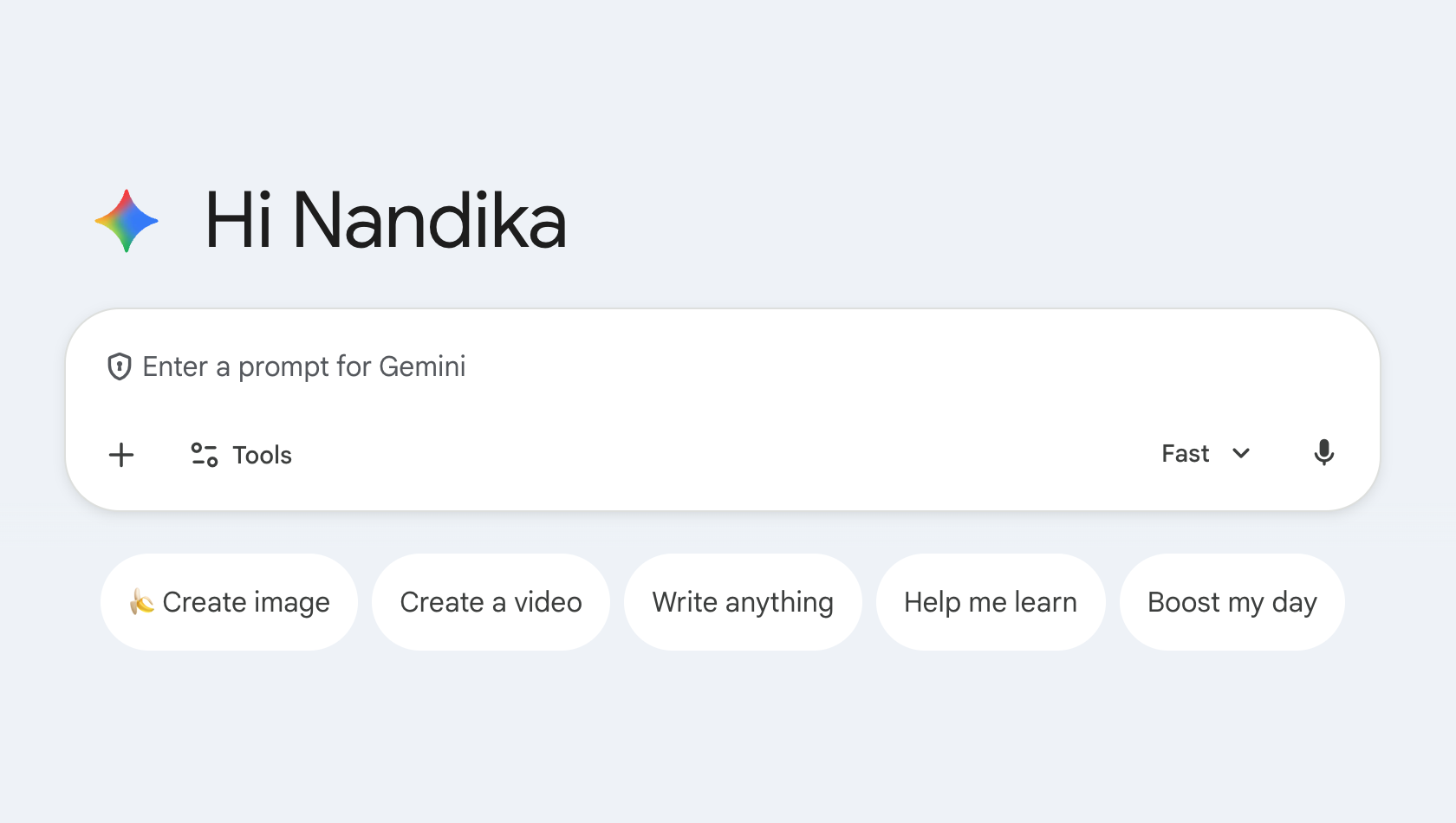
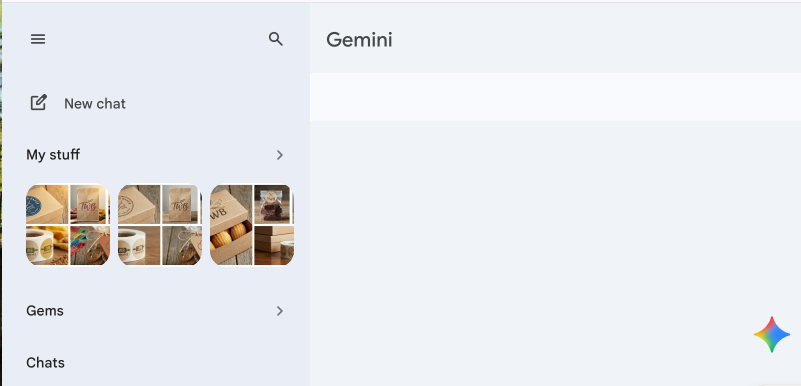
Android Central's staff have also received this new update on Gemini's website, confirming that the new appearance and user interface are now available to the public.
Much like the Gemini app, the web version's homepage now features a bluish-gray background on light mode and a fully-black background on dark mode. The greeting on the page reads as "Hi" instead of "Hello," with the prompt bar and Gemini's suggestions right below it. Additionally, you notice a spinning animation on the Gemini sparkle logo on the initial page load, while the prompt box also has more defined outlines.
The menu on the left of the homepage also receives a tiny tweak, with a new "My Stuff" section along with the existing "Gems" and "Chats". As you may have noticed on the Gemini app, My Stuff stores images, videos, and Canvas creations separately from your Gemini chats for easy access. By tapping content in My Stuff, you'll see different conversations with Gemini that you've generated images for.
The website also notes that, in the chat conversations, there’s a new dropdown menu when clicking the chat name to "Share conversation, Pin, Rename, and Delete."
Google seems to be revamping Gemini's UI after it recently rolled out its latest models, Gemini 3 Pro and Nano Banana Pro, which came in with Google's November drop. The new model is said to gain a refreshed AI mode that enhances Google Search with multimodal responses, offering smarter, concise interactions for users.