If you haven't used Gemini in a while, there's a good chance you're still thinking of it as Google's version of ChatGPT. And honestly, that's how I used to think of it, too.
But over the past year, Google has transformed Gemini into something much bigger. Today it can watch what you're seeing through your phone's camera, research complex topics for you, generate videos, organize long-term projects, work across Gmail and Google Docs, and even turn your notes into podcast-style conversations.
In other words, Gemini isn't just a chatbot anymore.
After spending the past year testing and reviewing Google's latest AI features, these are the ones I think are genuinely worth trying. Note that some of the features below require a Google AI Pro or Ultra subscription.
1. Have a real conversation with Gemini Live
Gemini Live is probably the biggest reason I no longer think of Gemini as just another chatbot. Instead of typing back and forth, you simply start talking. The conversation feels much more natural, making it ideal for brainstorming article ideas, planning trips or working through complicated problems out loud.
It's great for Googling on the go or just for those times when talking makes more sense than typing like when you're driving, tinkering around in the garage or cooking a meal.
2. Let Gemini see what you're seeing

Besides chatting with Gemini Live, you can also share your camera or screen with it so it sees what you're seeing. I've used it to identify objects, explain what was on my screen and troubleshoot technical problems without having to describe everything manually. You could even use it to identify poison ivy.
Sometimes, I simply don't know how to describe what I'm looking at, especially when it comes to what's under the hood of my car.
Being able to simply point your phone at something changes the entire interaction.
3. Let Deep Research do the heavy lifting
Deep Research remains one of Gemini's most impressive tools. Instead of answering with a few paragraphs, Gemini creates a research plan, searches across the web, analyzes information and produces a detailed report you can refine afterwards.
In April 2026, Google upgraded Deep Research with Gemini 3.1 Pro and introduced Deep Research Max, adding MCP support for connecting to private data sources, native visualizations and significantly improved analytical quality.
I've used it to get up to speed on complicated AI topics far faster than opening dozens of browser tabs or learning from a textbook.
4. Generate AI videos with Gemini Omni
Gemini can now generate and edit videos using Gemini Omni, which replaced Google's earlier Veo model in the Gemini app. Omni combines Gemini's core intelligence with advanced generative media capabilities, letting you create videos from text prompts, animate photos or edit existing videos through natural conversation.
Whether you want a cinematic landscape, a short social clip or a visual concept for a presentation, it's one of the most capable consumer AI video tools currently available. Video generation requires a Google AI subscription.
5. Create and edit images

Gemini isn't limited to videos or even creating images from scratch. You can ask it to remove unwanted objects, replace backgrounds, extend photos, add new elements, change lighting and make detailed edits using natural language.
I've even used it for those times when a picture came out too dark or the cropping is wrong. It's a lot like having Photoshop but without the types of skills those types of apps require. For anyone who regularly shares images online, it's incredibly useful.
6. Organize ongoing projects with Notebooks
One of my favorite additions this year is Notebooks. Not to be confused with NotebookLM this feature is a notebook dedicated to any type of project. You can add documents and files, keep related chats together and give Gemini ongoing context.
I actually replaced my notes app with Gemini notebooks because it syncs with NotebookLM. So any source I add in one place automatically appears in the other. That means you can use NotebookLM's unique features, like Video Overviews and Infographics, even if you started the notebook in Gemini. Notebooks are currently available to Google AI Ultra, Pro and Plus subscribers on the web, with expanded access rolling out.
7. Turn your research into podcasts and videos
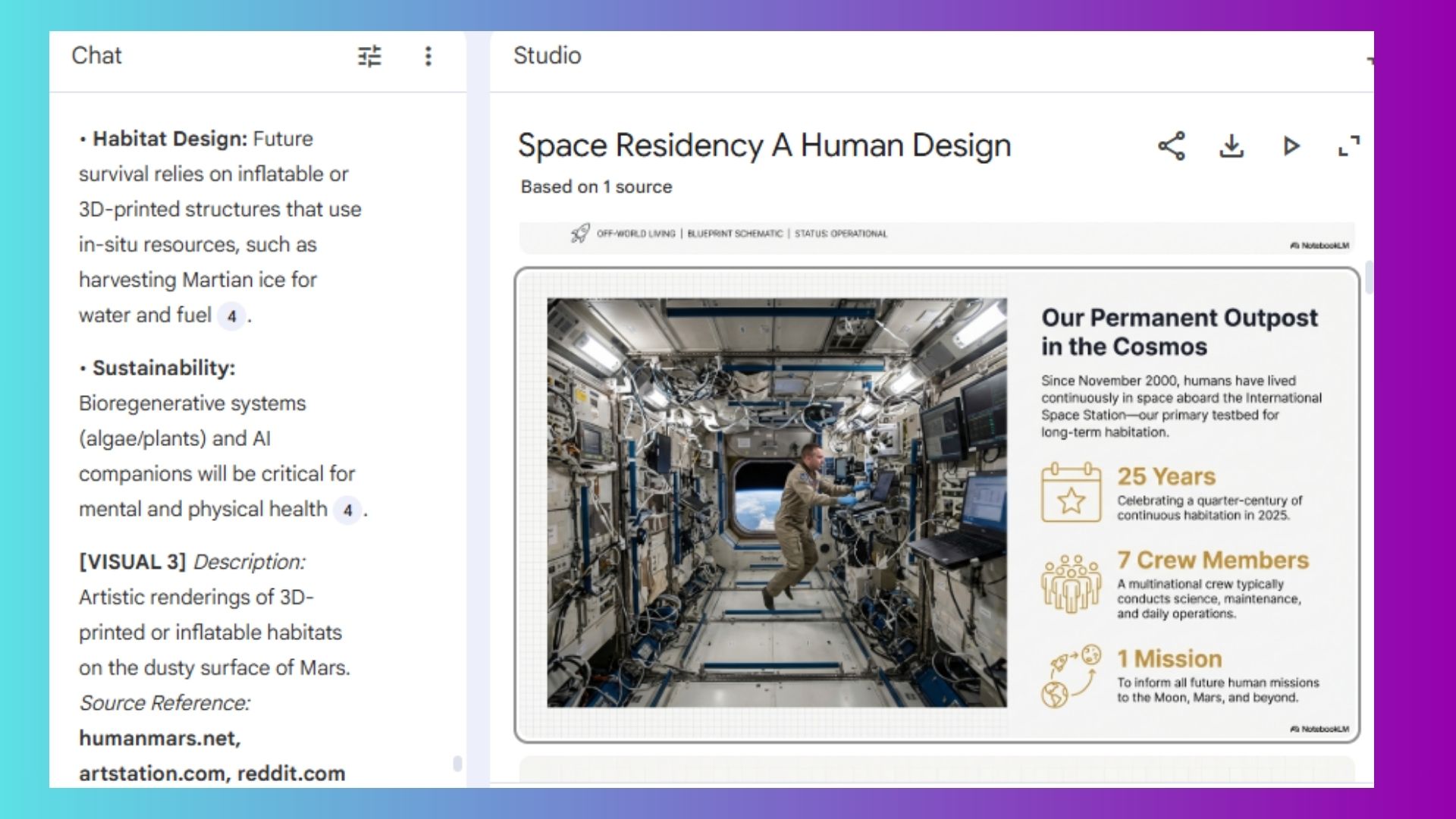
NotebookLM can do a lot of things like help you study, create presentations or transform your uploaded documents into podcast-style Audio Overviews. I've found this surprisingly useful when reviewing long reports because listening often helps me catch details I'd skim over while reading.
NotebookLM has also expanded beyond audio in 2026, adding Cinematic Video Overviews, infographics and interactive study guides that make it easier to engage with dense material in different formats.
8. Build documents and code with Canvas
Canvas gives Gemini a dedicated workspace where you can collaborate on long documents and coding projects.
Instead of generating one response at a time, you can keep refining the same project without constantly copying and pasting between apps. A new Create menu also lets you transform text into web pages, visual infographics, quizzes and Audio Overviews. Google AI Pro and Ultra subscribers get access to Gemini 3 and a larger one-million-token context window for more complex projects.
9. Create your own custom AI experts with Gems
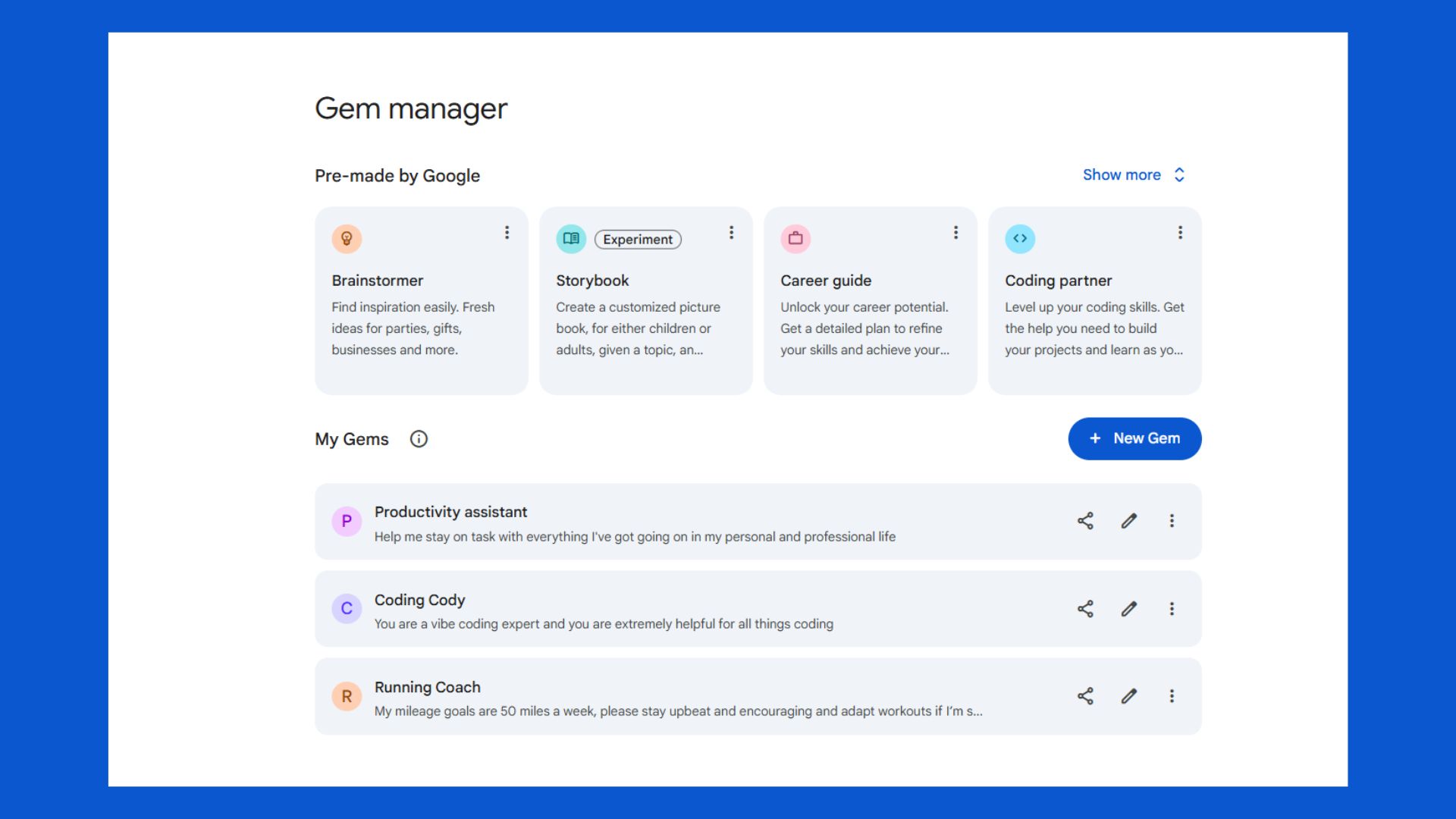
If you repeatedly ask Gemini to do the same kinds of tasks, Gems can save you a lot of time. You can create specialized assistants for things like meal planning, trip planning, studying, coding, editing and brainstorming.
Once they're set up, they're ready whenever you need them.
10. Work directly inside Gmail, Docs and Drive
One advantage Google has over many competitors is how deeply Gemini is integrated into Workspace.
Rather than copying information into a chatbot, Gemini can summarize email threads, help draft responses, organize documents and answer questions about your files while you're already working. You can even take it a step further with Personal Intelligence — a highly personalized memory feature that knows your preferences, searches and utilizes your own Workspace to deliver tailored responses to your prompts.
11. Get a personalized Daily Brief

Speaking of Personal Intelligence, one of the newer additions is Daily Brief, a personalized daily overview. It pulls priorities from your connected apps like Gmail and Google Calendar, organizes what's top of mind and suggests next steps so you can start your day with a clear plan instead of scrambling through tabs and inboxes.
I found it to be a bit too much for me, but give it a try and see how you like it.
12. Brainstorm ideas instead of writing prompts
Not all chatbots are the same and I often use Gemini to brainstorm rather than any other AI. Gemini searches the web in real time, which is something I find myself asking ChatGPT or Claude to do. Those two chatbots don't automatically do it, even when it seems obvious.
Because of this, whether I'm brainstorming weekend activities and week night meals or fact-checking the latest AI news, Gemini is my favorite brainstorming partner.
13. Schedule future tasks
Gemini can handle recurring and scheduled actions, making it useful for routine reminders and future tasks instead of only responding in the moment. I have it send me the latest AI news at 6 a.m. every morning. It's great for daily news digests, weekly summaries of your calendar and emails, or monthly reports on topics you're tracking.
Scheduled actions require a Google AI Pro or Ultra subscription and support up to 10 active actions at a time.
The takeaway
The biggest surprise for me about Gemini's capabilities isn't just the fact that it is incredibly faster and smarter, but that the collection of featuers is so broad.
It's a creative assistant, deep researcher, personal shopper and organizer. So, if your impression of Gemini is still based on the chatbot Google launched a few years ago, it's worth taking another look. Chances are you'll discover features you didn't even realize were there.
Comment if you've tried Gemini and share what features you use the most.