With the launch of Star, the brand-new channel from Disney+, comes a wealth of new TV shows and films to watch.
The content drop includes a horde of film and TV shows, from romantic comedies to thrillers and animated classics.
However, with this new content comes a parental lock so families can keep an eye on what their children are watching on the streaming service.
It’s simple and easy to set up. You just go to the icon in the top right corner of the homepage to bring up your profile, then select “Edit Profiles”, which should be the first option on the drop-down menu.
You then click on the profile you want to edit (many might choose to have a separate profile for the kids) then scroll down to “parental controls”.
There, you can select a “content rating”, meaning the profile will only show films and series that fall into that category (options include suitable for ages 6+, 9+, 12+ and 16+).
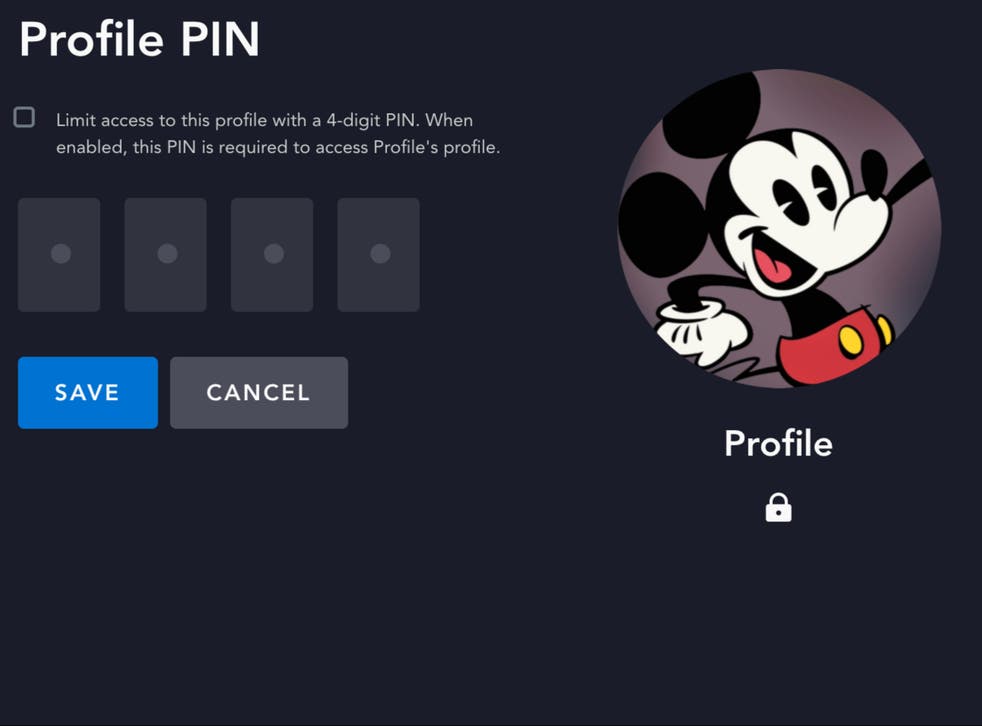
You can also opt to use a “Profile Pin”, meaning you need a passcode to log into the selected profile (useful if you want to keep a separate profile for the grown-ups).
You can subscribe to Disney+ here.
We may earn commission from some of the links in this article, but we never allow this to influence our content.
To see what TV shows are available on Star, click here. For film options, you can see the full list here.