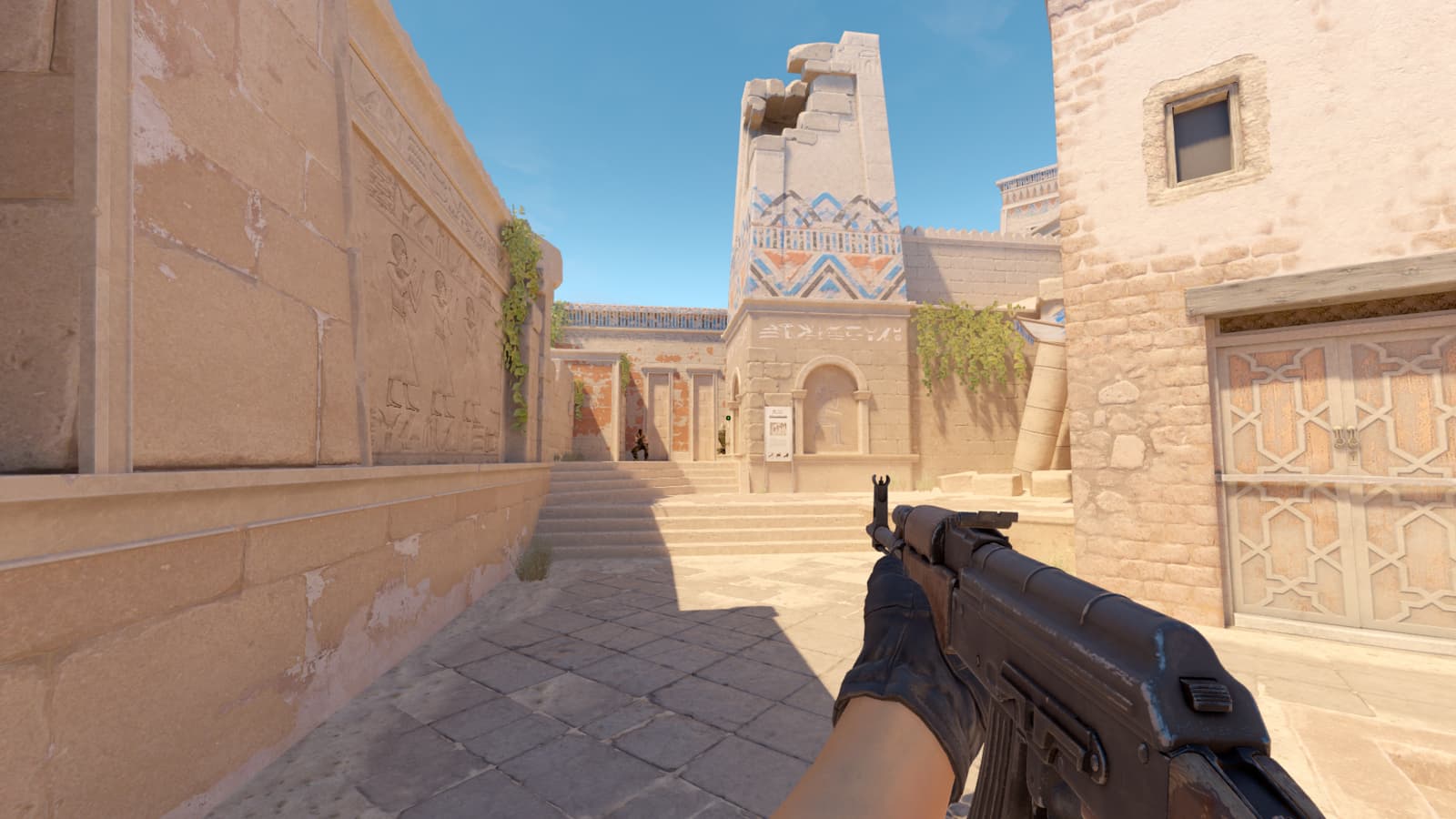
For players who prioritize crosshair placement, the dot crosshair is one of the most stripped-back setups you can run in CS2. With nothing but a single point on screen, the dot crosshair offers clean sightlines towards your opponents. While a simple crosshair code, like CSGO-JaaMN-QODox-vueWF-sdtLn-PU9vO, can be imported into CS2, read on to find all the settings you can use to customize your own dot crosshair.
How to import a dot crosshair code in CS2
If you already have a CS2 crosshair code you’d prefer to use, this is the fastest route to importing it into your game:
- Open Settings
- Navigate to the Game submenu
- Scroll down to the Crosshair section
- Click Share or Import on the crosshair preview bar
- Paste your code into the pop-up window and click Import
That’s it, your crosshair updates instantly, and you can head straight into the game to practice with it.
CS2 dot crosshair settings explained
If an off-the-shelf code doesn’t fit your needs, you can also design your own crosshair in CS2 itself. The customization settings can be found in the same crosshair menu mentioned above. Setting Length to zero and Center Dot to enabled is the key combination for a dot crosshair, but here are all the CS2 crosshair settings explained:
| Setting | Purpose | Recommended value |
|---|---|---|
| Style | Sets the crosshair type | Classic Static |
| Center Dot | Enables the dot | Yes |
| Length | Controls line length | 0 (to hide lines) |
| Thickness | Controls dot size | 1-3 (personal preference) |
| Gap | Space between lines and center | Not relevant with lines off |
| Outline | Dark border around the crosshair | 1 (recommended for visibility) |
| Color | Crosshair color | Green or white (see below) |
Best dot crosshair codes in CS2
Here are some codes for a dot crosshair that you can simply import into the game to get started.

Basic dot crosshair (with outlines)
A green dot with visible outlines is easy to track across CS2‘s varied backgrounds, and serves as the best starting point for most players.
Crosshair code: CSGO-JaaMN-QODox-vueWF-sdtLn-PU9vO
| Setting | Value |
|---|---|
| Crosshair Code | CSGO-JaaMN-QODox-vueWF-sdtLn-PU9vO |
| Crosshair Style | Classic Static |
| Follow Recoil | No |
| Center Dot | Yes |
| Length | 0.5 |
| Thickness | 1.0 |
| Gap | -4.0 |
| Outline | 1.0 |
| Color (RGBA) | (255,255,255,255) |

Dot crosshair without outlines
A cleaner look, but harder to track on bright surfaces. This crosshair is better suited for players who want an even more minimalist crosshair, and have strong placement.
Crosshair code: CSGO-ZFv8v-FN6ZB-bfZjk-RGoGq-yxxsP
| Setting | Value |
|---|---|
| Crosshair Code | CSGO-ZFv8v-FN6ZB-bfZjk-RGoGq-yxxsP |
| Crosshair Style | Classic Static |
| Follow Recoil | No |
| Center Dot | Yes |
| Length | 0.3 |
| Thickness | 0.9 |
| Gap | -4.0 |
| Outline | 1.0 |
| Color (RGBA) | (0,255,0,255) |

Box dot crosshair
For some players a square dot is more suitable than a circular one as it gives slightly more visible area and can be easier to see at smaller sizes.
Crosshair code: CSGO-bGEA7-wox5Y-BEFec-HEyF7-V3OtQ
| Setting | Value |
|---|---|
| Crosshair Code | CSGO-bGEA7-wox5Y-BEFec-HEyF7-V3OtQ |
| Crosshair Style | Classic Static |
| Follow Recoil | No |
| Center Dot | Yes |
| Length | 0.0 |
| Thickness | 1.6 |
| Gap | -3.6 |
| Outline | 1.0 |
| Color (RGBA) | (0,255,0,255) |
Pro player dot crosshairs in CS2
While the majority of professional players prefer the standard crosshair, a few remarkable aimers still use the dot. TeSeS, ELiGE, and NiKo are among those who still run the dot crosshair at the top level, making them solid references for your own setup.

TeSeS dot crosshair settings
| Setting | Value |
|---|---|
| Crosshair Code | |
| Crosshair Style | Classic Static |
| Follow Recoil | No |
| Center Dot | No |
| Length | 0.5 |
| Thickness | 1.0 |
| Gap | -4.0 |
| Outline | 0.0 |
| Color (RGBA) | (255,255,255,255) |

ELiGE dot crosshair settings
| Setting | Value |
|---|---|
| Crosshair Code | |
| Crosshair Style | Classic Static |
| Follow Recoil | No |
| Center Dot | Yes |
| Length | 0.0 |
| Thickness | 1.0 |
| Gap | -5.0 |
| Outline | 1.0 |
| Color (RGBA) | (255,255,255,255) |
Related—EliGE’s settings, crosshair, and viewmodel for CS2

NiKo Dot-like crosshair settings
| Setting | Value |
|---|---|
| Crosshair Code | |
| Crosshair Style | Classic Static |
| Follow Recoil | No |
| Center Dot | No |
| Length | 1.0 |
| Thickness | 1.0 |
| Gap | -3.0 |
| Outline | 0.0 |
| Color (RGBA) | (0,255,145,255) |
Related—NiKo’s settings, crosshair, and viewmodel for CS2

Jame dot crosshair settings
| Setting | Value |
|---|---|
| Crosshair Code | CSGO-rLYmC-Gep2i-hh73s-WHidf-OnMHA |
| Crosshair Style | Classic Static |
| Follow Recoil | No |
| Center Dot | Yes |
| Length | 0.0 |
| Thickness | 0.0 |
| Gap | -3.0 |
| Outline | 1.0 |
| Color (RGBA) | (250,250,250,255) |
Is a dot crosshair good in CS2?
| Pros | Cons |
|---|---|
| Improved focus and accuracy | Harder to track enemies while spraying |
| Less visual clutter | Steep adjustment curve if switching from the classic plus crosshair |
| Ideal for one-tapping | Lower visibility at high resolutions/screen sizes |
The dot crosshair suits players who rely on precise crosshair placement rather than the crosshair itself to aim. If you’re a one-tap, rifle-first player, particularly with the AK-47, then the dot crosshair removes visual noise and keeps your focus on the target.
It’s a worse fit for aggressive entry fraggers who spray frequently or need to quickly lock on targets. For those players, a small static plus crosshair might be the more practical choice.
What color should your dot crosshair be?
Green is the most popular choice for crosshairs across all levels, and it’s for good reason. The color contrasts well against most of CS2‘s environments without being eye-straining.
White with black outlines offers higher contrast across maps and lighting conditions, but some players find it harsh over longer sessions.
Yellow is a solid middle ground, more visible than green on darker maps, but it can blend in on dusty maps like Dust2, Anubis, and Mirage.
Ultimately, color choice comes down to the maps you play the most. On bright maps like Nuke, white or yellow holds up better, while on Dust2 a cyan or green may be more visible.
Frequently asked questions (FAQs)
What is the best dot crosshair size in CS2?
A thickness of one to two with outlines enabled is the sweet spot for most players. It stays visible without covering too much of the target’s head hitbox. Adjust based on your resolution and monitor size.
Is a dot crosshair better than a plus crosshair in CS2?
It depends on your playstyle. A dot is better for players who one-tap and have disciplined crosshair placement. A plus crosshair is better for players who spray frequently or are still developing their aim.
Do pro players use a dot crosshair in CS2?
Yes, some pro players like TeSeS, Jame, ELiGE, and NiKo still use a dot crosshair in professional Counter-Strike.