I have been using Zhiyun's lighting gear for a few years now, and I have been continually impressed by the power output, design ethos, and affordability. So, when I got the chance to try out the brand's latest portable light, designed to work like a "miniature Arri SkyPanel X", I jumped at the chance.
The Fiveray M60 Ultra is a pocket-sized panel light with a staggering 60W output. It has RGB functionality, an all-in-one design with a sizable battery, and magnetic attachments for diffusion and light-shaping.
With an MSRP of just $129, it seems like a great deal for anyone seeking powerful continuous lighting in a portable package. Is it too good to be true? I've been using it for the past few weeks to find out.
Specifications
Price |
£129 / $129 |
Power |
60W |
Battery |
4500 mAh |
Charging |
USB-C PD + QC |
Output |
6490 lux at 3.3 feet |
Colour Accuracy |
CRI 95+ |
Weight |
430g |
Price
The Zhiyun Fiveray M60 Ultra has an MSRP of £129 / $129 / €139 from Amazon or Zhiyun's official store, which is very affordable considering the features on offer here.
The closest panel light I could find, matching the 60W output and RGB functionality, is the Amaran Pano 60C, which currently retails for $165. However, this alternative doesn't have a built-in battery, and it's significantly larger.
You have far more options if you're open to COB lights, but if you're keen on a compact panel light, the M60 Ultra stands out as a unique option.
Design & Handling
One of the things I really like about Zhiyun products is that they don't try to blend in. Not every piece of pro camera equipment needs to be an anonymous black rectangle, and love it or hate it, the M60 Ultra certainly looks unique.
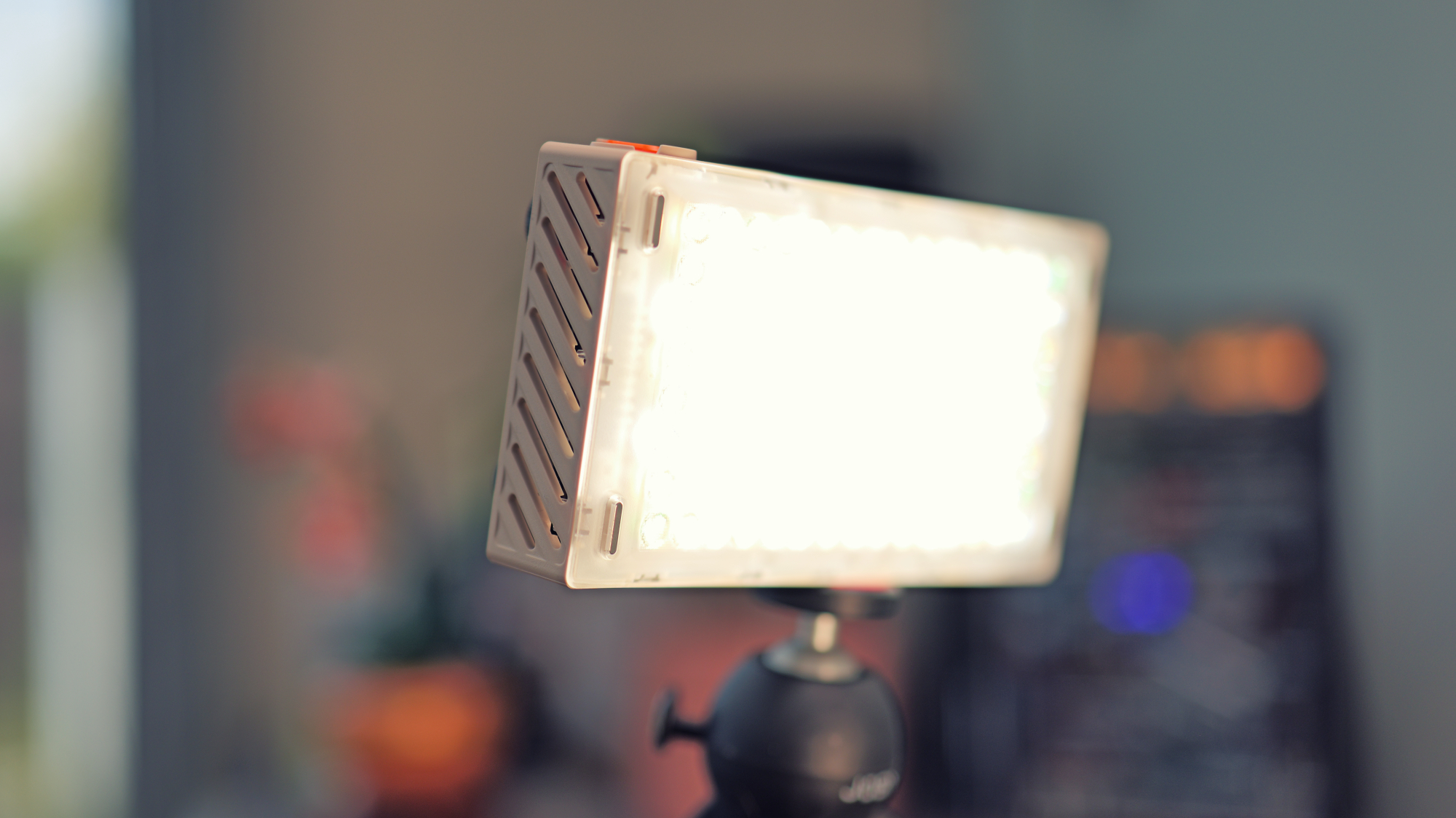
This light is around the same size as a modern smartphone, and about as thick as three of them stacked on top of each other. It comes with a beige/cream housing, with bright orange accents and contrasting black sections. It gives me a sort of retro-futuristic, rugged, and utilitarian vibe. It wouldn't look out of place on Tatooine.
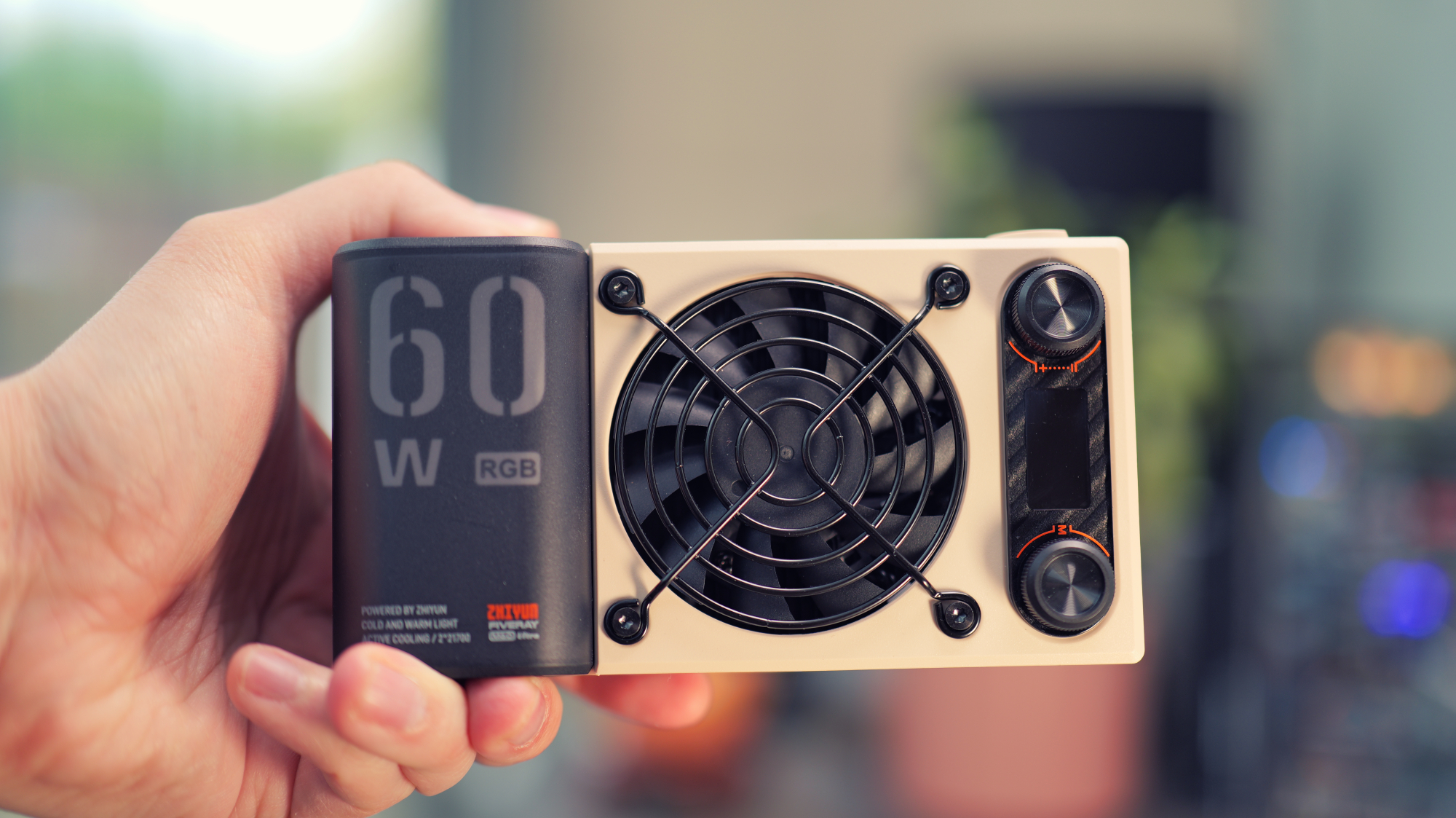
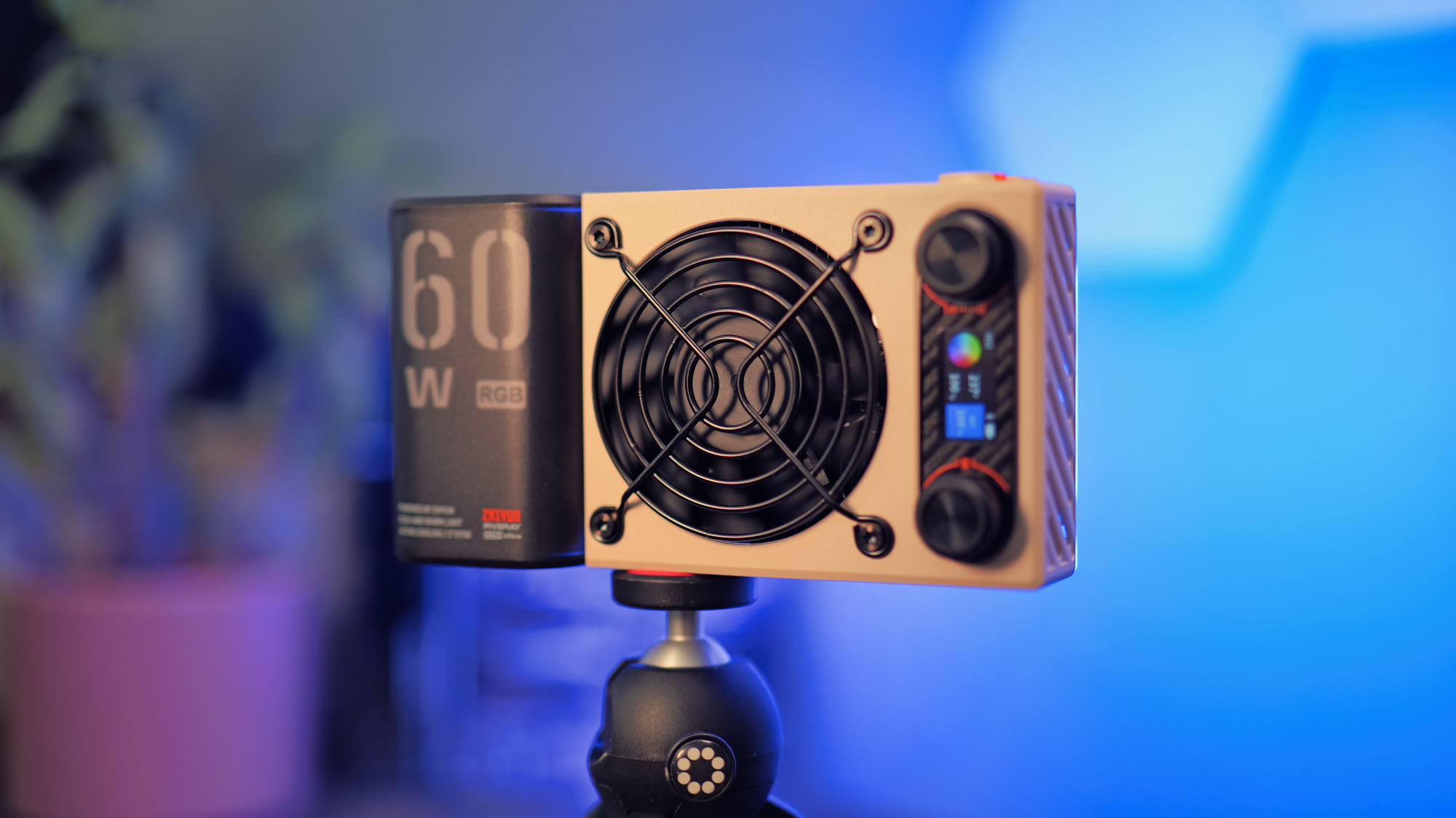
The M60 Ultra is designed with cooling in mind, and despite its high power output and small size, there's plenty to ensure it doesn't get too hot. There are vents cut into almost every surface, a large fan in the centre of the rear panel, and the insides look to be mostly filled with heat sinks.
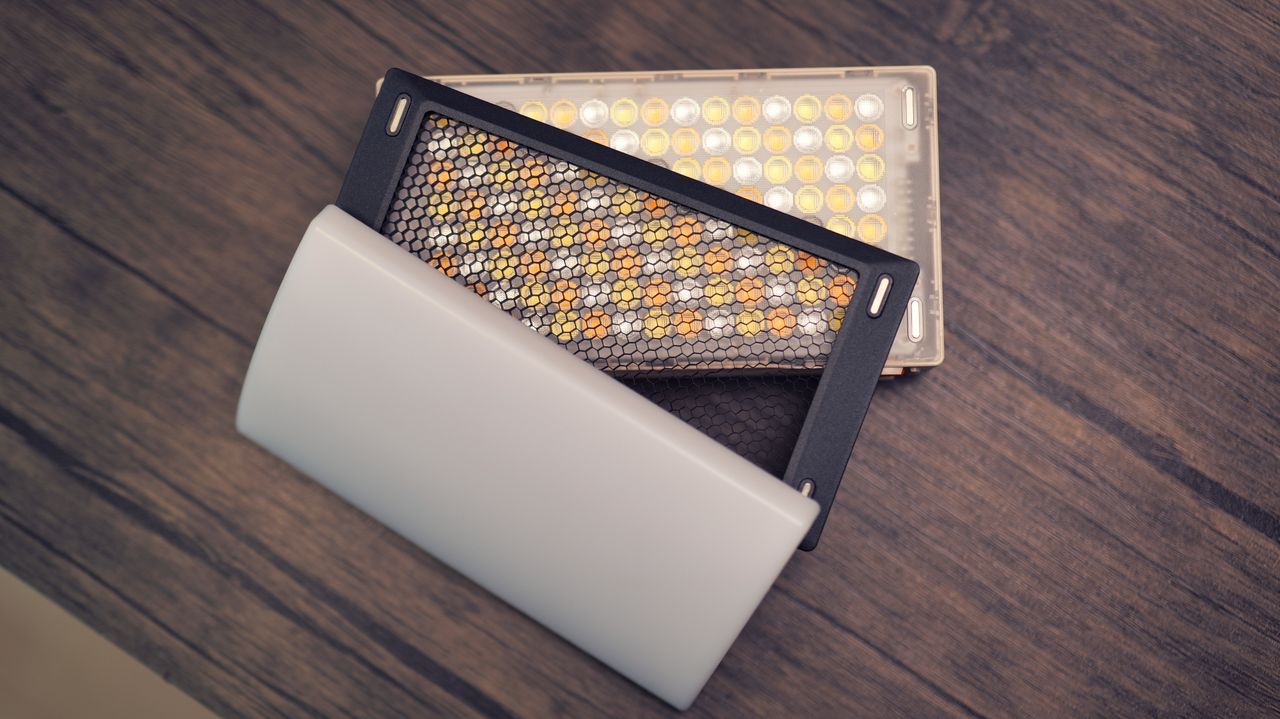
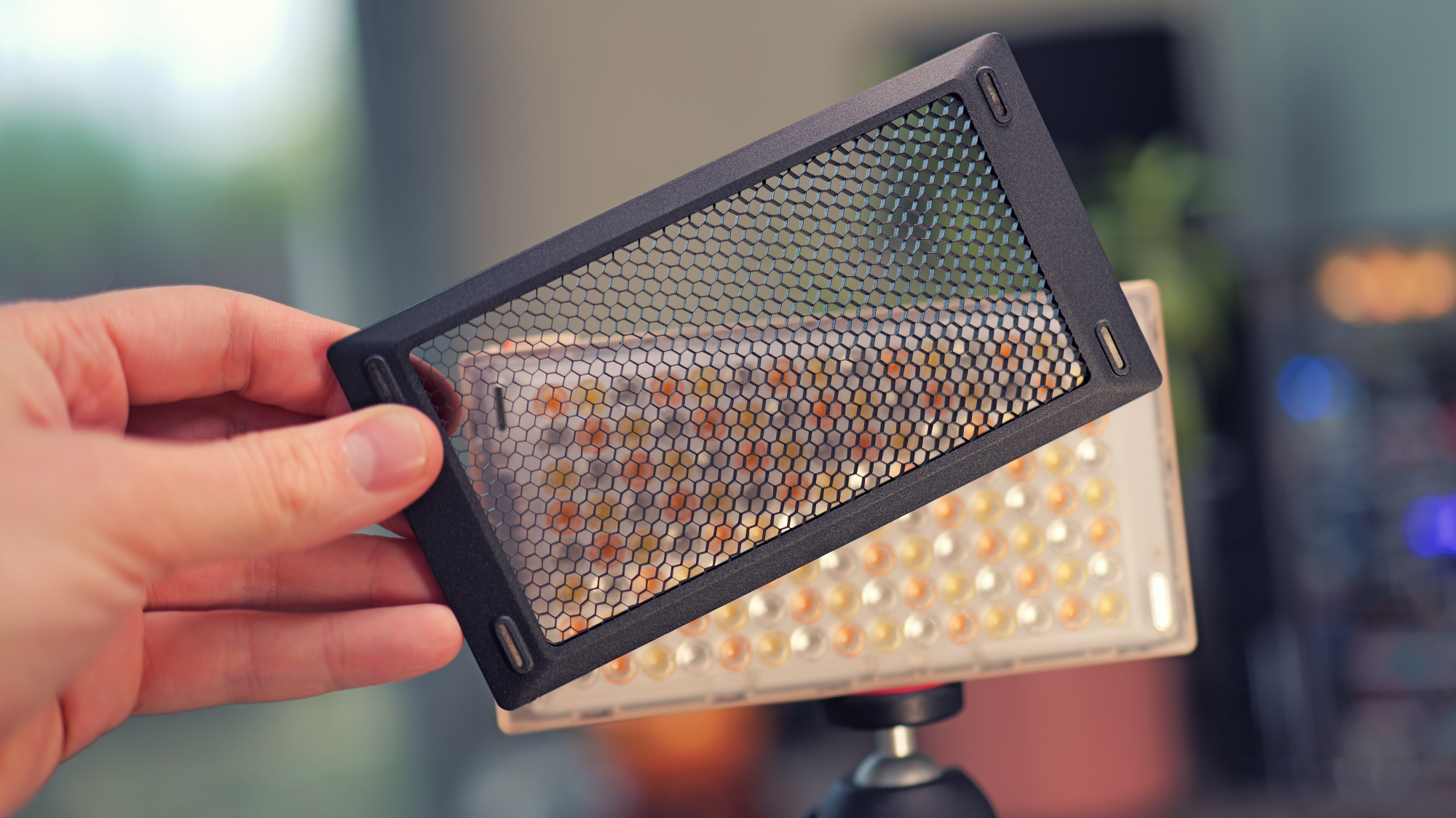
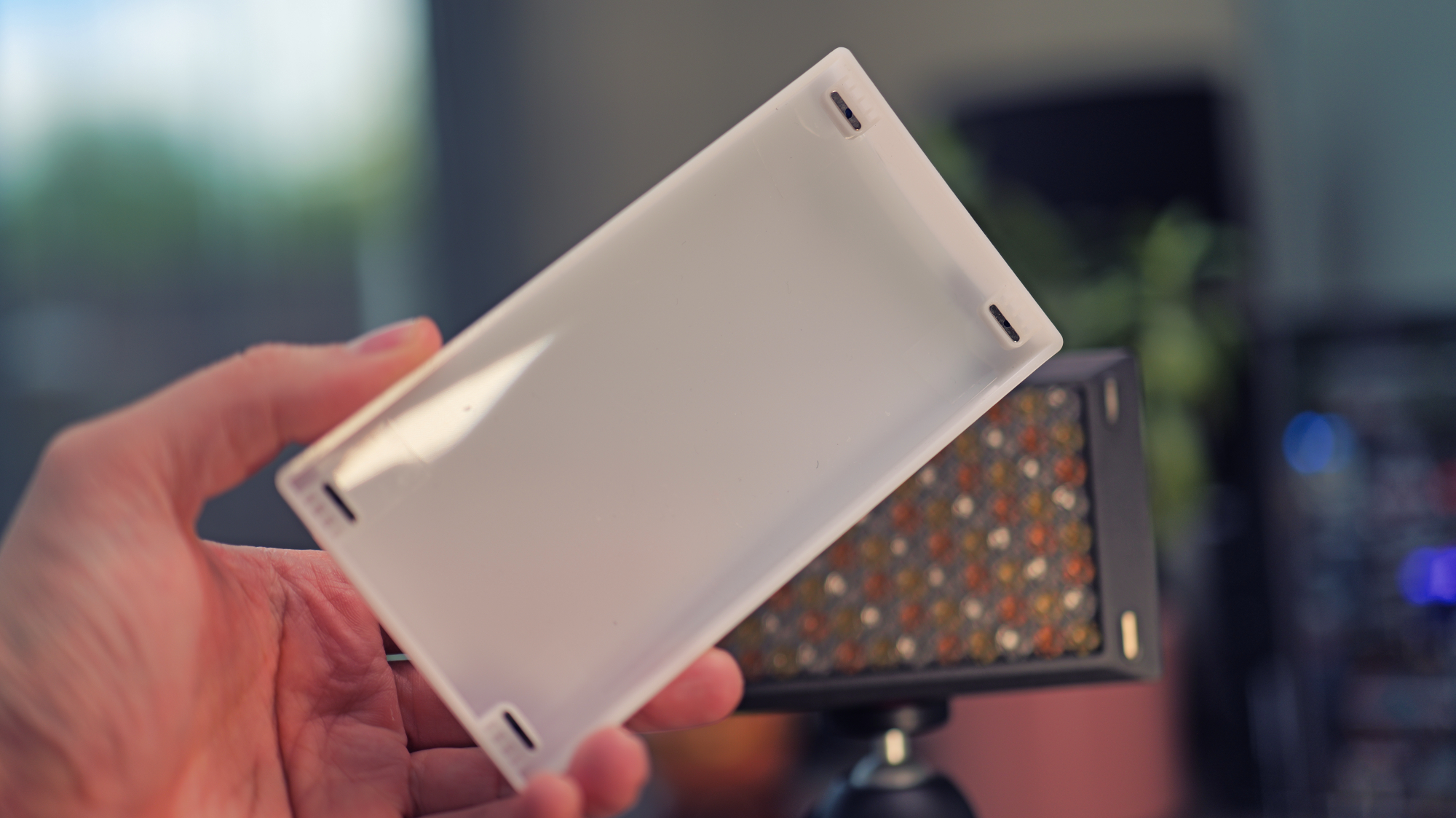
The front panel is entirely transparent, with no bezels, and a strong magnet in each corner. It almost looks unfinished, as you can quite clearly see the LEDs and PCB through the frosted plastic front panel. However, when you attach the magnetic modifiers, it looks much more polished. There's a honeycomb grid and a plastic domed diffuser included in the box, both of which can be magnetically stacked on the front panel.
On the base, there's a 1/4-20 tripod mount and a USB-C port for charging. I was pleased to learn it charges very quickly, too - supporting up to 18W speeds with a suitable USB PD plug, but you don't get one in the box, only a USB-C cable.
The unit is turned on and off via a large orange rotating switch on the top side. It's well protected by raised plastic lips around the edge, so you'll certainly never turn it on or off by accident, but it's quite stiff and a little fiddly. Still, I'd rather it be a little fiddly than open my backpack to find a blisteringly hot light that's been running for hours.
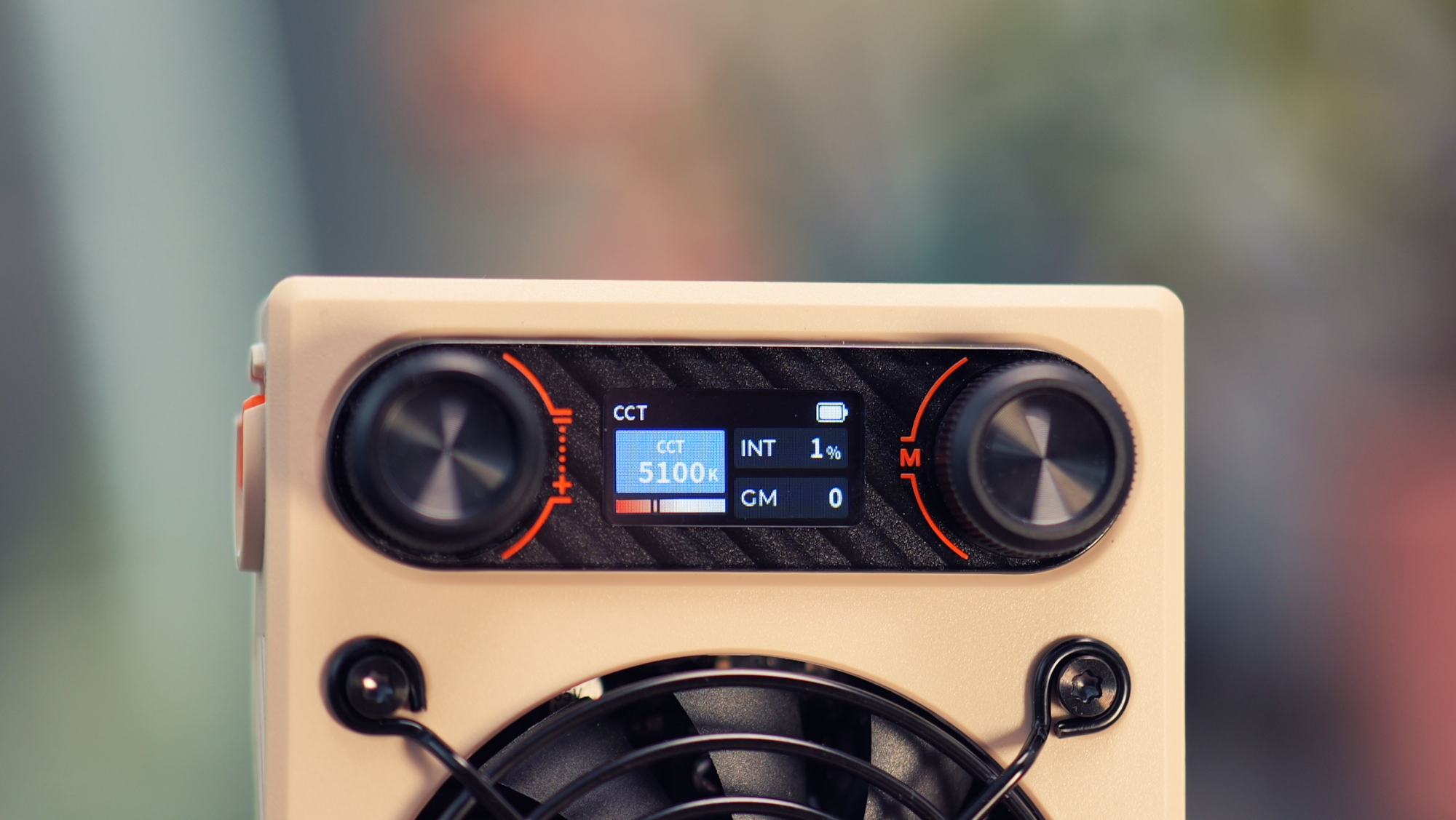
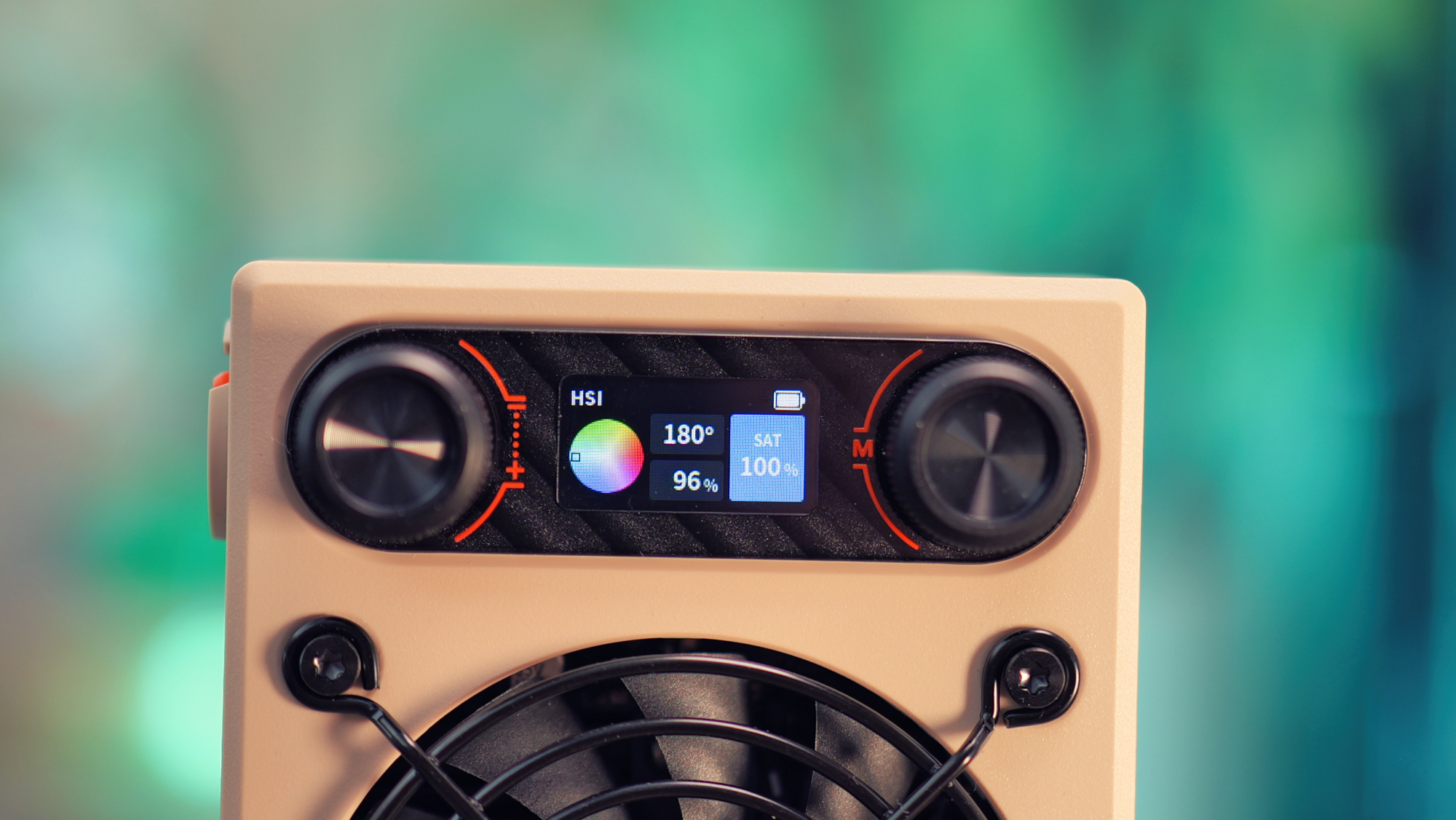
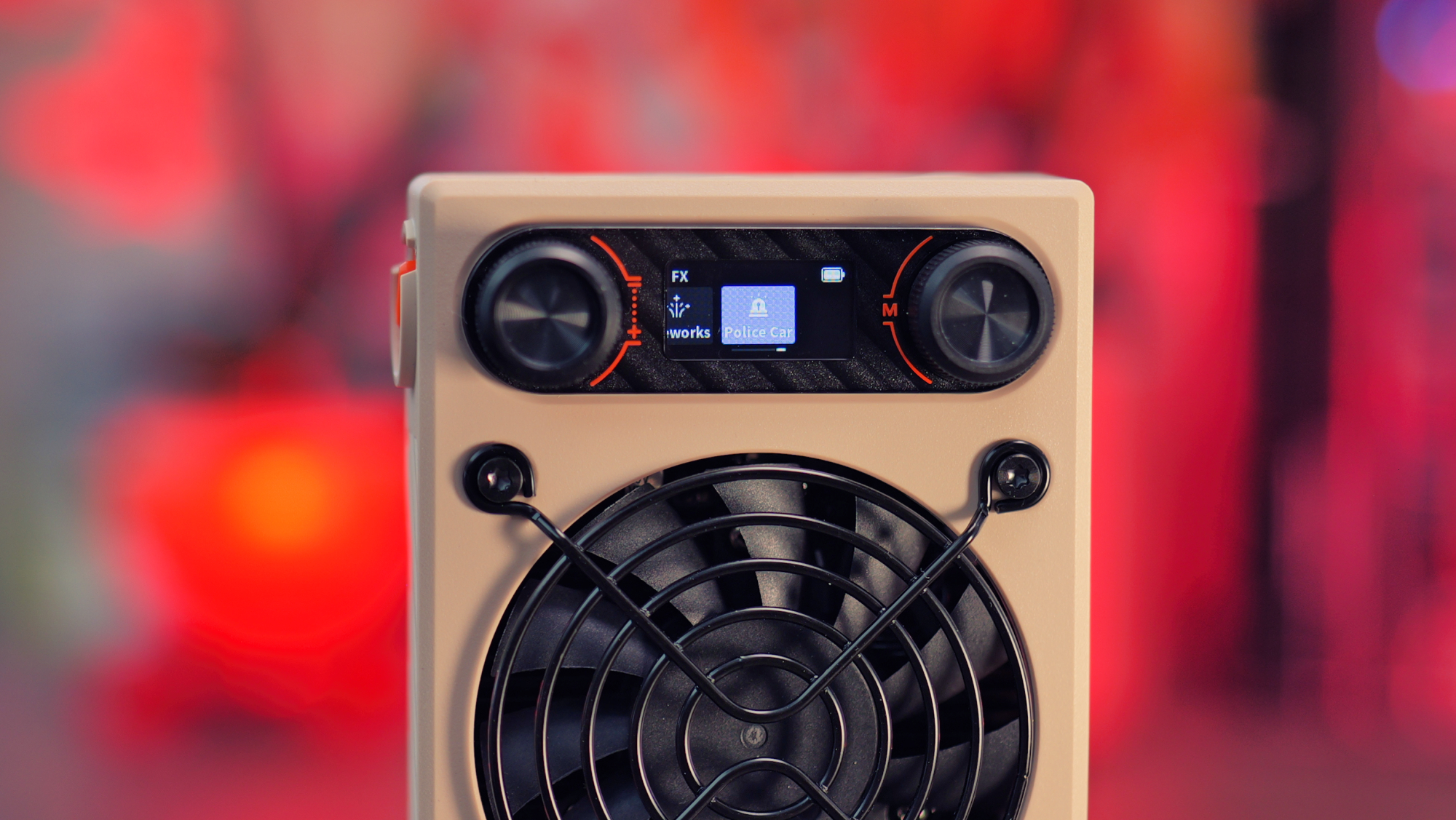
The rest of the functions are controlled via two control knobs and a tiny colour screen on the rear. Navigating the numerous options on this tiny screen can also take some getting used to, but it's well thought out, and after some trial and error, I managed to adapt. I really like that you access just about everything on the light itself, rather than needing to rely on a smartphone app, just expect a bit of a learning curve when trying to remember which knob does what.
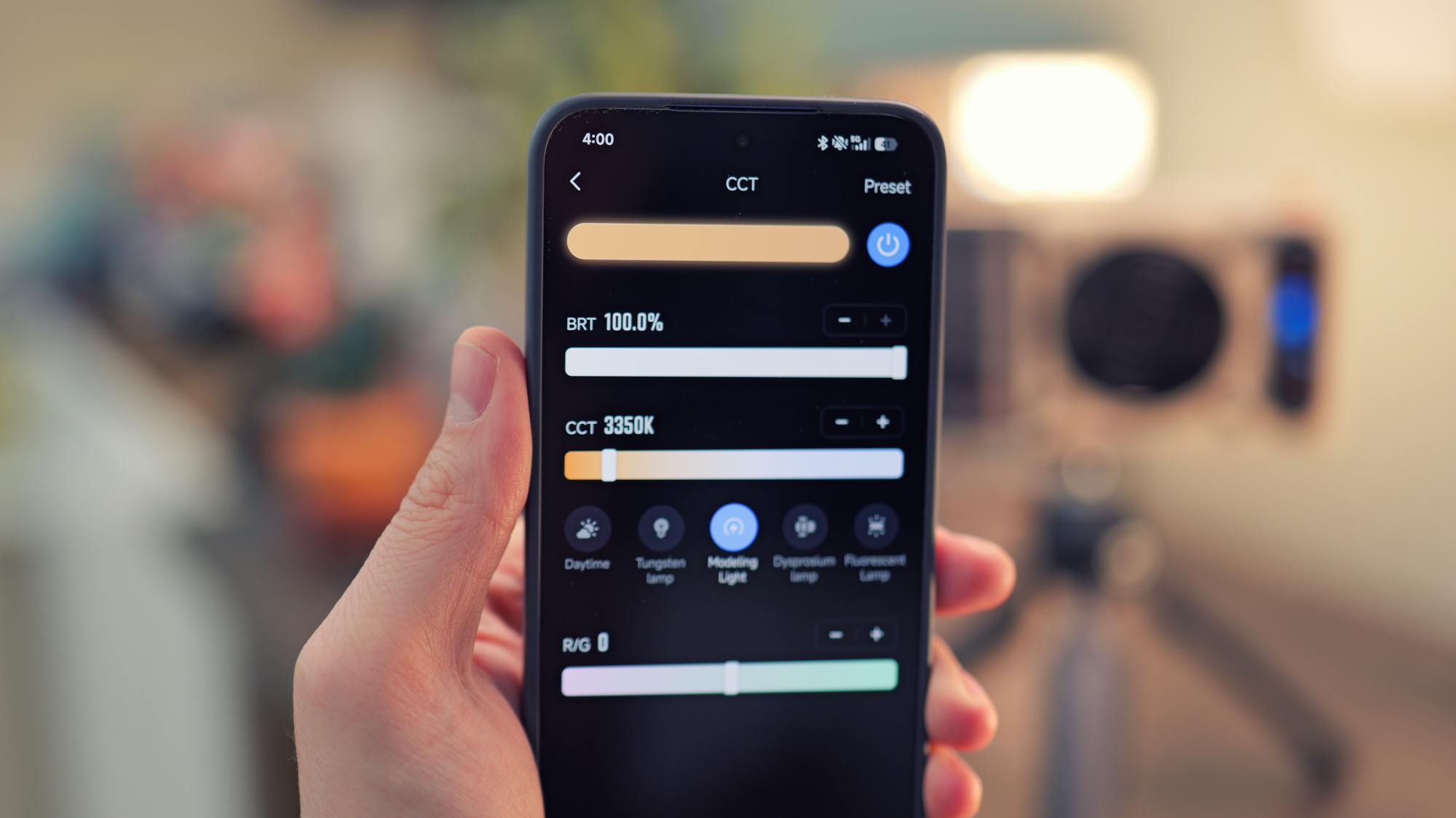
That said, the M60 Ultra also supports wireless control via the ZY Vega app for Android phones. There's not currently an iOS equivalent, but Zhiyun says it's in the works and should be available in the near future.
The app is really handy, especially if you're trying to dial in a specific colour, as it gives you multiple tools for doing so. You can point your phone's camera at an object or another light, and it'll do its best to match it. I was really impressed with how quickly the light responds to changes in the app; it's almost instant. And if you have multiple Zhiyun lights, it gets even better, as you can control all of them at once.
Overall, I'm very impressed with the build quality. Despite being made from plastic and full of airflow holes, the M60 Ultra feels solid and robust. Of course, with such a cooling-focused design, I don't expect it to have any kind of water resistance, but you can't have everything in a footprint like this.
Performance
Considering that it can fit in your pocket, the Fiveray M60 Ultra is astonishingly powerful. It wasn't long ago that a light this powerful would have been a hefty unit requiring mains power; it's awesome to see the progression.
I've been using it almost every day for the past few weeks, either lighting my product shots for reviews like this or lighting talking heads and top-down shots in my YouTube videos.
For product photography, I mainly used the light without any diffuser, and I found I rarely needed to exceed 10% power. It puts out a fairly focused beam, which I found surprising, given its panel shape, and any spill can be reduced further using the magnetic honeycomb grid.
For talking head shots, I used the M60 Ultra as a key light with the supplied plastic diffuser. It does a great job of softening the light, but I was shocked at how much it reduced the output. In a well-lit room, I had to almost max it out to get the desired result. Of course, in a dimmer location, you wouldn't need to push it quite so hard.
The built-in fan only activates when it's needed, and it's barely audible when it does. I usually shoot in the same room as my desktop PC, and I never noticed the sound of the M60 Ultra over the constant background hum of the PC's fans. I often use Zhiyun's older pocket light, the Fiveray M40, and that fan is significantly louder, so I'm happy to see improvements in this area.
The M60 Ultra colour temperature can be adjusted from 2500k to 10,000k in its standard CCT mode, so you shouldn't have much trouble matching existing light sources. It also has full RGB support, and if you switch into HSI or RGB mode, you'll have millions of colours to choose from.
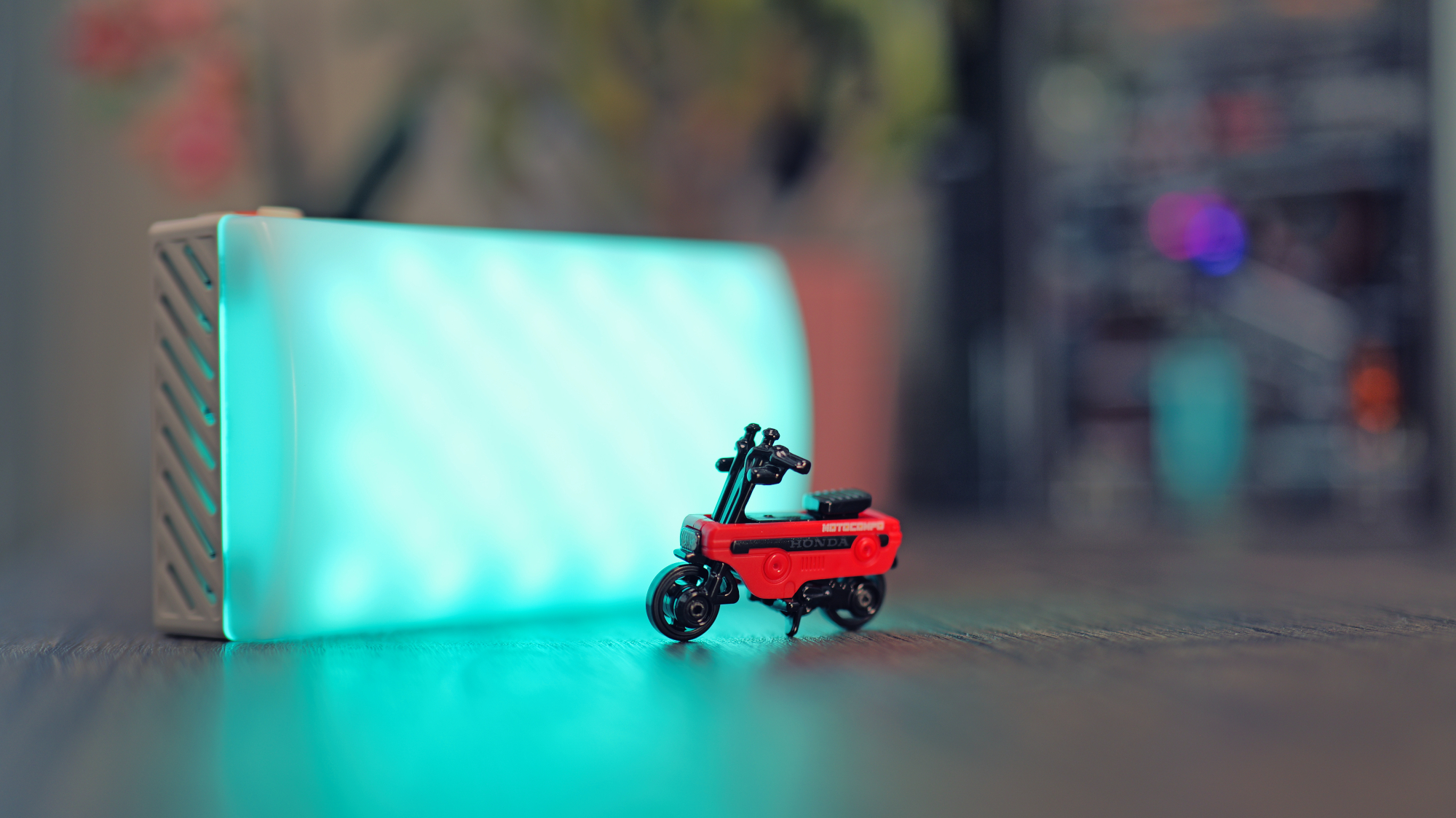
The RGB mode is a great way to add a splash of colour to an otherwise uninspiring scene. I found it really useful to spruce up talking head shots with a colourful wash on the background. It's still bright when using a colourful hue, but not as bright as the white mode, so I found that it's best used without any diffusion in front of it.
The M60 Ultra also has some special effects built in, and they're all somewhat customisable. You can replicate the look of police sirens, a fire, a flickering lightbulb, fireworks, and more. For most people, these effects will be of limited use, but they're quite impressive. If you're working on a short film, they could come in handy.
The light has a built-in 4500 mAh battery, and Zhiyun claims that it'll get you 160 minutes of runtime at 20% brightness. If you max it out at 100% brightness, it should still give you over 30 minutes on a charge.
As mentioned, I was usually running the M60 Ultra at less than 20% brightness, and the battery life really impressed me. That said, if you need the maximum output for longer, that's no issue, as it can be charged while in use. Zhiyun recommends a 60W or higher power source for this, and my 100W Sharge power bank was able to keep it running at full power without issue.
Verdict
If you need a super-powerful panel light that's compact and portable, few options are as compelling as the Fiveray M60 Ultra. It's reasonably priced, the battery life is solid, and it's very easy to transport.
Most 60W portable lights tend to be COB lights with a harsher output; pocket panel lights with such a powerful output are few and far between. Sure, there are products like the Amaran Pano 60C, but that's much larger, heavier, more expensive, and requires mains power. The M60 Ultra stands out as a unique offering.
So, if you're finding that your pocket panel light doesn't quite have the guts to keep up with your shooting needs, the M60 Ultra is very easy to recommend. I've had a great time shooting with it, and I don't plan to stop anytime soon.
|
Features ★★★★☆ |
With a built-in display that lets you access every feature, a smartphone companion app, and numerous lighting effects, the M60 Ultra does everything you're likely to need from it. It's just a shame the iOS app isn't ready yet. |
|
Design ★★★★☆ |
The M60 Ultra's styling is likely to divide opinions, but I think it looks pretty cool. Plus, it offers quiet and efficient cooling, and feels robust enough to take a few knocks. |
|
Performance ★★★★★ |
It's incredibly bright for something so lightweight and portable, the RGB colour mode adds extra versatility, and the battery life is very impressive. |
|
Value ★★★★★ |
At $129, the M60 Ultra feels like a bit of a bargain. None of its competitors offer the exact same benefits, and most of them cost more, too. |