
Over the past few months, a select group of people have been able to play games on YouTube, and now the feature has rolled out to everyone – but take it from me, they’re not worth your time.
Called ‘Playables, ’ YouTube has rolled out 75 titles today per its blog post announcement, all of which can be played for free in the mobile app or on your desktop. Plus, when you quit out of them, if you ever decide to return your progress will have been saved so you can pick up where you left off.
I’ve been trying some of the Playables for research (and definitely not as a way to avoid work) but found none were that fun. They’re mindless ways to burn through 10 minutes or so if you’re desperately bored, but if you’re on YouTube, there are literally millions of more entertaining ways to spend your time on the social media platform (like my recent obsession Jet lag: The Game, or watching The TechRadar Podcast)
Admittedly, Cut The Rope is a charming trip down memory lane with a classic smartphone app, but many other games are those mindless ‘puzzle’ games you see in TikToks or YouTube Shorts. After a minute, they lose all appeal.
It’s certainly nothing close to matching the quality of the Netflix games catalog – though I guess you are paying for those titles as part of a subscription so you should expect them to be higher quality.
Here’s how you can find YouTube’s games
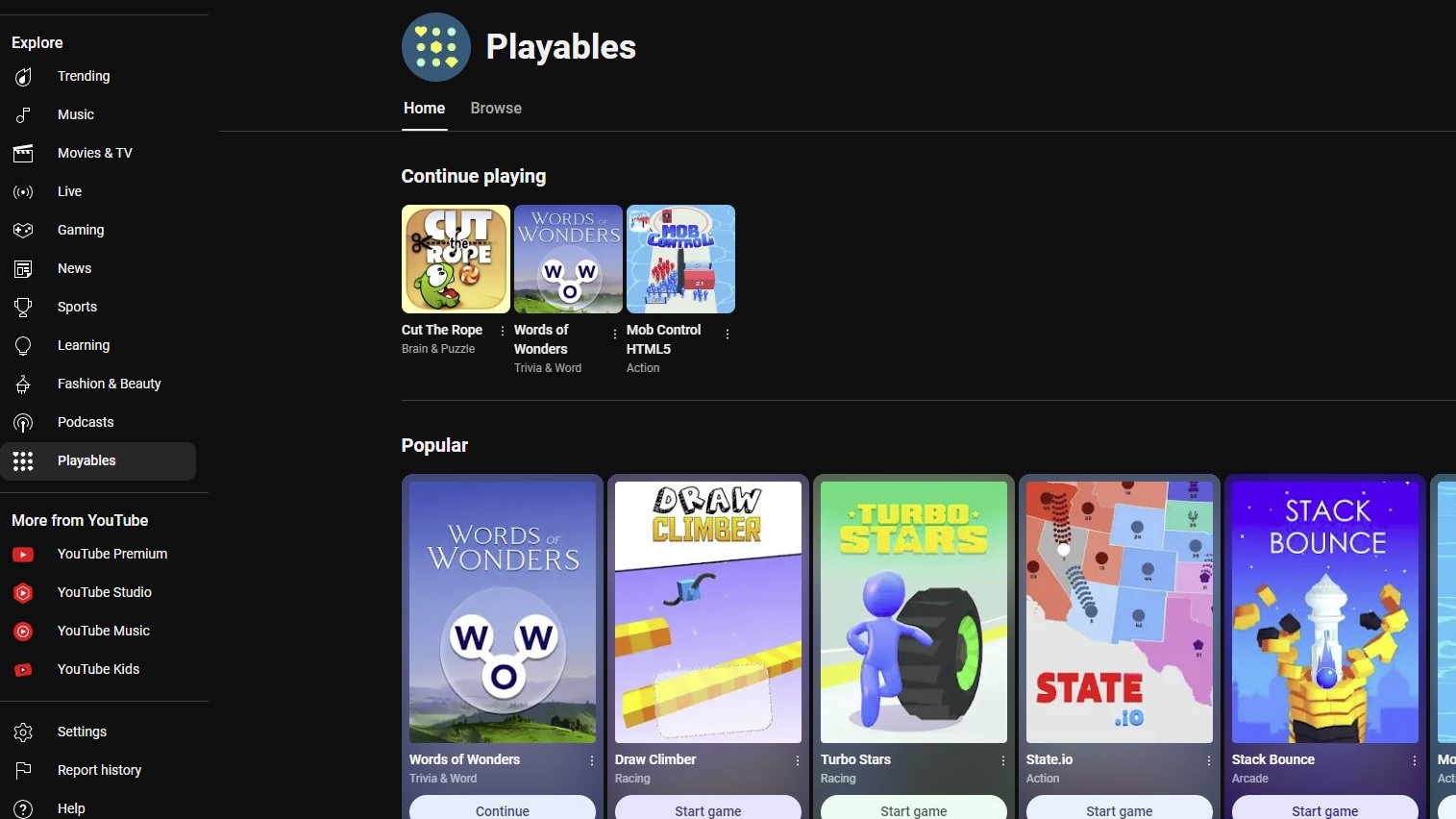
If you’re still interested in finding YouTube’s new games here’s how.
On desktop, head to the YouTube homepage and scroll through the menu on the left side of the screen until you find the Explore section. At the bottom of this submenu, you should see ‘Playables,’ click on it and you’ll have found the games you seek.
On the mobile app, you'll also hit the compass symbol in the top right corner on the homepage. From here, tap on playables at the bottom of the menu, and you’ll find them.
On either platform, you’ll first load into the home menu, which shows you a few games, but clicking ‘browse’ will show you everything YouTube has to offer.