Enjoy our content? Make sure to set Windows Central as a preferred source in Google Search, and find out why you should so that you can stay up-to-date on the latest news, reviews, features, and more.
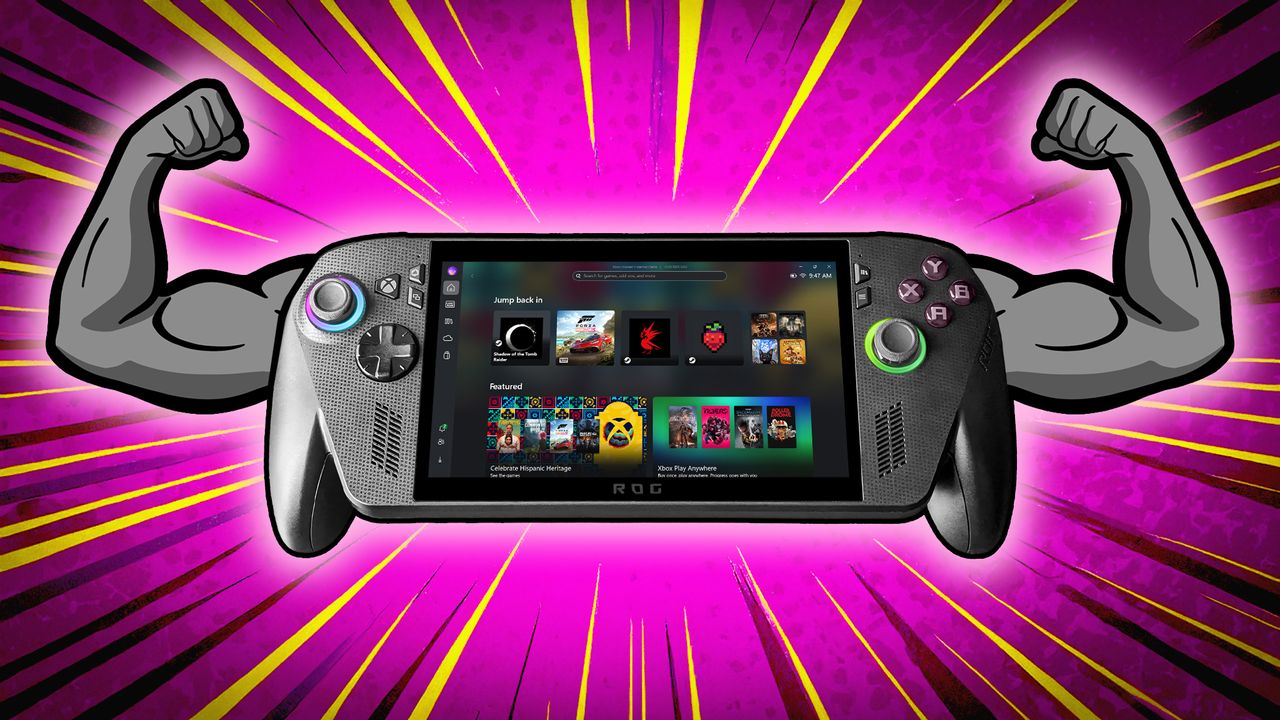
In a new post, Xbox explains how it has been working with the Windows team and ASUS to respond to player feedback on the Xbox Ally, from small quality-of-life fixes to larger feature requests.
The post also confirms that Default Game Profiles are available today for Insiders, giving players a way to reduce manual tweaking by automatically balancing frame rate and power use.
Right now, you have to adjust TDP and FPS limits manually for each game. Default Game Profiles are designed to cut down on that work and make the handheld easier to use. The update also improves input response, library loading, cloud gaming performance, and several other parts of the experience.
A full breakdown of what to expect
Default Game Profiles are a new preview feature that automatically sets a power target and FPS cap for each supported game. The profiles only apply when the Xbox Ally or Xbox Ally X is running on battery power, and are meant to reduce how often players need to adjust TDP or frame limits by hand.
When a supported game starts, the system applies a profile that increases power if the game is struggling to reach its target frame rate. This trades some battery life for smoother gameplay. The feature is currently available in 40 games during testing, and you can toggle it on or off in the Armoury Crate Command Centre.
The current list of first-party games includes:
- Call of Duty: Black Ops 6
- Call of Duty: Black Ops 7
- Call of Duty: Warzone
- DOOM Eternal
- DOOM: The Dark Ages
- Forza Horizon 5
- Gears 5
- Gears of War: Reloaded
- Gears Tactics
- Halo: The Master Chief Collection
- Indiana Jones and the Great Circle
- Minecraft
- Sea of Thieves
- Tony Hawk’s Pro Skater 3+4
The update also improves gamepad response after logging in, which is something I have noticed on the Xbox Ally X, as inputs can take a moment to register. Loading large game libraries should now be faster as well.
Xbox mentions improvements to the Cloud Gaming page, with quicker loading and smoother navigation. There is also a new option to filter games by performance fit, showing how well each title is expected to run on the device. The update includes general bug fixes and performance improvements, too.
How to get the update right now
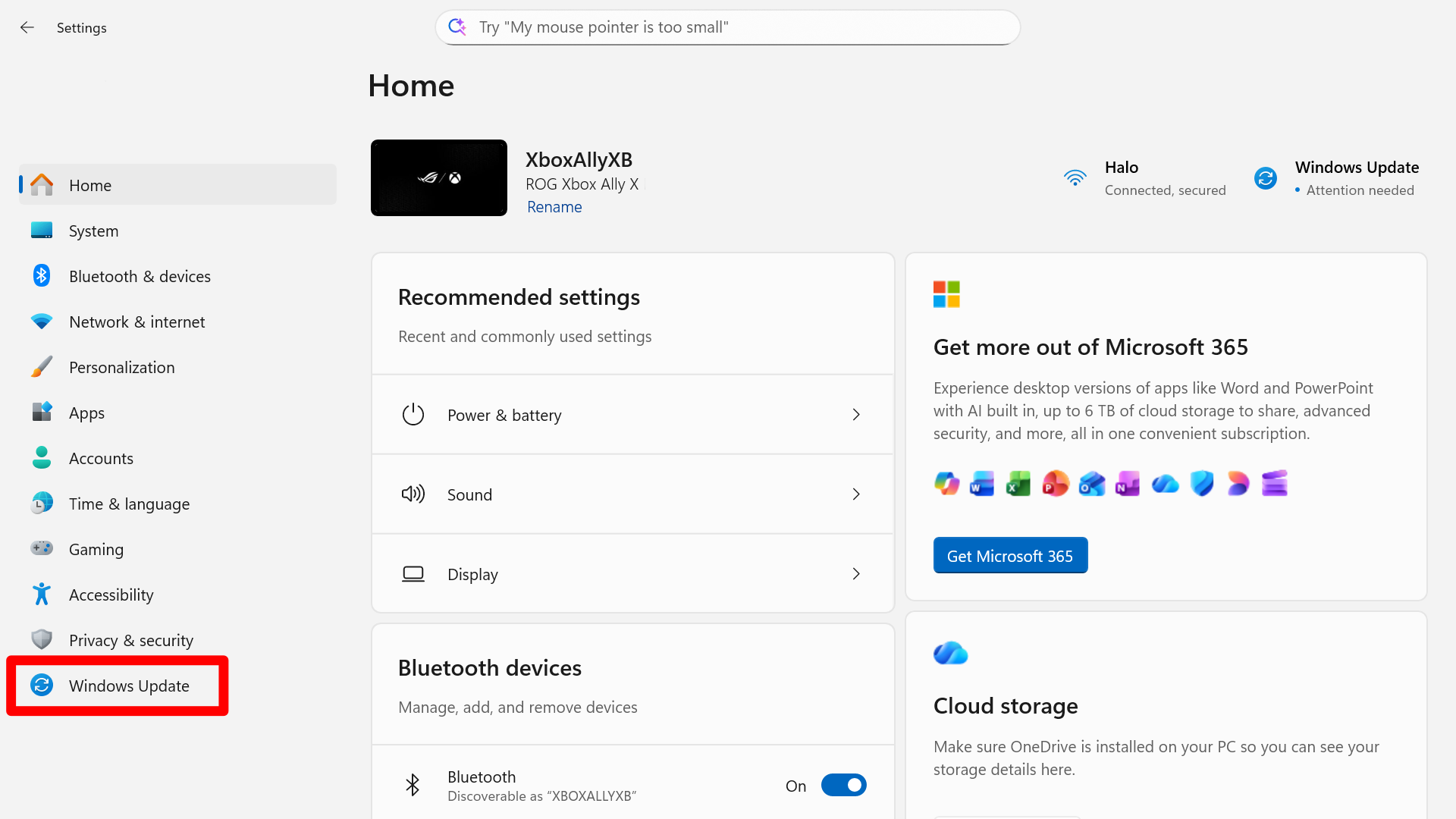
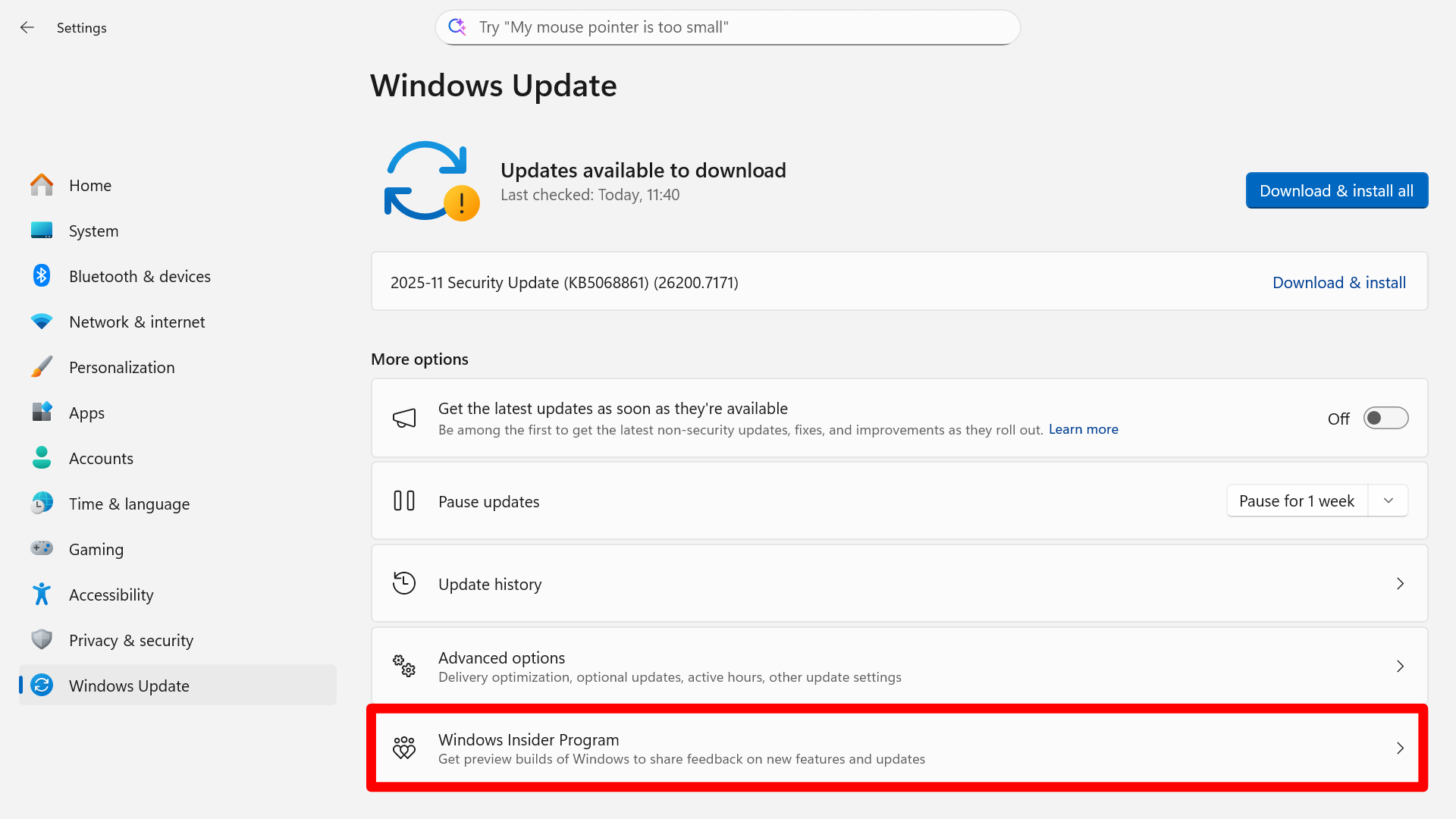
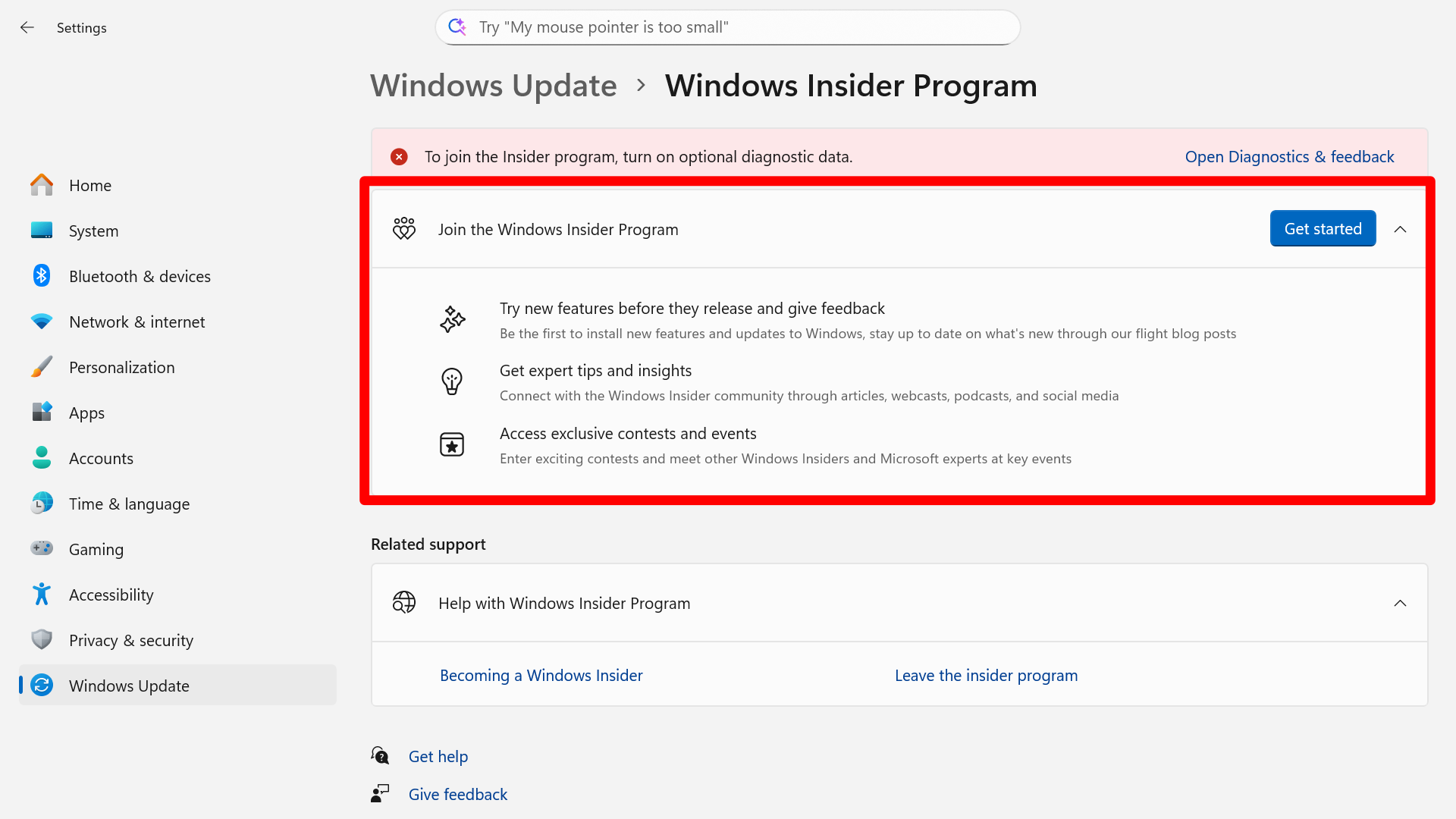
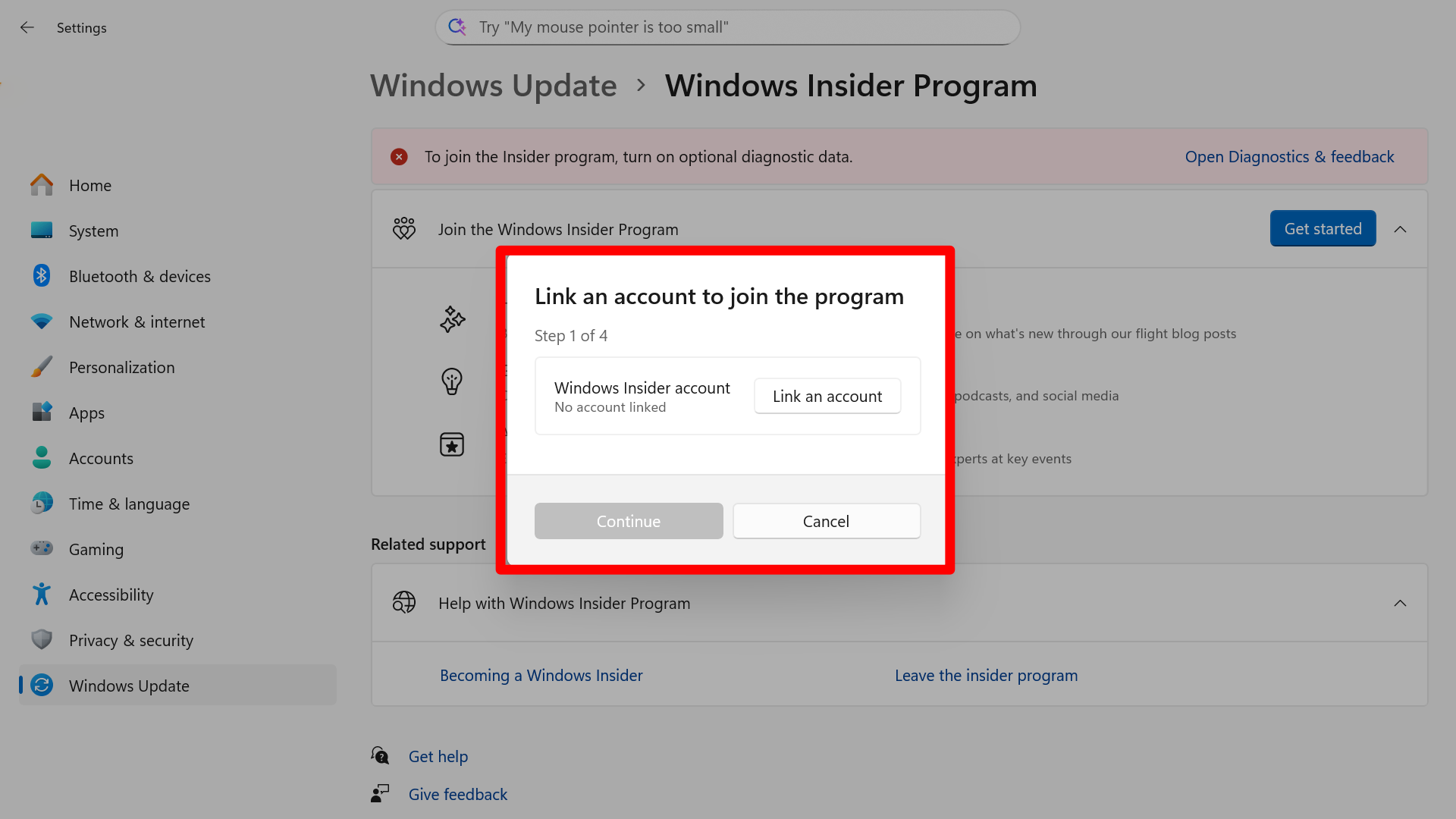
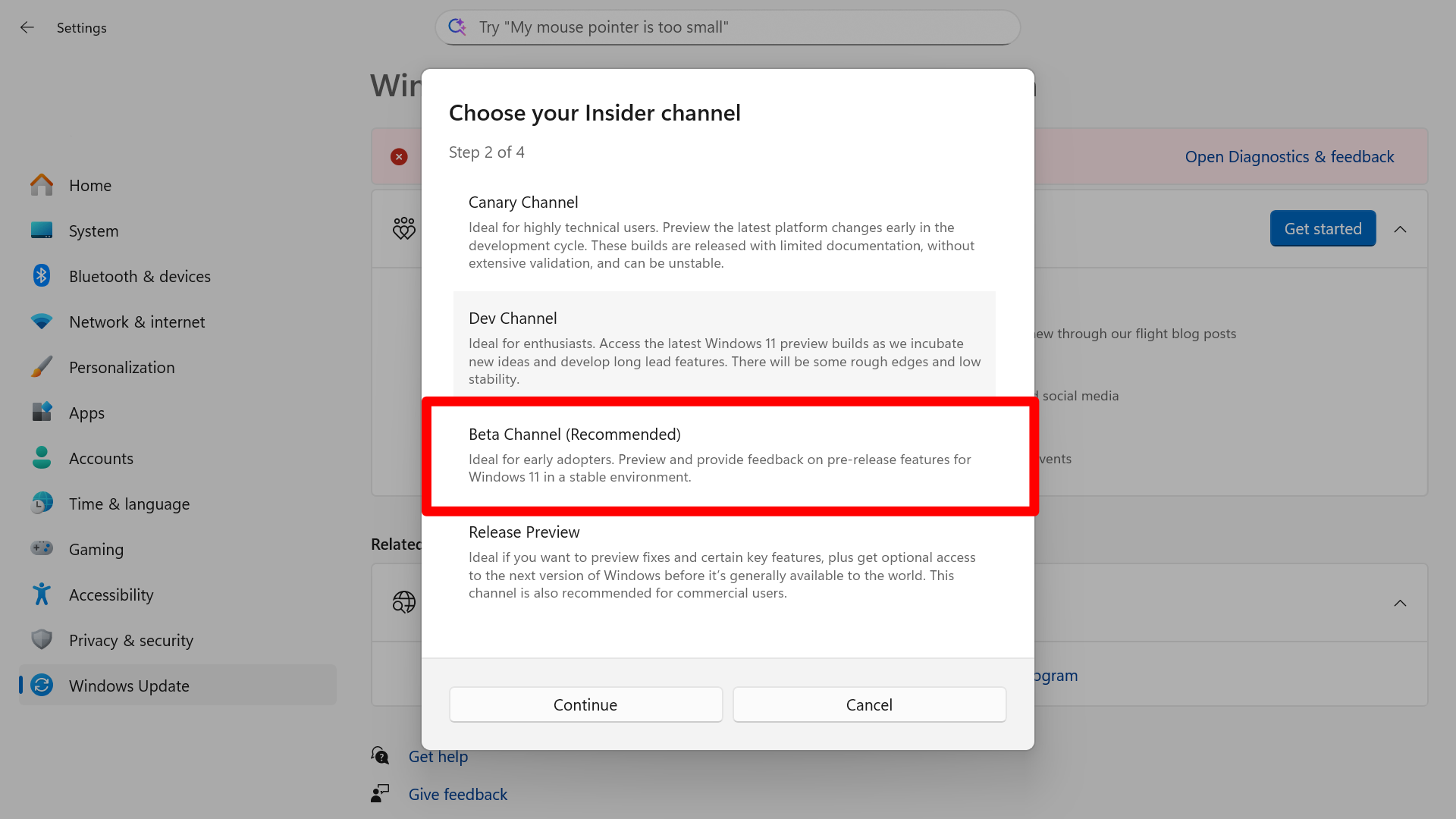
Default Game Profiles are available today through the Windows Insider Program. You need to enroll if you want to try new features before they roll out to everyone.
Before you start, make sure your handheld is fully updated to the latest Windows 11 build.
How to join the Windows Insider Program on the Xbox Ally:
- On your Xbox Ally, go to Windows Settings.
- Go to Windows Update.
- Ensure that you’re sending Optional Diagnostic Data, it will tell you if you aren’t .
- Select Windows Insider Program and follow the instructions.
- You'll be prompted to restart.
- Go back to Windows Update after restarting.
- Select Check for Updates.
Once you've downloaded and installed the update, you should be able to try out the Default Game Profiles feature.
If you give it a whirl, drop into the comments below and let us know what you think!

Follow Windows Central on Google News to keep our latest news, insights, and features at the top of your feeds!