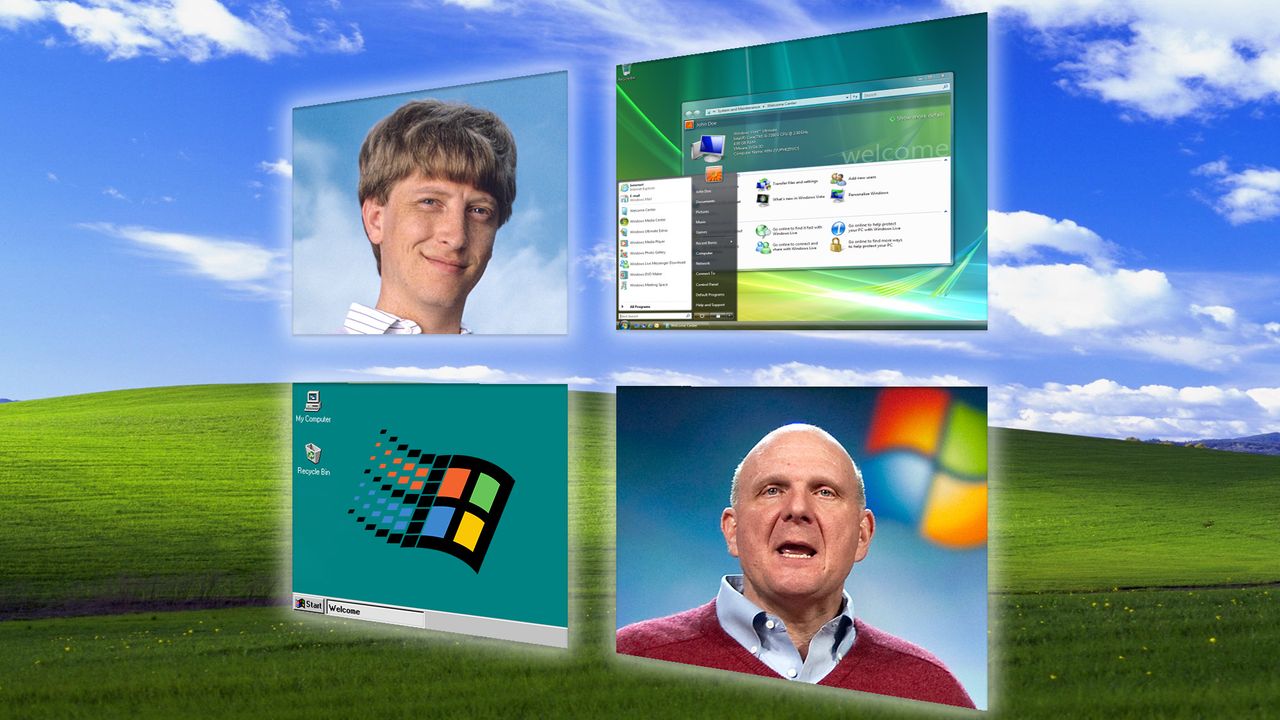
Windows turns 40 this week, and we're celebrating the big 4-0 with a look back at how everyone's favorite operating system has succeeded (and failed) over the years.
Microsoft officially launched the inaugural version of Windows on November 20, 1985, just a few months after I was born. The company had already been in business for a decade selling BASIC interpreters for the Altair 8800 (which is why we celebrated Microsoft turning 50 back in April), but it was Windows that made the company the tech titan it is today.
These days it can be hard to remember the early years when Microsoft was a scrappy company fighting for market share and Windows was exciting and new, but they happened. And now that the company has brought us into the Windows 11 era, I think it's a good idea to look at how we got here.
With that in mind we thought it might be fun to quickly look back at the highs (and lows) of Windows' 40-year career. Scroll down to see how many you remember, and share your favorites in the comments below!
20. Windows 1.0
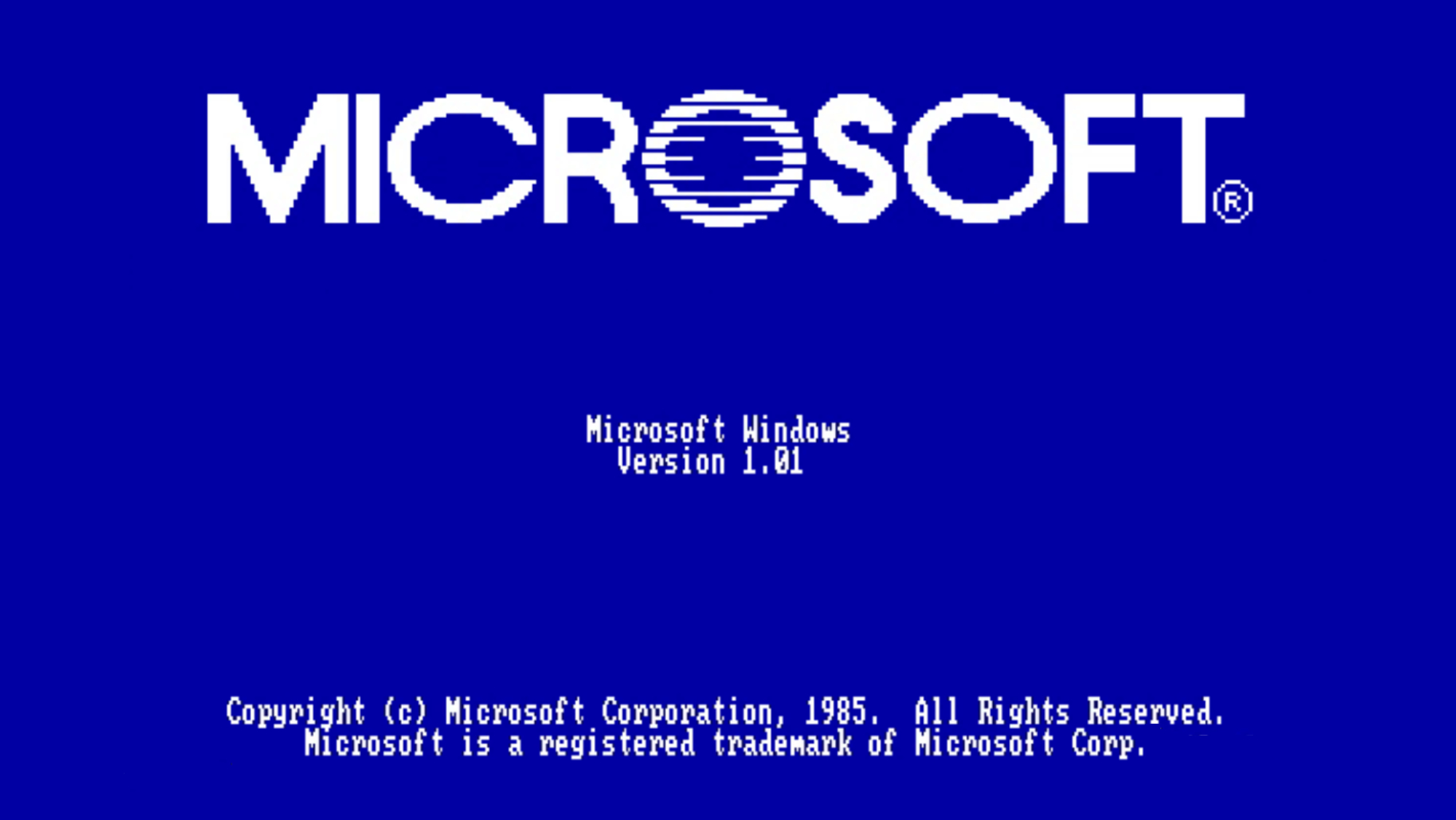
I won't be stricly chronological in this list of the highs and lows of Windows' 40-year run, but how could I not start with where it all began?
In the fall of 1985 Microsoft released Windows 1.0, the original version of the operating system so many of us still use decades later.
It's hard to appreciate now, but at the time a graphical operating system like Windows was pretty novel. Until the early '80s you typically interacted with a PC by working from a command line, but Apple changed the game with first the Lisa and then the Macintosh personal computer.
But while Apple is arguably the pioneer of GUIs in operating systems, the fact that the Lisa cost roughly $10,000 to own when it launched in 1983 kept it out of the hands of most people. Microsoft, meanwhile, saw where the market was heading and put together its own $99 GUI-based operating system: Windows 1.0.
The first version of Windows effectively added an intuitive window-based system for moving and interacting with files on top of MS-DOS, making PCs much easier for newbies to access and kickstarting the era of personal computing.
Microsoft went on to support Windows 1 until 2001, making it the longest-supported version of Windows in history. You can take a peek at it for yourself if you head over to the PCjs Project, where you can run an emulated version of Windows 1 (and many others) in your browser.
19. Comic Sans

Microsoft is responsible for a fair few fonts, but for my money none have done more damage to my psyche personally than Comic Sans MS.
Look, I love a funny sign as much as the next guy. But when ex-Microsoft staffer Vincent Connare designed Comic Sans in 1994 I truly don't think he understood what he was about to unleash.
The font debuted in the same Microsoft Plus! for Windows 95 add-on pack that brought us 3D Pinball for Windows - Space Cadet, which gives you a sense of how momentous those old Windows update packs were. Worse, you had to pay $49 for the pack, so the first people to use Comic Sans were paying for the privilege.
18. Windows 3.1
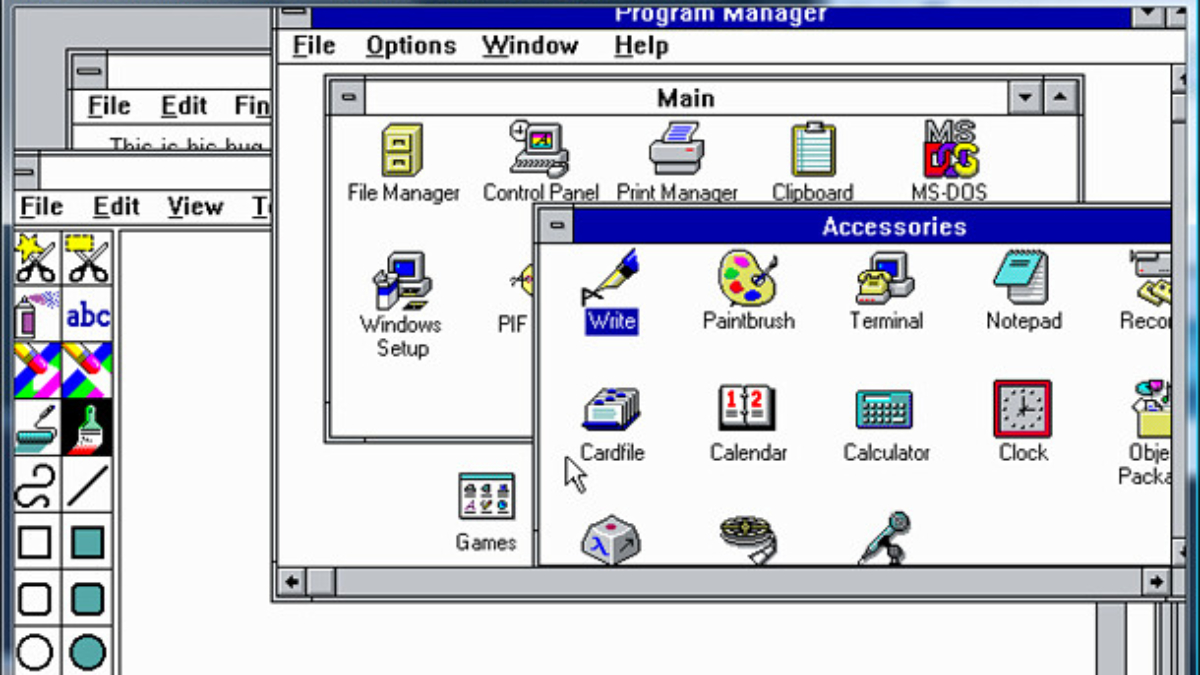
I dunno about you, but Windows 3.1 was my first operating system (if you don't count the Apple IIs in the back of my classroom) and I still have a soft spot for it in my heart.
Isn't it funny that we all remember Windows 3.1, and not Windows 3.0 (much less Windows 2.0)? Personally I think that's because Windows 3.1 bundled a bunch of 3.0 improvements together into one software package that was then sold widely on the back of Windows 3.0's commercial success.
So if you, like me, were a kid in the '90s you were very likely to run into Windows 3.1 somewhere and very likely to remember it because 3.1 popularized features like the Windows screensaver, the Windows Media Player and the Sound Recorder.
But for me, what I remember best about Windows 3.1 were Minesweeper and Solitaire. These games were introduced to Windows with 3.1, and they've been mainstays ever since.
17. Game for Windows Live

Hoo boy, remember Games for Windows Live? Because I remember it as a huge disappointment and one of the most memorable ways in which Microsoft squandered the advantage it has by owning the operating system which nearly every diehard PC game fan uses to play games.
And when you consider that Microsoft also owns the Xbox platform and helped lead the industry in online gaming with the Xbox 360, it's especially aggravating that the company fumbled Games for Windows so hard. I was there when Microsoft launched it in 2007 as Windows' answer to the Xbox Live service, and while it was neat to be able to log into your Xbox Live account on your Windows PC it rarely brought much benefit.
Sure, in some Windows Live games (like Fallout 3) you could log in with your Xbox account, then use console commands to cheat your way to getting all the game's achievements (and the accompanying 1,000 Gamerscore points) in seconds. But in many games, GFWL felt like an unnecessary addition that was a hassle to deal with and an annoyance when Microsoft finally stopped supporting it.
Of course, it took the company ages to admit that it was no longer doing anything with the service and longer still to officially wind it down. But by 2018 you could no longer buy games on the Games for Windows Live Marketplace, and by 2022 it was completely dead.
16. DirectX
Since I'm talking about Windows' impact on PC gaming, we gotta give a shoutout to Microsoft DirectX.
You might not know what DirectX is, but if you've ever played a game on a Windows PC you've probably benefited from this package of application programming interfaces (APIs) that help developers build games for Windows.
DirectX debuted in 1995 for Windows 95 and continues to be heavily used today, with the latest version (DirectX 12 Ultimate) featuring updates geared for Windows 11.
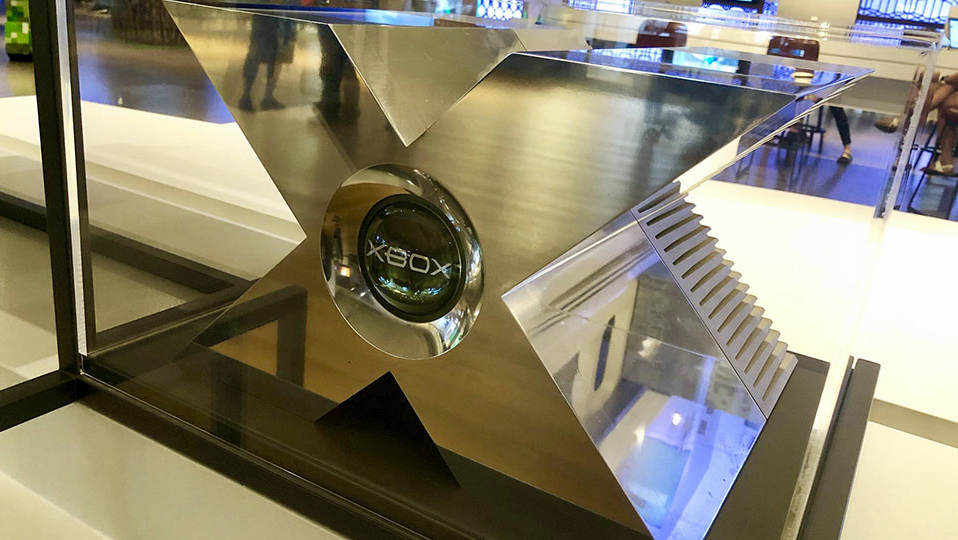
But more people probably interact with this technology via their Xbox game consoles, which actually take their name from DirectX—the original console prototype was known as the "DirectX Box" and it's a simple enough jump from that to just Xbox.
15. Microsoft Teams
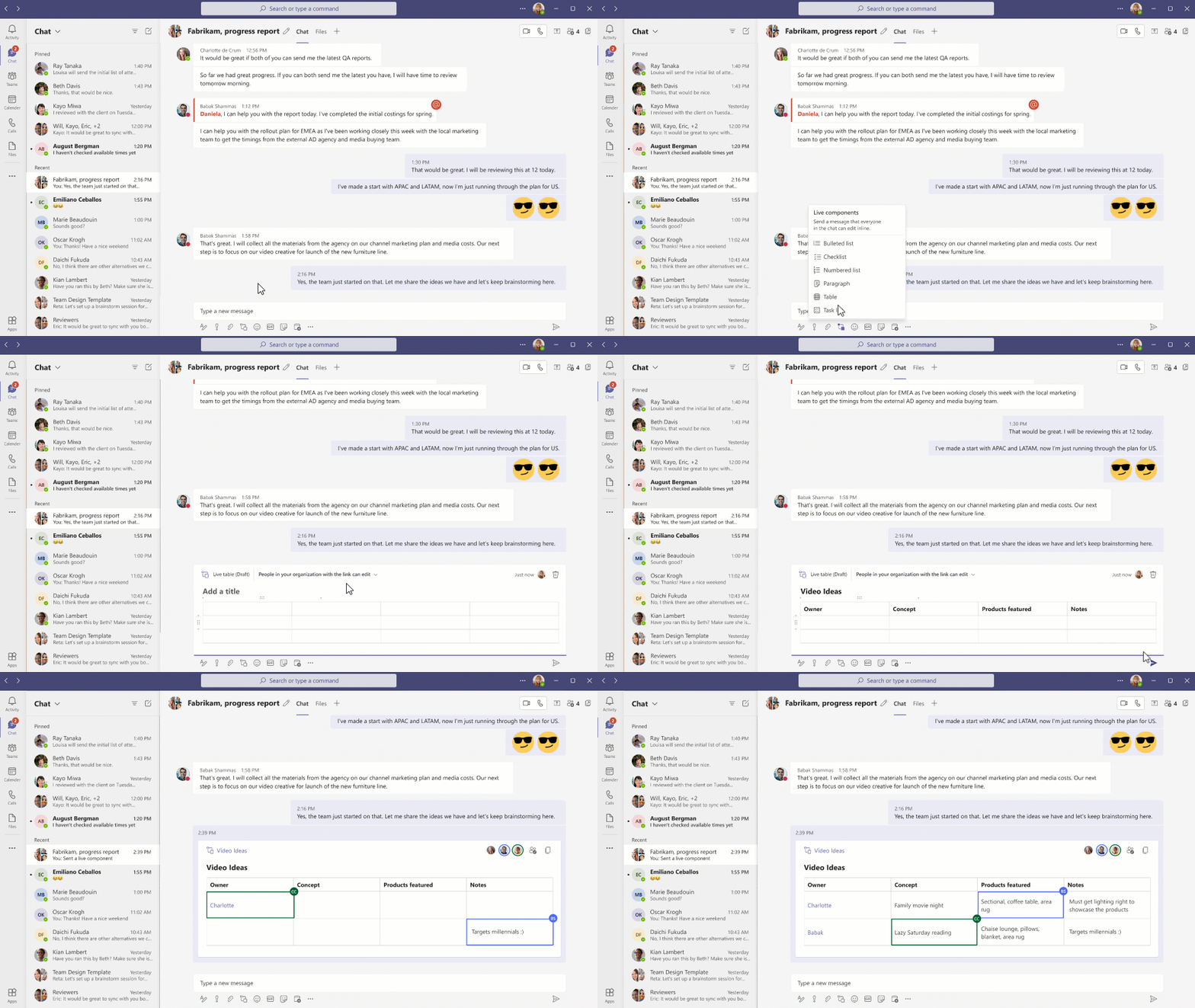
Look, Microsoft Teams is fine. It's fine!
Heck, if you use it regularly you probably know it better than I do and you might even think it's better than fine. Microsoft Teams has certainly improved since it launched back in 2017, and nowadays it's a bona fide competitor to the likes of Google Meet, Slack and Zoom.
But I really think you need to be working in a company that relies on Microsoft's tech stack for Microsoft Teams to actually be worth using. If you aren't regularly messaging colleagues about PowerPoints and sharing Word docs in meetings, there's really no reason to use Teams—and it becomes an irritation since it's automatically installed with Windows 11.
Often this means it's just an annoying drain on system resources that can be easily removed from your PC with a few minutes' work, but if you (like me) set up Windows PCs fairly regularly removing Teams can become a serious annoyance.
Plus, now that handheld gaming PCs are a thing Teams is irritating a whole new group of people. Can you imagine buying a new ROG Xbox Ally handheld and realizing that Microsoft Teams is sitting on the taskbar of the Windows 11 desktop on your tiny 7-inch screen?
So while Microsoft Teams has generally been a pretty good collaborative tool, the fact that Microsoft installs it automatically with Windows and forces you to disable and remove it yourself renders it more of a hindrance than a help for most of us.
Yet even so, Teams is notable because it represents Microsoft's ability to sell Windows as a business platform. When your company buys into Microsoft 365's product suite Teams becomes a lot more useful, and that value is going to be key (I think) to Microsoft's long-term viability as a business. Because the company has always tried to dominate the business and enterprise software markets, and Teams is the leading edge of a productivity suite that aims to rival the best that Salesforce, Zoom and others can bring to market.
14. Minesweeper
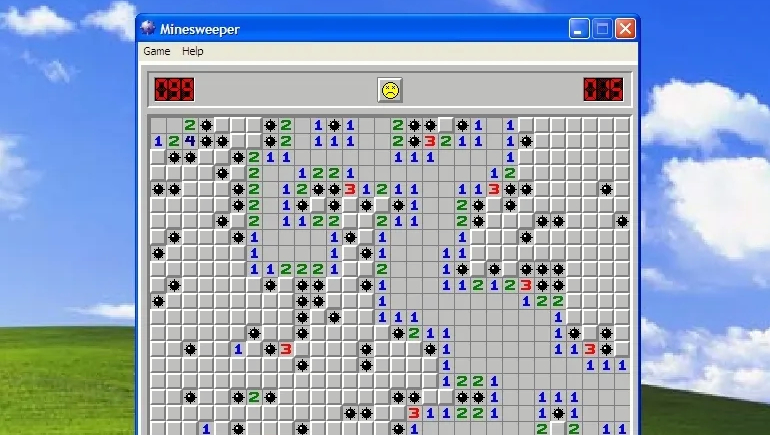
Is any game more associated with Windows than Minesweeper?
Well, maybe—lots of people (my Mom included) have spent countless hours clicking through Windows Solitaire, while 3D Pinball was so popular and so tied to Windows that I give it a shoutout elsewhere in this list.
But for me, it's Minesweeper that was the high point of Windows gaming back in the '90s. That's because I was a kid back then who couldn't afford to buy his own games, so I was stuck playing whatever I could find on whatever screens I could access.
And for lots of us '90s kids the school library or computer lab often had a few ancient PCs that held cornucopias of weird old games on their hard drives. And while I had lots of fun playing games like Lunar Lander and The Oregon Trail on ancient computers, anytime I found a Windows machine I could access you better believe 8-year-old me was firing up a new game of Minesweeper.
The game itself launched in 1990 as part of the Windows Entertainment Pack, but by 1992 it was coming pre-installed on every copy of Windows 3.1. That's how I and a legion of other fans found it, cementing its place as one of the most recognizable games in Windows' history.
13. Copilot key
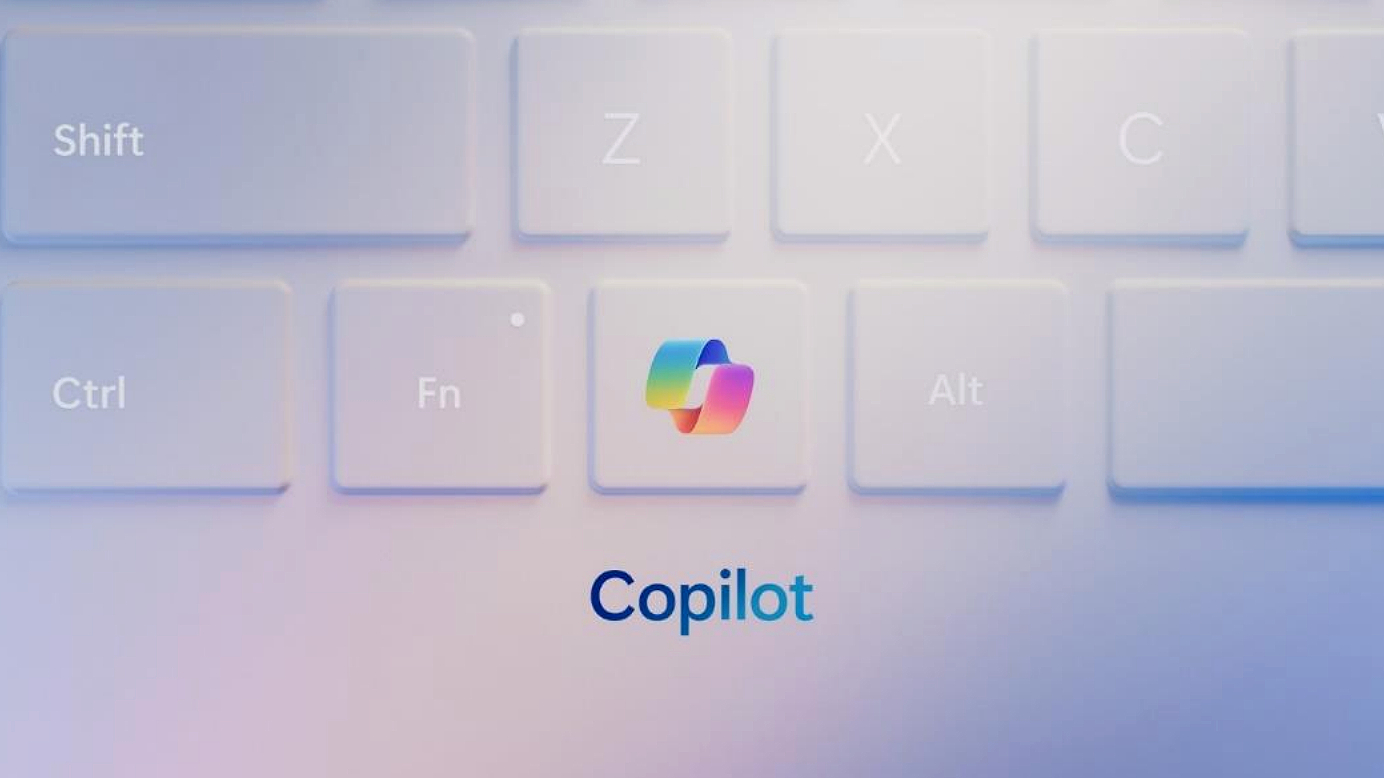
Here in 2025 there have been rumblings that Microsoft has aspirations to make Windows an AI-based operating system, with AI "agents" that will work to try and anticipate and accommodate your needs on their own.
If that ever comes to pass, we'll probably trace the beginnings of the "agentic" Windows back to Microsoft Copilot, the first assistant to be injected into Windows since the ill-fated launch of Cortana back in 2014.
While Windows Copilot rolled out in 2023, Microsoft waited until early 2024 to announce plans to start shipping Windows keyboards with a new "Copilot key" alongside the spacebar. Many keyboard manufacturers followed Microsoft's lead, and nowadays it's a toss-up as to whether your new Windows PC or laptop will come with a Copilot-branded key.
Hit that key, of course, and you (usually) summon the Copilot AI assistant. And while I thought this was potentially a neat idea at launch, now that I've spent a few years trying to use Copilot effectively I think the Copilot key was a bad idea and an overblown marketing move. Microsoft should have kept it a simple keyboard shortcut (like Windows + C) until Copilot was legitimately a must-have feature that a majority of Windows owners regularly use, but instead they put a logo on one of your keys that may as well say "never press me."
12. Windows 95

I don't know about you, but I loved Windows 95. I was maybe ten years old when it shipped in the summer of 1995, and back then the arrival of the Start button was a revelation.
It's hard to remember now, but there was a time when Windows didn't have a taskbar, a Start button or any desktop shortcuts. These innovations were all popularized by Windows 95, and if they were a bit too reminiscent of Apple's macOS, well, that controversy was put to bed in '97 when Microsoft bailed Apple out of financial trouble.
Love it or hate it, Windows 95 set the tone for the 30 years of Windows to come. Microsoft may move the taskbar and Start menu around a bit, but it has yet to surpass the fundamental design elements it established 30 years ago.
11. Windows Vista

Microsoft dropped Vista on us in 2007 as the sequel to Windows XP, and it didn't go as well as the company hoped.
Sure, Vista introduced some useful upgrades over XP, including DirectX 10, Windows Speech Recognition and that glassy-looking Aero design language. Heck, I really liked the look of it after XP.
But the cost for many early adopters was worse game performance than XP along with a metric ton of annoying notifications from the then-new User Account Control security feature.
Microsoft eventually fixed some of the flaws in Vista by releasing Windows Vista Service Pack 1 a year later, but even that rollout was plagued by technical issues.
10. Clippy

Clippy is a good thing...right?
Right?!
I'm still on the fence as to whether I like him or not, but I can't argue with the cultural staying power of this anthropomorphic paperclip.
We first met Clippy back in 1997 as Clippet, the animated assistant for Microsoft Office. The little paperclip was one of many assistants you could enable when using Microsoft Office products, but he proved to be the one that most people grew to love to hate for constantly nagging you with suggestions like "it looks like you're writing a letter. Would you like help?"
People grew so fond of hating on Clippit/Clippy that four years later Microsoft integrated the death of Clippy into its marketing for Office XP 2001. The company made a point of saying its new productivity software was so easy to use you wouldn't need to be bothered by Clippy, and the character faded into the realm of myth and memes.
Fast forward to today though and Microsoft continues to bring Clippy back to promote its other services. A few years ago a Clippy sticker pack was added to Microsoft Teams, and Microsoft released a commemorative wallpaper (above) featuring Clippy.
I imagine the next time we see Clippy it will be powered by some sort of AI assistant, but we'll see!
9. Microsoft Edge
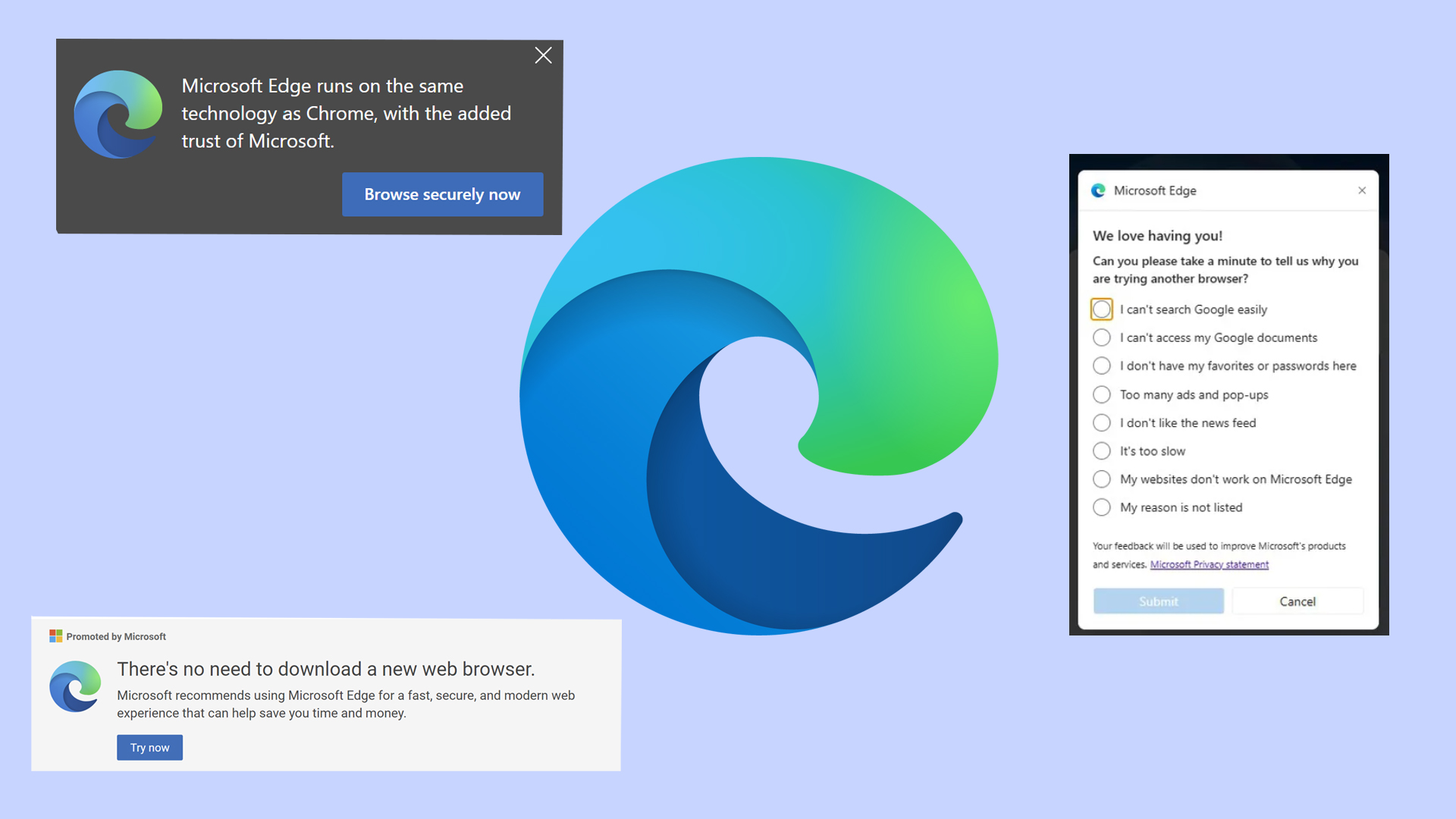
I don't actually have a problem with the performance of Microsoft Edge. I think it's a completely serviceable web browser, and Microsoft makes it pretty easy to bring your bookmarks and other data into Edge from Google Chrome and other browsers.
No, I have a problem with how desperate and needy Microsoft is willing to appear in order to try and keep people from downloading other browsers—and specifically Chrome.
If you haven't noticed this, try downloading a copy of Chrome using Edge. I do this regularly when setting up a new laptop or desktop here at Tom's Guide, and every time I'm forced to close at least one nagging notification from Edge begging me not to stop using it. Not only do these nagging messages not keep me using Edge, they actively push me away from the browser because its developers waste time coding nagging pop-ups into it instead of working to improve the actual product.
8. Windows 8

When Windows 8 debuted in 2012 Microsoft touted it as the most touch-friendly Windows yet and honestly, it was—but so few of us enjoyed touching it that it was hard to feel excited about using Windows during this dark period.
Of course Windows 8 brought us a lot of new things we now think of as integral to the operating system, including the Microsoft Defender antivirus, OneDrive (then branded SkyDrive) and a Microsoft Store full of Windows apps.
But they were a lot less useful back then, and Microsoft reportedly sold far fewer Windows 8 licenses at launch than it expected. The company tried to make amends by releasing Windows 8.1 a year later with some much-needed improvements (including new options to customize the Start menu, which I hated), but it wasn't enough to redeem this disappointing OS.
7. Windows Hello

If you're not familiar, Windows Hello is Microsoft's branding for the suite of biometric authentication features built into Windows. And while I totally understand if you're not a fan of Microsoft logging your fingerprint or a scan of your face, I can't pretend it hasn't been a game-changer for Windows users.
I know because I've been using Windows PCs for over thirty years, and I've been reviewing them professionally for over a decade. And while I regularly disable Windows Hello when reviewing laptops for convenience reasons, for machines I own, I value the option to be able to log in with just a look or a finger press.
6. Windows prioritizing "Developers! Developers! Developers!"
One-time Microsoft CEO Steve Ballmer went viral ages ago for a particularly loud and sweaty presentation during which he strode back and forth across the stage selling the crowd on how important third-party software developers are to the success of Windows.
This can be hard to remember these days, but once upon a time Microsoft was a lot more gung-ho about encouraging you to buy, download and install software from all sorts of people. And while on the business side Microsoft was busy buying out and eradicating the competition while making deals to get Windows bundled on all sorts of hardware, on the marketing side we were being sold on the viability, versatility and freedom of choice that Windows gives you.
Ballmer was well-known for his passion and energy on the job, and a cursory Google search will turn up at least a few videos of him strutting, bouncing and shouting during company presentations. But the "developers! developers! developers!" speech (a clip of which, captured during a 1999 NET Conference. is embedded above) screaming about the importance of third-party developers remains one of the top Windows-related clips that people share the most, over 25 years later.
5. Internet Explorer

Let's stop talking about Edge and take a moment to remember what it replaced: Internet Explorer, aka the web browser that shipped with Windows for nearly 30 years.
It's hard to remember now, but if you were a kid in the '90s the Internet Explorer window was like a gateway to worlds you'd never seen before. I was there and it felt like if you opened a web browser, you could find all sorts of novel and interesting things—you just had to know where to look.
It also felt like Internet Explorer was everywhere, too, which makes sense since Microsoft edged out Netscape in the browser market by making Internet Explorer the de facto browser that came with Windows. The rest is history, and nowadays so is Internet Explorer—Microsoft ended support for it in 2022 in favor of its new browser, Microsoft Edge.
4. Windows RT

Windows RT was originally named Windows on Arm, for good reason: it was a simplified version of Windows 8 designed to run on Arm-based chipsets.
Microsoft launched it in 2012 alongside Windows 8, and the original Surface was such a prominent flagship for the OS that we all started calling it the Surface RT. The problem is, Windows RT came with a lot of limitations that made it ideal for putting on a kid's tablet but terrible for a power user.
The UEFI Secure Boot safeguard was permanently enabled in Windows RT, for example, which makes it impossible to install other operating systems on the device. And the OS initially did not ship with support for Microsoft Outlook, though that was fixed with an update a year later.
But the biggest failure of Windows RT was that it was limited to Arm-based devices at a time when anyone shopping for a portable PC could pretty easily find a more capable Intel-based device for the same price—and those devices could run a full version of Windows 8.
Of course, these days Windows 11 not only runs on Arm, it runs great, helping the best Windows laptops enjoy the battery-sipping benefits of an Arm-based Snapdragon chipset while still taking full advantage of Windows' features. But to get here, we had to go through the dark days of Windows RT.
3. 3D Pinball

If you were using Windows 95 back in the day you might remember the Microsoft Plus! pack, a $49 add-on pack for Windows 95 that came with new software and utilities, new features for Windows (like themes!) and, most importantly, a specially licensed version of the Space Cadet digital pinball table from Cinematronics' Full Tilt! Pinball.
Technically Full Tilt! Pinball included 3 different pinball tables, but you could be forgiven for not knowing that because so many of us only ever played this game as "3D Pinball for Windows - Space Cadet", so we only ever played the Space Cadet table.
And you know what, it was great! Here at Tom's Guide some of us immediately remembered "3D Pinball for Windows" with remarkable fondness, so imagine my surprise when I did some digging and found that not only did Full Tilt include the Space Cadet table, it also offered Dragon's Keep and Skulduggery tables!
These games are no longer easily available to purchase, but with some digging you can find free recreations online or on mobile app stores if you want to indulge in a bit of nostalgic fun.
2. Windows Phone

I know this won't be a big deal for everyone, but I had high hopes for Windows on phones and now that I've hopped between Android and iOS for ages I mourn what we lost when Microsoft tried (and failed) to make Windows Phones a thing.
Microsoft's most notable mobile verison of Windows launched in 2010 as Windows Phone 7, and it brought the colorful tile-centric Metro design language to phones from the likes of HTC and LG.
There were some real issues and limitations with the OS, but Microsoft worked hard to improve it and managed to launch Windows Phone 8 and Windows Phone 10 on all sorts of phones, most notably Nokia's Lumia line (though there were also outliers like the Acer Liquid Jade Primo).
The partnership was apparently so critical that Microsoft bought Nokia's mobile phone business in 2013 for over $7 billion. But by 2017 the company had given up on Windows Phones and effectively ate those billions with no meaningful mobile business to show for it.
And now that Windows 11 is more touch-friendly than ever and we're seeing Microsoft working on a more navigable Xbox interface for handheld gaming PCs, I can't help but pine for what might have been had Windows Phones been given the shot they deserved.
1. United States v. Microsoft Corp antitrust ruling

I'm a '90s kid from the States, so when I was growing up I heard a lot about former (then current) U.S. Attorney General Janet Reno. And one of the big things that happened during her tenure kicked off in 1993, when the U.S. Department of Justice began investigating Microsoft for alleged antitrust violations.
The central complaint ties back to an earlier entry in this list: Internet Explorer was included with every copy of Windows sold, and that caused it to gain a large userbase very quickly and dominate competitors like Netscape Navigator.
When the case went to trial in 1998, the prosecution argued that Microsoft had effectively set up a monopoly by giving away a free copy of Internet Explorer with every copy of Windows. Microsoft argued that Internet Explorer was a feature of Windows rather than a separate program, but by 1999 the presiding judge ruled that Microsoft had effectively created a monopoly (illegal under the Sherman Antitrust Act) and by 2000 the Court was calling for the company to be broken up into separate units.
That never happened, of course, because Microsoft mounted a successful appeal and managed to assuage the court by paying settlement fees and making some key changes to its software and business practices.
Even if you don't remember this case you've probably heard about it or seen its impact, because it was a landmark antitrust ruling that continues to be cited in court cases even as the impact on Microsoft continues to influence the tech industry.