
As I write this, Microsoft's (NASDAQ: MSFT) Windows 11 is just one day away from beginning its rollout and while according to Microsoft it will be a lengthy process starting with specific devices first, you should check whether your PC or laptop is compatible now with this simple tool.
Microsoft has released a PC Health Check tool that will check your PC's hardware for Windows 11 compatibility. There are quite stringent requirements this time around if you're upgrading via Windows Update, and a lot has to do with whether your PC's hardware - specifically the processor - is compatible, and also whether a security option called TPM 2.0 is enabled in the motherboard's BIOS.
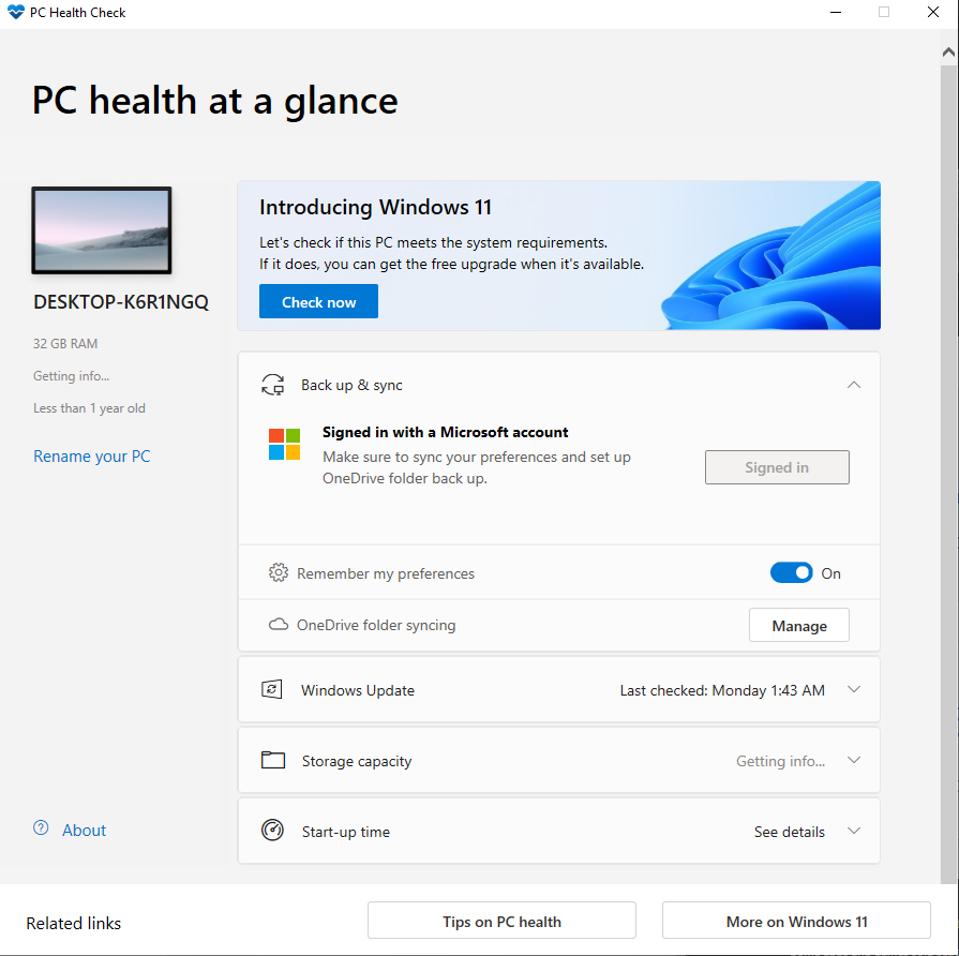
Firstly, to download the tool, head here and go to the bottom of the page. The tool will install and then you can run it by clicking the 'Check now' button.
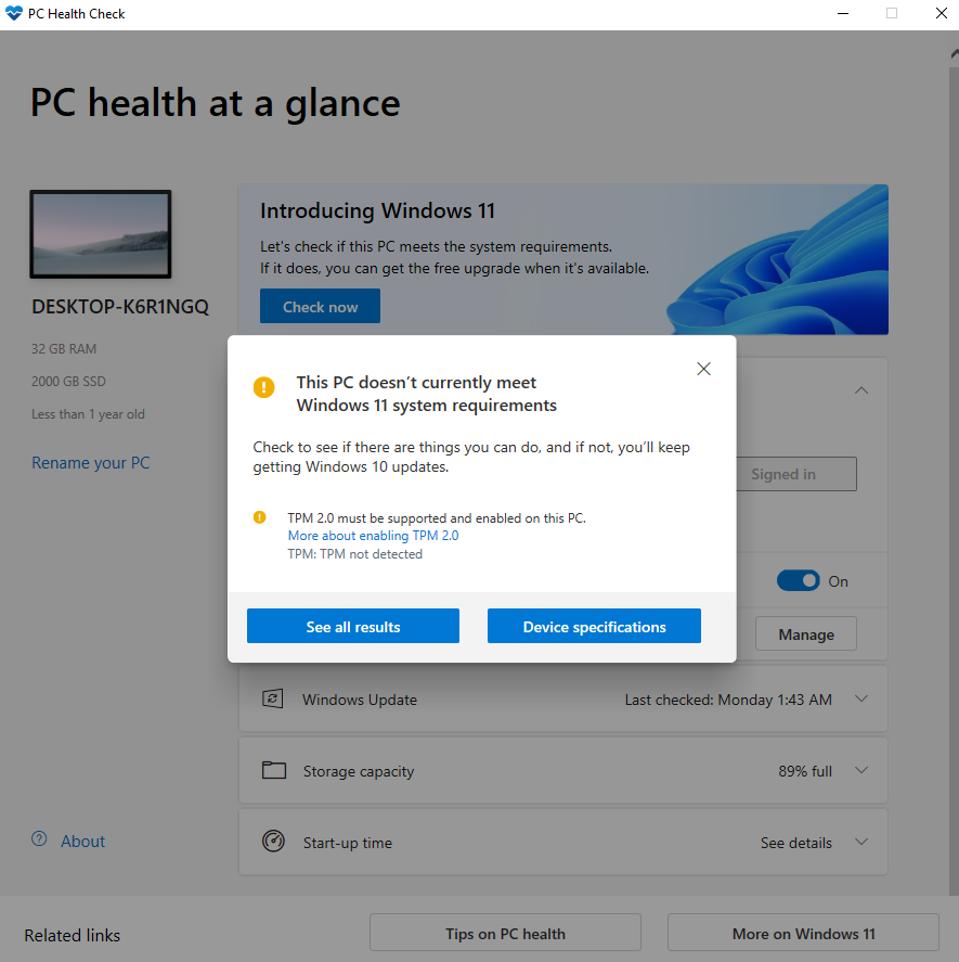
This will check the various requirements quickly and come back with a green light, or highlight the issue. For me, and for quite a few others, it has been that TMP 2.0 was not enabled. This is a security feature that is often disabled as standard in your motherboard's BIOS or EFI.
Thankfully, it's usually relatively simple to enable it. You can either follow the instructions included in the tool, or if this fails, as it did with me, you can head into your PC or laptop's BIOS to enable it. To do this, restart/reboot your device and as soon as the screen goes black, start tapping the 'del' key on the keyboard.
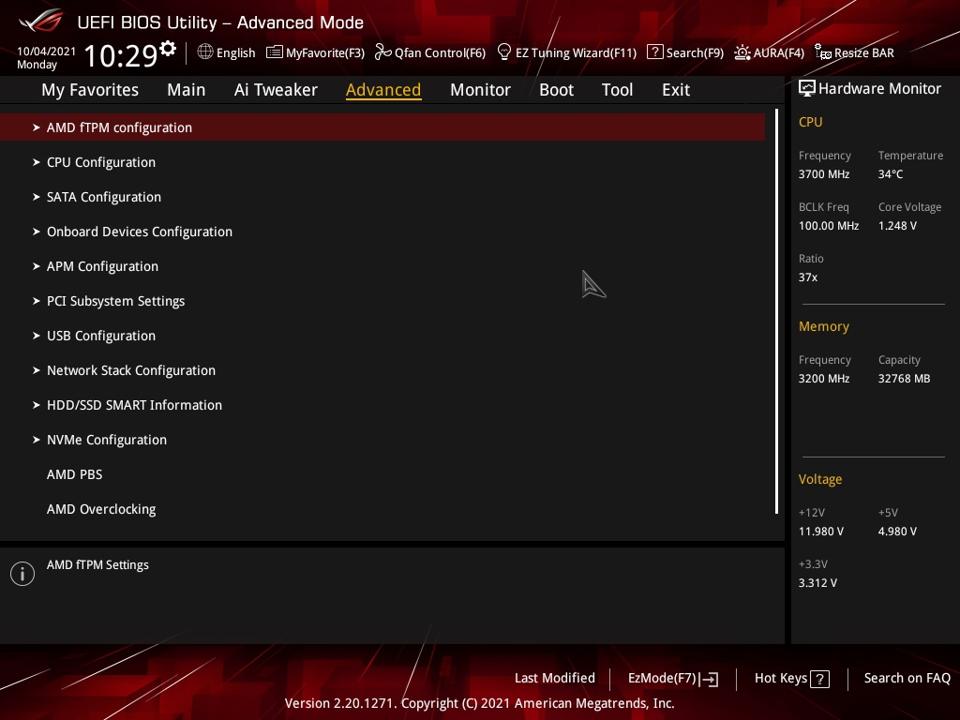
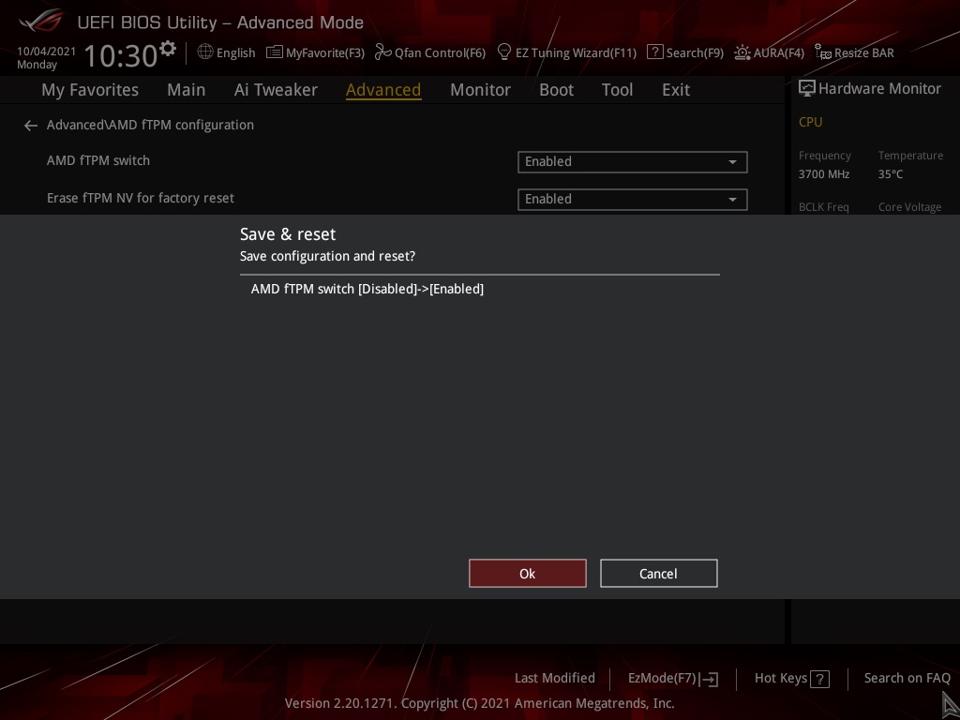
This should tell your PC to enter the BIOS, which will look a bit like the above image. Once in here, things are tricky as there are hundreds of different layouts, but in general, you'll looking for the advanced section or security. For instance, on my Asus AMD processor-based motherboard, under advanced, there's an option for AMD fTPM configuration.
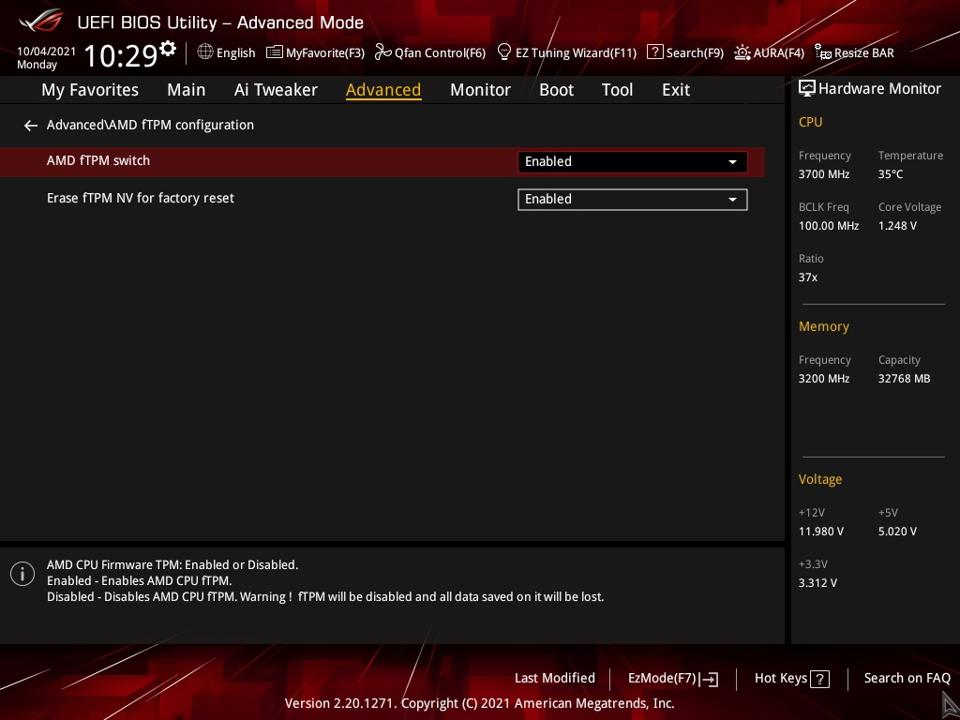
Above you can see it's showing as enabled - it was disabled as standard. Be sure not to touch other settings then all you need to do is exit and save your changes.
This took about 60 seconds for me once I'd found the option, but if you struggle to find it, check your motherboard or laptop manufacturers documentation or website to see how to enable it. Unfortunately, some older hardware may not be compatible.
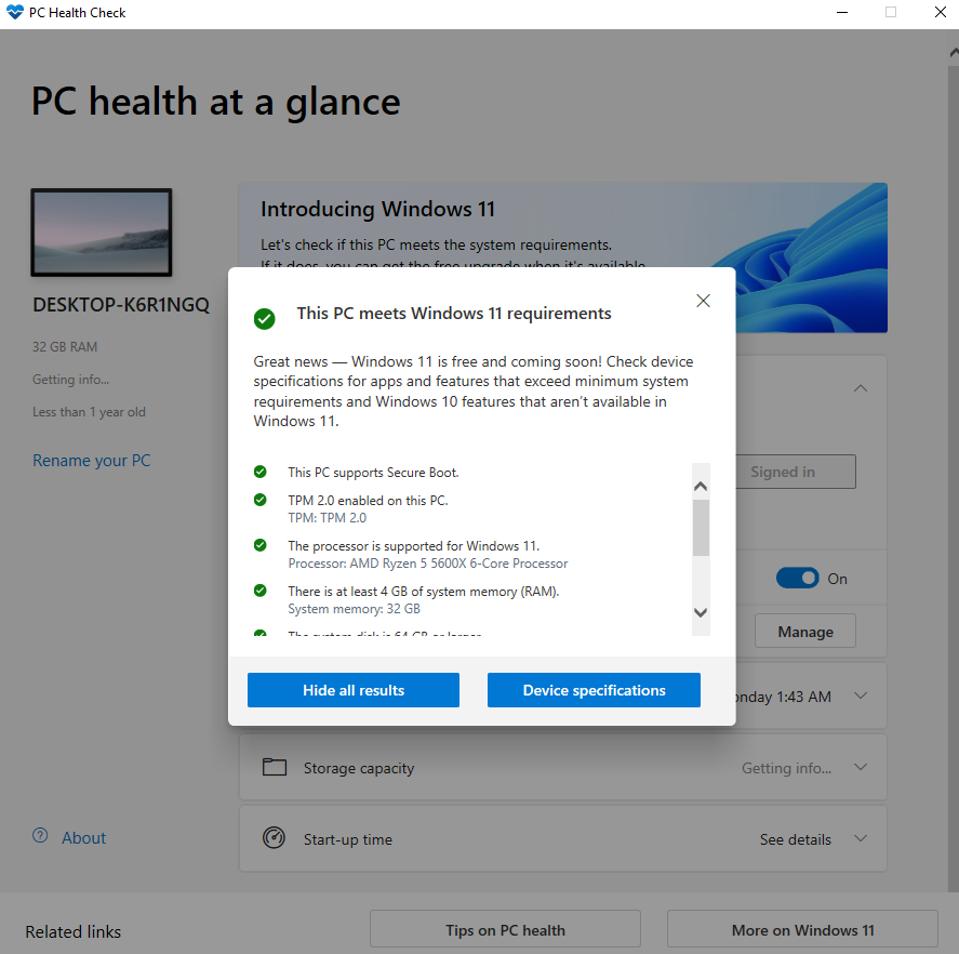
As you can see above, the TPM 2.0 option is now green and I can upgrade to Windows 11. You might be able to bypass some of these issues if you have older hardware by performing a fresh install rather than an upgrade. I'll be covering this in a future guide once it's possible so follow me here on Forbes for the latest PC hardware news and reviews and don't forget to check me out on YouTube, Instagram and Facebook as well.