WhatsApp keeps adding new safety features for users to provide better security for your chats and privacy. The latest safety option is Strict Account Settings. It’s very easy to use for people who want privacy but don't want to enable multiple settings. This article is a simple breakdown of how to use the one-tap Strict Account Settings.
What it means
Strict Account Settings is a simple feature that adds extra protection to your WhatsApp account. Once you turn it on, WhatsApp automatically applies stronger privacy and security settings for you. You don't have to change multiple options one by one. With just one tap, it helps reduce unwanted messages, calls, and other contact from strangers, making your account safer and giving you better control over your privacy.
What Changes
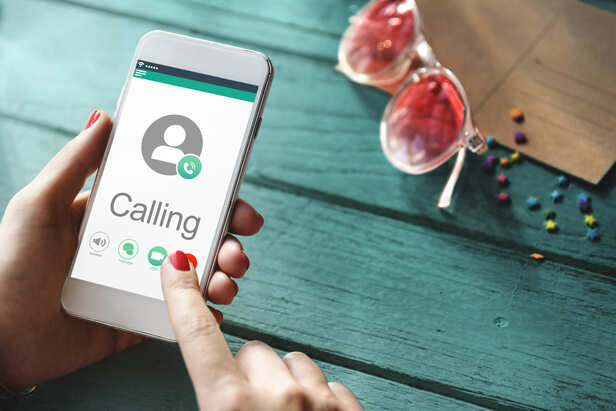
It will automatically block unknown calls
As soon as you turn it on, a few changes happen automatically.
- Files sent by people who aren't in your contacts are blocked automatically.
- Calls from unknown numbers are silenced.
- Link previews are disabled to help reduce the risk of malicious links.
- Messages from unknown people are restricted, helping cut down on spam.
- Two-step verification remains enabled for added account security.
- Your profile details, such as your photo and last seen, are only visible to your contacts.
These are advanced privacy features that help keep your WhatsApp account safe from strangers and scammers.
How to turn it on

WhatsApp settings can be turn off
You can turn on this feature in just a few steps.
- Open WhatsApp on your phone.
- Go to Settings.
- Tap Privacy, then Advanced.
- Turn on Strict Account Settings.
That's all. Before turning it on, WhatsApp may ask if you feel your account is at risk.
How to turn off strict account settings
Don't want to use Strict Account Settings anymore? You can turn it off whenever you like. Just open Settings, go to Privacy, then Advanced, and switch the feature off. The change can only be made from your phone. If you use WhatsApp Web or any other linked device, you won't be able to turn the feature on or off from there.
Who shouldn’t use it
Strict Account Settings can be useful for business owners, journalists, and people who often receive messages or calls from unknown numbers. It gives extra protection and helps reduce unwanted contact. But you don't have to be in these professions to use it. If you simply want more privacy and better security for your WhatsApp account, you can turn on this feature too.
WhatsApp's Strict Account Settings make it easier to protect your account. You don't need any technical knowledge to use this feature. Just turn it on in a few simple steps, and it adds extra protection against strangers and scammers. If you want to keep your WhatsApp account safer, this feature is worth using.
Unlock insightful tips and inspiration on personal growth, productivity, and well-being. Stay motivated and updated with the latest at My Life XP.
Frequently Asked Questions[FAQs]
-
Is WhatsApp Strict Account Settings available on Android and iPhone?
The feature is expected to be available on both Android and iPhone, but it may roll out gradually depending on your app version and region.
-
Why can't I see Strict Account Settings on WhatsApp?
If the feature isn't available, make sure you're using the latest version of WhatsApp. New features are often released in stages, so it may not have reached your account yet.
-
Will my contacts notice if I enable Strict Account Settings?
No. Your contacts won't receive any notification when you turn on the feature.
-
Can I still receive messages from unknown numbers after enabling it?
Depending on how the feature works, some unknown contacts may still be able to reach you, but additional restrictions help reduce spam and unwanted interactions.