As the parent of an (almost) four-year-old, I’ve had a front-row seat to the magic of the Toniebox since my daughter received the original version for her first birthday. First launched in 2016, the Toniebox quickly became a staple in our home, loved for its simplicity, durability, and screen-free storytelling. So when the Toniebox 2.0 was finally released in 2025, we were both genuinely excited to see what had changed.
At first glance, the differences aren’t dramatic, but they’re definitely meaningful. The newer model introduces a refreshed, more modern design with new colours and a light-up ring, alongside more responsive controls. Perhaps the biggest shift is the addition of interactive gameplay through the new Tonieplay feature, expanding the experience beyond passive listening. Battery life and overall usability have also been refined, making it feel like a thoughtful evolution rather than a complete overhaul.
But are all these updates enough to justify upgrading if you already own (and love) the original? Or is this one of those cases where sticking with what you’ve got makes more sense? To find out, my daughter and I put the Toniebox 2.0 through its paces, testing a mix of classic Tonies alongside the new game features to see how it really performs day to day. Keep reading to see whether it won us over or left us reaching for the original.
Read more: Best kids’ scooters for first rides and fast glides
Read more: Best gifts for 5-year-olds, tried and tested by kids and parents
Tonies Toniebox 2.0
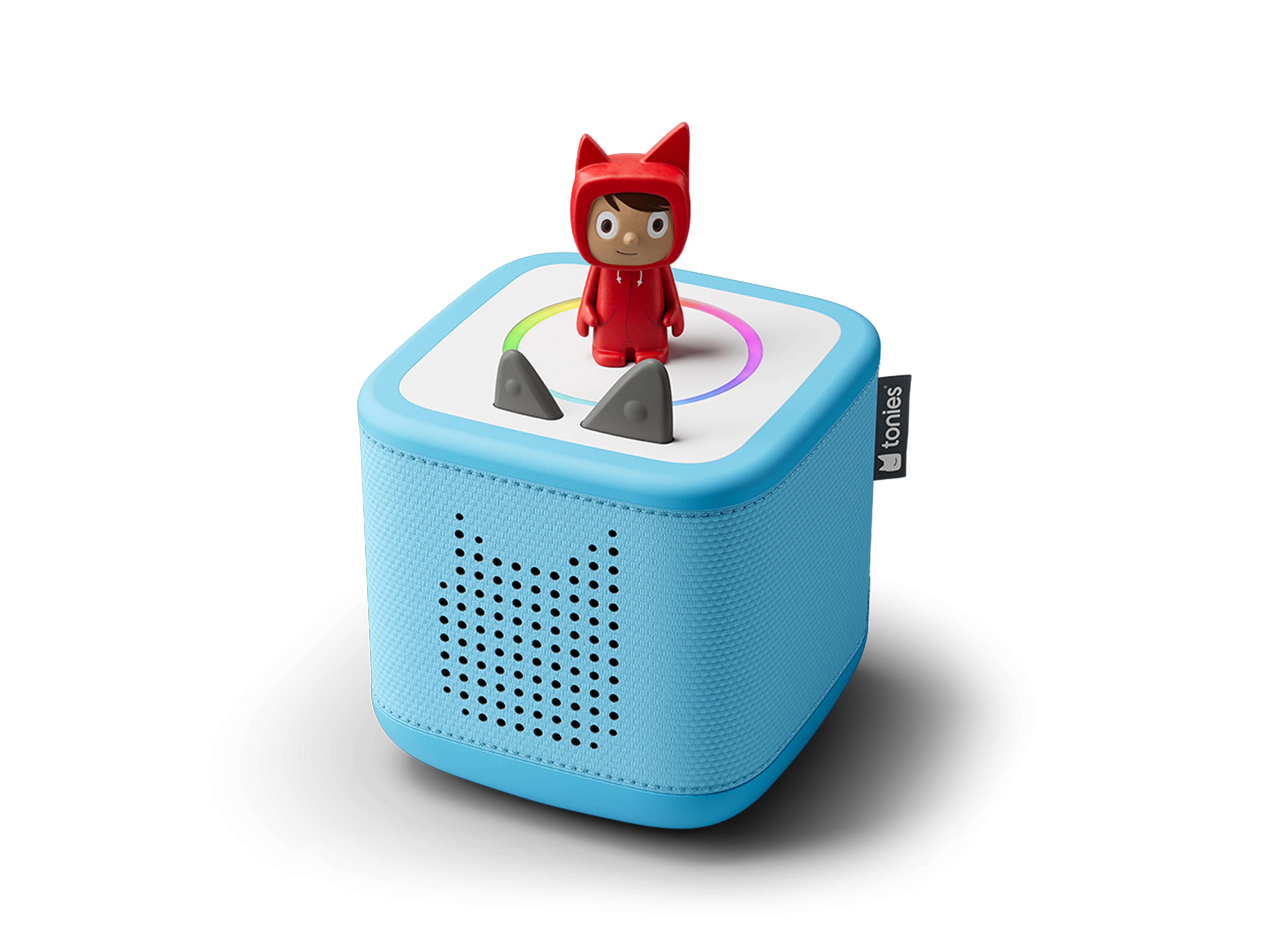
Colours: Sunset red, cloud pink, tropical teal, sky blue, moon grey
Age range: 1-9+
Charging: USB-C
Dimensions: 13cm x 13cm x 12.6cm
Additional features: Tonieplay, sleep light, sunrise alarm, light ring
Weight: 815g
Why we love it
- Sleeker, more modern design
- Durable and toddler-proof
- Bluetooth makes it more versatile as a speaker
- New Tonieplay feature adds interactive, screen-free gaming element
- Easy USB-C charging
- Works with all existing Tonies
- Broader age range (1-9+)
Take note
- Not a huge leap from the original – more of a refinement than a reinvention
- Tonieplay requires extra purchases (controller + games sold separately)
After years of daily use with the original Toniebox, the Toniebox 2.0 had a lot to live up to in our house. My daughter has grown up with Tonies as part of her routine – bedtime stories, quiet play, even background listening while colouring – so this wasn’t just a quick test. It had to fit into real life. Over a couple of months, we swapped out the old box for the new one to see if she’d notice the difference and, more importantly, whether she’d actually prefer it.
What’s new?
The Toniebox 2.0 is very much an evolution rather than a complete overhaul. If you’re familiar with the original, everything will feel instantly recognisable but with a few key upgrades.
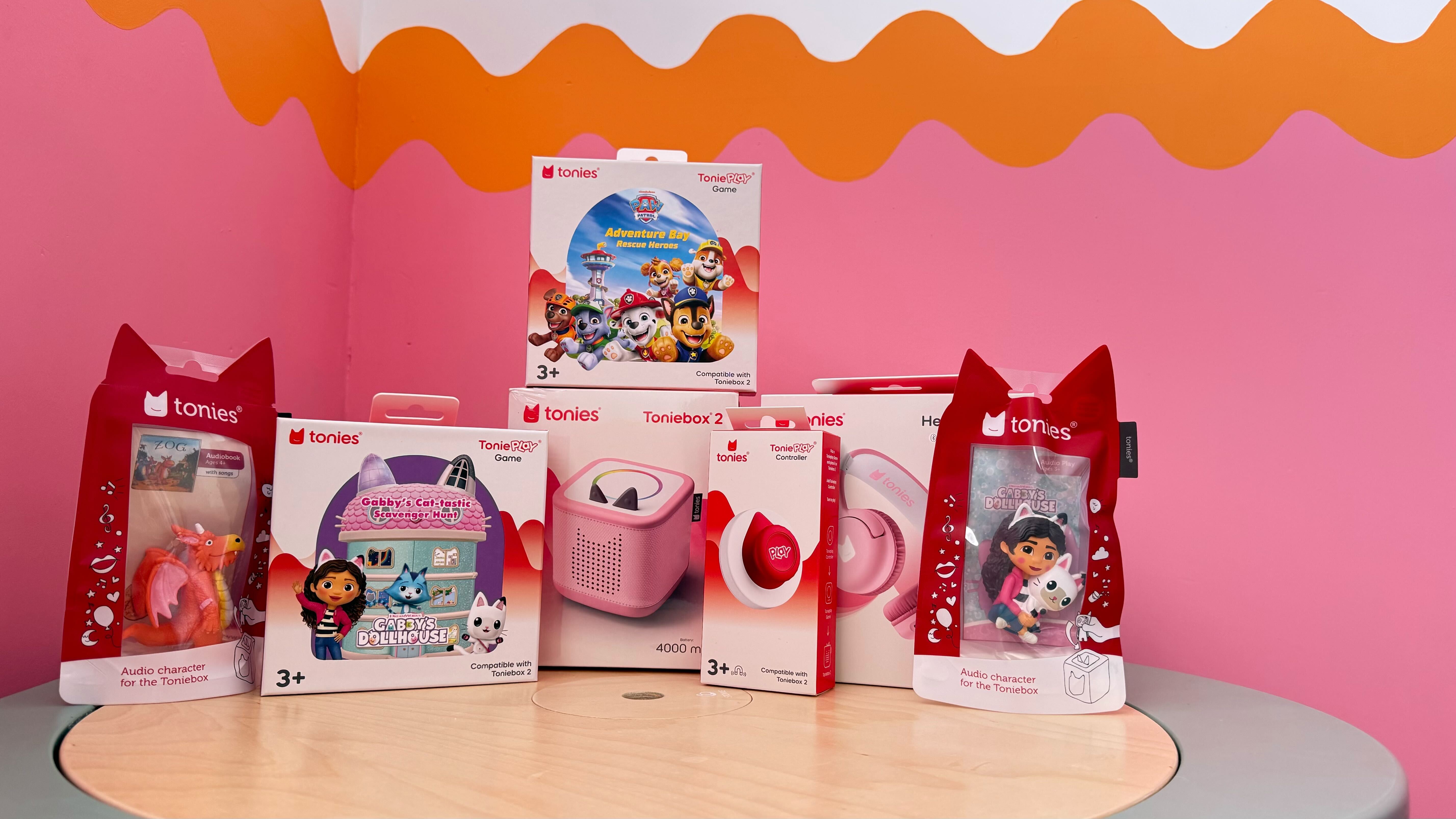
The biggest additions are Bluetooth support and Tonieplay, a new interactive gaming feature that moves the experience beyond passive listening. There are also smaller but genuinely useful improvements, like more responsive controls, a new sleep timer and alarm function (which lets you set when it turns off or even wakes your child with audio), and a broader age range (it’s now designed for ages one to nine+, whereas the original Toniebox was typically recommended for ages three+).
From my perspective as a parent, these changes feel aimed at extending the lifespan of the Toniebox. My daughter is getting older, and while she still loves stories, the added interactivity gives it a bit more longevity.
Design
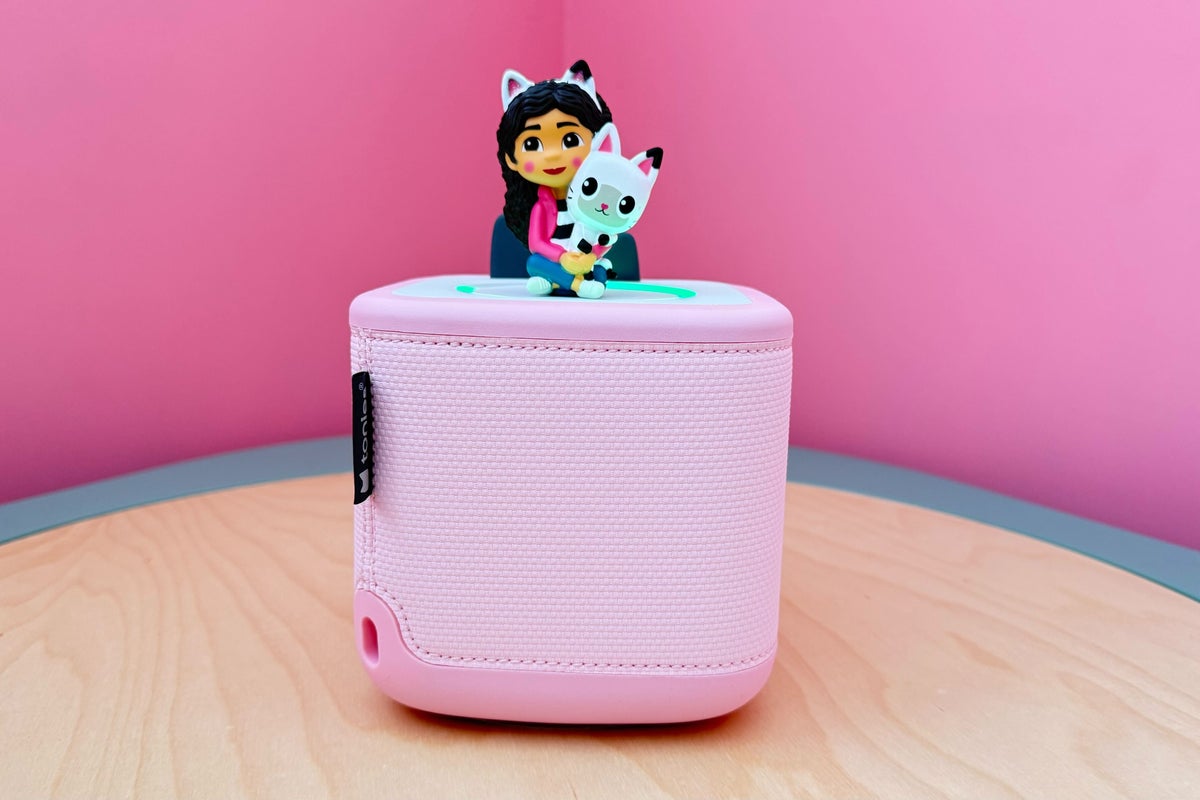
Side by side, the Toniebox 2.0 looks like a sleeker, more modern version of the original. It keeps the same soft, cube-like shape and squishy feel, but adds a refreshed design with new colours and a light-up ring around the top.
We tested the ‘cloud pink’ version but you can also pick it up in ‘sky blue’, ‘tropical teal’, ‘sunset red’ and ‘moon grey’. Compared to the bold primary colours of the original, these shades feel more muted and contemporary, which I actually really appreciated, especially having it out in shared living spaces.
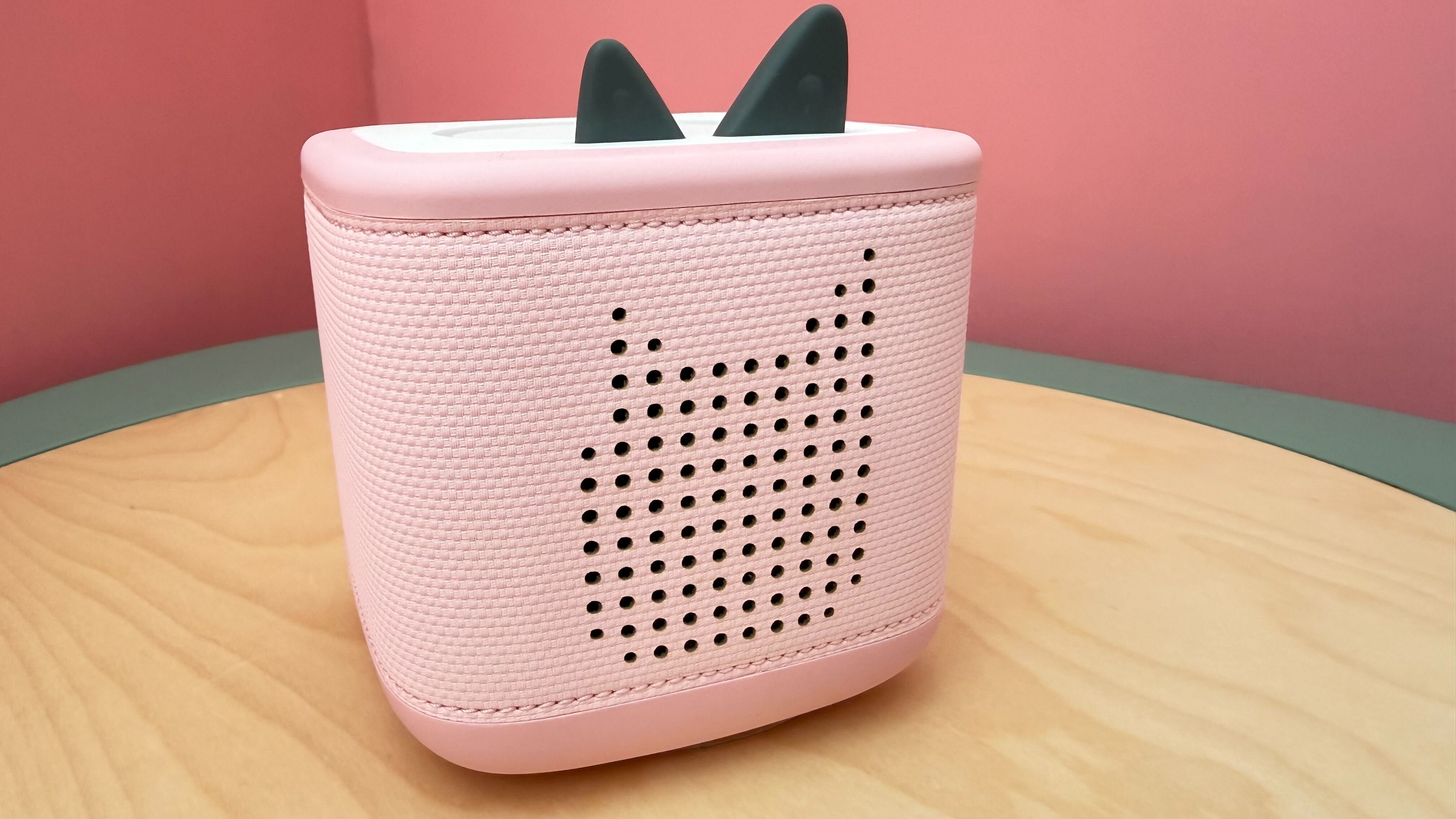
The Toniebox 2.0 is still covered in that durable, fabric-like material, and just like the original, it’s properly toddler-proof. My daughter dropped it, carried it around, and generally treated it with zero care, and it held up perfectly.
The new light ring is a small but surprisingly helpful addition. It lights up to show volume changes, pairing status, and general activity. I found it particularly useful for quick visual feedback (especially when adjusting volume), and my daughter liked the visual element, too.
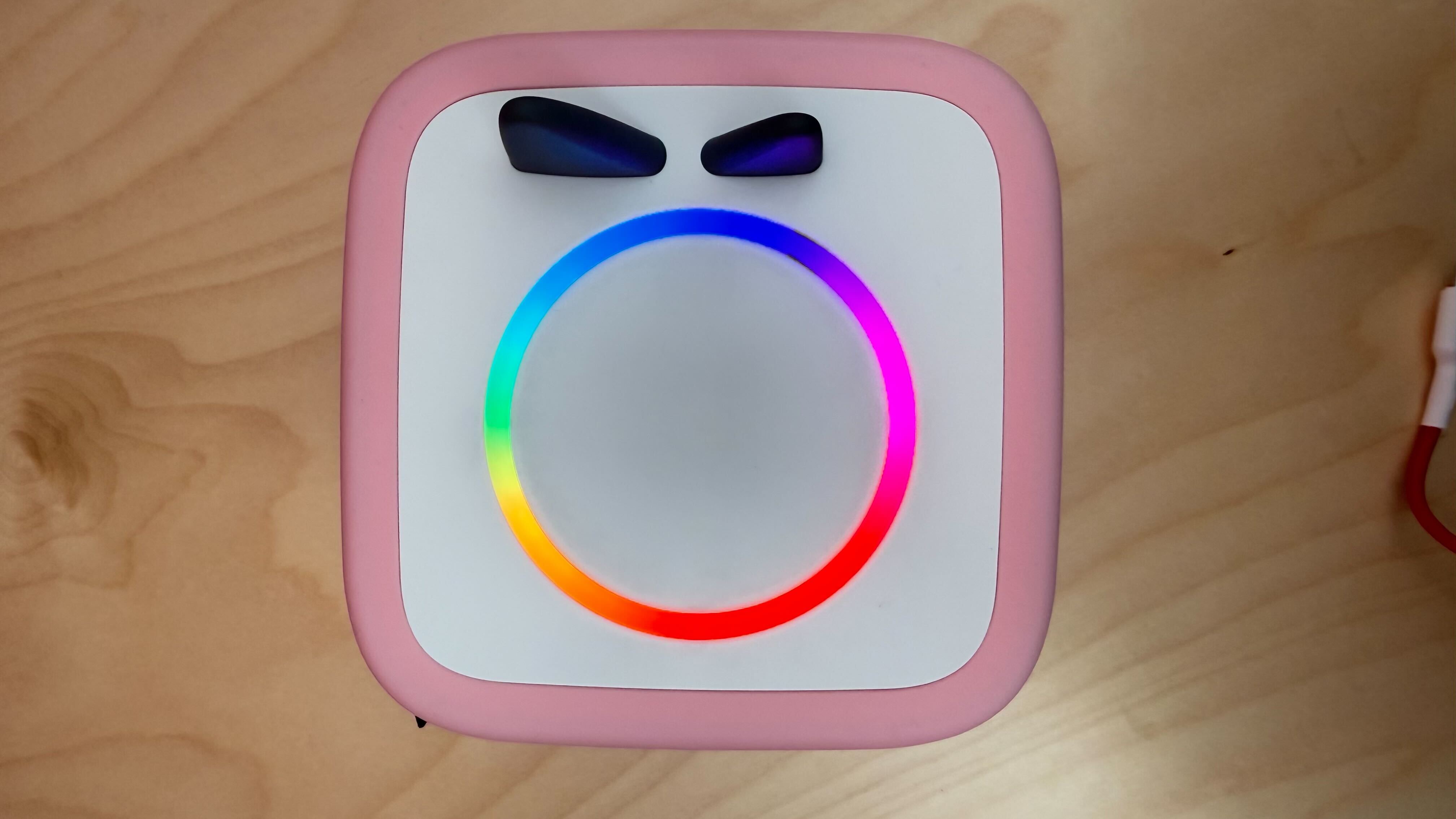
The changes aren’t dramatic, but it does feel noticeably sleeker. That said, while the updated design is a definite improvement, it’s probably not enough on its own to justify upgrading if you already own the original.
Audio quality
Audio quality has always been a strong point of the Toniebox, and that hasn’t changed here. If anything, it feels slightly clearer and more balanced, though not dramatically different.
For kids’ stories, songs, and audio content, it’s more than good enough. My daughter never complained (which is the real test), and voices sound crisp and easy to follow. It’s not designed to replace a speaker for music lovers, but for its purpose, it does the job very well.
Bluetooth
One of the biggest upgrades – and something that was long overdue – is Bluetooth.
For us, this added a whole new layer of flexibility. I could stream music or audio directly from my phone, which meant the Toniebox wasn’t limited to just Tonies figures. It also made it feel more useful for the whole family, not just my daughter.
Pairing was straightforward, and once connected, it worked reliably. We used it for everything from bedtime music to the occasional podcast, and it’s a feature I didn’t realise I’d appreciate as much as I did.
Battery life
Battery life is solid, and in my experience, slightly improved from the original.
We got a couple of days of regular use before needing to recharge, and importantly, it never ran out mid-story. Charging has also been updated, this time it’s via USB-C rather than the older chunky charging base, which is a big improvement in terms of convenience. I will say that the charging cable is short, which is a bit of an annoyance.
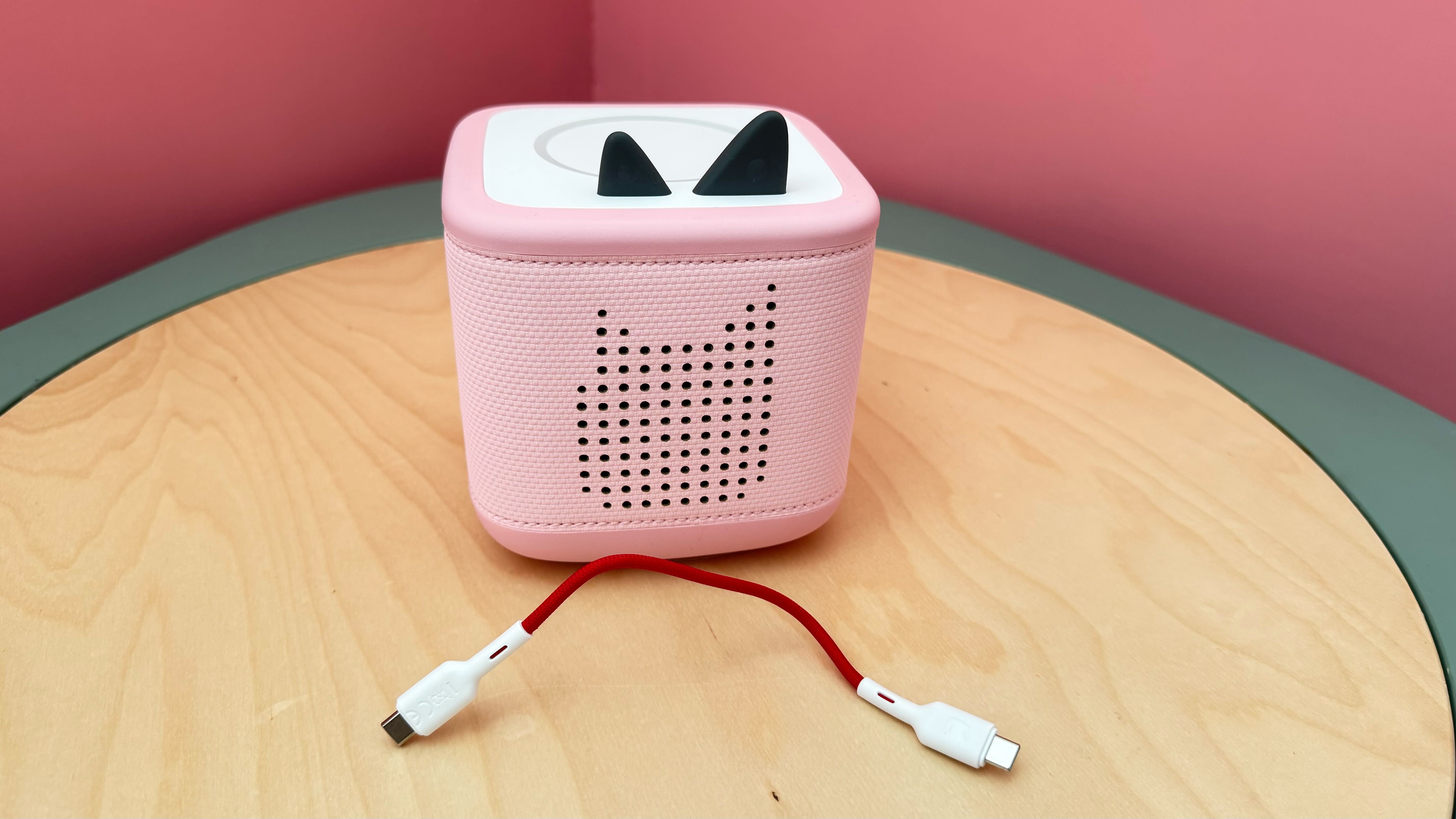
This change has been made in accordance with child safety standards to keep little listeners aged one and over safe. So, if your child is older and you’re finding the shorter cable to be a real pain you can either pick up a longer USB-C charger from Tonies (£12.99, Tonies.com) or use any USB-C cable you already have at home.
A full charge took a few hours and we naturally got into the habit of popping it on charge overnight. Importantly, we never ran into a situation where it died mid-story, which was my main concern.
Tonieplay
Tonieplay is the standout new feature and the biggest shift in how the Toniebox can be used.
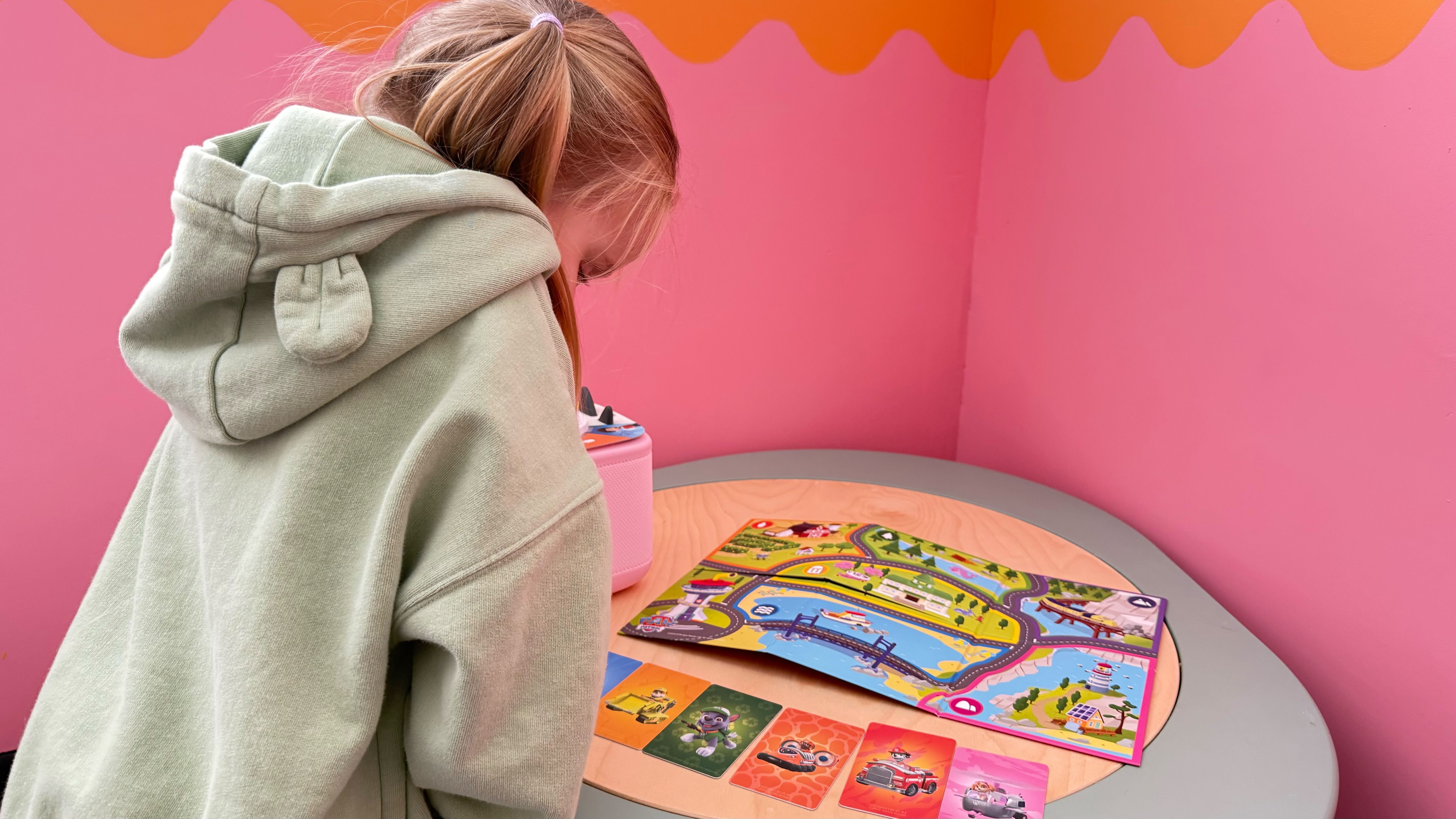
It introduces interactive audio games that require a separate Tonieplay controller, allowing kids to tap, tilt and interact with the story in a more hands-on way. There’s a growing range of games available to buy, including character-led adventures, quizzes, and story-based challenges.
We tested Paw Patrol Adventure Bay Rescue Heroes and Gabby’s Dollhouse: Cattastic Adventure, and both were a big hit with my daughter who picked them up quickly and loved being able to make choices and actively take part in the story. It felt intuitive, engaging, and genuinely different from her usual Tonies.
For example, the Gabby’s Dollhouse game is structured as a series of short, interactive scavenger-style adventures set inside Gabby’s Dollhouse. Across multiple mini stories, children are encouraged to explore different “rooms,” search for hidden objects, and help solve simple puzzles, all while listening to songs from the show.
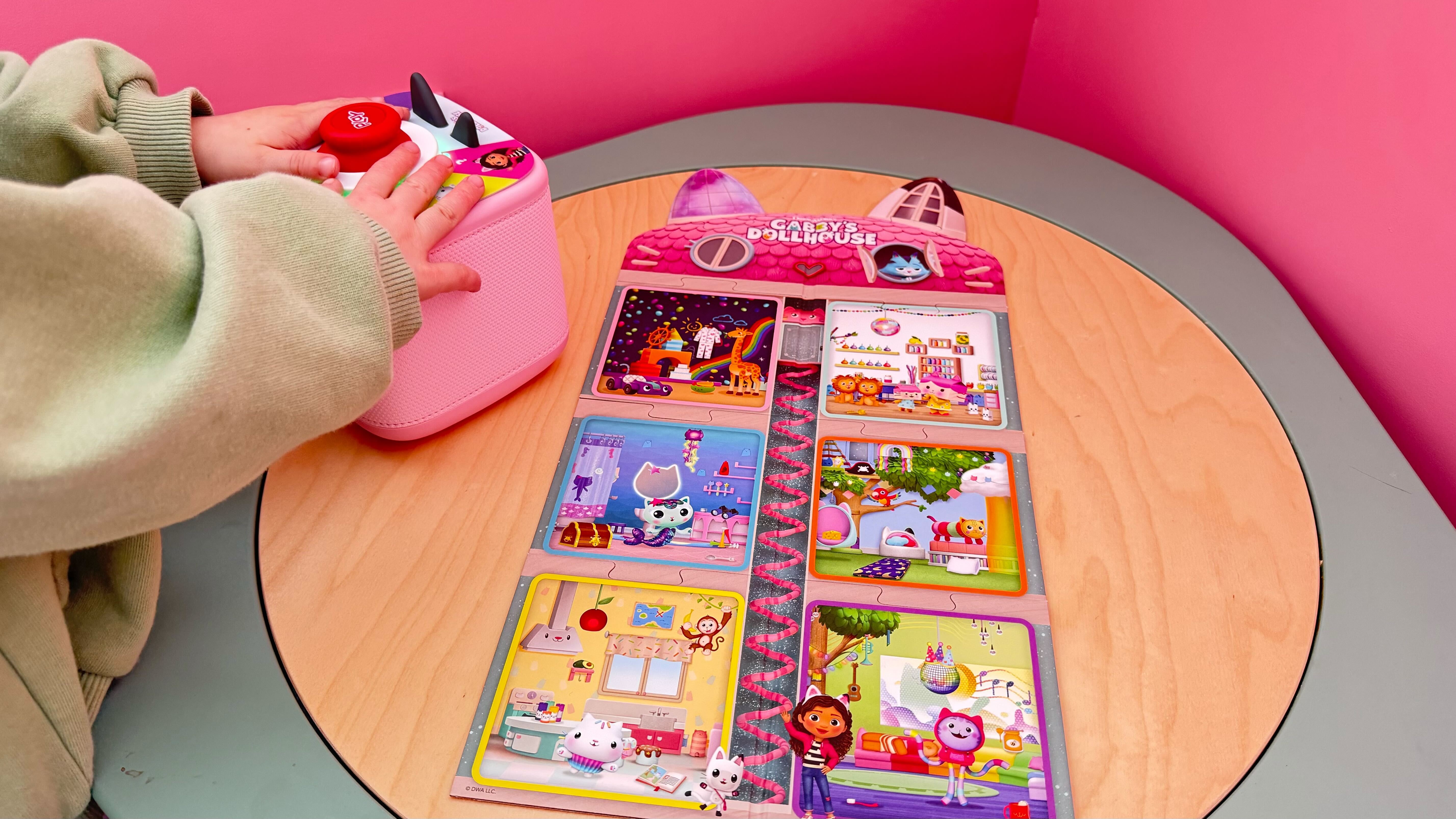
From my point of view, it adds a nice layer of light learning and interaction without introducing screens. It’s fun, simple to use, and has real potential, though I’d love to see the game library continue to grow.
App
The Tonies app has also seen some improvements, and it’s now a smoother, more polished experience.
Setup was simple, and managing content and settings felt more intuitive than before. One feature I really appreciated as a parent is the ability to control the volume remotely. If your child uses the Toniebox at night, you can quietly turn it down – or even back on – without having to sneak into their bedroom and risk waking them.
Combined with the sleep timer and alarm settings, it gives you much more control over how and when the Toniebox is used, which makes a real difference in everyday life.
Can existing Tonies be used on the Toniebox 2.0?
Yes, and this is a big plus. All of your existing Tonies figures work exactly the same way on the Toniebox 2.0, so there’s no need to replace your collection. My daughter was able to pick up her favourites and use them instantly, with no difference in how they function.
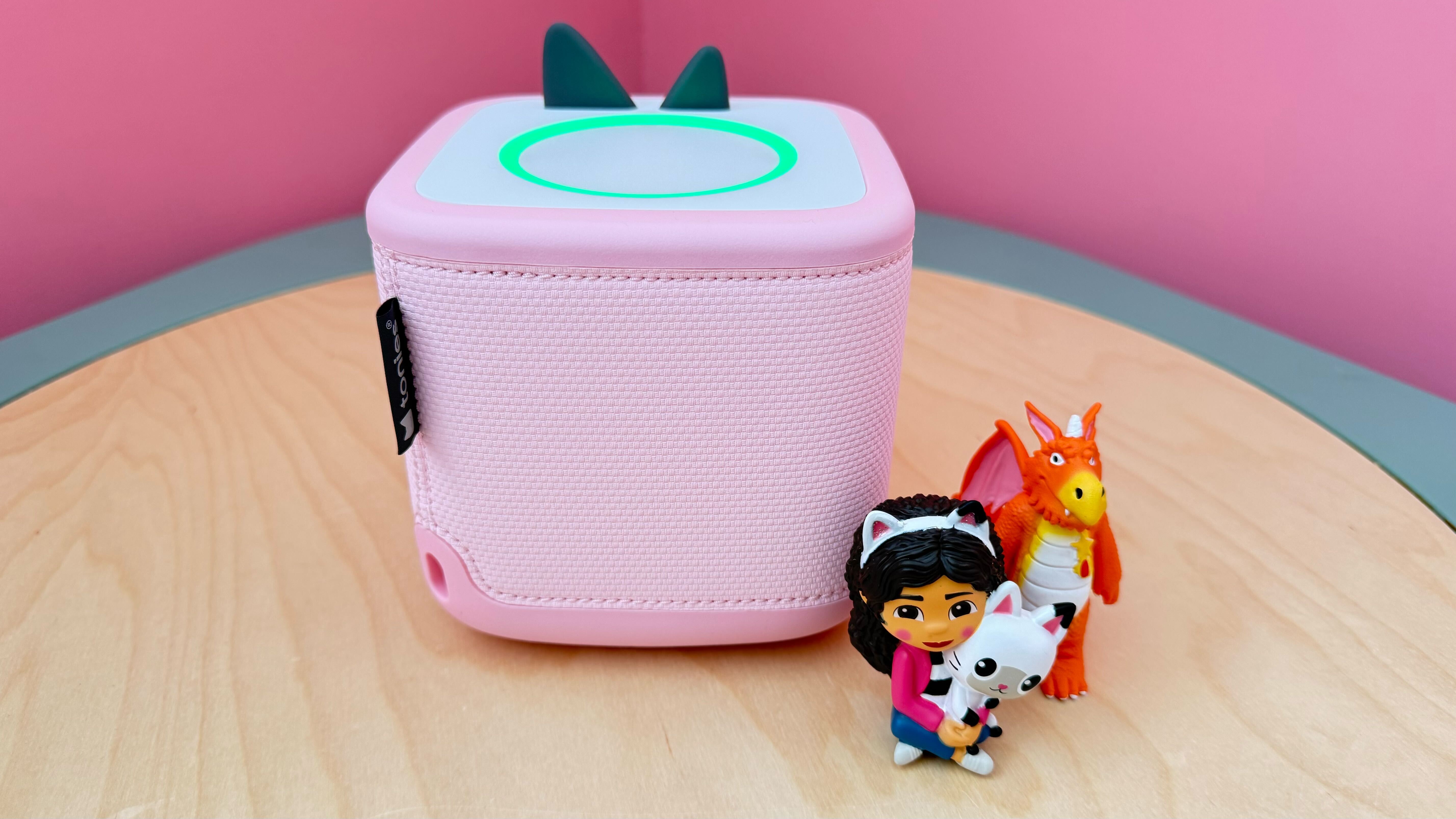
That continuity makes upgrading feel much less daunting (and expensive).
Buy now £99.99, Amazon.co.uk
Is the Toniebox 2.0 worth it?
Living with the Toniebox 2.0 for a couple of months made one thing clear: this is a thoughtful, future-proof upgrade rather than a must-have replacement.
My daughter absolutely enjoyed using it – especially the interactive features – and naturally gravitated towards it over the original when both were available. For new buyers, this is easily the version to go for.
But if you already own the original Toniebox, the decision is less straightforward. The added features are genuinely useful and it now feels like a system designed to grow with your child for years, but whether it’s worth upgrading will depend on how much your child would benefit from things like Tonieplay and Bluetooth.
How I tested the Toniebox 2.0
I tested the Toniebox 2.0 with plenty of help from my daughter, who already knows and loves the original Toniebox. We used it consistently over a couple of months to get a real sense of how often she reached for it, which features she naturally gravitated towards, and whether the new additions actually held her attention. She explored it in her usual way – independent play, storytime, and trying out different Tonies and the new interactive features. We focused on several key criteria, including:
Why you can trust IndyBest reviews
As IndyBest’s assistant editor, Sarah Jones has years of experience rigorously testing a wide range of family products from the best kids’ gifts to best toddler learning towers. As a parent herself, Sarah can recognise high quality features that parents and kids actually want, and has been testing the Toniebox 2.0 for months at home with her daughter to see how it performs day to day and whether it captured her attention.
Looking for more recommendations? Here are the best family board games that everyone will want to play