My parents, both in their late 70s, want to get online. I think they'll only need a browser, ideally with Flash support. Is there some kind of set-top box PC that they could use through their TV that might avoid the worst of trojans/viruses etc? Or is there a better solution?
Alastair Young
This is a market that a lot of companies have tried to crack since WebTV was launched in 1996 with internet-enabled set-top boxes from Philips and Sony. So far, none of them has been successful. Google plans to make the next attempt with Google TV, and it will support Adobe Flash. Sony has agreed to make Google TV sets while Logitech will make set-top boxes that can be used with existing TV sets. Unfortunately, we don't yet know when systems will be launched, when they might reach the UK, how well they might work, or how much they will cost. Under the circumstances, there's no point in waiting.
If anybody knows of a television set-top box that allows real internet browsing and is currently available in the UK, please let us know.
Of course, there are some very small Windows PCs that can be used with TV sets. The leading examples include the Acer Aspire Revo and the Asus Eee Box, which can be clipped to the back of a TV set. (See my comments on Windows at the end.)
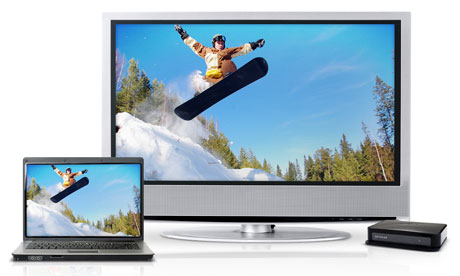
However, I really don't think a TV set is the best choice for web surfing. You need to be close to the screen to read the web and much further away to watch broadcast TV. This problem is being solved by the introduction of WiDi notebooks, where WiDi is a "wireless display". In other words, the notebook uses Wi-Fi to transmit to a separate TV screen. An early example is the Lenovo ThinkPad X201i, which has just been launched in Taiwan.
Apple's iPad might be an option, but it doesn't support Abode Flash and it's very expensive for what you get. This suggests, as an alternative, a similar media tablet running the Google Android operating system … but you can't buy one of those either. You could perhaps show your parents one of the larger smartphones running Android 2.2, which supports Flash 10.1. If they really like it, it might be worth waiting until Android tablets appear.
There are real advantages to having a proper keyboard, especially for writing emails and playing casual games online, so the obvious alternative is a netbook or a laptop with a larger screen. A portable PC with a 15.6-inch screen will would be easier to read, and you can get one running Windows 7 for about £300. A MacBook would cost a lot more, but it depends how much you are willing to spend.
If Windows sounds too risky, then the Jolicloud version of Linux looks like a good option; it's based on Ubuntu Netbook Remix. You could see how your parents might get on with Linux by running Ubuntu or a slimline version of Linux (Puppy, etc) from a USB thumbdrive. There's also Thinstation. I have not tried it, but its website says: "Thinstation supports a Microsoft Windows-only environment and requires no Unix/Linux knowledge."
Some Windows netbooks and laptops come with thin versions of Linux built in. For example, Asus fits some of its machines with ExpressGate, which is a version of Splashtop. That gets you into a browser in a few seconds without booting Windows, and it also supports Skype. However, I suspect your parents would ultimately prefer to run Windows, mainly because such a lot of online content targets Windows machines.
So, of course, do almost all viruses, but there are several ways of dealing with that. Companies typically control what Windows users can do by giving them limited accounts and locking everything down using Group Policies. But it might be better to assume that everything will go wrong and just deal with it.
Some cybercafes, schools, public libraries and even a few home users do this by running Microsoft's free SteadyState 2.5 software. This protects the hard drive and limits what users can do, but it doesn't matter much, because rebooting the PC returns it to the state it was in before. The drawback is that it only supports Windows XP and Vista, not Windows 7. (Microsoft had other plans for Windows 7, and failed to deliver.)
One alternative would be Returnil, which loads a copy of Windows in a "virtual PC". Again, it doesn't matter if the user messes it up. When the PC is restarted, the old virtual PC is thrown away and Returnil just loads a new one. There is a Home Free version of Returnil but Home Lux ($39.95) is better. There are also Enterprise versions for business use.
Another option is Comodo Time Machine. There have been "roll back" programs for Windows for at least a decade, but this one's free.
And if you do go for Windows, set it up so that you can log on and fix it remotely, or install one of the third-party alternatives.