
VyprVPN is something of a trailblazer and was launched in 2009, long before many of its rivals appeared on the market. It has also had a strong record for privacy, having undergone one of the first independent VPN audits in 2018 and becoming a founding member of the VPN Trust Initiative, alongside NordVPN, ExpressVPN, and Surfshark in 2019.
The company was acquired in 2023 and is now owned by Certida LLC, which is based in Austin, Texas. It’s a mid-market offering today, with reasonable speeds and unblocking capabilities. While there have been recent software updates, there’s a lot of out-of-date material on the site, and I have concerns about VyprVPN’s privacy policy, its auditing history, and the kill switch. Given this, it doesn’t compare well with the best VPNs on the market.
I’ve thoroughly tested VyprVPN’s apps and features on both desktop and mobile, and while it’s an intuitive and easy to use product, there are plenty of competitors that offer far better guarantees regarding security and privacy protection – which is crucial for a reliable VPN.
VyprVPN on paper
Number of servers |
700+ |
Server locations |
73 locations in 64 countries |
Supported platforms |
Windows, Mac, Android, iOS, Android TV, Fire TV, Apple TV, Linux (CLI), and manual setup for routers |
Simultaneous connections |
5 |
Split tunneling |
On Windows and Android |
Kill switch |
On Windows, Mac and Android |
Protocols supported |
WireGuard, OpenVPN, IKEv2, and Chameleon |
Country of registration |
USA |
Support |
Website knowledgebase, chatbot/live chat, and email |
For a quick explanation of any VPN-related terminology, check out our VPN glossary.
VyprVPN recent updates
VyprVPN 6.0 was released in August 2025, and includes a top-level Quick Connect mode, a traffic light server status indicator, and a user notification banner, as well as navigation and performance improvements.
VyprVPN price
VyprVPN has a single plan, which includes all its features. You can subscribe for two years ($3 per month), one year ($5 per month), or one month ($10 per month).
The one-month option compares well with most competitors, and the annual and two-year plans are similar in price to NordVPN, but more expensive than Surfshark, Private Internet Access, and PrivadoVPN, which we cover in our list of the best cheap VPN providers. You get five simultaneous connections with your account, which is fairly limited considering that providers like Surfshark and TunnelBear offer unlimited connections.
There are also two business plans. The Professional Edition includes five user accounts for $55 per month, or $27.50 per month with an annual subscription, and includes an admin panel with user management features. The Licensed Server Edition allows you to deploy a private server in the cloud and costs $85 per month or $44.17 per month with a one-year plan.
Plan length |
Overall cost |
Monthly cost |
1 month |
$10 |
$10 |
1 year |
$5 |
$60 |
2 years |
$3 |
$72 |
There’s no free plan, but you can get a three-day trial on Android and iOS, and there’s a 30-day money-back guarantee. You can pay by card, PayPal, Amazon Pay, or bank transfer, but you can’t use cryptocurrency, Google Pay, or Apple Pay.
Rating: 7/10
Does VyprVPN have a free trial?
VyprVPN has a three-day free trial for mobile users on Android and iOS. Once this is set up, you can then log in on the same account on desktop and mobile devices (up to the account limit of five devices).
There’s also a 30-day money-back guarantee, so you can cancel your subscription if you’re not satisfied with the product.
VyprVPN features
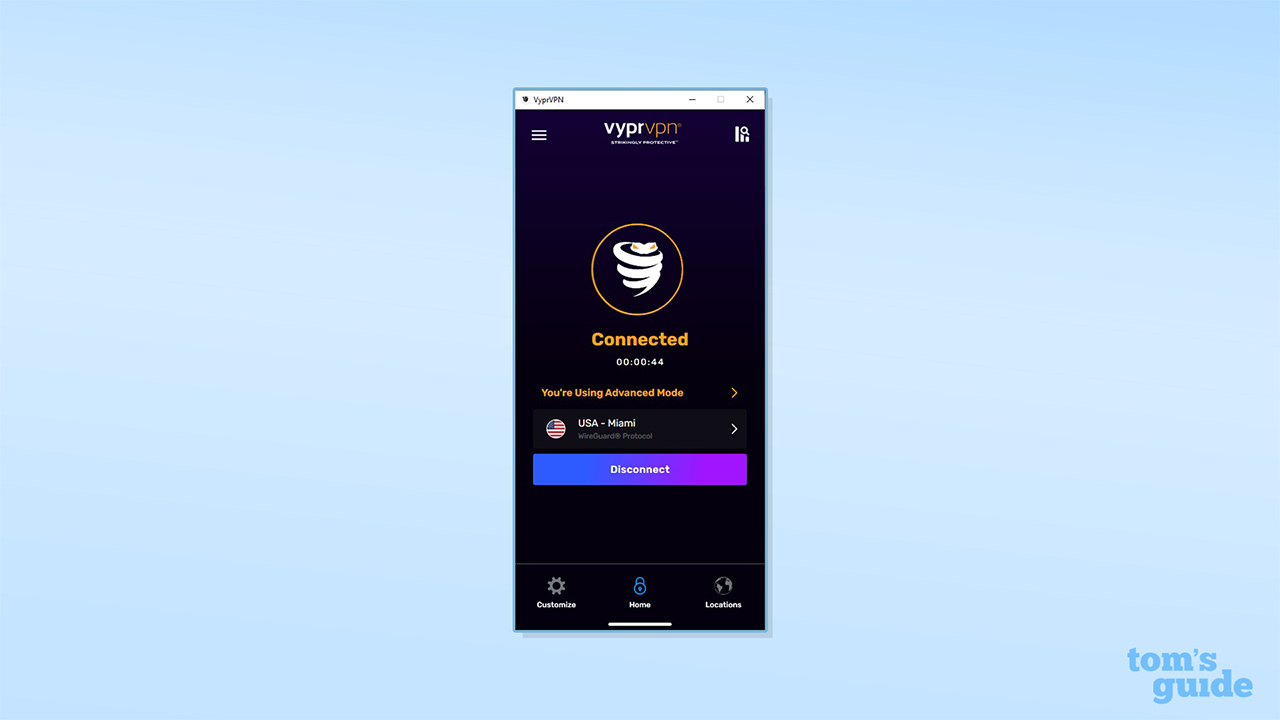
VyprVPN has some nice quality-of-life features, including a quick start option (auto-selecting the fastest server in a given region), a saved favorites list of servers, a traffic light speed indicator, and the ability to sort servers by name, speed, and region.
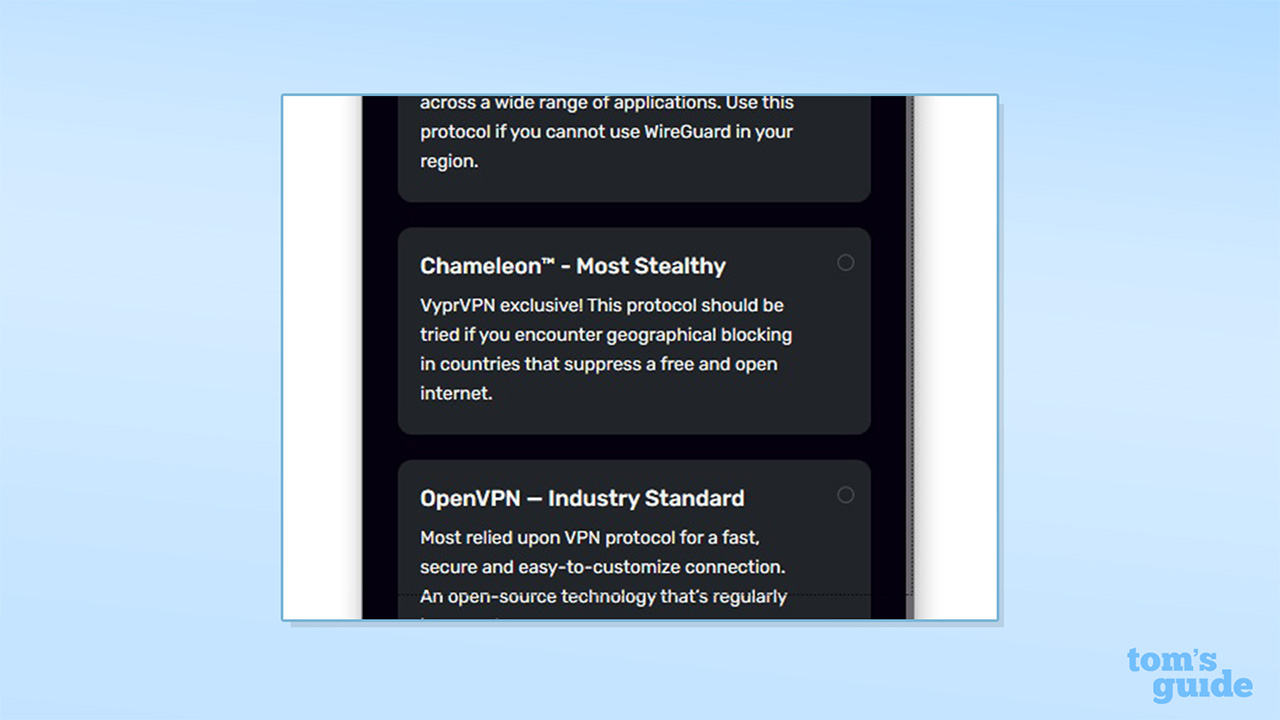
When it comes to encryption, VyprVPN offers a reasonable spread of modern, secure VPN protocols for all platforms, including WireGuard, OpenVPN, and Chameleon, its own proprietary protocol.
Chameleon is a variant of OpenVPN and enables obfuscation. This prevents third parties from detecting that you‘re using a VPN, which can help you to bypass VPN blocks and connect in China and other VPN-unfriendly environments. Mac and iOS users also get the IKEv2 protocol.
It’s impressive to see a VPN with the expertise and resources to develop its own protocol, putting it alongside leading competitors like ExpressVPN and NordVPN. However, VyprVPN doesn’t update its software very often, so it’s hard to know if it’s staying ahead of the curve when it comes to online surveillance. In comparison, IVPN uses standard obfuscation tools and technologies, such as V2Ray and ObfsProxy variants. These may be more widely known to online censors, but they’re developed independently and have a good track record and reputation.
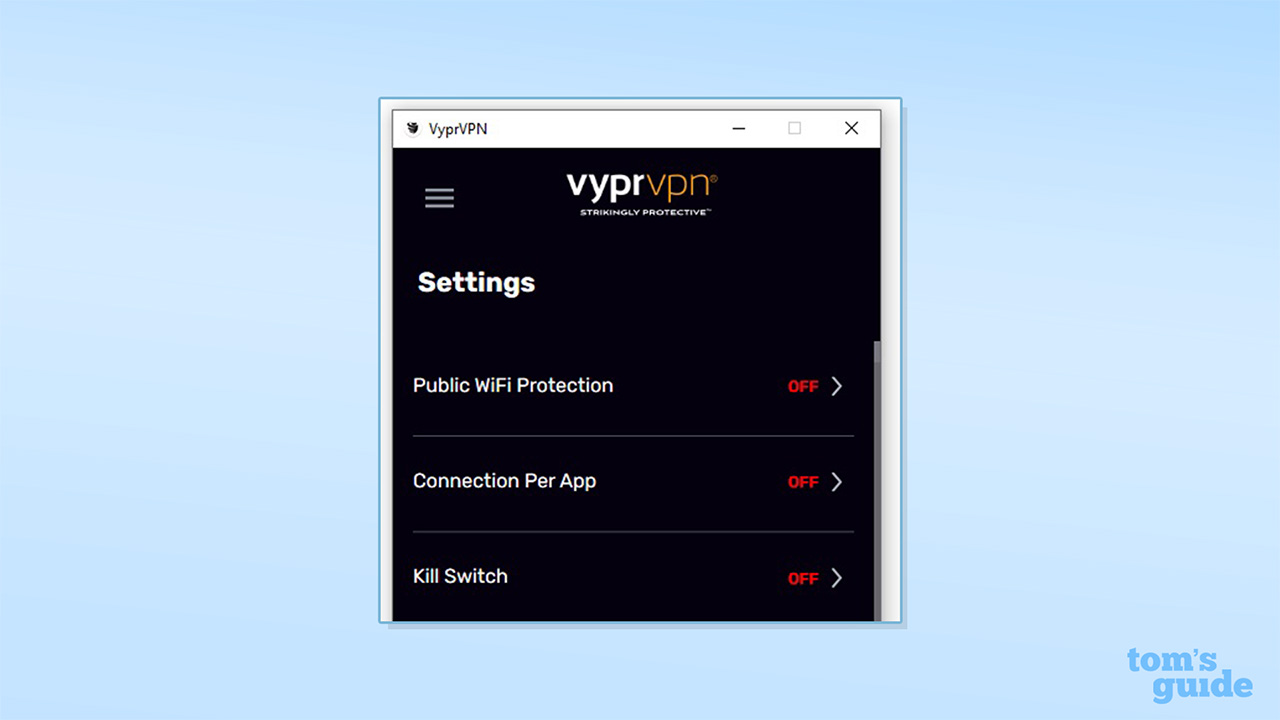
There’s a kill switch for Windows, Mac, and Android, but disappointingly, it’s not supported on iOS. There’s also an “Automatic Reconnect” option and a “Public Wi-Fi Protection” feature for Windows, Mac, Android, and iOS, which automatically connects the VPN whenever you access untrusted networks.
I put the kill switch functionality through thorough testing and found that WireGuard and OpenVPN connections were consistently blocked on Windows when the VPN dropped.
However, apps that use their own custom DNS IP addresses were able to send requests over the connection, even when the kill switch should have been active. As a point of usability, I also noted occasions when the kill switch was active and the connection was blocked, but the interface indicated that the service was working as normal.
More concerningly, I noticed some data leaks when using the IKEv2 protocol. I saw instances where the kill switch took a few seconds to activate, providing third parties with a window to log your online activity and real IP address. Having an effective kill switch is crucial for protecting your privacy online, so this is a significant failing. To make sure my conclusions were fair, I ran the same tests with ExpressVPN’s Windows app and didn’t notice a single leak.
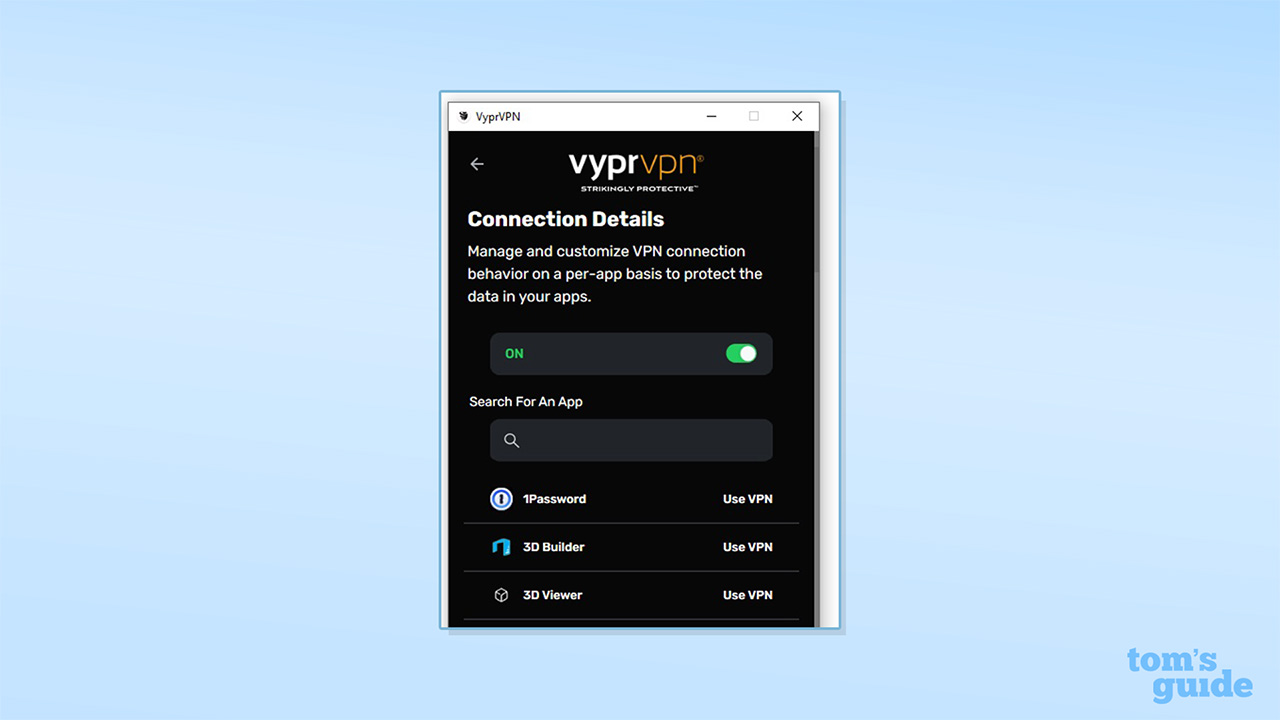
VyprVPN offers split tunneling by app but only on Windows and Android. The feature is labeled “Connection Per App” and allows you to select apps that will bypass the VPN connection. It’s fairly easy to use, but there’s no way to use split tunneling with apps that don’t appear on VyprVPN’s app list.
In contrast, ExpressVPN’s Windows app has an “Add another app” button, which allows you to add any .exe or program file to its split tunneling list, but VyprVPN doesn’t have any comparable functionality.
VyprVPN does include an encrypted DNS service, which it has branded “VyprDNS,” but this is fairly standard. The provider doesn’t offer Tor over VPN functionality or multi-hop connections, which allow you to run your connection through additional VPN servers. There’s also no ad-blocking functionality or support for additional privacy features, unlike other leading providers.
Rating: 5/10
VyprVPN server network
VyprVPN has a network of 700+ servers, with 73 locations in 64 countries. While this is a relatively small overall network (with most leading providers having thousands of servers), the number of countries covered puts VyprVPN in a similar league to Windscribe VPN (with 134 locations in 69 countries), PureVPN (80 locations in 66 countries), and Private VPN (83 locations in 62 countries).
However, based on my testing, VyprVPN hosts all of its servers in just seven central hubs (in Amsterdam, Chicago, Miami, San Francisco, Singapore, Sydney, and Tokyo), providing virtual servers for every other location.
I counted 39 locations being hosted in Amsterdam, including every European, African, and Middle Eastern country, as well as India and Pakistan. It’s perhaps unsurprising then that VyprVPN has no server clusters (or physical presence) in either Africa or South America.
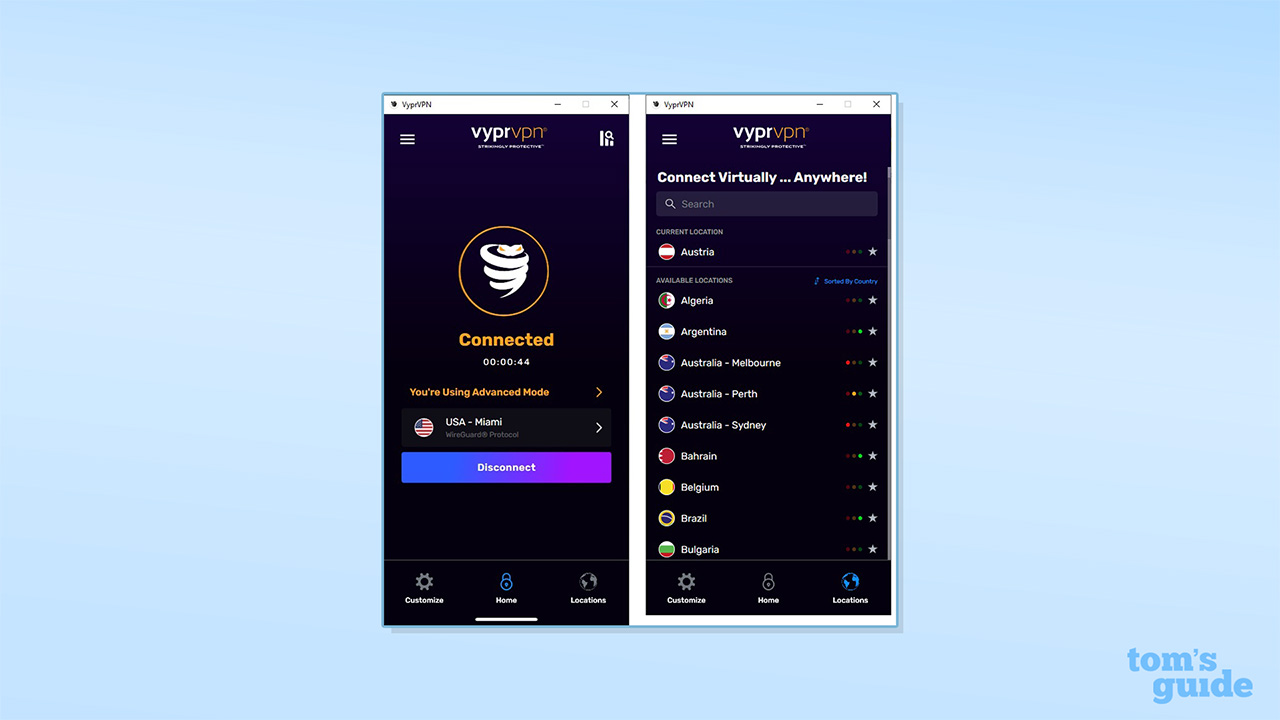
Unusually, VyprVPN doesn’t have a server for South Africa but covers both Algeria and Egypt, which may be down to the fact that they’re closer to the actual server being used in Amsterdam. A similar logic may account for the single server offered for Canada, a country which spans six time zones.
To note, there’s also some out of date information on VyprVPN’s site regarding its server network. For example, one page states that it offers 100+ locations and also has a count of 96 locations on the same page (rather than the correct total of 73).
Rating: 5/10
Is VyprVPN good for streaming and unblocking?
Generally, VyprVPN performed well in my testing for unblocking streaming providers. There are no specialized streaming servers, but I was able to successfully unblock Disney+, US YouTube (with a logged-in account), and Netflix libraries for the US, UK, and Canada, and the different, licensed content that they offer. I was also able to unblock BBC iPlayer, ITV, and Channel 4 in the UK and 9Now in Australia.
That said, I wasn’t able to access Amazon Prime, Netflix’s Australian or Japanese libraries, or 10Play in Australia. Looking at similar operators, this places VyprVPN behind competitors like CyberGhost VPN, Windscribe, and PrivadoVPN, and first-class providers like NordVPN.

I also experienced some technical issues, and streaming sites sometimes gave me error messages before I was able to get them to play, but I was then able to use them without changing servers or locations. This may have been due to performance, as it took a long time to launch videos in some cases. VyprVPN also doesn’t do well for avoiding CAPTCHAs, and I’ve even seen Cloudflare “Verify you are human” messages on VyprVPN’s own site when I had the VPN enabled.
Torrenting is enabled on all servers, though there’s no port forwarding functionality to allow you to share files. However, based on the average connection speeds detailed below, issues with the privacy policy, and problems with the kill switch, it’s not a great service for torrenting privately and anonymously. If this is one of your priorities, you'd be better off looking at one of the best torrenting VPNs.
Rating: 5/10
How fast is VyprVPN?
In my testing, when using WireGuard I achieved a mid-range 508 Mbps download speed using the closest local server. I recorded a 361 Mbps connection when connecting to a US server but saw the latency climb to 123 ms. This is around double the delay that NordVPN delivers with an equivalent US connection. VyprVPN can also take some time to connect, and it’s not unusual to have to wait 15 seconds or more.
You only need around 25 Mbps to stream in 4K and around 100 Mbps for online gaming, so these speeds should be sufficient for most browsing, streaming, and gaming needs, but VyprVPN lags far behind the fastest VPNs on the market. We’ve recorded local connection speeds of 1,000 Mbps or more with ExpressVPN, Proton VPN, NordVPN, and Surfshark.
VyprVPN can take some time to connect, and it’s not unusual to have to wait 15 seconds or more.
Disappointingly, VyprVPN’s peak OpenVPN speeds dropped to 74 Mbps in this review, down from 145 Mbps in previous testing. A limited silver lining was the fact that switching from a local UK server to the US made barely any difference to performance. A local connection comes with a notable latency of 25.9 ms, though US-UK connections come with a considerably longer lag, running to 135 ms.
As VPNs send your data via a remote server, they will almost always slow down your connection. We use the SpeedTest and Cloudflare Speed Test services to measure connection speeds and run tests multiple times a day to account for variables that could affect performance. For further information, see our in-depth guide to how we test VPNs, which covers our full testing process.
Rating: 5/10
Privacy and security
VyprVPN says it owns all its own infrastructure, including hardware and servers. Given that it only runs seven server clusters, this is less of a stretch than it would be for most providers. VyprDNS seems to run through Amazon and Google Cloud, though, and while this is standard for VPN operators and doesn’t mean the providers can monitor or log user connections, it does mean that an important part of the service isn’t owned by VyprVPN.
Beyond this, VyprVPN doesn’t have any special infrastructure benefits to match, for example, ExpressVPN’s TrustedServer technology, and it doesn’t have any provisions for post-quantum encryption. Notably, while the VPN was audited in 2018, there’s no public information on any subsequent audits.
With OpenVPN, VyprVPN uses the AES-256-GCM cipher with SHA384 HMAC and SHA256 authentication. My testing confirmed that solid AES-256-GCM encryption was in place. I also found that the DNS and WebRTC leak protection features worked well, and I didn’t detect any leaks across multiple testing sites. VyprVPN doesn’t currently have the equivalent information available for WireGuard, however.
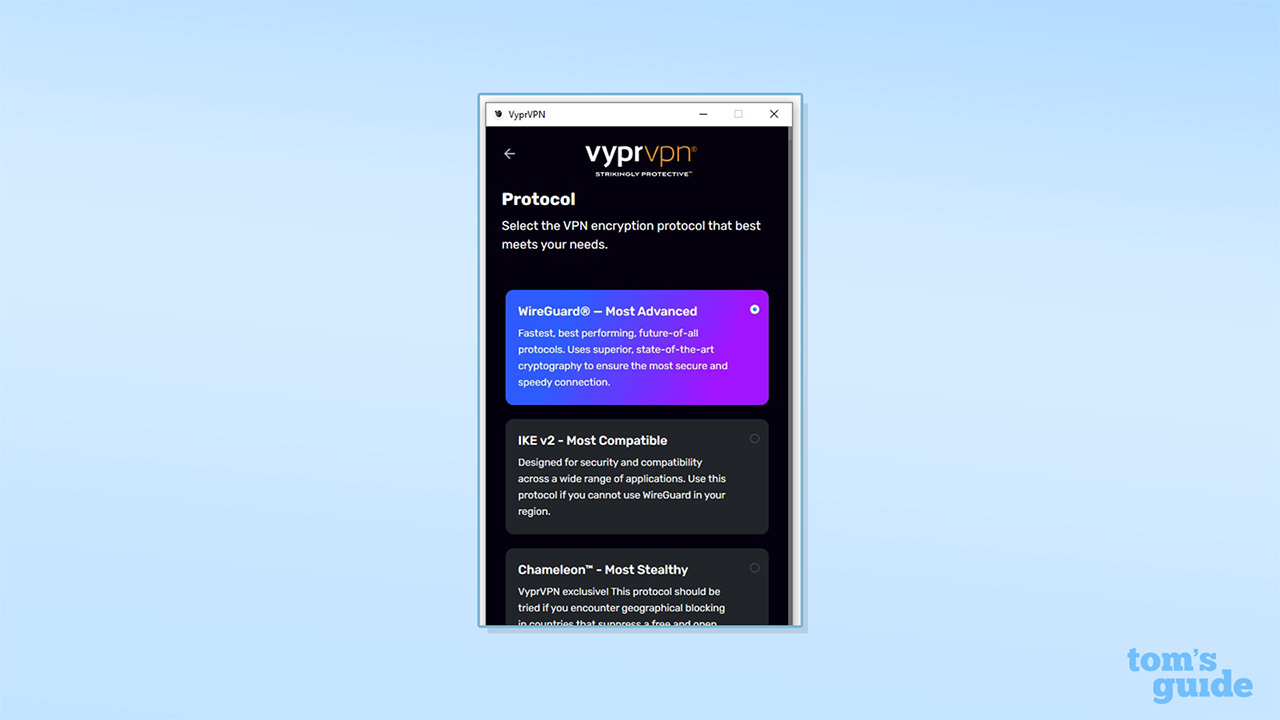
Obfuscation is available for all devices using VyprVPN via the proprietary Chameleon protocol, and I didn’t observe any data leaks during my testing. There’s a kill switch for Windows, Mac, and Android, but, as noted in the Features section of this review, I noticed several issues with usability and delays that could expose user data.
On its homepage, VyprVPN promises “Absolutely no-logs...ever!” However, this isn’t reflected in the company’s legal documentation. The privacy policy has been recently updated, but is hosted on Termly.io, a service for creating legally compliant documents, which uses very vague, generic language that isn’t specific to VPN use.
For example, the terms of service state, “We will maintain certain data...for the purpose of managing the performance of the Services, as well as data relating to your use of the Services.” To paraphrase, this means, “We will log some data on your use of the service.” Similarly, when describing data retention, the privacy policy states, “We keep your information for as long as necessary to fulfill [sic] the purposes outlined in this privacy notice unless otherwise required by law.”
On the positive side, the policy does obliquely state that VyprVPN doesn’t record “browsing history, search history, online behavior, interest data, and interactions with our and other websites,” and it states that the company hasn’t shared personal information or sold it to third parties in the previous 12 months.
What’s there doesn’t inspire confidence, though, and the documentation could be far more clear about exactly what is stored and for how long and should underline the company’s commitment to user privacy.
It’s also notable that when you install VyprVPN’s apps, it doesn’t display the full terms or privacy policy and just includes a link that then redirects to the Termly page. This may well mean that Termly has a log of the IP addresses (and potentially the device details) for every VyprVPN user who has clicked on the link during the installation process.
With some questionable security claims, a vague and problematic privacy policy, issues with the kill switch, and the absence of proof of any recent audit, there’s a lot of room for improvement.
The privacy policy also notes that VyprVPN uses cookies and other tracking technologies, but only specifically mentions using Google Analytics. I found that the Windows app uses MixPanel to collect data on app usage, recording connection failures and similar events.
This isn’t abnormal, but providers like ExpressVPN and NordVPN provide far more transparency on third-party integrations and give users the option to opt out of data collection during installation and a setting to disable it at a later date.
With some questionable security claims, a vague and problematic privacy policy, issues with the kill switch, and the absence of proof of any recent audit, there’s a lot of room for improvement.
Rating: 4/10
VyprVPN apps and compatibility
VyprVPN has good support for all major platforms, with some caveats. It has apps for Windows, Mac, Android, iOS, and smart TVs, including Android TV, Fire TV, and Apple TV, and they’ve seen recent updates.
That said, unlike most major providers, VyprVPN doesn’t have any browser extensions. There is a Linux CLI app, but it’s now more than five years old and runs on an outdated version of Ubuntu, and it’s not something that VyprVPN actively promotes.
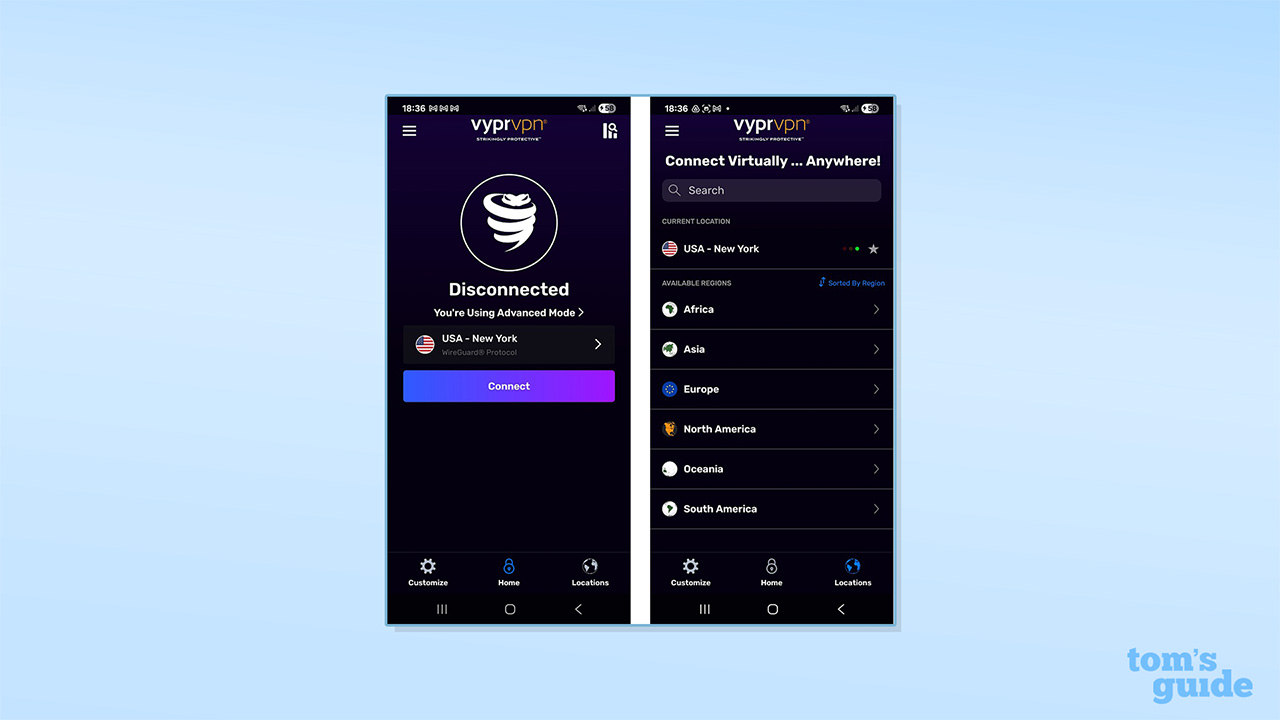
It’s easy to install the apps and get started with them, and they offer a consistent, clean experience. In terms of functionality, there’s no split tunneling on Mac or iOS and, disappointingly, no kill switch on iOS. On the other hand, Mac and iOS users do get the IKEv2 protocol.
There’s also router support with instructions on how to set up VyprVPN manually on DD-WRT, OpenWRT, AsusWRT, and Tomato hardware. As you only get five connections with your account, installing the VPN on your router is a great way of protecting all your traffic across your devices.
Rating: 7/10
Is VyprVPN easy to use?
VyprVPN’s apps look and feel much like most other VPN apps, with a portrait window, a large “Connect” button, and your currently selected server option on display. The apps are easy to install, consistent across platforms, and it’s easy to find the server list and settings options.
There’s also some helpful functionality, such as a quick connect feature, a saved favorites list for servers, and a traffic light system indicating issues with servers. Even absolute beginners will be able to figure out the basics very quickly.
That said, it can take a long time to connect with the Windows app, and you may be waiting 10 to 15 seconds or more, where other apps are able to trigger the kill switch and reconnect within a second. The VPN can also take even longer to disconnect on Windows, and I’ve often seen delays of 30 seconds or more.
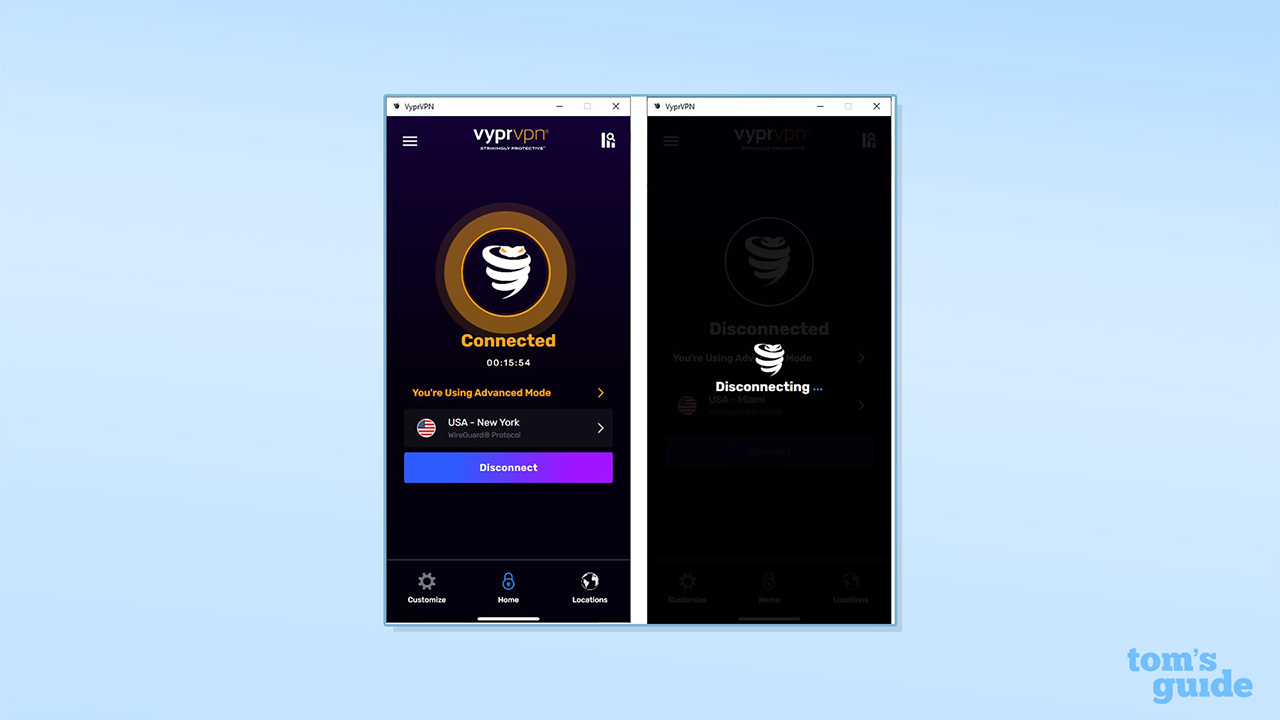
With the auto-reconnect option enabled, there’s also the potential for a doom loop, where the app runs through failed connections and disconnections for minutes at a time. In my testing, ExpressVPN’s Windows app disconnected in a fraction of a second on the same device.
These issues didn’t apply to all platforms, though. I found the Android and iOS apps connected and disconnected within two to four seconds, while the Mac app could take 10 to 15 seconds to connect but disconnected quickly.
An additional issue I’ve noticed is that the app seems to continue to run, even when it’s shut down. This can mean that your connection is blocked by the kill switch, and I’ve found that once the app is killed from the Windows Task Manager, it can’t be reopened without restarting your device.
Rating: 4/10
Why is VyprVPN based in the US?
After it was bought by Certida LLC from Golden Frog in 2023, VyprVPN’s registration moved from Switzerland to the USA. There are many countries with better data privacy protection laws, and this puts it within reach of the Five Eyes alliance of intelligence-sharing nations.
VyprVPN does have a no-logs policy, but there’s no public information about recent audits. Equally, while it states that it can’t comply with government and law enforcement requests for user information, it doesn’t provide a transparency report, unlike many other providers.
VyprVPN customer support
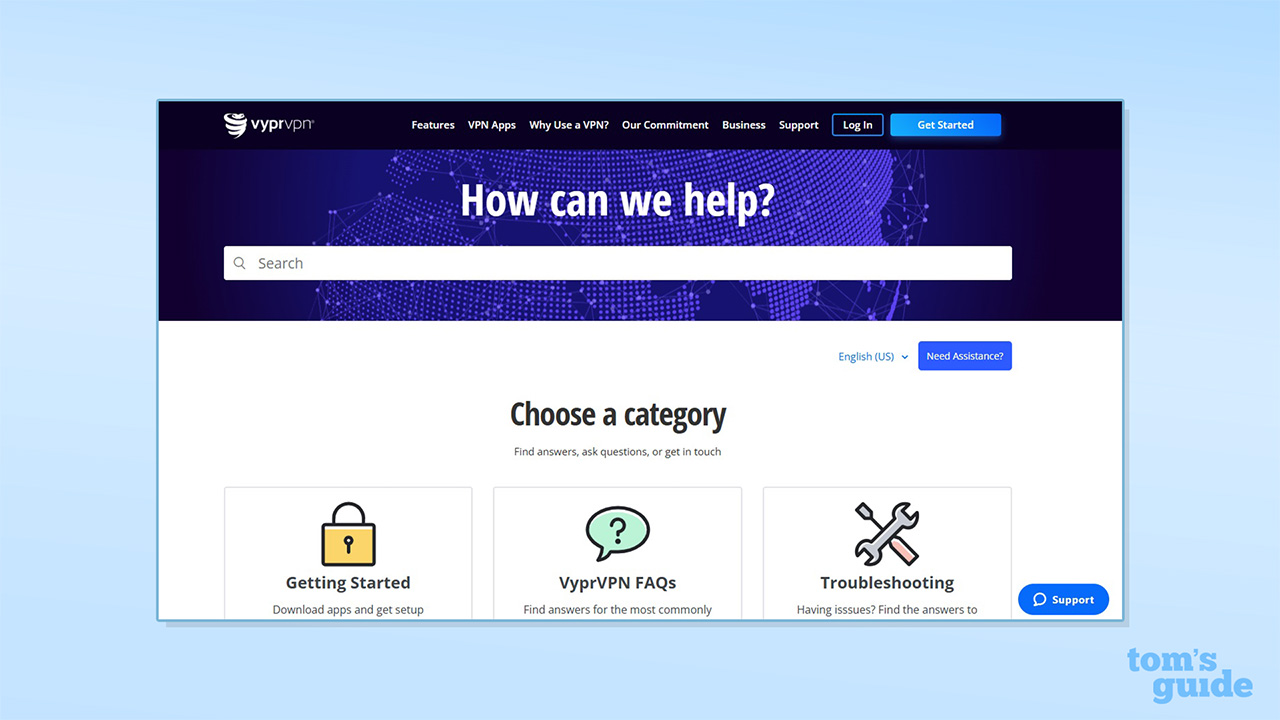
In terms of support, VyprVPN has an online knowledgebase, live chat, and email support. A lot of the pages in the knowledgebase haven’t been updated for several years, though, and the documentation can be confusing to navigate. For example, there are separate and unconnected indexes for Windows issues in both the “Troubleshooting” and “FAQ” sections.
Following the “Getting Started” icon, meanwhile, provides lots of technical guides for advanced users, but there are limited details for beginners facing issues. Given all this, the knowledgebase could do with a significant overhaul to bring it up to date. This would also benefit the main pages of the site, which include various inconsistent and out-of-date claims regarding server counts and the number of connections per account.
In my testing, the live chat support operators were prompt, helpful, and knowledgeable. There’s also a chabot that can direct you to relevant articles. Other services have AI chatbots, but these often surface inaccurate information, so it’s better all around to be able to connect with a real human operator.
I found the reps to be notably speedy, and they were able to resolve basic queries about features in less than 10 minutes. Complex queries took longer, but I got thorough replies within a matter of hours after my issues were escalated.
Rating: 6/10
Can you trust VyprVPN?
VyprVPN was among the first VPNs to run an independent audit of its service in 2018, and it published the full report at the time. However, there’s no indication that it has run an audit since, unlike competitors like NordVPN, ExpressVPN, and TunnelBear, which have all run regular audits for years.
The 2018 report doesn’t provide any guarantees on VyprVPN’s security and privacy posture today, and I’ve found concerning issues with the kill switch, so there’s definitely work to be done. There’s also a lot of out-of-date information on the site, such as links to old Golden Frog pages and references to incorrect server counts (promising 100+ locations rather than the 73 that are actually available). That’s not to mention the range of issues with VyprVPN’s privacy policy, which are laid out in the Privacy and Security section above.
In 2021, VyprVPN was one of several VPNs banned from Russia for refusing to comply with laws requiring them to block specified websites. In 2019, VyprVPN was also a founding member of the i2Coalition’s VPN Trust Initiative, along with ExpressVPN, Surfshark, and NordVPN. This is admirable, but given that the company is under new ownership, it doesn’t necessarily mean much.
VyprVPN has seen some updates in recent years, with a 5.0 release launched in mid-2023, adding features like the WireGuard protocol. The service has recently launched a 6.0 version, but there’s no information on a product roadmap or future updates.
VyprVPN has a poor TrustPilot score of 3/5. This is based on just 380 reviews, many of which are from years ago. There’s also a separate profile, reflecting VyprVPN’s ownership by Golden Frog, with a dismal 2.1/5 score from some 220 reviews. These ratings lag a long way behind the likes of Surfshark (4.4/5), ExpressVPN (4.3/5), CyberGhost VPN (4.2/5), and NordVPN (4.1/5).
On the other hand, VyprVPN’s US Android rating is 4.2/5, matching the VPN app average of 4.2/5, while VyprVPN’s iOS app rating is 4.7/5, similarly matching the iOS VPN app average of 4.7/5.
Rating: 4/10
VyprVPN review: final verdict
Subscribe if:
✅ You want to unblock streaming services
✅ You need a VPN for a Smart TV or router
✅ You want a simple interface
Don't subscribe if:
❌ You want a guaranteed private and secure VPN
❌ You need a comprehensive global server network
Alternatives to VyprVPN
VyprVPN FAQ
How to cancel VyprVPN
Canceling your VyprVPN subscription is a fairly simple process and requires just a few steps.
To cancel, log in to your VyprVPN account, go to “Subscriptions,” and then click “Cancel subscription.”
You’ll be asked to confirm the cancelation, and the process is then complete.
Does VyprVPN work in China?
VyprVPN claims to work in China without restrictions, with the Chameleon protocol’s obfuscation technology enabling you to bypass the Great Firewall.
The provider has virtual servers for Hong Kong and Macau and nearby locations in Singapore, Thailand, and the Philippines. However, some users have reported that the service doesn’t work in China.
Who owns VyprVPN?
VyprVPN is owned by Certida LLC and is based in the US today. The VPN was launched in 2009 by Ron and Carolyn Yokubaitis and their company, Golden Frog, and was originally registered in Switzerland before it changed hands in 2023.
The company has a no-logs policy but hasn’t published the results of an audit since 2018.
How we test VPNs
We have a full explainer on how we test VPNs, but, in short, it goes something like this.
Firstly, we test the sign-up process. How easy is it to pay, and what options are there? From there, we install the VPN on a number of devices, make notes on the simplicity of the process, and whether there are any extra steps that introduce complexity.
Then comes the fun part. We use all the features, running tests to detect any problems like DNS leaks or faulty kill switches. We'll dive into the code if it's available, and see if there are any anomalies we think you might be interested in reading about.
We test the speed – 120 individual tests, daytime and evening – and connect to various servers to get a good idea of how robust the server network is, and what speeds you can expect to get in normal usage.
Streaming comes next. We test a wide range of global and regional streaming services to see how well each VPN can unblock content.
Customer support is also very important. So, if we have any queries along the way, we'll follow the avenues provided to see how well-prepared the support team is. This includes live chat, email, and ticketed systems.
Once we've done all of this, we'll have a good feel for the apps and will have found out if there are any usability quirks, or unique features that we really like.
We test and review VPN services in the context of legal recreational uses. For example:1. Accessing a service from another country (subject to the terms and conditions of that service).2. Protecting your online security and strengthening your online privacy when abroad.We do not support or condone the illegal or malicious use of VPN services. Consuming pirated content that is paid-for is neither endorsed nor approved by Future Publishing.