Quick Summary
The Virtual OS Museum is digital space where you can experience a collection of operating systems and apps running in emulation.
This means you can actually use the old operating systems, live, as a playable archive of computing history.
There is now a place that you can go, online, which lets you experience what it was like to use computers in years gone by. The Virtual OS Museum is a live space for you to actually try the OS offerings of old.
Yup, this isn't just a list of old operating systems from machines no longer in use, it's a live experience. That means you can try out these working OS examples as if you were really using them back in the day.
At time of publishing, the Virtual OS Museum is home to over 250 platforms with more than 570 distinct operating systems and, it says, over 1,700 installs.
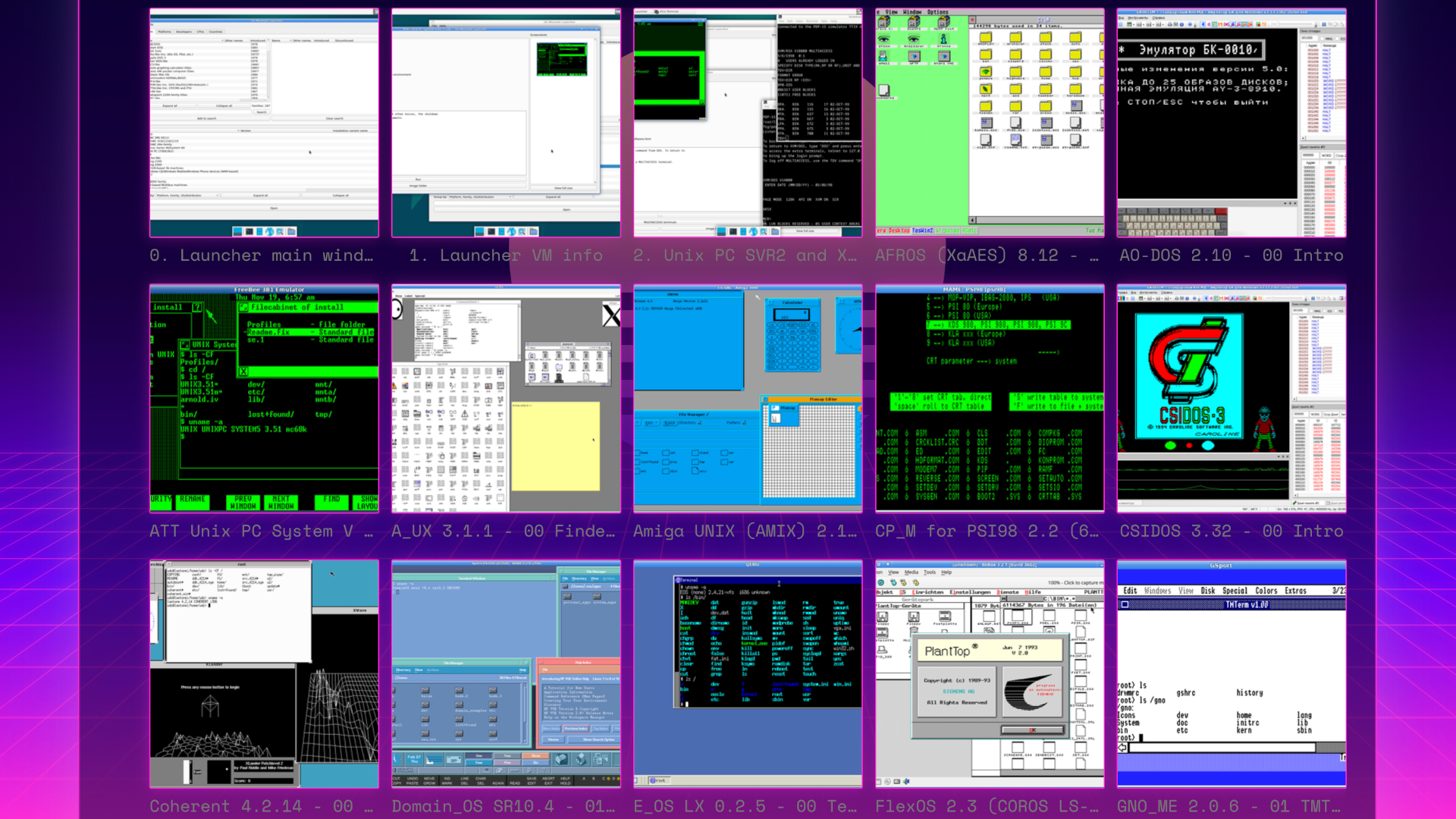
You can go way back to 1948 and try out Manchester Baby, or try out more modern options.
Currently you can try out early mainframe systems, CTSS, early Unix, Xerox Star Pilot/ViewPoint, classic MacOS, DOS, OS/2, BeOS, Windows from 1.0 to early Longhorn betas, PalmOS, Newton OS, early Android, and iOS.
Thanks to emulation you can try all these systems and more where you may have never had access or been able to try them before this.
So there is a chance to experience some nostalgia, for those that has these systems in the past. This is also an opportunity for anyone to experience what it was like to use these systems, and to see just how we got to where we are digitally today.
Curated by Andrew Warkentin, the museum is a way to run systems that might otherwise only work with certain emulators, exact versions, or with patched emulators that can take days to build. The museum makes access far more simple and open to all.
While this does make access far easier, it's not run within a browser. That means you will need to download and install this. The full edition is a massive 121GB zipped, which expands to 174GB when unzipped. Or go for the lite version, at 14GB zipped, where images are downloaded as needed.
If you want to give it a try, you can get started at The Virtual OS Museum website for free.