Type your address into Google Maps, switch to Street View, and there it is: a high-resolution photo of your front door, windows, and property line.
While it’s a convenient tool for navigating, it also means your home's exterior features are visible to anyone online. If you'd prefer to keep those details private, Google provides a straightforward, free way to handle it.
You can request to permanently blur your home from Street View, removing it from public view entirely. Here is how to get it done.
How to hide your home on Google Maps
You're best off using a desktop browser for this, as the blurring feature doesn't work as well on mobile. Go to maps.google.com and search your home address. When your location appears, click the photo of your home displayed above your address. This opens Street View.
Once in Street View, look at the bottom-right corner for "Report a Problem" and click it. You'll see a red and black box overlaid on the image.
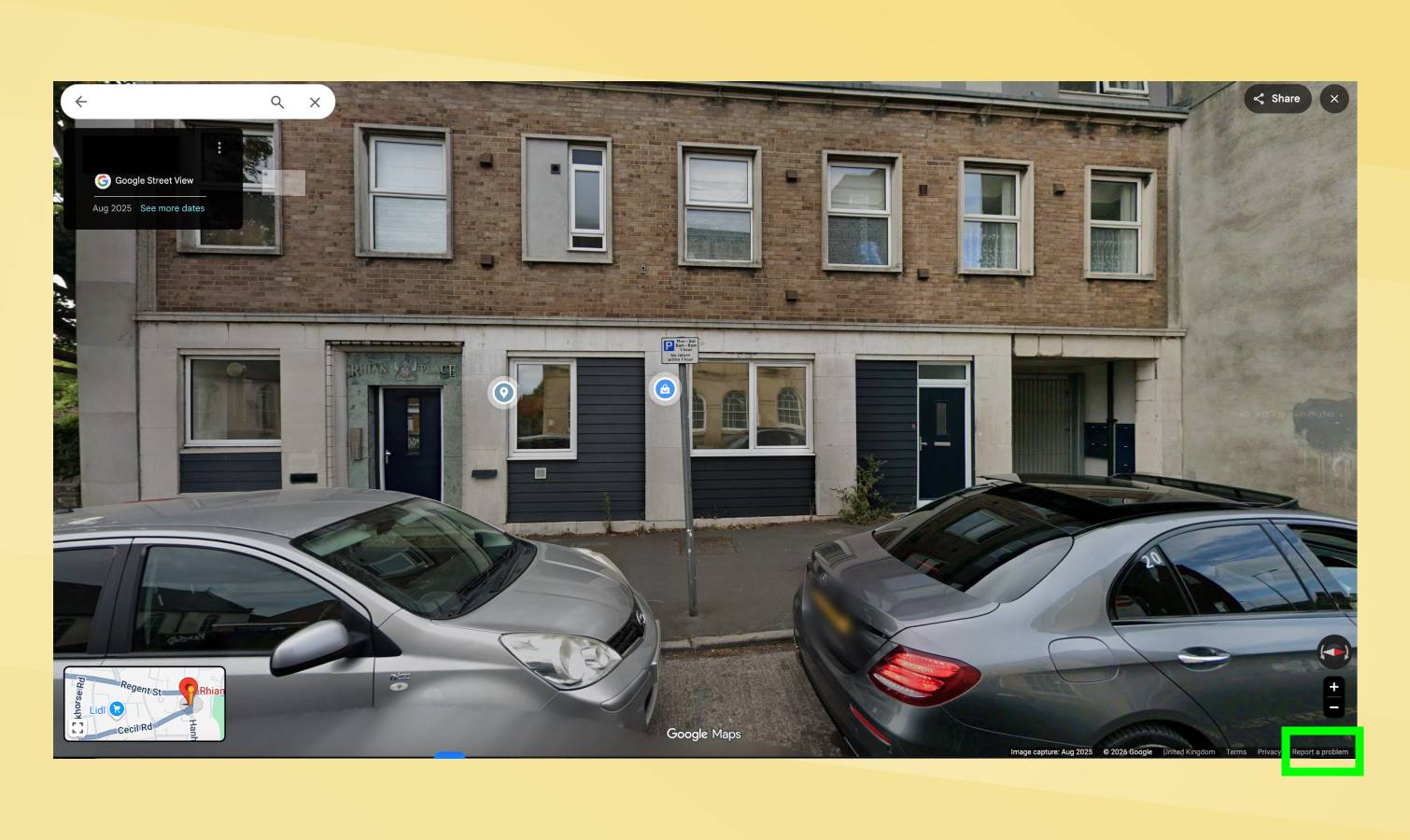
You'll see a red and black box overlaid on the image. Use your mouse to position this box so your home and anything else you want blurred is completely contained within it. The plus button zooms in, the minus button zooms out. Adjust until you've framed exactly what you want hidden.
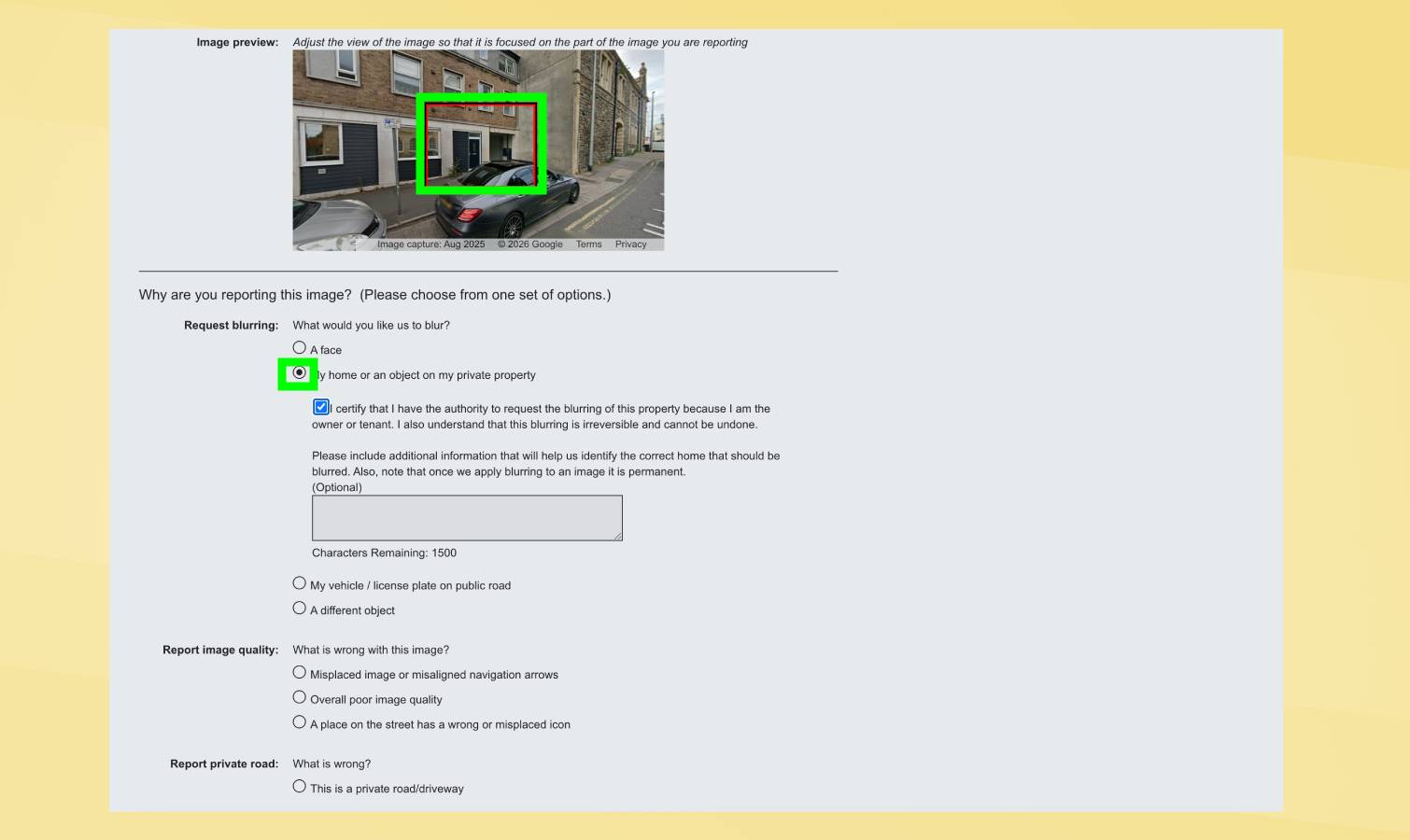
Below the image, choose what you're requesting to blur: A face, Your home, car/license plate, or A different object.
Select "Your home." Google will ask for additional details, so be specific and thorough so they understand exactly what needs blurring.
Provide your email address, complete the captcha if prompted, and click Submit.
Google will email you confirming they received the request. They may ask follow-up questions via email. There's no official timeline for approval, but most requests process within weeks. Once approved, the blur is permanent.
What you need to know before requesting
Google cautions that once something is blurred, it stays blurred permanently. You can't undo it. Make absolutely sure you've selected exactly what you want hidden before submitting.
If your request is denied, you can't resubmit the same image immediately. If approved, your home disappears from Street View everywhere, including past and future images.
Where do you stand? Drop your thoughts in the comments below 👇