Costing just £599, the all-new MacBook Neo is a laptop for those who’ve long been priced out of getting a MacBook thanks to Apple’s premium pricing. In what might be the most genius move in the tech giant’s history, Apple has launched an affordable MacBook designed to lure customers away from budget Windows laptops and Chromebooks.
The cheaper price is partly down to a new manufacturing process that uses 50 per cent less aluminium than Apple’s usual methods, while still relying on 90 per cent recycled materials. But while the MacBook Neo is quicker and costs less to produce, has Apple managed to cut corners without sacrificing the premium feel people expect from a MacBook?
There are definitely ways that Apple has kept the price down. There’s no backlit keyboard, for example, and the entry-level model (the one I’ve been testing) doesn’t have the Touch ID fingerprint unlock featured on other Mac laptops. But have too many compromises been made to meet a lower sticker price or is this laptop a triumph of design as well as pricing? After in-depth testing, here’s my full MacBook Neo review.
Read more: The best laptops to buy right now, tested by tech critics
How I tested
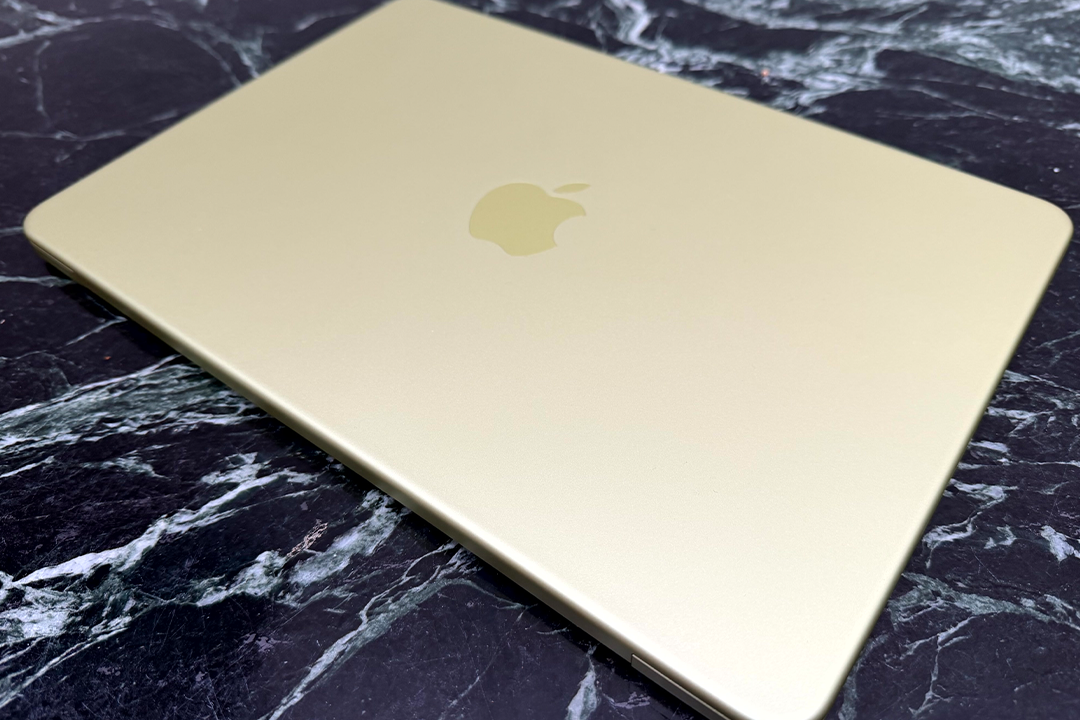
I’ve been testing the MacBook Neo since just after it was announced. I’ve looked at the design to see how sturdy, well-crafted and attractive it is (if the MacBook Neo creaks, nobody will want it at any price). During testing, I considered the following criteria.
- Design: I assessed the overall design of the new laptop and took note of features that are missing, compared with pricier machines.
- Display and audio: From the pixel density to the Spatial Audio, I considered if the laptop offers a good experience for watching movies and more.
- Performance: I tested everyday apps and more-advanced ones to see if the A18 Pro processor powering it is up to snuff.
- Battery life: I checked on battery life to see exactly how long it lasts without connection to the mains.
Read more: The best VPN services you can trust, tried and tested
Apple MacBook Neo
Processor: Apple A18 Pro
Display: 13in, LED-backlit, 2,408 x 1,506px resolution, 500 nits
RAM: 8GB
Storage: 256GB / 512GB
Dimensions: 29.75cm x 20.64cm x 1.27cm
Weight: 1.23kg
Colourways: Silver, blush, indigo, citrus
Why we love it
- Exceptional value
- Great build quality
- Strong performance
- Long battery life
Take note
- The keyboard is not backlit
- Touch ID only available on the 512GB version
MacBook Neo design
The new MacBook Neo is unmistakably an Apple device – even before you see the logo. The distinctive flat lid and cliff-edge sides with curved corners from the MacBook Pro and MacBook Air are all here.
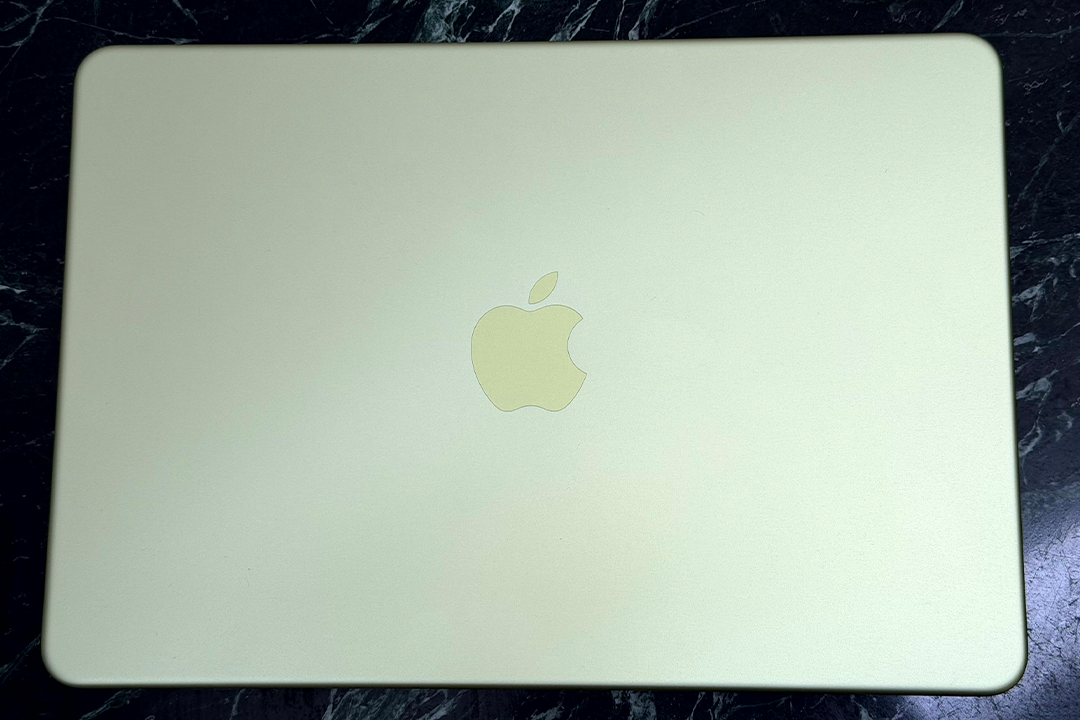
The logo is different, though. Instead of the shiny apple found on the other devices, here it’s a matte-finish apple, colour-matched, but gently differentiated from the rest of the lid.
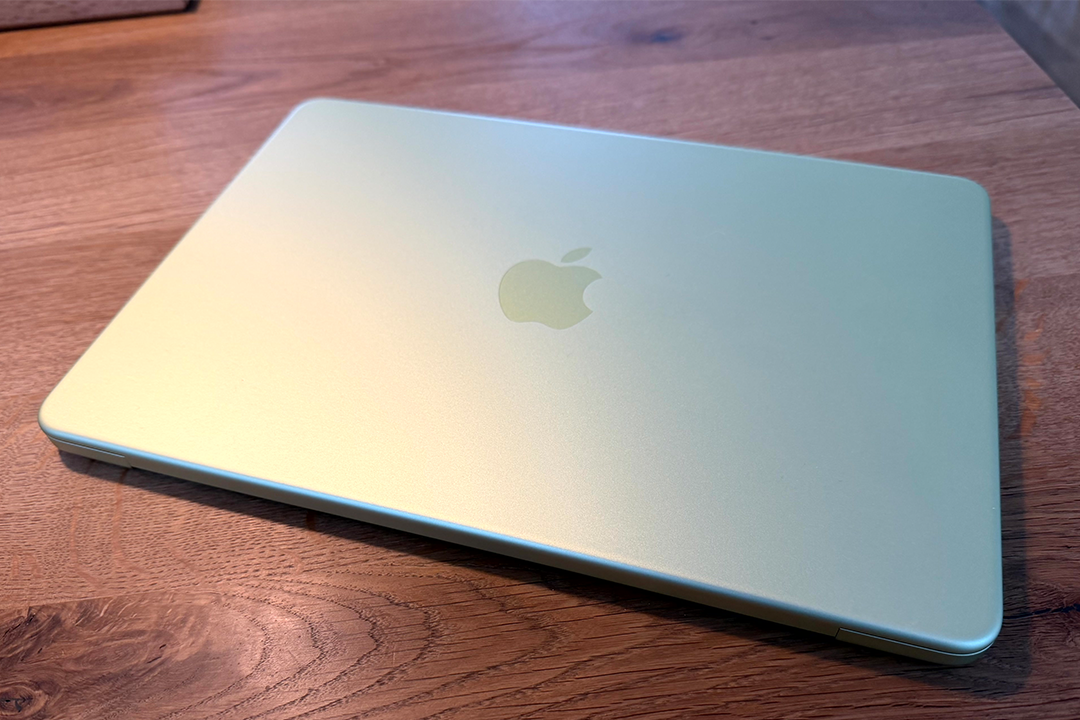
Talking of colours, the options here are also distinct from the rest of Apple’s range. Instead of understated shades such as space grey and sky blue, here there’s a warm pink (blush), a dark blue (indigo), the inevitable silver and, for me the standout, a lip-smacking lemon-lime shade called ‘citrus’.
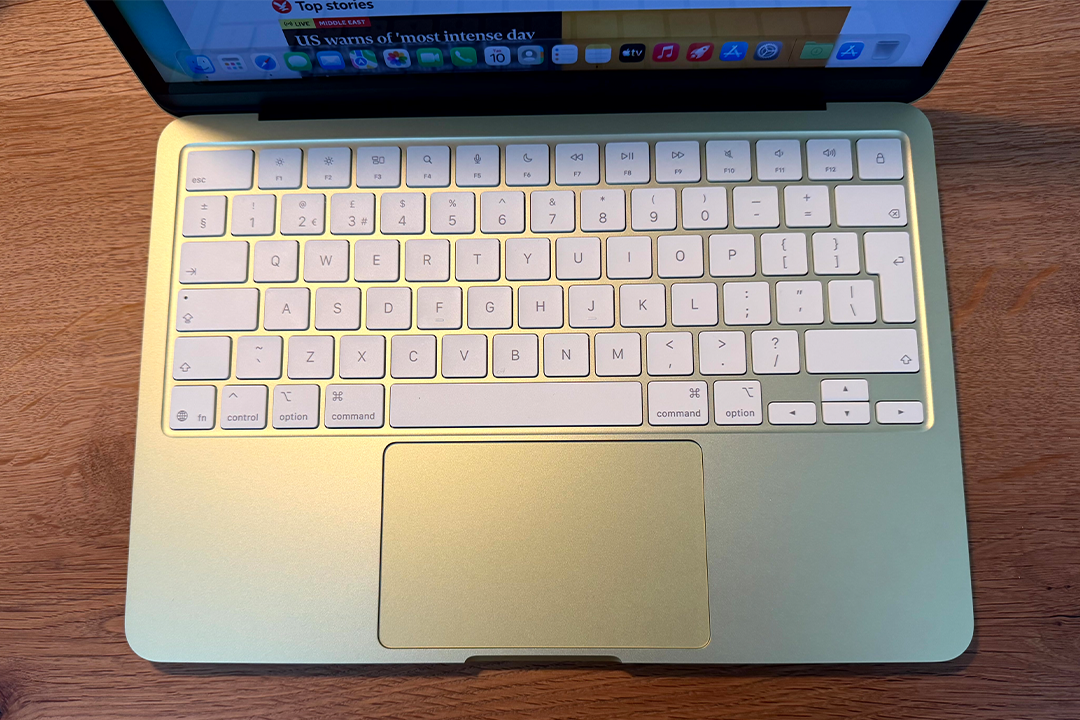
Not only is the Apple logo colour-matched to the lid, but the keyboard is coloured to suit the casing, too. A very pale green tint in the case of ‘citrus’, for instance. Apple has always been unbeaten for attention to details, so the rubbery feet that sit underneath the laptop are also colour-matched, as is the word “hello” that greets you in the box when you first unwrap your new MacBook Neo.
Even that’s not the end of it: the wallpaper is coloured according to the Neo you choose, and even the default highlight colour and menu colour. If these get too much for you (though who could have enough citrus, really?), you can swap these software options for other shades.
The only oversight colour-wise is the USB-C cable, which is white. Honestly, what were they thinking?
By the way, like other laptops sold by Apple in the UK, there’s no power plug in the box. The EU doesn’t want that, and Apple has complied for UK models, too. If you don’t have a suitable charging plug, Apple can sell you a 20W power adapter (one of those cute ones with the fold-out charging pins) for £19.
The aluminium is as appealing and sturdy as on any other laptop, with zero flex or creaking, whatever you do. This feels every bit as premium as the most expensive MacBook Pro.
In other words, Apple has not stinted at all in the build for the Neo. So how did it get the price down? There have been compromises but they’ve been thoughtfully done.
First of all, there’s no MagSafe connector – the brilliant magnetic connection for powering all other current Mac laptops, which disconnects harmlessly if someone trips on your cable. Instead, the Neo charges through USB-C.
Second, there are two USB-C sockets, as there are on the MacBook Air, but here, one is USB-C 3, the other USB-C 2. This means that while both can be used for charging the Neo, only the socket nearer the hinge can be used to connect an external monitor.
Next, the trackpad does not have haptic feedback as featured on other MacBooks, though it is still spacious and you can still click anywhere on it (unlike trackpads on some non-Apple devices), and it supports multiple touches.
To be clear, though each of these elements are nice to have, their absence does not make for a disappointing experience.
Then there’s Touch ID, the brilliantly easy way to unlock your laptop and authorise Apple Pay, for instance. This is not on the £599 entry-level MacBook Neo with 256GB storage, but if you choose the £699 model with 512GB storage, Touch ID is there.
The camera that sits above the display is a 1080p FaceTime HD camera, rather than the 12MP cameras on other Mac laptops. This means you can’t use the clever Centre Stage feature that ensures you’re always front-and-centre during video calls. However, this isn’t a deal-breaker, either.
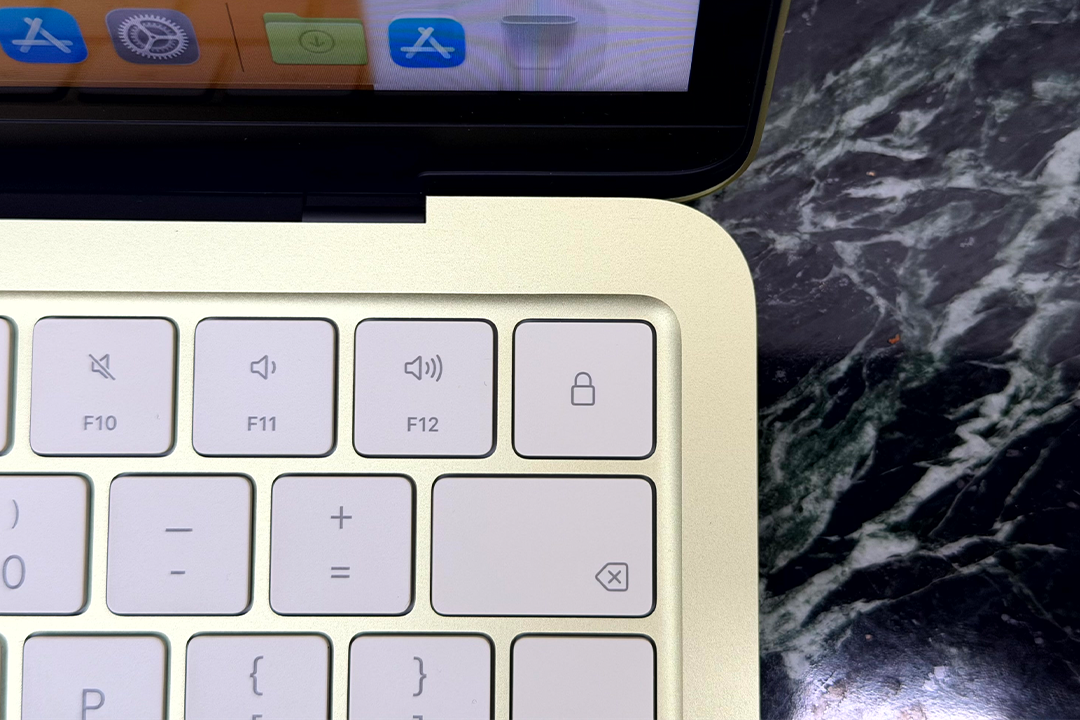
Actually, the only corner cut that I mind at all is that the keyboard isn’t backlit, which would have made it easier to see in darker situations. Still, the keys here are all lighter in colour than on other Mac laptops, so even this is less of an issue, compared with some devices.
More importantly, the keys are as precise and sumptuous to use as every other Mac keyboard. Apple calls it a Magic Keyboard, with a full 1mm travel in each key that feels just right, even over extended use. The keys are full-size, too (even the row of function keys at the top).
In terms of design, then, the corners cut are minimal and the Neo holds up as a premium-feeling and premium-looking machine.
MacBook Neo display and audio
Many relatively affordable laptops have screens that are dim and lower-resolution, as you might expect. The display here lacks some of Apple’s refinements such as wide colour and True Tone but it has almost exactly the same pixel density as other Mac laptops and is exactly as bright as the MacBook Air. In other words, the display still looks great.
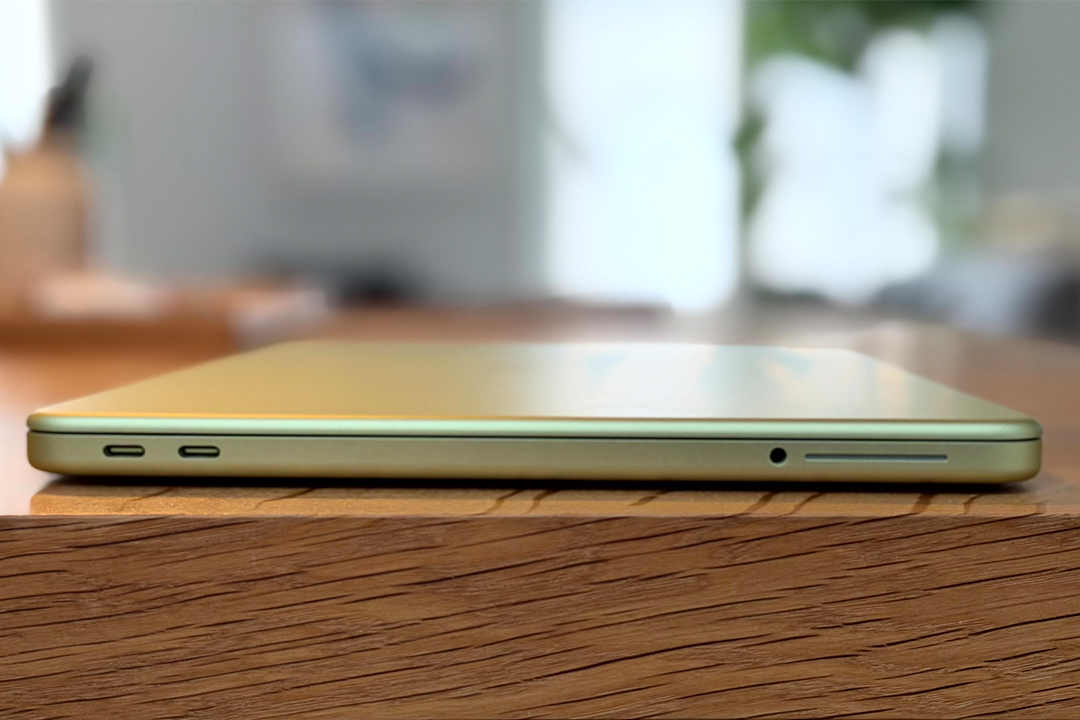
The speakers on the Neo sit on the edges and fire sound out sideways. I thought this might not work well, but they do. They may not be the four speakers of the Air, but they still support Spatial Audio with the right source material and they go loud enough.
Watching a movie on the Neo is a good experience, and much better than on many similarly priced Windows laptops, for instance.
Note that the display here is slightly smaller (13in) than the MacBook Air (13.6in). Since the bezels around the screen are wider, there’s no cut-out at the top of the display (which many will prefer) to accommodate the camera, as there’s room for it to sit on its own.
The display is smaller, but the Neo is still as light as the MacBook Air, which is an achievement in itself.
MacBook Neo performance
This is the first ever Mac laptop to be powered by an iPhone processor. That might have you worried – could it really be powerful enough? Well, since it is the chip that powered the iPhone 16 Pro, there’s a good chance it will be.
After all, that chip is enough for the demands of AI apps and Apple Intelligence, for a start.
The Neo is a dream to use. For everyday programs, it’s fast and effective, whether you’re typing emails, surfing the web, watching butter-smooth video playback or playing music.
It’s not quite the same as the chip in the iPhone 16 Pro: that had a six-core GPU where this has five cores, but it always looked great, even when playing games. The other elements (six-core CPU and 16-core neural engine which helps with AI needs) are identical.
In practice, this laptop will suit most people most of the time.
MacBook Neo battery life
The Neo doesn’t match the MacBook Air or MacBook Pro, but I found it kept on going. Where the Air manages 18 hours of video streaming, the Neo offers 16 hours. Less, then, but not by much.
And it recharges quickly. If, instead of the 20W power adapter mentioned above, you spring for Apple’s 40W model (£39), the Neo will recharge faster, as the maximum power delivery it can handle is 35W.
In other words, battery life is easily good enough to fool you into thinking you have a pricier laptop.
Buy now £549, Amazon.co.uk
Is the MacBook Neo worth it?
The Apple MacBook Neo is sensational. The look and feel are premium, with great materials and exceptional build quality throughout. If you didn’t know the price tag, you would unquestionably guess it costs much more.
Not only does it look tremendous, but Apple has engineered it with components and materials that outdo every other laptop in its price category. I miss MagSafe, and backlit keys would be nice, but these are not deal-breakers.
Performance does not match the MacBook Pro (but few laptops do), so those needing the most advanced machines will look elsewhere. But for a general-use machine, this laptop is highly accomplished.
I’ve talked a lot about the price, but the MacBook Neo is a great all-round performer first. Add the price tag into the mix, and it becomes irresistible.
Why you can trust IndyBest reviews
David Phelan has been testing and writing about laptops and other tech for years. His rigorous, real-world testing process involves using each model as his primary device, enabling him to go beyond specs on a sheet to understand how a laptop truly performs day to day. This hands-on approach, combined with extensive industry insight, ensures that his reviews are based on his honest, unbiased and expert opinion.
Want more recommendations? Check out our guide to the best wireless chargers