
Adobe has rolled out an update for Photoshop that brings a number of new, generative AI-powered features to the image manipulation software.
The update is rolling out to Creative Cloud subscribers now so should appear soon.
When you think of image manipulation, there is a very good chance Adobe’s Photoshop springs to mind. Even if you don’t use it yourself, you only have to have seen Crazy Stupid Love to understand the software’s influence when it comes to creating "perfect" images.
“Seriously? It’s like you’re Photoshopped,” is the classic line said by Emma Stone to Ryan Gosling when he removes his shirt – and to be fair, he does.
But that film came out in 2011 and 15 years later Adobe thankfully hasn’t rested on its laurels. The company has just dropped an update that promises to make editing workflows smoother, sharper, and, a little bit like magic (as if it wasn’t already).
If you thought the Generative Fill feature was impressive before, this latest update takes things to a whole new level.
What’s new for Photoshop in 2026?
There’s been a huge boost to the Firefly-powered tools, for starters.
Generative Fill and Generative Expand now support 2K resolution output, meaning AI-generated additions will look crisper and blend more seamlessly.
Adobe has also refined the lighting and depth algorithms, so those awkward seams and AI-looking artefacts will start to become a thing of the past.
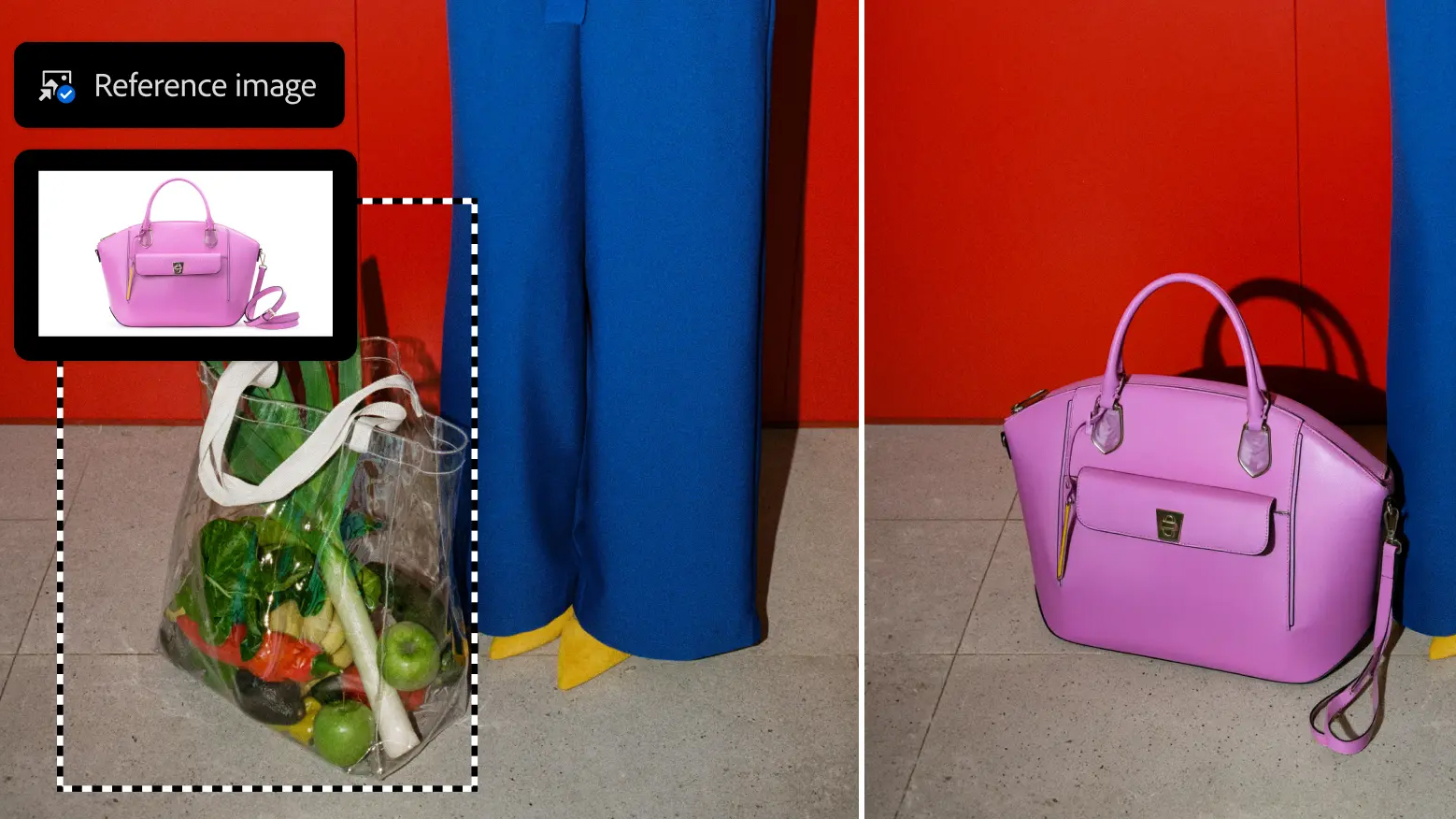
There is also an upgraded Reference Image feature. It’s now what Adobe is calling “geometry-aware", so if you drop a reference object into a scene, Photoshop automatically calculates the correct scale, rotation, colour and perspective.
The update introduces a few new adjustment layers, too.
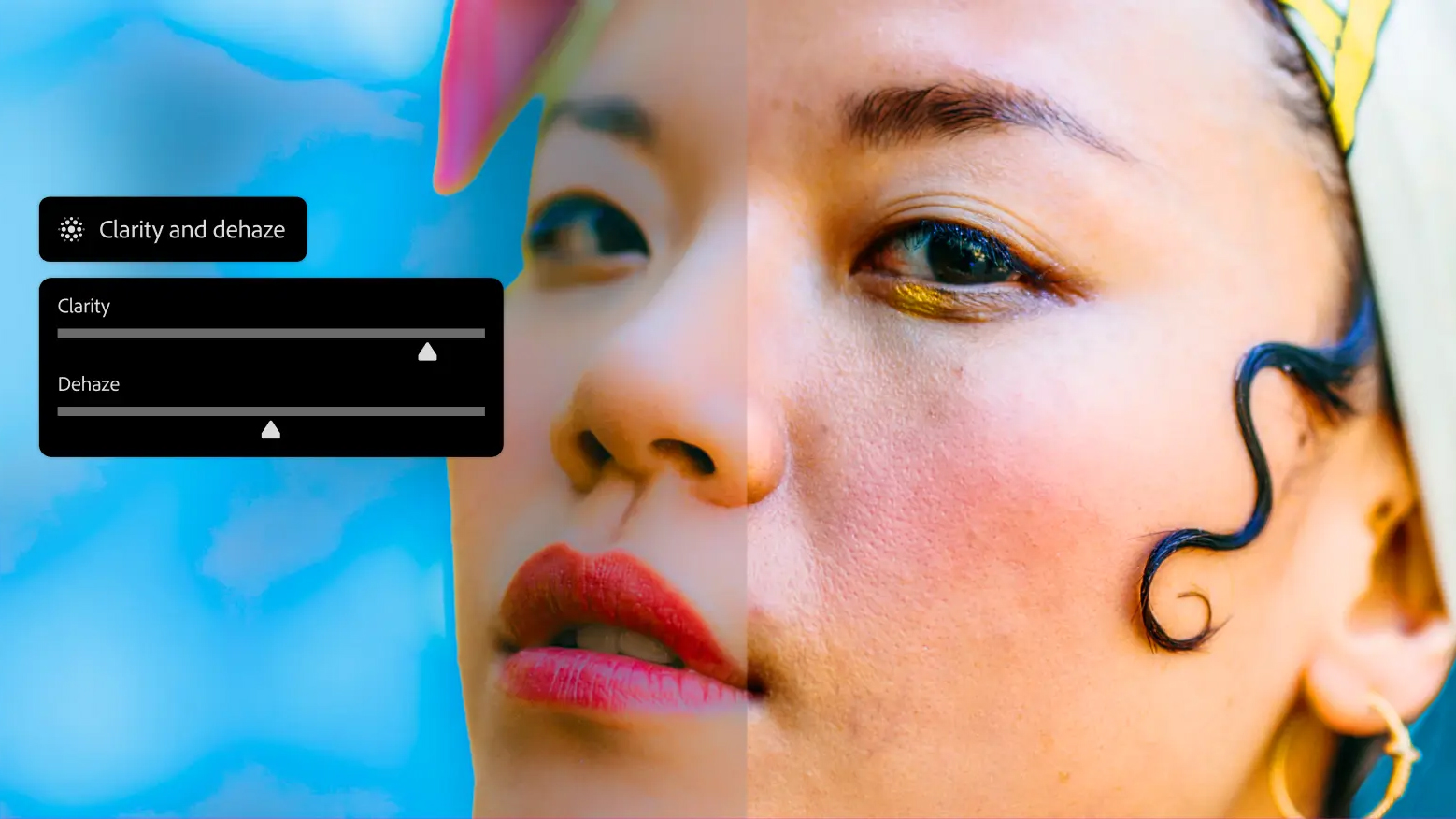
Clarity, Dehaze, and Grain can now be applied as maskable layers, allowing for precise, reversible edits that were previously much more fiddly to manage.
Last but certainly not least (I think this one might be my favourite), the new Dynamic Text (in beta) allows you to warp text inputs into circular or arched shapes with a single click, automatically resizing to fit paths without the usual workarounds.

The Photoshop update is rolling out now to all Creative Cloud subscribers. You should see the new features appear imminently.