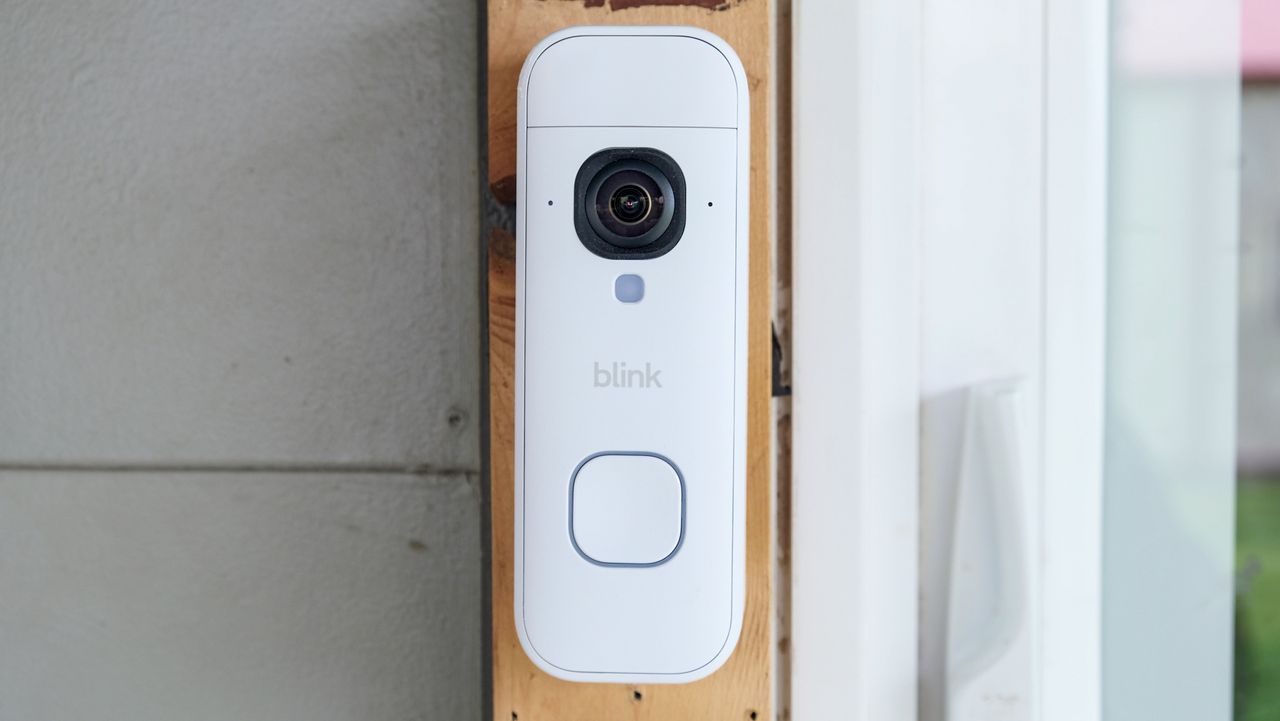
The Blink Battery Doorbell 2K+ is the company's first video doorbell capable of capturing 2K video, with battery life that lasts up to 22 months. That's almost unheard of when it comes to security cameras, let alone one that watches your door. And it does it all starting at $69.99. Blink's lineup keeps getting better, while also maintaining an affordable price.
So, how does the Battery Doorbell 2K+ compare to the best video doorbells? I tested it over the course of two weeks, using it to monitor activity on my back porch, including during a graduation party that triggered nearly 900 activity alerts in one afternoon. During that time, I also learned what the true meaning of 2K+ is.
Blink Battery Doorbell 2K+ review: Price and availability
The Blink Battery Doorbell 2K+ is available through Amazon for $79.99, including the required Sync Module. However, if you already have a module, the price drops to $69.99. There are two color options: black or white. The Blink Chime, an add-on doorbell chime, is available for $29.99 in matching colors. Or if you want to buy everything in a bundle and save $10, you can buy the entire kit for $109.98.
Blink Battery Doorbell 2K+ review: Design and installation
Blink Battery Doorbell 2K+: Specs
Camera resolution: 1920 x 1920, 24 fps day, 15 fps night
Field of view: 140 x 140 degrees, 1:1 aspect ratio
Night vision: Infrared night vision
Size: 5.19 x 1.89 x 1.34-inches
Battery Life: Up to 22 months at lowest video quality, up to 16 months at highest
Weather resistance: IP65 rating
Wi-Fi: 802.11 b/g/n 2.4GHz
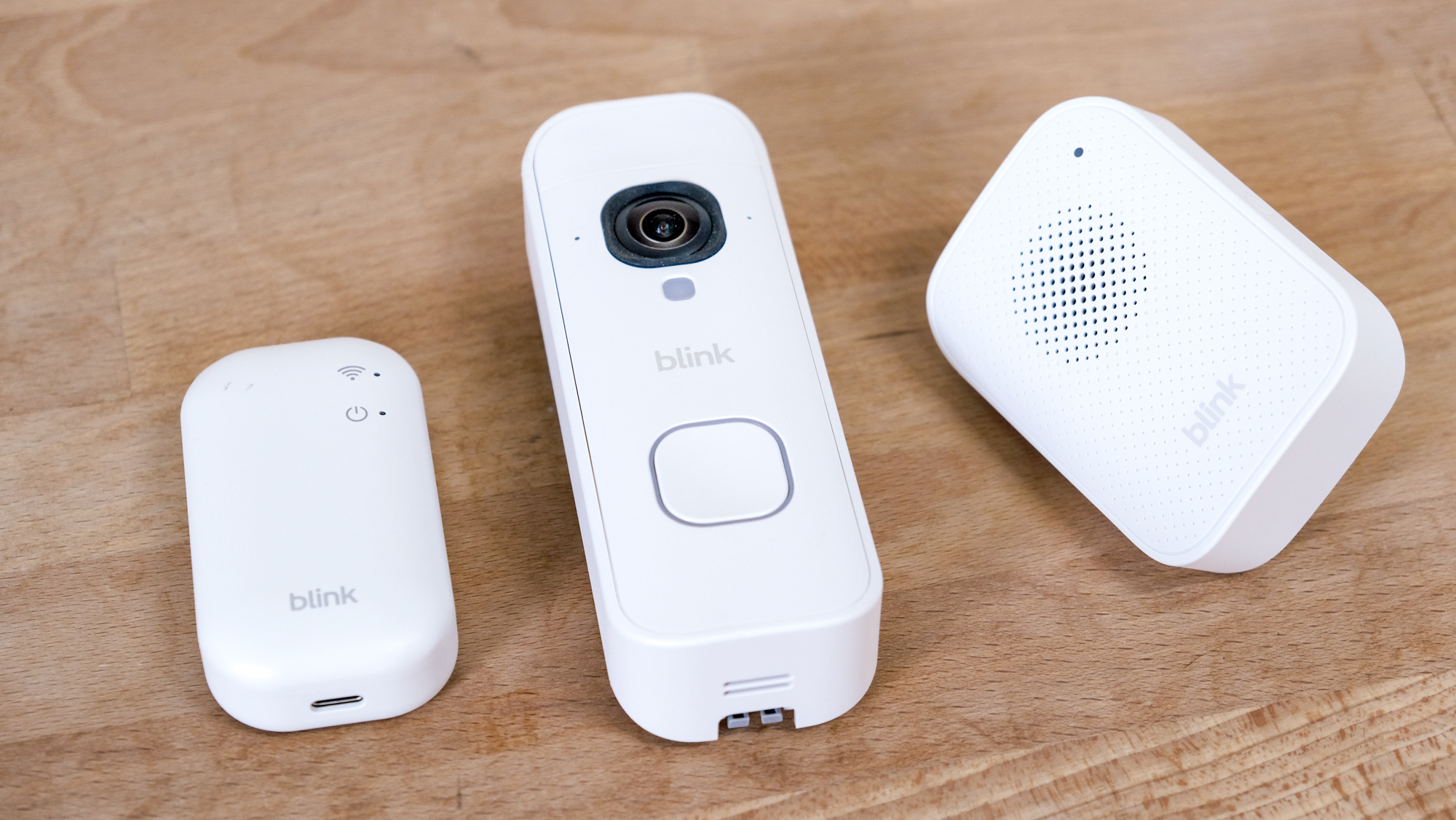
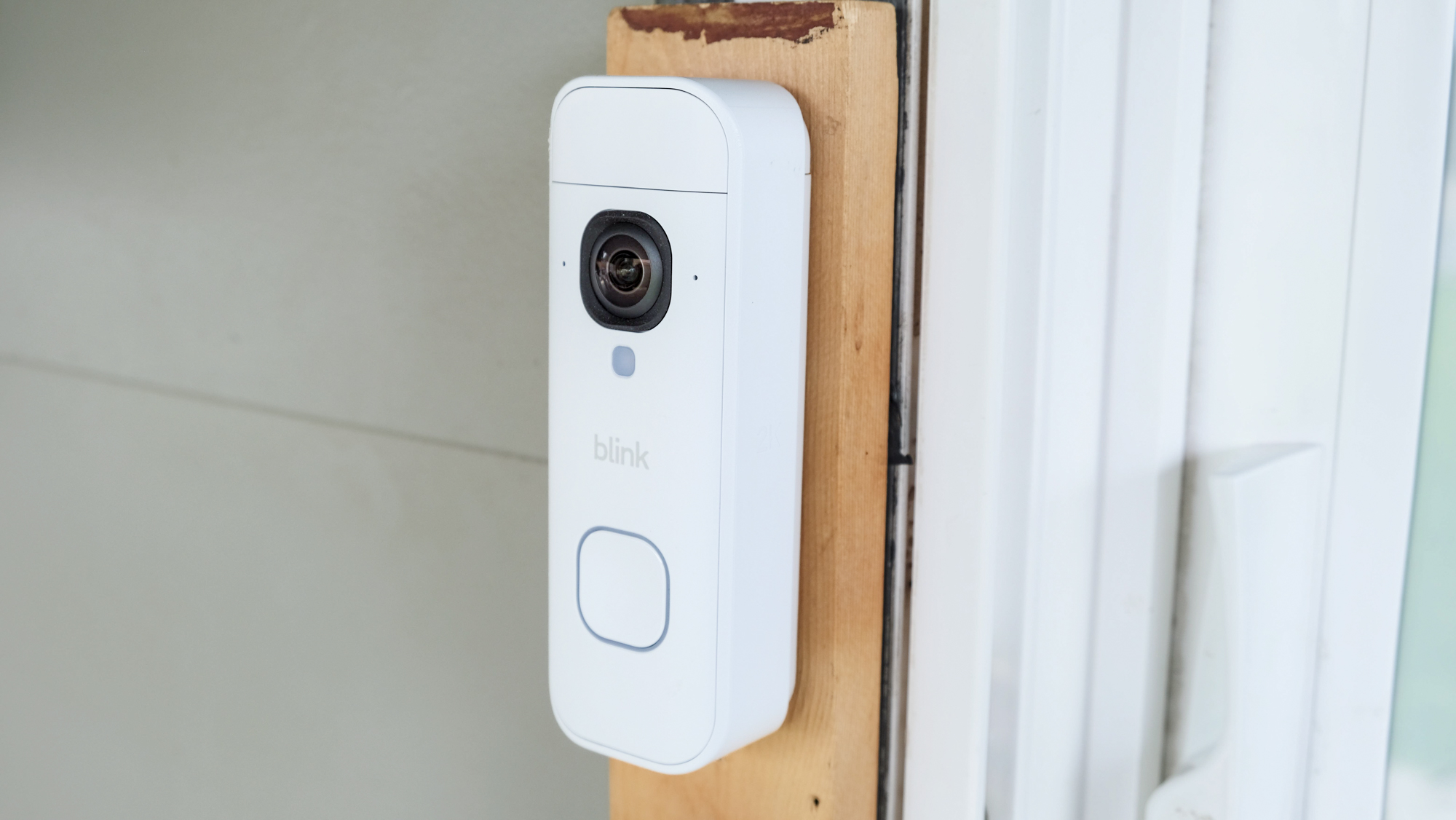
Blink didn't try to break the mold or set a new design standard with the Battery Doorbell 2K+; it looks like most video doorbells on the market, only slightly more refined. It's minimal, with curved edges instead of a box-like shape with hard edges.
It measures 5.19 x 1.89 x 1.34 inches, with a rounded square button below a similarly sized camera lens. As mentioned, it's available in black or white. I was sent the white model. It has a matte finish that makes it not overly bright — I rather like it.
Included in the box are the doorbell, three AA Energizer batteries, a template and all of the mounting hardware you need to install the doorbell. There's also a small tool to remove the doorbell from the mounting plate when it comes time to change the batteries. If you lose the tool, which is likely given that the batteries can last up to 22 months (more on that below), I imagine you can just use a flat-head screwdriver to pop the doorbell off the mounting plate.
In order to connect the Battery Doorbell 2K+ to the internet, you'll need one of Blink's Sync modules. I was sent a bundle which included the Sync Module Core, which lacks support for local storage or clip backup.
Initial setup and installation are straightforward. You'll need a drill to attach the mounting plate with the included hardware. If you're replacing an existing wired doorbell with a mechanical chime, just make sure to turn off the power before messing with the wiring.
With the doorbell installed, you'll need to set up the Sync module first, followed by the doorbell. The app does a good job of walking you through the entire process.
Blink Battery Doorbell 2K+ review: Video quality and features
The Battery Doorbell 2K+ (1920 x 1920) has a 1:1 aspect ratio, which means the field of view is square, measuring 140 degrees by 140 degrees. That's more than enough to see a nearly complete picture of what's at your door. It's not quite tall enough to see what's directly below the doorbell, which would be helpful for those times when a delivery person leaves a package close to your door, but it's close.
In comparison, Wyze's Battery Video Doorbell has a slightly larger field of view at 150-degrees square, giving you just a smidge more coverage.
During the day, video clips are recorded at 24 frames-per-second, and 15 frames-per-second at night. The Amazon page for the doorbell says you'll get color video in low-light situations, after which it'll switch to infrared black-and-white video.
My experience has been mixed, with nearly all video I've captured at night having the same level of light from inside the house plus a floodlight covering the yard, and in only one or two instances did I see a color video clip recorded. Instead, the majority of clips at night were captured using the infrared sensor. That's not necessarily a bad thing — but to say that the Blink Battery Doorbell 2K+ has color video at night hasn't been my experience.
Overall, video quality is good enough. Clips during the day are sharp, but suffer from some pixelation whenever an object is moving. The moment the movement stops, it goes back to being really clear. This means that as someone walks up to your door you'll see some blurring as they move, but when they stop to ring the doorbell the video sharpens That's not to say you can't see who is walking to your door — you can definitely do that.
At night, when the infrared sensor is in use, there's some pixelation around all objects, even when there's little motion. The clips are clear enough to see what triggered the alert and, if needed, who is at your door, but you can definitely see it's captured at a low frame rate.
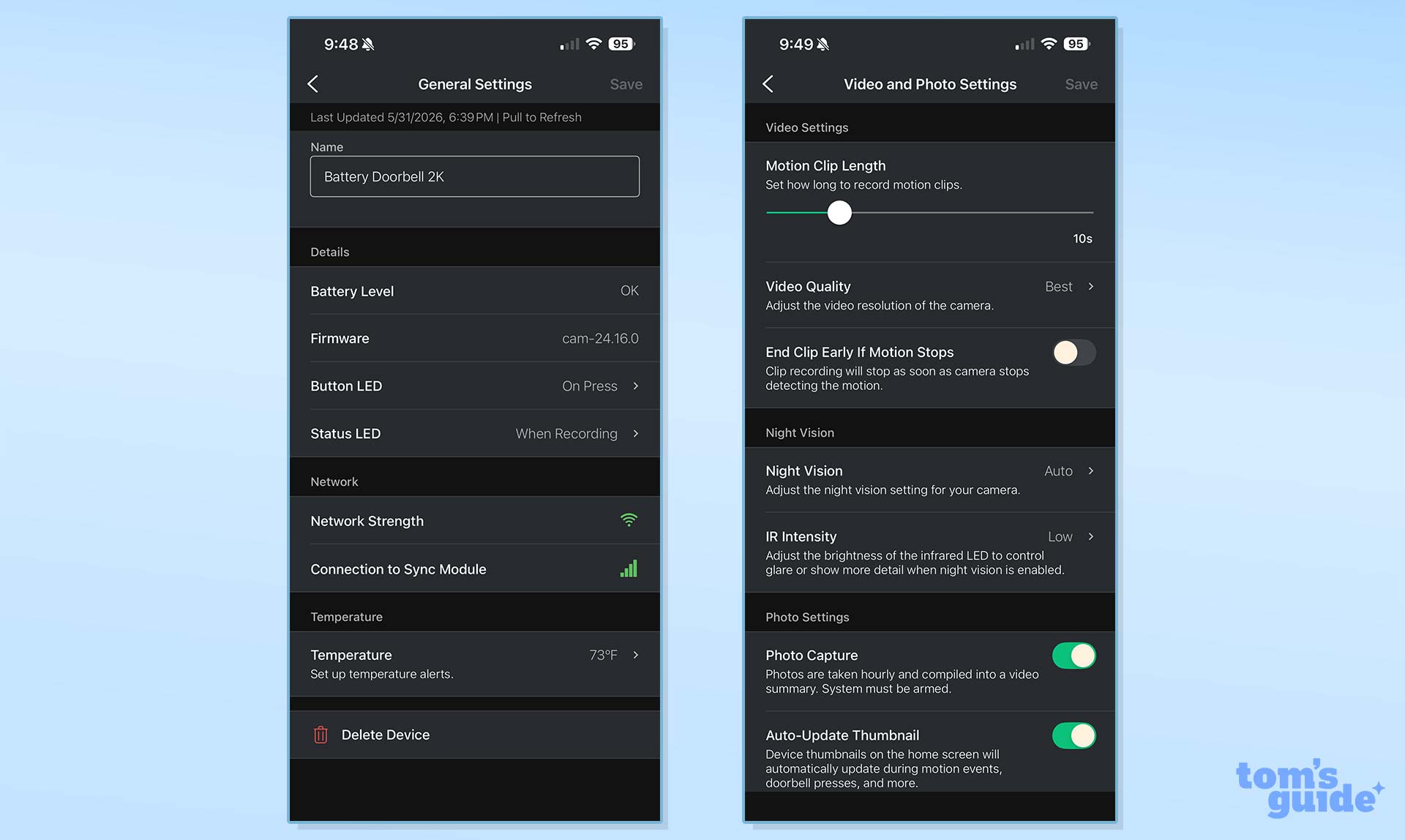
By default, the doorbell will record 10-second clips whenever it detects an event. You can set it to record longer clips, and even toggle whether or not you want it to stop recording when motion stops.
I've left it at the default 10-second setting and haven't had any issues with a clip being cut off too soon. In situations when a clip is cut short, and as long as you have a paid subscription, Blink will create a Moment by combining multiple events into one video so you can get a full picture of what happened.
The doorbell's 2K+ name would make you think that there's something more to it than 2K video, or maybe better than 2K video, and you'd be right. Well, not when it comes to video, but on the box it says "2K clarity plus enhanced audio" thanks to noise cancellation. The audio did sound clear during testing, and will surely help with those awkward video doorbell conversations when both parties can't quite make out what the other is saying.
Blink Battery Doorbell 2K+ review: Battery life
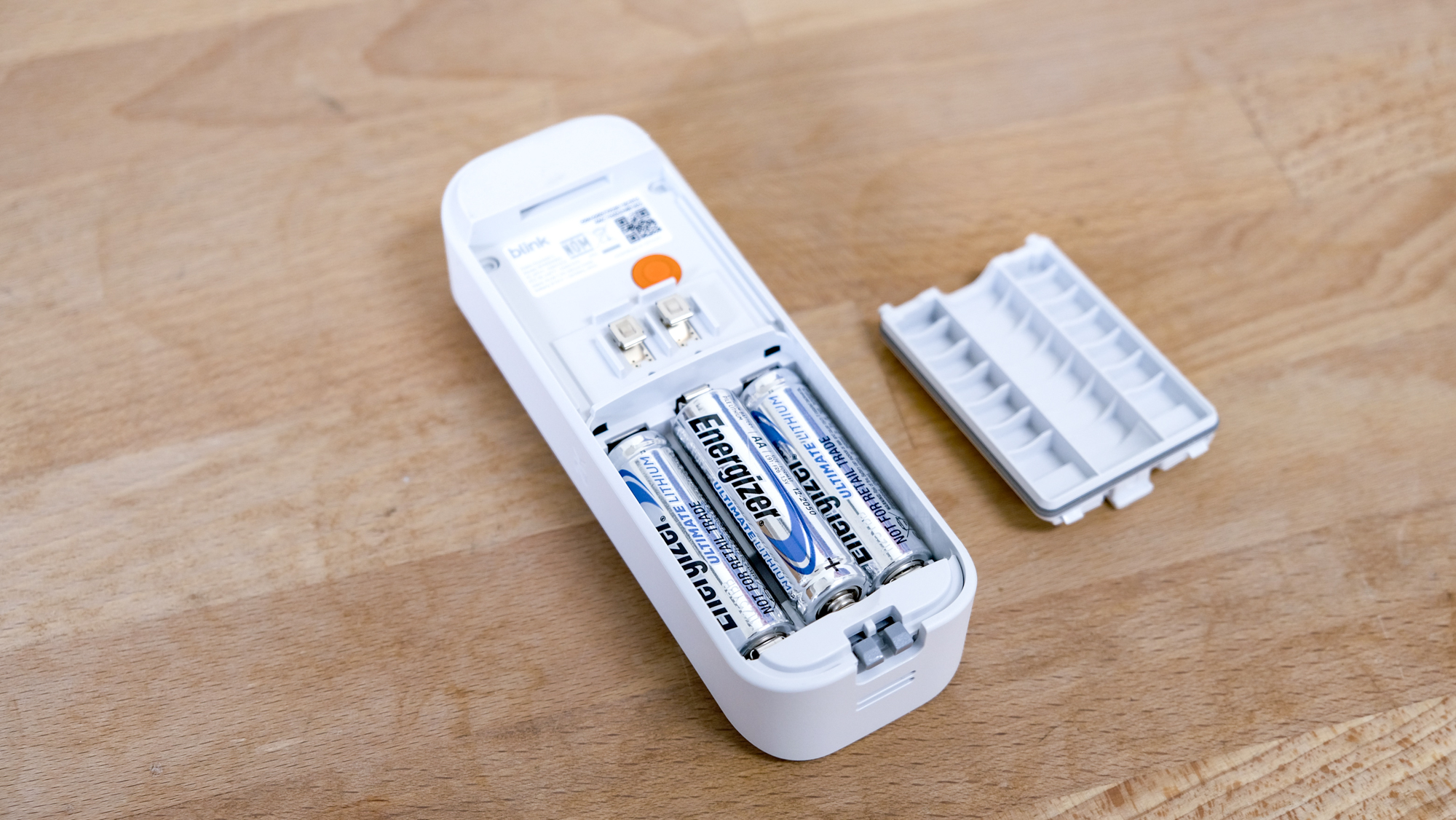
The Blink app doesn't measure the current battery level with a percentage. Instead, when I look in the Blink app right now, I see "Battery Level OK." I have no idea if over the last two weeks I've used 10% or 50% of the charge on the included AA batteries.
Blink's battery life estimates for the doorbell range from 16 to 22 months, depending on your video quality setting. At the 2K (1920 x 1920) max, you can expect up to 16 months before the batteries will need to be replaced. If you drop the video quality down to 1440 x 1440, you can expect up to 19 months. At the lowest setting of 960 x 960, you'll get up to 22 months.
Personally, I have zero issues leaving the quality setting at max and replacing the batteries every 16 months. Of course, that estimate could be drastically overstated as battery life is impacted by things like temperature and number of motion events.
Blink Battery Doorbell 2K+ review: AI features
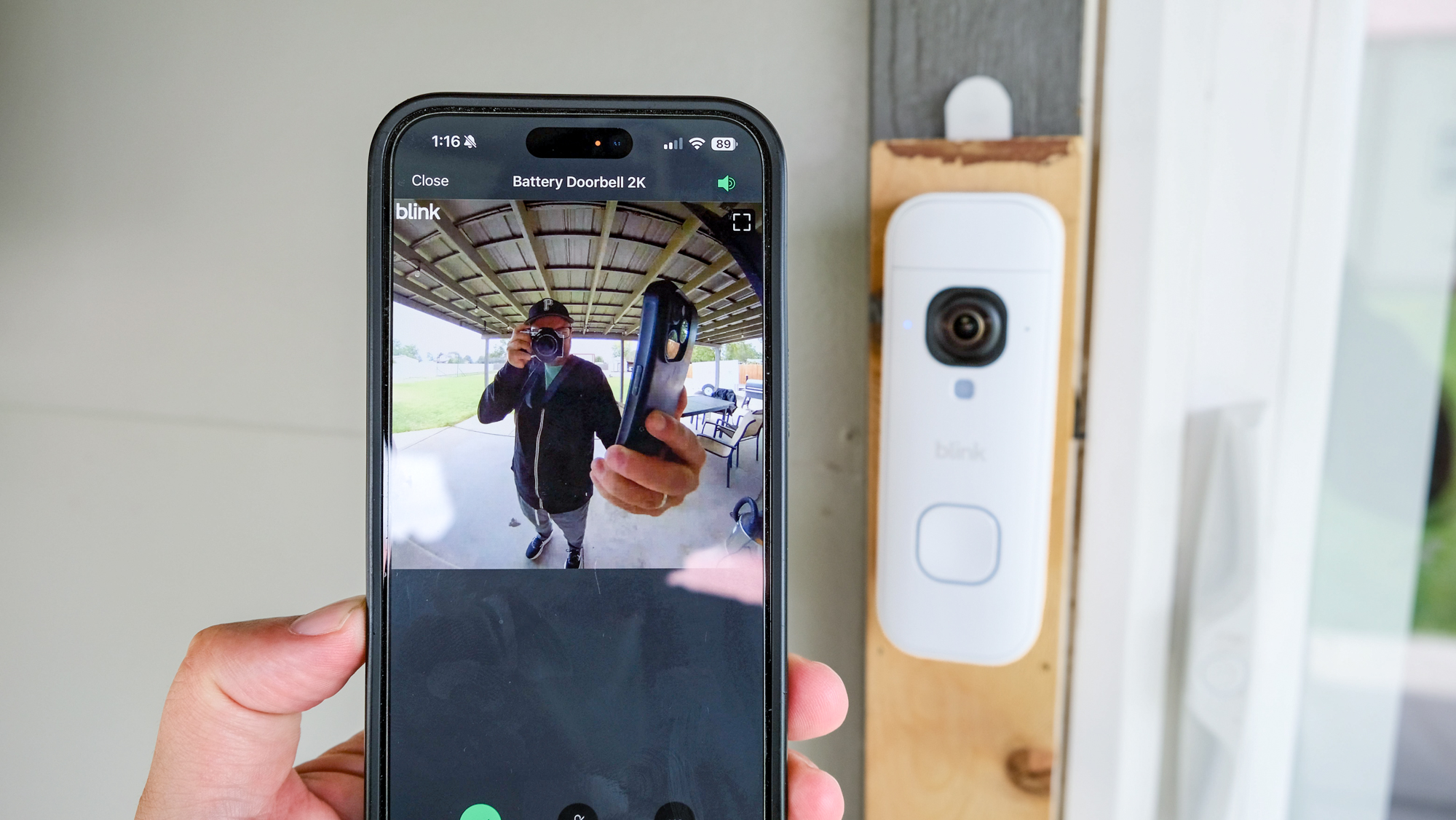
After installing the doorbell and signing up for the free 30-day Blink Plus AI trial, I started getting activity alerts, complete with descriptions. Sometimes it'd be as straightforward as "a dog is on the grass" or more complex like "a person is feeding a child." (I found that one particularly funny, because my kids are all teenagers and we often eat on our patio, but we're definitely not feeding them as you would a toddler.)
As I've tested security cameras and video doorbells in the new era of everything must use AI to be relevant, I've grown fond of the detailed alerts they bring. Instead of getting a simple alert stating a person has been detected at the door, I can (usually) gather whether that person is carrying a box — Blink will even let you know if they're carrying an Amazon box, naturally — or if a dog is the cause of an alert.
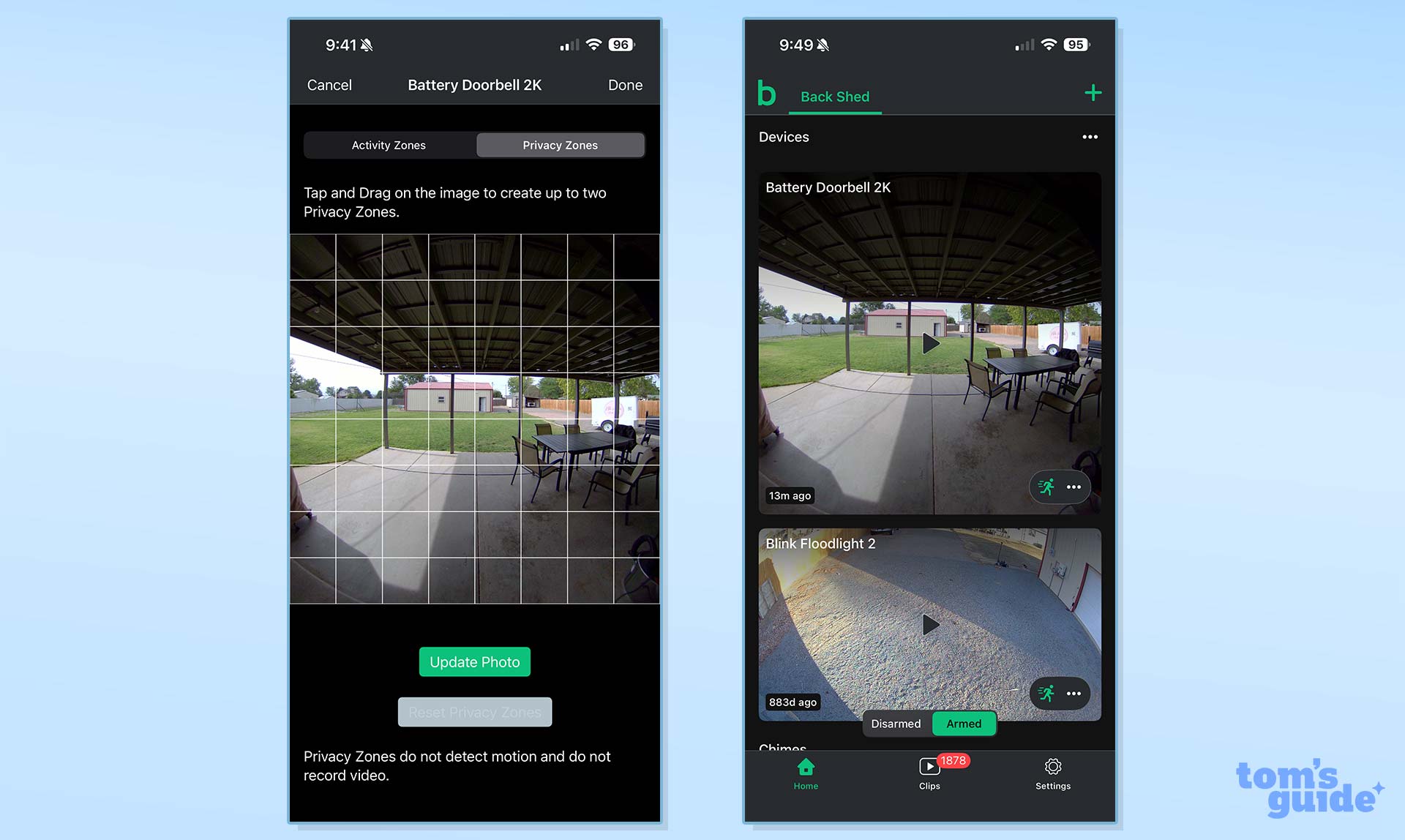
I do wish Blink's alerts were more descriptive pertaining to what a person is wearing, or I'll even go one step further, that Blink offered the ability to security identify familiar faces so you know if the person is a stranger or someone who should be there without even opening the alert.
When we tested Blink vs. Ring, Nest, Arlo and other security camera AIs, it didn't fare as well as the competition.
Ring and Tapo both do a good job of being very descriptive with their respective AI video descriptions, and I'm sure Blink is working on adding similar capabilities. I've been spoiled, I guess. But there is true value added by AI video descriptions.
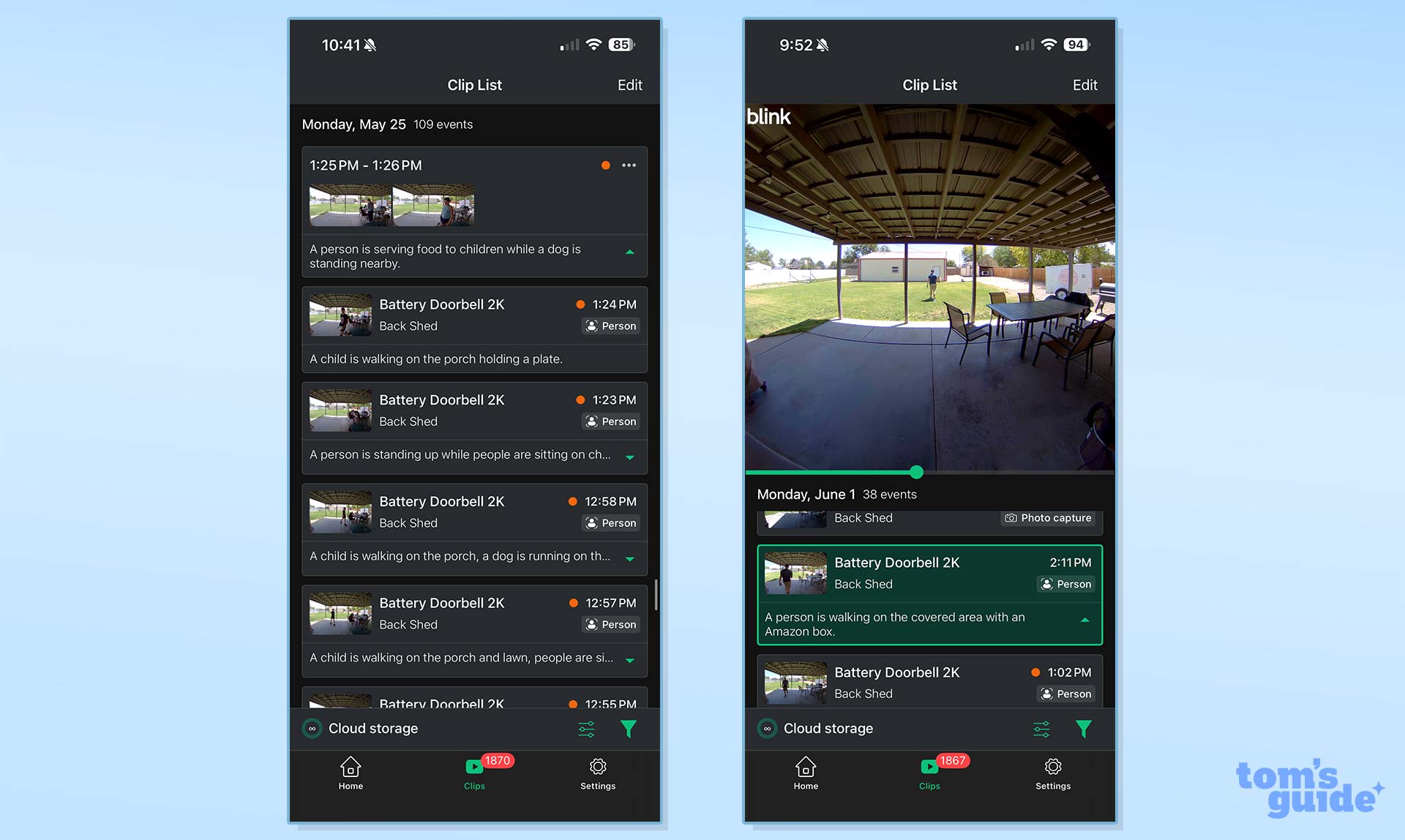
One feature I wish the Blink app had is the ability to search its AI video descriptions for a keyword or two. For example, I know at various points during my testing I saw alerts that properly called out a bulldog walking on my patio. Other times, the alerts stuck with a basic "dog" description. I want to open the app and search for clips where a bulldog was detected instead of scrolling through the nearly 2,000 clips the app has recently saved.
Since we tested the Blink Battery Doorbell 2K+, Blink has added a new AI feature, which groups related motion events together to provide a summary of the entire event.
Blink Battery Doorbell 2K+: Video storage and plans
Blink has several subscription plans, each with its own list of features. There are the standard Basic and Plus plans, which start at $3.99/month or $39.99/year for Basic and $11.99/month or $119.99/year for Plus. Both plans include 60-day video cloud storage, extended live view, person and vehicle detection, and the ability to snooze notifications, among other features. The Basic plan covers a single Blink camera, while Plus covers unlimited Blink devices.
Blink also offers AI versions of both plans, with Basic AI and Plus AI. The former is $6.99/month or $69.99/year, after an introductory price of $49.99 for the first year. Plus AI is $19.99/month or $199.99/year after paying $149.99 for the first year.
The main difference between the standard and AI plans is AI-created video descriptions, both in alerts and in your video clip history.
Blink's approach to subscription plans differs from Ring, another Amazon-owned company, and even Wyze. Instead of offering core plans with and without AI, both competitors include AI-based features like video descriptions in their high-end plans, without an option to pay slightly more to add it to the base plans.
This Amazon page breaks down the differences between all of Blink's plans.
Alternatively, if you pair the Battery Doorbell 2K+ with a Sync Module or Sync Module XR, you can forgo cloud storage and store video clips locally on either a USB drive or microSD card (depending on which module you have). However, you'll be limited to motion-activated alerts and live view without an active Blink subscription.
Blink Battery Doorbell 2K+: Verdict
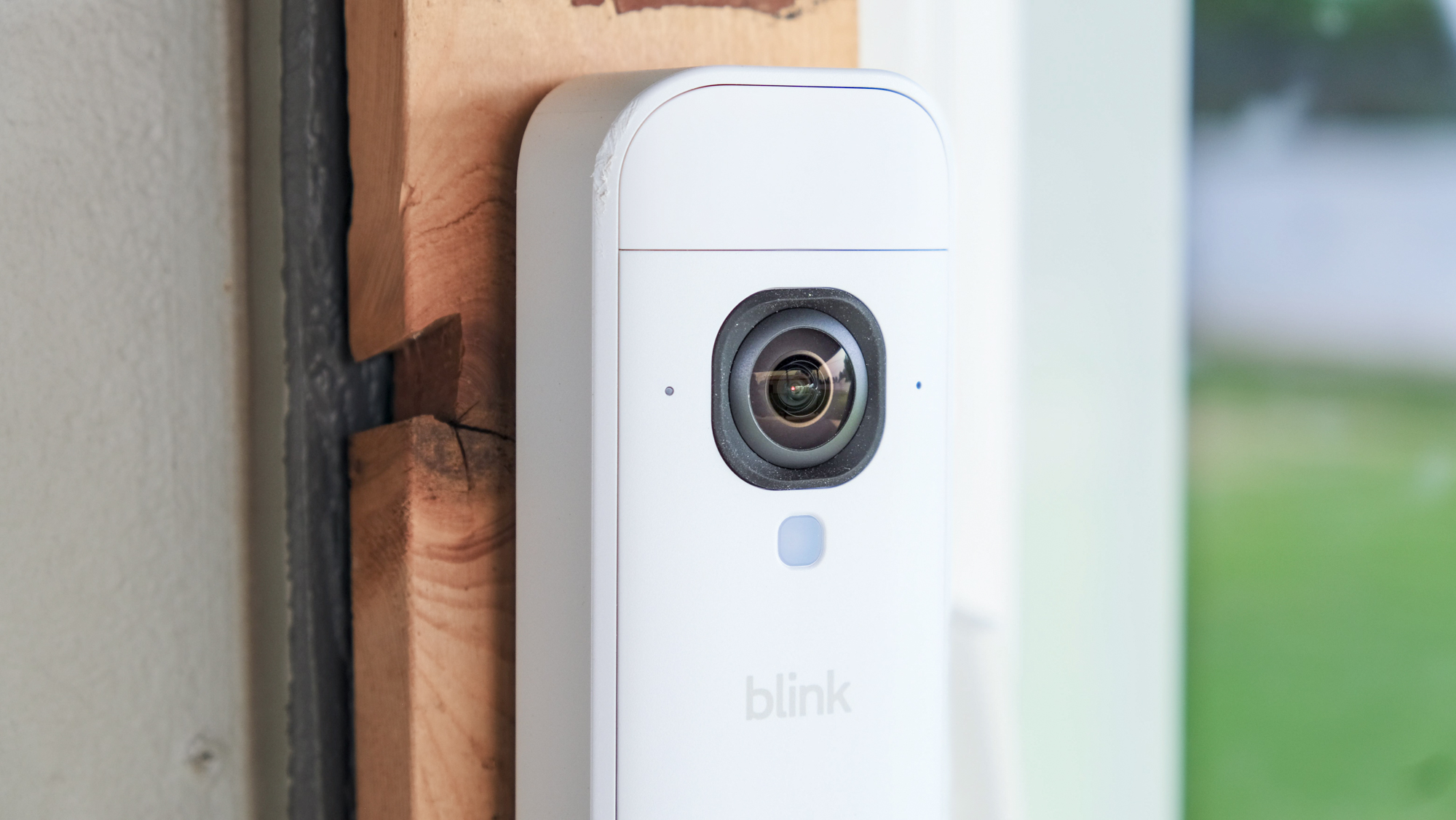
The Blink Battery Doorbell 2K+ checks a lot of boxes when it comes to affordable, battery-powered video doorbells. It has 2K video, long battery life, local storage option and affordable subscription plans. The AI video description features could be more helpful, but they're better than the more traditional generalized alerts.
Compared to the Wyze Battery Video Doorbell, the Blink Battery Doorbell 2K+ offers stiff competition. Both cameras give you long battery life, clear video and wide field of view. Wyze's subscription plans are slightly less expensive, starting at $3.99/month or $29.99/year, and there's only one AI-bundled plan that's the same price as Blink's Plus AI plan. But Wyze offers AI video search.
The Blink Battery Doorbell 2K+ has a higher resolution, but smaller field of view. Blink requires a sync module, while Wyze does not. You're going to pay more over time if you opt for Blink, but not by much.
So which one should you get? I don't think you can go wrong with either.