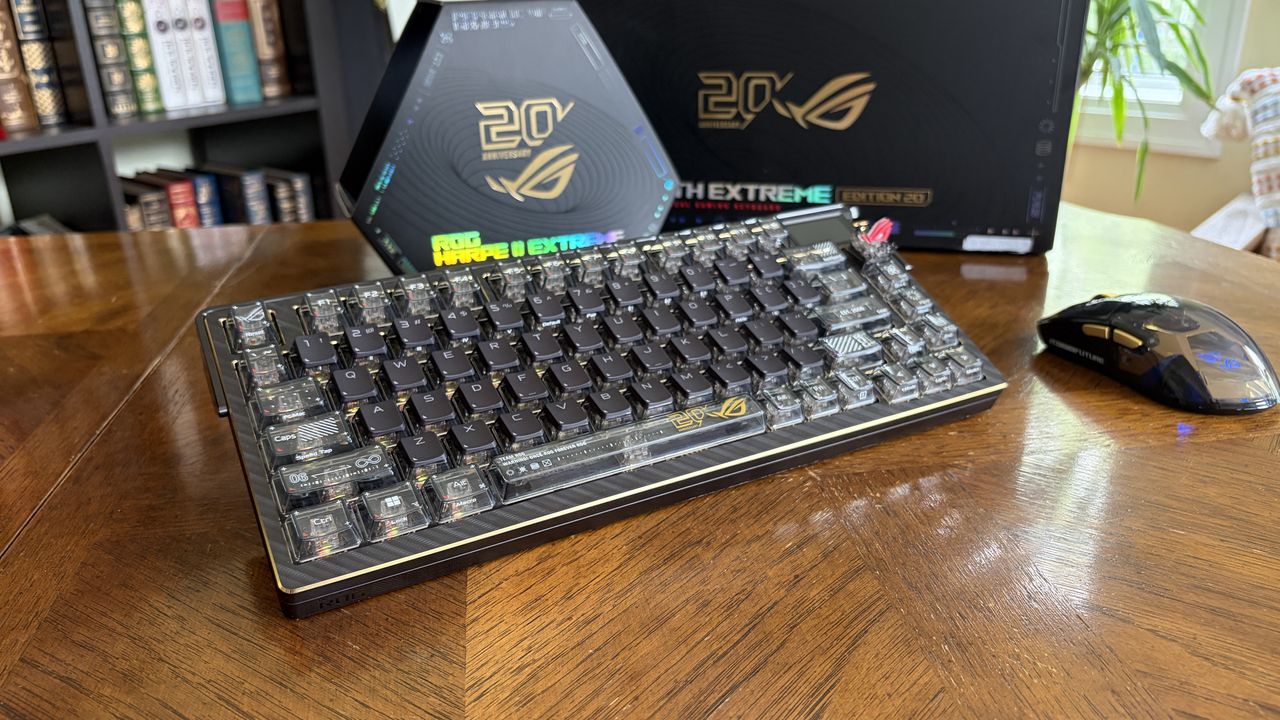
ASUS's Republic of Gamers (ROG) has, over the past 20 years, become one of PC gaming's most recognized brands. Encompassing gaming laptops, desktops, monitors, headsets, peripherals, and more, ROG products find a home in countless gaming rooms.
ASUS is taking advantage of Computex 2026 to highlight two decades of ROG, and it has launched a new 75% ROG Azoth Extreme Edition 20 mechanical keyboard to celebrate. The keyboard landed on my desk well ahead of launch, and it's been in full use for the past couple of weeks.
ASUS had no input, nor saw the contents of this review, prior to publication.
How much does the ASUS ROG Azoth Extreme Edition 20 cost?
The ASUS ROG Azoth Extreme Edition 20 makes its debut at $599.99, a full $100 more expensive than the regular, non-anniversary Azoth Extreme model. It's available to pre-order now at Best Buy and Newegg.
The keyboard is expected to launch on July 19, when it will also show up at Amazon and Micro Center.
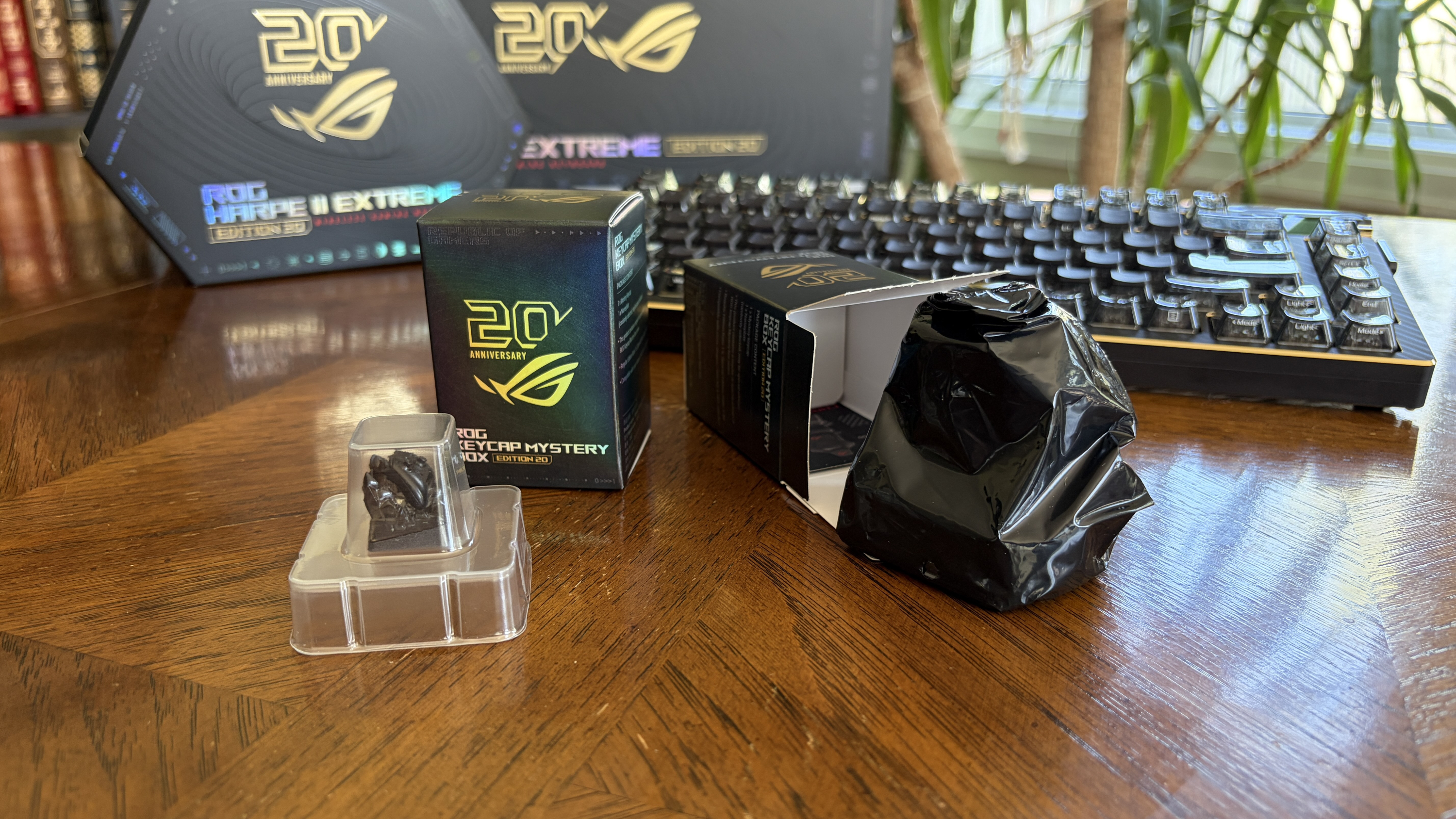
ASUS is also selling 20th Anniversary ROG Keycap Mystery Boxes for $24.99. These kits come with six randomized special-edition keycaps related to the history of ROG. The kits are available at Best Buy and Newegg.
There's a 1/48 chance of landing a 20th Anniversary Special Edition ROG keycap, but I didn't get so lucky. What I can say is that these special keycaps are top quality, to the point that each one is hand-painted. I'd say pick up a kit of six if you're a real ROG enthusiast; otherwise, stick with your own designs.
What's in the box?
The ROG Azoth Extreme Edition 20 comes with the keyboard, gold-plated nameplate, USB-C cable, four magnetic feet, keycap puller, switch puller, USB dongle, USB extender, three extra switches, extra silicon pins and foam stickers, and a wrist rest.
A high-end redesign inside and outside
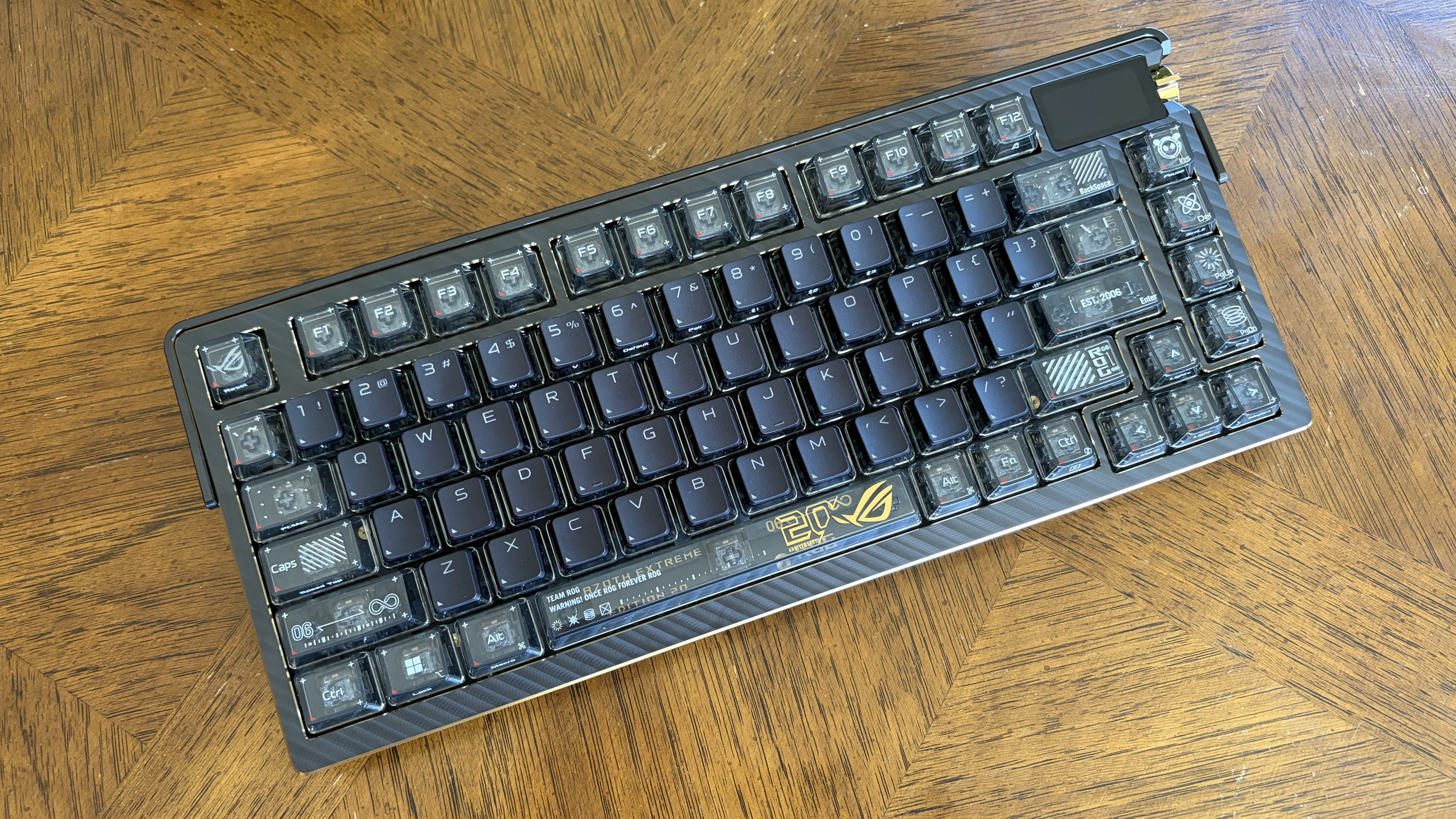
The ASUS Azoth Extreme keyboard isn't exactly new. It's technically been around since 2024 as a flagship mechanical gaming option, but it's never looked as good as this Edition 20 model.
What does that mean? Well, rather than the regular black finish across the board, ASUS has gone heavy on the gold accents and transparent keycaps. Let me break it down.
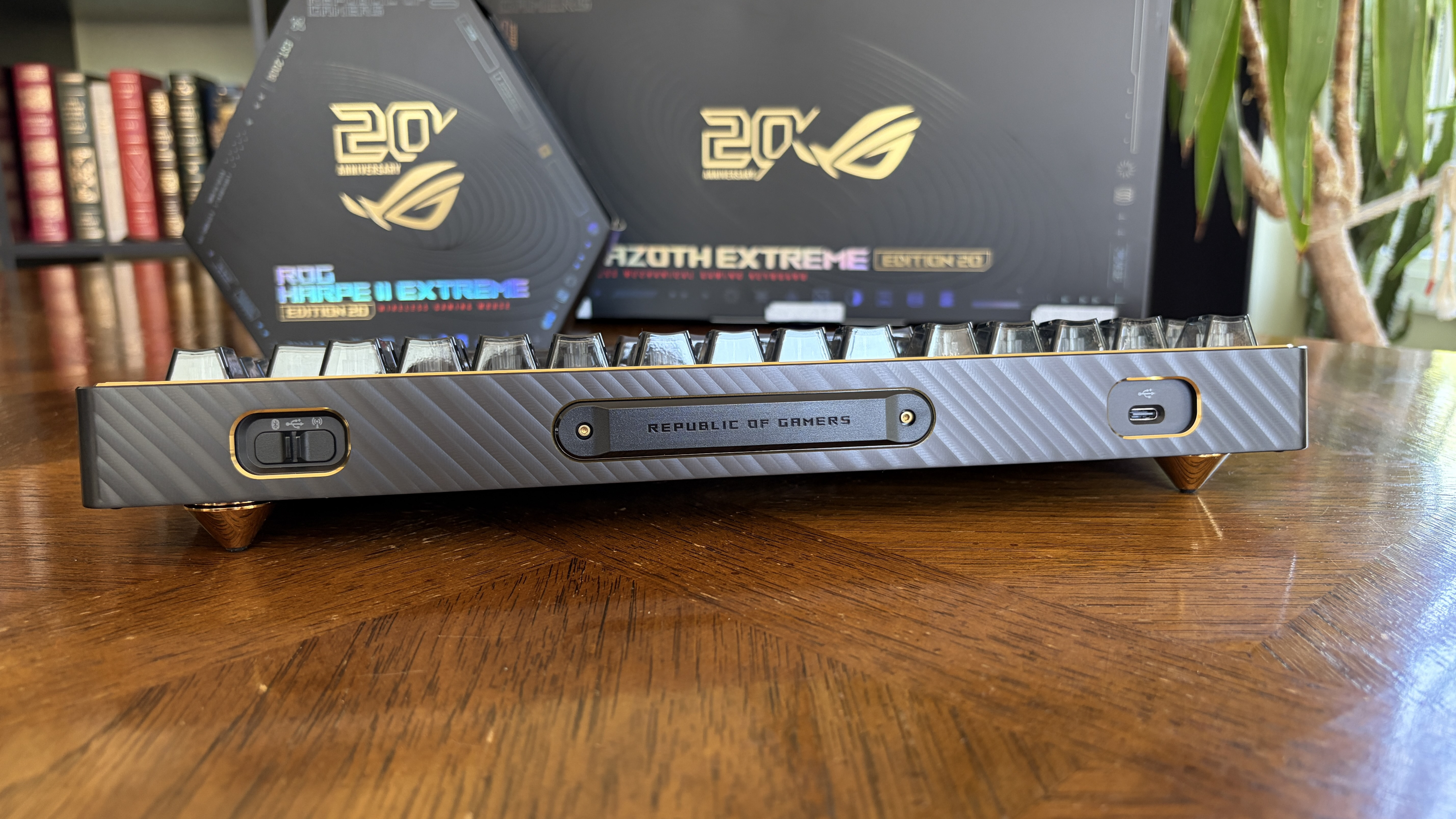
The outside edges of the keyboard, including the areas around the port outlets and the built-in control, have a gold finish. It's also found on the inner edges that surround the keycaps.
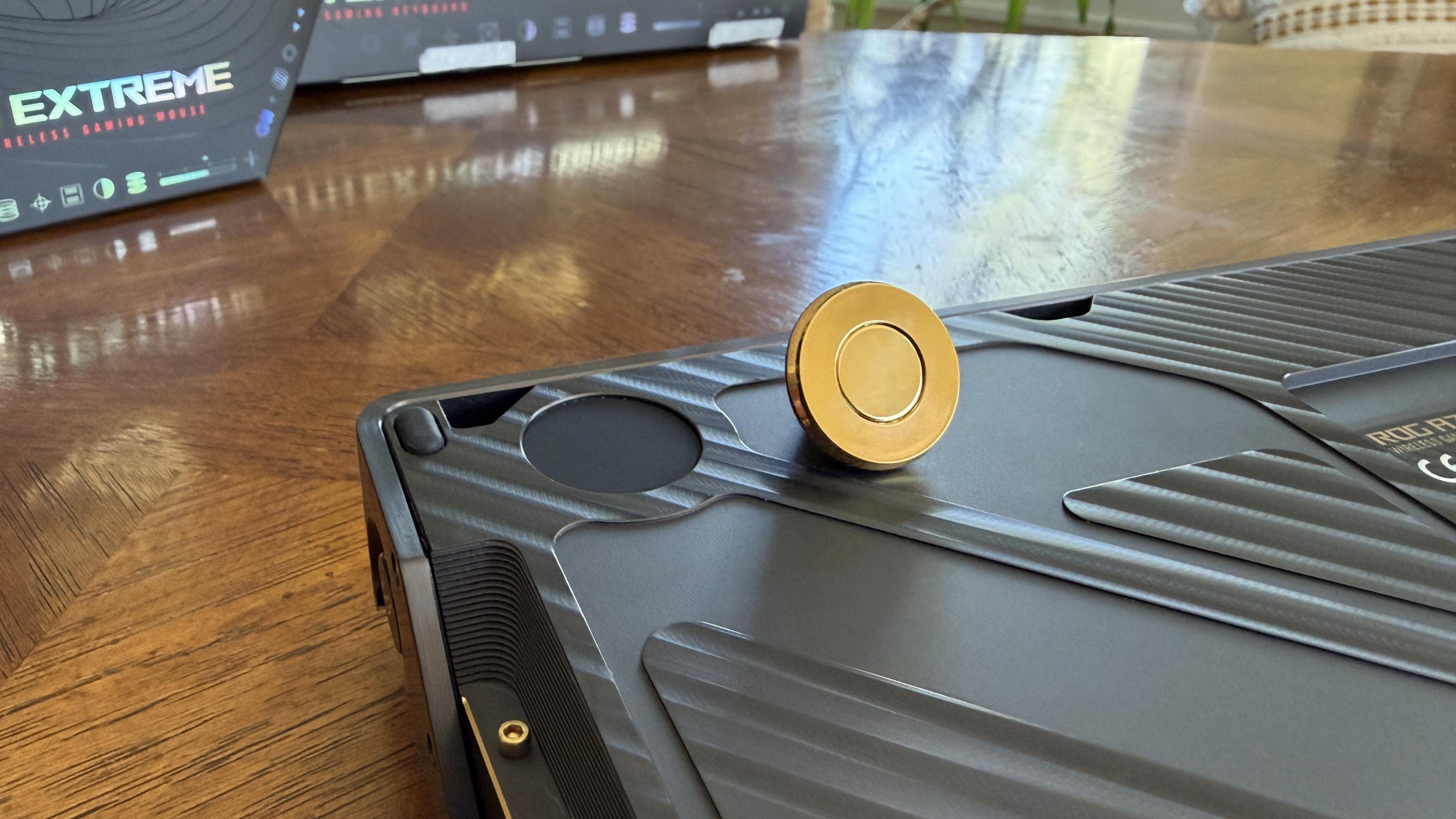
The magnetic feet? The wrist rest baseplate? The control knob? Also finished in gold. ASUS tops it all off with a 24K plated gold nameplate that attaches to the bottom of the keyboard to cover the gasket control and the USB dongle garage.
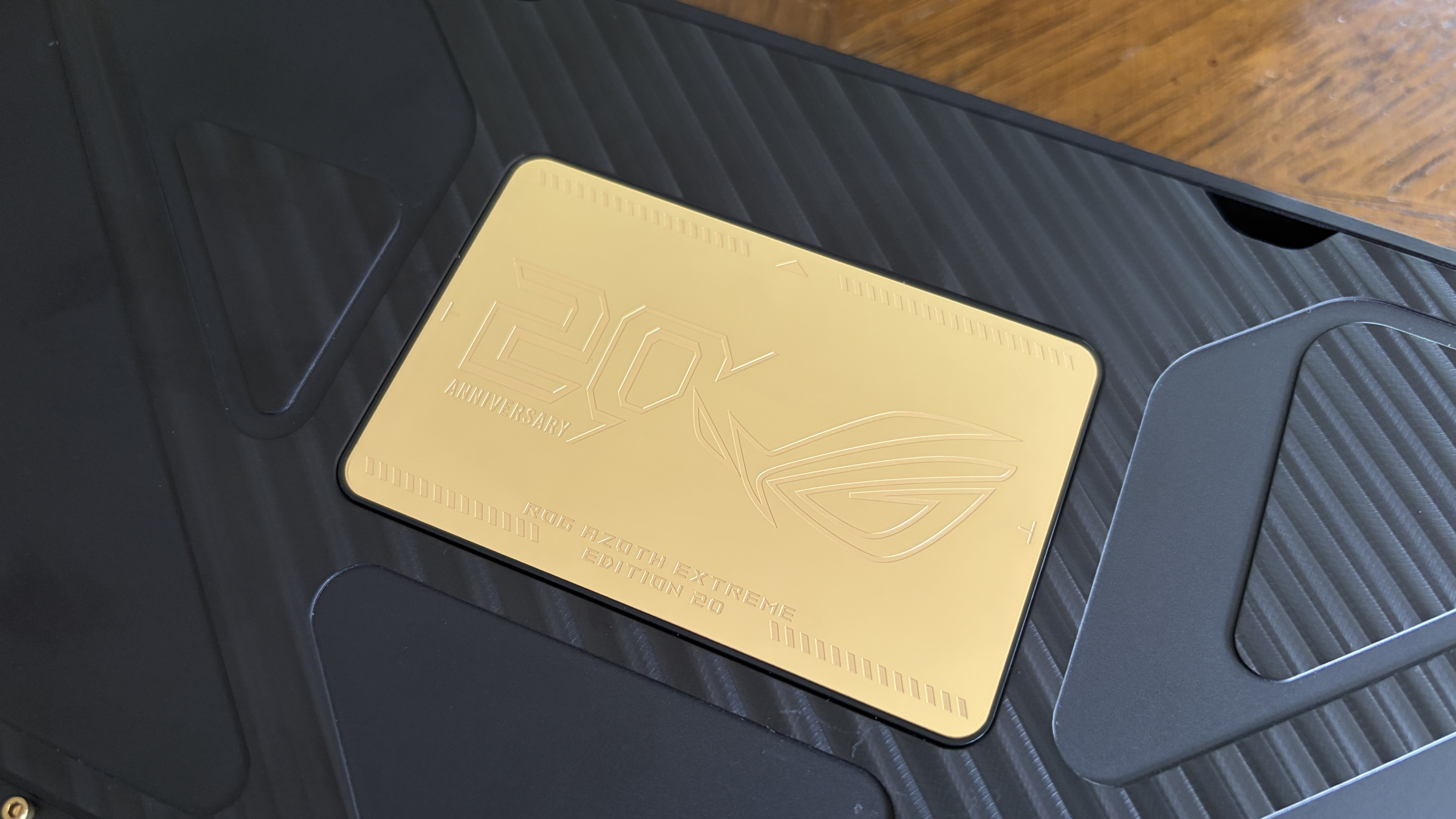
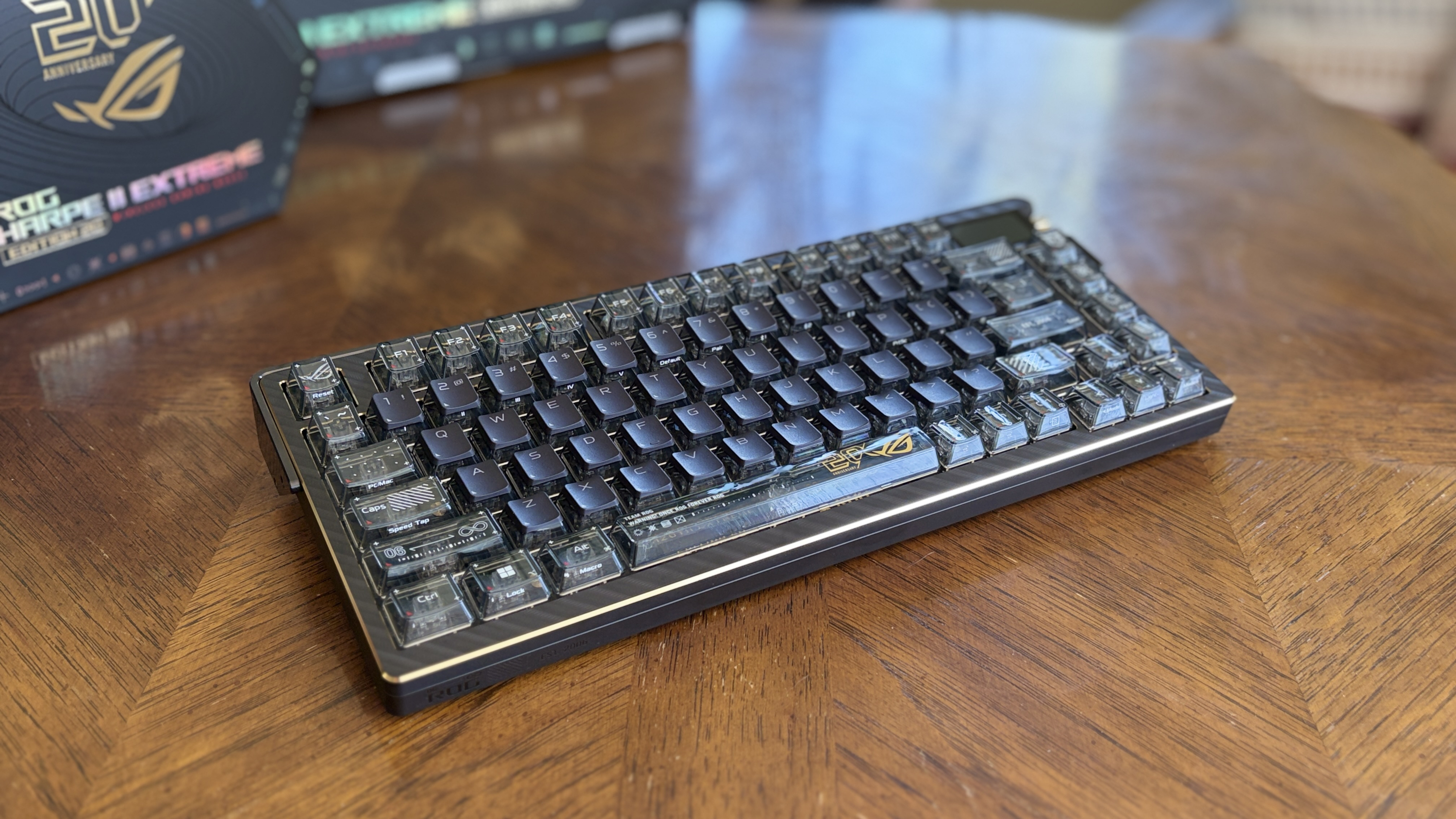
These accents offset nicely against the otherwise black aluminum alloy chassis, which features a bladed pattern that sort of gives it a carbon fiber look.
Transparent keycaps are a nice touch with the gold and black
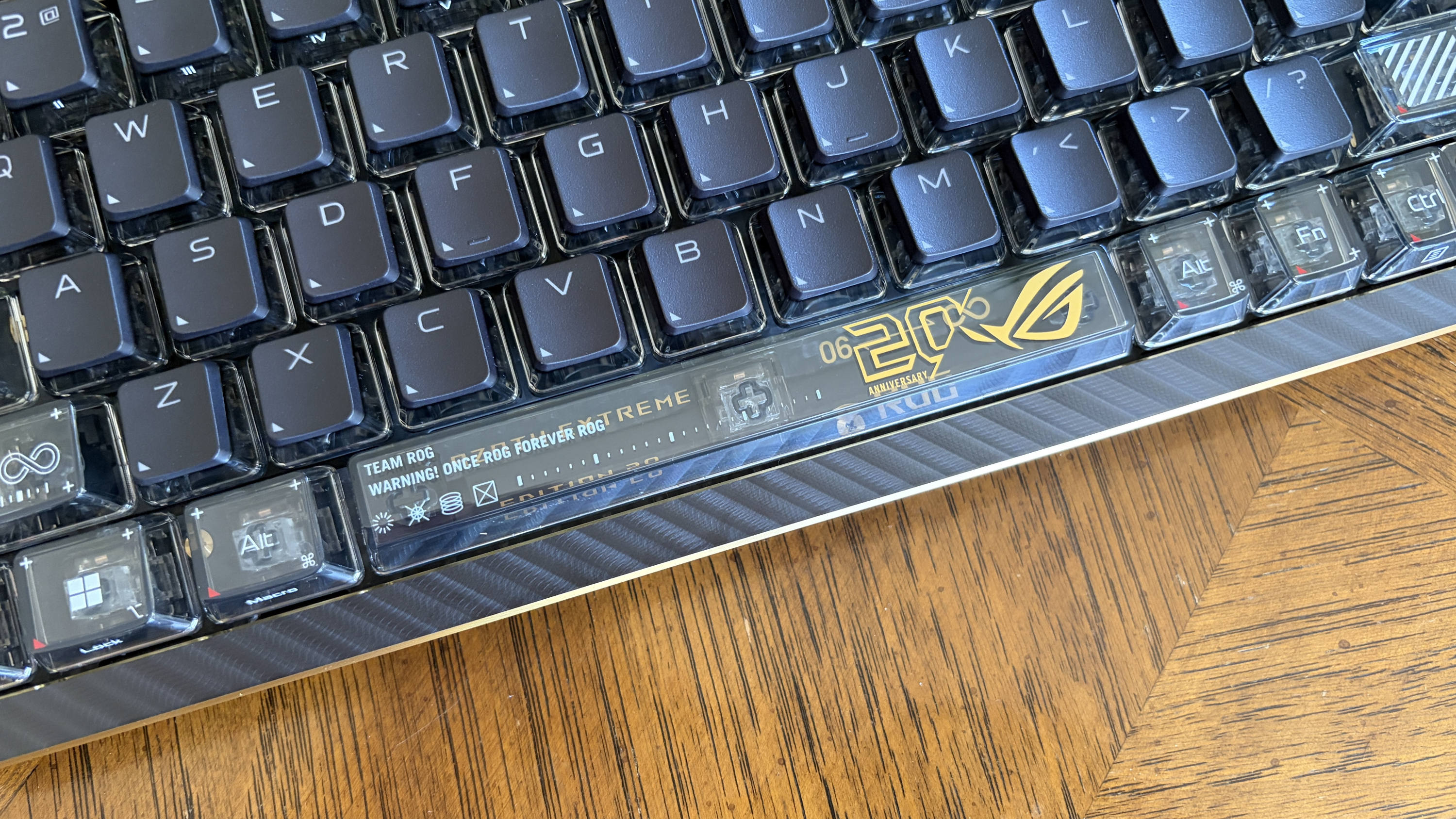
Rather than using full black keycaps like on the regular Azoth Extreme, ASUS made a change to transparent caps with black tops. With the right RGB lighting, it sort of looks like a bunch of shining crystals.
A carbon fiber positioning plate surrounds the keycaps, but that's just one layer. Below is a layer of PORON dampening foam, a PORON switch pad, and a silicone pad. This stack dampens annoying "pings" from switches and also helps make typing as comfortable as possible.
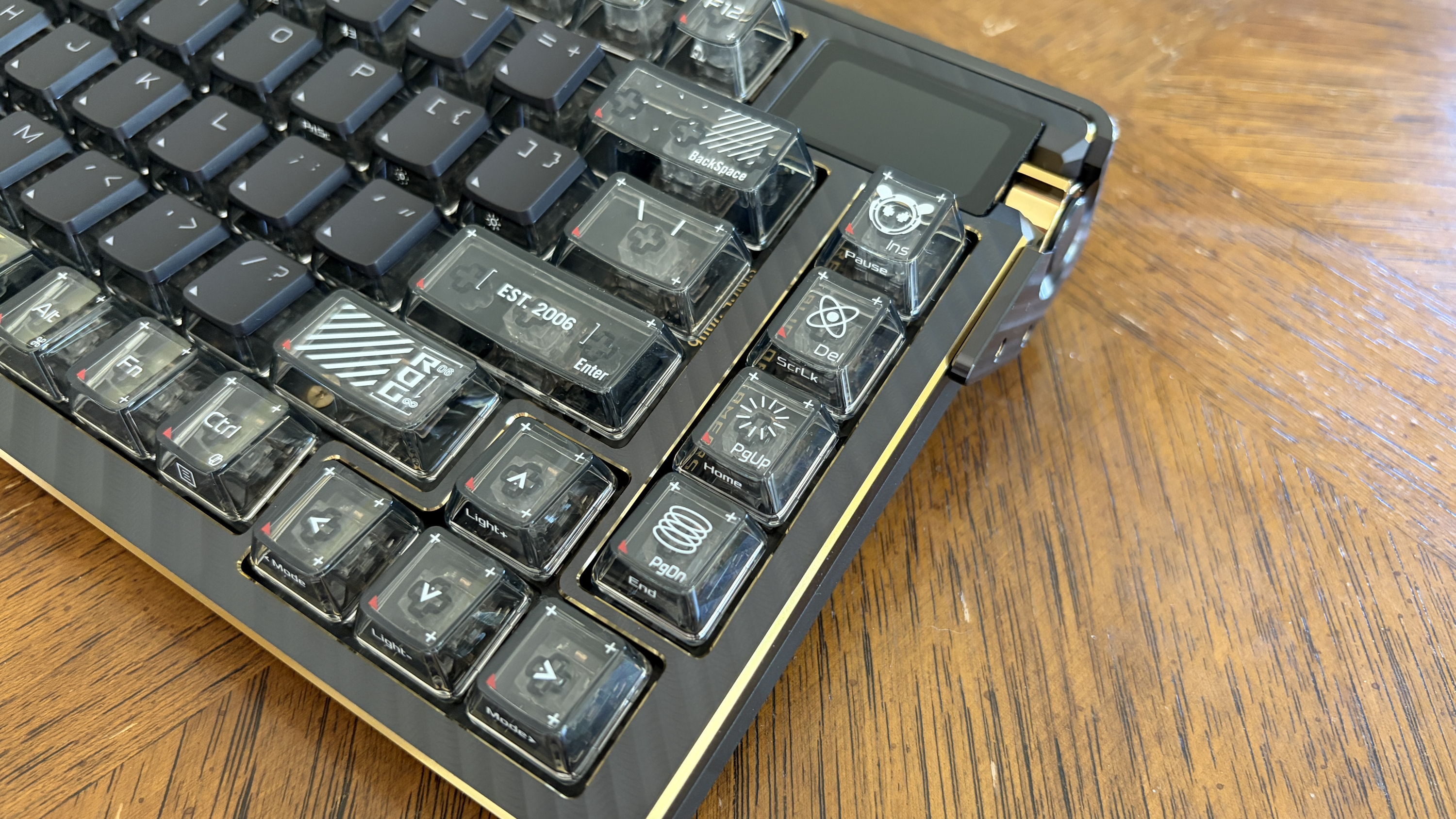
I can attest that the Azoth Extreme Edition 20 is the most comfortable keyboard I've ever used for regular work. At this point, I've typed thousands of words on it when not gaming, and I can't get enough of the feel and sound of the switches.
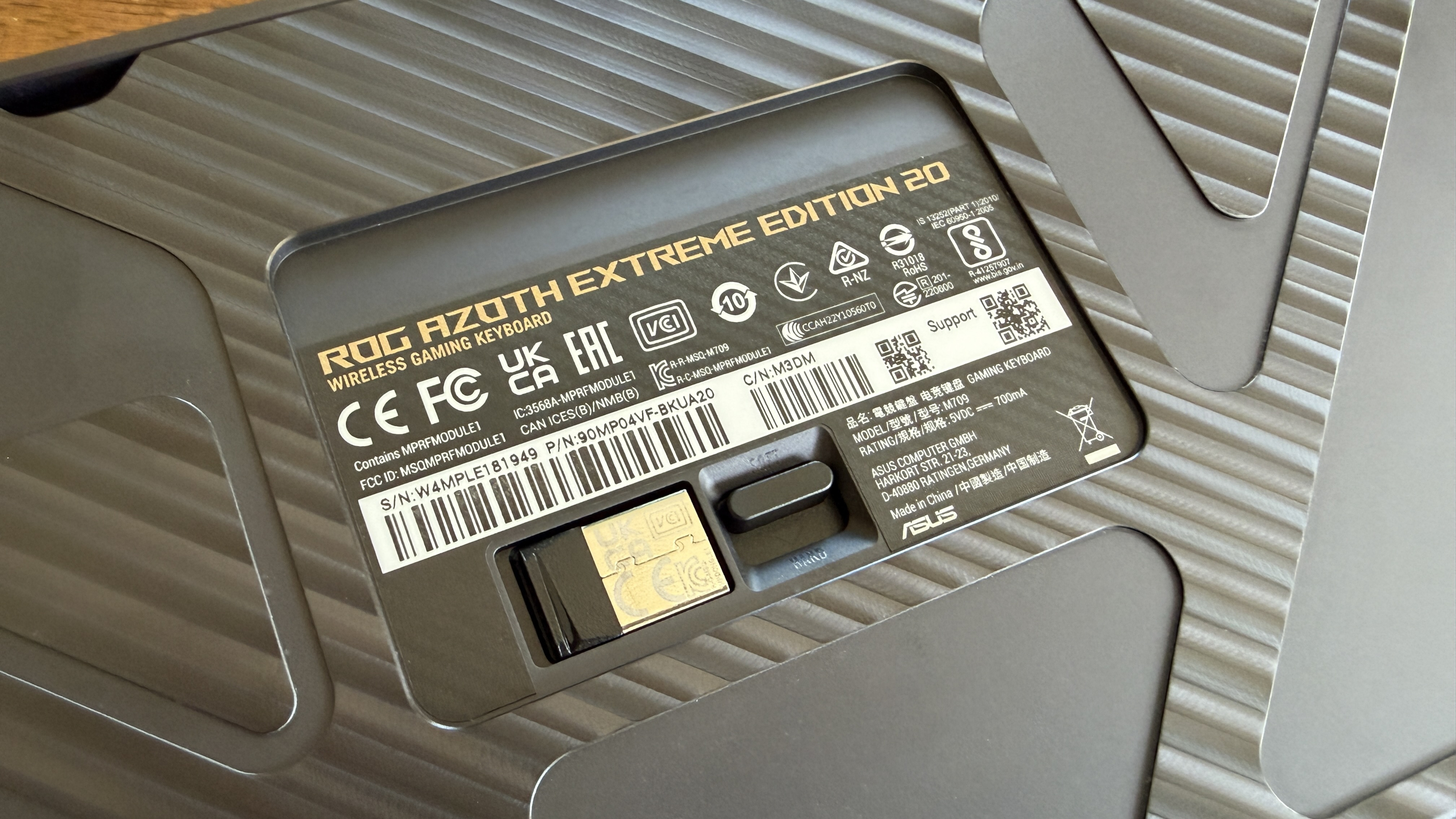
Something I've never had on a keyboard before is an adjustable gasket. With just one toggle, you can transform the typing feel from soft to hard. I keep it on soft while working and switch it to hard when gaming for a more responsive feel.
The only complaint I have has to do with keycap legibility. The black finish on the top and a lack of transparent lettering make it hard to see the font in most conditions. The fully transparent keycaps are not quite so hard to make out (and I do love the custom graphics on most of them), but they're still not perfect.
I can't get enough of the ROG NX Edition 20 mechanical switches
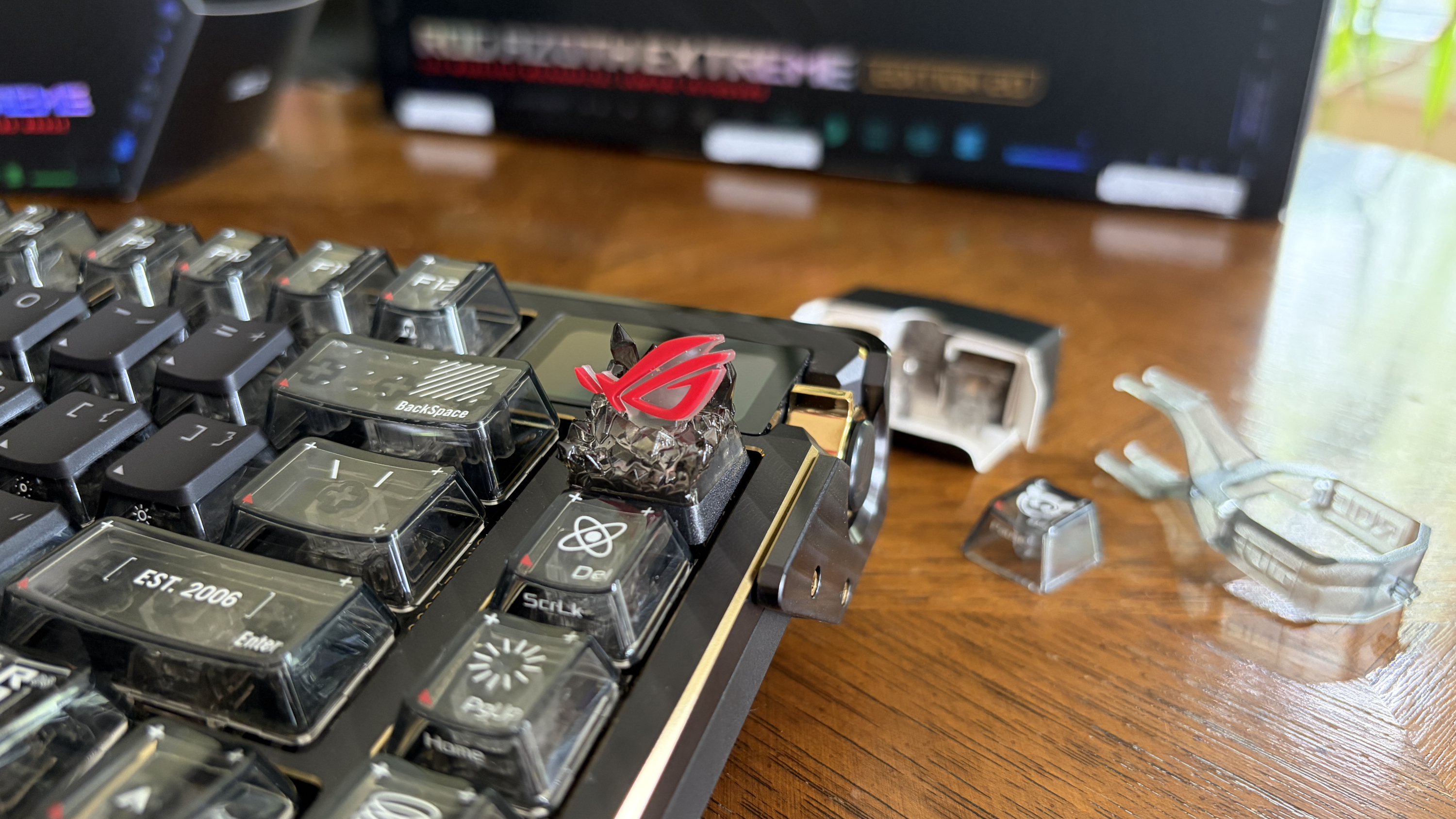
ASUS is offering two different types of switches. I have ROG NX Snow Edition 20 switches, which have the most satisfying, full sound. These switches have a 1.8mm actuation point, 40gf of initial force, and 53gf of total force.
The ROG Azoth Extreme has never looked as good as this Edition 20 model.
If you prefer a more clacky experience, I'd recommend you stick with ROG NX Storm switches. In any case, the switches come pre-lubed and ready to go. I appreciate that each switch has a "walled" design that helps keep out dust and dirt, and I also love that they're hot-swappable.
On some keyboards, wider keys like the spacebar (with just one switch in the middle) can feel wonky. Not the case here, thanks to stabilizers that keep all keys feeling the same.
Easy to control, easy to customize
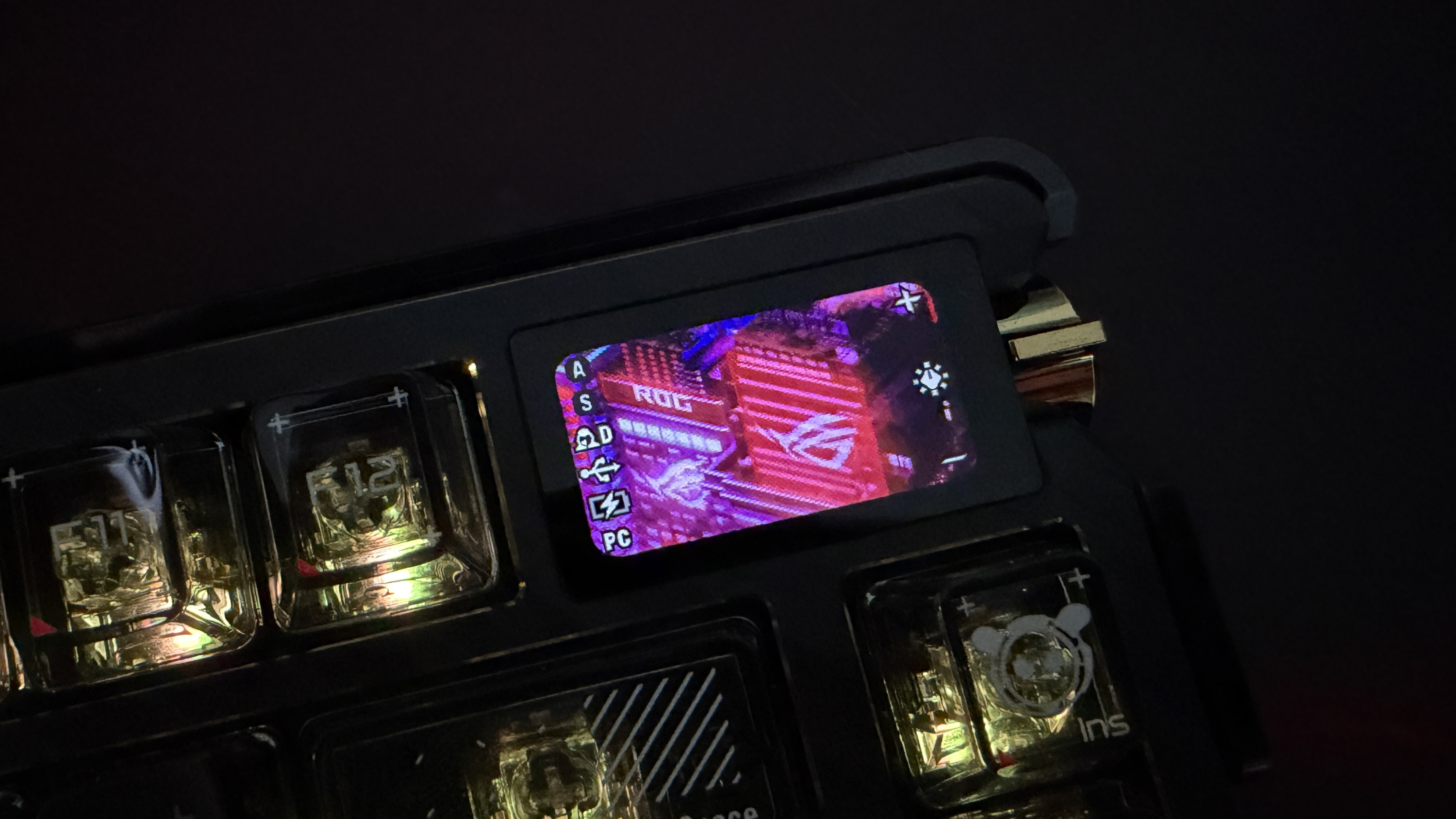
In the top-left corner of the keyboard is a 1.47-inch OLED touch display attached to a control knob. The screen is small enough not to be intrusive, but big enough to be legible from a distance.
The screen's animations can be customized through Armoury Crate software, or you can swipe between a bunch of presets. No matter the backdrop, the little screen displays things like Caps Lock, profile, connection, battery, and the function carousel (showing things like volume, brightness, etc.).
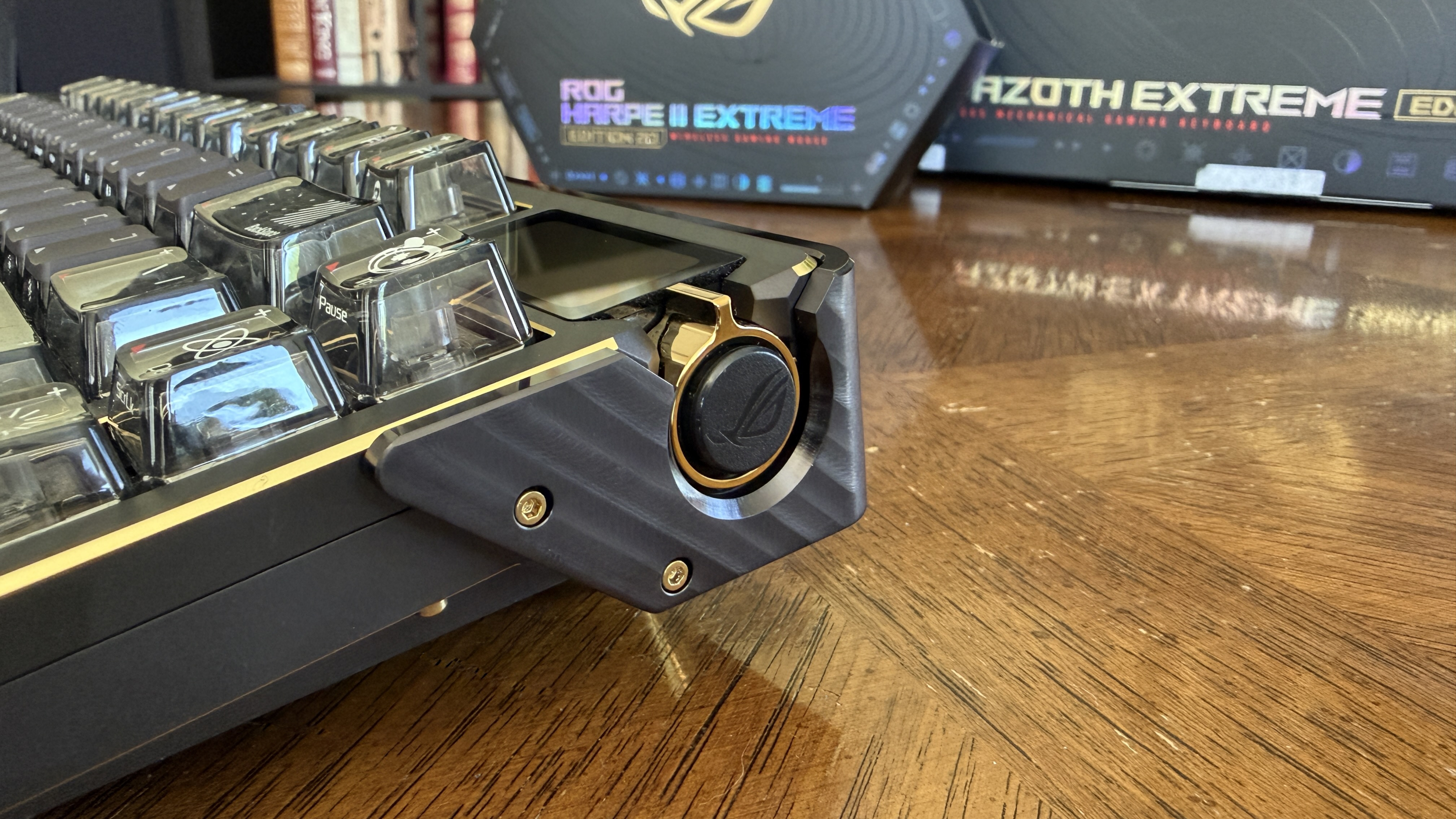
Using the control knob next to the screen makes switching between per-key RGB setups easy, and it also controls screen/RGB brightness, music, and volume. You can customize the knob with your own commands as well.
Customize your keys any way you see fit
As long as you don't mind jumping into Armoury Crate on your PC, every key (except Fn) on the ROG Azoth Extreme Edition 20 is customizable. You can also set up any number of macros to help automate your flow.
This is also where you can sync your keyboard's lighting with Aura Sync.
Performance and battery life
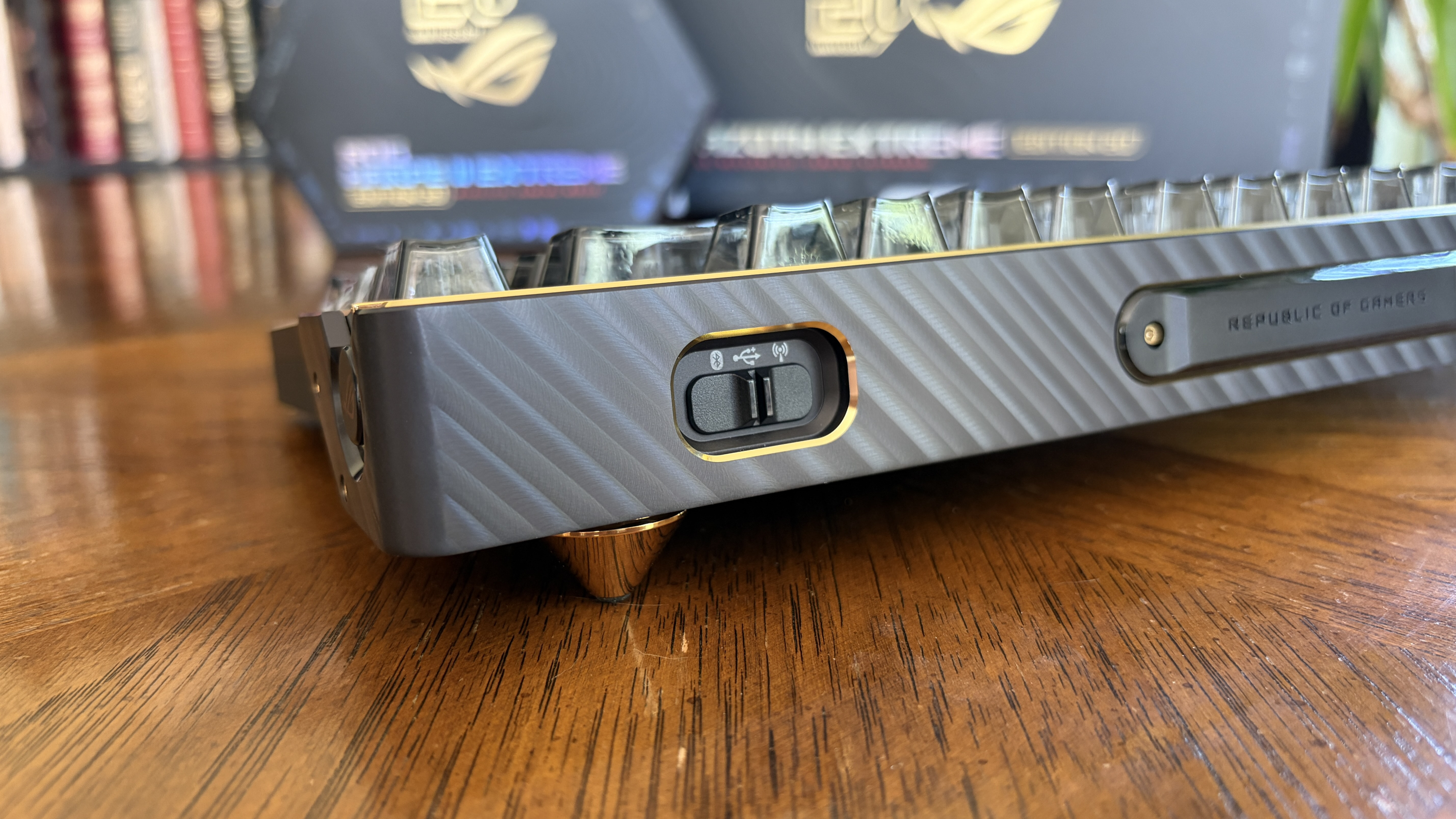
The ASUS ROG Azoth Extreme Edition 20 connects with USB-C, Bluetooth, and a 2.4GHz dongle. These modes are easily toggled with a built-in switch.
ASUS uses its proprietary SpeedNova tech for 2.4GHz connections, boosting battery life up to 1,600+ hours with all lighting disabled. At least that's what ASUS claims — I still haven't had to charge in the two weeks I've been using the board.
More realistically, with RGB lighting and OLED display enabled, you should be able to get about four days of constant use out of the board before the battery runs dry.
1,000Hz polling rate can be boosted to 8,000Hz
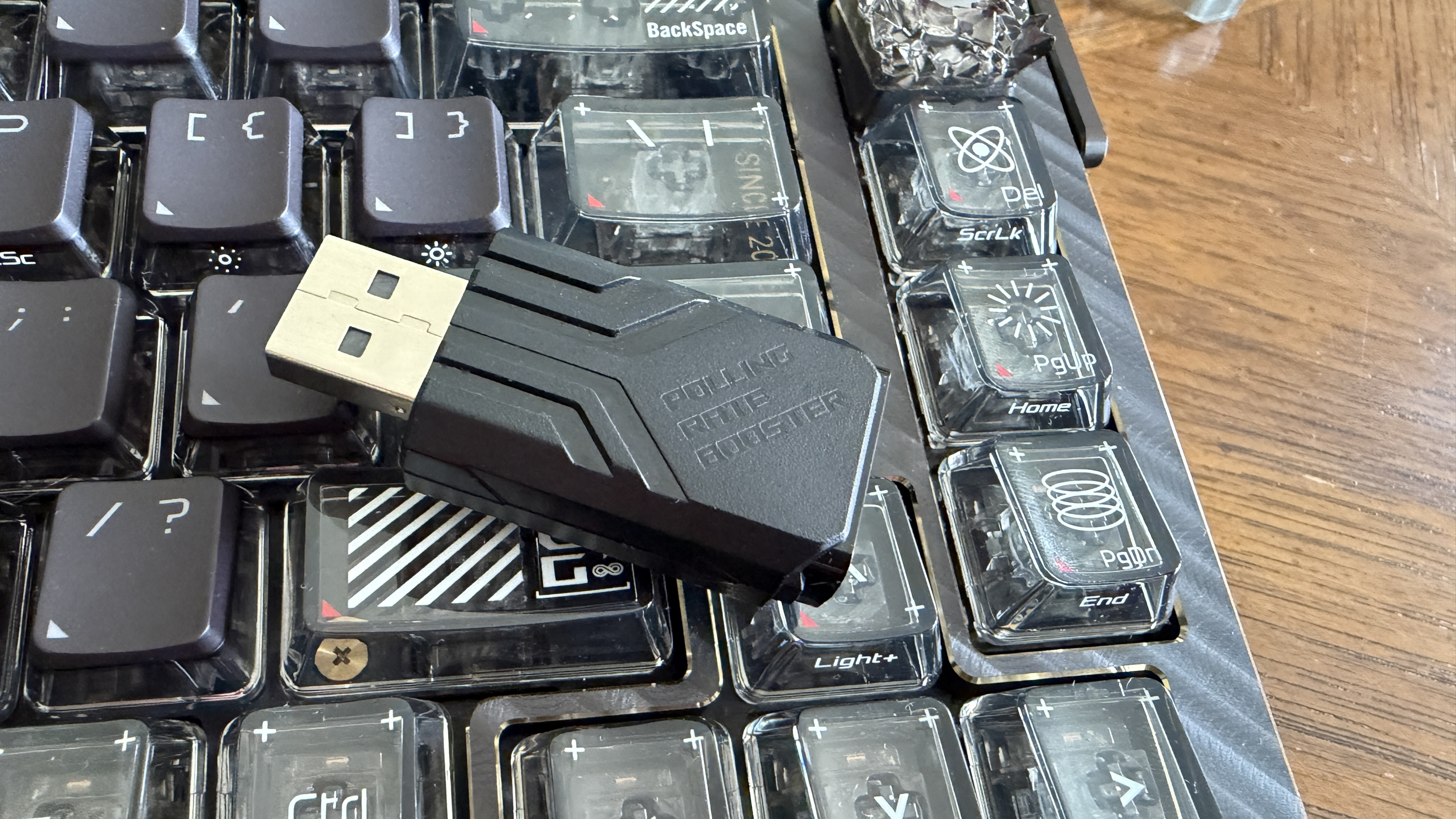
ASUS includes a nifty little ROG Polling Rate booster dongle in the package. You can plug it into your PC and use it like a wireless dongle, or you can plug the keyboard into your PC through the booster.
Either way, it bumps the stock 1,000Hz polling rate up to 8,000Hz, something I'm sure some competitive gamers can appreciate.
Should you buy the ASUS ROG Azoth Extreme Edition 20 keyboard?
You should buy it if ...
✅ You're a rabid ROG fan and want to celebrate 20 years of gaming hardware.
✅ You're a fan of premium mechanical keyboards that are ideal for work and gaming.
You should not buy this if ...
❌ You already have a hard time seeing the lettering on keys.
❌ Your $600 could be better spent on PC performance hardware upgrades.

The ASUS ROG Azoth Extreme Edition 20 is hands-down the best mechanical gaming keyboard I've ever used. It's built better than any peripheral I've tested or otherwise purchased myself, and it has everything I need for both gaming and work.
That's really the selling point here, especially at an eye-watering $600; the keyboard is just as good for having fun as it is for typing thousands of words every day. It sounds good, it feels good, and it looks good.
It sounds good, it feels good, and it looks good.
My only qualm has to do with the font visibility on the main set of keycaps. They can be very hard to read, backlight or not, in low-light conditions.
Other than that issue, which is fairly minor for anyone who doesn't have to look down when typing or gaming, the only other impediment is the price tag. The ROG Azoth Extreme was firmly in the enthusiast camp, and a $100 price bump makes it even more so.
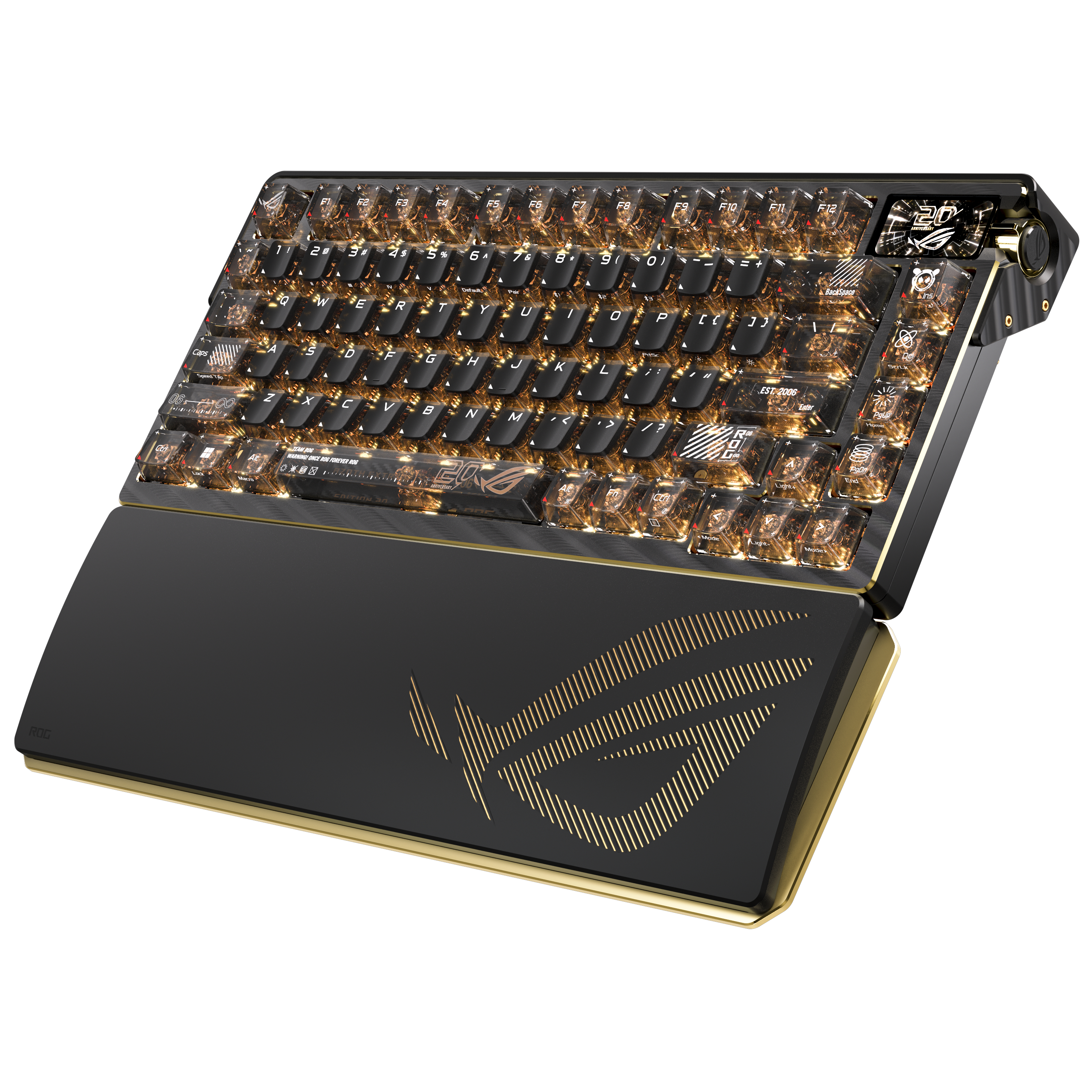
An already outstanding mechanical keyboard for gaming (and work) gets a glow-up for ASUS ROG's 20th anniversary. If you're a ROG enthusiast, or simply love high-end prebuilt boards, this is certainly a peripheral to consider. Just watch out for that price tag.