
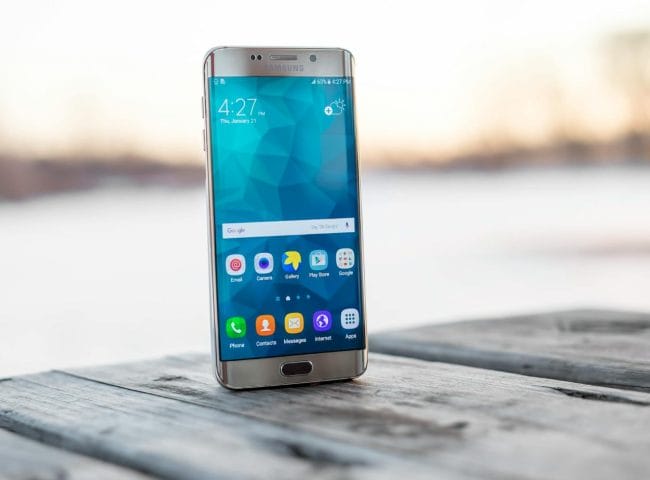
Your smartphone knows where you sleep, work, shop, and travel. That convenience can become a serious privacy risk when location sharing, Bluetooth tracking, or forgotten app permissions fall into the wrong hands. In recent years, security experts and consumer privacy groups have warned about the rise of digital stalking through smartphones and connected devices. The good news is that improving smartphone safety does not require advanced technical skills. Both iPhone and Android devices include built-in settings that can help block unwanted tracking if you know where to look.
Check Your Location Sharing Settings Before Someone Else Does
Many people unknowingly share their live location with family members, former partners, or old contacts long after the relationship changes. On iPhone, open Find My and review who can see your location, while Android users should check Google Maps Location Sharing and Google account settings. A practical example is a breakup scenario where an ex-partner still has ongoing access because the setting was never removed. Regularly auditing location permissions is one of the easiest ways to improve smartphone safety. Experts recommend reviewing these settings every few months, especially after changing phones, relationships, or shared accounts.
Lock Down App Permissions That Quietly Collect Data
Apps often request access to your location, microphone, contacts, camera, and photos even when those permissions are not essential. Both iOS and Android now allow users to grant “While Using the App” access instead of permanent background tracking. For example, a weather app may need your location briefly but does not need to monitor your movements all day. Hidden background permissions can create privacy blind spots that many users overlook. Tightening app access is a powerful smartphone safety habit that reduces your digital footprint without affecting everyday usability.
Scan for Unknown Bluetooth Devices and Tracking Tags
Bluetooth trackers such as Apple AirTags and similar products can be useful for finding keys or luggage, but they have also raised concerns about stalking and covert surveillance. Apple and Google now provide alerts that notify users about unknown tracking devices moving with them over time. If your phone displays an unfamiliar tracker warning, do not ignore it or assume it is a glitch. Use your device’s safety tools to identify the tracker, disable it, or physically locate it if necessary. This feature represents a major improvement in smartphone safety because it helps users detect tracking that may otherwise go unnoticed.
Turn On Safety Features Built Into Your Phone
Modern smartphones include emergency and personal security tools that many users never activate. iPhone users can explore Safety Check, designed to quickly reset privacy access and sharing permissions, while Android offers Personal Safety features on many devices. Imagine someone leaving a controlling relationship and needing to instantly stop account access, shared locations, and connected permissions. These tools were built for real-world situations involving harassment, stalking, or personal safety concerns. Taking five minutes to enable them can make a meaningful difference in overall smartphone safety.
Review Your Google and Apple Account Security Settings
Your smartphone’s privacy is only as strong as the account connected to it. Review login activity, trusted devices, recovery methods, and two-factor authentication in your Apple ID or Google account settings. If someone has access to your primary account, they may still monitor backups, location history, synced photos, or shared purchases even after changing phone settings. Two-factor authentication adds a critical extra layer of protection by requiring a second verification step. Strong account hygiene remains one of the most effective smartphone safety practices available today.
The Privacy Settings Most People Forget Could Protect You Tomorrow
Smartphone safety is not about fear or paranoia; it is about understanding how much personal information modern devices quietly manage every day. Small adjustments to location sharing, permissions, Bluetooth alerts, and account security can dramatically reduce the risk of unwanted tracking. These settings exist because privacy threats are real, but many users simply do not know the tools are already built into their phones. Taking control of your device is not complicated, but delaying it can leave unnecessary vulnerabilities in place.
Which hidden phone setting surprised you the most, and have you checked your own device recently? Share your thoughts and experiences in the comments below.
What to Read Next
The Community Watch: A New Security Feature on Your Smartphone That Could Save Your Life
The Red Light Ban: Why Your Phone Habits Could Cost You This Month
Phone Stolen? 10 Things to Do Immediately to Protect Your Data
The post Smartphone Safety: Hidden iOS and Android Settings That Keep Stalkers from Tracking You appeared first on Budget and the Bees.