
Every profession has its insider tips and secrets. Plumbers know which noises could signal a potential wading pool in your kitchen, and mechanics know which warning lights deserve immediate attention before your vehicle grinds to a halt.
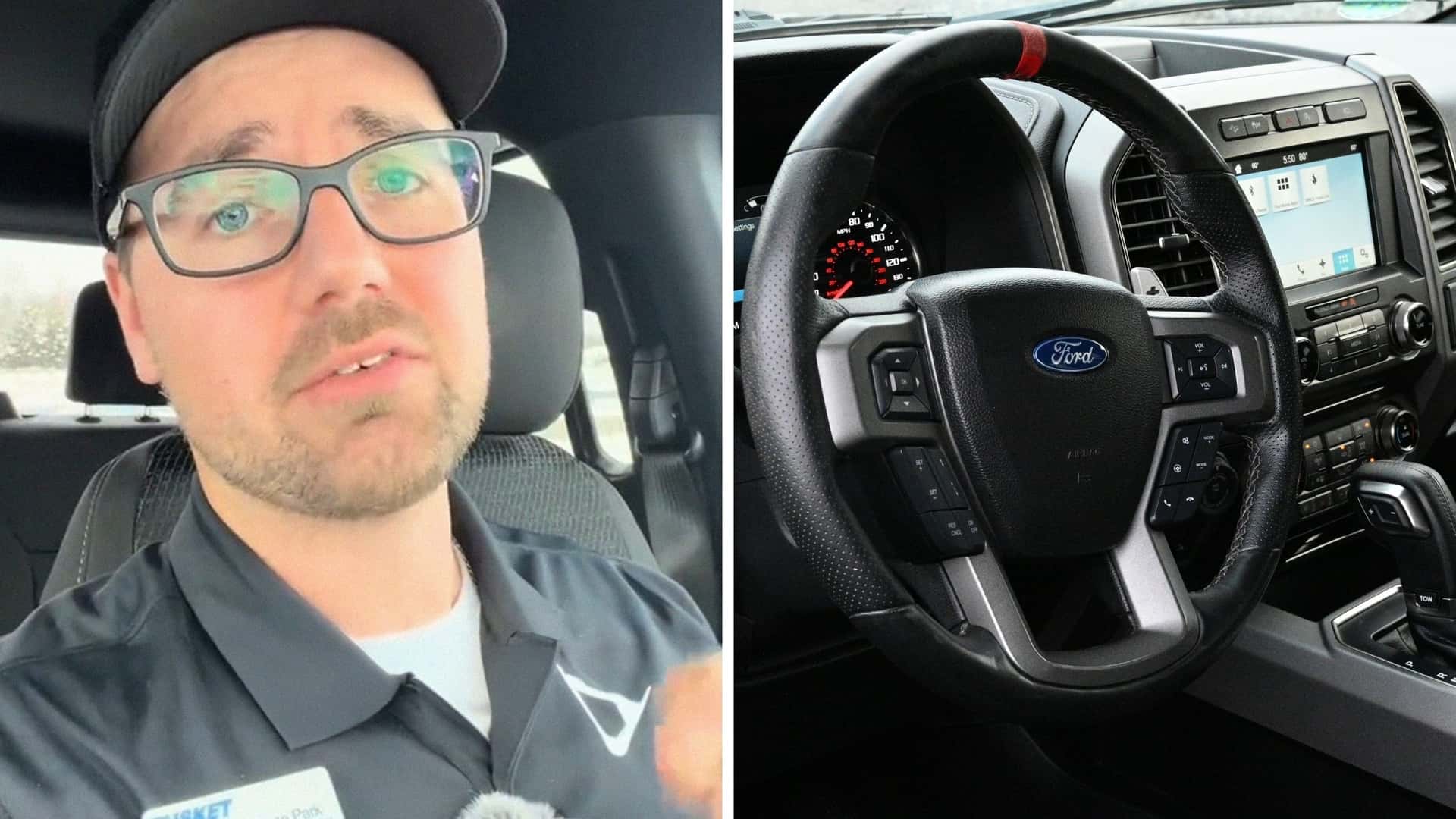
A recent TikTok shows us that for Ford employees one of the old trusty bits of knowledge is how a two-button shortcut can sometimes rescue a frozen infotainment screen in seconds. The clip from salesman Jesse Park (@jesseparkauto) at Tusket Ford in Nova Scotia is intended to help Ford owners unlock their center display without losing all the apps and updates they’ve installed to personalize and fine-tune their driving experience.
“This procedure is known as a soft reset. Unlike a factory reset, you don't lose your apps and your settings won't be cleared,” he said in the clip that’s been viewed more than 15,000 times.
The Five-Second Ford Infotainment Center Fix
The reset itself requires holding the volume down button and the next track button on the steering wheel for roughly five seconds. Drivers can also perform the same reset by pressing the volume knob and seek right button located below the infotainment screen.
The procedure is designed to reboot the system without wiping out personal settings, connected devices, or downloaded apps. For drivers who suddenly find themselves staring at a frozen display, it offers a much less disruptive option than performing a full factory reset.
Park told Motor1 via phone that the procedure isn't some obscure internet trick or recently discovered workaround. It's simply something Ford employees have relied on for years when an infotainment system starts acting up.
“That's just like a thing that we do on Ford vehicles,” he said. “Something that I've been doing on F-150s for quite a few years.”
The idea for the video came while Park was looking for practical ownership tips to share with customers and followers.
“I just thought it would be kind of a useful tip,” he said. “As opposed to doing a full master reset, if you've just got a little bug or something going on, I mean, you can kind of try to resolve that in a couple seconds.”
Jumping off from the general infotainment frustration vibe of the clip, the comment section quickly turned into an unofficial technical support forum. One viewer asked why Bluetooth audio continually skips in a 2020 Ford Edge. Another wanted help reactivating blind-spot monitoring on a 2018 F-150 after it mysteriously switched itself off.
Other responses were more immediate. “OMG god bless u!!!!!” one viewer wrote.
“It worked thank you,” another added.
Those reactions may help explain why the clip continues to attract attention months after it was posted. Park said the most interesting metric hasn't been the comments or likes, but the number of people saving the video for future use.
“It's got a lot of saves,” he said. “A lot of people are trying to save that for later on. If they have a problem with their vehicle, they can kind of look in their saved content and be like, ‘Oh yeah, try that.’”
Car Communities Pitch In To Solve Problems
While frozen screens and software glitches are cause for as much worry as a mechanical breakdown, they can feel disruptive because drivers rely on infotainment systems every time they get behind the wheel.
A decade or two ago, a malfunctioning radio might have meant a quieter commute or maybe a damaged cassette tape. But a frozen center display can interfere with navigation, phone connectivity, music streaming, backup camera functions, and vehicle settings.
That reliance on data and connectivity explains why a simple reset procedure resonated so strongly online. It’s one step removed from frustrated smartphone owners learning to force-restart a frozen device.
The difference is that most drivers don't realize their vehicle has those built-in troubleshooting shortcuts. We see in the comment section beneath Park's video how drivers increasingly turn to social media creators, dealership employees, and TikTok videos for help navigating the software side of modern vehicles.
And infotainment resets are only the beginning. Spend enough time in owner forums, Facebook groups, Reddit threads, and automotive TikTok feeds, and you'll find an entire library of unofficial quality-of-life improvements.
Drivers swap instructions for disabling annoying start-stop systems, adjusting hidden lighting settings, customizing gauge displays, unlocking extra camera views, improving wireless Apple CarPlay or Android Auto performance, and discovering storage compartments or convenience features that somehow went unnoticed for years.
Some of those tips can be dug out of owner's manuals, but many are discovered via tinkering and experimenting, and then get traded among automotive know-it-alls. It’s the modern equivalent of a neighborhood garage conversation.
Park’s video reminds us that for drivers willing to do a little digging, there are entire online communities dedicated to specific makes and models, often containing years' worth of accumulated knowledge. Enthusiast forums, owner groups on Facebook, Reddit communities devoted to individual brands, and content creators who work with vehicles every day can sometimes offer practical solutions faster than a trip to the dealership.









.png?w=600)




