For more than a decade, there was this ingrained belief that big tech companies were unable, or unwilling, to make an actually decent mechanical keyboard. Their products used to have all kinds of issues, ranging from bad proprietary switches and clangy chassis to atrocious software and abysmal keycaps. You name the issue – one of the big brands had it.
But recently, this started to change, in part thanks to many of them learning how and what to do, but also thanks to smaller, dedicated manufacturers producing much cheaper and much better keyboards.
The change is not immediate, nor is it all-encompassing: there still is plenty of overpriced and barely usable manufactured e-waste. But Asus is one of the companies that seems to have gotten it. They have several nice options under their Republic of Gamers brand, with ROG Azoth being a more premium offering, and ROG Strix Scope II as a cheaper option.
Today, Asus released ROG Strix Morph 96 Wireless, and it’s the cheapest option yet. And while we won’t pretend that it’s the best keyboard since sliced bread, it’s also the one we’d wholeheartedly recommend to get, with small caveats.
Table of contents
ROG Strix Morph 96 Wireless specs and price
| Function | Specification |
|---|---|
| Connectivity | USB 2.0, Bluetooth, RF 2.4GHz |
| Key Switches | ROG NX Snow V2 (Linear) ROG NX StormV2 (Clicky) |
| Keycap | ABS doubleshot solid/ ABS laser solid keycaps |
| Layout | 96% |
| Backlighting | Per-key RGB LEDs |
| Multi-function keys | 3-way control knob & side button |
| Anti-Ghosting | N-Key Rollover |
| Polling Rate | 1000Hz |
| Macro Keys | All keys programmable (except for Fn, Caps Lock, Windows, Left- ALT) |
| Macro Recording | On-the-fly recording support |
| Cable Type | USB-A to USB-C |
| Cable Length | 1.8m |
| Supported OS | Windows 11/MacOS |
| Onboard Memory | 5 customizable profiles & 1 default profile |
| Basic Hotkeys | Profile Switch: Fn + profiles |
| Software | Gear Link |
| Product Dimension | 398*134*39mm |
| Product Weight | 1125g |
| Price | $139.99 |
Hardware
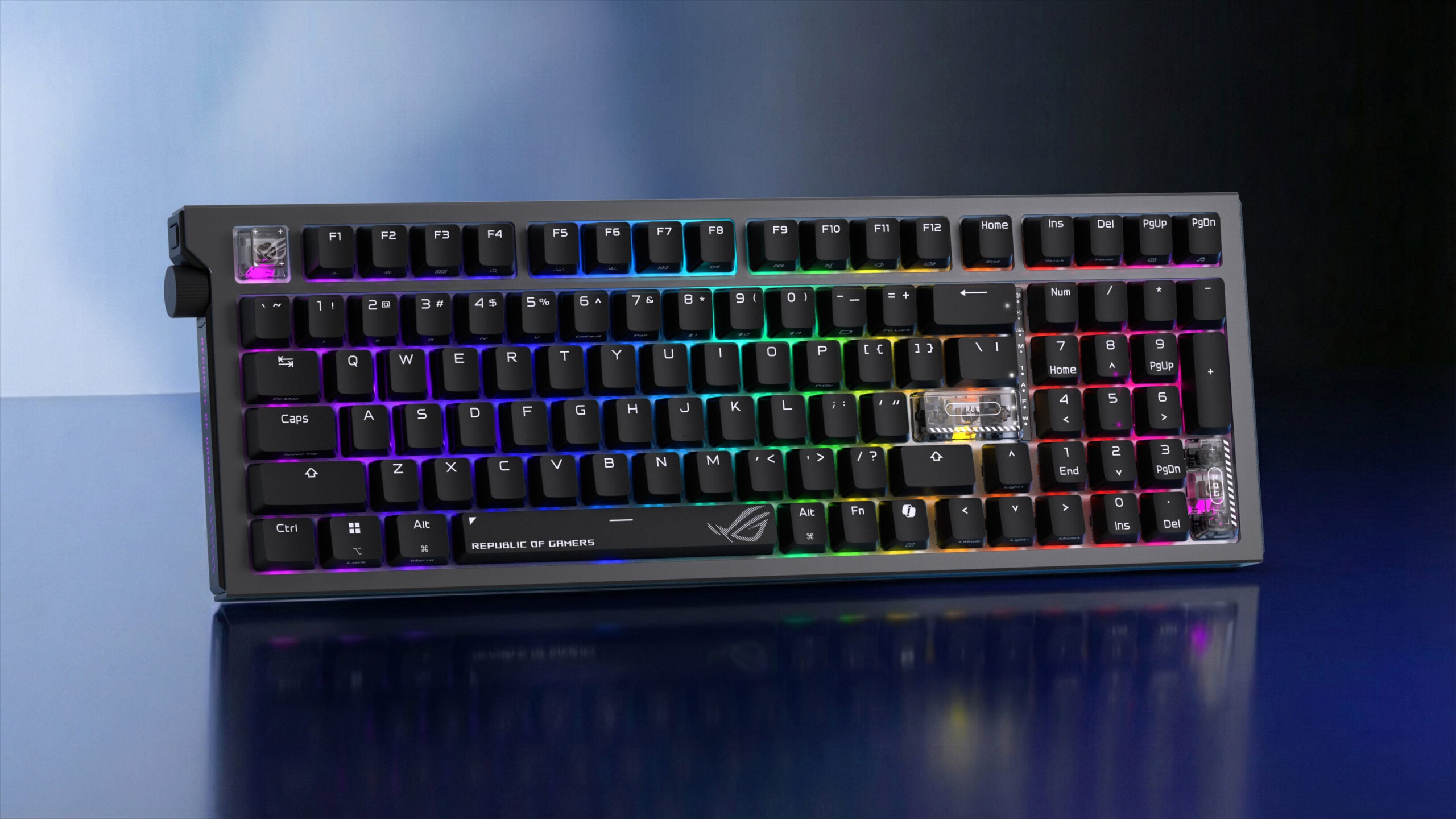
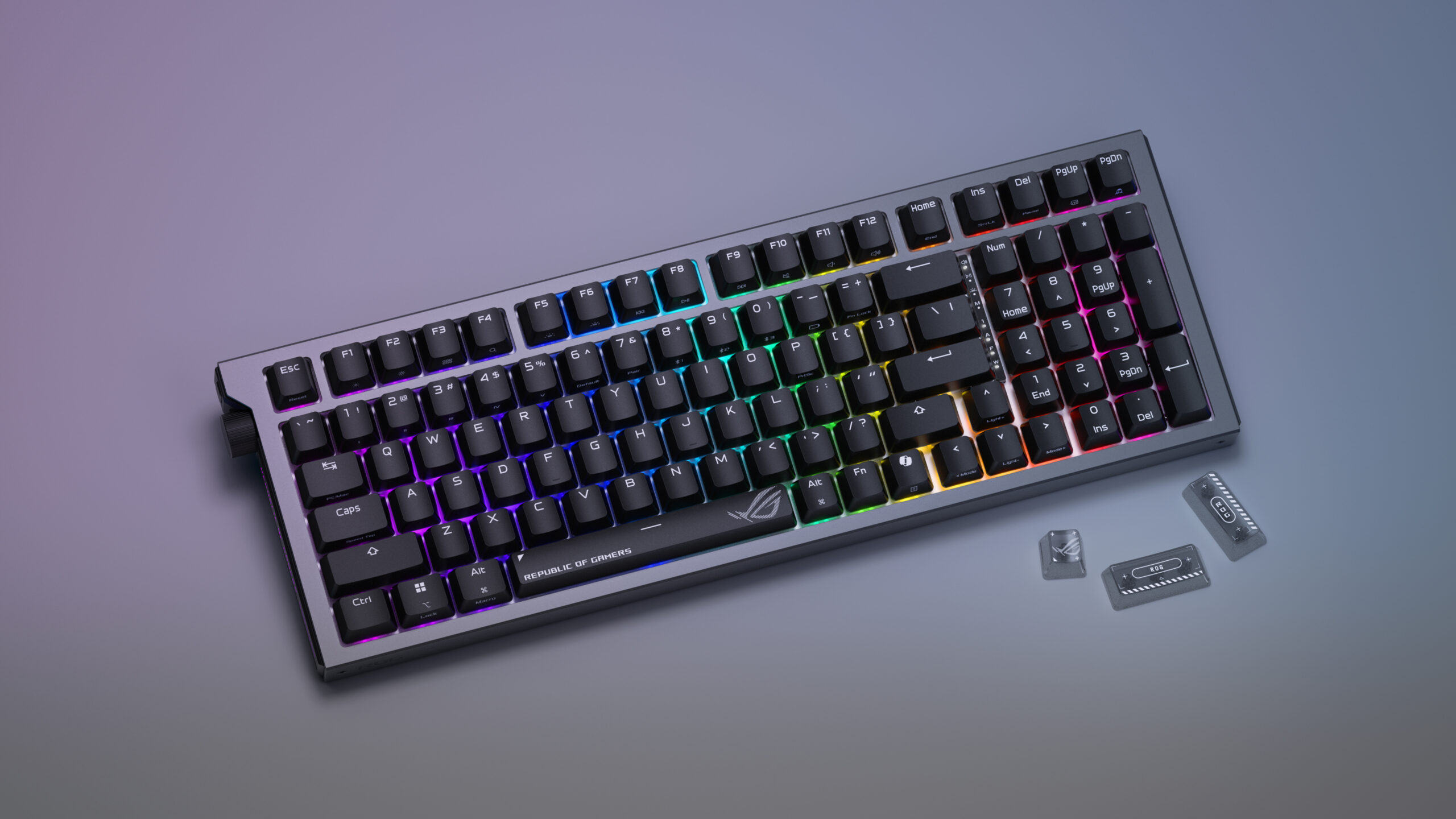
Hardware-wise, ROG Strix Morph 96 Wireless is a great offering. It’s a 96% keyboard, which means it saves some space compared to a full-size one, with a tradeoff of squishing some of the keys together and placing them in weird places. This should be one of the biggest considerations when going for a new keyboard. For some, a TKL keyboard without a Numpad feels less restrictive than a 96% that puts the “Delete” key in a weird place, shortens the “Right-Shift,” and has you use the “Function” key to do some very basic things like taking a screenshot.
If this is something you’re okay with (or you’re willing to build up a muscle memory), then ROG Strix Morph 96 Wireless is a decent option.
This keyboard has the new generation of Asus’ switches, the ROG NX Snow V2 and Storm V2, the linear and clicky options. Being a writer, I really prefer the tactile, Brown-like switches, but having played around with the Snow V2 linear option, I’m completely fine with it as well.
The switches themselves feel quite nice. They’re factory-lubed as well! Long gone are the days of the scratchy, squeaky mess you’d have to lube yourself. They don’t quite provide the coveted “milky thock,” but they sound really good out of the box.
The keyboard’s silicone gasket helps with this, dampening the sound. Having read that the outer shell of the ROG Strix Morph 96 Wireless is made of brushed aluminium, I was afraid that the entire thing would have an audible “chassis ping,” but this is not the case at all. The build, while mostly plastic, is incredibly dense and solid: no creaking, squeaking, or any kind of give.
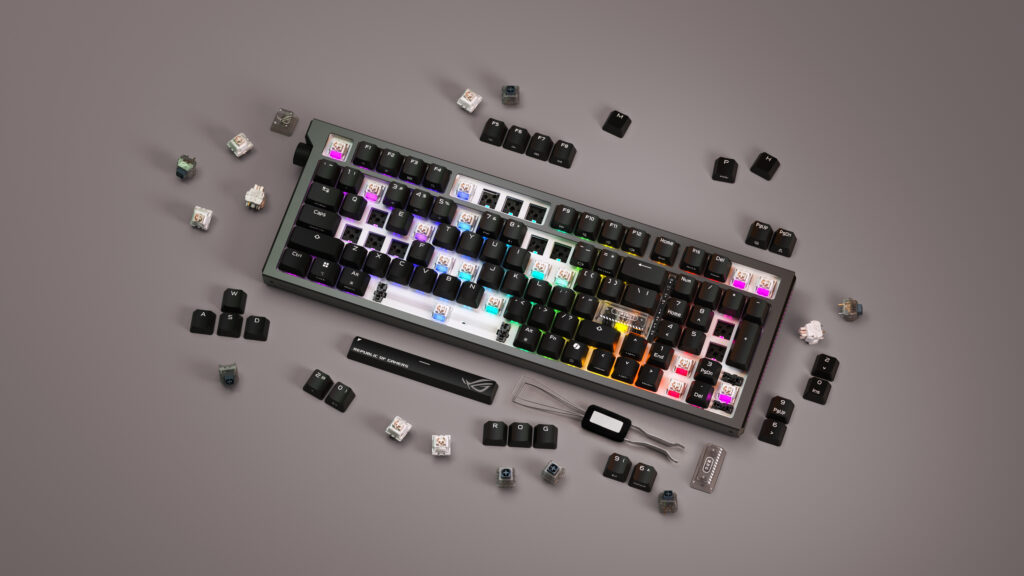
One downside, however, is the keycap feel. They’re non-shine-through doubleshot ABS with the legend printed on top, and while they’re not that bad for ABS, they’re no PBT. They just feel quite cheap, and they probably are: this was possibly one of the ways how Asus kept the price of this keyboard relatively low, and if that is indeed the case, I’m more than okay with it.
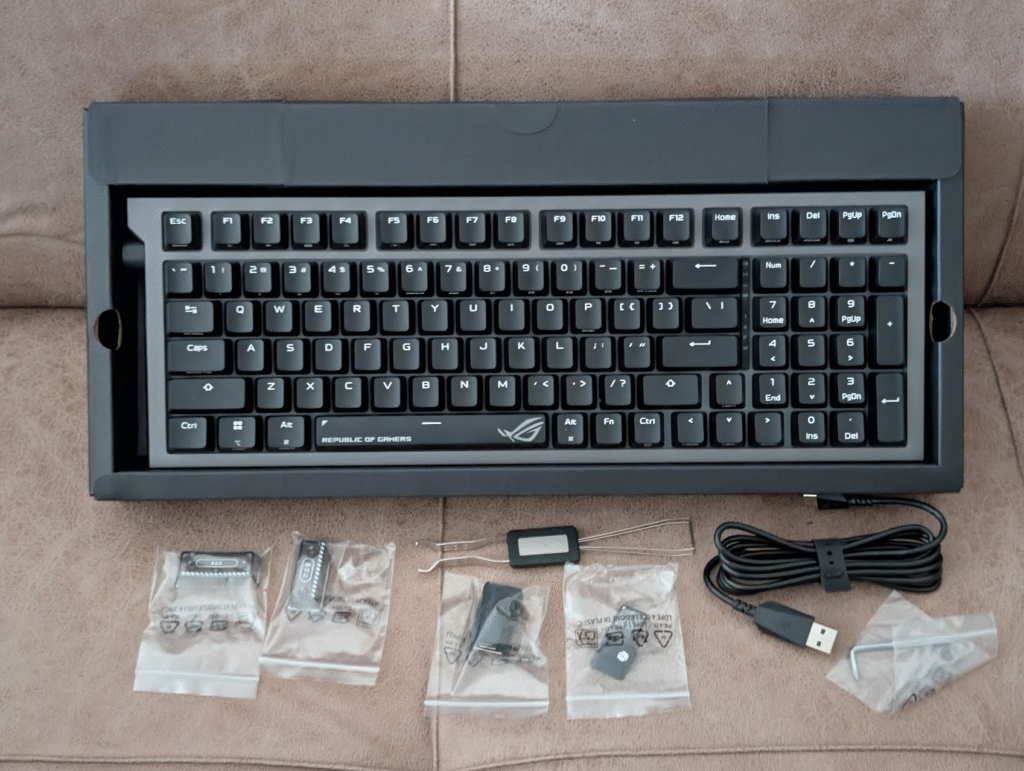
I will surely be replacing mine, and if you want to do that as well, it’s very easy to do: the keyboard comes with a combined keycap and switch puller. Switches are also hot-swappable, which is a major plus: many companies solder them down onto the PCB to save costs, but not Asus. Do keep in mind, though, that the original keycaps have lots of information printed on them, all the Fn functions, profiles, and Bluetooth connectivity. If you do go for something else, at least write that info down.
Curiously, as a decorative thing, ROG Strix Morph 96 Wireless comes with three translucent keycaps for both “Enter” keys and “Escape.” However, they’re very glossy and feel completely different compared to the matte, textured finish of the original keycaps, so I wouldn’t really recommend using them, aside from maybe the “Escape” key.
Connectivity and battery life
ROG Strix Morph 96 Wireless has three different modes of connectivity: wired, Bluetooth, and 2.4GHz with the included dongle, which can also connect to a mouse.
The keyboard has “only” a 1000Hz polling rate, so both kinds of wireless connections are fine. And it’s actually a good thing that it doesn’t have the trendy “snake oil” 8000Hz, because it’s entirely useless and very much non-noticeable even at the highest level of play. And this keeps the cost lower.
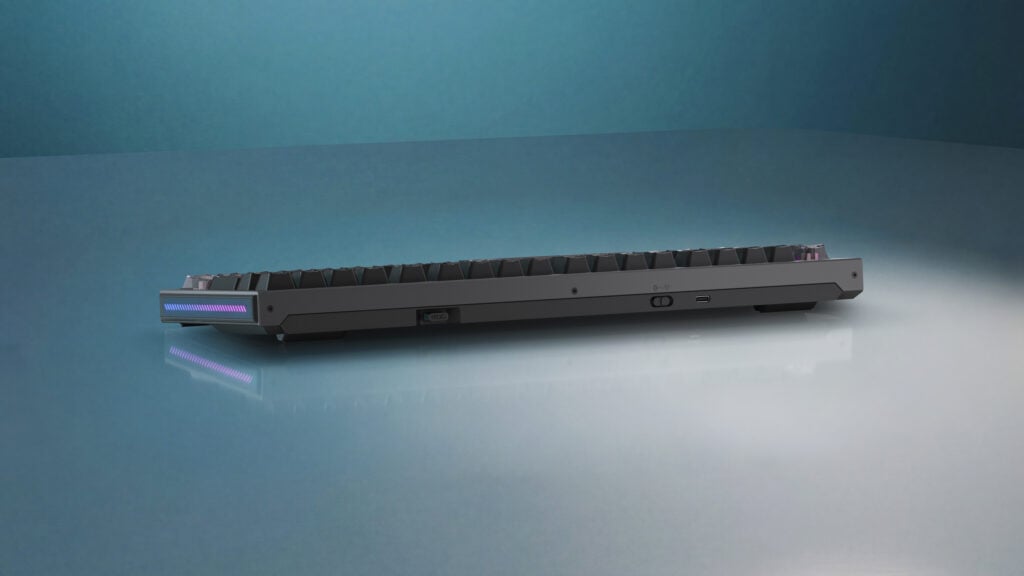
Over the wire, when the keyboard is not fully charged, it will constantly blink at you with its green LED on its left side, with seemingly no way to disable that option, even if you turn the rest of the RGB off. It annoyed me for a bit, but it’s just a charge indicator that goes away when the keyboard reaches 100%, so it’s not a big deal.
I would say that it works equally well under any connectivity mode, so look at your use case and decide which suits you best. When connected wirelessly, the target battery life is 590 hours with the backlight off, and 100 hours with all the RGB. This is quite a low number compared to the ROG Strix Scope II 96 Wireless’ 1500 or ROG Azoth’s 2000. Still, it has a convenient feature of turning your RGB off while not in active use without turning the keyboard itself off, so it saves you additional time.
The knob
One of the standout features of ROG Strix Morph 96 Wireless is the multi-functional knob placed at a very convenient position on the left side of the keyboard. By default, it controls the volume going up and down, with the click muting the sound altogether.
But above the know there is a dedicated button that allows for a seamless profile switch that transforms the knob into the multimedia control. Another mode allows you to adjust the RGB brightness, while the final one gives you the option to scroll and click.
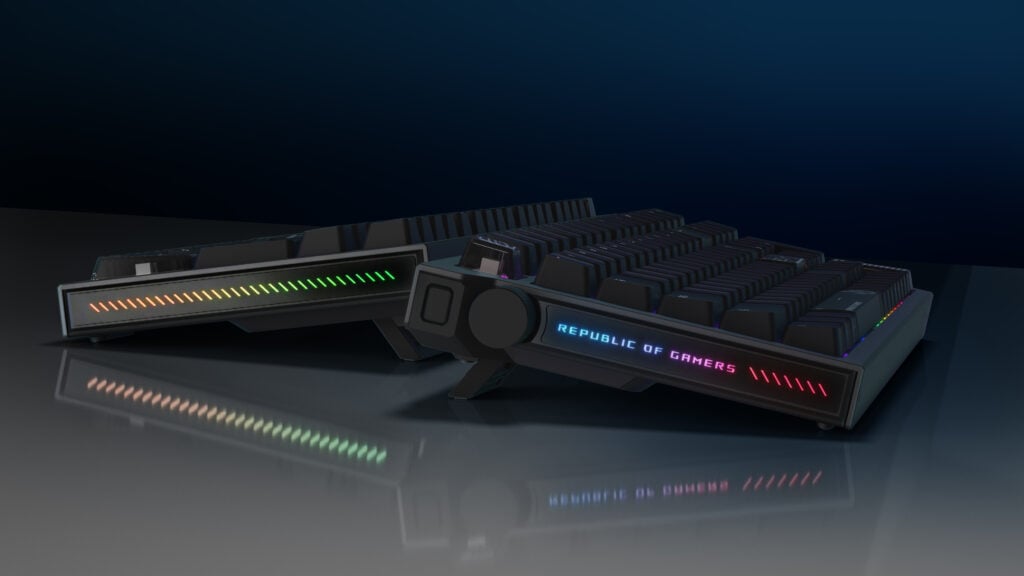
I couldn’t stress enough how good the placement of the knob is, just a short reach away, instead of having it in the rightmost upper angle like some of the Keychrons and Corsair keyboards have.
The issue is, however, that the build quality of the knob is very bad. It’s quite wobbly and cheap-feeling, with some major give before the turning motion is registered. It doesn’t get less useful by any means; it’s just not something I’d want to see on a $140 keyboard.
Typing
Typing experience on the ROG Strix Morph 96 Wireless was surprisingly pleasant. I don’t mean anything by this: I’m just a writer by trade, and I hugely prefer my tactile Browns over anything for the touch-feel and response I get. But Asus’ own linear switches that I would describe as being closest to the Gateron Yellows are lightweight enough not to give me any fatigue due to overpressing with no feedback.
Keycaps, although ABS, are Cherry profile and low enough that fingers glide over them very smoothly and easily.
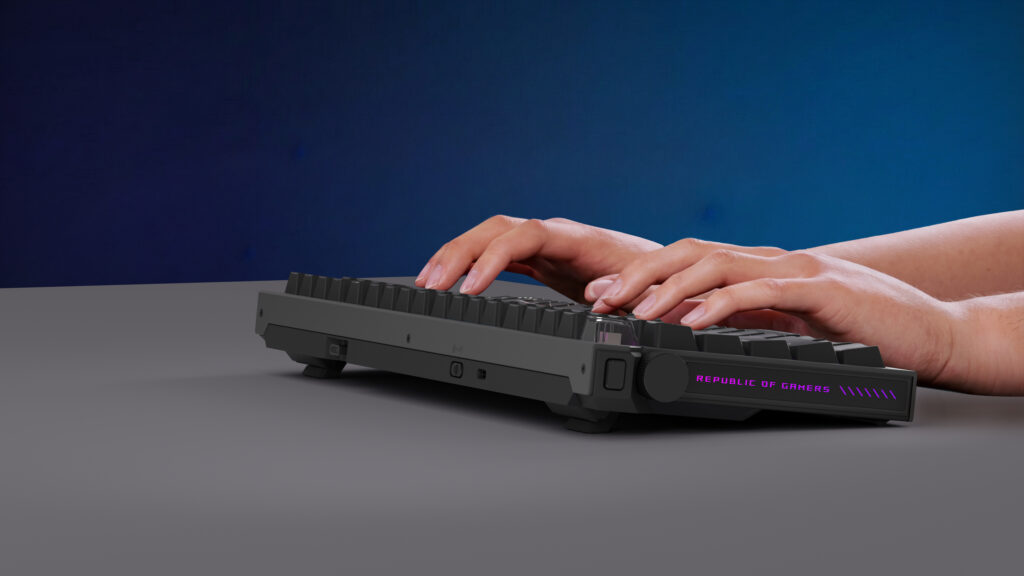
One potential caveat to note is that the keycaps are not shine-through, so if you’re not used to touch-typing, you may have some trouble telling the keys apart in a poorly-lit room. Keep in mind, though, that if you opt for better PBT keycaps, most of them aren’t shine-through either.
Gaming
Gaming is what this keyboard was created to do, and it does it very well indeed. Linear switches are the best for this, and in all the titles that I tested (Marvel Rivals, League of Legends, Cyberpunk 2077, Crimson Desert, Resident Evil: Requiem, Metal Eden), the keyboard performed admirably.
This has more to do with the innate reaction time than anything else, but having a lighter actuation time, in theory, allows for faster input. My completely unscientific test in Marvel Rivals and League of Legends revealed that I’m just too old for it to make any difference.
But just being a good gaming keyboard is not all that the ROG Strix Morph 96 Wireless is capable of. It has the popular and controversial SOCD mode, known under various names: Rapid Trigger, Snap Tap, and many other brand-original monikers. It allows for the last input to overwrite the previous one during simultaneous key presses. Essentially, by rapidly hitting “A” and “D,” you won’t stop when both of the keys are hit, but will rather alternate directions seamlessly. Many call this cheating, and some games like Counter-Strike have banned this on the grounds of the fairness of competition.
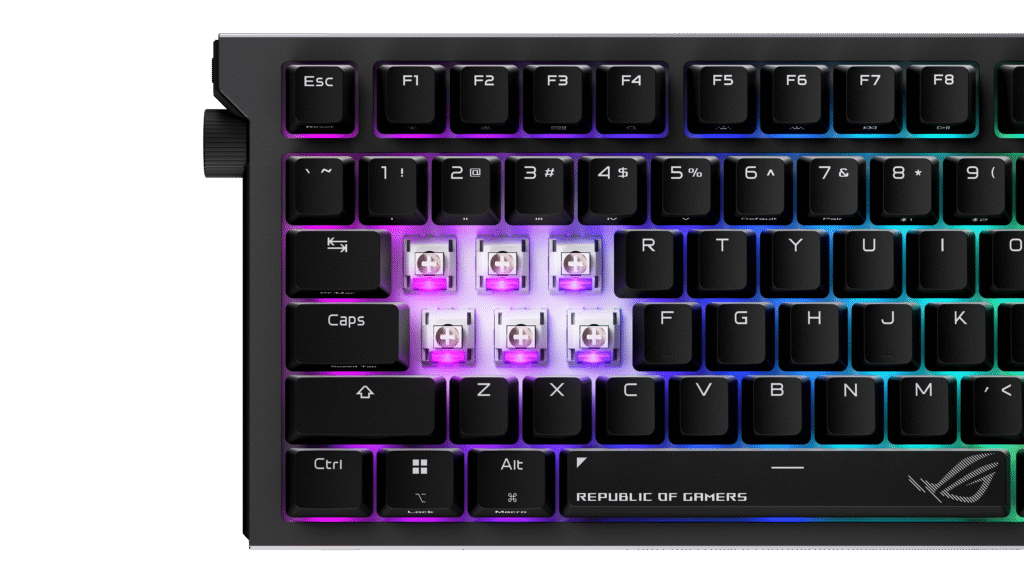
And while every company’s marketing is quick to tell you just how good their implementation of the feature is, you have to realize that it’s not something that will make you into S1mple overnight. SOCD will actively interfere with your muscle memory; it will feel unnatural, and you will fight the controls as much as your opponents. When you do master it, however, that’s where the real advantage starts to roll in.
Thankfully, if you want to play CS2 with your new shiny keyboard, the option is easy to disable.
Software
Asus has finally ditched its Armoury Crate software in favor of a web-based implementation of Gear Link. If you’ve never experienced how bad it was, just picture a resource hog that barely worked half the time and was a buggy mess the other.
But Gear Link works within your browser (as long as it’s Chromium – sorry, Mozilla Firefox users) and even allows you to connect through your 2.4GHz dongle, without any need for USB cables. The program itself is not as fully-featured as some more advanced companion apps, but it has most of what you need while setting up a keyboard: RGB control, key remapping, profiles, knob customization, macros, power indicators, and idle modes.
I myself was very quick to rebind the dedicated Copilot button back to the beloved Right-Control.
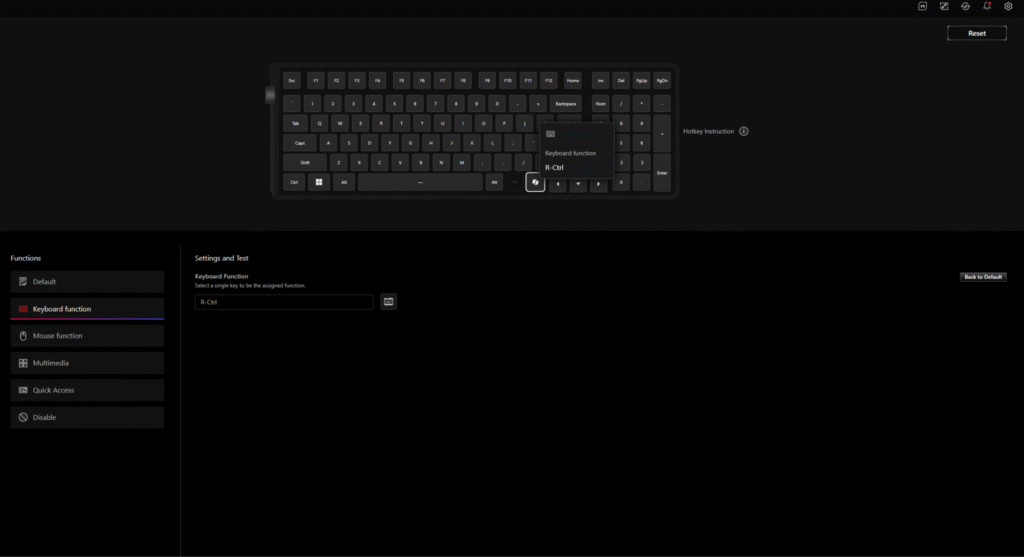
The options offered in Gear Link also depend on the peripheral that’s currently connected, but they’re still a little bit barebones. Still, this beats Armoury Crate several times over.
Verdict
ROG Strix Morph 96 Wireless is Asus’ latest and cheapest option in the segment. It doesn’t mean that there are no cheaper alternatives – there are. But the overall package this keyboard offers, with the customizable knob, with the SOCD feature, with surprisingly good typing sound, and great customizability, $140 is a fair price for it.
It’s not perfect by any stretch of the imagination, but no keyboard is. You can even use it as the base for your custom keyboard: the base and dampening are more than good enough, it’s hefty, and it sits well on the desk with its three stages of height adjustment. So you can add the switches and keycaps of your choice and make a keyboard of your dreams.
What you should keep in mind are the things you can’t change: the 96% layout and the placement of the keys, the knob and its quality, the chassis feel, and the battery life. If none of these are a dealbreaker for any reason, then this could be a keyboard for you.
- Very nice sound out of the box.
- 96% layout retains all functionality.
- The knob is very useful.
- Great custom factory-lubed switches.
- Decent battery life.
- Good build quality despite being mostly plastic.
- Gear Link software.
- ABS keycaps are not very good.
- 96% layout needs getting used to.
- The knob feels wobbly and cheap.