
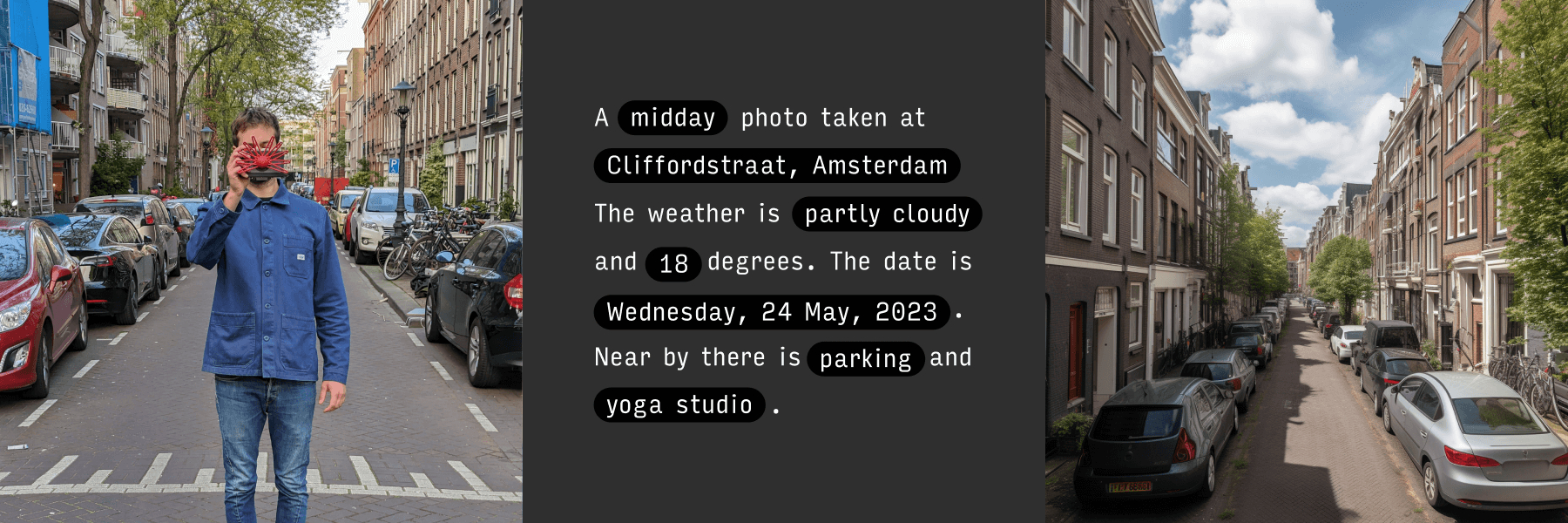
When you think of a Raspberry Pi camera, you probably picture a Pi connected to the Global Shutter Camera, Camera Module 3 or even the HQ camera. You might even think of Otto a GIF creation camera from 2015. But this Raspberry Pi camera project, created by Bjørn Karmann, has no lens at all. In fact, Paragraphica, as he calls it, uses AI to generate an image based on your location data as well as a few other descriptors like date and weather.
The device looks somewhat like a classic camera. It has a huge cover over where a lens would be that resembles the nose of a star-nosed mole. The viewfinder is a screen in which you can adjust the settings for the generation of your picture. It also has a series of dials that can be adjusted to set things like film grain and sharpness for the AI program to integrate into the photo generation process. Pressing the capture button will trigger the system to generate a photograph for you based on the selected parameters.
Data used in the image generation is gathered using various open APIs. This includes things like your location, date, time, as well as nearby landmarks. Paragraphica uses all of this information to process the final photo using text-to-image AI.
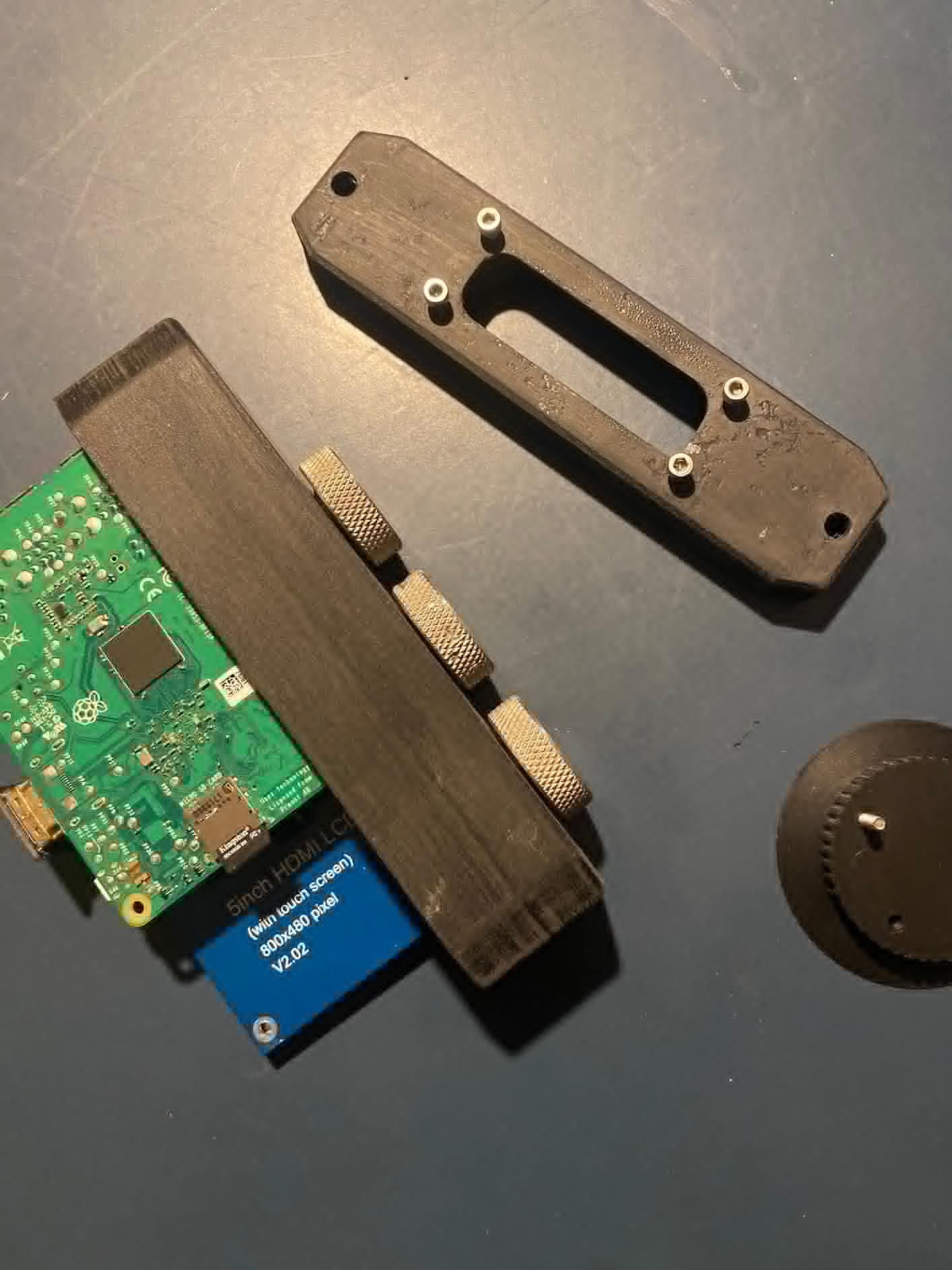
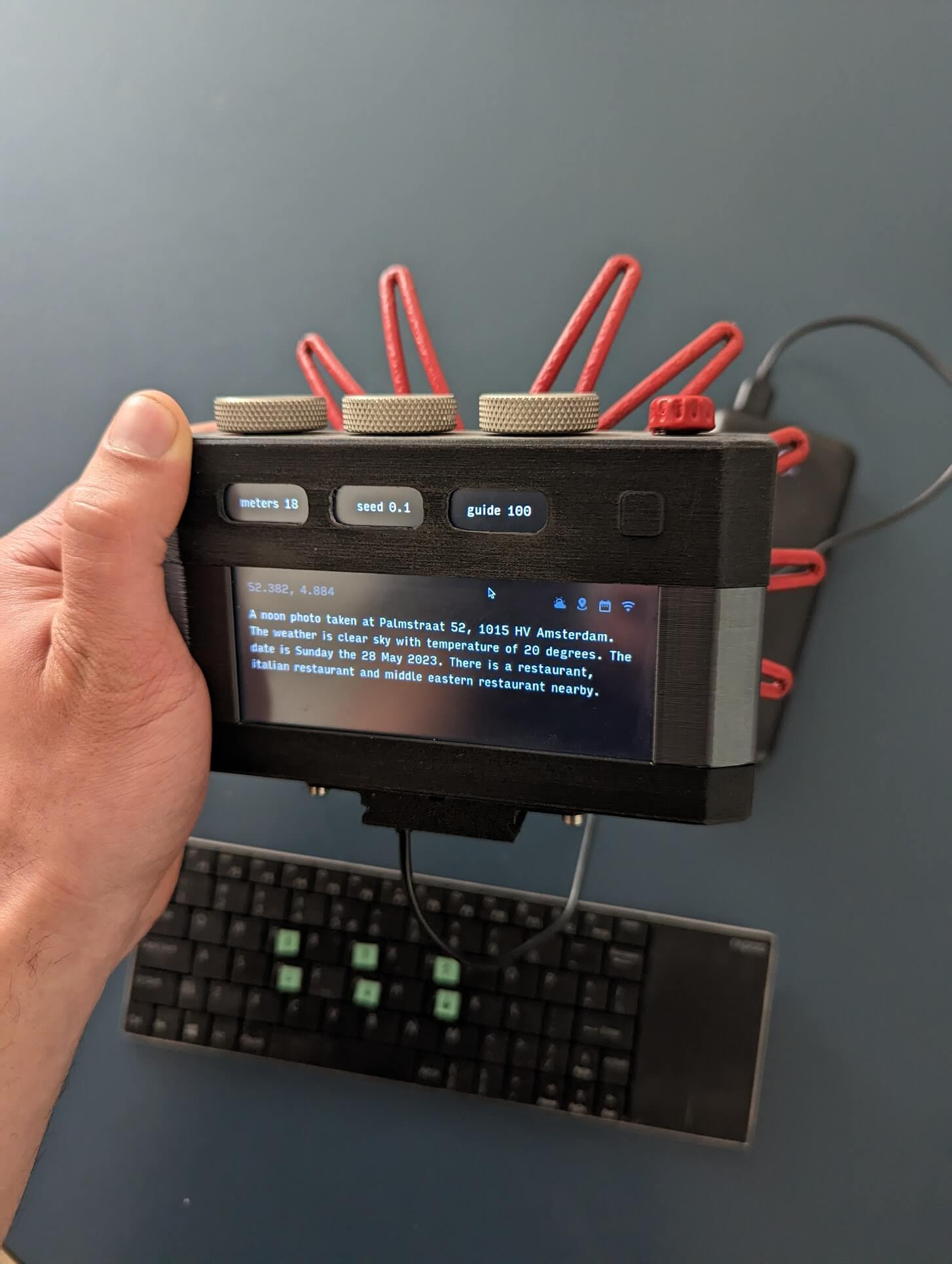
To power the project, Karmann has opted to use a Raspberry Pi 4. It’s housed inside of a custom 3D-printed shell along with all of the other electronic components. The viewfinder display doubles as a touchscreen so it can be used for some control input. Location is determined by a GPS module.
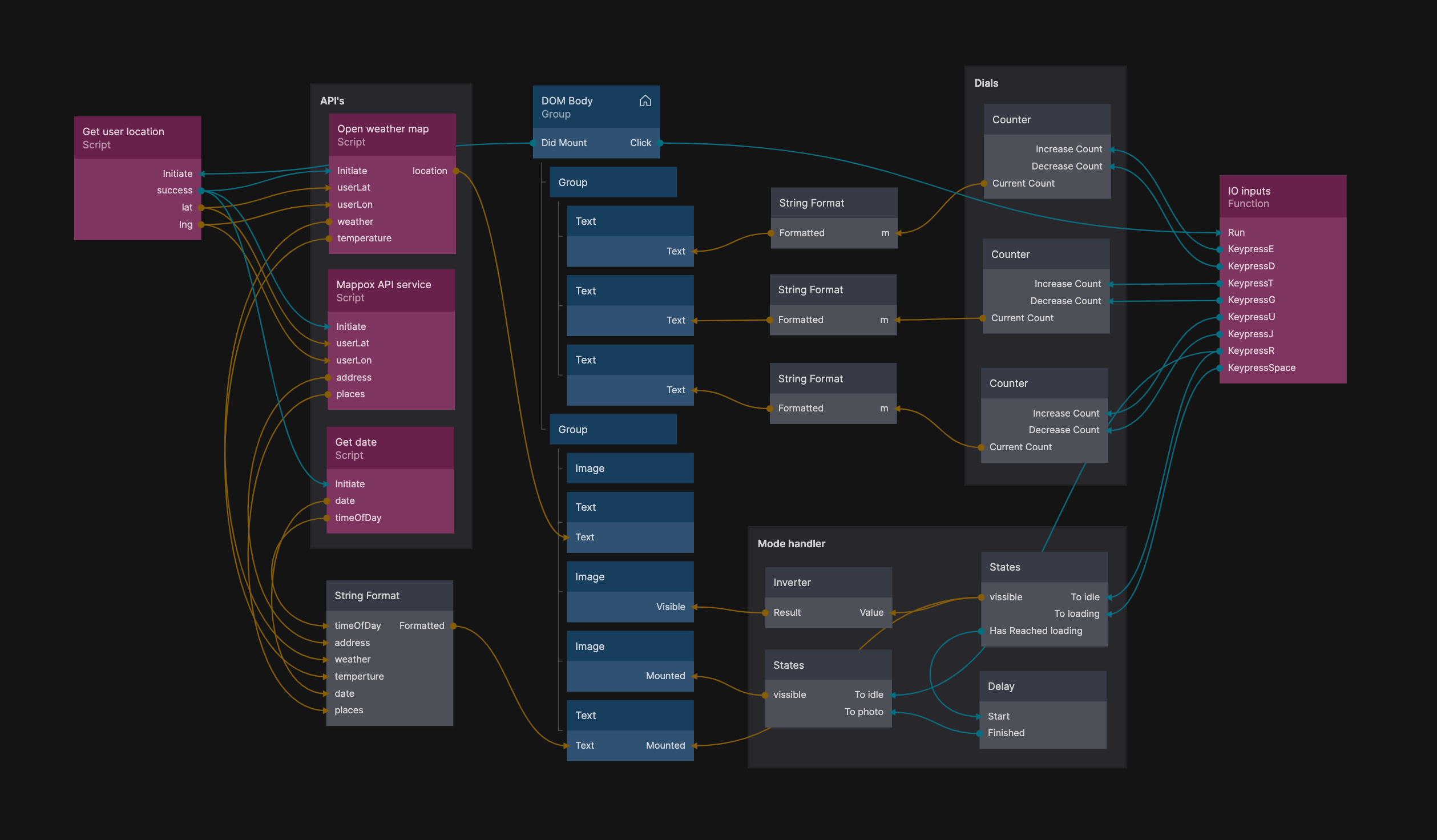
The software for Paragraphica was written by Karmann just for the project. According to Karmann, it uses both Python as well as the Stable Diffusion API to create the final product. Everything works together using Noodl, a visual tool to develop web apps. A diagram is available on his website showing a breakdown of how the software flows.
If you want to recreate this Raspberry Pi project or maybe just get a closer look at how it works, check out the original blog post shared by Karmann breaking down the build process. You can also test it yourself in browser at his website.