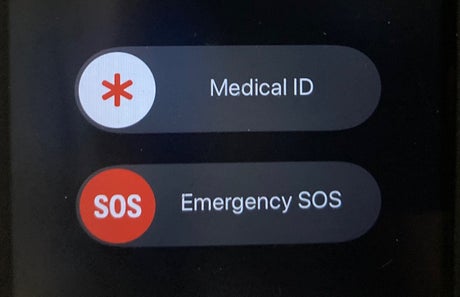
iPhone’s Emergency SOS function could save your life, by sharing your real-time location with the police or ambulance services.
The feature for iOS 11 iPhone users has existed in different forms for years, but is still unknown by many. This emergency function sends a text message with your location at the time it’s sent, and continues to send updates of your movements.
It’s very easy to use, if you have an iPhone X or iPhone 8, just press the side button simultaneously with the volume button until an SOS slider appears. Swipe your finger across the slider and your location will be sent to the emergency services.
If you continue to hold, a countdown will lead to an alert sound. Continue to hold the buttons further and your phone will call the emergency services.
If you have an older model of iPhone, an iPhone 7 or earlier, the process is slightly different. To get the SOS slider on your phone press the side button five times rapidly.
If you drag the SOS slider it will call the emergency services, not send them a text message. You can always end the call by pressing the stop button on your screen. After the call has ended, the emergency services will receive an update with your location.
No matter what iPhone you have you will not need to turn your location services on when using the SOS function, it will happen automatically.
Your locations will continue to be shared, you’ll get a prompt to stop sharing it every four hours for a total of 24 hours. You can turn off the location sharing function, meaning SOS emergency calls will go ahead as normal without your location being shared.
iPhone users can also add emergency contacts (who will receive location info) to their health app (pre-loaded onto your phone, when you purchase it).
You can also add your medical ID in the app, with info on allergies, blood type, and medications, or info such as if you require an inhaler or insulin. Emergency access info can be obtained even when your phone is locked.
Those without iPhones can always call 999 for free, 999 also has a text service, for those who are in a situation where they cannot make a call or are hard of hearing.
If you are in a situation where you cannot access your phone but are close to it, you can use the voice automated service Siri, which when activated can help to call 999 or use the Emergency SOS when asked.