
ChatGPT has had a lot of personality updates recently, but if you find the chatbot's attitude to be a little, well, sycophantic, you can now do something about it.
As part of a new update, ChatGPT users can now adjust the chatbot’s warmth and enthusiasm as well as the amount of headers and emojis it uses, according to an X post from OpenAI.
You can adjust each of these characteristics, choosing between "More", "Less" or "Default". While it is not immediately clear how much difference this will specifically make, ChatGPT has — for a long time — leaned towards the more enthusiastic side.
You can now adjust specific characteristics in ChatGPT, like warmth, enthusiasm, and emoji use.Now available in your "Personalization" settings. pic.twitter.com/7WSkOQVTKUDecember 19, 2025
How to adjust the setting
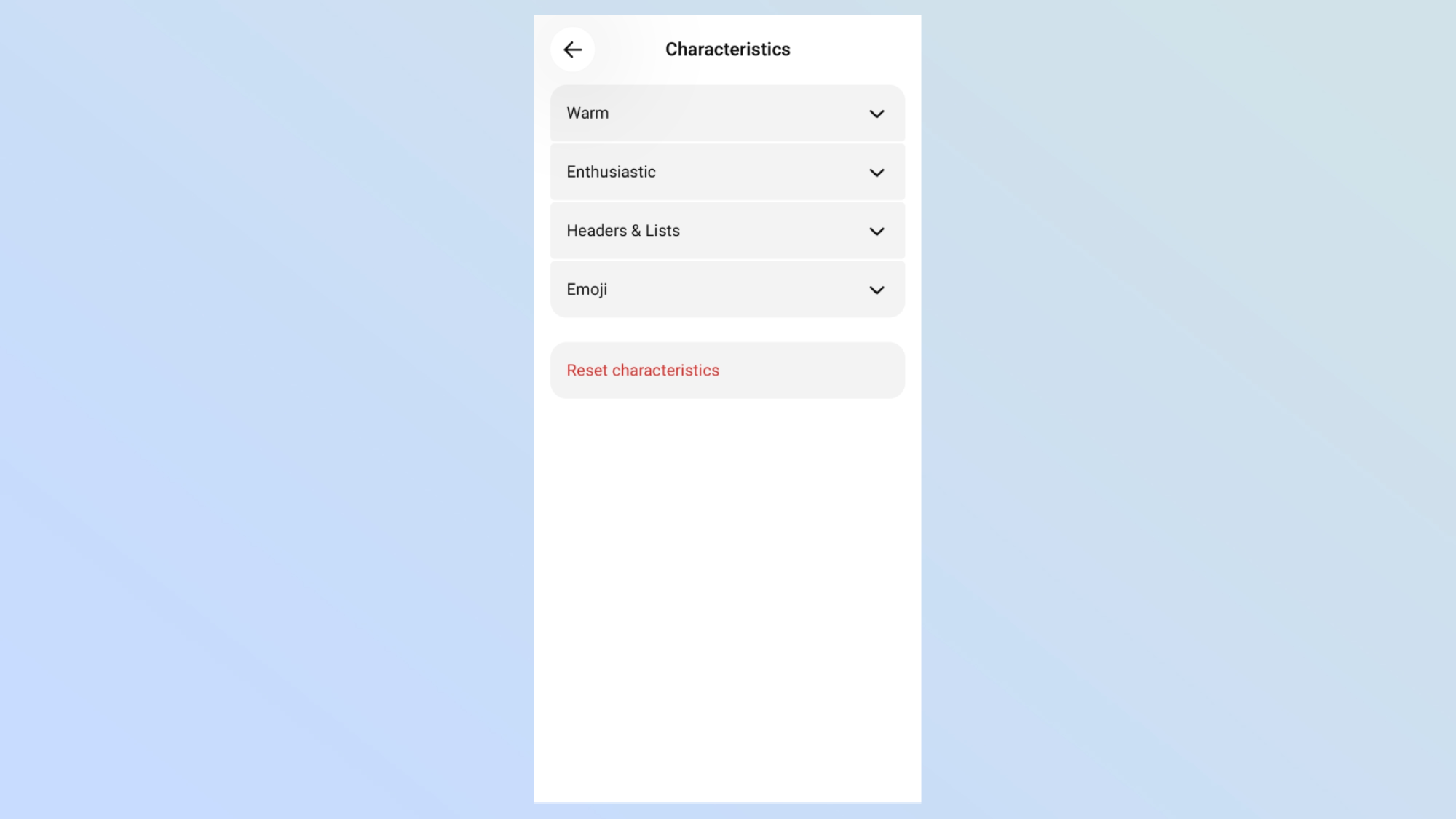
This new adjustment option can be found in the ChatGPT settings. Head into your settings and then go into Personalization. From here, you’ll find a section titled Characteristics. Head into this section, and all of your new adjustments will be available there.
Simply choose between the three options on each mode and then back out of the settings to update it.
It is not immediately clear if this update is being rolled out to all users or not, but we found the settings available on both a free and paid plan when we tested it out ourselves.
Why change its personality?

ChatGPT has a strange history with personalization. The chatbot was accused of being too much of a people-pleaser for a long time.
Many even suggested that this could promote concerning behaviors for people who used chatbots for support, causing a loop of the chatbot praising their opinions without offering solutions or alternative suggestions. ChatGPT, more than any other chatbot, has been caught up in the issues of this.
ChatGPT has a strange history with personalization.
Since then, OpenAI has offered the ability to drastically change how it interacts with you. It has a long set of personalities you can choose, as well as updates like this one, where you can make small tweaks to how it responds.
You can make a perfectly customized ChatGPT experience by combining different settings. For example, altering its personality to be friendly, but making it use less emojis.
Spend some time experimenting to find the best result for you.
Can other AI models do this?
Compared to the likes of Gemini or Claude, ChatGPT has offered a lot more customization options for the chatbot experience.
Claude allows you to switch its personality, with a set of pre-selected options, or the ability to make your own specific one.
Gemini, Grok and most other competitors don’t allow for much in the way of changes, though. This does make ChatGPT somewhat unique in this area and one of its distinguishing features.

Follow Tom's Guide on Google News and add us as a preferred source to get our up-to-date news, analysis, and reviews in your feeds.