
Netflix knows everything you watch. Every show you start and abandon after one episode. Every movie you pause to check your phone. Exactly how long you spend browsing before choosing something. All of this data gets collected, analyzed and shared with third parties.
Most people assume their streaming habits are private. They aren't. While Netflix tracks your behavior to improve recommendations, it also shares that data with outside partners for advertising and analytics. Unless you explicitly opt out, your watch history is being distributed by default.
Fortunately, you can disable this data collection sharing entirely. Here is exactly how to turn it off right now.
1. Sign in to Netflix via desktop
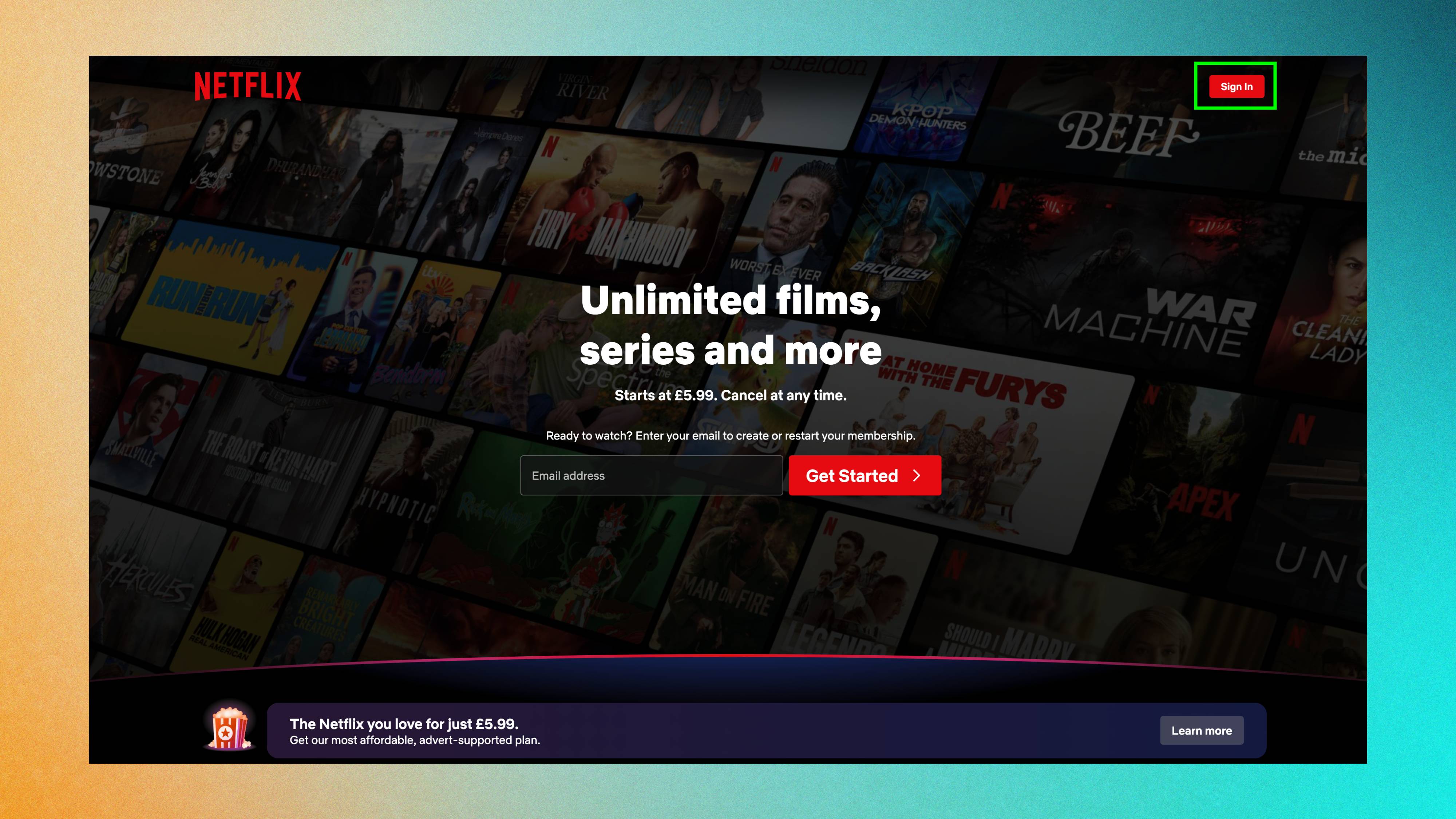
Open a web browser on your computer, go to netflix.com and sign into your account. You can't change this setting through the mobile app or TV app; it only works through the desktop website.
2. Access your account settings
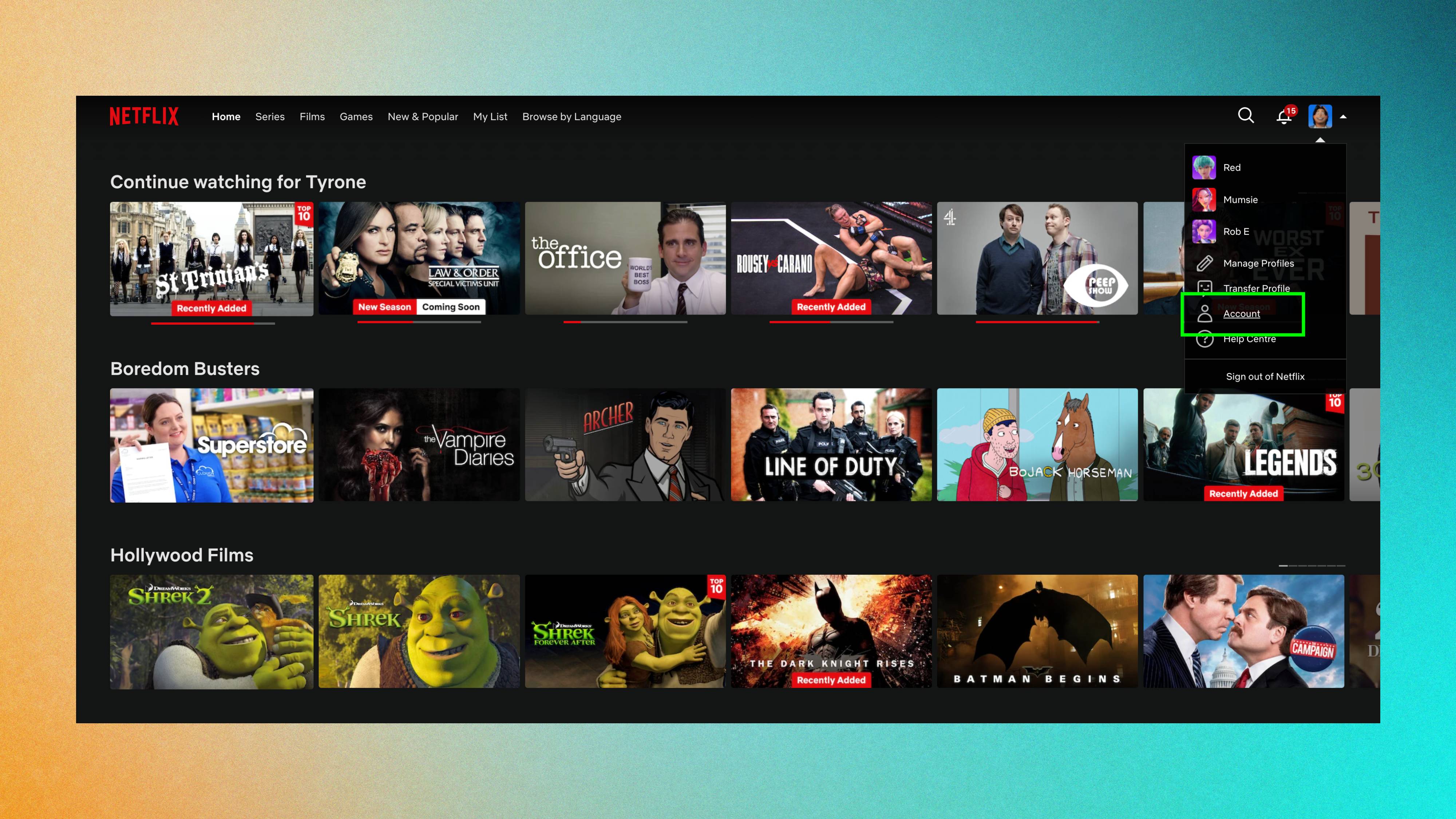
Next, click your profile icon in the top right corner and select "Account" from the dropdown menu.
3. Open privacy and data settings
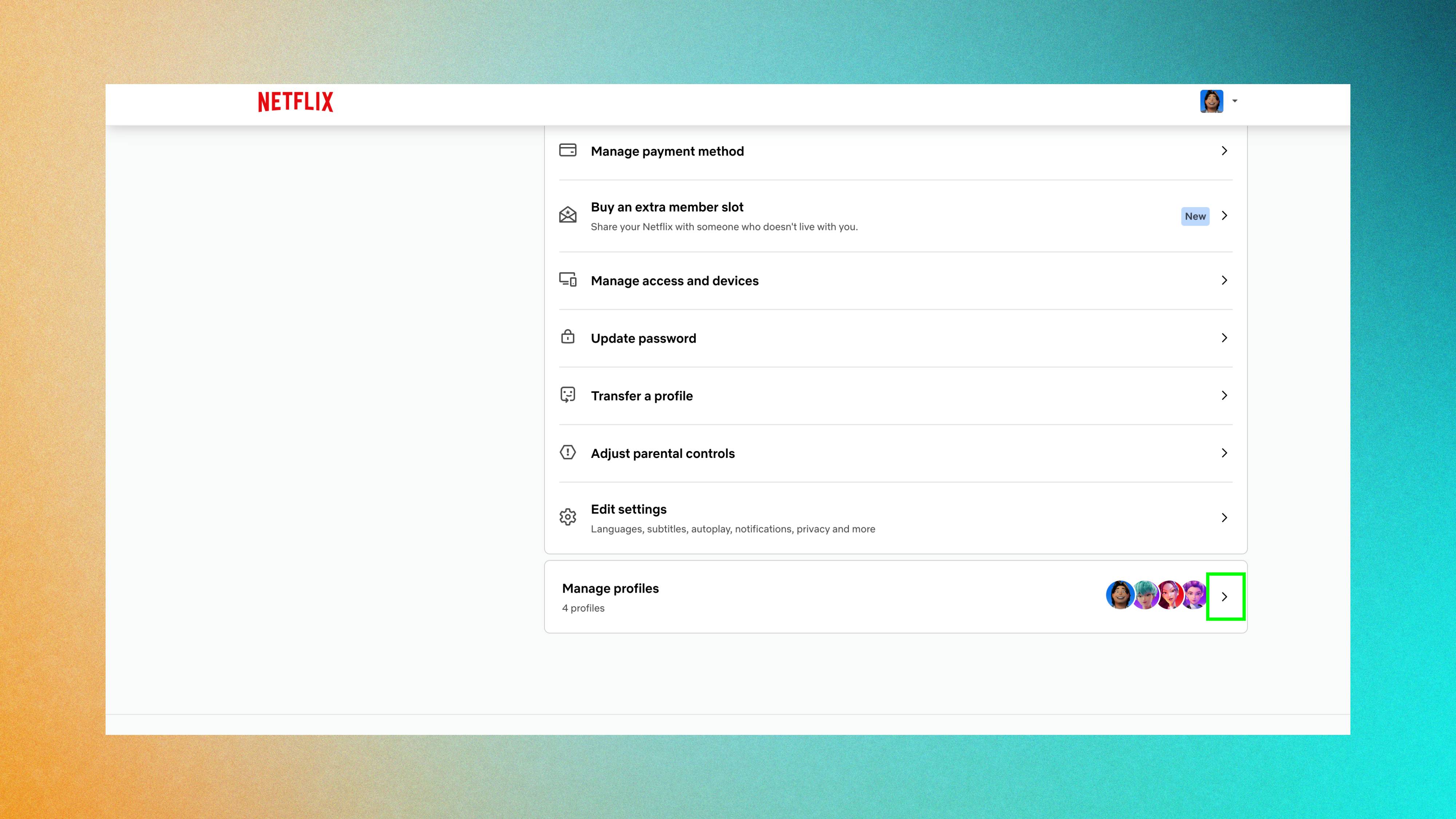
Scroll down to the bottom and click "Manage profiles". From here, click the arrow next to your profile name to expand settings for that specific profile then scroll down once more to "Privacy and data settings."
4. Opt out of third-party data sharing
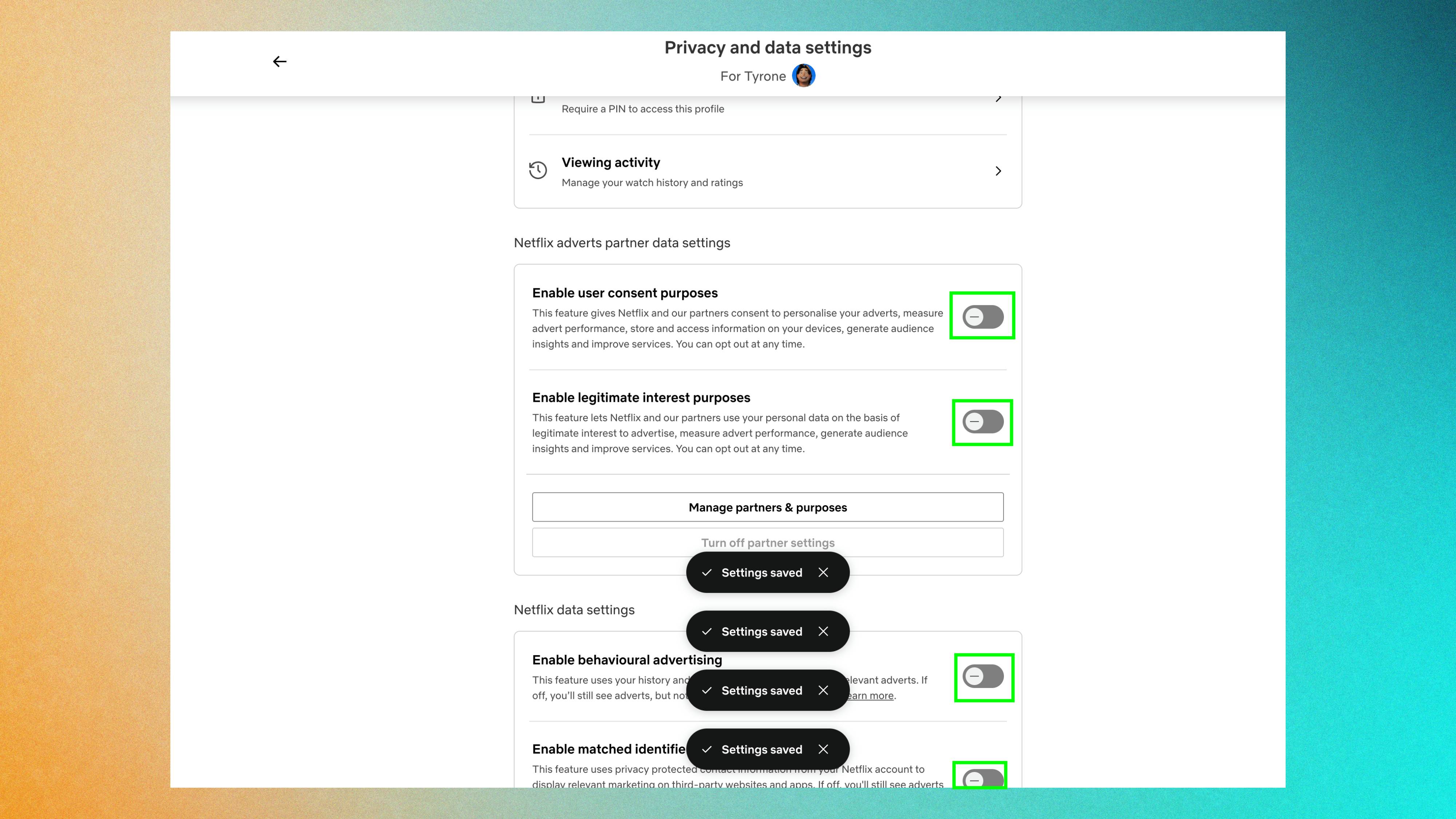
In your privacy and data settings, toggle off everything you see. All of these allow Netflix and third-party partners to track your viewing behavior and share your data with advertisers.
This includes settings for user consent, legitimate interest, behavioural advertising, and matched identifier communications. Once disabled, Netflix stops sharing your viewing data with third parties for advertising and analytics purposes beyond what's required to operate the service.
Repeat this process for each profile on your account if you have multiple users. Privacy settings apply per profile, not account-wide, so each profile needs to be adjusted separately.
What opting out actually does

Opting out stops Netflix from sharing your viewing data with third-party partners for advertising and marketing purposes. Your data stays within Netflix for improving recommendations and operating the service, but doesn't get distributed to external companies.
Opting out only prevents external data sharing; it doesn't stop Netflix from collecting viewing data altogether. Your recommendations won't change. Netflix still tracks what you watch internally to suggest content you might like.
You'll still see personalized content suggestions based on your viewing history. The algorithm still works. You're just preventing that same data from being shared outside Netflix's ecosystem.
You won't lose features or functionality. It simply limits how broadly your viewing behavior gets distributed.