
Earlier this week a vulnerability in the Windows 11 Snipping Tool and Windows 10 Snip & Sketch tool was discovered which could allow a malicious actor to reveal the contents of a cropped screenshot. As these tools are at times used to eliminate personal data from screenshots, it was deemed a high priority concern.
Microsoft took that to heart and issued an emergency patch to correct the issue already, so you are just a few steps away from ensuring that you are safe from this potentially disastrous vulnerability (via Bleeping Computer).
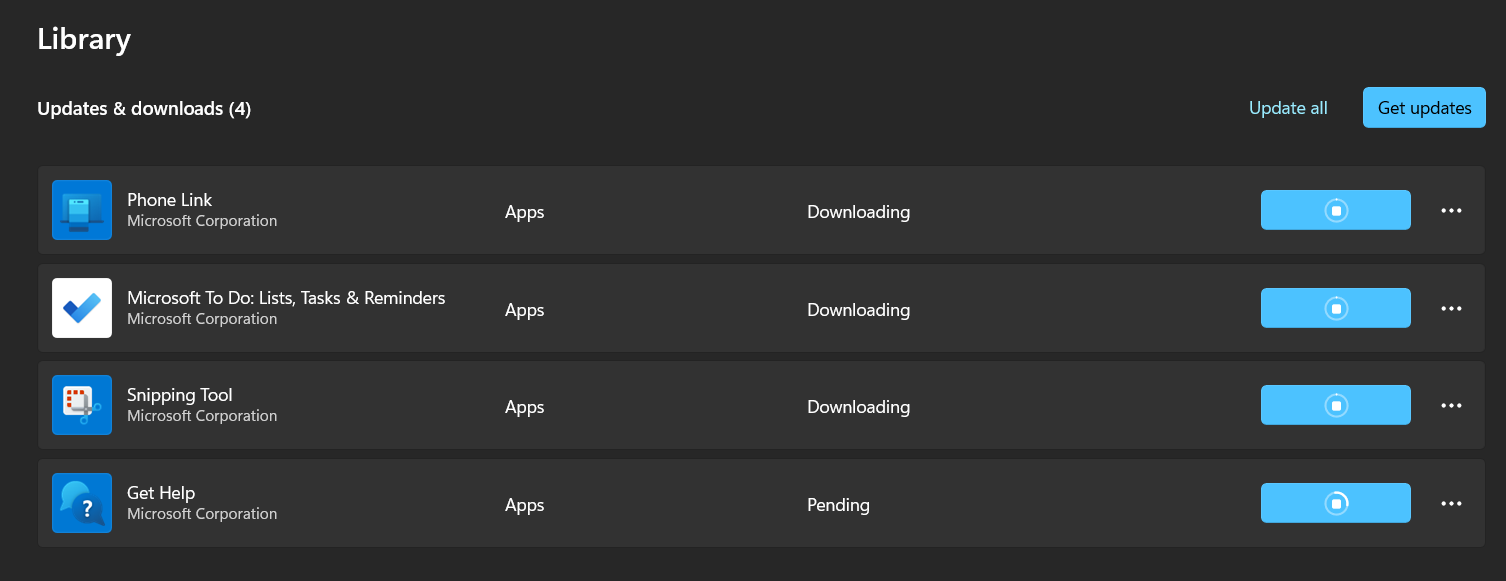
How to manually install the Microsoft "aCropalypse" patch
1. Open the Microsoft Store
2. Select Library
3. Click Get updates
4. Select Update all
Once the updates are complete, you're all set. The issue was simply that the Windows 10 and Windows 11 screenshot tools weren't completely overwriting the data on the default PNG versions of the screenshots, this patch corrects that problem.
Do be aware that this doesn't retroactively fix the problem for any previous screenshots, so if you had cropped any private data out of recent screenshots, you should delete the cropped versions and crop the originals again.