Whether you’re here to Picasso your way to victory or gun down those Meccha Chameleons, there are many ways to top the leaderboard in this viral sensation.
Here are our tips for Meccha Chameleon newcomers who need a little helping hand with both hiding and seeking.
Table of contents
-
Meccha Chameleon beginner’s guide: Painter tips
- Hide in plain sight
- Roughness, shadows, and poses
- Use the environment
- Move when the whistle blows
-
Meccha Chameleon beginner’s guide: Hunter tips
- Move slowly and precisely
- Hold angles
- Firearm turned flashlight
- Meccha Chameleon controls summary
Meccha Chameleon beginner’s guide: Painter tips
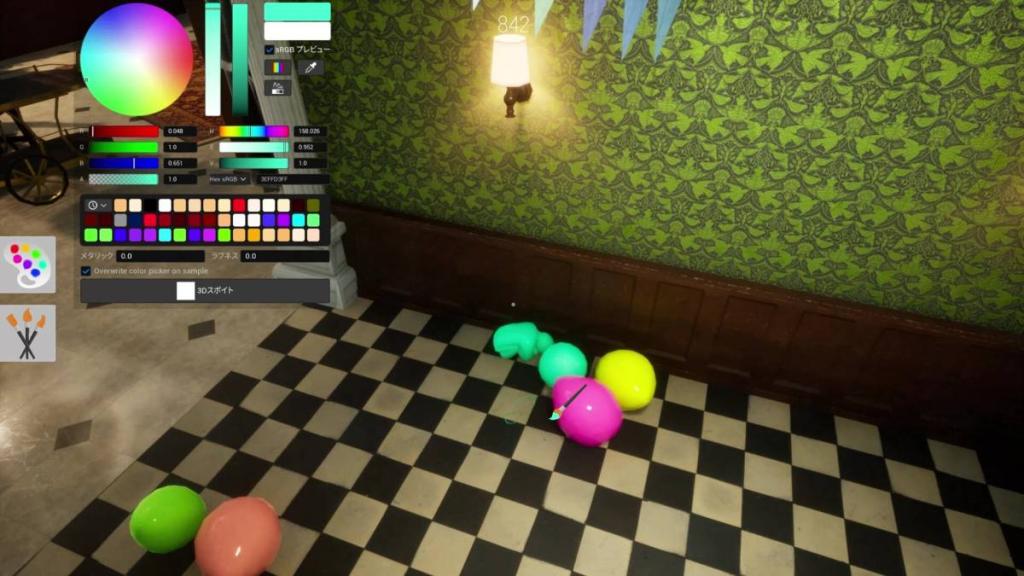
Hide in plain sight
The aim of the game is to hide from the seekers. While the obvious choice is to hide in the shadows, paint yourself black, and choose the smallest pose in the game, there isn’t much creativity behind this. Hunters will quickly learn and adapt to strategically check the corners and shadowed areas first, regardless of which map you load into.
Therefore, the best thing you can do is mix up your hiding spots. We highly recommend blending in with either the background or an object that has depth to its colors. Hide high up and towards the map’s center. The out-of-sight, out-of-mind strat.
Roughness, shadows, and poses
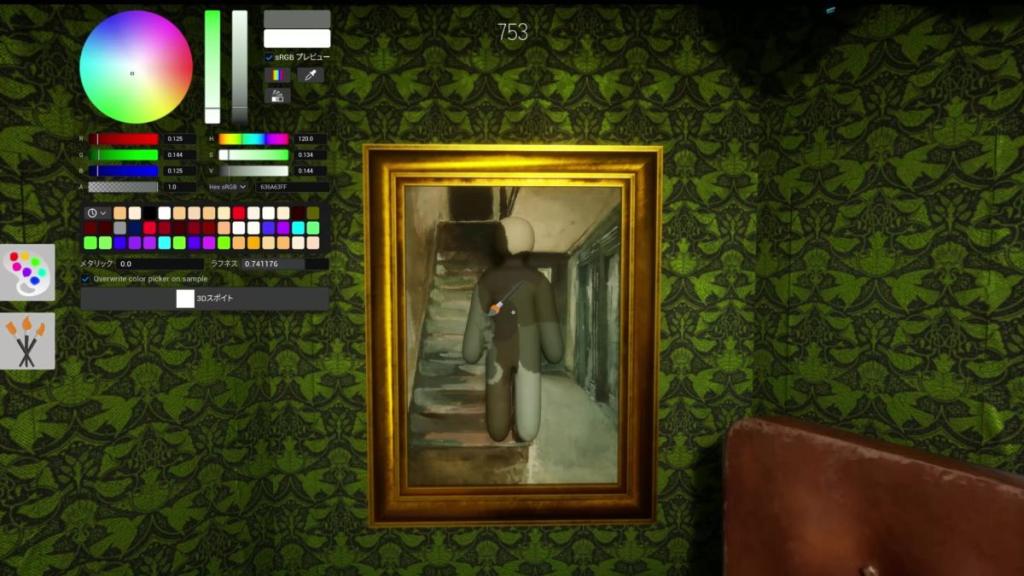
While it’s super easy to paint yourself a block color and call it a day, there are multiple things you need to think about when camouflaging. Firstly, look at what you’re trying to blend into and whether the surface is flat, shiny, or matte. If hiding in shadows or against a background that resembles a painting itself, you must increase the paint’s Roughness. It’s significantly harder to blend into something metallic. Even though you can increase this in Paint Mode, you will have a harder time appearing invisible to the Hunters.
Similar to shading and getting the right color, you cannot forget to turn off shadows with ‘V’. This is imperative to look flat when front-on. You can’t always guarantee the Eyedropper will work. This is definitely the case when it comes to Custom Maps. Remember to adjust the shade after you use the Eyedropper to get a more accurate color. Choose hiding spots that are between basic and more intricate designs with more textural than finer details.
You should also pay attention to which pose you’re using. If against a flat surface, lying flat like a starfish is the play. Stand upright on curved structures like barrels or trees. Similarly, hiding as a small object, such as inside a vegetable patch or as balloons, you will want to use the curl position. The hardest positions to get away with are the sitting and leaning poses.
Don’t neglect rotating the camera as you paint to ensure you cover all bases. Expand the paintbrush to quickly cover yourself in case you’re running out of time before the Hunters spawn in, or need to switch positions. Press right-click so you no longer rotate, letting you get closer to the structure you’re hiding against for better camouflage.
Use the environment
An important rule to follow is that you should hide where there are a lot of objects. Hiding in the open with nothing around and a whistle timer in play is bound to get you killed. Instead, choose areas where there are many options for the Hunter to shoot. The aim is to distract the seeker for as long as possible. Hiding in plain sight with a lot going on around you is the recipe for success. Play unpredictably, choose hiding spots the seekers wouldn’t expect. Doing the obvious thing will end in you spectating fellow Painters or joining the Hunters.
Move when the whistle blows
If you haven’t got the best spot in the match, are playing on Normal mode, or are hidden in an open area, making a move after the whistle blows can be the very thing that wins you the match. It is a high-risk, high-reward play and one that can only be achieved if there’s no compromised Painter that could accidentally give up your position. This is definitely the play if you’re the type to hide in shadows or camouflage towards the ceiling. It is not recommended if you’ve done an intricate paint job.
Meccha Chameleon beginner’s guide: Hunter tips
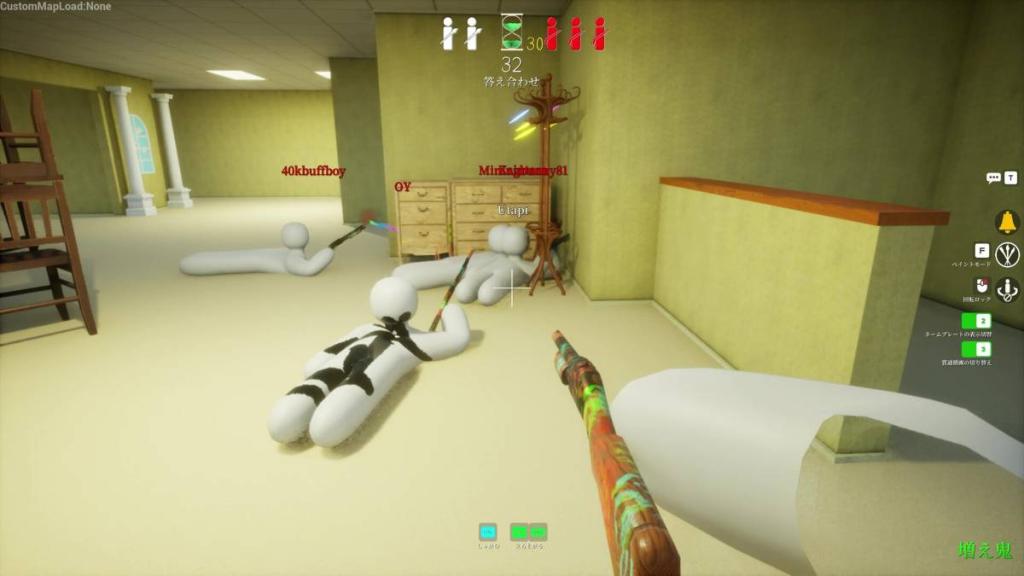
Move slowly and precisely
Hunting is significantly easier than being a Painter; however, there are things you need to remember. Never panic! Move slowly, starting at the perimeter, and make your way towards the center. Stay quiet when the whistle is about to blow and stand far from your teammates to better determine where the noise came from. Take your time and stand still whenever you can, scanning the area with the mouse for anything that looks out of place. You’d be surprised what pops out when you’re not rushing.
Hold angles
No matter what a Painter does, they will automatically stick out of whatever surface they’re hiding on. This is why going into shadows is the easiest option when trying to hide. But for those wanting to paint the craziest designs, the Hunter best be on the lookout for something sticking out of a flat surface. The best way to look out for this is to stand against walls and angle the camera so you’re looking only at its edge. Anyone hiding on said surface will emerge. This works just as well for looking inside objects, underneath furniture, and on the outside of buildings or trees.
Firearm turned flashlight
Finally, use the shotgun as a flashlight to find those pesky Painters cowering in the darkness. The muzzle of the shotgun provides a flash effect every time you shoot. It can act as a light source without actively cheating by increasing your gamma. Though you will look trigger-happy, this method means you can cover all shadows and nooks and crannies to spot someone curled up in them.
Meccha Chameleon controls summary
| Function | Key (rebind in menu) |
|---|---|
| Move | W A S D |
| Look | Mouse |
| Crouch | Ctrl |
| Move up on walls | Space (hold) |
| Move down on walls | Ctrl (hold) |
| Exit wall climb | Shift |
| Pose wheel | R |
| Paint menu | F |
| Eyedropper | Space |
| Execute (painting or shooting) | Left click |
| Rotate camera (painting) | Mouse wheel + move mouse |
| Adjust brush size (painting) | Right-click + move mouse |
| Turn off shadows (painting) | V |
| Zoom (painting) | Alt + right-click + move mouse |
| Lock rotate position | Right-click |
| Taunt | 1 |
| Display nameplate | 2 |
| X-ray rendering (painting) | 3 |
| Free cam (Painter) | 5 |
| Voice chat | V |
| Text chat | T |
| Settings | Esc |
The post Meccha Chameleon beginner’s tips and tricks for Painters and Hunters appeared first on Destructoid.