Creating cartoons manually used to be time-consuming and required skills until the advent of AI cartoon generator tools, which have made it easier for anyone to make them. However, using the right tool effectively to get the best results can feel overwhelming. To deal with it, we have provided a detailed guide on AI cartoon generation from choosing one to inserting the right prompt.
Part 1. What is an AI Cartoon Generator & How Does It Work?
Part 2. Prerequisites and Preparation for Cartoon Generation with AI Generator
Part 3. How to Generate Cartoons with AI Generators? A Step-by-Step Guide
Part 4. Recommended Prompts to Generate Cartoons with Spellai
Conclusion
Part 1. What is an AI Cartoon Generator & How Does It Work?
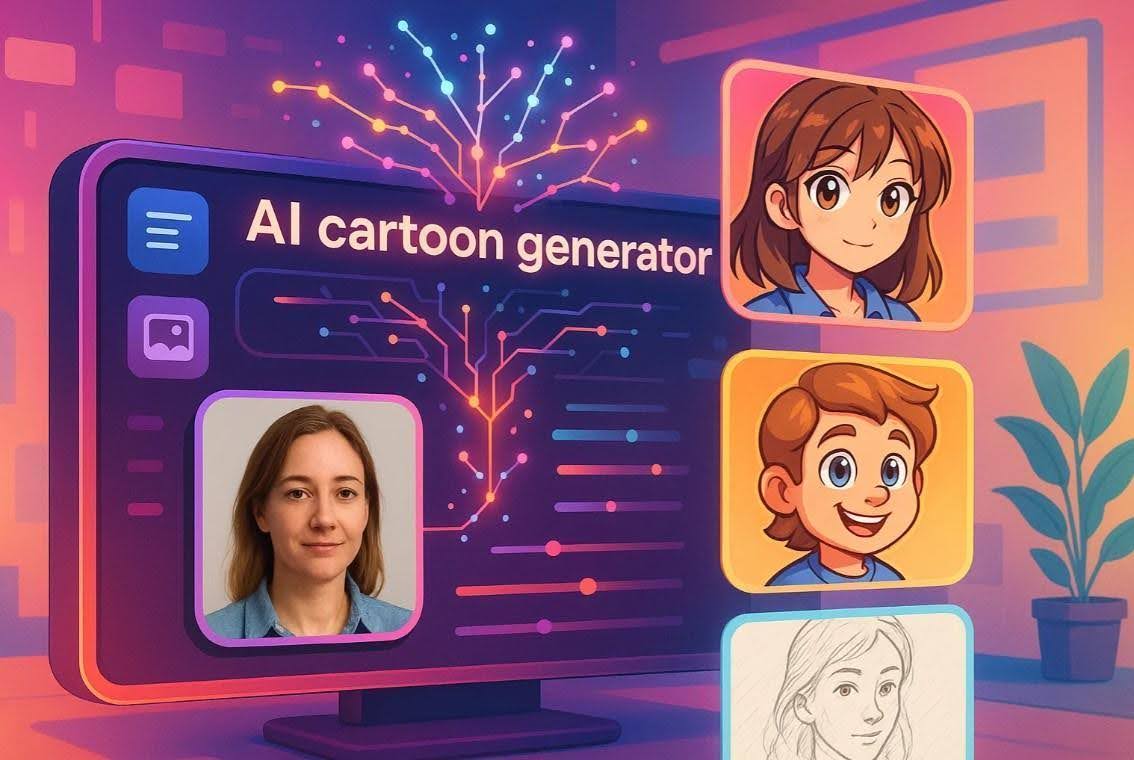
An AI-powered cartoon generator is a tool that uses advanced artificial intelligence to turn text prompts or images into cartoon images. These tools are trained on machine-learning models to understand input and generate illustrations in anime or 3D art styles, among others. While these have become a quick and accessible solution for high-quality visuals, learn where you might need them:
- Saving Time and Energy: You can instantly create some amazing cartoons without hours of manual work and complex software.
- For Creative Inspiration: One could use it for quickly visualizing new ideas and sparking new ideas for characters and scenes.
- Consistent Visual Branding: These tools can help you maintain a consistent cartoon style for your brand across all content and platforms.
- Flexible Use Cases: The generator tools are ideal for various professionals, including marketers, educators, and even casual users, owing to the ease of use.
- Easy Customization: Using simple text prompts, users can create traits and modes with more control over creative direction.
Part 2. Prerequisites and Preparation for Cartoon Generation with AI Generator
Before you jump to cartoon creation with a cartoon character maker, let's talk about some planning that you could do for more creative control over output:
- Select a Reliable Cartoon Generator: You should go for a trusted tool that gives you multiple options for styles and themes for customizing your characters.
- Define the Purpose of Your Cartoon: A clear conception of your cartoon and its purpose for a game or branding element must be ensured for shaping the character accordingly.
- Gather Visual References: Some visual references, including colors or images, should be gathered to guide the prompt writing for tailored results.
- Start With a Basic Prompt and Refine: While keeping your prompt simple and concise at first, you should refine it by adding details for mood and more later on.
- Ensure Stable Internet and Export Options: A stable internet connection is essential, along with direct download options for a smooth generation process.
Part 3. How to Generate Cartoons with AI Generators? A Step-by-Step Guide
While you are looking to make some cartoon AI using a cartoon generation tool, follow the given guide to perform the process:
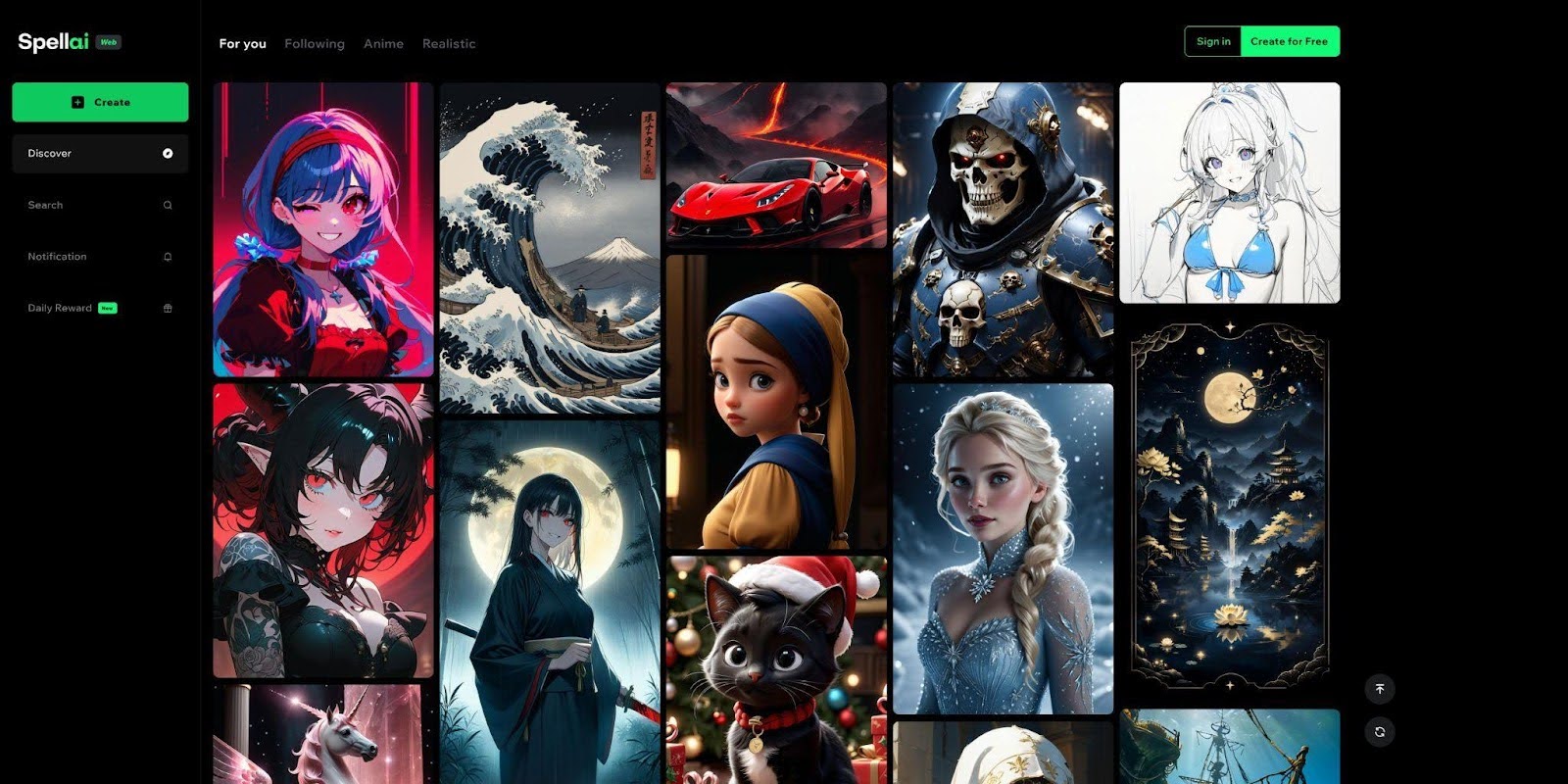
Step 1. Choose a Reliable AI Cartoon Generator Like Spellai and Access it
Requiring no extra technical skills, Spellai can be a perfect choice for novices looking to create cartoons quickly with ease. It gives you advanced customization options in Genius mode, among others, including general and professional modes. With diverse style templates categorically organized, it also allows you to share your work with the Spellai community. It supports multiple creative projects, including avatars and wallpaper generation as well.
Step 2. Select a Relevant Style, Like Cartoon or Anime
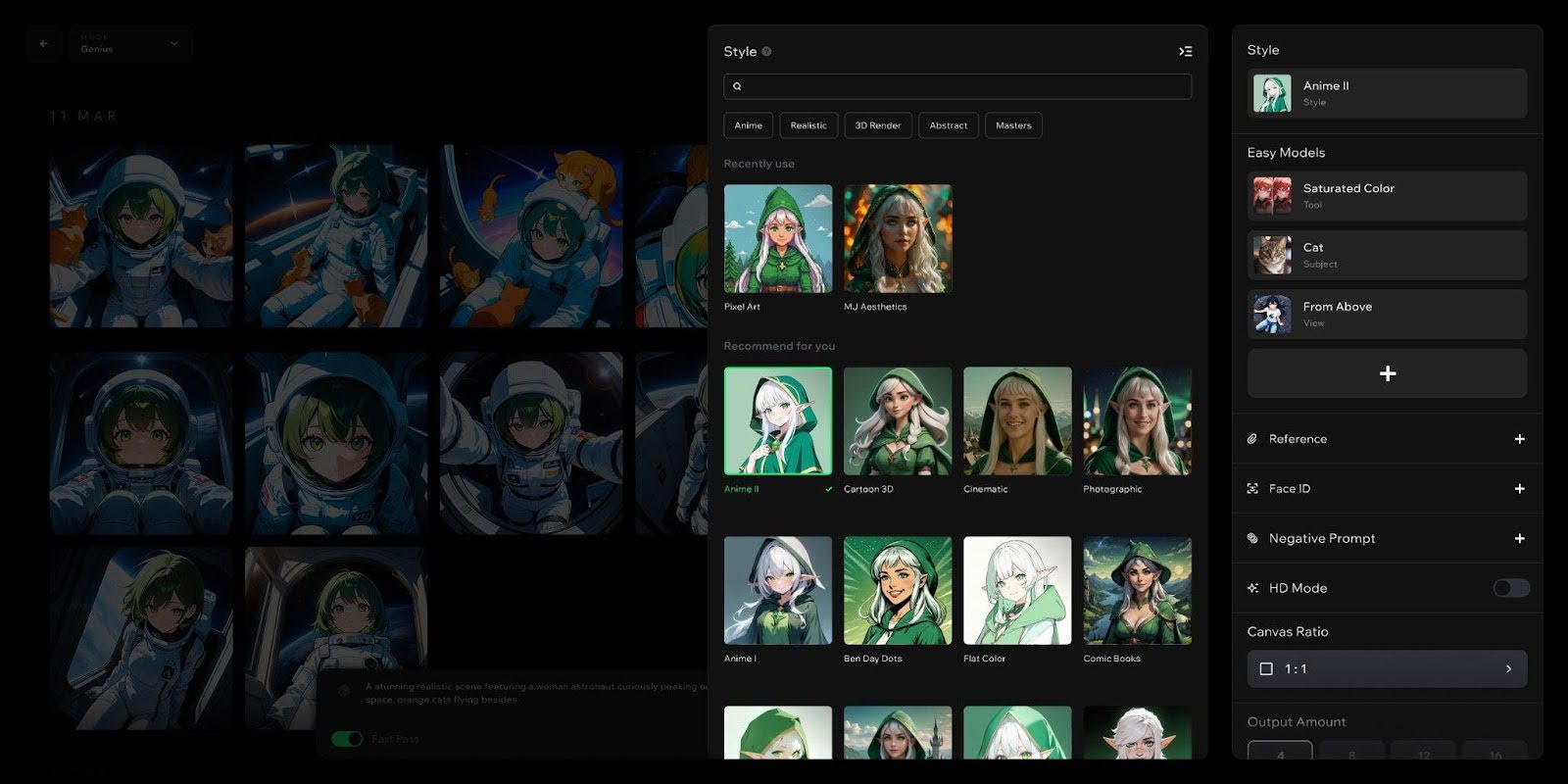
After selecting the “Genius” mode, choose a cartoon-related style like “Anime II” in the “Styles” section to guide your generation process in the cartoon generator.
Step 3. Choose a Theme or a Character to Fine-Tune Results
In the “Themes” tab within the “Easy Models” section, pick a suitable theme like “Futuristic” or “Fairy tales” options according to your character requirements.
You can also choose a suitable character among the options in the “Character” tab to suit your cartoon character.
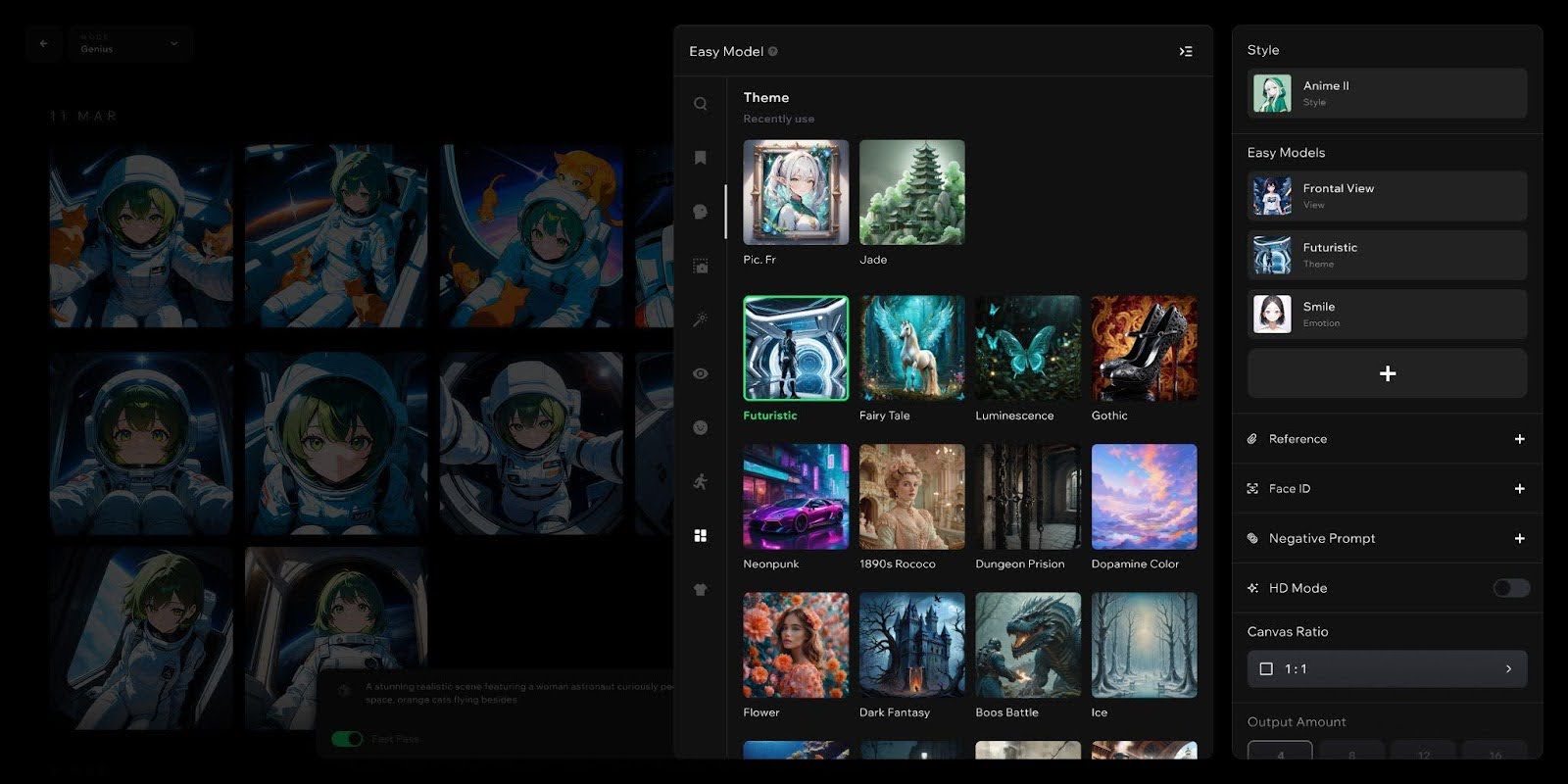
Step 4. Input a Suitable Prompt and Access Other Settings
Insert a relevant prompt to direct your cartoon creation while also customizing “Output Amount” and “Canvas Ratio.” At this time, you can add a negative prompt to avoid certain elements in your result or even add a reference image for precise results.
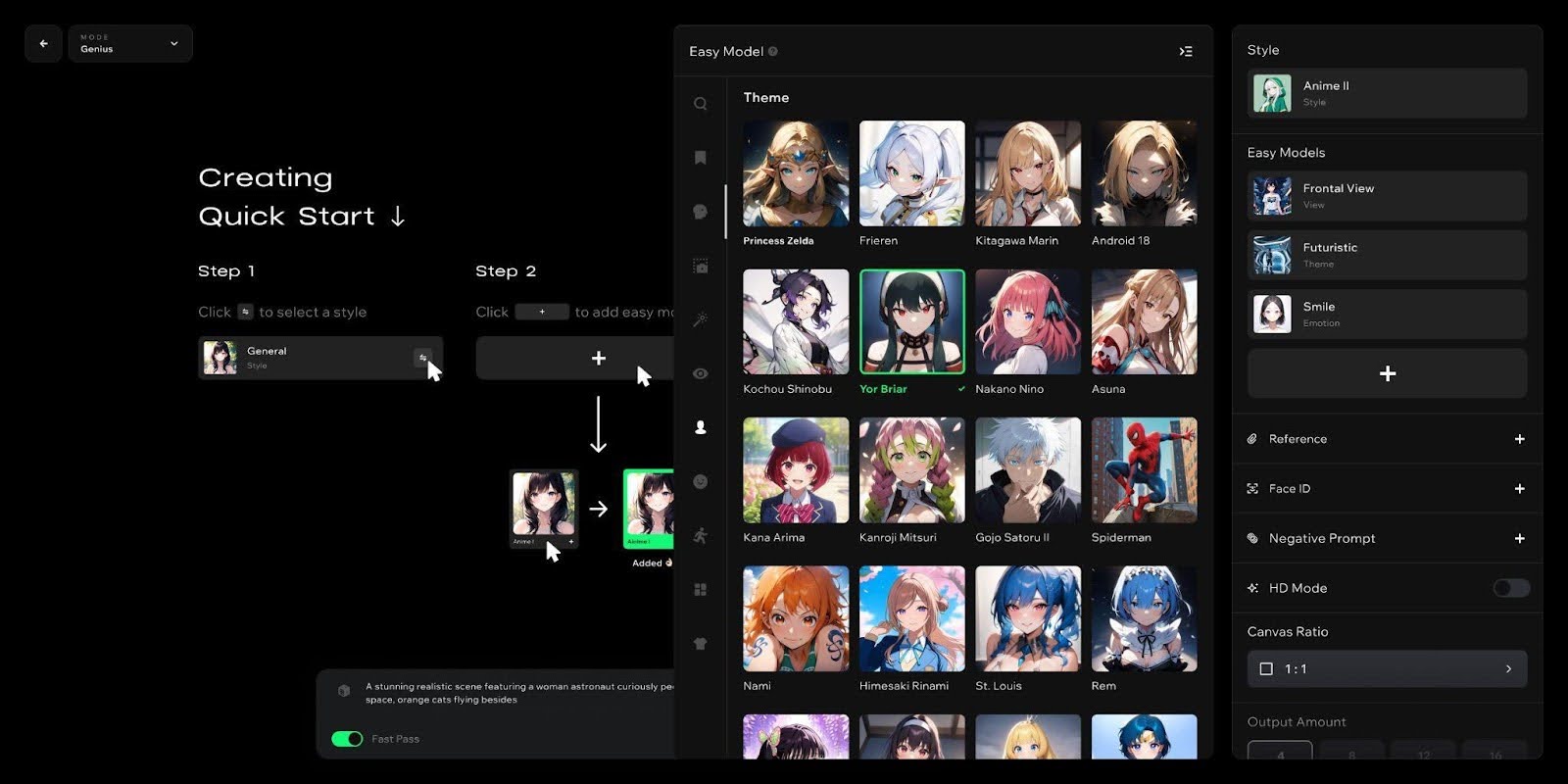
Step 5. Export The Character and Share with Community Peers
Once your cartoon AI image is generated, export it to share it with your Spellai community peers.
Part 4. Recommended Prompts to Generate Cartoons with Spellai
When you are using this advanced tool, use the following examples for some inspiration regarding prompt and mode selection:
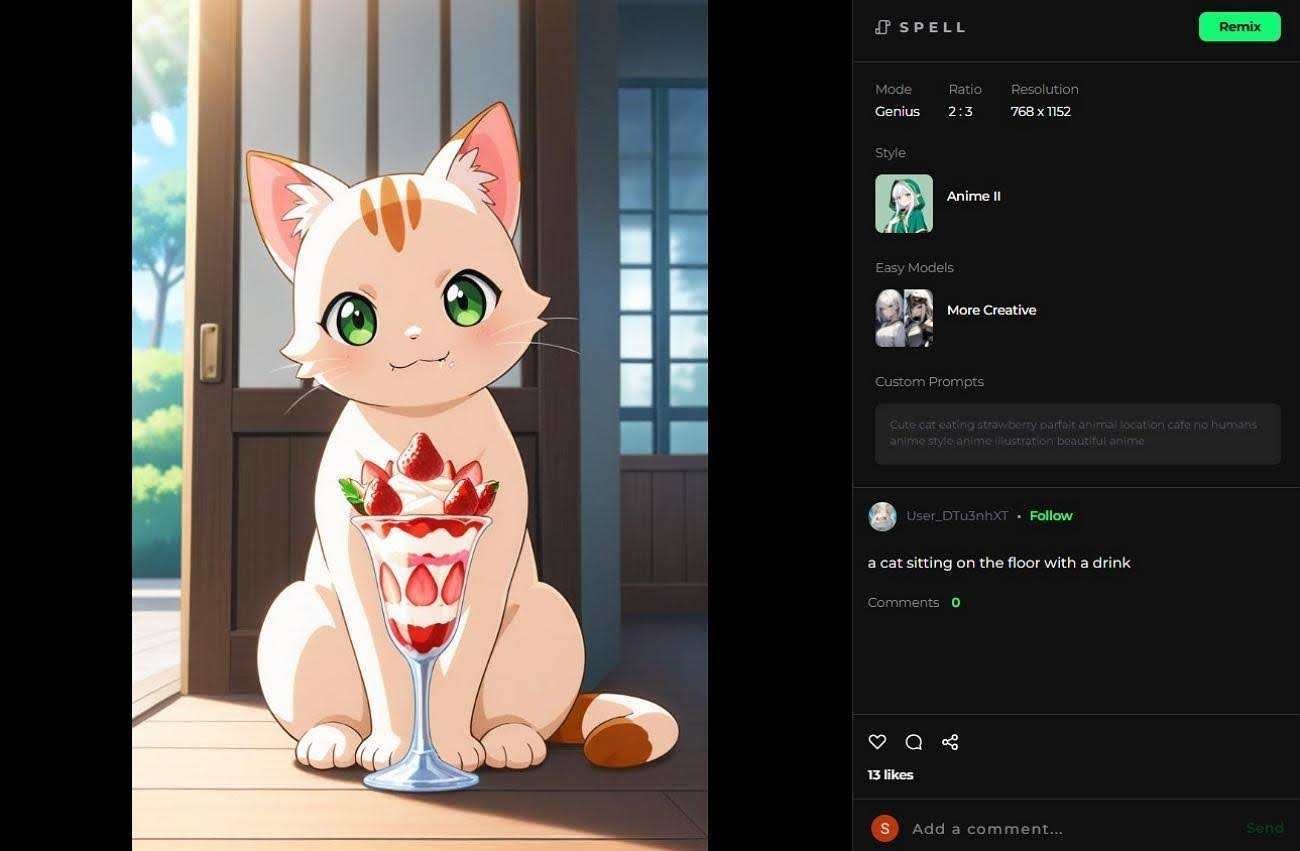
- A Cat Sitting on the Floor With a Drink: This picture is generated in the “Genius” mode, “Anime II” style, and “ More Creative” easy model. It has used the prompt “Cute cat eating strawberry parfait animal location cafe no humans anime style anime illustration beautiful anime.”
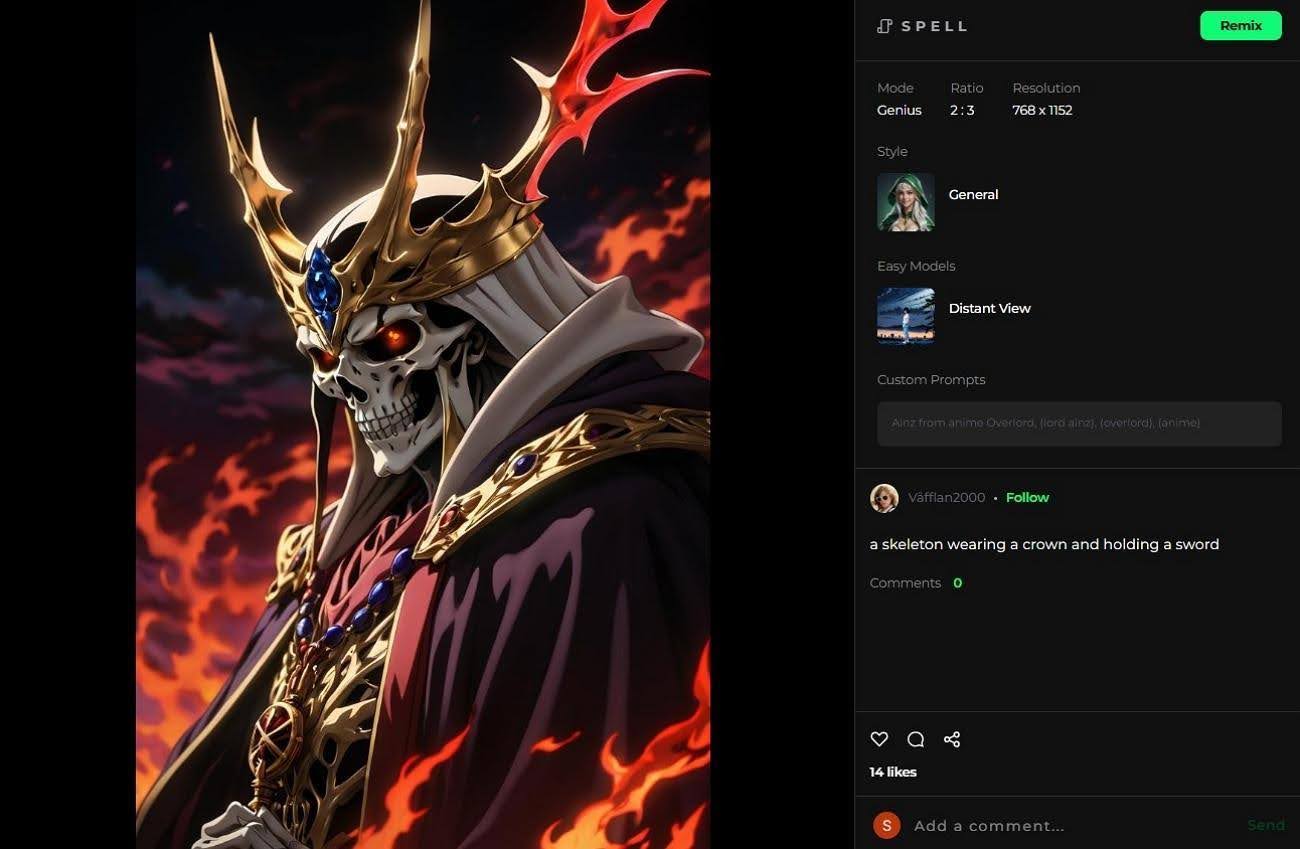
- A Skeleton Wearing a Crown and Holding a Sword: With the “Genius” mode and “General” style, this character was made using “Ainz from anime Overlord, (lord Ainz), (overlord), (anime)” prompt in “Distant View” easy model.
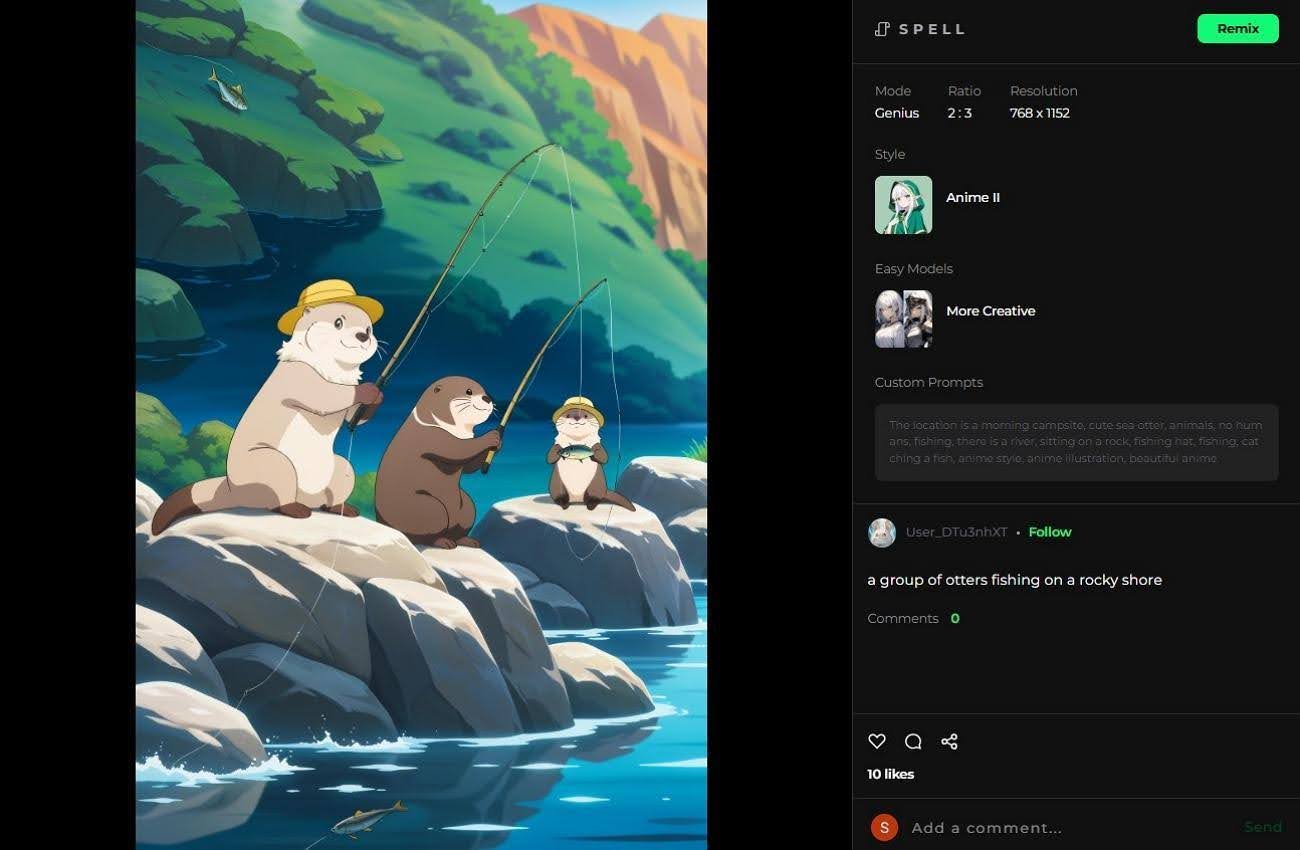
- A Group of Otters Fishing on a Rocky Shore: The “Genius” mode was used with “More Creative” easy model and “Anime II” style in the cartoon generator for this. It used the prompt “The location is a morning campsite, cute sea otter, animals, no humans, fishing, there is a river, sitting on a rock, fishing hat, fishing, catching a fish, anime style, anime illustration, beautiful anime”
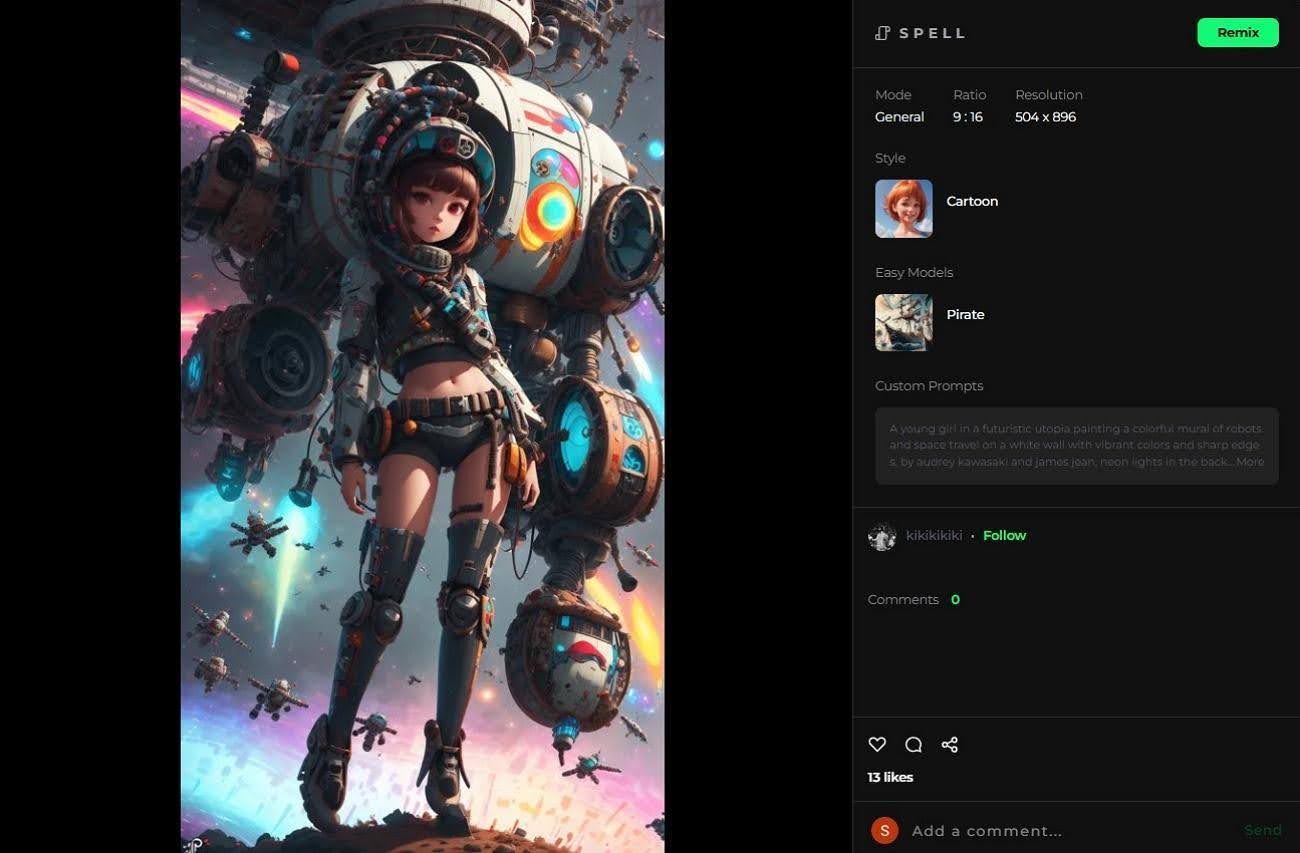
- A Young Girl Painting A Robot Mural In A Neon-Lit Future City: Generated in the “Cartoon” style with “Pirate” easy model in “Genius” mode, this artwork used the given prompt: “A young girl in a futuristic utopia painting a colorful mural of robots and space travel on a white wall with vibrant colors and sharp edges, by audrey kawasaki and james jean, neon lights in the background, cinematic lighting and angles, hyper detailed, digital art, trending in Artstation, and Unreal Engine.”
Conclusion
To sum up, anyone can now create unique and engaging cartoon images using AI cartoon generator tools. In this article, we have outlined steps as well as the prerequisites that you need to meet for generating these cartoon characters. Moreover, we recommend using Spellai as the best AI art generator that offers various style options for both beginners and advanced users.