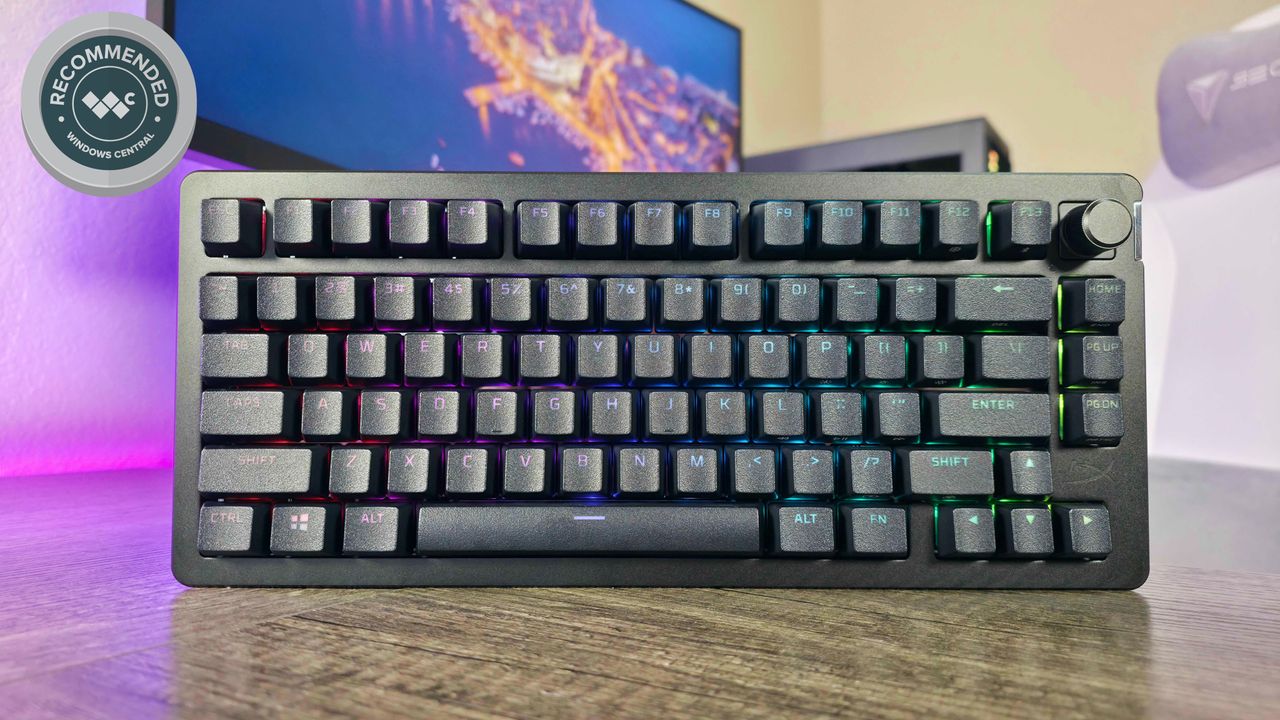
I've used a lot of different keyboards lately, and they've all tried to impress me in different ways. For this latest from HyperX, it's all about offering a premium, wireless gaming experience in a package more customizable than most.
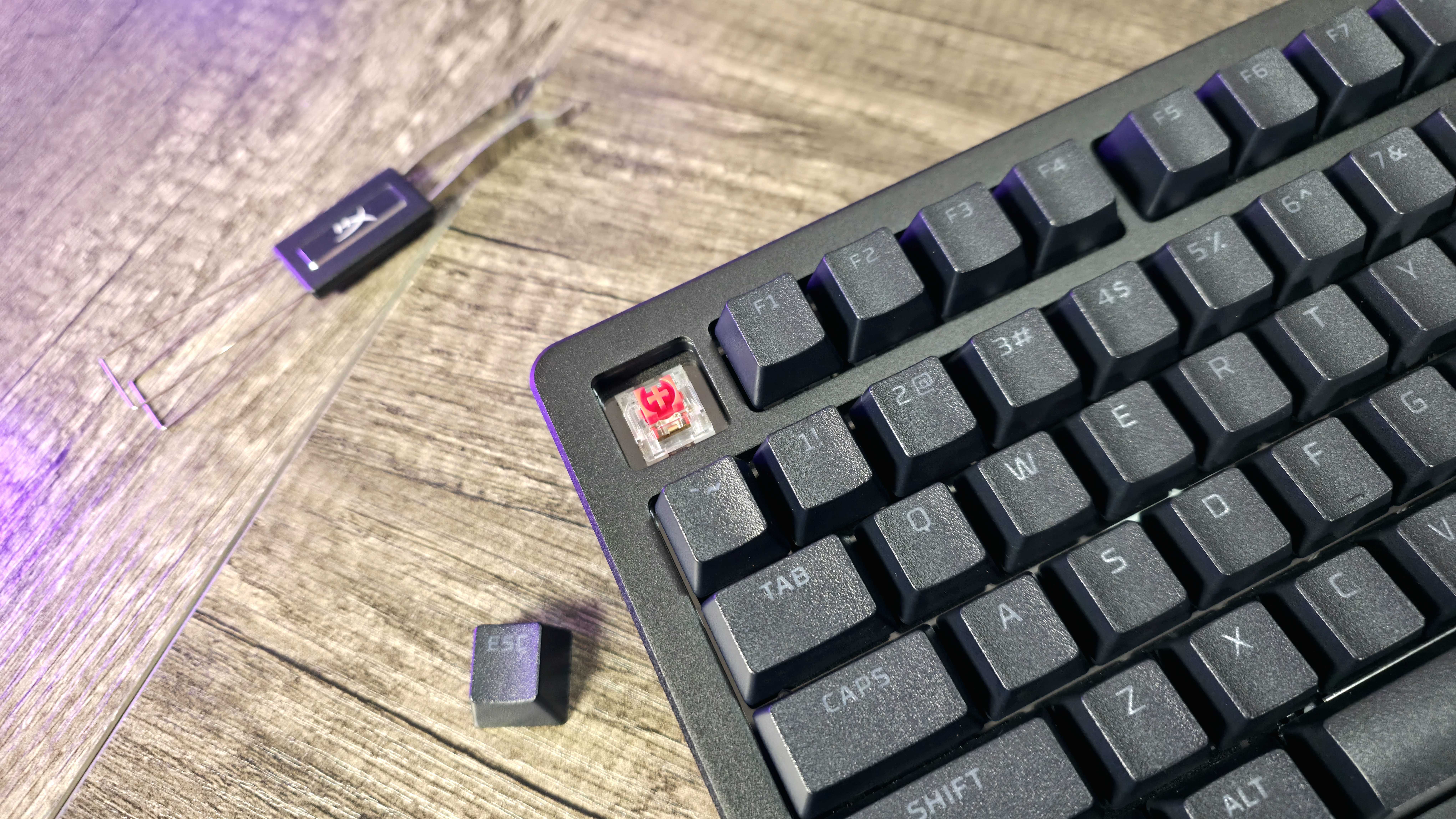
Hot swappable switches, replaceable keycaps, a magnetic frame and badge, per-key and frame RGB lighting — you can make the HyperX Alloy Rise 75 Wireless your own, and trust that there will always be a great, feature-packed keyboard at the core. That's the idea, anyway.
In my testing, though, the Alloy Rise 75 Wireless doesn't always compare favorably to others in the same price range, especially with some oddities and instabilities that you don't expect from a premium product. This keyboard has been out for a while, though, so you can often find it for much less than its original retail price — a fact directly responsible for it earning a slightly more positive recommendation from me.
This review was made possible thanks to a review sample provided by HP. HP and HyperX had no input nor saw the contents of this review prior to publication.
A flexible design packed with features
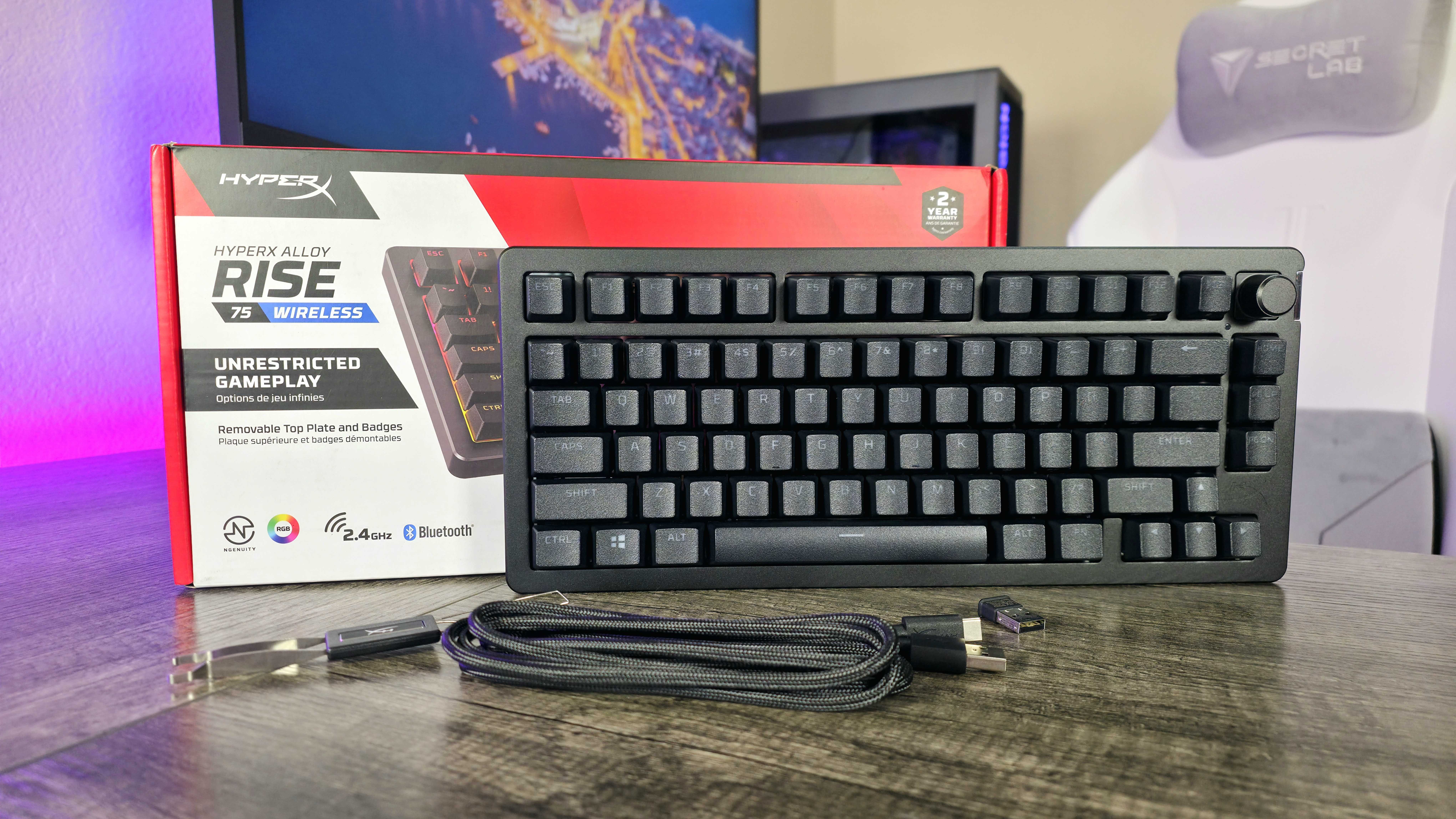

As much as I personally value a tenkey number pad, I've grown rather fond of the popular 75% keyboard layout.
• Switches: Pre-lubed HyperX Linear Switches, 1.8mm actuation, up to 80-million keystrokes, hot-swappable, double-shot PBT keycaps, gasket mounted design
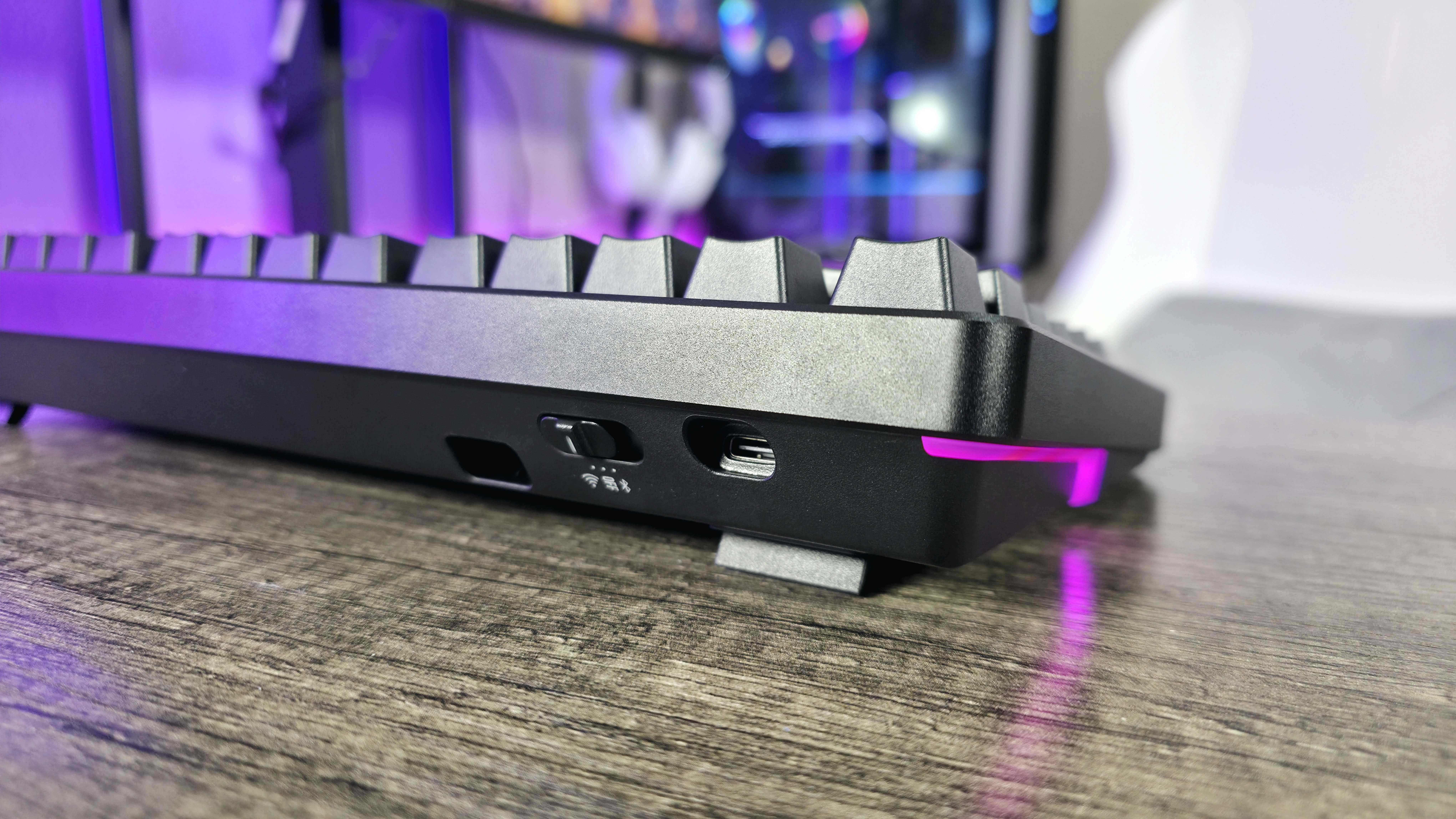
• Connectivity: Wireless via 2.4GHz & Bluetooth, wired via USB Type-C
• Features: Per-key RGB lighting, HyperX NGENUITY software support, ambient light sensor, volume dial, swappable faceplate & badge, 10 onboard memory profiles, up to 1,500 hours battery life
• Weight: ~1,020g (~2.25lbs)
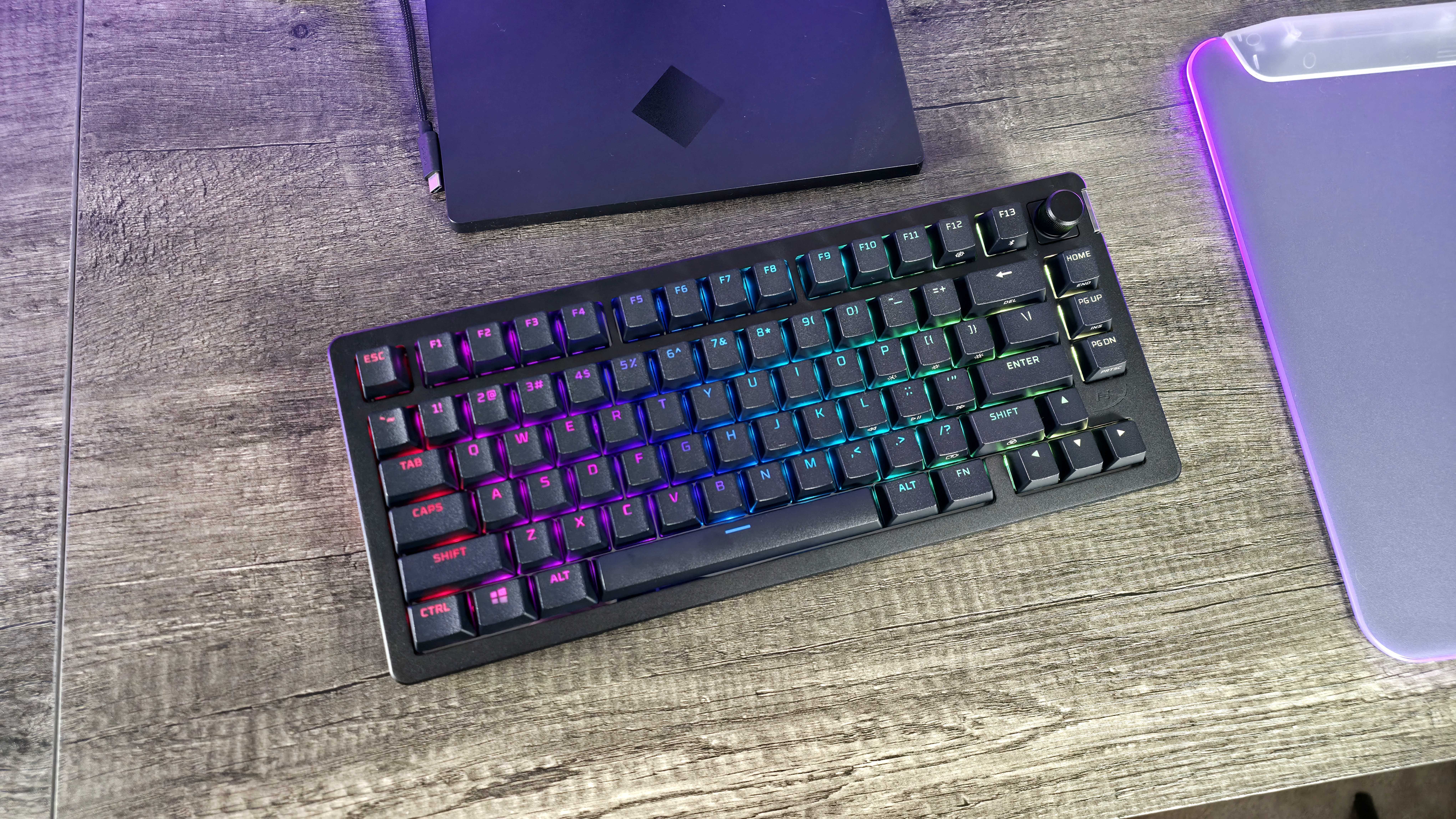
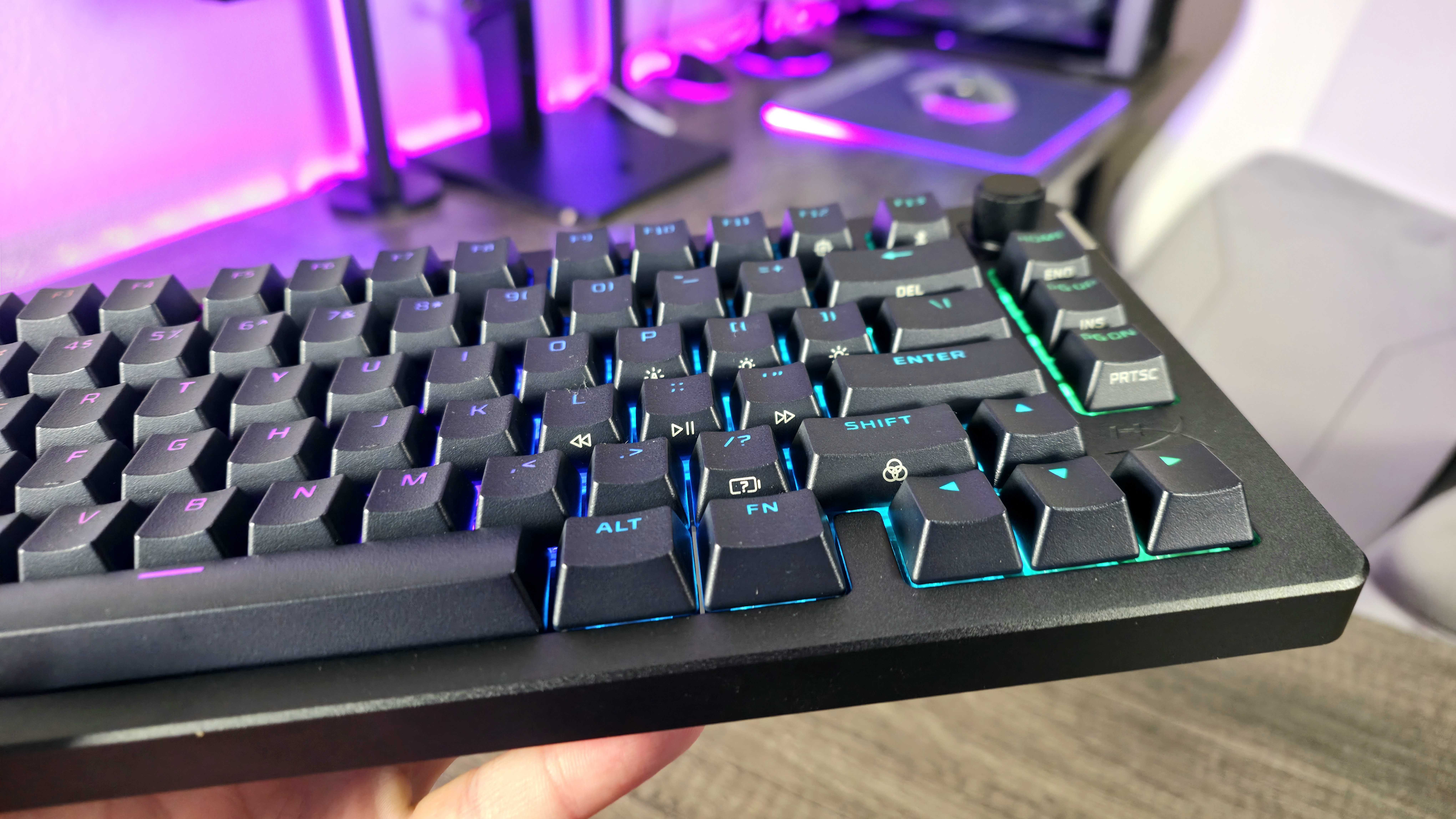
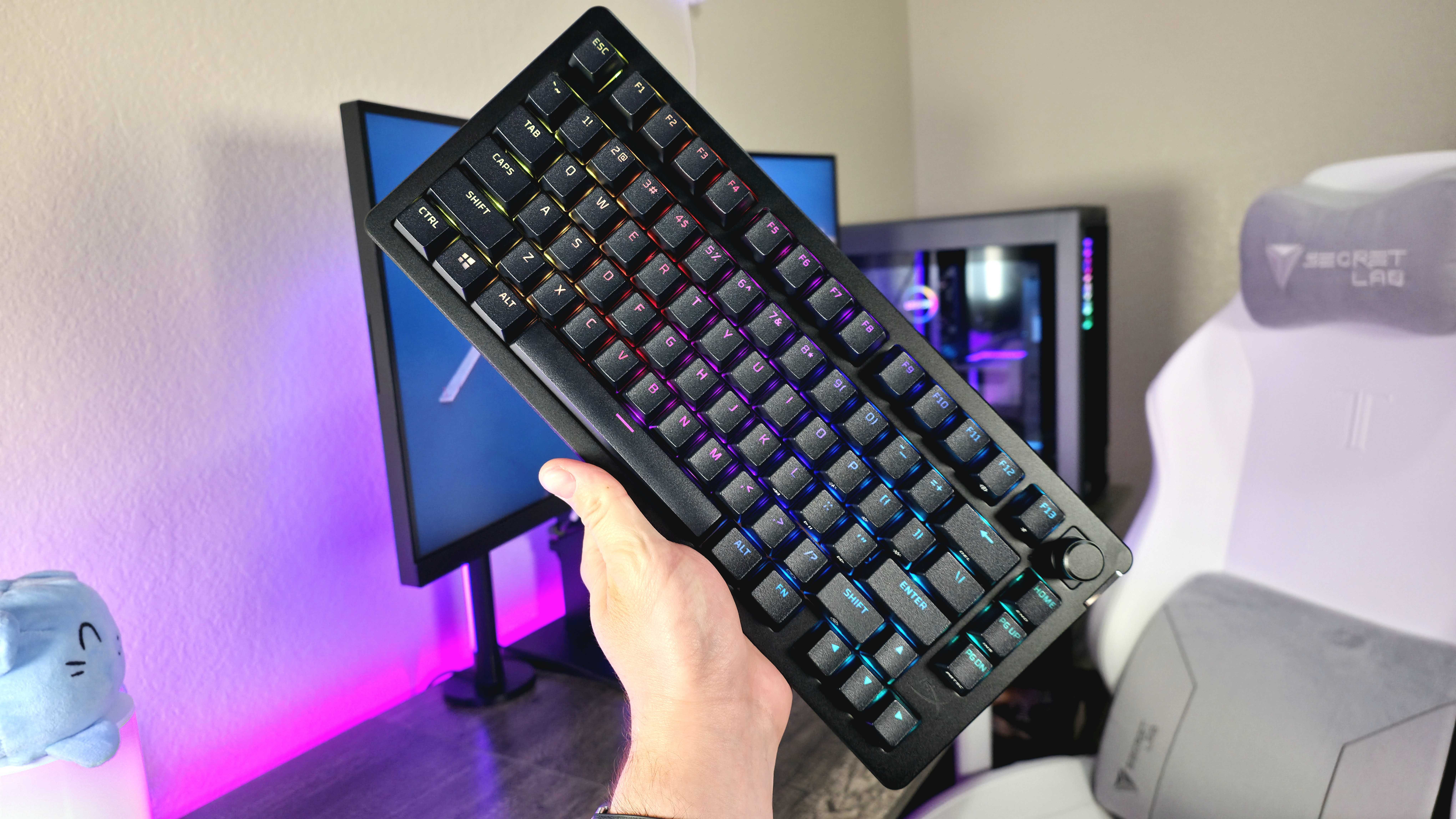
The HyperX Alloy Rise 75 Wireless is a good jab at the form factor, too, but it's not my favorite; it's missing the "Del" and right "Ctrl" keys, for one, and you still get the shortened right "Shift." You do get an F13 key in the function row, though, which some people will undoubtedly value.
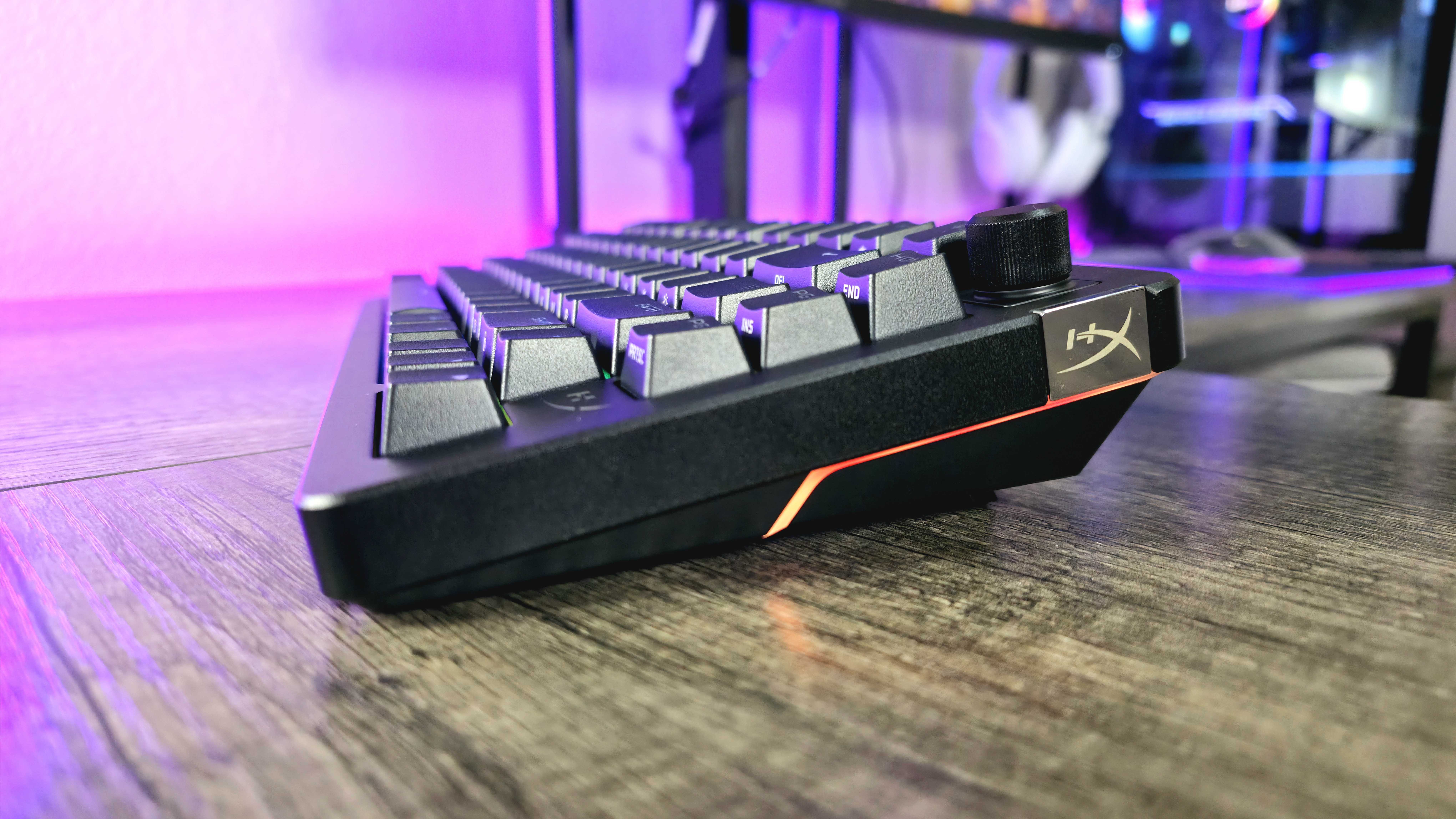
Layout aside, this is a gasket-mounted design constructed mostly of plastic, with an aluminum top frame that is actually connected via magnets. You can pull it off to expose the screws holding the keyboard together, and swap it out for a different color. There's also a small metal badge on the right side of the keyboard that can be swapped out for a variety of designs, with HyperX selling badge packs for $24.99 at HyperX.com.
Combine that with the ability to swap out the switches and double-shot PBT keycaps, as well as the per-key RGB lighting and RGB light strips on either side, and the HyperX Alloy Rise 75 Wireless feels more customizable than your average keyboard, even if the base keyboard only comes in standard black.
Being a premium keyboard, customization isn't the only thing the Alloy Rise 75 Wireless has up its sleeves. You get multi-device connectivity across HyperX's 2.4GHz, three Bluetooth profiles, and the USB Type-C port, a customizable dial, and even an ambient light sensor that can dynamically adjust the RGB backlighting to match your surroundings (you don't see that often).
Battery life is surprisingly good when off the cable, too, getting up to 80 hours of usage even with RGB lighting enabled. The features, design, and build quality are there for the price, but what's it like actually using this keyboard?
Software and firmware that's rough around the edges
Simply setting up the HyperX Alloy Rise 75 Wireless was a chore, and Windows Dynamic Lighting is to blame... Sort of. I had already disabled it, but it was re-enabled when this keyboard was connected — and only affected this keyboard, not any of my other RGB-lit accessories or peripherals.
Until I found the culprit, the Alloy Rise 75 Wireless simply didn't work correctly. Half the built-in keyboard shortcuts didn't work (and if they did, they gave no indication like they normally would), and none of my changes in HyperX's NGENUITY software would apply properly. I'm not the only person (or even reviewer) to encounter similar issues, too.
Once I disabled Windows Dynamic Lighting again and completely reset the keyboard and software, and reinstalled all firmware and software updates, the Alloy Rise 75 Wireless finally worked properly. Well, except for the RGB lighting occasionally turning itself off until I turned the keyboard off and on again. Oh, and the handful of times the keyboard also disconnected from my computer entirely, until I turned it off and on.
I wouldn't call the Alloy Rise 75 Wireless broken by any means, but it's definitely a little more inconsistent than other keyboards I've used recently.
The HyperX Alloy Rise 75 Wireless isn't new, either; it's enjoyed a full year of support, and it was still one of the more inconsistent keyboards I've used recently. Tally up every issue, though, and they took up less than 1% of my time using the keyboard, so I wouldn't go so far as to call it broken or even deeply flawed.
The rest of the time, the Alloy Rise 75 Wireless has been great, with excellent performance and typing ergonomics. The acoustics are a little on the sharp and metallic side, though, and other keyboards in the $200+ price range simply feel better — so it's a good thing for the Alloy Rise 75 Wireless that it doesn't really cost $200+ anymore, which helps smooth over all of this.
Alloy Rise 75 Wireless review: My final thoughts
✅You should buy this if ...
- You want a full-featured, premium, wireless 75% gaming keyboard.
- You'll actually take advantage of the increase customizability.
- You find this keyboard on sale for much less than its retail price.
❌You should not buy this if ...
- Small issues wear on your patience very quickly.
- You love creamy typing acoustics, like the best enthusiast keyboards.
The HyperX Alloy Rise 75 Wireless was released for $230, forcing it to compete with some of the best and highest-rated wireless gaming keyboards on the market. At that price, it'd be tough to recommend given how important consistency and stability are with a high-performance gaming accessory.
This keyboard doesn't really cost that much anymore, though. Whether you look at BestBuy.com or at Amazon.com, the Alloy Rise 75 Wireless normally goes for $130-140. That's much more palatable, and honestly makes this keyboard an excellent deal for those who want a premium peripheral without paying a premium price.
It won't go down in history as one of my favorite gaming keyboards, but the HyperX Alloy Rise 75 Wireless is a good option when on sale, delivering a ton of features, better-than-average customization, and a really nice overall typing and gaming experience. Just be prepared for some occasional oddities, though, which will remind you why I reviewed this keyboard more favorably, because its price has fallen.
At full price, the Alloy Rise 75 Wireless struggles to compete with the best, but it's overall a really solid gaming keyboard with a top-notch feature set, a modular design, and respectable performance. Find it on sale, and HyperX's wireless 75% keyboard may become your new favorite gaming accessory.

Follow Windows Central on Google News to keep our latest news, insights, and features at the top of your feeds!