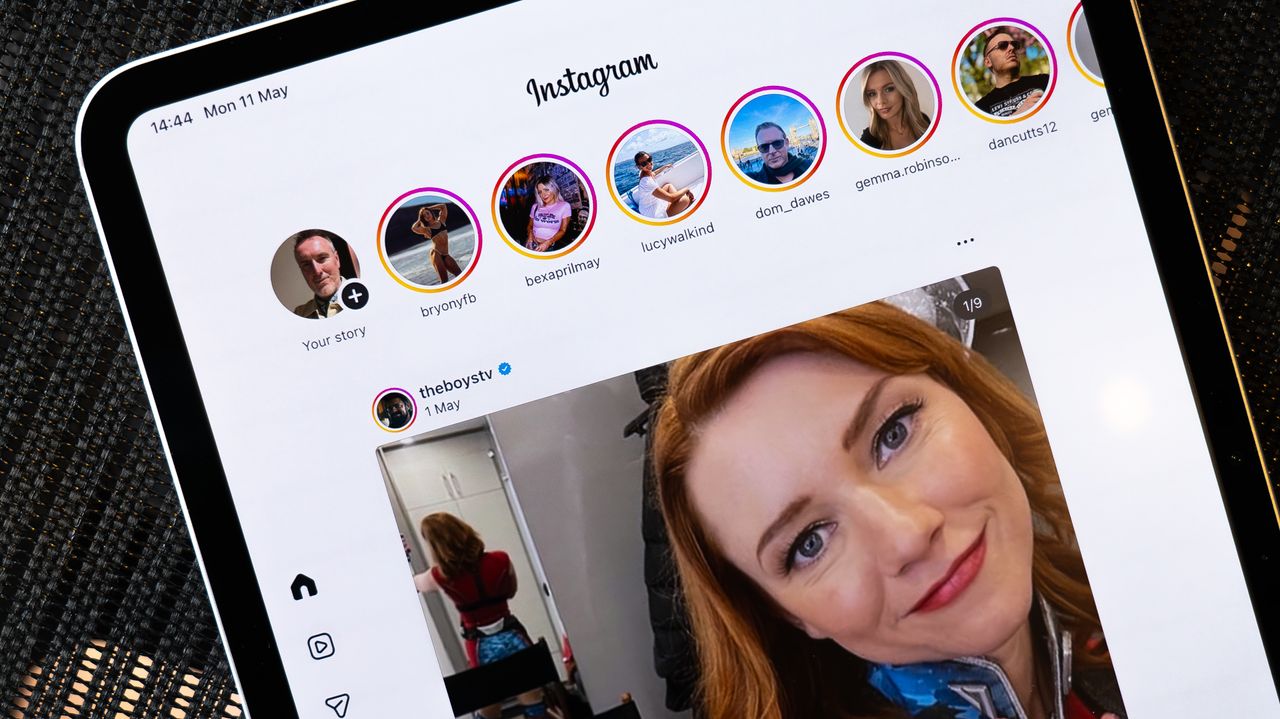
An update has arrived for Instagram on iPad, changing the design to be more in line with iPhone.
The update sees the Reels-first design abandoned for a layout that's more simple – essentially the same as what you'll see on your phone.
The beginning of September last year didn’t just see the announcement of new iPhones and Apple Watch models, it also saw Instagram finally reveal a native version of its app for iPad.
It took 15 years to arrive – Instagram launched as a platform in 2010, six months after the first iPad arrived in stores – but when the app did finally land in September 2025, it was surprisingly different to the iPhone version – its layout, anyway.
Instead, Instagram opted for a controversial Reels-first approach, opening up straight onto the short videos rather than photo posts like you got on iPhone.
At the time, the announcement post read: “With Instagram for iPad, we’ve redesigned the experience to reflect how people use bigger screens today – for lean back entertainment.
"Now, when you open the app, you’ll drop into Reels, so you can get the entertaining content you love on a bigger screen. You’ll also see Stories at the top, so you can easily connect with the people that matter to you, and messaging is one tap away.”
The Instagram iPad app now looks like what we wanted all along
Six months on though, and that’s changed.
A new update to the Instagram app on iPad sees three main changes and we are thrilled. First, the Home tab works in a similar way to iPhone, presenting a feed of posts from people you follow, along with suggested posts you might like.
Secondly, Reels have been pushed into a separate navigation tab, just like you’ll see on iPhone.
And now, the "Following" tab has disappeared from the iPad app altogether, resulting in a very similar basic layout and design to what you get on iPhone, but with the advantage of the larger display.
The update to the Instagram app on iPad has rolled out globally, so if you’re still seeing the older layout, head to the App Store on iPad and search for Instagram.
You should then be able to force the update to the latest design by tapping "Update".