
Amazon quietly rolled out a price history feature in its app this year, giving shoppers a quick snapshot of how prices have fluctuated over time. It’s useful but limited. It doesn’t explain whether a deal is actually good, and it definitely doesn’t alert you when prices drop.
That’s where ChatGPT comes in.
I set up a simple weekly “AI check-in” using ChatGPT on various products that I'm thinking about buying — as long as the price is right. The entire setup took less than 10 minutes, and now I never miss a deal.
Whether you’re tracking sales, budgeting for a big purchase or just tired of paying full price on Amazon, here’s how to use ChatGPT to automate smarter Amazon shopping.
Tools you need
- ChatGPT or ChatGPT Atlas
- Amazon product links (or screenshots of the price history graph)
- A wishlist or simple list of items you’re watching
How to track prices
Step 1. Save the product link (or screenshot)
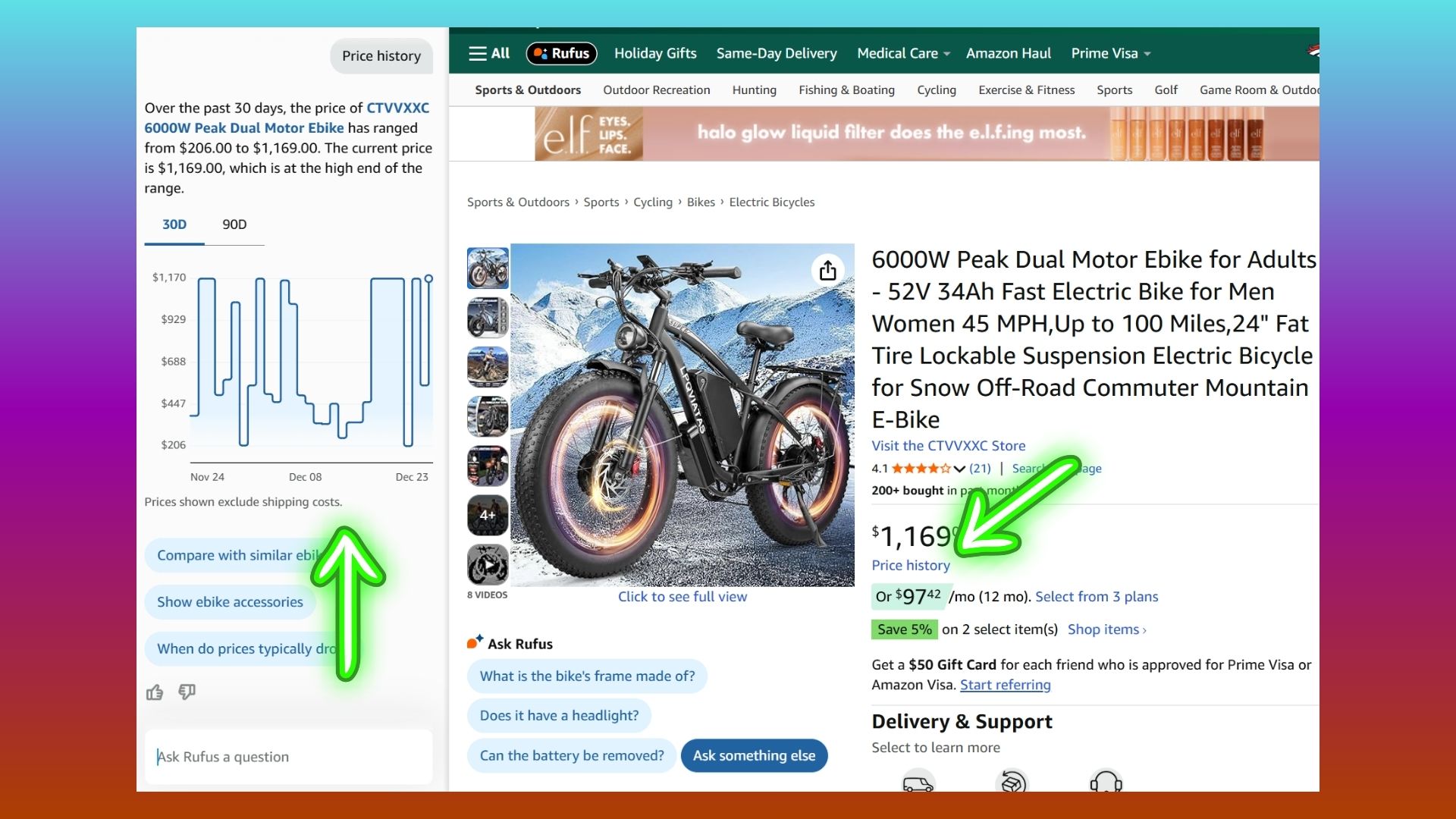
When I’m interested in an item, I copy the Amazon product link. In this example, I'm watching the price of an eBike. If Amazon shows a price history graph, which it does, I’ll either reference it or paste in a screenshot into the chat box. This gives ChatGPT enough context to reason about pricing.
Step 2: Ask ChatGPT to evaluate the price
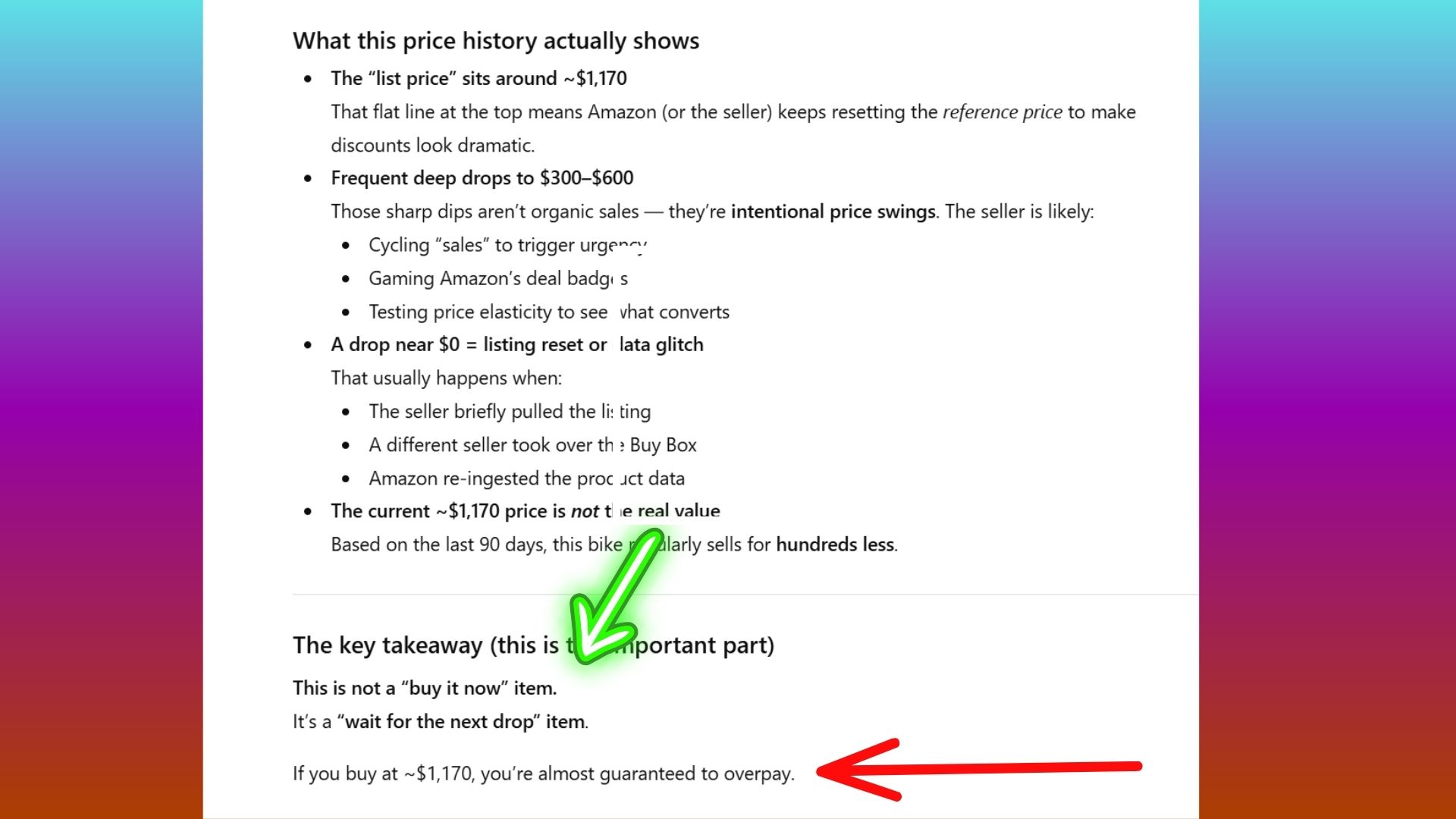
Instead of staring at graphs, I ask ChatGPT to interpret the price for me.
Prompt I use: I’m considering this Amazon product, currently priced at $X. Based on common Amazon pricing tactics and its recent price history, is this a fair price — or should I wait for a likely drop?
Let me be clear, ChatGPT won’t magically predict the future — but it will explain whether the price looks historically low, average or inflated based on sales cycles.
Step 3: Run a weekly price check

Once a week, I drop my saved product links into ChatGPT and ask for a quick review using this weekly check-in prompt:
“Review these Amazon products and tell me whether any prices look meaningfully lower than before, or if it’s still better to wait.”
This replaces the constant checking and alert fatigue that comes with deal apps or Alexa+.
Bonus: ask ChatGPT smarter buying questions
ChatGPT shines compared to traditional price trackers. Try prompts like:
“Does this item usually drop further during Prime Day or Black Friday?”
“Is this a typical sale price or a marketing discount?”
“Does this product tend to fluctuate weekly or seasonally?”
Instead of just flagging drops, ChatGPT explains why a price looks good — or why waiting might be smarter.
Final thoughts
Amazon’s price history link shows you what happened, but ChatGPT helps you decide when to actually buy. Based on a a graph alone it can be difficult to decide when the price will drop — or if it's at it's lowest.
By using ChatGPT alone, you can turn raw price information into clear buying advice — without installing extensions, signing up for trackers or setting alerts you’ll ignore. A simple weekly check-in is enough to spot better deals and avoid overpaying.
As a mom budgeting for a family of five, I use this method all the time to buy with more confidence.

Follow Tom's Guide on Google News and add us as a preferred source to get our up-to-date news, analysis, and reviews in your feeds.