Google recently released its November Pixel Drop update, which includes several new features for Pixel phones and some Android devices. One of the more interesting updates is so good that I might have to switch from an iPhone to a Pixel 10 just to use it.
The new Power-saving mode is meant to help save battery life by reducing the amount of visible features in the navigation map. This is partly done by making the app monochrome in a black-and-white scheme.
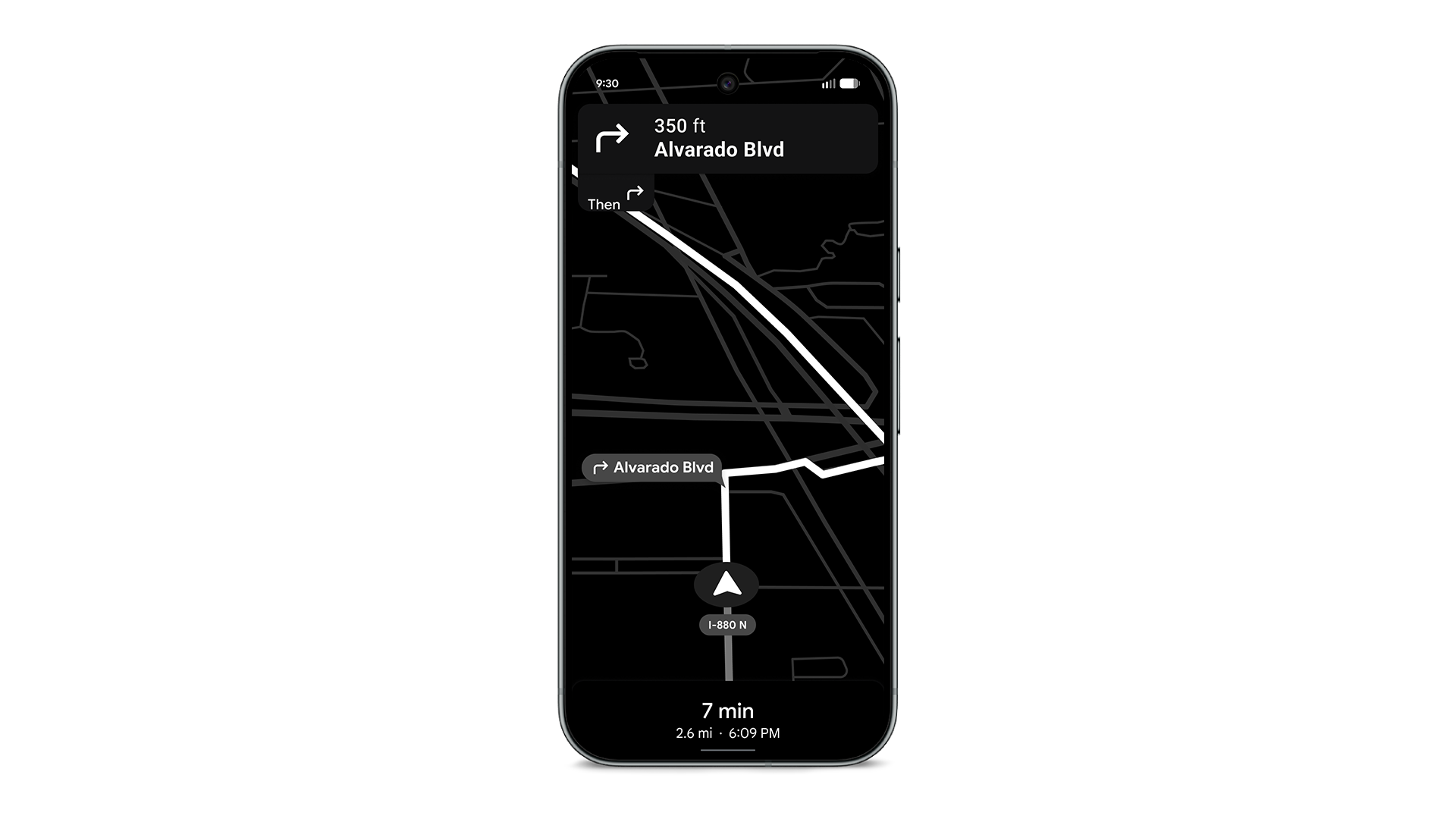
This new power-saving mode was discovered around Halloween in Google beta code, but it wasn't clear how close it was to launch. Now it has, but unfortunately the battery-saving feature is only available for Pixel 10 phones at the moment.
Based on the previously discovered code and what we've seen in the Pixel Drop, there doesn't seem to be an obvious technical reason Google can't make this power-saving mode available on older Pixels or other Android devices. It's possible Google is using the Pixel 10 series as a live test.
How Power Saving Mode works in Google Maps
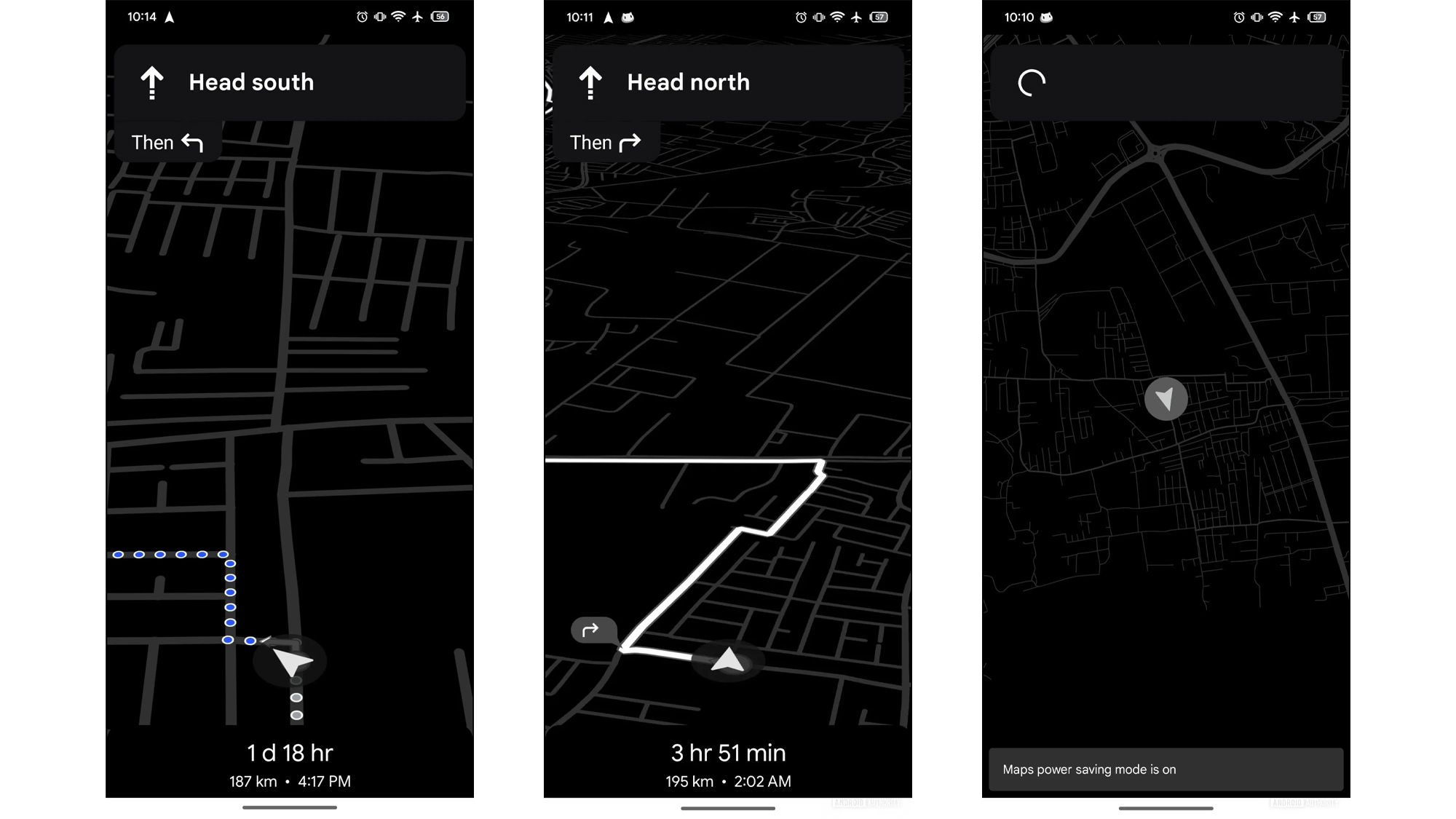
Power saving mode reduces the amount of visible information in Google Maps. The most obvious alteration is the monochrome view.
In the updated view, you'll only see key information like the next turns and the path you need to follow. However, street names and icons are omitted. You will still have access to directions.
When using Maps, you can access power-saving mode by pressing the power button.
Earlier leaks suggested that the mode would only show users instructions based on cardinal directions like "head south" or "head north," which didn't seem terribly useful if you don't know the area. However, based on images provided by Google, it does look like even in power-saving mode Google Maps will display the next direction and the street you need to turn on next.
Questions remain
As I mentioned earlier, at time of publication the power-saving mode in Google Maps is only available on the Google Pixel 10. It's one of the few features from the November Pixel Drop that is only available on the newest Google phone, and it's not clear when or if the feature will come to other devices.
Additionally, it’s not clear from Google’s press release if the feature will support voice navigation or public transit directions. It's also not known if you can customize the monochrome color palette, or if you're limited to black and white.
Tom’s Guide has reached out to Google for clarification and we'll update this story with any meaningful new information!
Maybe its time to try a Pixel phone
With power-saving mode limited to only Pixel 10 phones including the Pixel 10 Pro XL and Pixel 10 Pro Fold, it may be time to try out a Google-made phone. Here's where you can pick up one today.

Follow Tom's Guide on Google News and add us as a preferred source to get our up-to-date news, analysis, and reviews in your feeds.