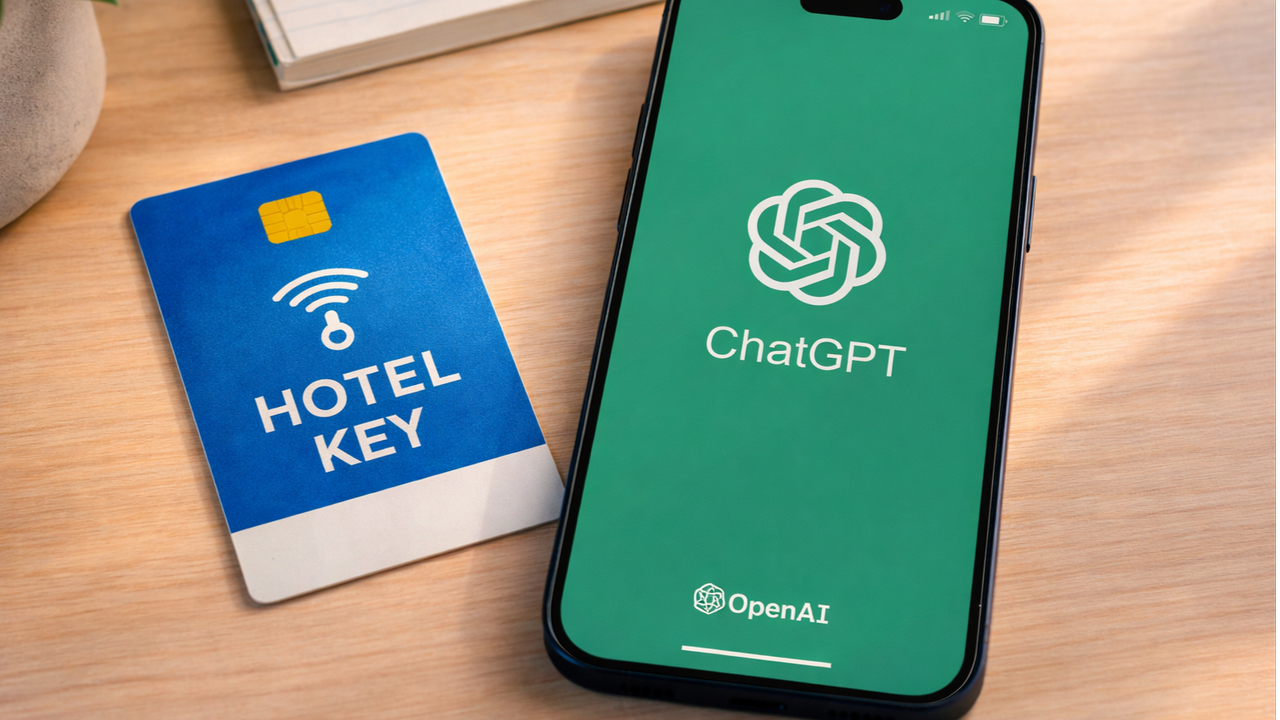
If you're traveling this holiday season and wondering what to do with that old hotel key still in your wallet when you get home, you might want to hang on to it. Turns out, you can use any NFC tag — even a plastic hotel key — to trigger iPhone automations. And with a little help from apps like ChatGPT and Gemini, that hack goes from clever to genuinely useful.
I set up my hotel key card to launch my go-to AI assistant when I tap it to the back of my phone. It may sound complicated, but it’s surprisingly simple — and I’m already using it to journal, brainstorm ideas and trigger custom “focus” routines. Here’s how I set it up and why you might want to do the same.
How this NFC + AI trick actually works

If you're like me, you have a junk drawer full NFC cards. But when it comes to those old hotel keys and arcade cards, there's more treasure there than you might think.
Because iPhones support NFC automation through the Shortcuts app, you can turn those old cards into an AI productivity assistant in just a few steps. Once you scan a tag — like a hotel key, sticker, or even a wristband — you can assign it a custom action. Most people use this to play music or turn off lights. I used it to launch ChatGPT and instantly start a new conversation.
To take it further, I added steps that open a specific GPT I built for daily journaling, turn on do not disturb and open Notion so I can expand ideas. The result? One tap of my card and I’m in a distraction-free, AI-powered work zone.
Here's what you need
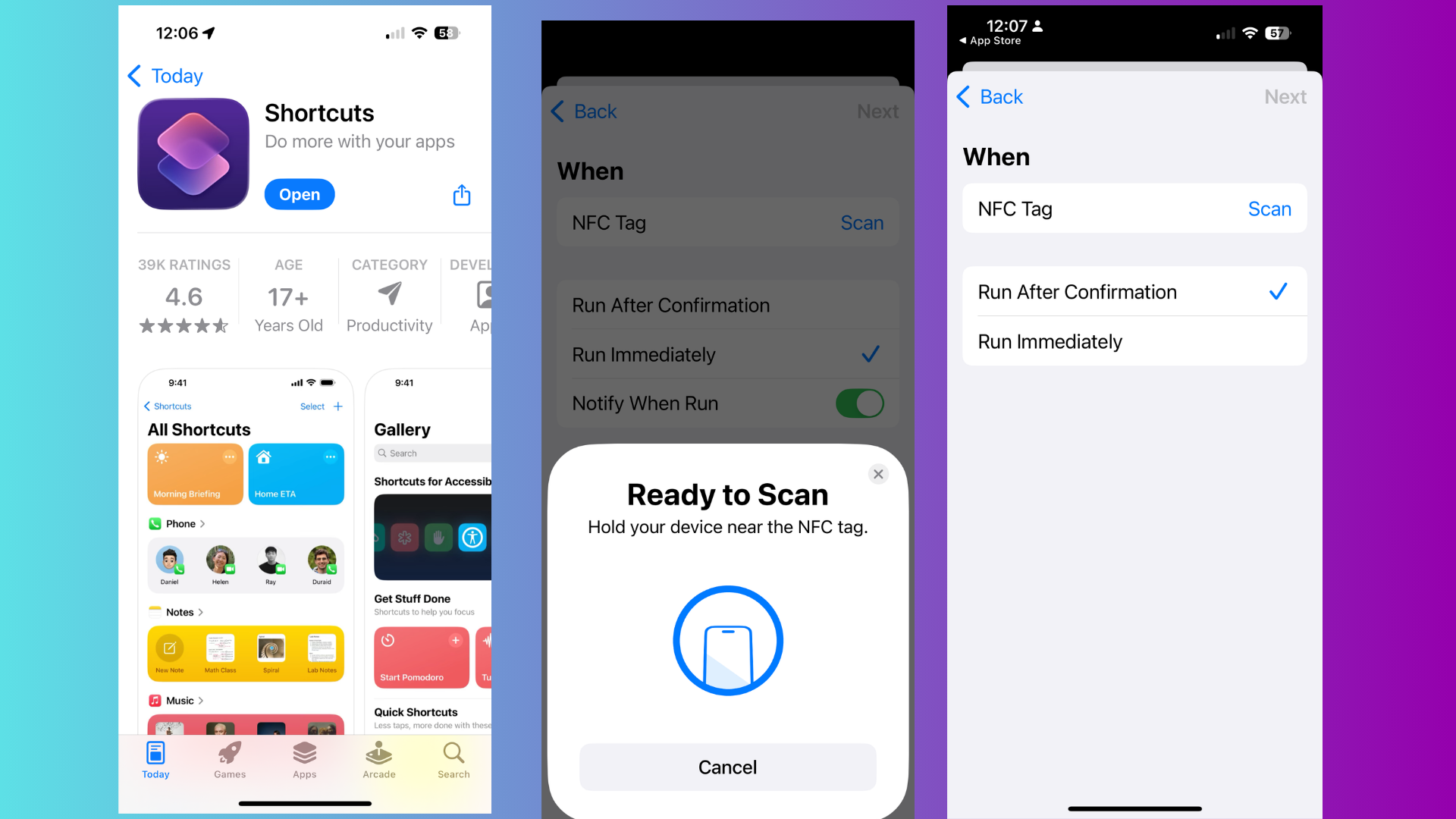
From traveling and going to arcades with my kids, I have a bunch of old NFC cards, but if you don't, you can buy NFC cards on Amazon; they are pretty inexpensive.
Here's everything you need to set this up:
- Any NFC tag (hotel key, tag, card, etc.)
- An iPhone running iOS 13 or later
- The Shortcuts app
- The ChatGPT or Gemini app (I have a card for both)
Steps to set it up
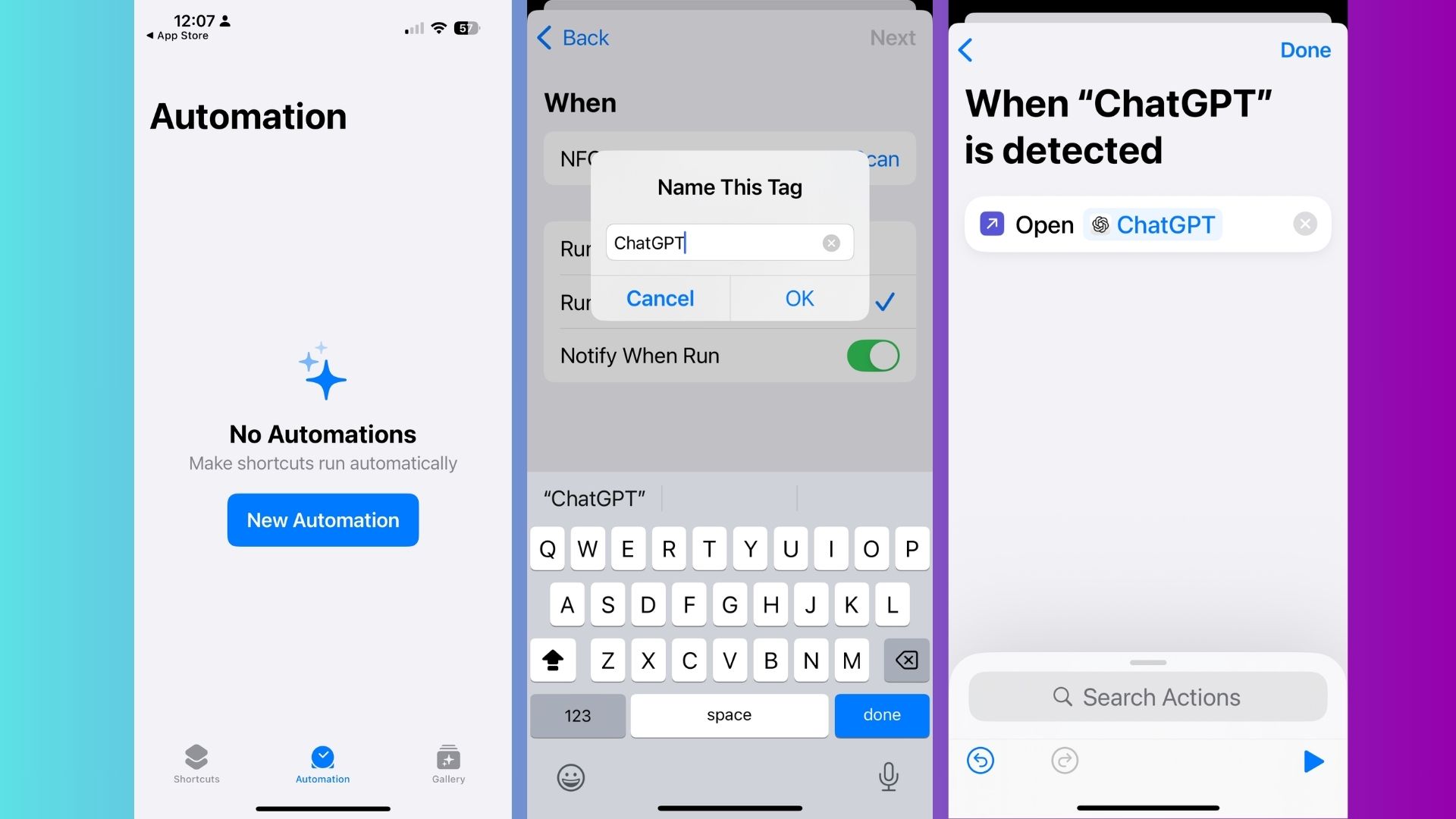
- Open Shortcuts > Automation > Create Personal Automation
- Choose NFC, scan your hotel key or tag, and name it
- Tap Add Action
- Choose “Open App” → select ChatGPT or Gemini
- (Optional) Add other steps like “Set Focus” or “Open URL” for a specific GPT
Once saved, tapping the NFC tag to your iPhone will run the sequence — no extra apps or hardware needed.
3 creative ways to use this with AI

1. Tap to journal with ChatGPT. I created a custom GPT called “Mind Dump” that lets me vent, reflect and think out loud. One tap of the tag opens it instantly so I don’t overthink it.
2. Tap to brainstorm new content or ideas. I stuck a tag on my desk to open Gemini with a preset message:
“Give me a list of all the trending AI stories in the last 24 hours.”
It’s my creative sidekick every single morning. I have my coffee in one hand and my hotel card in another and with a single tap get all the latest AI news.
3. Tap to launch a full “focus mode.” This version opens ChatGPT, logs the time, turns off notifications, and opens Notion. It’s my personal productivity ritual — triggered by a card that used to just open hotel doors.
Bottom line
In a world full of apps and AI tools, the best upgrades are sometimes the simplest. Using an old hotel key card to launch ChatGPT feels low-tech — but the result is a surprisingly powerful shortcut that makes AI more ambient, accessible and integrated into my everyday life.
As Apple Intelligence rolls continues to improve, these routines could get even smarter. But for now, this DIY NFC + AI trick is the closest thing to tapping your way into a personal assistant with actual memory and brainpower. Give it a try. It might just become your favorite $0 productivity upgrade.

Follow Tom's Guide on Google News and add us as a preferred source to get our up-to-date news, analysis, and reviews in your feeds.