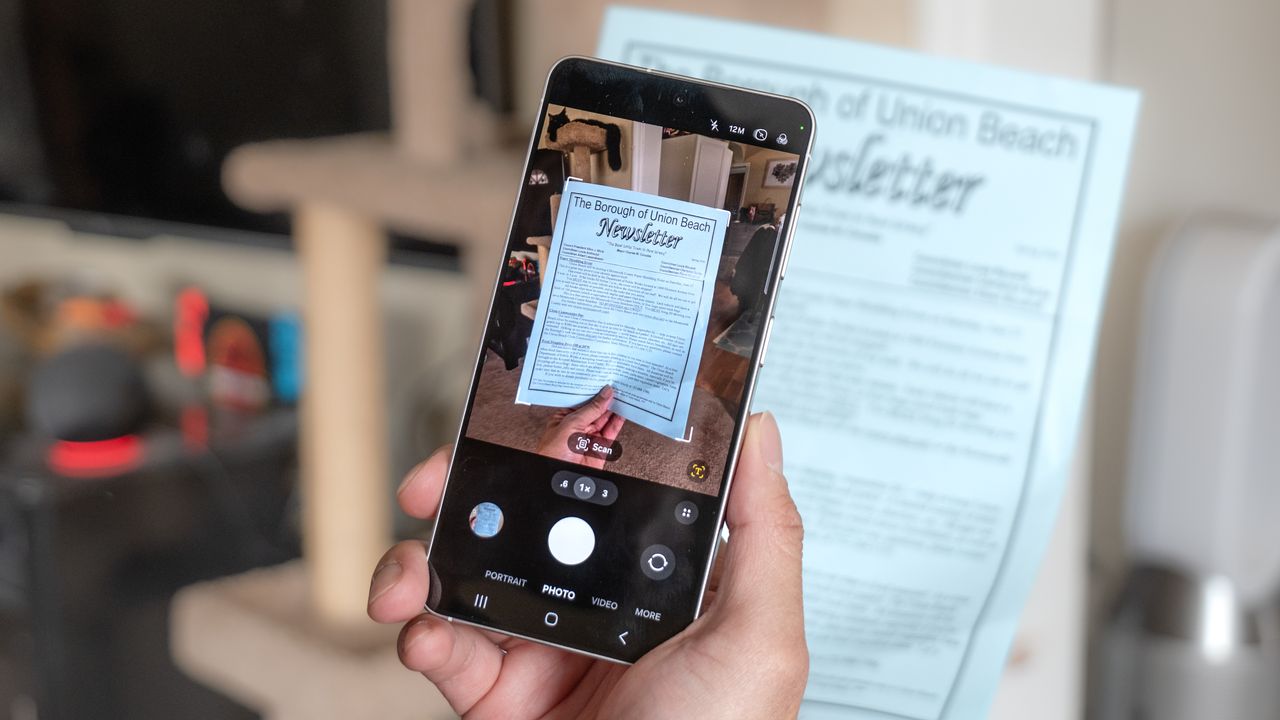
Tax season is upon us, and if you’ve been putting off finalizing your taxes, you’ve got less than a couple of weeks to finish them. For as long as I can remember, I would dust off my sad HP all-in-one printer from its lonely shelf every year around this time to scan the documents I need — but that changed this year.
Instead of using my old reliable scanner, I opted for the Galaxy S26 because it has a hidden feature that practically pushes my scanner into permanent retirement. That’s because the Galaxy S26 features a new AI tool that makes scanning documents a breeze, including the ability to save them as a PDF file.
I’ve been testing it out by scanning several tax documents with my Galaxy S26 — and I have to admit, it’s brilliant. Here’s why.
It’s baked into the camera app
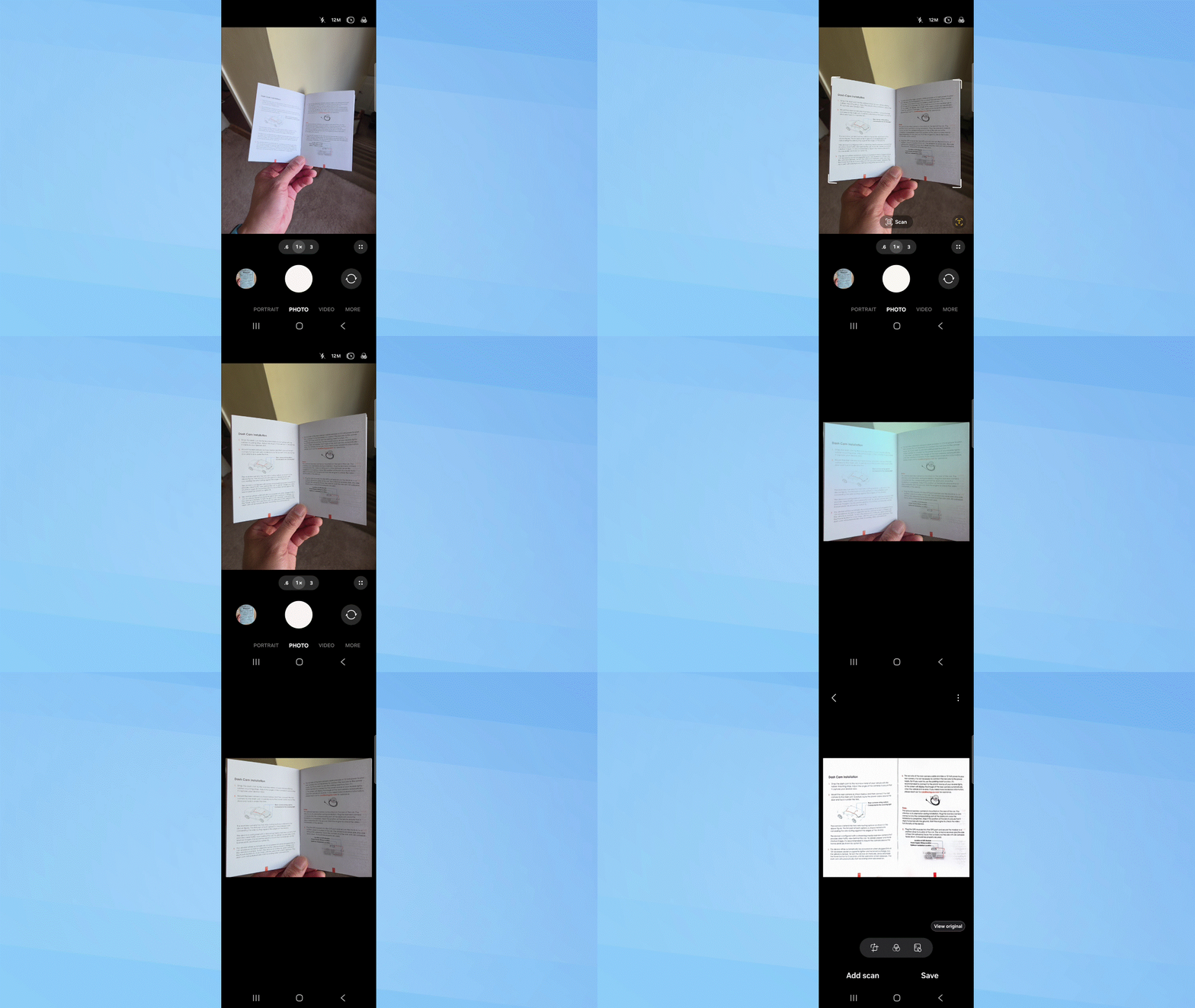
You have to love it when a phone knows exactly what you’re trying to do. That’s exactly how I felt the moment I pulled up the camera app on my Galaxy S26 and positioned the first document in front of it.
Instead of requiring a switch to a dedicated mode, the Galaxy S26 already knows I’m trying to do because a “scan” icon appears almost immediately, with borders highlighting the document. What’s really impressive about this AI tool is how it optimizes the image all on its own.
Since my documents often have folds in them, they’re not always as flat as I’d want for a clean scan. However, the Galaxy S26’s Intelligent Document Scanner automatically flattens the image — so those physical folds don't appear in the final file. At the same time, it also corrects the angle of the shot to ensure everything appears perfectly flat.
Scanner-grade quality
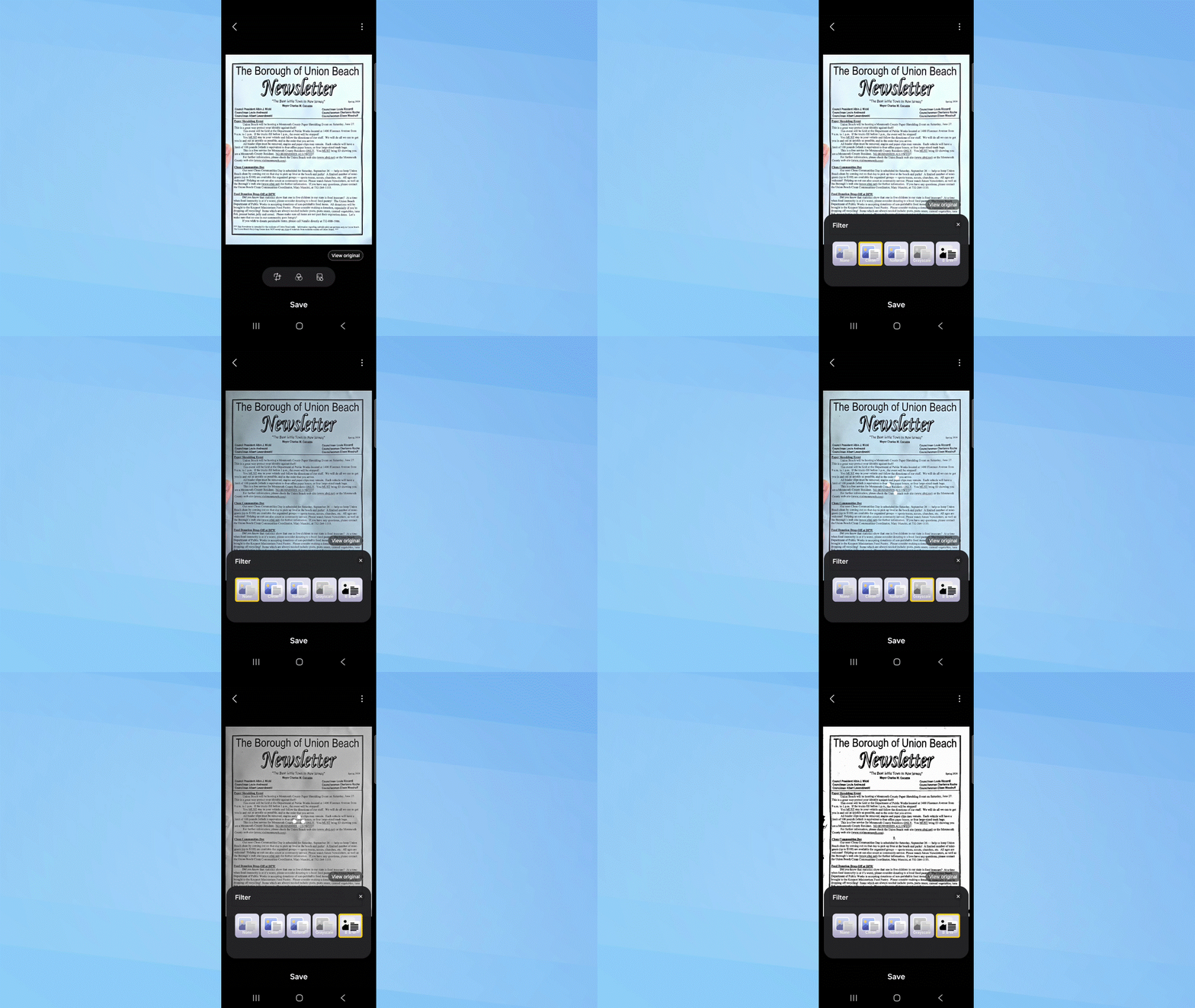
I’m guilty of using my phone’s camera in the past to take photos of documents for my accountant, but that process involved way more work than what this Galaxy S26 AI tool delivers. Normally, I would have had to copy them to my desktop and manually convert them into PDFs.
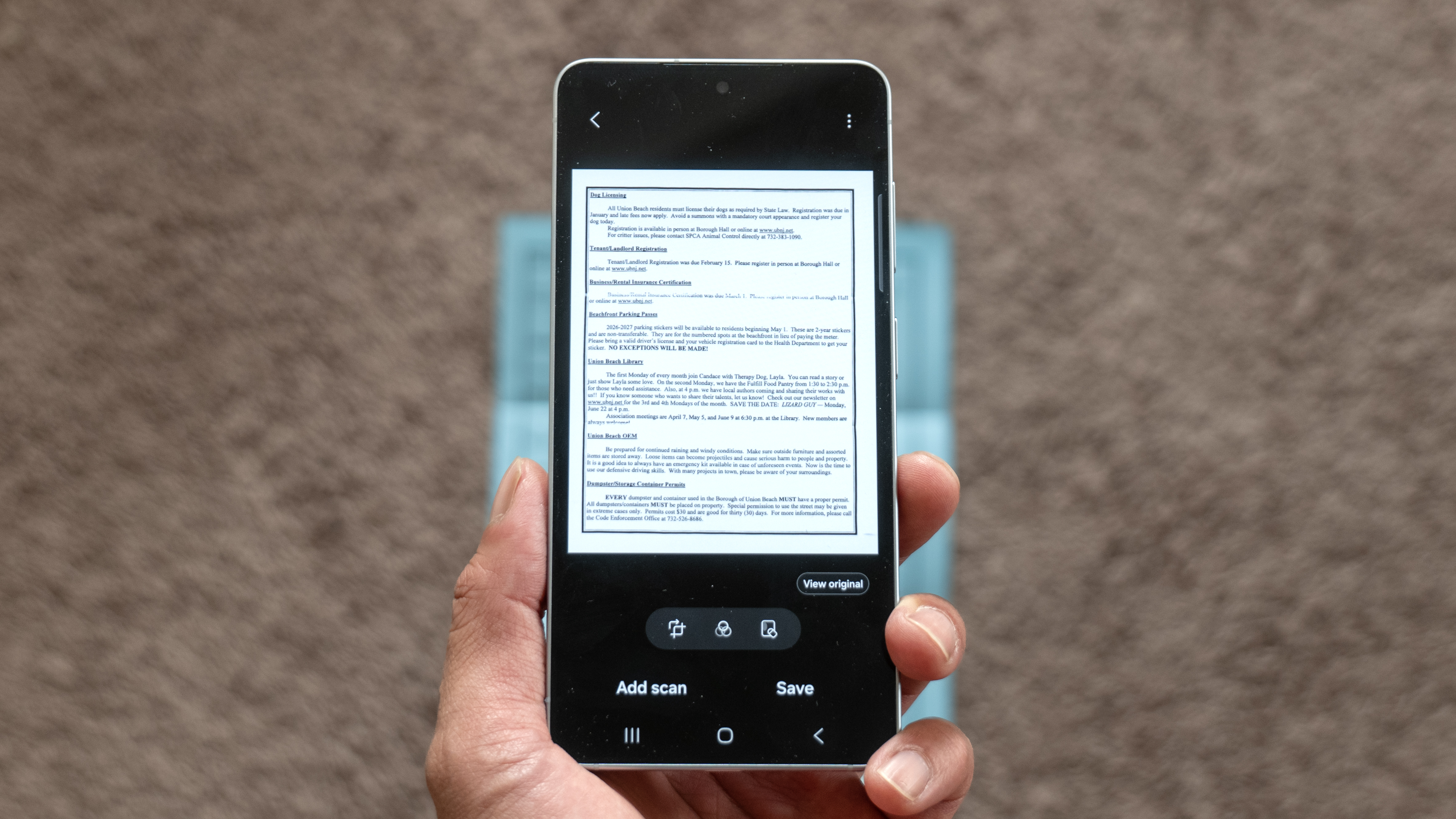
This new tool gives me much greater control over the final result. After the AI flattens the scan, I can select which filter to apply. For that traditional scanner look, the black-and-white option provides the crispest contrast.
Additional tools help enhance the scan even further, like the ability to remove my finger from the shot or fix folded corners. The end result is scanner-grade quality that could fool anyone into believing I actually used a flatbed scanner.
Multiple scans, save as a PDF
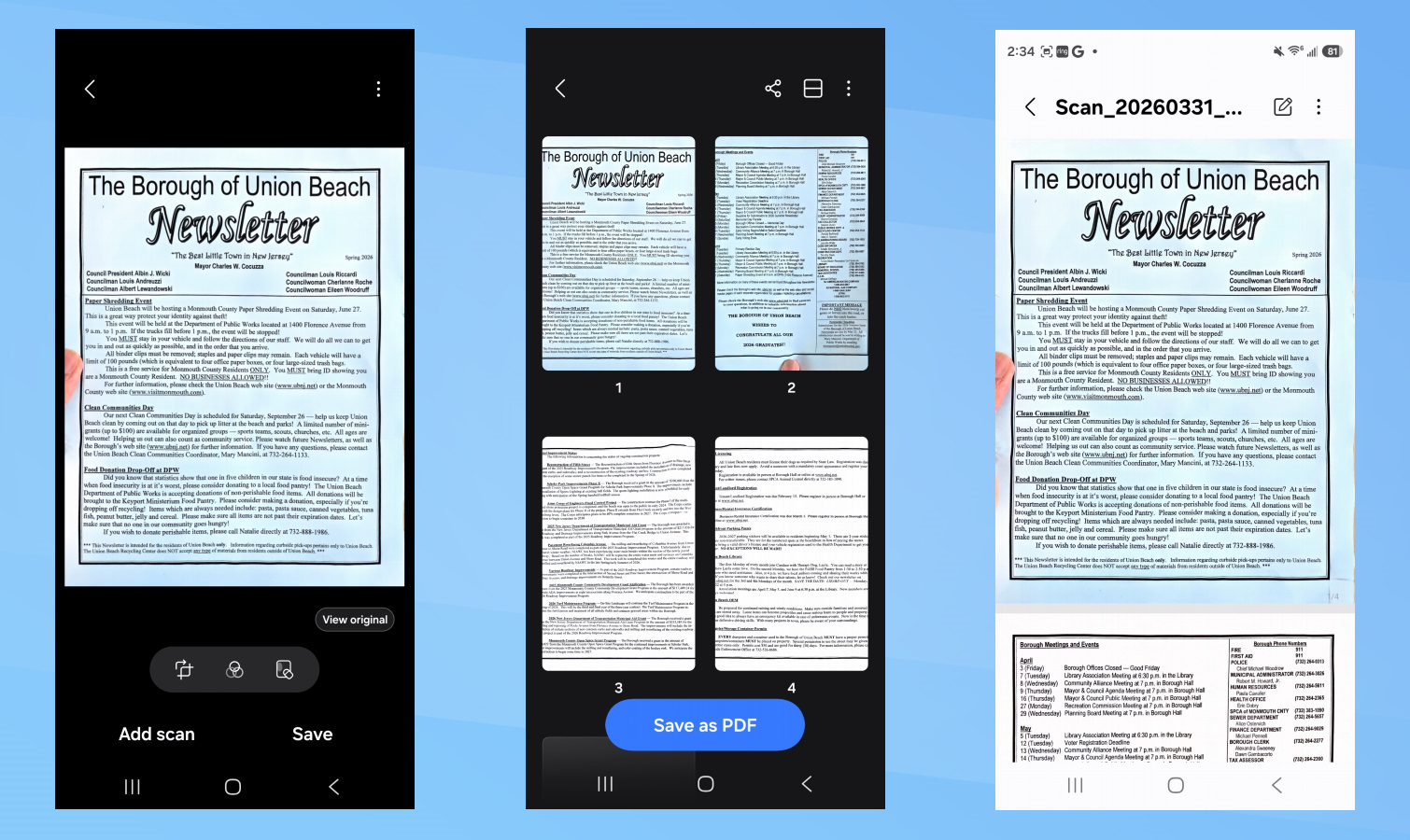
Another reason the Galaxy S26’s Intelligent Document Scanner is incredibly handy is its ability to scan multiple pages and save them as a single, scrollable PDF. It’s hard to overstate how much time this saves because of how I used to have to manually feed each page through my scanner, but now I can simply use my phone.
I scanned a total of eight tax documents and saved them as one PDF file. The results are impressive — my accountant can easily scroll through the entire set instead of juggling multiple separate files. The whole process took me just 10 minutes, which is a massive improvement over the hour it used to take in the past with a traditional scanner.
This isn’t just a win for tax season, either. It’s perfect for signing physical documents and instantly firing off a digital copy to whoever needs it.
Bottom line
I never thought I’d see the day when my phone could officially retire my all-in-one printer, but the Galaxy S26 has done exactly that with this hidden tool. The combination of automatic flattening, shadow removal, enhanced contrast, and effortless PDF creation makes traditional scanning feel ancient. It’s rare to find an AI feature that offers this much practical, real-world value right out of the box, but for anyone staring down a pile of tax forms, the Galaxy S26 is a formidable assistant for the task at hand.